What Is a Knowledge Base? Definition and Types (2026) | The Collaborative Organization
By The Collaborative Organization Team · November 19, 2026 · Last verified November 19, 2026 · 11 min read
A knowledge base is a centralized, searchable library of articles, guides, and resources that helps customers and employees find answers and resolve issues on their own, without contacting support. Each article answers one question or explains one task, and the library is organized so a reader can find it by searching or browsing.
Key takeaways
- A knowledge base is a searchable library of answers, not a pile of files or a flat FAQ list.
- Most knowledge bases split into external ones for customers and internal ones for employees.
- A good knowledge base has four parts: articles, structure, search, and someone who keeps it correct.
- HubSpot reports that 61% of customers prefer self-service for simple issues.
- A knowledge base differs from a database, which stores raw records for systems, not explanations for people.
What a knowledge base is
A knowledge base is a structured library of answers that an organization writes, maintains, and publishes so that customers, employees, or software can find information without asking a person. In customer service, it holds how-to articles, troubleshooting steps, policies, and FAQs. Inside a company, it holds onboarding guides, process documents, and HR policies.
The word has two meanings, and the older one still matters. In computing, it first meant a store of facts that a program could reason with, as one part of an expert system. In business today, it usually means a help site or an internal wiki written for people, such as a customer help center or a staff handbook.
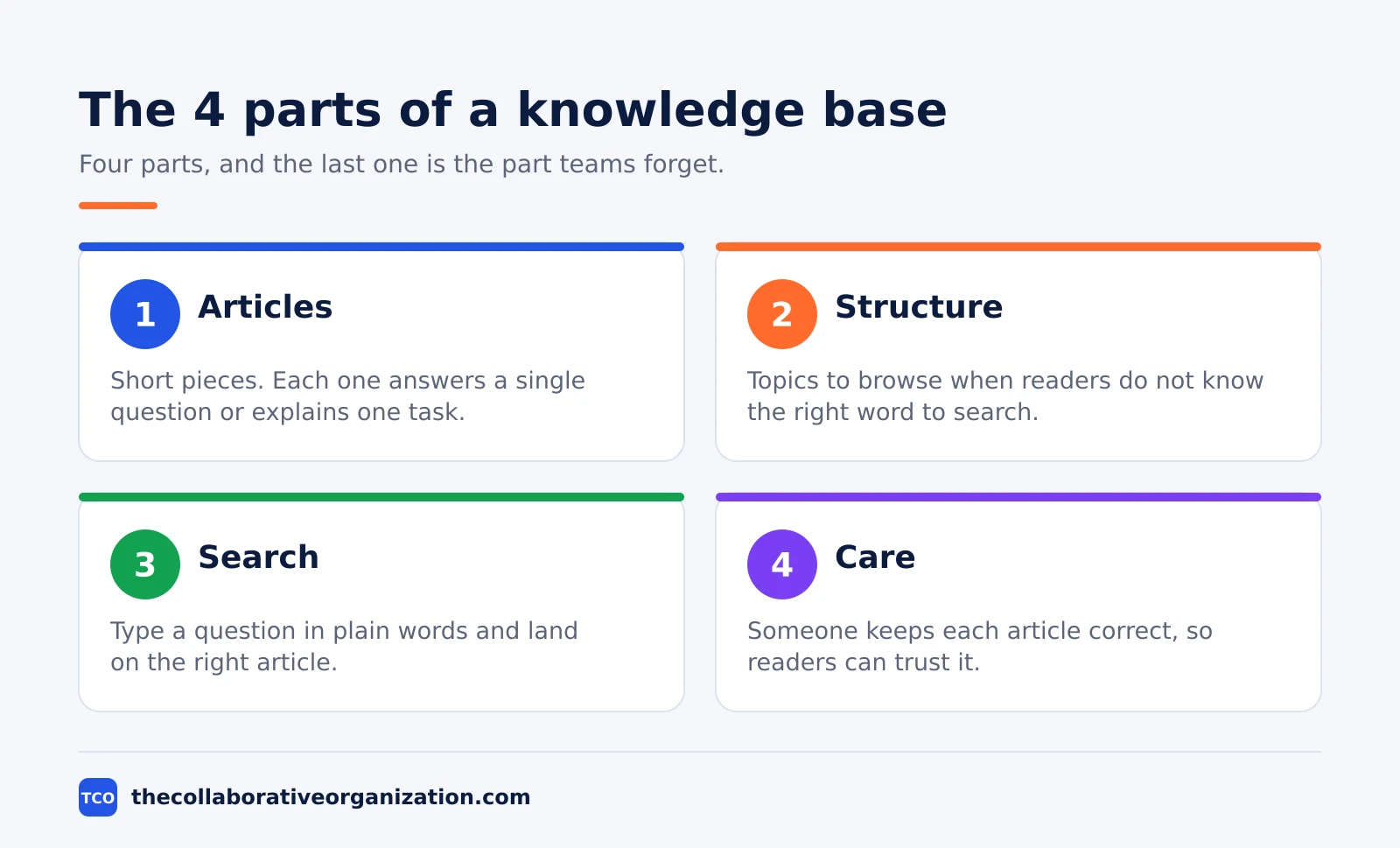
A good knowledge base has four parts. Articles are the core: short pieces that answer one question or explain one task. Structure groups them into topics, so people can browse when they do not know the right word to search for.
Search lets a reader type a question in their own words and land on the right article. Care is the part teams forget: someone keeps the articles correct, so people can trust them.
The types of knowledge base
Knowledge bases split by who reads them, and most organizations run at least two types. The split matters because each type holds different content, needs different permissions, and fails in a different way.
An external knowledge base is customer-facing: a public help center where users troubleshoot without contacting support. An internal knowledge base serves employees, holding onboarding material, process documents, and the runbook a new hire needs.
An agent knowledge base serves contact center staff, with scripts, policies, and escalation rules for live calls. An AI knowledge base feeds a chatbot or an assistant that answers in plain language and cites the articles behind each answer.
| Type | Who reads it | Typical content | What breaks first |
|---|---|---|---|
| External knowledge base | Customers, through a help center | How-to articles, FAQs, troubleshooting | Search, when customers describe problems in their own words |
| Internal knowledge base | Employees across the company | HR policies, IT fixes, process documents | Ownership, when nobody is assigned to review it |
| Agent knowledge base | Support agents on live calls | Scripts, policies, decision trees | Speed, when a slow answer stalls a live call |
| AI knowledge base | Chatbots and assistants | Short, structured answers with clear scope | Accuracy, when the model repeats a wrong article |
Salesforce draws the same line in its own guide: internal knowledge bases hold HR policies, technical documentation, and best practices for employees, while external ones offer support articles and FAQs that help customers resolve issues on their own. Many teams run both on one platform, with different permissions for each audience.
What a knowledge base includes
What goes inside depends on who the library serves, and a customer-facing base looks different from an internal one. Many organizations maintain both, and some content serves both audiences, so the categories below are a starting point, not a fixed list.
For customers, a knowledge base usually holds product guides with step-by-step instructions, troubleshooting guides for common technical issues, FAQs for recurring questions about pricing and setup, and short videos for processes that are hard to explain in text. The test for each item is whether a customer can follow it alone, with no help from support.
For employees, it holds company policies and information, department documentation for support, sales, and IT, onboarding checklists for new hires, and runbooks for incidents and routine fixes. HubSpot lists the same split: product guides and troubleshooting for customers, and policies and department documentation for employees.
| Team | External use | Internal use |
|---|---|---|
| Customer support | Help center articles, troubleshooting guides | Article library reps reference during live cases |
| IT | Status pages, self-service reset guides | Runbooks, incident response docs, system SOPs |
| HR | No public content | Policies, benefits info, onboarding checklists |
| Sales | No public content | Product specs, battlecards, objection handling |
| Product | Release notes, feature documentation | Internal specs, known issue tracking |
Knowledge base vs FAQ, database, and wiki
A knowledge base is not a FAQ page, not a database, and not quite a wiki, and the differences decide which one you need. Each stores something different, and mixing them up is how teams build the wrong thing.
An FAQ is a flat list of common questions and short answers. It is useful for quick reference but limited in depth and scope. A knowledge base is a structured, searchable library that covers a much broader range of topics with full articles and step-by-step guides.
A database stores raw, structured data, such as records, transactions, and inventory, optimized for retrieval by systems. A knowledge base stores human-readable content optimized for understanding. It captures context, explanation, and expertise, not just data points. If a program reads it, it is a database; if a person reads it to solve a problem, it is a knowledge base.
A wiki is the closest cousin. Our comparison of wiki vs knowledge base covers the overlap in detail: a wiki is a set of linked pages that many people can edit, while a knowledge base adds curation, owners, and review dates. Many knowledge bases run on wiki software, and the difference is the care around the content.
An intranet is broader still. It is the internal platform that includes company news, communications, employee resources, and social features, and a knowledge base is one component of it: the organized, searchable library of articles. Our comparison of intranet vs knowledge base explains where one ends and the other begins.
Why teams build a knowledge base
Teams build a knowledge base because customers prefer to solve simple issues themselves, and every answer found alone is one fewer ticket in the queue. HubSpot reports that 61% of customers prefer self-service for simple issues, and most try to solve problems on their own before ever contacting support. A knowledge base makes that possible around the clock, with no hold times and no ticket queues.
It also cuts repetitive tickets. When customers find their own answer, support staff get more time for complex issues that actually need a human. The articles the team shares most often are the highest priority for updates, and they make good templates for new content.
For employees, the gain is onboarding speed. A new hire with a single source of truth for policies, processes, and role-specific documentation can fill gaps between training sessions instead of waiting for the next one. That takes pressure off senior team members who would otherwise field the same questions again and again.
The payoff only holds if the library stays correct. A knowledge base with wrong answers is worse than no knowledge base, because it sends people down the wrong path with confidence. That is why ownership and review dates matter as much as the articles themselves.
A worked example: a support team that stops repeating itself
A short example shows what a knowledge base changes for one team. Imagine a 20-person support team for a small software product, answering the same 30 questions every week: password resets, billing changes, and three common error messages.
The team writes 15 articles first: one per question, each answering one problem with numbered steps and a screenshot where the steps are hard to follow. They publish the articles in a public help center, link the password reset guide from the login page, and link the billing guide from the checkout page.
Within a month, the three error-message articles become the most viewed pages, and tickets about those errors fall. The team checks the search log, finds five searches with no results, and writes articles for those next. A new hire joins and reads the onboarding section instead of asking a senior rep the same five questions on day one.
The team also learns what breaks. One article still shows the old pricing, because nobody owned it, and a customer quotes it in a ticket. The team assigns an owner to every article that day and adds a review date to each one. The library works from then on, not because it is large, but because someone keeps it correct.
When to use a knowledge base, and when not to
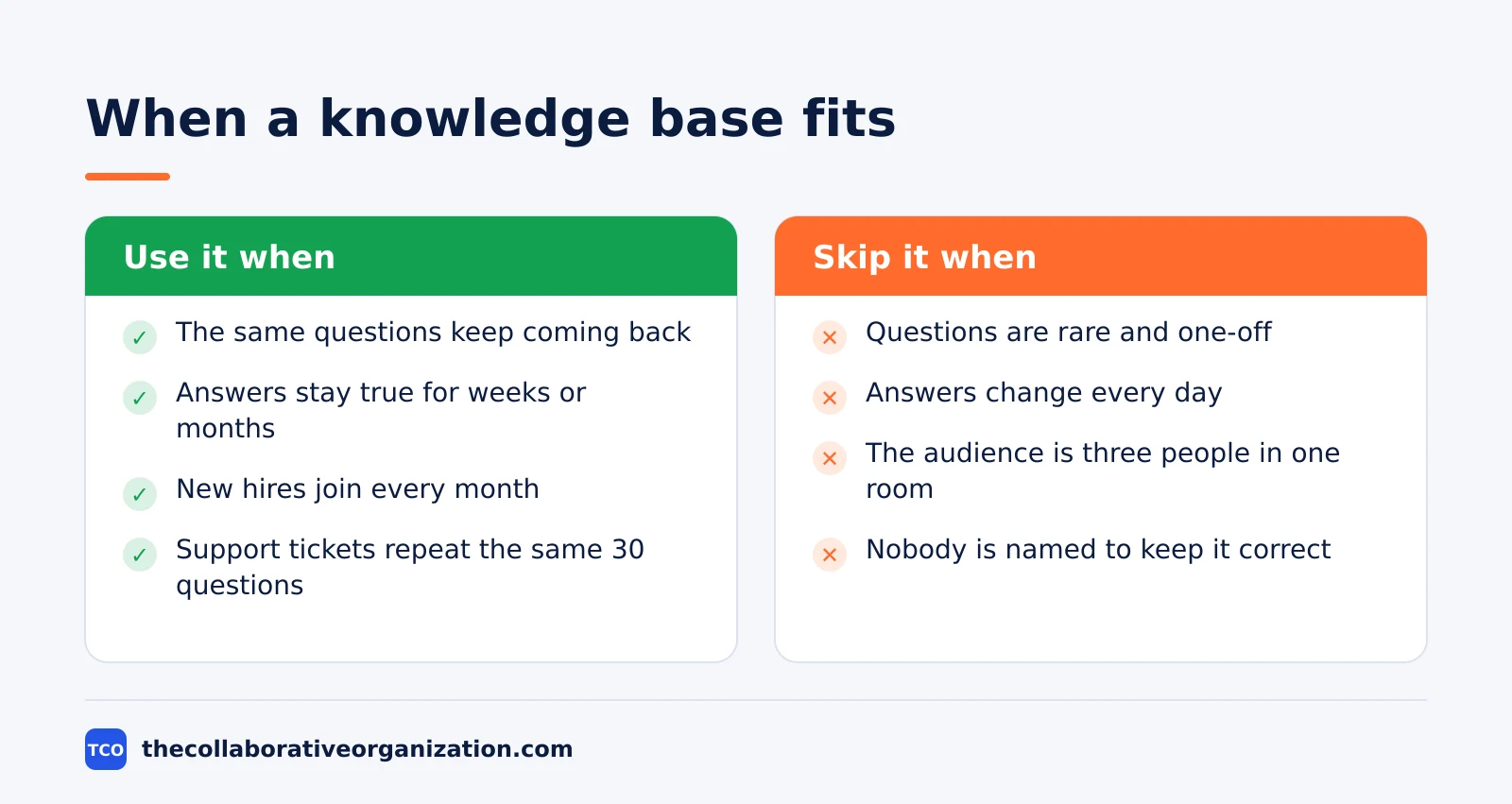
Use a knowledge base when the same questions keep coming back, from customers or from employees, and the answers stay true for weeks or months. It fits support teams with repeat tickets, companies onboarding new hires every month, and products with setup steps that customers must follow alone.
Skip it when the questions are rare, the answers change daily, or the audience is three people in one room. A shared document or a chat message answers those faster, and a knowledge base would add admin work without adding value.
A knowledge base also fails when nobody owns it: if no one is named to keep the articles correct, the library decays within months and people stop trusting it.
Tools that hold a knowledge base
The tool matters less than the ownership, but the right platform makes search, permissions, and review dates easy. Pick the tool your team already opens every day, and check that it supports the four parts from the first section.
Our guide on how to choose collaboration software covers how to weigh a wiki against a file-based system.
If you have not picked a tool yet, compare the options on our document collaboration software shortlist first.
| Tool | Best for | Free plan | Starting price (as of November 2026) | Notable limit |
|---|---|---|---|---|
| Confluence | Teams that keep a wiki as their source of truth | Free for up to 10 users | $7.15 per user per month (Standard), billed monthly for 1-100 users | SSO needs a separate Guard subscription |
| Notion | Small teams that mix docs, wikis, and tasks | Free plan for solo use | $10 per member per month (Plus), billed annually | Plus keeps 30 days of page history |
| Google Docs | Simple shared docs, not a full knowledge base | Free with a Google account | Free; Workspace Business Starter $7 per user per month, billed annually | No built-in knowledge base structure |
The Confluence price needs a note: the page shows $5.78 for Standard and $11.16 for Premium, but that is the blended rate for a 300-user team. A team of 1 to 100 users pays $7.15 on Standard and $14.10 on Premium, billed monthly, after the rise on 13 October 2026.
The Notion price is $10 per member per month on Plus when billed annually, or $12 billed monthly.
The Google Docs price comes from Google Workspace pricing, where Business Starter is $7 per user per month on the annual plan and $8.40 on the flexible plan, as of November 2026.
Common knowledge base mistakes to avoid
Most knowledge bases fail in the same few ways, and all of them are easy to spot in a review. Run through the list before you launch, and again each quarter.
- No named owner per article. When nobody owns an article, nobody updates it, and wrong answers stay live. Name one owner per article and one program owner for the library.
- Launching with too much content. A library of 200 untested articles is worse than 15 good ones. Start with the questions your team answers most often, and add from ticket data.
- Writing for the wrong reader. Articles written in internal jargon fail the customer who searches in plain words. Write for the least technical person who might land on the page.
- No search log review. The searches that return no results are your next articles. If nobody reads the log, the gaps stay gaps.
- Hiding the path to support. A knowledge base that traps a stuck reader creates frustration, not self-service. Put a clear contact link on every article.
- Treating launch as the finish. A knowledge base is only as useful as it is accurate. Set a review cadence: quarterly for fast-moving areas, annually for stable policies.
Sources
- HubSpot - What Is a Knowledge Base, and Why Do You Need One? (2026)
- Salesforce - What Is a Knowledge Base? A Complete Guide (2026)
- Clueso - What Is a Knowledge Base? Types and How to Build One (2026)
- KnowXTheme - What Is a Knowledge Base? Meaning, Types, When to Use (2026)
- Appspace - Knowledge Base (2026)
- Atlassian - Confluence Pricing (2026)
- Notion - Pricing (2026)
Frequently asked questions
What is the difference between a knowledge base and a wiki?
A wiki is a set of linked pages that anyone with access can edit, while a knowledge base is a curated library of answers with owners, review dates, and search built around questions. Many knowledge bases run on wiki software, but the difference is the care: a knowledge base has someone keeping each article correct.
Is a knowledge base the same as an FAQ page?
No. An FAQ is a flat list of common questions with short answers, useful for quick reference but limited in depth. A knowledge base is a structured, searchable library that covers a much broader range of topics with full articles, step-by-step guides, and troubleshooting help.
Who should own a knowledge base?
Each article needs a named owner, usually the person or team closest to the topic, such as support for troubleshooting guides or HR for policy pages. One program owner should watch the whole library: search terms with no results, articles with no owner, and pages past their review date.
How many articles does a knowledge base need to launch?
Start with the 10 to 20 questions your team answers most often, and launch with those. A small library that answers real questions beats a large one full of guesses. Add new articles from support tickets and search terms that return no results, one batch at a time.
Can a knowledge base replace customer support?
No, it reduces the routine work so support can focus on the hard cases. Customers solve simple issues on their own, and support staff answer the complex questions faster because they can share the right article. A knowledge base needs a clear path to contact support for anything it does not cover.
Related articles
document collaboration
Airtable vs Google Sheets: Which to Use in 2026
Airtable is a database with views and automations; Google Sheets is a free spreadsheet. Learn the limits, the 2026 prices, and which one fits your team's data.
November 19, 2026 · 7 min read
document collaboration
Confluence vs SharePoint: Which to Use in 2026
Confluence is a wiki built around pages; SharePoint is a document platform built around files. Learn the differences, the 2026 prices, and which one fits your team.
November 19, 2026 · 7 min read

document collaboration
How to Document Processes: A Step-by-Step Guide (2026)
To document a process, pick one task, watch it done for real, map the steps and decisions, then test the draft on someone new. Follow the 7 steps in this guide.
November 19, 2026 · 10 min read