Airtable vs Google Sheets: Which to Use in 2026 | The Collaborative Organization
By The Collaborative Organization Team · November 19, 2026 · Last verified November 19, 2026 · 7 min read
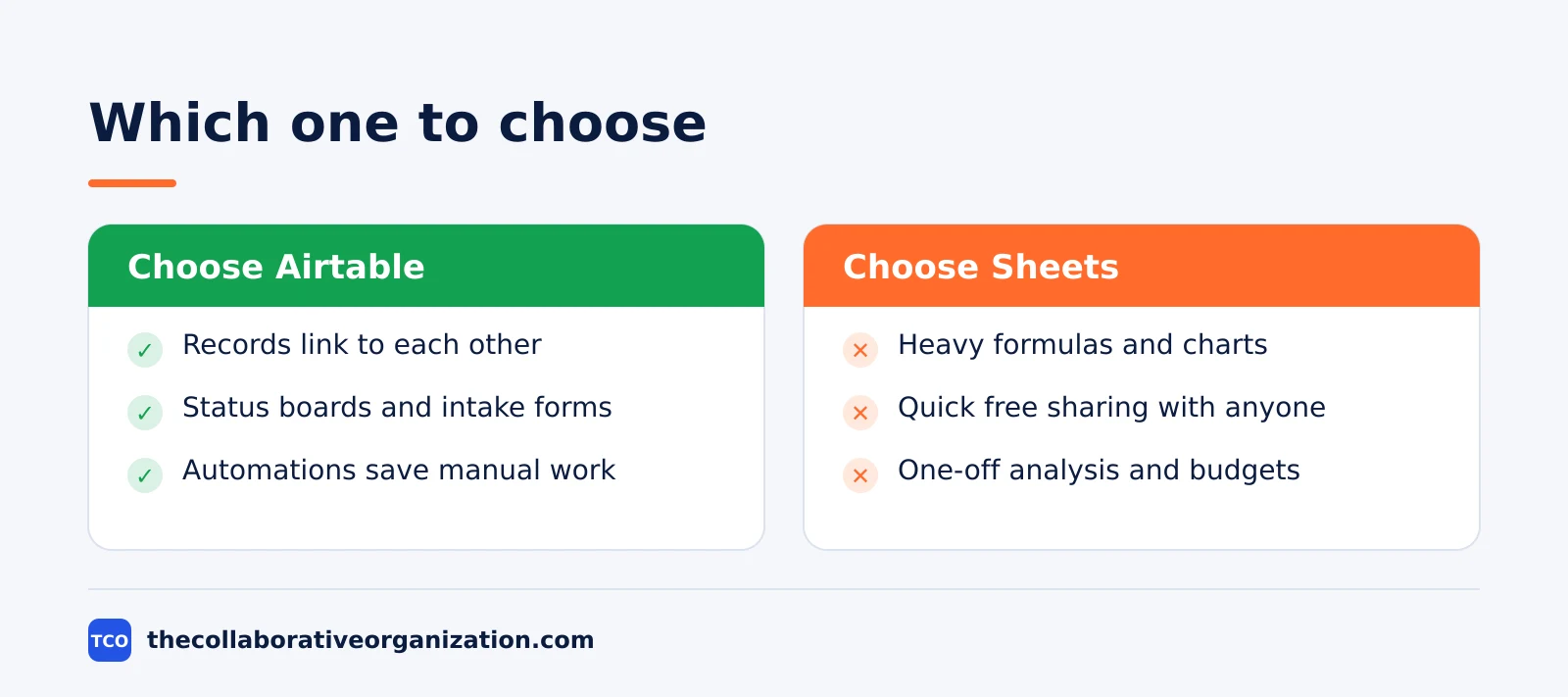
Airtable is a database that looks like a spreadsheet, while Google Sheets is a spreadsheet that anyone can open for free. Choose Airtable when records link together and need views, forms and automations. Choose Sheets when the work is maths, analysis and quick sharing.
Key takeaways
- Airtable stores linked records in tables with views, forms and automations; Sheets stores values in cells with formulas.
- Airtable Team costs $20 per user per month billed annually, and only users with edit permission count as paid seats, as of November 2026.
- Google Sheets is free with any Google account; Google Workspace Business Starter costs $7 per user per month.
- Airtable Team holds 50,000 records per base; Sheets holds up to 20 million cells per spreadsheet after a September 2026 doubling.
- Teams that need structure outgrow Sheets, while teams that need formulas and charts stay with Sheets.
What is the difference between Airtable and Google Sheets?
The difference is the data model: Airtable links records across tables, while Sheets calculates values across cells. In Airtable, a client record links to its projects, and each project links to its tasks. Change the client name once and every linked view updates. In Sheets, the same data sits in rows, and keeping it in sync takes formulas and care.
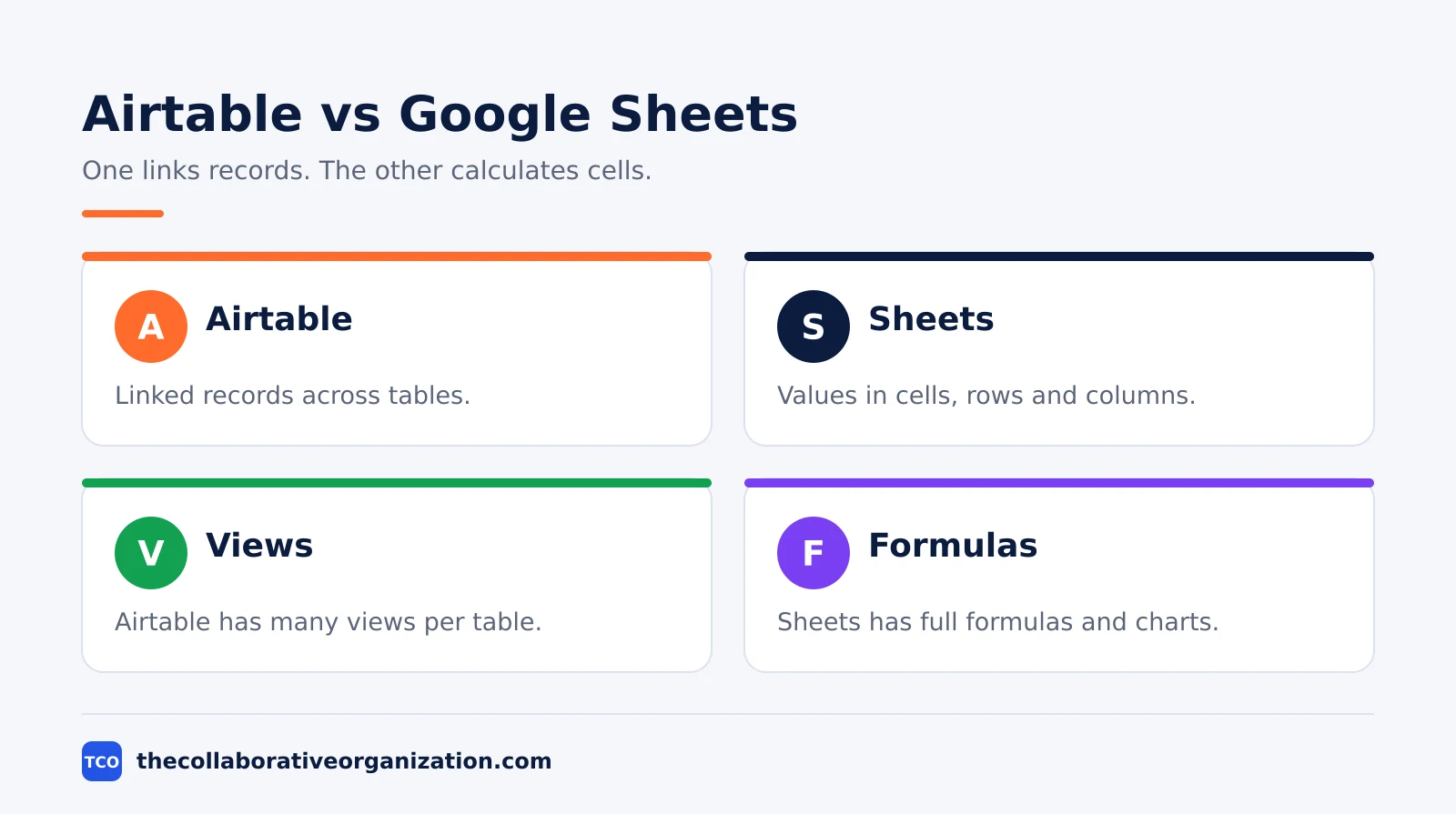
The second difference is the interface. Airtable turns one table into many views: a grid for data entry, a kanban board for status, a calendar for dates and a form for intake. Sheets has one view, the grid, plus filters and pivot tables. The view is what makes Airtable feel like an app instead of a file.
The third difference is who pays. Sheets is free for anyone with a Google account, which is why it is the default for quick shared lists. Airtable charges per editor: only users with edit permission on at least one base count as paid seats, while read-only collaborators, form submissions and share links are free.
Airtable vs Google Sheets side by side
Side by side, Airtable wins on structure and automation, while Sheets wins on price, familiarity and maths. The table below sorts the trade-offs.
| Feature | Airtable | Google Sheets |
|---|---|---|
| Data model | Linked records across tables | Values in cells, rows and columns |
| Views | Grid, kanban, calendar, form, gallery | Grid, filters, pivot tables |
| Formulas | Basic, per-field | Full spreadsheet formulas |
| Automations | Built in, with triggers and actions | Apps Script, needs coding |
| Sharing | Share links, forms, interfaces | Link or email, instant co-editing |
| Price to start | Free up to 5 editors | Free with a Google account |
A table that only needs sorting and sums belongs in Sheets. A table that needs linked records, a status board and an intake form belongs in Airtable. The wrong choice shows up fast: a Sheets tracker with 20 tabs and broken lookups, or an Airtable base used as a calculator.
What Airtable does best
Airtable does best what a small database does best: structured records that many people use in different ways. A content pipeline, a client list, a hiring tracker and an asset register all fit the model. Each record holds attachments, check boxes, dates and links to other tables, and each team sees the view that matches its job.
Automations are the second strength. A new form submission can create a task, assign it and post a notification without anyone copying data by hand. Team includes 25,000 automation runs a month, and Business raises that to 100,000. That is the step where Airtable stops being a smarter spreadsheet and starts being a small system.
The third strength is the interface. Interfaces turn a base into a simple app for people who never open the grid: a manager sees a dashboard, and a new hire sees a form. Sheets cannot offer that, because every user sees the same grid.
Our guide comparing project management software with spreadsheets makes the same point about structure versus flexibility.
What Google Sheets does best
Google Sheets does best what a spreadsheet does best: fast maths, quick analysis and sharing with anyone at no cost. Formulas, pivot tables, charts and conditional formatting work the way millions of people expect, and a new user needs no training to open a sheet and start typing.
Sharing is the second strength. A link opens the sheet in a browser with no install, and several people can edit the same cell range at once with their cursors visible. That instant access is why Sheets is the default for budgets, lists and one-off analysis shared outside the company.
The third strength is the price. Sheets is free with a Google account, and it sits inside Google Workspace beside Google Docs, Drive and Meet. Business Starter costs $7 per user per month, as of November 2026.
Pricing and limits
Airtable charges per editor with hard record limits, while Sheets is free with a generous cell limit, so the price gap is real. Figures below are list prices as of November 2026.
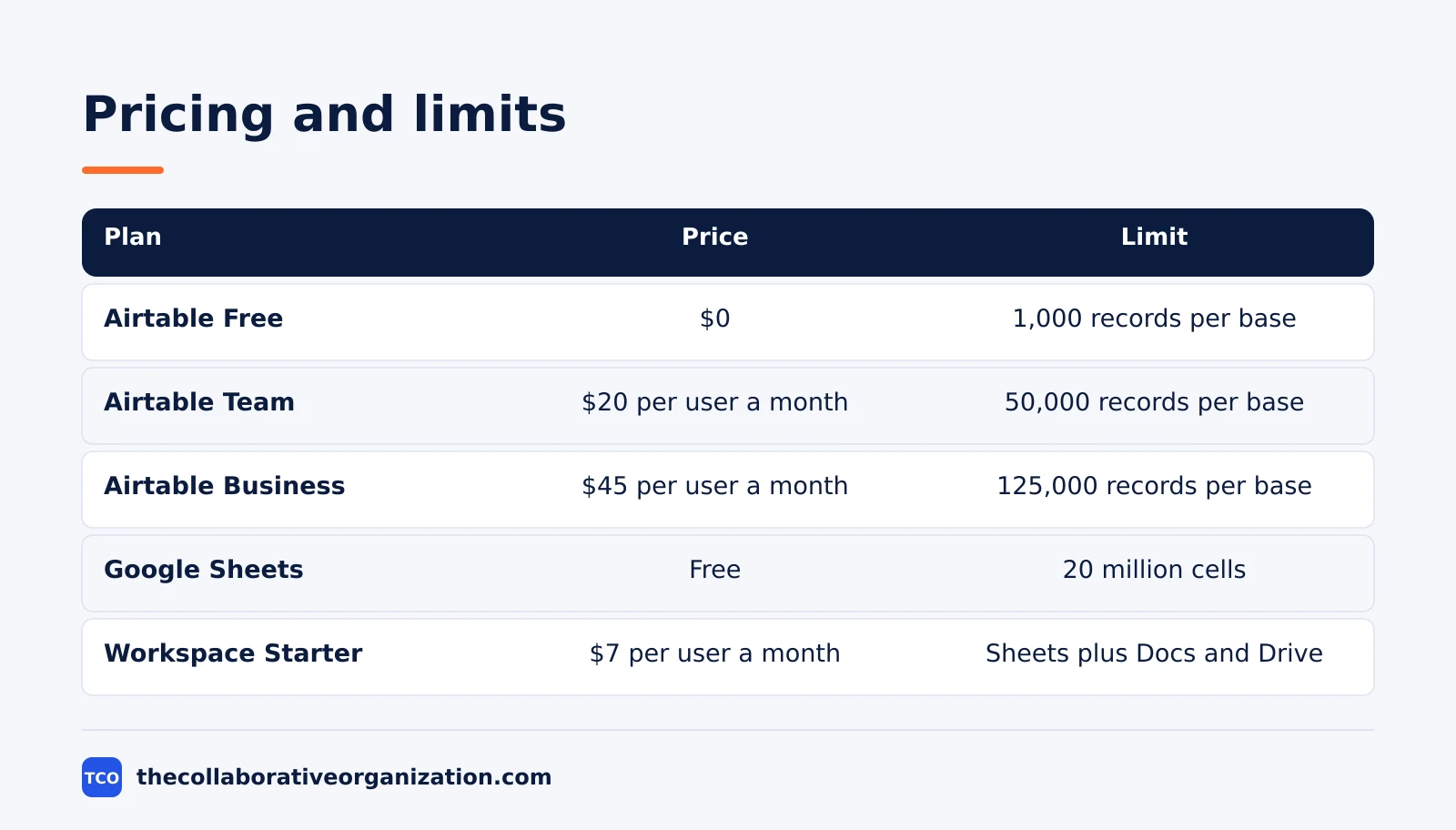
| Plan | Price (as of November 2026) | Limit |
|---|---|---|
| Airtable Free | $0 | 5 editors, 1,000 records per base |
| Airtable Team | $20 per user per month, billed annually | 50,000 records per base |
| Airtable Business | $45 per user per month, billed annually | 125,000 records per base |
| Google Sheets | Free with a Google account | Up to 20 million cells per spreadsheet |
| Workspace Starter | $7 per user per month | Sheets plus Docs, Drive and Meet |
The Sheets cell limit doubled from 10 million to 20 million cells in September 2026, so older guides that quote 10 million are out of date. The document collaboration shortlist shows the other tools in this category.
Airtable’s own pricing page confirms Team at $20 per user per month billed annually and Business at $45, with charges only for users who can edit at least one base. Google’s Workspace pricing page lists Business Starter at $7 per user per month.
Worked example: the client tracker
A client tracker shows the split in practice, because the same list works in both tools until it grows. Imagine a 10-person agency tracking 200 clients, each with projects, contacts and invoices.
In Sheets, the tracker is one grid with 200 rows and a column for each fact. It works until a client has three projects and two contacts, and then the row repeats and formulas break. In Airtable, clients, projects and contacts are three linked tables.
The agency keeps Sheets for the monthly revenue forecast, where formulas and charts earn their keep. The tracker itself moves to Airtable, where the structure does the work. Our guides index has more on picking the right tool for team data.
Common Airtable vs Google Sheets mistakes to avoid
Most teams make the same four mistakes, and all four come from using one tool for the other tool’s job. Name the job first and the choice follows.
- Building a linked system in Sheets. Twenty tabs and fragile lookups are a sign the data wants Airtable, not a bigger spreadsheet.
- Using Airtable as a calculator. Heavy formulas, pivot tables and charts belong in Sheets, where they are faster to build and easier to check.
- Paying for viewers in Airtable. Only editors need paid seats, so give read-only access to everyone who just needs to look.
- Keeping two copies of the same list. A tracker in both tools will drift apart, so pick one home for each dataset and link to it from the other.
The fix for all four is the same habit: one home per dataset, with the tool chosen for the shape of the data. Linked records belong in Airtable, and free-form maths belongs in Sheets.
Sources
- Airtable - Pricing (2026)
- Google - Workspace Pricing (2026)
- Bravotech - Best Spreadsheet Software (2026)
- GoTechPresso - Airtable Pricing (2026)
- UseInvent - Airtable vs Notion vs Google Sheets (2026)
- Flozic - Airtable vs Google Sheets (2026)
Frequently asked questions
Is Airtable better than Google Sheets?
It depends on the data. Airtable wins when records link to each other, such as clients linked to projects, and when the team needs views, forms and automations. Google Sheets wins for free-form maths, quick analysis and sharing with anyone. Most teams that outgrow Sheets move to Airtable, not the other way round.
Can Airtable replace Google Sheets completely?
Not for everything. Airtable is weak at heavy formulas, charts and free-form modelling, which are the core strengths of a spreadsheet. Teams that replace Sheets fully often miss pivot tables and complex formulas. The common setup keeps Sheets for analysis and Airtable for the structured record of work.
Is Google Sheets really free?
Yes, for personal use with any Google account, with no time limit. Businesses pay for Google Workspace when they need a custom domain, admin controls and more storage: Business Starter costs $7 per user per month, as of November 2026. Sheets itself has no paid tier beyond the Workspace bundle.
How many records can Airtable hold?
The Free plan holds 1,000 records per base, Team holds 50,000 per base, and Business holds 125,000 per base, as of November 2026. Google Sheets holds up to 20 million cells per spreadsheet, a limit Google doubled in September 2026. Big flat lists fit Sheets; linked structured data fits Airtable.
Which one is easier for non-technical staff?
Google Sheets is easier on day one, because almost everyone has used a spreadsheet. Airtable takes a few hours to learn, since bases, tables and linked records are new ideas for most people. After that first week, Airtable is often easier, because forms and views hide the complexity from casual users.
Related articles
document collaboration
Confluence vs SharePoint: Which to Use in 2026
Confluence is a wiki built around pages; SharePoint is a document platform built around files. Learn the differences, the 2026 prices, and which one fits your team.
November 19, 2026 · 7 min read

document collaboration
How to Document Processes: A Step-by-Step Guide (2026)
To document a process, pick one task, watch it done for real, map the steps and decisions, then test the draft on someone new. Follow the 7 steps in this guide.
November 19, 2026 · 10 min read
document collaboration
How to Organize Shared Drive Folders (2026)
To organize shared drive folders, use team-owned Shared drives, 5 to 7 top-level folders, names with dates, and shortcuts instead of copies. Follow the 7 steps here.
November 19, 2026 · 11 min read