How to Choose Collaboration Software in 6 Steps (2026) | The Collaborative Organization
By The Collaborative Organization Team · November 19, 2026 · Last verified November 19, 2026 · 9 min read
To choose collaboration software, list the five jobs your team must do, shortlist three tools, test guest access and security, compare real prices for your team size, and run a two-week trial with real work. The tool that wins is the one your team opens every day, not the one with the longest feature list.
Key takeaways
- Start with a list of jobs the tool must do: chat, tasks, docs, files, guest access, or all of them.
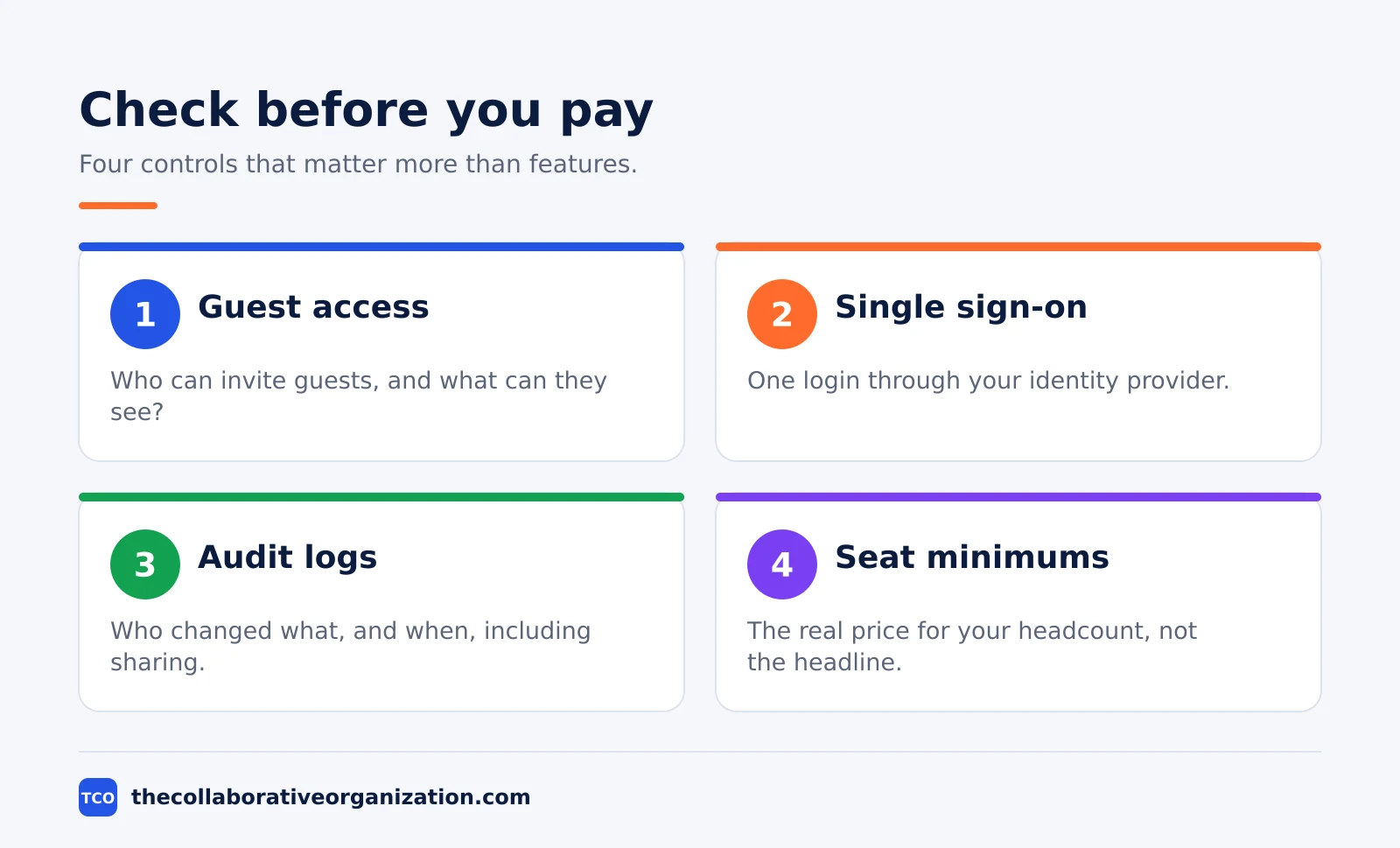
- Check guest access, permissions, audit logs, and single sign-on before you compare prices.
- Compare the price for your real team size, including seat minimums and the plan you will need in six months.
- Run a two-week trial with a real project, real files, and at least one outside guest.
- Zoom found in 2025 that 54% of employees using more than 10 apps report communication issues, against 34% using fewer than five.
What you need before you compare tools
You need three things before you compare tools: a list of jobs, a headcount, and a shortlist rule. Without the list, every demo looks good. Without the headcount, every price looks cheap. Without a shortlist rule, the search never ends.
Write the jobs as plain sentences. “We need one place for client feedback” is a job. “We need advanced automation” is not, until you name the task it automates. Ask each team what they do today in chat, in docs, and in email, and note where the work gets lost.
Five real jobs beat fifty feature checkboxes.
Count the people who will use the tool, including guests. Clients, contractors, and partners often need access, and some tools charge for every seat while others let guests join free. Asana, for example, offers unlimited free guests on its paid plans, as of November 2026.
Set the shortlist rule now: three tools, no more. Pick them from the jobs list, not from ads. Our guide on how to evaluate SaaS software shows how to score vendors on the same criteria so the choice stays fair.
How to choose collaboration software in 6 steps
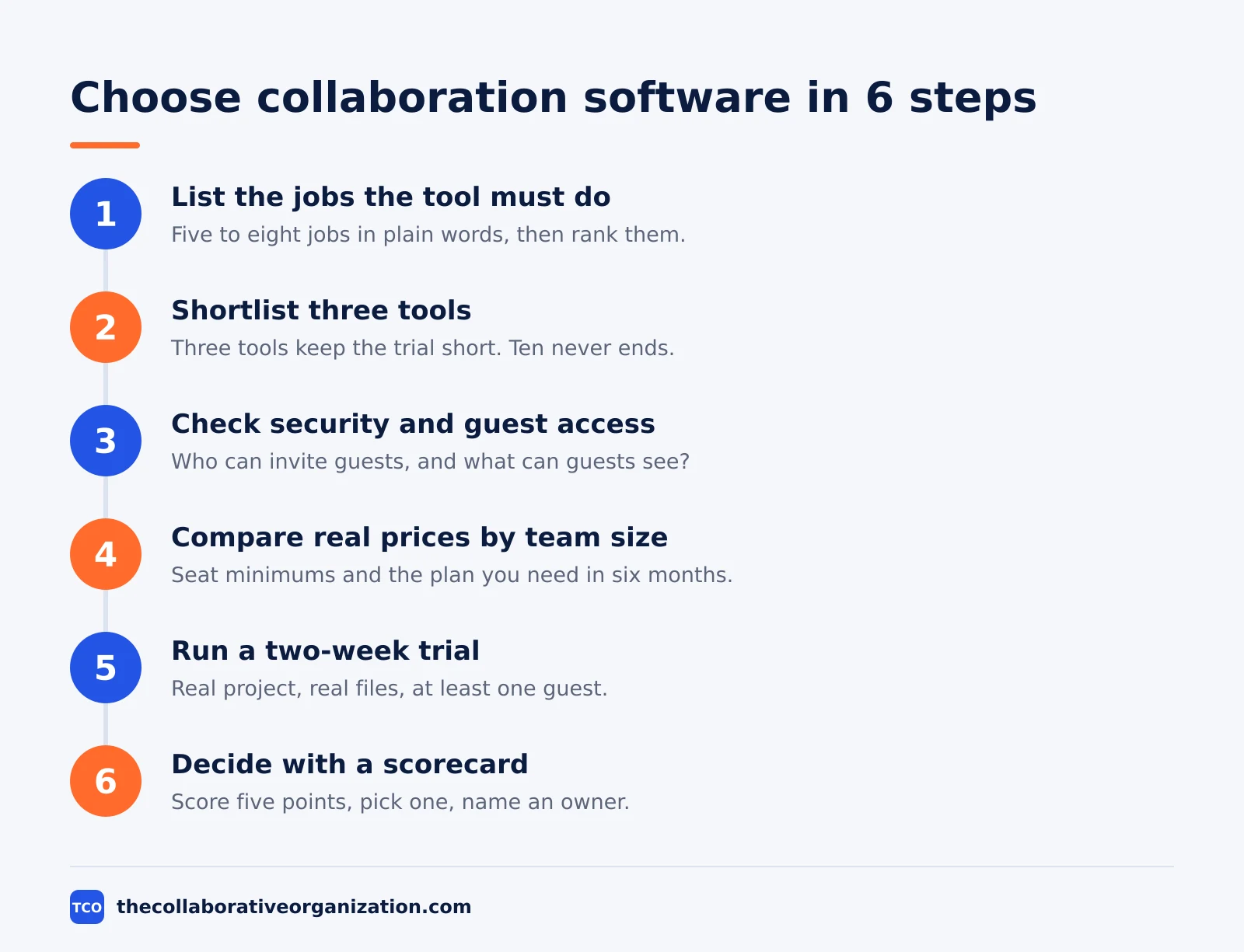
The six steps are: list the jobs, shortlist three tools, check security and guest access, compare real prices, run a trial, and decide with a scorecard. A small team can finish in two to three weeks; a large company should allow six to twelve weeks, including a security review.
Step 1: List the jobs the tool must do
Write five to eight jobs in plain words, then rank them. Chat, task tracking, shared docs, file storage, and guest access cover most teams. If a job appears once a month, it is a nice extra, not a must-have. The must-have list decides the shortlist.
Step 2: Shortlist three tools that cover the jobs
Pick three tools that cover the must-have jobs and drop the rest. Use our project management software shortlist as a starting point, then check each tool against your jobs list. Three tools keep the trial short; ten tools keep it going forever.
Step 3: Check security and guest access first
Test the controls that protect your work before you test features. Ask who can invite guests, what guests can see, whether guest accounts expire, and whether the tool logs external sharing. In Microsoft Teams, guest access is off by default and runs through Entra B2B accounts, with four switches to set.
Step 4: Compare real prices for your team size
Price the tool for your actual headcount, not the headline rate. Seat minimums change the math: some plans need at least three seats, and some charge per seat while others charge per workspace. Add the plan you will need in six months, plus training and migration time.
Step 5: Run a two-week trial with real work
Give the trial a real project with real files and at least one outside guest. Ask the team to do their normal work in the tool for two weeks, then judge it on the work. A trial with no real work proves nothing about the tool.
Step 6: Decide with a scorecard and roll out
Score each tool on the same five points: ease of use, job coverage, guest access, price for your team size, and growth to 50 people. Pick the winner, name one owner for the rollout, and set a date to move the work. A decision with no owner and no date is a suggestion.
Collaboration software comparison: prices and guest access
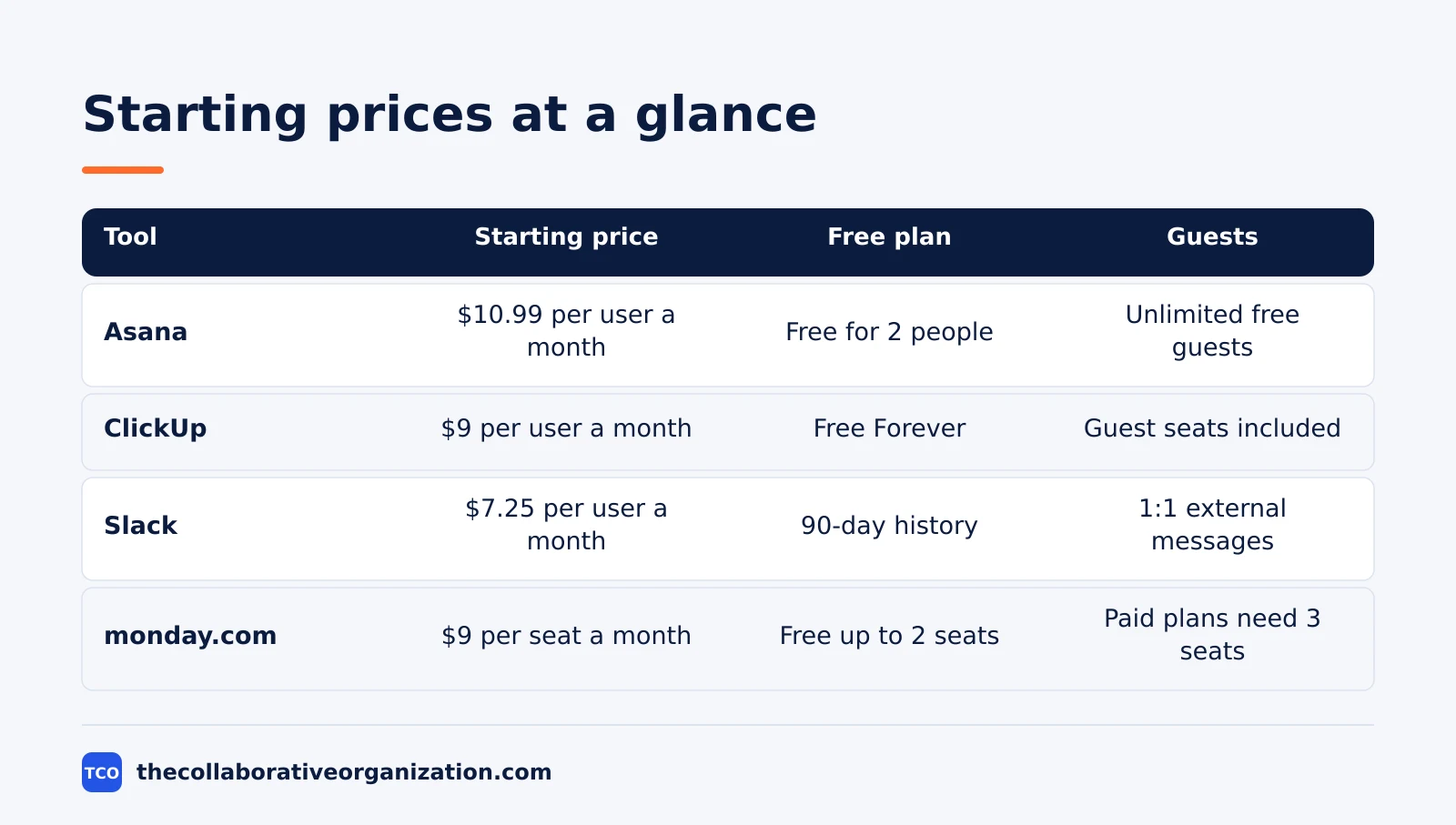
The table below compares four tools on the facts that change the bill: the free plan, the starting price, and how guests are handled. Prices are list prices from each vendor’s own pricing page, as of November 2026.
| Tool | Best for | Free plan | Starting price (as of November 2026) | Notable limit |
|---|---|---|---|---|
| Asana | Teams that want tasks with named owners | Free for 2 people | $10.99 per user per month (Starter), billed annually | Free plan covers 2 people |
| ClickUp | Teams that want Docs, tasks, and chat in one place | Free Forever plan | $9 per user per month (Core), billed annually | Guest seats limited on paid plans |
| Slack | Teams that live in chat and need fast answers | Free plan, 90-day history | $7.25 per user per month (Pro), billed annually | Free plan keeps 90 days of history |
| monday.com | Teams that want a visual board with phases | Free plan for up to 2 seats | $9 per seat per month (Basic), billed annually | Paid plans need at least 3 seats |
The Asana price comes from Asana pricing: Starter is $10.99 per user per month when billed annually, with unlimited free guests. The ClickUp pricing page lists Core at $9 per user per month billed yearly. Slack pricing lists Pro at $7.25 per user per month billed annually.
The monday.com pricing page lists Basic at $9 per seat per month billed annually.
Work out the yearly cost for your headcount before you choose. A 10-person team on Asana Starter pays about $110 a month, or $1,319 a year, at list price. The same team on ClickUp Core pays $90 a month. The $20 gap matters less than whether the team will open the tool every day.
Worked example: a 12-person agency picks a tool
A 12-person design agency shows how the six steps lead to a choice in three weeks. This example is an illustration built from the prices above, not a report on a real team.
The agency lists five jobs: client feedback on mockups, task tracking, shared files, guest access for clients, and a weekly status view. It shortlists Asana, ClickUp, and Slack. Slack covers chat but not task tracking, so it drops out in step two.
The agency checks guest access next: Asana offers unlimited free guests, while ClickUp includes a set number of guest seats per paid user.
Prices for 12 seats come out at $131.88 a month for Asana Starter and $108 a month for ClickUp Core, both billed annually. The agency runs a two-week trial of both tools on one live client project. The team finds ClickUp’s Docs fit their feedback habit better, and the client likes the single hub.
The agency picks ClickUp, names one owner, and moves all client work into it over the next week. The yearly saving of about $287 was not the reason; the trial was.
How to run a trial that proves the choice
A trial proves the choice when it uses real work, real people, and a real guest, and ends with a score, not a feeling. Set the trial up like a small project, with a start date, a job to finish, and a decision date.
Pick one live project and move it into the trial tool. Invite the team and one outside guest, such as a client or contractor. Ask everyone to work only in the trial tool for two weeks: no side chats, no email attachments for the same work.
If the team keeps going back to the old tool, that tells you something too.
Judge the trial on five measures: how fast a new person starts, whether the must-have jobs work, whether the guest could join without help, what it costs for your headcount, and whether it still fits at 50 people.
Our guide on how to run a software trial covers the same ground in more depth, including how to handle the data when the trial ends.
End the trial with a decision meeting, not a shrug. Score each tool, pick one, and write down why. If no tool passes, say so and keep looking. A trial that ends without a decision wastes the two weeks it took.
Common collaboration software mistakes to avoid
Most bad tool choices come from the same five mistakes, and each one is easy to spot before you pay. Check the list below before you sign a contract.
- Buying on the demo. A demo shows the best path through the tool. A trial with real work shows the daily path, which is the one that matters.
- Pricing the headline rate. The starting price hides seat minimums and the plan you will need next. Price the tool for your headcount in six months.
- Ignoring guest access. A tool that charges for every client seat gets expensive fast. Check how guests join and what they cost before you choose.
- Skipping the security check. Guest controls, audit logs, and single sign-on matter once outsiders join. Our guide on how to check if a SaaS tool is secure lists the questions to ask.
- Adding tools instead of cutting them. A new tool on top of five old ones adds a sixth place to check. Gitnux makes the same point: check integration depth and permission controls, or the new tool becomes another island.
How to measure whether the tool works
The tool works when searching falls, approvals arrive faster, and the team stops asking where things live. Measure three numbers in the first month and again at three months.
First, count the apps the team opens daily. If the new tool replaced two old ones, the count should fall. Zoom’s 2025 data gives the reason: 54% of employees using more than 10 apps report communication issues, against 34% using fewer than five. Second, count approval time: days from sending work for review to getting a decision.
Third, ask the team one question: “Can you find the latest version without asking anyone?” If the answer is yes most of the time, the tool earns its keep.
A buying guide for CIOs puts the full evaluation at six to twelve weeks, including a security review, and lists five pillars to weigh: feature fit, security posture, deployment flexibility, total cost of ownership, and team adoption. Small teams can move faster, but the pillars stay the same.
If the tool fails on security or adoption, no feature list saves it.
Sources
- ONES - R and D Collaboration Platform Buying Guide for CIOs in 2026 (2026)
- Gitnux - Best Team Collaboration Software (2026)
- Zoom - 31 Statistics About Collaboration in the Workplace in 2025 (2025)
- Microsoft - Collaborate with Guests in a Team (2026)
- Asana - Pricing (2026)
- ClickUp - Pricing (2026)
- Slack - Pricing (2026)
- monday.com - Pricing (2026)
Frequently asked questions
What is the first step in choosing collaboration software?
List what your team must do with the tool before you look at any product. Write down the jobs: chat, tasks, shared docs, file sharing, guest access, or all of them. A list of five real jobs beats a long feature checklist, because it shows which tools fit and which ones only look good in a demo.
How much should a small team pay for collaboration software?
A team of 10 pays roughly $70 to $110 a month at list price on a starter plan, before tax. Asana Starter is $10.99 per user per month billed annually, ClickUp Core is $9, and Slack Pro is $7.25. Add the plan you will need in six months, not just the starting price, and check seat minimums.
Should you pick one tool or several best-of-breed tools?
One tool wins when your team is small and the work is simple, because every extra app adds a place to check and a login to keep. Zoom found in 2025 that 54% of employees using more than 10 apps report communication issues, against 34% using fewer than five. Split tools only when one job truly needs a specialist.
How long should a collaboration software trial last?
Two weeks of real work is enough for a small team. Give the trial a real project, real files, and at least one outside guest, then judge it on the work, not the demo. A trial with no real work proves nothing, and a trial longer than a month usually means nobody is deciding.
What security features matter most in collaboration software?
Guest access controls matter most when outsiders join your work: who can invite guests, what guests can see, and whether guest accounts expire. Next come single sign-on, audit logs, and data loss prevention for external messages. Check for SOC 2 Type II and ISO 27001 reports before you sign a contract.
Related articles

project management
How to Choose Project Management Software (2026)
Pick project management software in seven steps: define the work, count seats, price the real cost, and run a two-week pilot before you pay.
November 19, 2026 · 10 min read

project management
What Is a RACI Matrix? Definition, Roles and Examples (2026)
A RACI matrix maps who is Responsible, Accountable, Consulted and Informed for each task. Learn the four roles, how to build one, and see a worked example.
November 19, 2026 · 9 min read

project management
Daily Standup Meeting Format That Works (2026)
A daily standup is a 15-minute meeting where Developers inspect progress toward the Sprint Goal and plan the next day. Use this format to run one that ends on time.
November 19, 2026 · 10 min read