SharePoint vs Google Sites for Intranet (2026) | The Collaborative Organization
By The Collaborative Organization Team · November 19, 2026 · Last verified November 19, 2026 · 10 min read
SharePoint suits large intranets with hubs, news and approval workflows, while Google Sites suits simple internal sites you can publish in an afternoon. The choice follows your size and your rules. SharePoint gives you control over permissions, versions and approvals. Google Sites gives you speed and a short learning curve. Pick the one that matches the intranet you actually need.
Key takeaways
- SharePoint builds intranets from team sites, communication sites and hub sites with shared navigation.
- Google Sites builds simple drag-and-drop internal sites that you can restrict to your organization.
- SharePoint adds version history, metadata, retention and Power Automate approval workflows.
- Google Sites has no native approval flow and no deep customization.
- SharePoint comes inside Microsoft 365 Business Basic at $7 per user per month, as of November 2026.
What is SharePoint for intranets?
SharePoint is the Microsoft 365 service for building internal websites, storing files and publishing news. It runs as a cloud service alongside OneDrive, and it is the publishing layer of Microsoft 365. Organizations use it to build company intranets, department portals and information hubs.
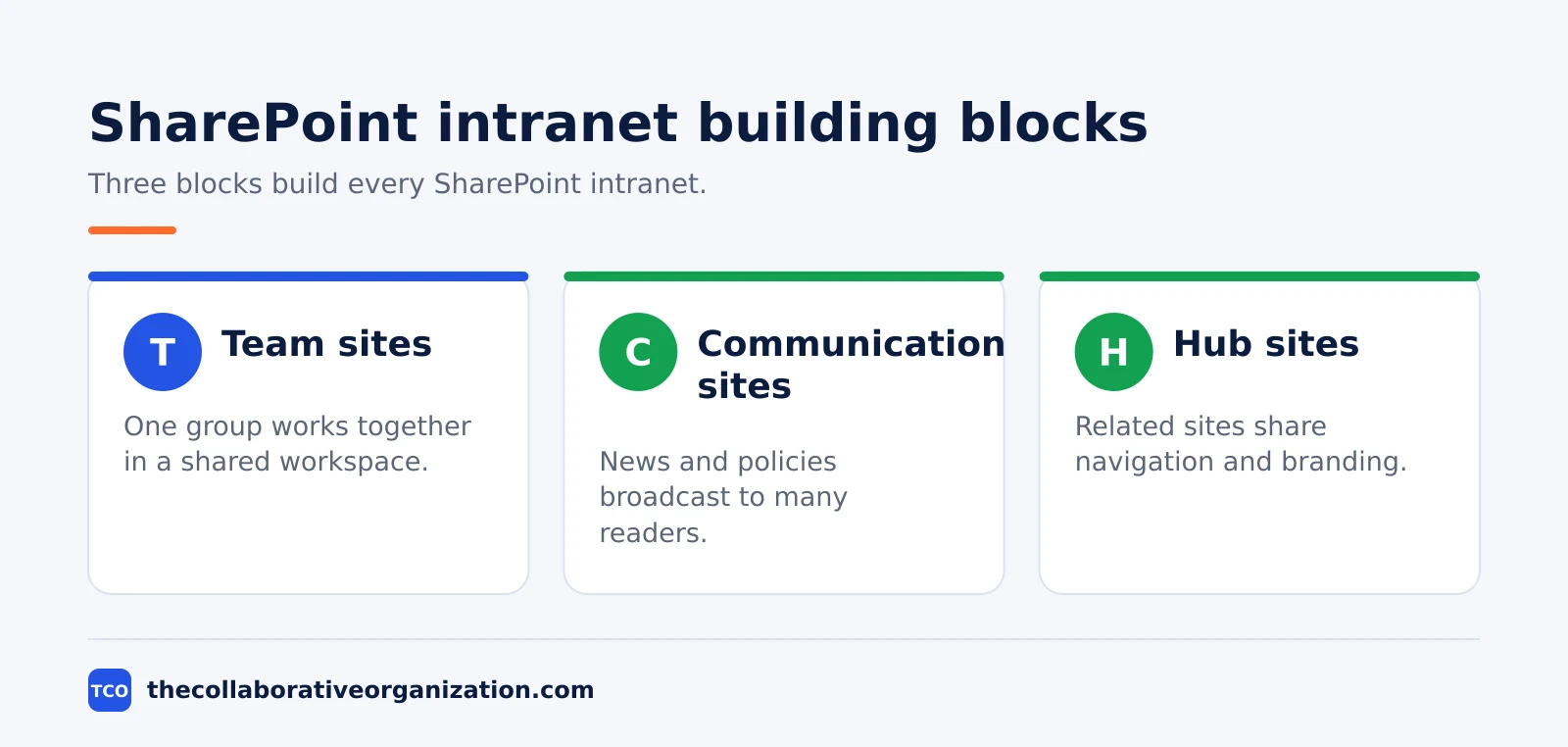
SharePoint intranets rest on three building blocks. Team sites are for collaboration inside one group. Communication sites are for broadcasting news and policies to many readers, with a small editorial team and a wide audience. Hub sites connect related sites under shared navigation, branding and search, so a large intranet feels like one place.
The front door is usually a communication site set as the “home site”. It publishes official organization news, searches the whole intranet and powers the SharePoint app inside Teams. SPGuides explains the three blocks and notes that an organization can have up to 2,000 hub sites, with each site joining only one hub.
What is Google Sites for intranets?
Google Sites is a free, browser-based website builder for simple internal sites, with no coding needed. It is part of Google Workspace and works with Docs, Sheets, Slides, Drive, Calendar and Forms. You build pages by dragging blocks into place, then publish in one click.
A Google Site can serve as a small intranet: a home page with news, links to shared drives, embedded calendars and policy documents. You control who sees it at publish time.
The site can be public, restricted to your organization, or open only to specific people you name. Zapier notes that Sites is free to build and host with a Google account. A custom domain is the only extra cost.
Sites stores its content in Google Drive, so the account that owns the site matters. The editor is simple by design, and that is both its strength and its limit.
A team can publish a first version in an afternoon, but it cannot add approval workflows, deep permissions or custom logic. UC Berkeley explains how to publish a Google Site to a specific audience instead of the whole organization.
A Sites intranet often pairs with a knowledge base for the how-to content. Our guide to what a knowledge base is explains how the two fit together.
SharePoint vs Google Sites at a glance
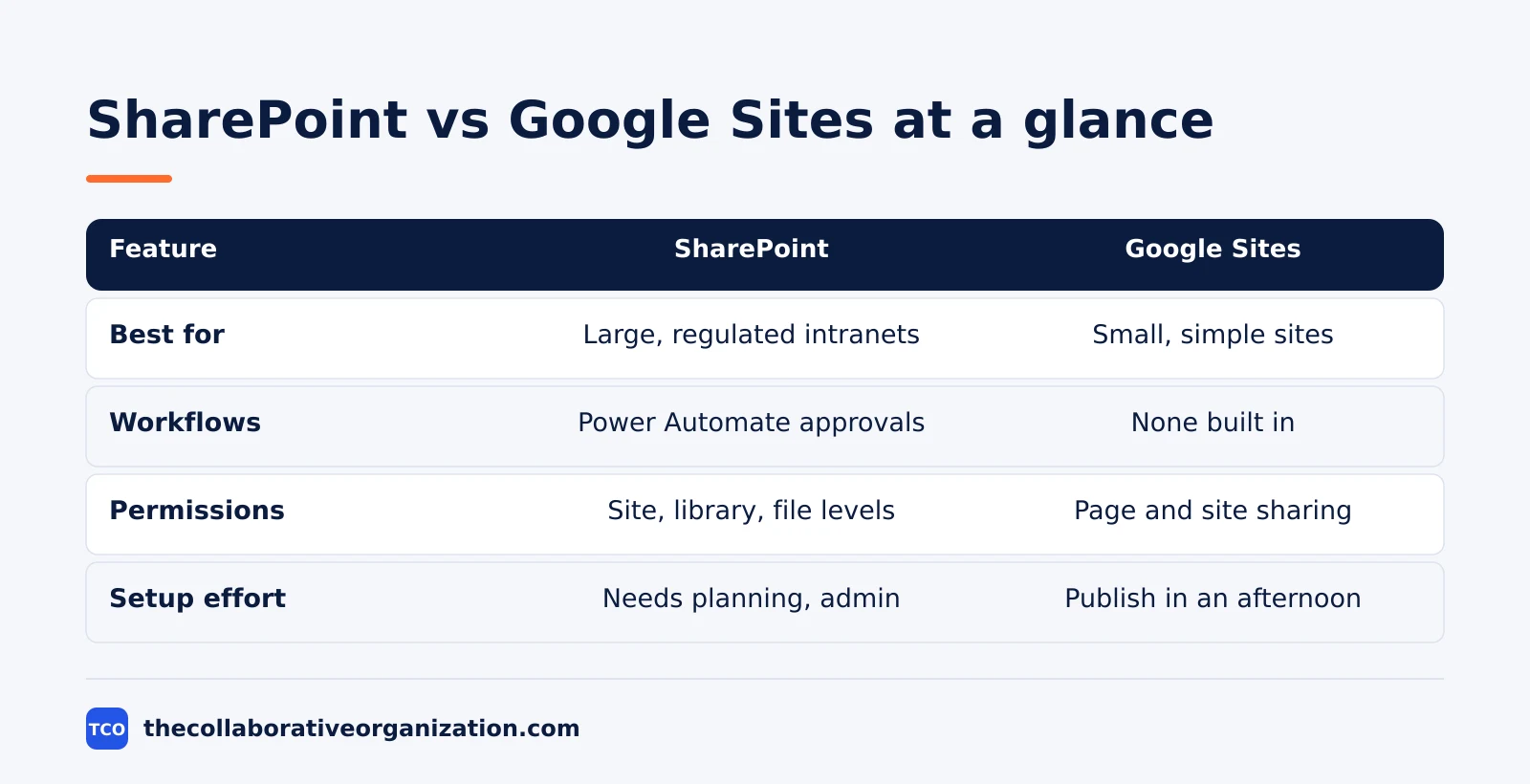
The table below sums up the trade: SharePoint gives you depth and control, while Google Sites gives you speed and ease. Read it once, then use the sections below for the details that decide the choice.
| Feature | SharePoint | Google Sites |
|---|---|---|
| Best for | Large or regulated intranets | Small teams and simple internal sites |
| Building blocks | Team, communication and hub sites | Pages, themes and embedded Google apps |
| Document control | Version history, metadata, retention | Basic Drive version history |
| Workflows | Power Automate approvals and automation | None built in |
| Permissions | Site, library, folder and file levels | Page and site sharing controls |
| Setup effort | Needs planning and an admin for hubs | Publish in an afternoon |
| Cost route | Inside Microsoft 365, from $7 per user per month | Free; Workspace from $7 per user per month |
Our comparison of Confluence vs SharePoint covers the other common intranet pairing, for teams weighing a wiki against SharePoint.
Features compared: publishing, documents and workflows
SharePoint wins on publishing depth, document control and workflows, while Google Sites wins on speed and ease. The gap is widest where rules matter. A regulated team needs audit trails, version history and permission reporting, and only SharePoint provides them in this pairing.
Publishing in SharePoint is built for many readers and few authors. Communication sites carry news posts, and hub sites roll news up from department sites below them. Audience targeting shows different news to different groups. Google Sites publishes pages too, but every page is a simple layout with the same tools, and there is no news roll-up across sites.
Document control is the clearest gap. SharePoint libraries track versions, metadata and retention, and files can move through approval states. Google Sites leans on Drive, which tracks versions of files but offers no approval flow for the site itself. Mattflows puts it plainly: SharePoint includes built-in approval workflows and Power Automate integration, while Google Sites has no native equivalent.
Workflows decide the choice for many teams. A policy that needs three sign-offs before publishing is routine in SharePoint and impossible in Sites without outside tools. A team that never needs approvals will never miss the feature, and it will enjoy the faster setup instead.
Pricing and the standalone SharePoint plan retirement
SharePoint now comes inside Microsoft 365, and Google Sites is free inside Google Workspace, so compare the suites, not the two tools alone. Both entry plans cost the same: Microsoft 365 Business Basic and Google Workspace Business Starter each list at $7 per user per month on an annual plan, as of November 2026.
Microsoft 365 Business Basic costs $7, Business Standard $14 and Business Premium $22 per user per month on an annual commitment. Microsoft raised Basic from $6 and Standard from $12.50 on 1 July 2026, and left Premium unchanged. BrainVire checked the figures on Microsoft’s own pages on 23 October 2026. Business plans cover up to 300 users.
Google Workspace Business Starter costs $7 on the annual plan and $8.40 on the flexible plan, with 30 GB of pooled storage per user. Business Standard is $14 and Business Plus is $22 on the annual plan. ConversionGems read those prices from Google’s pricing page on 3 November 2026.
One old price still appears in guides and should be ignored. Standalone SharePoint Online Plan 1 and Plan 2, once listed at $5 and $10 per user per month, are being retired.
Microsoft announced the retirement in January 2026: new sales ended in June 2026, renewals end in January 2027, and the service ends in December 2029. TechRepublic reports the timeline.
SharePoint itself is not ending; it continues inside Microsoft 365 suites. Smikar confirms the retirement dates.
Which one should you choose?
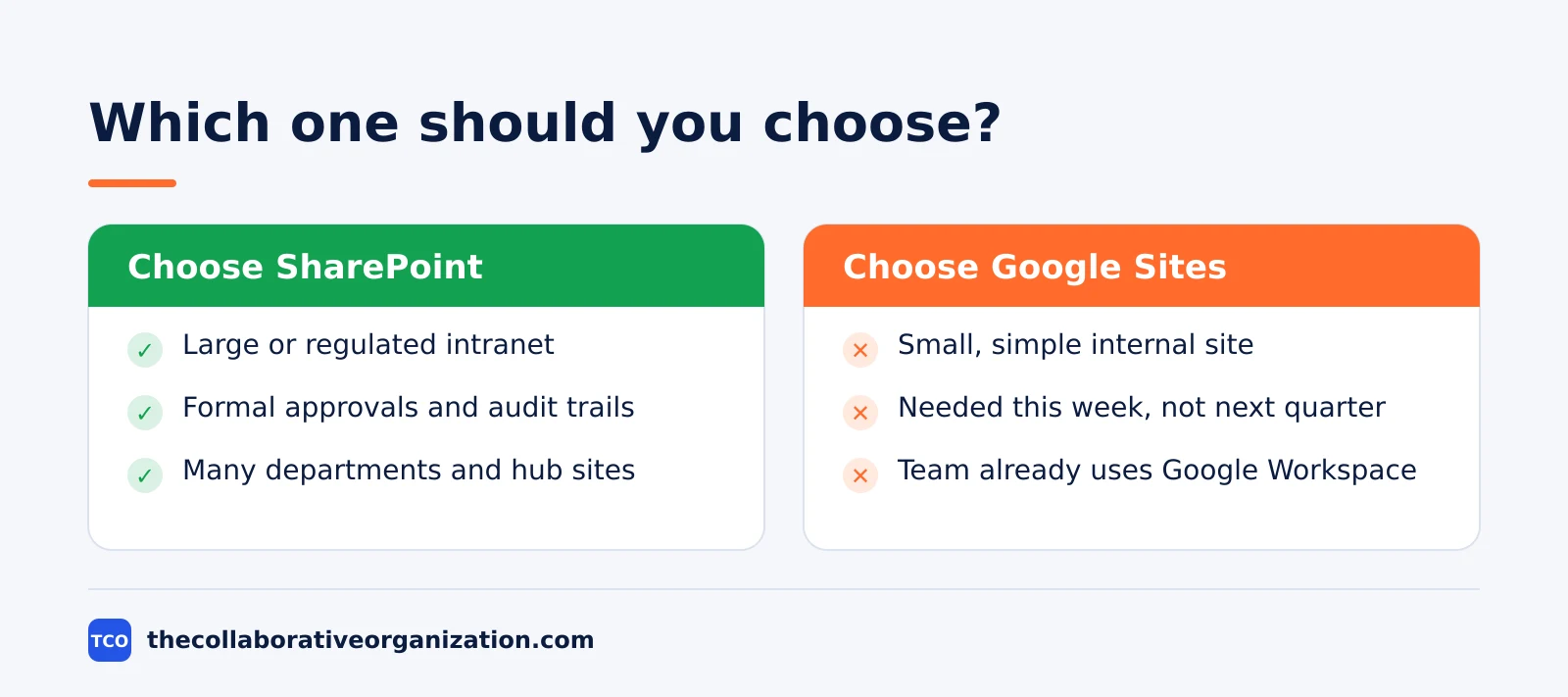
Choose SharePoint when the intranet is large, regulated or approval-heavy, and Google Sites when it is small, simple and needed this week. Size is the best guide. A team under 50 people with simple needs rarely needs SharePoint. A company with many departments, approval chains and compliance rules will outgrow Sites fast.
Choose SharePoint if you need formal approvals, audit trails, retention rules or hub sites that tie many departments together.
Choose Google Sites if you need a central place to share information, host documents and post updates, and your team already lives in Google Workspace.
SysTools draws the same line: SharePoint is enterprise-grade for complex workflows, while Google Sites fits simple project sites and quick collaboration.
If you are torn between an intranet and a knowledge base, our intranet vs knowledge base comparison explains where one ends and the other begins.
You can also start small and move later. A Google Sites intranet can carry a team for a year or two, and the files in Drive can move to SharePoint libraries when the team grows. Treat the move as a fresh build, because pages and permissions must be rebuilt either way.
Tools and alternatives to consider
Confluence and Google Docs are the two tools most teams weigh next, because one offers a wiki-style intranet and the other powers the documents inside either intranet. Confluence works as a team wiki with spaces, permissions and page analytics, and it suits teams that want structured knowledge next to their intranet. Google Docs is the editor behind most Google Sites content, since Sites embeds Docs pages directly.
If SharePoint feels too heavy and Sites feels too light, Confluence is the middle option. It has no hub sites, but its spaces and permissions cover many intranet needs for teams under a few hundred people. Our guide to how to set up a company wiki shows how teams structure one.
| Tool | Best for | Starting price (as of November 2026) |
|---|---|---|
| Confluence | Team wiki and intranet pages with spaces and permissions | $7.15 per user per month (Standard), billed monthly for 1-100 users |
| Google Docs | Documents embedded in Google Sites intranets | Free with a Google account; Workspace Business Starter $7 per user per month, billed annually |
Confluence Standard costs $7.15 per user per month, and Premium costs $14.10, both billed monthly for teams of up to 100 users, as of November 2026. The pricing page headline figures of $5.78 and $11.16 are blended rates for a 300-user team. GoTechPresso read the Atlassian pricing page on 19 October 2026.
If you have not picked a tool yet, compare the options on our document collaboration software shortlist. The right tool is the one the team will open every day, not the one with the longest feature list.
Worked example: two intranets, two sizes
Imagine a 40-person design studio that picks Google Sites, while an 800-person financial firm picks SharePoint, and both are right. The studio needs a home page, a policy library and links to shared drives. One person builds the Sites intranet in a day, restricts it to the organization, and updates it weekly. Nobody needs training, and nobody misses approval flows.
The financial firm needs more. It has nine departments, a compliance team and a policy approval chain with three sign-offs.
It builds a SharePoint intranet with a home site, one hub per department and communication sites for news. The compliance lead owns the hub, and each department owns its own site.
A policy moves through Power Automate approvals before it publishes, and every version is kept.
A year later, the studio hires 60 more people and adds a second office. Sites still works, because the content is still simple. The firm adds two more hubs and never rebuilds. The lesson is that size and rules decide the pick, not the brand name on the tool.
Common SharePoint and Google Sites intranet mistakes to avoid
Most intranet picks fail in the same five ways, and all five are easy to spot before you build. Run through the list when you choose.
- Picking SharePoint for a 10-person team. The setup and admin work cost more than the intranet returns.
- Picking Sites for a regulated company. No approval flow and no audit trail will force a rebuild within a year.
- Buying a standalone SharePoint plan. New sales ended in June 2026, so buy Microsoft 365 instead.
- Building pages before planning hubs. SharePoint intranets need the structure first, or departments build disconnected sites.
- Leaving the intranet with no owner. Name one person to update news and check links, or the intranet goes stale in months.
Sources
- SPGuides - SharePoint Intranet: How to Build One Step by Step (2026)
- Mattflows - Google Sites vs SharePoint Online: Which Intranet Is Best For You? (2026)
- SysTools - SharePoint VS Google Sites: Which to Choose? (2026)
- Zapier - What is Google Sites? And how to use it (2026)
- UC Berkeley bConnected - Publish Google sites to a specific audience (2026)
- TechRepublic - Microsoft Is Retiring Standalone SharePoint, OneDrive Plans (2026)
- Smikar - SharePoint Pricing 2026: Plans, Licenses and Extra Storage Cost (2026)
- BrainVire - Microsoft 365 productivity suite pricing, plan by plan (2026)
- ConversionGems - Google Workspace Pricing (2026)
- GoTechPresso - Confluence Pricing 2026 (2026)
Frequently asked questions
Is Google Sites free for an intranet?
Yes. Google Sites is free with any Google account, and you can restrict a published site to your organization or to named people. Business use still needs Google Workspace for admin controls, user management and support. Workspace Business Starter costs $7 per user per month on the annual plan, as of November 2026.
Can SharePoint work for a small business?
Yes. SharePoint comes inside Microsoft 365, and Business Basic costs $7 per user per month on the annual plan, as of November 2026. Small teams can run a simple communication site with no extra cost. The risk is weight: a small team can spend more time managing SharePoint than using it.
Can I move an intranet from Google Sites to SharePoint later?
Yes, but the pages do not move by themselves. Files in Google Drive can move to SharePoint libraries, while each Sites page must be rebuilt as a SharePoint page. Permissions must be rebuilt too, because the two platforms use different permission models. Plan the move as a fresh build, not a copy.
Does SharePoint need IT staff to run?
A large intranet does. Setting a home site or registering a hub site needs a SharePoint administrator, and permission reviews need someone who owns them. A small team site can be self-serve, with one person acting as site owner. The need for admin help grows with the size of the intranet.
Which is better for document approvals?
SharePoint, by a wide margin. It has version history, metadata, retention rules and Power Automate approval flows, so a document can move through reviewers with a full audit trail. Google Sites has no native approval flow. Teams that need formal sign-off should pick SharePoint.
Related articles
document collaboration
Airtable vs Google Sheets: Which to Use in 2026
Airtable is a database with views and automations; Google Sheets is a free spreadsheet. Learn the limits, the 2026 prices, and which one fits your team's data.
November 19, 2026 · 7 min read
document collaboration
Confluence vs SharePoint: Which to Use in 2026
Confluence is a wiki built around pages; SharePoint is a document platform built around files. Learn the differences, the 2026 prices, and which one fits your team.
November 19, 2026 · 7 min read
document collaboration
How to Document Processes: A Step-by-Step Guide (2026)
To document a process, pick one task, watch it done for real, map the steps and decisions, then test the draft on someone new. Follow the 7 steps in this guide.
November 19, 2026 · 10 min read