How to Set Up a Company Wiki in 7 Steps (2026) | The Collaborative Organization
By The Collaborative Organization Team · November 19, 2026 · Last verified November 19, 2026 · 12 min read
To set up a company wiki, pick one tool, name one owner, plan a shallow structure, seed ten pages, and launch it to the team in seven steps. A first version can be live in a day, and a solid wiki for a team of 20 to 50 people takes about two weeks of part-time work.
Key takeaways
- A company wiki needs one owner, one purpose, and one home for each topic.
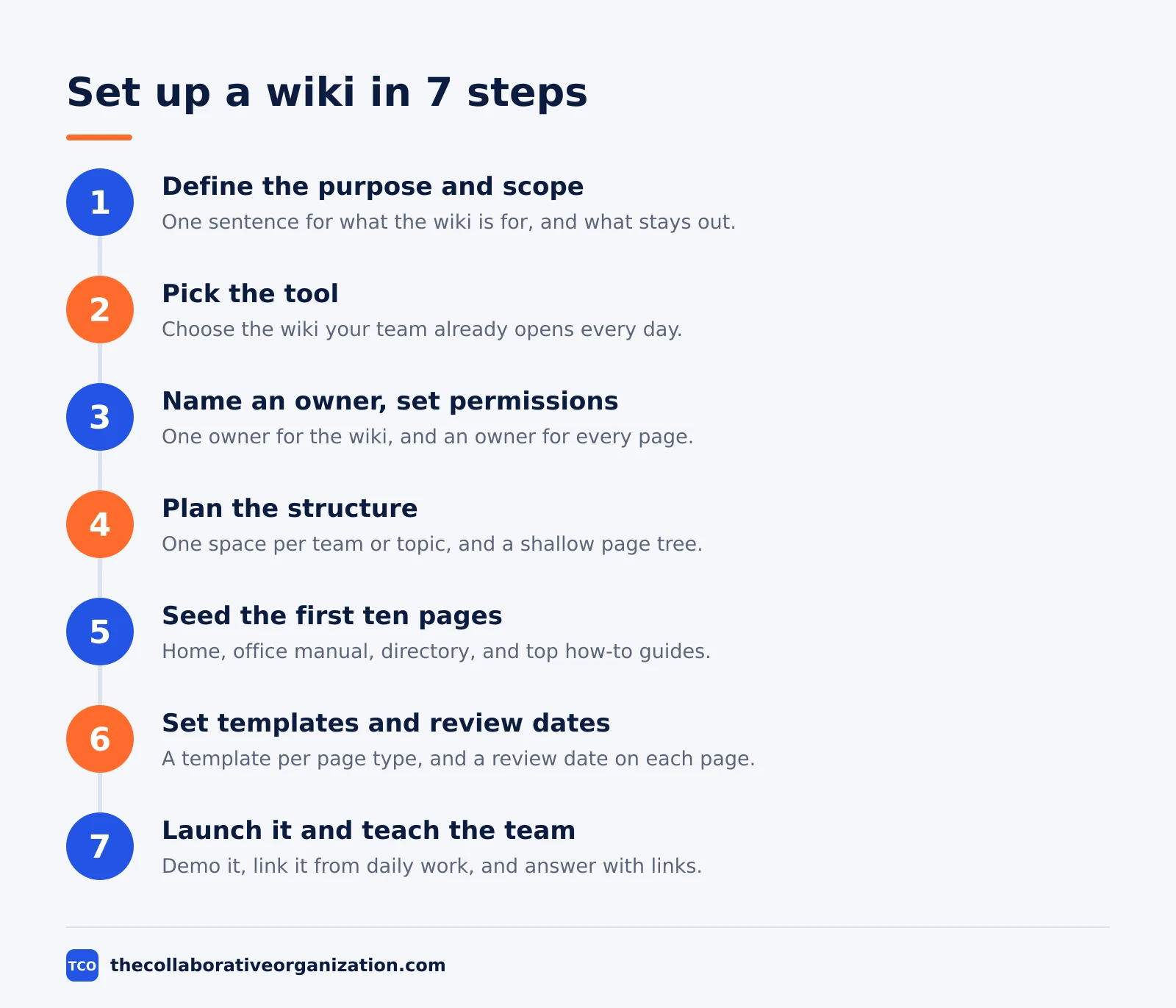
- The seven steps are: define the purpose, pick the tool, name an owner, plan the structure, seed ten pages, set templates, and launch.
- Seed the wiki with the ten pages people ask about most, not with a hundred half-finished pages.
- Atlassian’s 2025 survey found teams waste 25% of the workweek searching for answers.
- A wiki with no owner, no review dates, and no link from daily work goes stale within months.
What you need before you start
Before you start, you need four decisions: the purpose, the tool, the owner, and the scope. Without them, the wiki becomes a dumping ground: pages with no home, no owner, and no reason to exist. Write the four decisions down on one page, and get the team lead to agree to them before anyone creates a space.
The purpose is one sentence: what the wiki is for, and who it serves. “The wiki holds how our company works, for every employee” is a purpose. “A place for docs” is not. The scope says what goes in and what stays out: procedures, onboarding, and decisions go in, while project files and chat stay where they are.
The owner is one named person who answers for the wiki as a whole. The scope is small at first: one team or one department, not the whole company at once.
A wiki is the editable site that holds shared knowledge, and our guide on wiki vs knowledge base explains how it differs from the collection of articles that lives on it.
You also need a short list of the questions the wiki must answer on day one. Ask the team what they asked in chat last week, and write down the ten most repeated questions. Those ten answers are the seed pages, and they decide whether the launch works.
How to set up a company wiki in 7 steps
Setting up a company wiki takes seven steps, from the purpose to the launch. A first version can be live in a day. A solid version for a team of 20 to 50 people takes about two weeks of part-time work, spread across the owner and the people who know the answers.
Step 1: Define the purpose and scope
Write one sentence that says what the wiki is for and who it serves, and list what goes in and what stays out. Outcome: a purpose the team lead has agreed to, and a scope small enough to finish in two weeks.
Step 2: Pick the tool
Choose the wiki your team already opens every day. Confluence suits teams that want spaces and templates, Notion suits teams that mix pages with databases, and MediaWiki suits teams that want free open-source software and can host it. Outcome: one tool, chosen for the team you have, not the team you wish you had.
Step 3: Name an owner and set permissions
Name one person to own the wiki, and set who can read and edit each part. In Notion, permissions trickle down, so sharing the wiki with the whole team shares every page inside it. In Confluence, set space permissions so each team sees its own pages. Outcome: every page has an owner, and private pages stay private.
Step 4: Plan the structure
Create one space per team or topic, and keep the page tree shallow: three levels at most. Name spaces by the group that owns the knowledge, not by a temporary project, so the names still make sense next year. Outcome: a structure a new hire can read in one minute.
Step 5: Seed the first ten pages
Write the ten pages people ask about most: the home page, the office manual, the employee directory, and the top how-to guides. Each page starts with the answer, then the steps. Outcome: a wiki that answers real questions on day one.
Step 6: Set templates and review dates
Build a template for each page type, and put an owner and a review date on every page that matters. Review onboarding pages and runbooks every quarter, and reference pages every six months. Outcome: pages that stay current because someone is responsible for them.
Step 7: Launch it and teach the team
Announce the wiki where the team already works, show them how to find a page and how to edit one, and answer the next ten questions with a link to the page instead of typing the answer again. Outcome: a team that reaches for the wiki first, not for chat.
How to plan your wiki structure
A good wiki structure has one space per team or topic, a shallow page tree, and names that match how people search. Start with three to five spaces: Company, People, Product, and Support, for example. Each space gets its own home page, its own permissions, and its own owner.
Inside a space, keep the tree flat. A home page links to section pages, and section pages link to the detail pages. Three levels is enough for most teams: deeper nesting makes pages hard to find and hard to maintain. Use headers to group pages under each section, and drag pages under the header they belong to.
Names matter more than folders. Write titles that start with the thing, then the type: “Refunds: how to process a refund” beats “Process doc v2”. Avoid dates and version numbers in titles, unless the page really is a dated record, such as a postmortem or a release note.
Confluence makes the structure easy to set up. When you create a space, you choose a purpose: Collaboration, Knowledge base, or Custom. A knowledge base space comes with how-to and troubleshooting templates and a home page with search built in. The Confluence knowledge base guide walks through the three clicks: Spaces, Create space, Knowledge base space.
What to put in your wiki first
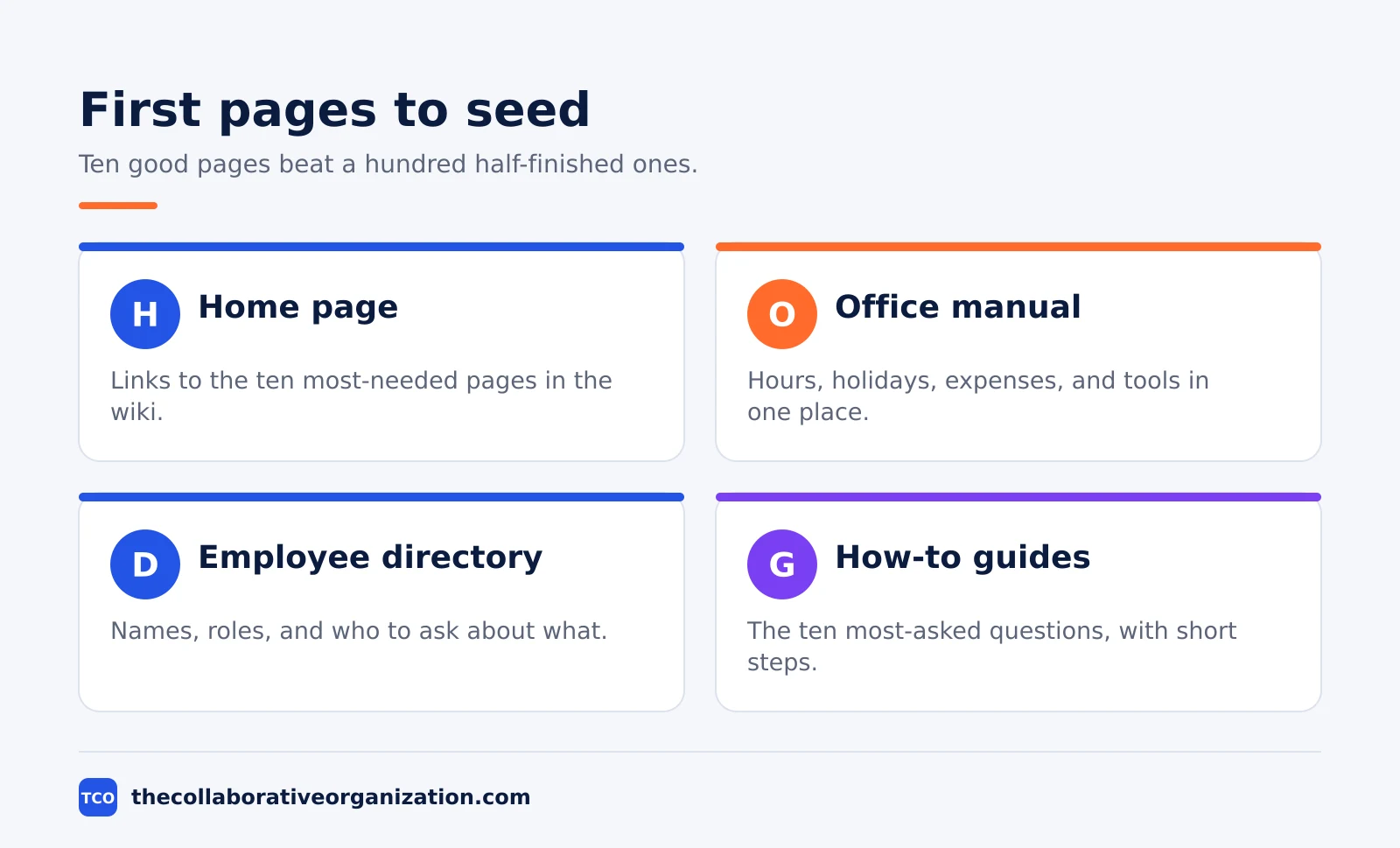
Seed the wiki with the pages people ask about most, and add more only when someone asks a question the wiki cannot answer. Ten good pages beat a hundred half-finished ones. The table below lists the seed pages that work for most companies.
| Seed page | What goes on it | Owner |
|---|---|---|
| Home page | Links to the ten most-needed pages | Wiki owner |
| Office manual | Hours, holidays, expenses, tools | People lead |
| Employee directory | Names, roles, who to ask about what | People lead |
| How-to guides | The ten most-asked questions, with steps | Team leads |
| Decision log | Decisions, dates, owners, and why | Wiki owner |
Start with an office manual page and an employee directory page, because every new hire needs both on day one. Notion’s own company wiki guide suggests the same two pages first, and its guide to building a company wiki shows how to build them: a page for the wiki, sub-pages inside it, and headers to group them.
In Notion, a wiki is a page that holds other pages, and you can turn it into a real wiki with the “Turn into Wiki” option. That adds four properties on every page: Owner, Last edited date, Tags, and Verification, as Notion’s team wiki guide explains.
Use the Verification property to mark pages that an expert has checked, so readers know which pages they can trust.
Company wiki example: a 40-person team launches in 2 weeks
A 40-person company shows how the seven steps fit into two weeks. The team lead names one owner, a people operations manager, and picks the tool the team already uses for notes. Week one is planning: the purpose sentence, three spaces called Company, People, and Support, and a list of the ten most-asked questions from chat.
Week two is writing. The owner writes the home page, the office manual, and the decision log. Three team leads write the how-to guides for their own areas, one page each, following a short template.
The employee directory is built as a simple list with names, roles, and who to ask about what. Each page gets an owner and a review date three months out.
The launch is a 15-minute demo in the team meeting: how to find a page, how to edit one, and where to ask for a page that does not exist yet. For the next month, the owner answers questions with a link to the page instead of typing the answer, and adds a page for each question with no home.
After a month, new hires answer their own questions from the wiki, and repeat questions in chat fall by half. The numbers in this example are an illustration, built from the pattern in the research: teams lose a quarter of the week to searching, and most of that search ends in asking a colleague.
Tools that run a company wiki
The best wiki tool is the one your team will open every day. Most teams start with a wiki they already pay for, or with free open-source software. Compare the options on the document collaboration shortlist before you pick one, because moving pages later costs more time than choosing well now.
| Tool | Best for | Free plan | Starting price (as of November 2026) | Notable limit |
|---|---|---|---|---|
| Confluence | Team wikis with spaces and templates | Free for up to 10 users | $7.15 per user per month (Standard), billed monthly for 1-100 users | Page headline shows $5.78, the blended rate |
| Notion | Wikis that mix pages and databases | Free plan | $10 per member per month (Plus), billed annually | $12 per member per month if billed monthly |
| MediaWiki | Free open-source wikis, self-hosted | Free and open source | Free, hosting extra | Needs a server and setup |
| Google Docs | Simple shared documents | Free for personal use | $7 per user per month (Workspace Business Starter), billed annually | Not a wiki: no page tree or version history |
| Dropbox Paper | Lightweight shared docs in Dropbox | Free with any Dropbox account | Free with a Dropbox account | Web only since October 2025 |
MediaWiki is the software that powers Wikipedia. It is used by tens of thousands of websites and thousands of companies, and it is free and open source. The MediaWiki site explains how to download, install, and host it, or find a hosting service if you do not own a server.
The Confluence price needs a note, because the page shows two numbers. The Confluence pricing page lists Standard at $5.78 per user per month, which is the blended rate for a larger team. The 1-100-user monthly rate is $7.15, and Premium is $14.10 on the same basis, after a price rise on 13 October 2026.
The Notion price comes from the Notion pricing page: Plus is $10 per member per month billed yearly, or $12 billed monthly. Google Workspace Business Starter is $7 per user per month on an annual plan, or $8.40 on the flexible plan.
Paper is free with any Dropbox account, and Dropbox ended the Paper mobile and desktop apps in October 2025, so it is web only now.
How to measure whether the wiki works
Measure the problem you set out to fix, not the number of pages. A wiki with 500 pages nobody opens has failed, and a wiki with 30 pages everyone uses has worked. Pick three measures before launch, and check them once a month.
First, count repeat questions in chat. If the same question keeps appearing, the page that answers it is missing, hard to find, or out of date.
Second, ask new hires whether they found what they needed in their first week, and what they could not find. Third, check the share of pages reviewed in the last quarter, and the share with no owner at all.
The numbers give you a reason to act. Atlassian’s State of Teams 2025 survey found that teams waste 25% of the workweek searching for answers, so a wiki that cuts search time is easy to defend.
Gartner found in 2023 that 47% of digital workers struggle to find the information they need to do their jobs, which is the same problem from the other side.
If your measures move, keep going. If they do not, the problem is not the wiki: it is the habit around it. Our guide on how to improve team collaboration covers the routines that make shared knowledge stick.
Common company wiki mistakes to avoid
Most company wikis fail in the same five ways, and all five are easy to spot in the first month. Run through the list below before you launch yours.
- Launching with an empty wiki. A wiki with three pages and a promise of more teaches the team that it has nothing to offer. Seed ten pages first, then launch.
- No owner and no review dates. A wiki with no owner goes stale, and one stale page teaches the team to distrust all of them. Name an owner for the wiki and for every page that matters.
- One giant space for everything. A single space with 200 pages is a dumping ground. Split it by team or topic, and keep each space small enough to browse.
- Hiding the wiki from daily work. A wiki nobody links to is a wiki nobody finds. Link pages from chat, tickets, and onboarding, and answer questions with a link.
- Never archiving anything. Outdated pages are worse than missing pages, because they send people down the wrong path. Archive pages that no longer describe how the work is done, and say so on the page.
Sources
- Atlassian - Knowledge Base with Confluence (2026)
- Notion - How to Build a Wiki for Your Company (2026)
- Notion - Build a Docs-First Culture with a Team Wiki (2026)
- MediaWiki - MediaWiki (2026)
- Atlassian - State of Teams 2025 (2025)
- Gartner - 47% of Digital Workers Struggle to Find Information (2023)
- Panopto - How Much Time Is Lost to Knowledge Sharing? (2019)
- U.S. Bureau of Labor Statistics - Employee Tenure in 2026 (2026)
- Atlassian - Confluence Pricing (2026)
- Notion - Pricing (2026)
Frequently asked questions
How long does it take to set up a company wiki?
A first version can be live in a day: pick the tool, create the space, and publish ten seed pages. A solid wiki for a team of 20 to 50 people takes about two weeks of part-time work, including planning the structure, writing the seed pages, and showing the team how to use it. The work that takes longest is writing good pages, not setting up the software.
What should go in a company wiki first?
Start with the pages people ask about most: a home page with links, an office manual, an employee directory, the ten most common how-to guides, and a decision log. Ten good pages beat a hundred half-finished ones. Add more pages only when someone asks a question the wiki cannot yet answer.
Who should own the company wiki?
One person should own the wiki as a whole, and each page should have its own owner too. The wiki owner sets the structure, the naming rules, and the review schedule. Page owners keep their own pages current. Without a named owner, pages go stale and people stop trusting the wiki.
Should a company wiki be public or private?
Most company wikis are private to staff, with some pages limited to one team. Keep hiring, pay, and performance pages restricted to the people who need them. Make the pages that help everyone do their work visible to the whole company, so nobody has to ask for access to do their job.
How do you get employees to use the company wiki?
Put the answers where the questions already happen: link wiki pages from chat, tickets, and onboarding. Answer questions with a link to the page instead of typing the answer again. Review the wiki in the team meeting once a month, and fix the pages people complain about first, so the team sees that using it pays off.
Related articles

document collaboration
Airtable vs Google Sheets: Which to Use in 2026
Airtable is a database with views and automations; Google Sheets is a free spreadsheet. Learn the limits, the 2026 prices, and which one fits your team's data.
November 19, 2026 · 7 min read

document collaboration
Confluence vs SharePoint: Which to Use in 2026
Confluence is a wiki built around pages; SharePoint is a document platform built around files. Learn the differences, the 2026 prices, and which one fits your team.
November 19, 2026 · 7 min read

document collaboration
How to Document Processes: A Step-by-Step Guide (2026)
To document a process, pick one task, watch it done for real, map the steps and decisions, then test the draft on someone new. Follow the 7 steps in this guide.
November 19, 2026 · 10 min read