Project Management vs Task Management (2026) | The Collaborative Organization
By The Collaborative Organization Team · November 19, 2026 · Last verified November 19, 2026 · 11 min read
Project management coordinates many related tasks toward one outcome, while task management finishes single pieces of work one at a time. The difference is scope, not software. A task is one action with one owner and one due date. A project is a set of tasks that must land together, in order, by a date that matters.
Key takeaways
- Task management handles single to-dos; project management coordinates a whole set of tasks toward one outcome.
- A project adds scope, phases, dependencies, budget, risk and stakeholders to a plain task list.
- Asana draws the line by time and people: a task takes minutes or days for one person, a project runs weeks or months for many.
- Use a task list for independent items, and a project plan when one delay moves the delivery date.
- Trello Standard costs $5 per user per month billed annually as of November 2026, and Asana Starter costs $10.99.
The core difference in one sentence
Task management asks “is this done?”, while project management asks “will we deliver the outcome on time?” That one question decides which tool fits. If the answer to the second question is obvious because the work is small, a task list is enough. If it needs a plan, a timeline and several people, the work is a project.
The two are not rivals. Breeze puts it plainly: task management is the smaller thing that lives inside the bigger one. Every project breaks into tasks, and every task list is the bottom layer of some larger effort, even when nobody calls it a project.
A useful test is the delay test. If one item slips by a day and nothing else changes, it is a task. If one item slips and three other items and a launch date all move with it, it is part of a project. The second case needs someone watching the whole picture, not just the single item.
What task management covers
Task management covers one piece of work at a time: who does it, by when, and is it done? It tracks priority, status and completion for single actions. A task has one owner, one due date and one clear finish line, and it rarely needs a meeting to move forward.
Typical tasks are small and concrete: send an invoice, fix a broken link, reply to a client, book a meeting room. TaskFia notes that task work usually runs hours to days and is often ongoing, while project work runs weeks to months with a start and an end. The time frame is the clearest signal after scope.
Good task management removes the need for check-in meetings. When each item shows its owner, its due date and its status, the team can see what is done without asking. The failure mode is simple: dropped or unchecked tasks, usually because nobody owned the item or the due date was never set.
Task tools stay simple on purpose. A list, a board or a calendar shows the work, and the user checks items off as they finish. Our guide on how to choose a task management app covers free-plan caps and the features that matter for personal and small-team lists.
What project management adds on top
Project management adds the layer that connects tasks: scope, sequence, budget, risk and people. It starts before any task exists, with a goal and a plan, and it continues after the last task closes, with a review of what shipped. The plan says what must happen; task management makes sure each piece actually happens.
The first addition is scope: what is in, what is out, and what counts as done. The second is sequence. Some tasks can run side by side, but others must wait, and the “critical path” is the chain of tasks that sets the earliest possible finish date. A delay on that chain delays the whole project.
The third addition is people and money. A project has stakeholders who need updates, a budget that must hold, and risks that need a backup plan. Asana’s own guide frames it the same way: project work means timelines, dependencies and resource planning, while task work means single to-dos for one person.
Project management vs task management side by side
Side by side, the two differ on scope, time, people and what gets measured. The table below is the quickest way to tell them apart, and it works as a check before you pick a tool.
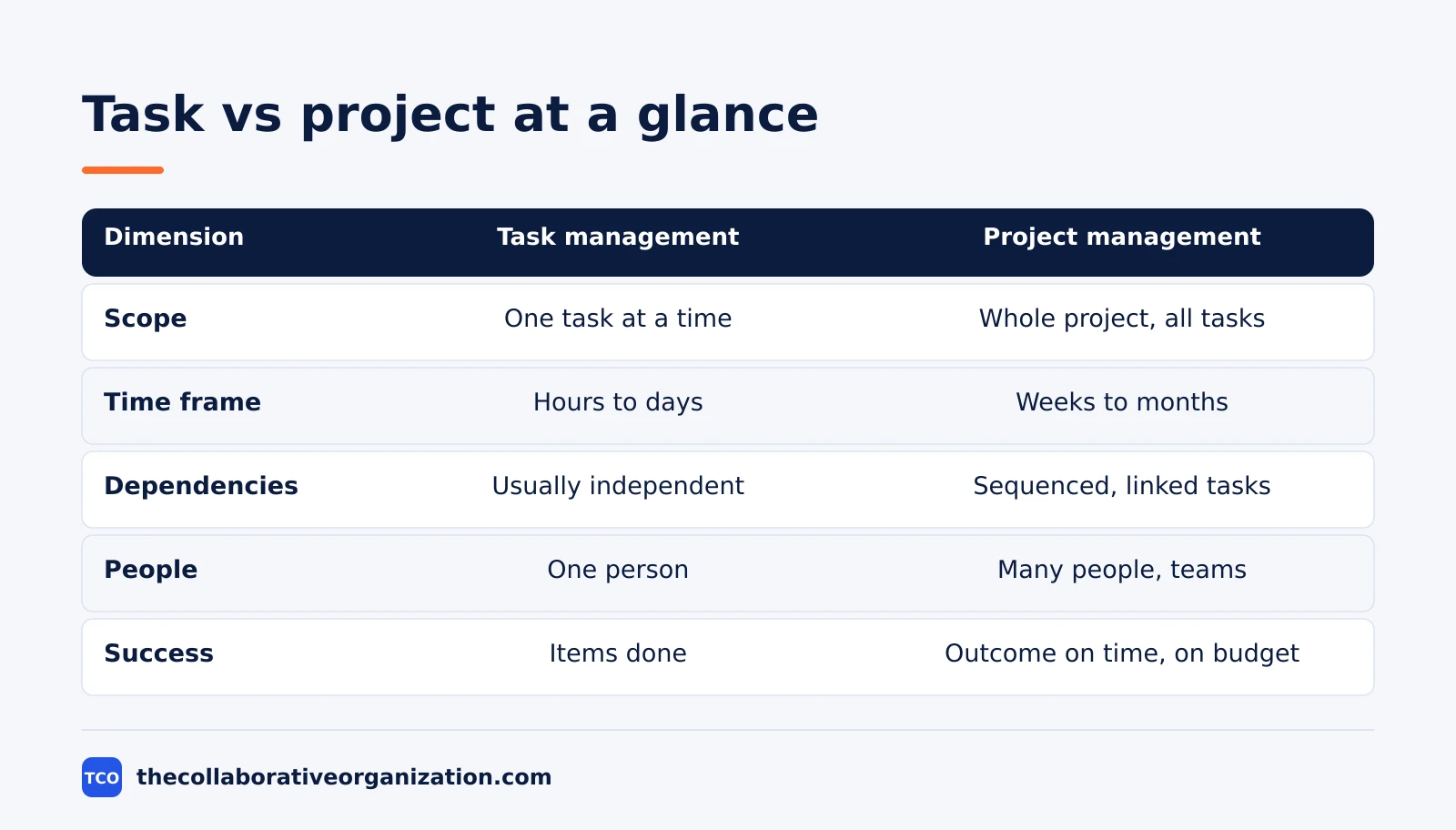
| Dimension | Task management | Project management |
|---|---|---|
| Scope | One task at a time | The whole project and all its tasks |
| Goal | Finish individual items | Deliver a defined outcome on time and on budget |
| Time frame | Hours to days, often ongoing | Weeks to months, with phases and milestones |
| Dependencies | Usually independent items | Tasks depend on each other and must be sequenced |
| People | One person or a small group | Multiple people or teams to coordinate |
| What you track | Priority and completion | Scope, budget, risk, timeline and progress |
The table hides one useful detail: the same work can move between columns. A product launch is a project, but the single job of booking the venue is a task inside it. A weekly report is a task, but turning the report into a new dashboard is a project with design, data and review stages.
That is why the tool question comes second. First name the unit of work, then pick the tool that fits that unit. A task list fails a project because it cannot show dependencies. A project plan fails a task list because it adds admin work that a single to-do never needs.
Choose task management if, choose project management if
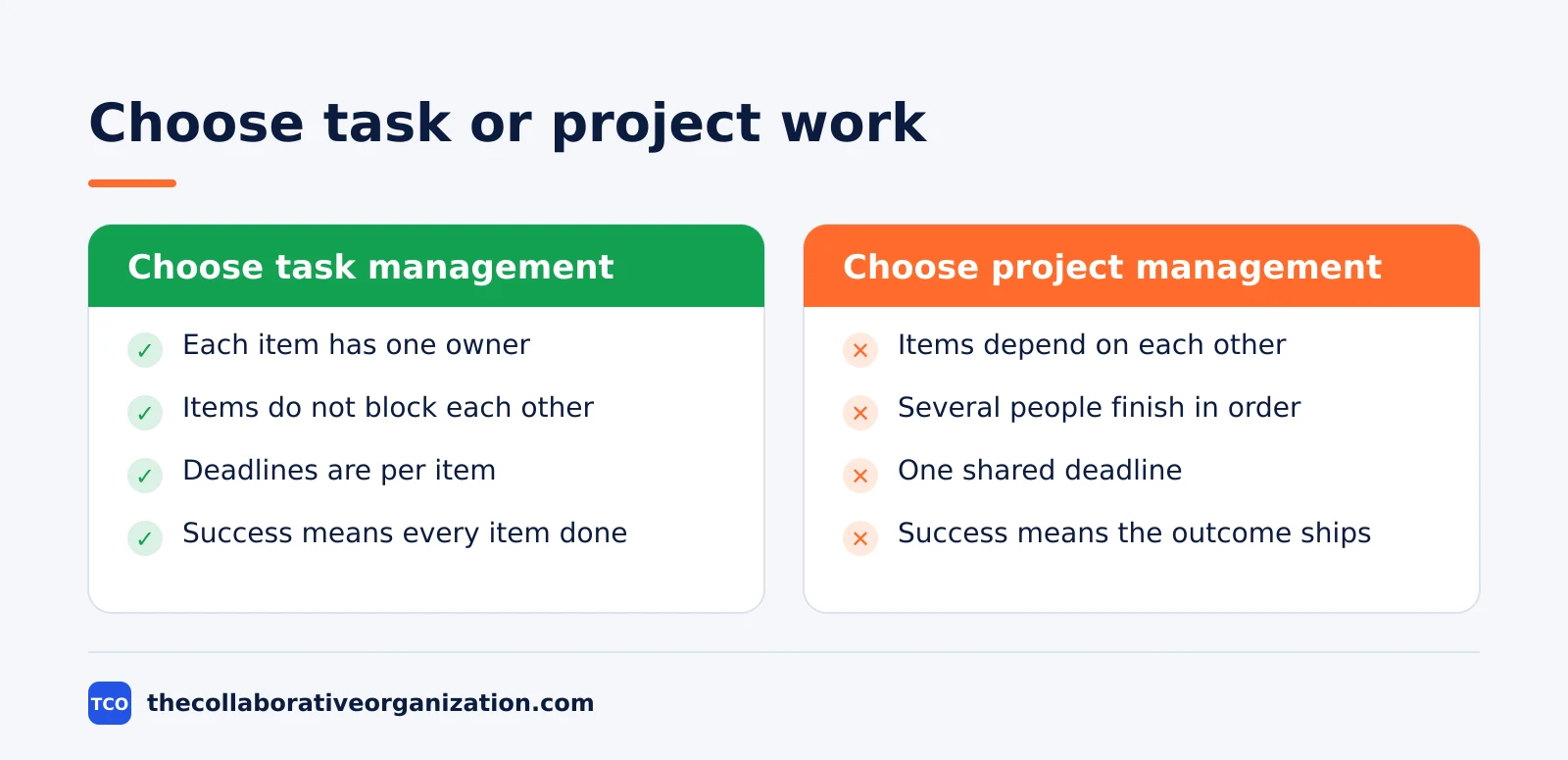
Choose task management when the work is a list of independent items, and choose project management when the items must land together. The choice is about the work, not about the size of the team. A team of 20 can run on task lists if each person owns separate items, and a team of three can need a project plan for one launch.
Choose task management if the work looks like this: each item has one owner, items do not block each other, deadlines are per item, and success means every item is done. Personal to-dos, daily admin, support tickets and recurring chores all fit here. A shared list with due dates is usually enough.
Choose project management if the work looks like this: items depend on each other, several people must finish in a set order, there is one shared deadline, and success means the outcome ships on time and on budget. Launches, migrations, events and client deliveries all fit here.
When both descriptions fit, start with the project plan. A project tool can hold a simple task list, but a task list cannot grow into a timeline with dependencies. The cost of over-planning a small job is a few extra fields; the cost of under-planning a launch is a missed date.
Can you combine task and project management?
Yes, and most teams already do: the project plan holds the outcome, and the task list holds the daily work. The two layers meet at the task. A project breaks into phases, phases break into tasks, and each task has one owner and one due date. The plan shows the order; the list shows what to do today.
Combining them works when one tool holds both layers. A project tool with boards, timelines and task lists keeps the plan and the daily work in sync, so moving a card updates the timeline. Two separate tools cause double entry: the same item lives in both places, and one copy always goes stale.
A simple way to combine them is to run the week from the task list and the month from the project plan. Each morning, the team opens the list of tasks due that day. Each week, the lead opens the plan to check milestones, dependencies and the finish date.
Our guide to epic vs story vs task shows the same layering inside agile teams, where an epic breaks into stories and stories break into tasks.
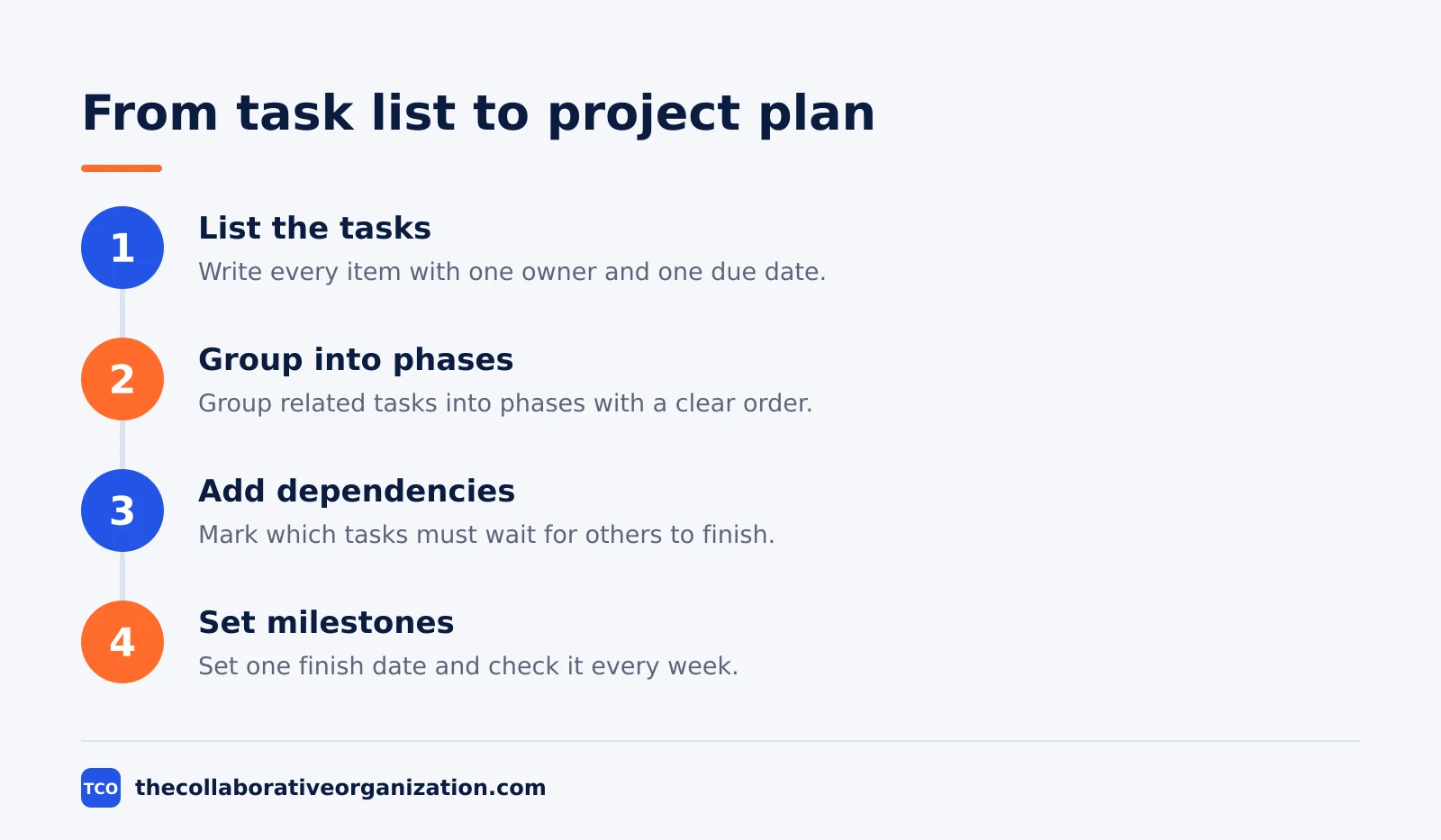
One owner per layer keeps the setup clean. A project lead owns the plan, the milestones and the deadline. Each task owner owns their own items and due dates. When the lead and the task owners are the same person, the two layers still help: the plan is the promise, and the list is the day’s work.
Worked example: a website launch and a daily admin list
A website launch and a daily admin list show the two layers on the same team in the same week. This is an illustration, not a real team. A five-person team runs both: the launch is a project with a fixed date, and the admin list is ongoing task work that never ends.
The launch has 24 tasks across four phases: content, design, build and test. Content must finish before design starts, and testing cannot start before the build is done. The launch date is fixed because the client announced it, so a two-day slip in design moves testing and the launch itself.
The admin list has 11 items that week: pay three invoices, reply to five emails, book two rooms and renew one license. None of them blocks another, and none of them shares a deadline with the launch. The team clears them between launch tasks, and the list resets every Monday.
The tool split follows the work split. The launch lives in a project tool with a timeline, so the lead sees the dependency chain at a glance. The admin list lives in the same tool as plain tasks, so nothing needs a second app. One tool, two layers, and the team checks the list daily and the plan weekly.
Tools for each job
Task apps are cheap and fast, while project tools cost more and show the whole plan. The table below lists one tool per job, with real starting prices as of November 2026. Our guide on how to choose project management software covers seat counts, free-plan caps and paid tiers in more depth.
| Tool | Best for | Free plan | Starting price (as of November 2026) | Notable limit |
|---|---|---|---|---|
| Todoist | Fast personal and shared task lists | Free plan | $5 per user per month (Pro), billed annually | No Gantt chart, no native time tracking |
| Trello | Simple boards for tasks and light projects | Free for up to 10 collaborators | $5 per user per month (Standard), billed annually | Timeline view needs Premium |
| Asana | Teams that want tasks inside projects | Free for 2 people | $10.99 per user per month (Starter), billed annually | Free plan covers 2 people |
| ClickUp | Teams that want tasks, goals and Gantt in one place | Free Forever plan | $9 per user per month (Core), billed annually | Yearly billing needed for that price |
The Todoist price is $5 per month for Pro billed annually, after a rise from $4 on 10 December 2025, per a 2026 check of Todoist pricing.
The Trello price comes from Trello pricing, opened on 19 November 2026: Standard is $5 per user per month billed annually, and the free plan covers up to 10 collaborators per workspace.
The Asana price comes from Asana pricing, opened on 19 November 2026: the Personal plan is free for 2 users, and Starter is $10.99 per user per month when billed annually.
The ClickUp price comes from ClickUp pricing, opened on 19 November 2026: Core is $9 per user per month billed yearly, with unlimited Gantt charts and Goals included.
Common project management vs task management mistakes to avoid
Most teams make the same four mistakes when they pick between the two. Each one is easy to spot once you know the pattern.
- Running a project from a task list. The list hides dependencies, so the first delay surprises everyone and the launch date moves without warning.
- Running a task list from a project plan. A full plan for ten independent to-dos adds fields, meetings and admin work that nobody needs.
- Two tools for the same work. When tasks live in one app and the project lives in another, the team updates one copy and the other goes stale.
- No single owner per task. A task with two owners has no owner, and a project with no lead has no one watching the deadline.
A short review fixes all four. Once a month, ask: does the plan show the dependencies, does the list show today’s work, and does every item have one owner? If any answer is no, the setup needs one change, not a new tool.
Sources
- Breeze - Task management vs project management: the difference (2024)
- TaskFia - Task Management vs Project Management: Key Differences (2025)
- Tallyfy - Task vs project vs process management explained (2026)
- Asana - Quick-start guide: projects, tasks and teams (2026)
- Asana - Introduction to Work Management (2026)
- Asana - Pricing (2026)
- Trello - Pricing (2026)
- ClickUp - Pricing (2026)
- Todoist - Pricing (2026)
- 2sync - Notion vs Todoist (2026)
Frequently asked questions
What is the main difference between project management and task management?
Scope. Task management finishes single pieces of work, each with one owner and one due date. Project management coordinates many related tasks toward one outcome, with phases, dependencies, a budget and a deadline. Task management sits inside project management, not beside it.
Can a task list replace project management software?
Yes, when the work is a short list of independent items with no shared deadline. It stops working when tasks depend on each other, several people must finish in a set order, or a delay in one task moves the whole delivery date.
Is Trello project management or task management?
Trello starts as task management: boards, cards and due dates. It becomes light project management when a team adds timelines, dependencies and reporting through its paid views. Small teams often run whole projects on it, while larger teams outgrow it.
Do I need both a task app and a project tool?
Most teams do not. One project tool usually covers both jobs, because every project breaks into tasks. A separate task app makes sense only when personal to-dos and team projects need different tools, and even then the split causes double entry.
When does a task become a project?
A task becomes a project when it needs more than one person, more than one stage, or a deadline that other work depends on. If finishing it means coordinating handoffs, a budget or a set sequence, treat it as a project and give it a plan.
Related articles

guides
Free Project Management Templates: 7 to Copy (2026)
Seven free project management templates from monday, Wrike, Teamwork, Smartsheet, ClickUp, Asana and Trello, with what each one is for and what free really costs.
November 20, 2026 · 7 min read

guides
Project Proposal Template: Copy and Win Work (2026)
A project proposal template pitches the work before it is approved: problem, solution, scope, budget, timeline and terms. Copy the template and filled example.
November 20, 2026 · 10 min read

guides
Action Plan Template: Goal to Done in One Page (2026)
An action plan template turns one goal into owned steps with dates, dependencies and a success measure. Copy the table and see it filled for a support team.
November 20, 2026 · 11 min read