How to Stay Connected With Remote Coworkers (2026) | The Collaborative Organization
By The Collaborative Organization Team · November 19, 2026 · Last verified November 19, 2026 · 9 min read
Staying connected with remote coworkers takes a daily rhythm of short written updates, one live team moment a week, and regular one-to-ones, not more meetings. Connection is built by small, repeated contact, the same way it is built in an office. The tools matter less than the habit of showing up for each other.
Key takeaways
- Connection needs a daily rhythm: short written updates, one live team moment a week, regular one-to-ones.
- In Pew’s 2025 report, 49% of US home workers said remote work makes feeling connected harder.
- Written updates are the default across time zones; live calls are for decisions and debate.
- Gallup’s 2025 data put daily loneliness at 24% for remote and hybrid staff, against 18% on site.
- Social time works when it is short, optional and regular, not when it is a forced party.
Why remote connection fades without a plan
Remote connection fades because the small, unplanned moments of office life disappear. Nobody bumps into a colleague at the coffee machine, overhears a useful detail, or notices that someone looks tired. Each of those moments has to be rebuilt on purpose.
The numbers show the gap is real. In its 2025 report, Pew Research Center found that 49% of US workers who work from home at least sometimes say it makes feeling connected with co-workers harder. Only a small share said remote work helps them feel connected, so the default drift is toward distance.
A study of Microsoft staff published in Nature Human Behaviour in 2021 found the same pattern in behaviour, not just in feelings. After the firm-wide shift to remote work, the share of collaboration time spent with people outside one’s own group fell by about 25%. Teams kept talking to their close colleagues and quietly lost touch with everyone else.
The fix is not to add meetings until the calendar is full. The fix is to design a few small moments that reach the whole team every day and every week, and to protect them like any other deadline. Our guide on how to build trust in remote teams covers the trust habits that make these moments work.
How to stay connected with remote coworkers in 6 steps
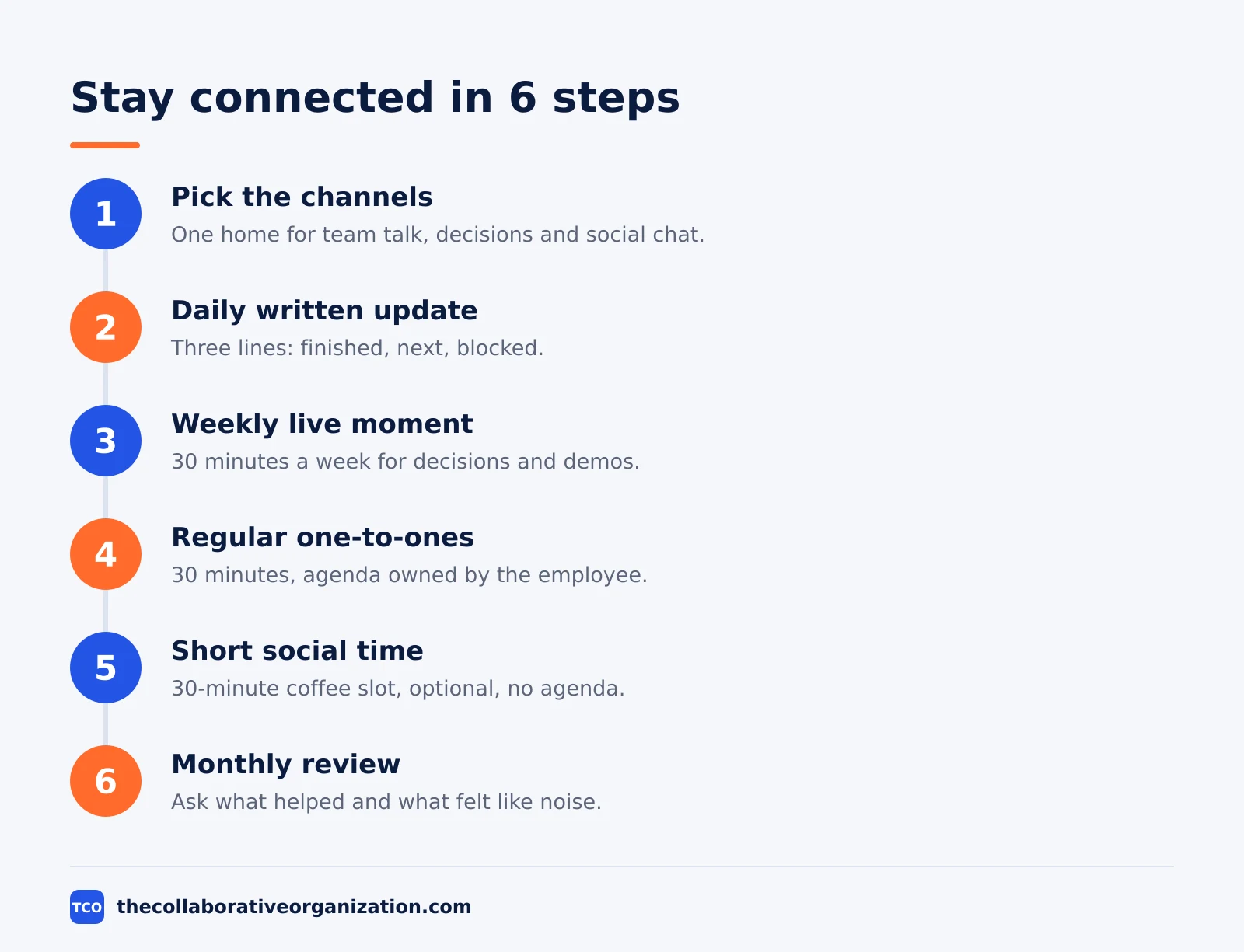
Build connection in six moves: pick the channels, set a daily update, hold a weekly live moment, run one-to-ones, add social time, and review the rhythm monthly. Each step is small on its own; together they replace the office hum. The steps below assume a team of 5 to 20 people across at least two time zones.
Step 1: Pick one channel for each kind of talk
Give every kind of message a home: one chat channel for team talk, one for decisions, one for social chat, and direct messages for private matters. When a message lands in the wrong place, move it and say where it belongs. A team that chats in five apps has five half-conversations.
Step 2: Run a short daily written update
Each person posts three lines by a fixed time: what they finished, what is next, and where they are blocked. Keep it to five minutes of writing. The update replaces the morning hello and gives everyone a reason to read the team channel once a day.
Step 3: Hold one live team moment a week
Pick one 30-minute call a week for the whole team, with cameras on and no status reports. Use it for a decision, a demo or a question the team should debate. Record it for anyone who cannot attend, and post the decision in writing the same day.
Step 4: Keep one-to-ones sacred
Every manager holds a 30-minute one-to-one with each direct report every week or two, and the meeting moves only for a real emergency. The agenda belongs to the employee: their work, their worries and their growth. Cancelled one-to-ones are the fastest way to make remote staff feel invisible.
Step 5: Add short, optional social time
Open a 30-minute coffee slot once a week with no agenda and no attendance list. Rotate the host, and let people join from a walk or a kitchen. A shared playlist, a photo thread or a short game works better than a formal party, because people can join for ten minutes and leave.
Step 6: Review the rhythm every month
Once a month, ask the team two questions: what contact helped this month, and what felt like noise? Drop the meeting nobody misses and keep the one people protect. Connection habits go stale, so the review is part of the system, not an extra.
Staying connected across time zones
Across time zones, written updates are the default and live calls are the exception. A team spread from London to Sydney cannot share a working day, so it must share a written record instead. About 30% of meetings now span multiple time zones, up 8 points since 2021, according to Microsoft’s 2025 Work Trend Index data.
Set two or three overlap hours when everyone is online, and use them for decisions, not status. Everything else goes into a shared doc or a recorded video update that people watch at 1.5x speed. The rule is simple: if it does not need a live answer, write it down.
Hand over work in writing at the end of each day. A short note with the state of the task, the next step and the open question lets the next time zone start without a meeting. Our guide on how to run a hybrid meeting covers the setup that keeps remote voices equal.
Respect the edges of the day. A message sent at midnight in one zone lands at breakfast in another, and a reply expected at once turns into pressure. Mark messages that can wait, and agree that no reply is needed outside working hours unless the message says so.
Small habits that keep remote teams close
Small habits beat big events: greet people by name, answer within a day, and share credit in public. These moves cost seconds and they are the ones colleagues remember. A team that does them daily feels closer than a team that meets once a quarter for a party.
Start calls with two minutes of real talk before the agenda. Ask about the weekend, the weather or the project that went well, and mean it. The first two minutes set the tone for the next thirty, and they give quieter people a low-stakes way to speak first.
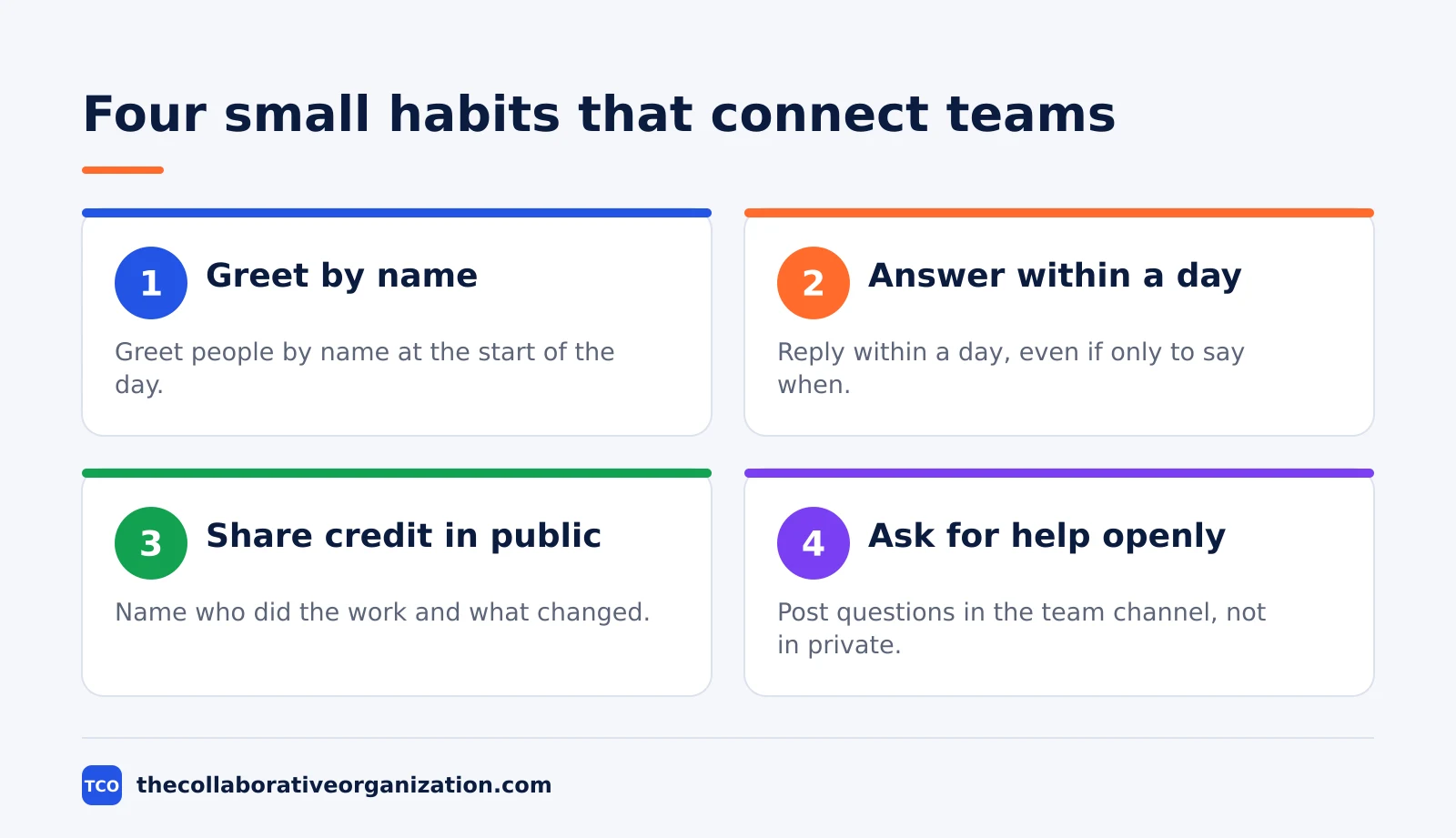
Share wins in the open channel, with names attached. A short note that names who did the work and what changed for the customer teaches the team what good looks like. Buffer’s 2023 survey found that 37% of remote workers named getting recognised by leadership as a top challenge.
Ask for help in public when you can. A question posted in the team channel invites answers from people you would never have asked directly, and it shows newer staff that asking is normal. The fastest way to kill connection is a team where everyone solves problems alone in silence.
A worked example: a 12-person team across 4 time zones
A 12-person support team in London, Berlin, Toronto and Sydney rebuilds connection in four weeks. They keep their tools and their workload, and change only the rhythm. The example is an illustration of the steps above, not a report on a real team.
Week one, they agree the channels: one team channel, one decisions channel, one social channel, and direct messages for private talk. Each person posts a three-line daily update by 10 am their time. The manager posts first every day for a week, to set the tone.
Week two, they add a 30-minute Wednesday call for demos and decisions, recorded for Sydney, and a weekly coffee slot on Friday with no agenda. The manager starts one-to-ones with each person, 30 minutes every two weeks, with the agenda owned by the employee.
Week three brings the first test: a product launch slips and the Toronto pair works late. The daily updates catch the slip a day earlier than the old weekly meeting would have, and the London lead reassigns two tickets in the open channel. Nobody needs a midnight call.
By week four, the team votes in the monthly review. They keep the daily update and the Wednesday call, drop the Friday coffee to every other week, and add a photo thread for weekend plans. The survey is short: three questions, five minutes, and the results go back to the team the same day.
Common mistakes when staying connected remotely
The most common mistake is adding meetings to fix a connection problem that meetings caused. More calls make people tired, not closer. Connection grows from steady, light contact, not from a packed calendar.
- Making every update a live meeting. A status call that could have been three written lines wastes the one hour the team shares.
- Letting one time zone decide everything. If every decision happens in London mornings, Sydney never decides anything. Rotate the live slot or decide in writing.
- Cancelling one-to-ones first. The one-to-one is the first meeting cut when the week gets busy, and it is the one remote staff miss most.
- Forcing fun. A mandatory party with cameras on feels like work. Keep social time optional and short, and let people join on their own terms.
- Only talking about work. A team that never talks about life outside work has no shared ground when the work gets hard. Leave room for the human part.
If meetings are eating the week, read our guide on how to reduce meetings at work for the audit that cuts the calendar back to what the team actually needs.
Tools that help remote coworkers stay connected
Three tools carry most remote connection: chat for daily talk, video for live moments, and shared docs for decisions. Pick one of each and keep the rest out. Compare options on our team communication software shortlist before you choose.
| Tool | Best for | Free plan | Starting price (as of November 2026) | Notable limit |
|---|---|---|---|---|
| Slack | Team chat with channels and threads | Free plan, 90 days of history | $7.25 per user per month (Pro), billed annually | History limit on the free plan |
| Zoom | Video meetings and webinars | Free Basic plan | $14.16 per user per month (Pro), billed annually | Free plan caps group meetings at 40 minutes |
| Google Meet | Video calls inside Google Workspace | Free with a Google account | $7 per user per month (Business Starter), billed annually | 100 participants on Starter |
The Slack price comes from Slack pricing: Pro is $7.25 per user per month billed annually, or $8.75 billed monthly. The Zoom pricing page lists Pro at $14.16 per user per month billed annually, or $16.99 monthly. Google Workspace Business Starter is $7 per user per month on the annual plan, per Google Workspace pricing.
Tools do not create connection on their own. A team with one chat app and a daily habit will feel closer than a team with five apps and no rhythm. If your team runs its calls badly, our guide on how to run a virtual meeting covers the habits that make live time worth it.
Sources
- Pew Research Center - How COVID-19 Changed U.S. Workplaces (2025)
- Pulsewise - Employee Engagement Statistics 2026 (2026)
- Buffer - State of Remote Work 2025 (2025)
- Owl Labs - State of Hybrid Work 2025 (2025)
- Microsoft - Work Trend Index: Breaking Down the Infinite Workday (2025)
- Slack - Pricing (2026)
- Zoom - Pricing (2026)
- Google - Google Workspace Pricing (2026)
Frequently asked questions
How often should remote coworkers talk to each other?
Most remote teams do well with one short daily check-in, one weekly team call and a monthly one-to-one with each manager. The daily check-in can be written, not live, so time zones do not block it. What matters is the rhythm: people should hear from their team every working day, even if it is only a short written update.
What is the best way to stay connected across time zones?
Use written updates as the default and save live calls for decisions and debate. Set two or three overlap hours when everyone is online, and record any call that some people cannot attend. A shared doc with decisions and next steps lets the people who slept through the meeting catch up in minutes.
Do virtual social events actually help remote teams?
Yes, when they are short, optional and built around something people enjoy. A 30-minute coffee chat or a shared playlist beats a forced two-hour party. The goal is a regular chance to talk about life outside work, not another agenda. Rotate the host so the same person does not carry the social load.
How do I stay visible to my manager while working remotely?
Send a short weekly update with what you finished, what is next and where you are blocked. Join the calls that matter and speak up early with a question or a result. Visibility comes from steady, visible output and clear writing, not from staying online late or answering messages at midnight.
Should remote teams use cameras on for every call?
No. Cameras help for first meetings, hard conversations and team socials, but all-day video drains people and adds nothing to a status update. Let the team agree a simple rule, such as cameras on for small calls and optional for large ones, and respect it when someone has a bad connection.
Related articles

team communication
Communication Plan for a Project: Template (2026)
A communication plan for a project names who gets which update, in which channel, how often, and from whom. Copy the template and the filled example below.
November 20, 2026 · 10 min read

team communication
How Often Should Managers Communicate With Teams? (2026)
Managers should hold one meaningful conversation with each person every week, plus a weekly team update. See the cadence table for meetings, updates and feedback.
November 20, 2026 · 9 min read
team communication
Upward Communication Examples: 10 That Work (2026)
Upward communication is a message that travels from an employee to a manager or leader. See 10 concrete examples, each with why it works and when to use it.
November 20, 2026 · 9 min read