Communication Plan for a Project: Template (2026) | The Collaborative Organization
By The Collaborative Organization Team · November 20, 2026 · Last verified November 20, 2026 · 10 min read
A communication plan for a project is a short document that says who gets which project update, in which channel, how often, and from whom, for one project from kickoff to close. It turns ad-hoc updates into a set schedule, so stakeholders stop chasing the team for news and the team stops guessing who needs to know what.
Key takeaways
- A project communication plan has five parts per row: audience, message, channel, frequency and owner.
- PMI data cited by Rework puts 56% of project budget at risk from poor communication.
- Asana’s guide names the same five parts and adds four writing steps: methods, cadence, stakeholder plan, then share and update.
- The plan is written at kickoff, reviewed at each milestone, and retired when the project closes.
- The escalation path is what separates a project plan from a team charter: it names who decides when a message needs a faster answer.
What a communication plan for a project is
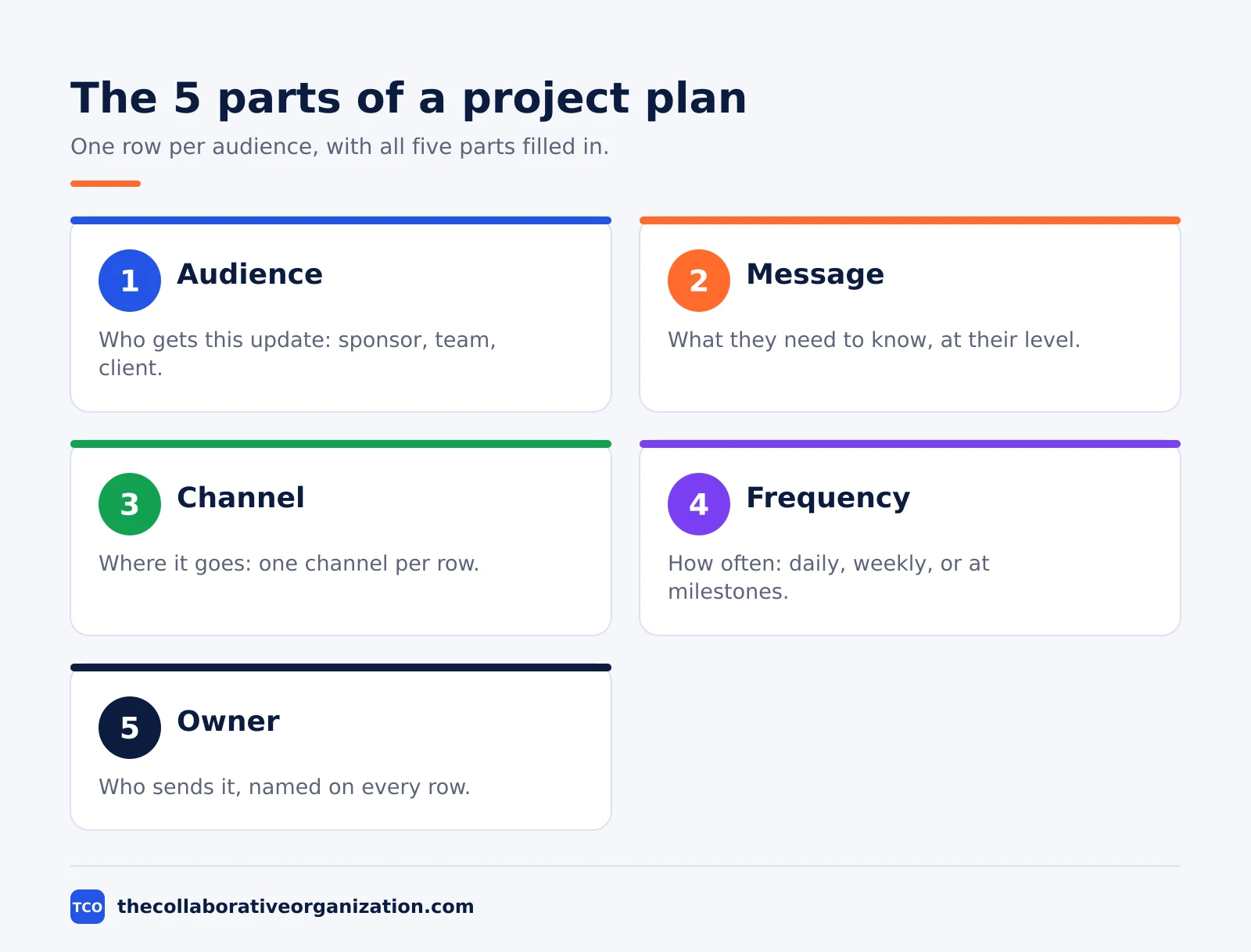
A communication plan for a project is the stakeholder-by-stakeholder schedule of project news, written for one project and retired when that project closes. Asana defines a communication plan as a document that outlines how a team shares important project information with stakeholders, and names its five parts: audience, key message, channel, frequency and owner.
The plan is not a team charter and not a company-wide plan. A charter governs one team’s daily habits across all its work, while this plan governs one project’s news from kickoff to close. It is also one section of the wider plan: our project plan template holds the communication plan as section 9, next to scope, schedule and budget.
The cost of skipping it is measured. Rework’s guide to project communication plans cites PMI’s Pulse of the Profession finding that 56% of project budget is at risk from poor communication. High-performing organisations are 2.6 times more likely to have formally documented communication plans as a standard practice, according to the same PMI finding.
A second PMI figure sets the stakes higher still. The PMBOK Guide puts the share of a project manager’s time spent communicating at 75 to 90 percent, and PMI estimates that 29% of projects fail from poor communication. The plan is the cheapest way to spend that time well.
The communication plan template
Copy the table below into a document, add one row per audience, and keep it to one or two pages. Each row is one audience and one kind of message. Delete any row your project does not need, and add a row when a new audience appears.
| Audience | Message | Channel | Frequency | Owner |
|---|---|---|---|---|
| Sponsor | Progress, budget, risks, decisions needed | Written status update plus a short call | Weekly | Project manager |
| Core team | Tasks, blockers, decisions, changes | Task tool comments and daily stand-up | Daily | Project manager |
| Team leads | Cross-team dependencies and dates | Team channel and weekly sync | Twice a week | Project manager |
| Stakeholders | Milestones, dates, what changes for them | Email summary with a link to the report | At each milestone | Project manager |
| Client or customer | Outcomes, dates, what to review | Email or client portal | Every 2 weeks | Project manager |
| Suppliers | Delivery dates and specs | Email, confirmed in writing | As dates change | Workstream lead |
| End users | What changes, when, and how to prepare | Announcement post and briefing | Before launch, then at launch | Change lead |
The audience column matters most. An executive sponsor gets progress, budget and risks in one page, while the core team gets tasks and blockers every day. Asana makes the same point in its guide: the message for an executive is milestones and business impact, while the message for the team is task assignments and deadlines.
The channel column should name one channel per row, not two. A message sent in chat, email and a meeting teaches people to watch everything, and they end up reading nothing. Pick the channel the audience already opens, and link to the detail instead of copying it.
The copyable plan text
The two blocks below are the whole plan in copyable form, ready to paste into a document and fill in. The first block holds the project facts and the audience rows. The second holds the escalation path and the review rule.
COMMUNICATION PLAN - [Project name]
Version: [number] - Date: [date]
Project manager: [name] - Sponsor: [name]
Goal: [one sentence on what the project delivers]
AUDIENCE ROWS
Sponsor: [message] - [channel] - [frequency] - [owner]
Core team: [message] - [channel] - [frequency] - [owner]
Stakeholders: [message] - [channel] - [frequency] - [owner]
Client: [message] - [channel] - [frequency] - [owner]ESCALATION PATH
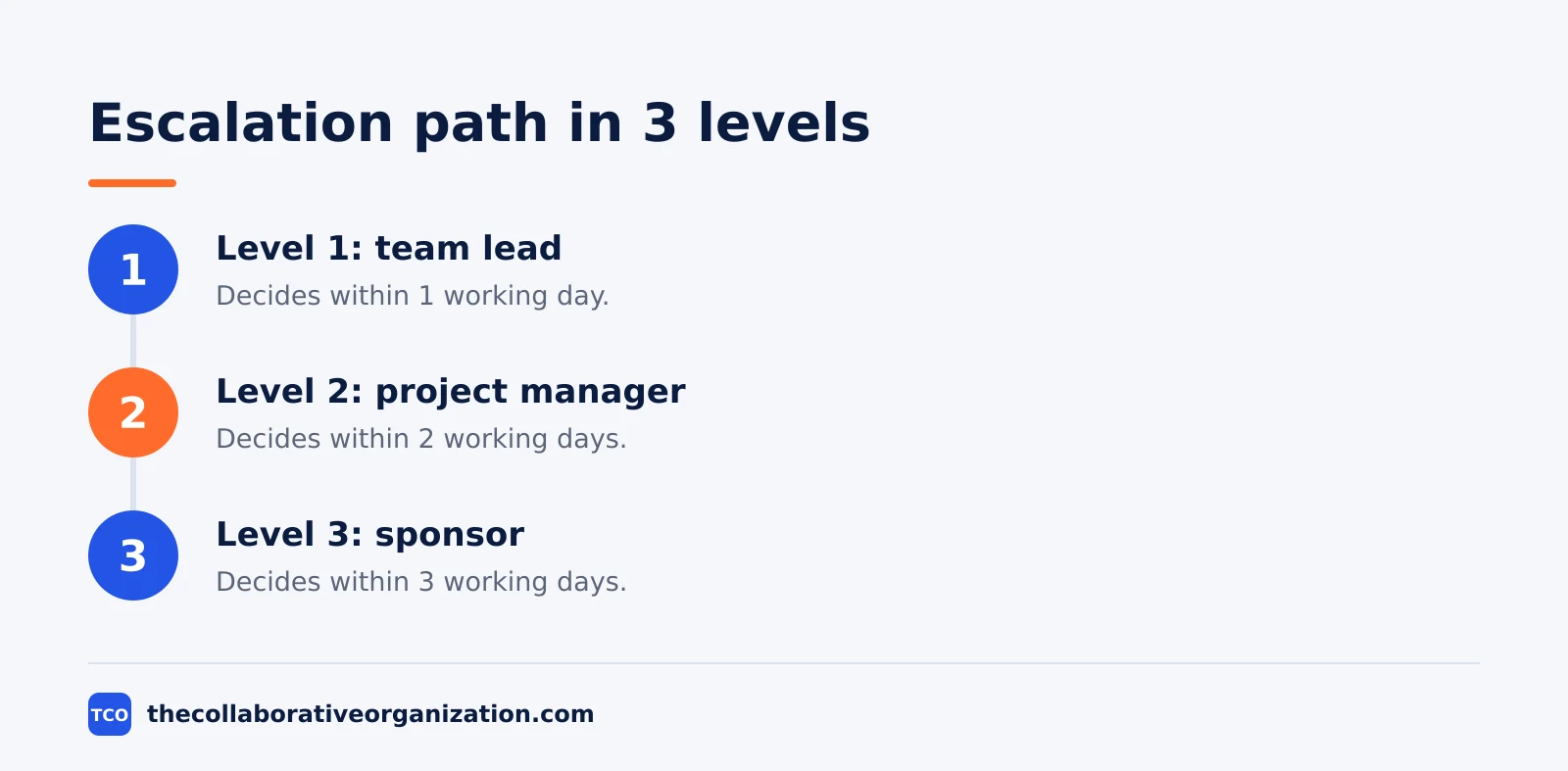
Level 1 - Team lead decides within 1 working day
Level 2 - Project manager decides within 2 working days
Level 3 - Sponsor decides within 3 working days
REVIEW: at each milestone, or when a stakeholder joins or leavesFill in the brackets at kickoff, then pin the plan where the team already works, next to the project board. A plan filed in a folder nobody opens governs nothing, and a plan that lives next to the work gets read.
Filled example: a route-planning rollout for a logistics firm
Picture a 60-person logistics company rolling out a new route-planning tool in 8 weeks, with drivers, dispatchers and the operations director all affected. The project manager writes the plan at kickoff from the template above. The example below is an illustration, not a case study.
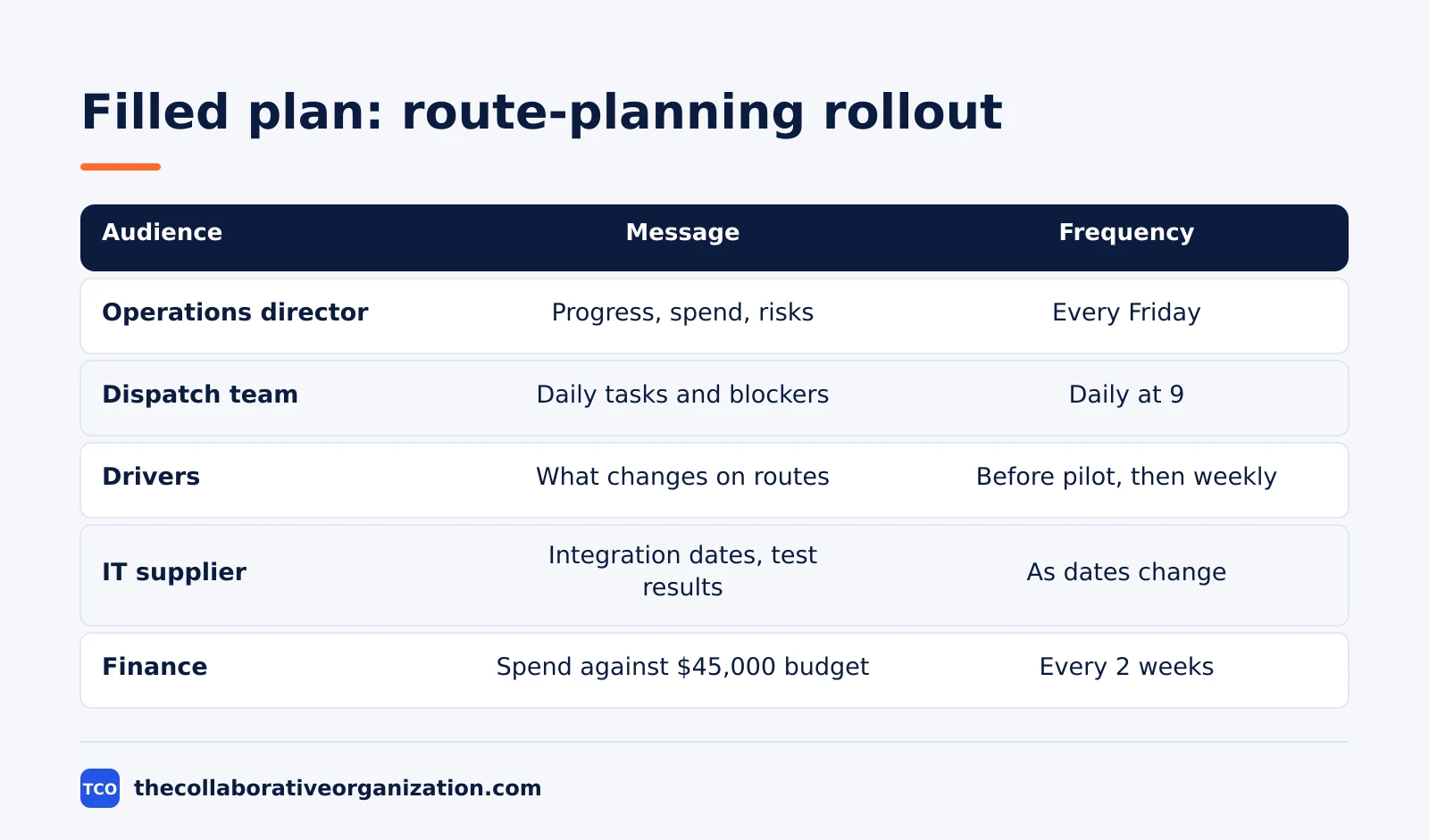
| Audience | Message | Channel | Frequency | Owner |
|---|---|---|---|---|
| Operations director (sponsor) | Progress, spend, risks, decisions | Written update plus a 15-minute call | Every Friday | Project manager |
| Dispatch team (8 people) | Daily tasks, blockers, training dates | Task board and a 10-minute stand-up | Daily at 9 | Project manager |
| Drivers (40 people) | What changes on their routes, and when | Printed briefing and a short video | Before pilot, then weekly | Change lead |
| IT supplier | Integration dates and test results | Email, confirmed in writing | As dates change | Workstream lead |
| Finance | Spend against the $45,000 budget | Email summary | Every 2 weeks | Project manager |
The rollout runs in order: dispatchers get trained first, then 10 drivers pilot the tool for 2 weeks, then the rest follow. The sponsor hears about the pilot result on the Friday it ends, not a week later, because the plan names that date in advance.
Three things make this example work. The drivers get a printed briefing, not an email, because they rarely open email. The sponsor row names a decision date, so the Friday call has a purpose. The supplier row says “confirmed in writing”, so a date agreed on a call cannot drift.
How to customise the plan in 5 steps
Customise the template in five moves at kickoff, and keep the same rows every time so readers learn where to look. Start from the stakeholder list, not from a blank page.
- Cut audiences you do not have. A project with no client and no suppliers drops those rows. A project with two audiences keeps two rows.
- Set the sponsor rhythm first. Agree the weekly update day and the call length with the sponsor before you write the other rows. The sponsor row is the one that gets read.
- Name the escalation levels. Write who decides at each level and how fast, so a blocked decision never waits for one person to return. A blocker with no lane is a blocker with no end.
- Add a decision log line. Record each decision, the decider and the date in one shared doc, and link it from the plan. Our guide on how to write a project status report shows how the log feeds the weekly report.
- Stamp the version and the review date. Write v1.0 and the next review date on the first line. A plan with no review date goes stale silently.
Variations for different projects
The same template fits a 3-week internal job and a 6-month client project, but the detail changes. A small project keeps five rows and drops the escalation table. A large project adds a row per workstream and a decision log with its own owner.
An agile project keeps the same rows but sets the rhythm by sprint: the sponsor hears news at each sprint review, and the team hears it in the daily stand-up. The plan names the sprint dates instead of fixed calendar dates, so it stays true when a sprint moves.
A client project adds one rule: the client rows lead with outcomes and dates, and leave out internal task names and tool jargon. The client reads dates and asks, not board columns. The internal rows stay separate, so the team can be blunt where the client version must be careful.
Tools that carry the plan
Tools carry the plan, but they are not the plan. Pick the chat tool the team already opens, keep decisions in the task tool, and send the sponsor update from one place. Compare the options on our team communication software shortlist before you choose.
| Tool | Best for | Free plan | Starting price (as of November 2026) | Notable limit |
|---|---|---|---|---|
| Slack | Chat-first teams with channels and search | Free plan, 90-day message history | $7.25 per user per month (Pro), billed annually | Free plan keeps 90 days of history |
| Microsoft Teams | Teams already on Microsoft 365 | Free plan | $4.00 per user per month (Teams Essentials), paid yearly | Essentials has no Office apps |
| Asana | Tasks, decisions and status in one place | Personal, free for 2 people | $10.99 per user per month (Starter), billed annually | Free plan covers 2 people |
The Slack pricing page lists Pro at $7.25 per user per month billed annually.
The Microsoft Teams pricing page lists Essentials at $4.00 per user per month, paid yearly, with one source noting $4.50 after a July 2026 increase, so check the vendor page before you buy.
The Asana pricing page lists Starter at $10.99 per user per month billed annually, and the Personal plan is free for 2 people.
Common project communication plan mistakes to avoid
Most project communication plans fail in the same five ways, and each one is easy to spot before kickoff. Run through the list before you share the plan.
- One message for every audience. The sponsor, the team and the client need different detail. One message for all of them fits none of them.
- Rows with no owner. A row that names a message but no sender has no one to send it, so the update never goes out.
- No escalation path. When a decision stalls, the team waits for the sponsor to notice. Name the levels and the deadlines up front.
- A plan written after the work starts. A plan written in week 4 cannot fix the confusion of weeks 1 to 3. Write it at kickoff, even in rough form.
- A plan that is never reviewed. Stakeholders join and leave, channels change, and phases end. A plan with no review date quietly stops matching the project.
Our project charter template covers the document that authorises the project before this plan is written. Fill the charter first, get it signed, then build the communication rows from its stakeholder list.
Sources
- Asana - How to Write a Communication Plan (2026)
- Asana - Communication Plan Template: Steps, Types, and Tips (2026)
- Rework - Project Communication Plan: How to Create One (2026)
- rock.so - What Is a Communication Plan? (2026)
- Adobe - How to Write a Communication Plan in 7 Steps (2026)
- Slack - Pricing (2026)
- Microsoft - Microsoft Teams Pricing (2026)
- Asana - Pricing (2026)
Frequently asked questions
What is a communication plan for a project?
It is a short document for one project that names who gets which update, in which channel, how often, and from whom. It covers the sponsor, the team, and anyone outside the team who needs news. It sits inside the project plan and is written at kickoff, then updated when the audience, the channel, or the rhythm changes.
How is a project communication plan different from a team communication charter?
A project communication plan covers one project from kickoff to close, with stakeholder rows, a phase cadence, and an escalation path for that project. A team charter covers one team's daily habits, such as reply times and meeting rules, across all its work. The plan ends when the project ends, while the charter keeps going.
How long should a project communication plan be?
One to two pages is enough for most projects. The core is a single table with one row per audience: the message, the channel, the frequency, and the owner. A large project may add an escalation table and a decision log. If the plan runs past two pages, cut the background and keep the rows that tell people what to send and when.
Who writes the communication plan for a project?
The project manager writes the first draft at kickoff, usually in under an hour, then checks it with the sponsor and the team leads. The sponsor confirms the rows that name them, and the team leads confirm the rows that name their people. After that, the manager owns the plan and updates it at each milestone.
How often should a project communication plan be updated?
Review it at each milestone and whenever a stakeholder joins or leaves, a channel changes, or a phase ends. A plan that still names people who left the project misleads the team. At each review, ask which row went stale, which message nobody read, and which new audience needs a row.
Does a small project need a written communication plan?
Yes, in a shorter form. A three-week project with five stakeholders can use five rows in one table, written in 20 minutes. The written version still pays off when someone asks who should have been told about a delay. Skip the escalation table and the decision log, but keep the rows.
Related articles
team communication
How Often Should Managers Communicate With Teams? (2026)
Managers should hold one meaningful conversation with each person every week, plus a weekly team update. See the cadence table for meetings, updates and feedback.
November 20, 2026 · 9 min read
team communication
Upward Communication Examples: 10 That Work (2026)
Upward communication is a message that travels from an employee to a manager or leader. See 10 concrete examples, each with why it works and when to use it.
November 20, 2026 · 9 min read
team communication
Onboarding Statistics: 33 Numbers That Decide Retention (2026)
Onboarding statistics from Gallup, SHRM, BambooHR and more: 33 verified numbers on retention, cost, training and first-90-day turnover for 2026.
November 19, 2026 · 11 min read