How to Reduce Meetings at Work: A 5-Week Plan (2026) | The Collaborative Organization
By The Collaborative Organization Team · November 19, 2026 · Last verified November 19, 2026 · 10 min read
You can cut meetings by a third without losing decisions: audit every recurring meeting, cancel the ones with no decision to make, replace status updates with written updates, and protect one or two days a week for focused work. The plan below takes five weeks, and each week has one job. Start with the audit, not with a ban.
Key takeaways
- Meetings are ineffective 72% of the time, Atlassian found in a 2024 survey of 5,000 knowledge workers.
- Workers spend about 5 hours a week in unproductive meetings, Asana found in 2024, double the 2019 level.
- Cutting meetings by 40% came with 71% higher self-reported productivity in a 2022 study of 76 companies.
- Shopify deleted about 12,000 recurring meetings in January 2023 and freed 322,000 hours over the year.
- 92.4% of meetings have no end date, so they repeat for months after their purpose is gone.
- Replace status updates with written updates, keep decision meetings, and give every recurring meeting an end date.
Why meetings pile up
Meetings pile up because adding one is easy and removing one feels rude. A calendar invite takes 30 seconds to send, and nobody wants to be the person who cancels a meeting someone else set up. So the calendar fills one invite at a time, and nobody owns the total.
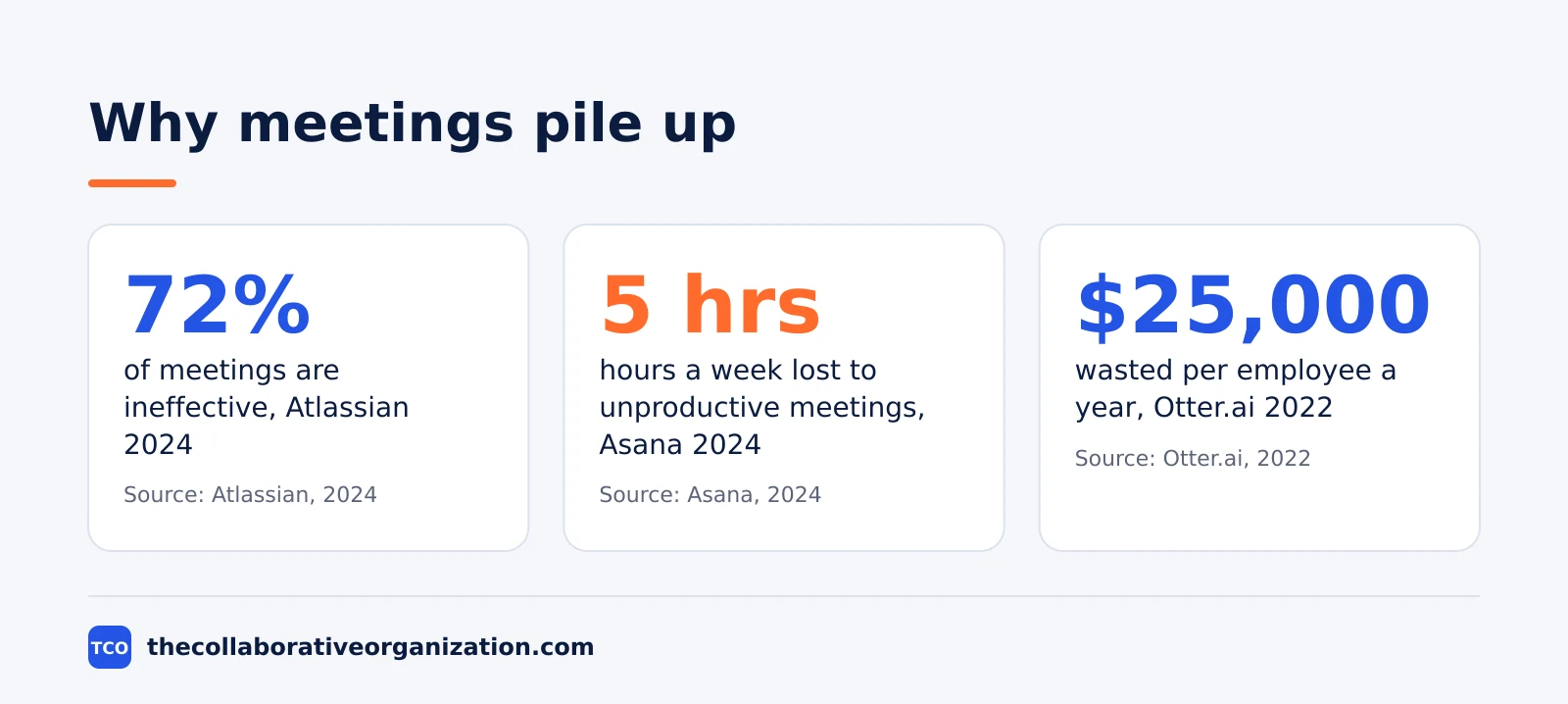
The numbers show the result. Atlassian surveyed 5,000 knowledge workers in March 2024 and found meetings ineffective 72% of the time, and 78% of workers are expected to attend so many meetings that it is hard to get their work done.
Asana surveyed 13,066 knowledge workers in 2024 and found 5 hours a week lost to unproductive meetings, double the level of August 2019.
The cost is not just hours. Otter.ai and researcher Steven Rogelberg surveyed 632 employees in 2022 and found workers spend about 18 hours a week in meetings, with about 30% of that time unnecessary.
They put the wasted share at roughly $25,000 per employee per year. For a team of 20, that is about $500,000 a year in time spent in meetings nobody needed.
The pattern is clear in the research too. Harvard Business Review reported in 2017 that executives spend nearly 23 hours a week in meetings, up from less than 10 hours in the 1960s. Microsoft telemetry from 2025 shows 57% of meetings are ad hoc calls without a calendar invite, so the calendar count understates the real load.
The 5-week plan to cut meetings
The plan below cuts meetings in five weekly steps, and each week has one job with a clear outcome. Do not skip the audit: cuts made without it hit the wrong meetings, and the team brings them back within a month.
Week 1: Audit every recurring meeting
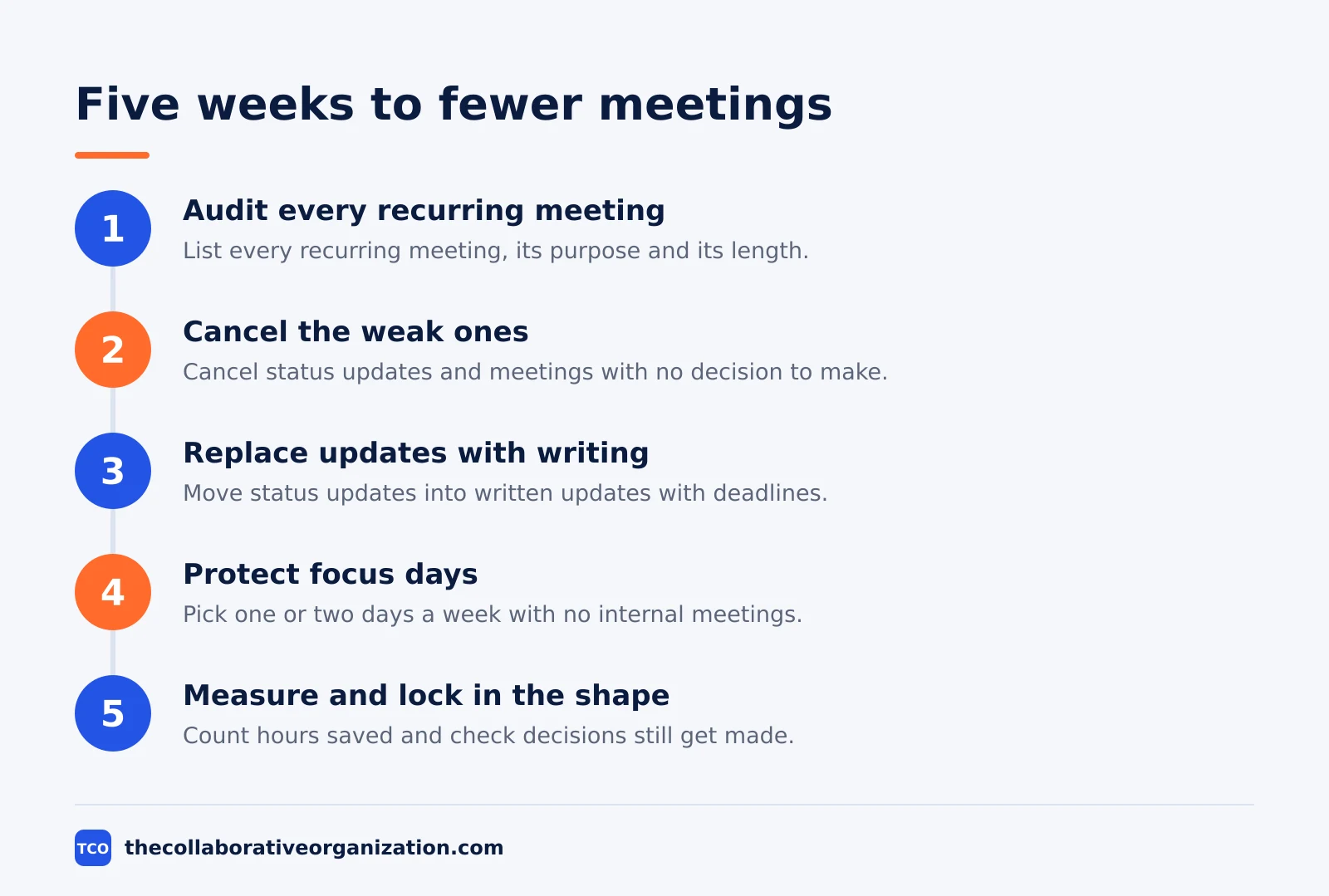
List every recurring meeting on the team calendar, with its purpose, its attendees and its length. The outcome is a list the team can judge, not a feeling about the calendar. For each meeting, ask the owner to write one sentence: what decision does this meeting make?
Judge each meeting against three tests. Does it make a decision, solve a problem, or build a relationship that needs live time? If it does none of the three, mark it for the next step.
If it does one, keep it and note what would make it shorter. Our daily standup meeting format is a good example of a meeting that passes all three tests in 15 minutes.
Week 2: Cancel the weak ones
Cancel every meeting that failed the audit, starting with status updates. The outcome is a calendar with visible gaps, which is the point. Tell the team what replaced each cancelled meeting: a written update, a document with a decision deadline, or nothing at all.
Expect pushback, and answer it with the audit. A meeting that exists because it has always existed is not a reason to keep it. Give cancelled meetings a two-week cooling-off period, like Shopify did, and let anyone rebook a meeting that proves it is needed. Most will not come back.
Week 3: Replace updates with writing
Move every status update into a written update in a shared document. The outcome is that information moves without a meeting, and people read it when they have time. A good written update has three parts: what changed, what is blocked, and what decision is needed, with a deadline for the decision.
Use a recorded video when tone matters and the update is short. Our Loom vs Zoom Clips comparison shows how short recorded updates can carry information without a live meeting. The rule is simple: if the meeting only shares information, a document does it better.
Week 4: Protect focus days
Pick one or two days a week with no internal meetings, and block them on every calendar. The outcome is two days when the team can do deep work without interruption. Start with one day, prove it works, then add a second.
The evidence backs the idea. A 2022 study in MIT Sloan Management Review surveyed 76 companies that had introduced one to five meeting-free days a week. Two days, a 40% cut in meetings, came with 71% higher self-reported productivity and 52% higher satisfaction. Three days was the optimum, and cutting all meetings hurt cooperation.
Week 5: Measure and lock in the new shape
Count the hours saved and ask the team whether decisions still get made. The outcome is a number the team can defend: hours per week freed, and decisions delayed or not. If decisions are slower, restore the one meeting that unblocks them, and keep the rest cut.
Then lock the new shape in. Give every recurring meeting an end date and a named owner, and review the calendar every quarter. Fellow found 92.4% of meetings have no end date, so they repeat for months after their purpose is gone. An end date is the simplest lock there is.
Worked example: what Shopify did in 2023
Shopify ran the most public meeting cut of recent years, and the numbers show both what worked and what to be careful about. On the first working day of January 2023, chief operating officer Kaz Nejatian cancelled all recurring meetings with three or more people, deleted needless internal channels, restored meeting-free Wednesdays, and limited meetings with more than 50 people to a six-hour window on Thursdays.
The scale was large. About 12,000 events were deleted from staff calendars, freeing more than 76,500 hours at first. Nejatian later said the company had deleted 322,000 hours of meetings over the year, which he compared to adding about 150 people.
Time spent in meetings fell by about a third in early 2023, and the company estimated it would deliver about 25% more projects by the end of the year. The story is told in Fast Company.
Two cautions belong with the story. The 322,000 hours are calendar capacity removed, not an audited gain in output, and the company let teams rebook meetings that proved they were needed after a two-week cooling-off period.
The purge worked because it was a reset with a way back, not a ban. A small team can copy the shape at its own scale: cancel the recurring meetings, wait two weeks, and let back only the ones that prove they are needed.
What to replace each meeting with
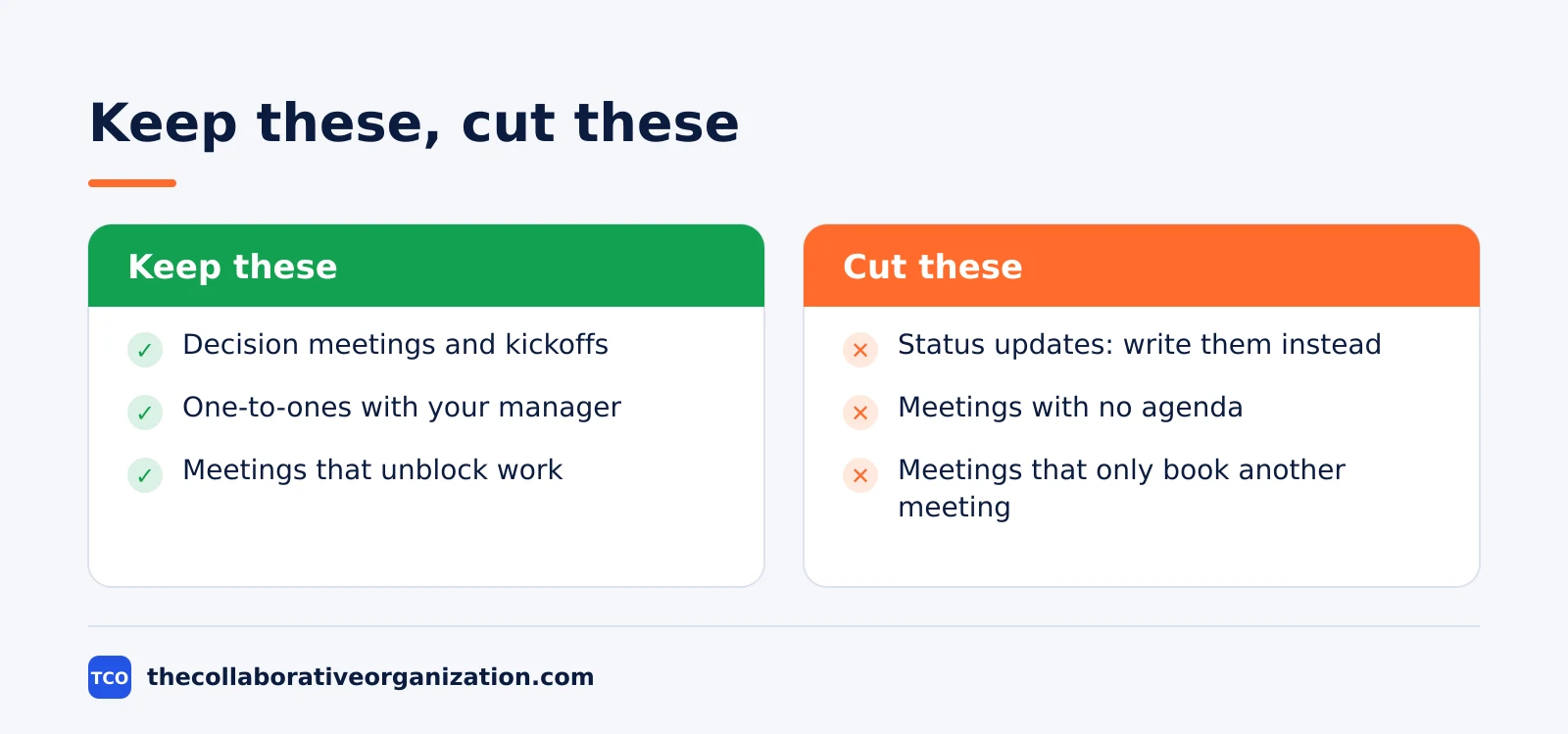
Every cancelled meeting needs a replacement, or the information it carried will find a worse route. The table below gives a replacement for each common meeting type. Keep the meetings that decide, and replace the meetings that only inform.
| Meeting type | Replace with | Keep the meeting when |
|---|---|---|
| Status update | Written update in a shared doc | Never; writing does it better |
| Information sharing | Document with a decision deadline | Tone or debate matters |
| Daily standup | Written update, three lines each | The team is blocked and needs help live |
| Brainstorm | Written ideas first, then a short call | Ideas need live building on each other |
| Decision meeting | Keep it, but shorten it to 30 minutes | Always; decisions need live discussion |
| One-to-one | Keep it, weekly or fortnightly | Always; people need live time |
A sprint planning meeting is a good example of a meeting to keep: it commits the team to a plan, and that commitment needs a live discussion. A status meeting is the opposite: it reports facts that a document carries faster.
Our guide on meeting notes vs minutes shows what the record of a kept meeting should look like.
Tools that help cut meetings
The right tool for fewer meetings is often a writing tool, not a video tool. A shared document carries updates, a recorded video carries tone, and the video call stays for decisions. Our video conferencing software shortlist compares the main meeting tools side by side.
| Tool | Best for | Free plan | Starting price (as of November 2026) | Notable limit |
|---|---|---|---|---|
| Zoom | Teams that want reliable video with AI summaries | Basic plan, 40-minute meetings | $14.16 per user per month (Pro), billed annually | Group meetings capped at 40 minutes on Basic |
| Google Meet | Teams already on Google Workspace | No free business plan; 14-day trial | $7 per user per month (Business Starter), billed annually | AI notes need Business Standard or higher |
| Microsoft Teams | Teams already on Microsoft 365 | No free business plan | $14 per user per month (Business Standard), billed annually | Business plans cover up to 300 users |
The Zoom price comes from Zoom pricing: Pro is $14.16 per user per month billed annually, or $16.99 billed monthly.
Google Workspace Business Starter is $7 per user per month on the annual plan, or $8.40 on the flexible plan, according to Google Workspace pricing as read by independent checks in November 2026, since the page renders no dollar figures to our fetcher.
Microsoft 365 Business Standard is $14 per user per month billed annually, with Business Basic at $7 and Premium at $22, after the July 2026 price rise. The Microsoft 365 pricing page lists the plans but renders no dollar figures to our fetcher, so the figures rest on the standing checks noted in our research notes.
Common mistakes when cutting meetings
Most meeting cuts fail in the same five ways, and all five are easy to avoid.
- Cutting without an audit. A blind ban hits the meetings people need and spares the ones they do not. Audit first, then cut.
- Cutting decisions along with updates. Status meetings can go, but decision meetings must stay. A team that cannot decide in a meeting will decide slowly in writing, or not at all.
- Replacing meetings with chat. Moving a 30-minute meeting into a day of chat messages saves no time. Replace meetings with documents that have a decision deadline, not with a chat thread.
- No end date on what survives. The meetings you keep will breed again unless each one has an end date and an owner. Review the calendar every quarter.
- Measuring hours but not decisions. Fewer hours is not the goal. The goal is the same decisions in fewer hours. Track both, and restore the meeting that unblocks a decision.
Sources
- MIT Sloan Management Review - The Surprising Impact of Meeting-Free Days (2022)
- Fast Company - Shopify Exec: What Happened When We Canceled All Meetings (2023)
- Atlassian - Workplace Woes: Meetings (2024)
- Asana - Unproductive Meetings (2024)
- Inc. - Otter.ai and Rogelberg meeting cost study (2022)
- Harvard Business Review - Stop the Meeting Madness (2017)
- Fellow - 45 Meeting Statistics and Behavior Trends in 2025 (2025)
- Zoom - Pricing (2026)
- Google Workspace - Pricing (2026)
- Microsoft 365 - Pricing for Business (2026)
Frequently asked questions
How many meetings should a team have each week?
There is no fixed number, because it depends on the work. A useful test is the audit: every recurring meeting must name a decision it makes or a problem it solves. MIT Sloan research found cutting meetings by 40% raised self-reported productivity by 71%, so most teams can cut a third and feel better, not worse.
What meetings should you cancel first?
Cancel status updates first, because a written update does the same job in five minutes. Then cancel meetings with no agenda, meetings with no decision to make, and meetings where the same people meet to prepare for another meeting. Keep decision meetings, kickoffs and one-to-ones.
How do you replace a meeting with async work?
Write the update, the question or the proposal in a shared document, give it a decision deadline, and let people comment in writing. A recorded video works when tone matters. The rule is simple: if the meeting only shares information, a document does it better, and if it must decide, keep the meeting short.
Do meeting-free days actually work?
Yes, with limits. A 2022 study of 76 companies in MIT Sloan Management Review found two meeting-free days a week, a 40% cut, came with 71% higher self-reported productivity and 52% higher satisfaction. Three days was the optimum. Cutting all meetings hurt cooperation, so keep one or two days for live discussion.
How do you stop meetings from coming back?
Give every recurring meeting an end date and a named owner, and review it every quarter. Fellow found 92.4% of meetings have no end date, so they repeat for months after their purpose is gone. When a meeting returns, it must pass the same test as a new one: name the decision it makes.
What did Shopify do about meetings?
In January 2023 Shopify cancelled all recurring meetings with three or more people, restored meeting-free Wednesdays, and limited large meetings to a six-hour window on Thursdays. About 12,000 events were deleted, freeing 76,500 hours at first and 322,000 hours over the year. Meeting time fell by a third in early 2023.
Related articles

video conferencing
Loom vs Zoom Clips: Which Async Video Tool Wins? (2026)
Loom is the dedicated async video tool, while Zoom Clips is built into Zoom Workplace. Compare recording, editing, analytics and price to pick the right one.
November 19, 2026 · 9 min read
video conferencing
How to Run an Effective Meeting in 7 Steps (2026)
An effective meeting starts with a clear purpose, a short agenda and named owners for every action. Follow 7 steps to run meetings people value.
November 19, 2026 · 12 min read
video conferencing
How to Take Meeting Notes That People Actually Use (2026)
Good meeting notes record decisions, owners and dates in one page, sent within a day. Learn the format, the tools and a worked example.
November 19, 2026 · 11 min read