Company Wiki Examples: 12 Real Wikis to Copy (2026) | The Collaborative Organization
By The Collaborative Organization Team · November 19, 2026 · Last verified November 19, 2026 · 11 min read
A company wiki example worth copying is a real, working wiki you can read and learn from, such as the GitLab Handbook with more than 2,000 pages. Most company wikis stay private, so the public ones teach the most. This guide shows 12 examples: six public wikis and six kinds of wiki pages to build inside your own company.
Key takeaways
- GitLab’s handbook has more than 2,000 pages and runs on a “handbook-first” rule: if a process is not written down, it is not the process.
- Microsoft’s 2023 Work Trend Index found 62% of workers struggle with too much time spent searching for information.
- Atlassian’s State of Teams 2025 survey found knowledge workers spend a quarter of the workweek searching for information.
- Start with five top-level spaces and 20 to 30 seed pages, not 200 blank placeholders.
- The six public examples below are Valve, GitLab, PostHog, 37signals, Netflix, and Wikimedia, and all six are free to read.
- Confluence Standard costs $7.15 per user per month for 1 to 100 users as of November 2026, while Notion Plus costs $10 per member per month billed annually.
What makes a company wiki example worth copying
A wiki example is worth copying when you can see how it is organized, how it stays current, and what job each page does. A screenshot of a home page tells you nothing. A public handbook you can click through shows the real structure: the top-level sections, the page titles, and the way pages link to each other.
The public examples below pass three tests. First, the wiki is in daily use by the company that wrote it, not a demo built for marketing. Second, you can read it in full without a sign-up or a sales call.
Third, it has a clear owner and a clear review habit, so pages stay current. Nuclino makes the same point: a wiki works as a team’s “single source of truth” only when people can find, update, and connect the pages.
A private wiki can still teach you something, and the second half of this guide covers six kinds of pages that show up in almost every good internal wiki. The pattern is the same in both halves: one page per topic, one owner per page, and links between pages instead of copies of the same text.
Our guide to internal knowledge base examples shows more patterns in the same style.
Six public company wikis you can read today
Six companies publish their internal documentation in full, so you can read a real wiki from the first page to the last. Each one below does one thing better than the rest, and that one habit is the part worth copying.
| Wiki | What it is | Habit worth copying |
|---|---|---|
| GitLab Handbook | Public handbook with 2,000+ pages | Handbook-first rule: unwritten process is not the process |
| PostHog Handbook | Company handbook next to product docs | Handbook lives beside the docs, so staff find it fast |
| 37signals Handbook | Employee handbook in 16 chapters | Short policy contract: each chapter states one rule plainly |
| Valve Handbook | New-employee guide, first edition 2012 | Written for the person who just arrived, not for managers |
| Netflix culture memo | Short culture document, revised for years | One short memo that states how decisions get made |
| Wikimedia Meta-Wiki | Open coordination wiki | Every page has a full revision history and a talk page |
GitLab is the reference example. Its handbook covers Company, People, Product, Engineering, Security, Marketing, Sales, Finance, and Legal, and each section branches into the detail of how that function works. Anything that cannot be public sits in a separate internal handbook, so the public one stays honest.
PostHog puts its handbook on its marketing site, in the same navigation as its product documentation. That placement matters: staff look for answers where they already look for docs. The 37signals handbook takes the opposite approach and stays narrow, with 16 chapters on getting started, benefits, how the company works, careers, rituals, systems, and conduct.
Valve’s handbook is the oldest example here, and still the clearest document written for a new hire. Its first edition dates from March 2012, and it opens by saying the book is not about fringe benefits or workstation setup. Instead it explains the flat structure: nobody reports to anybody else, and new hires choose the project they work on.
Six wiki examples to build inside your company
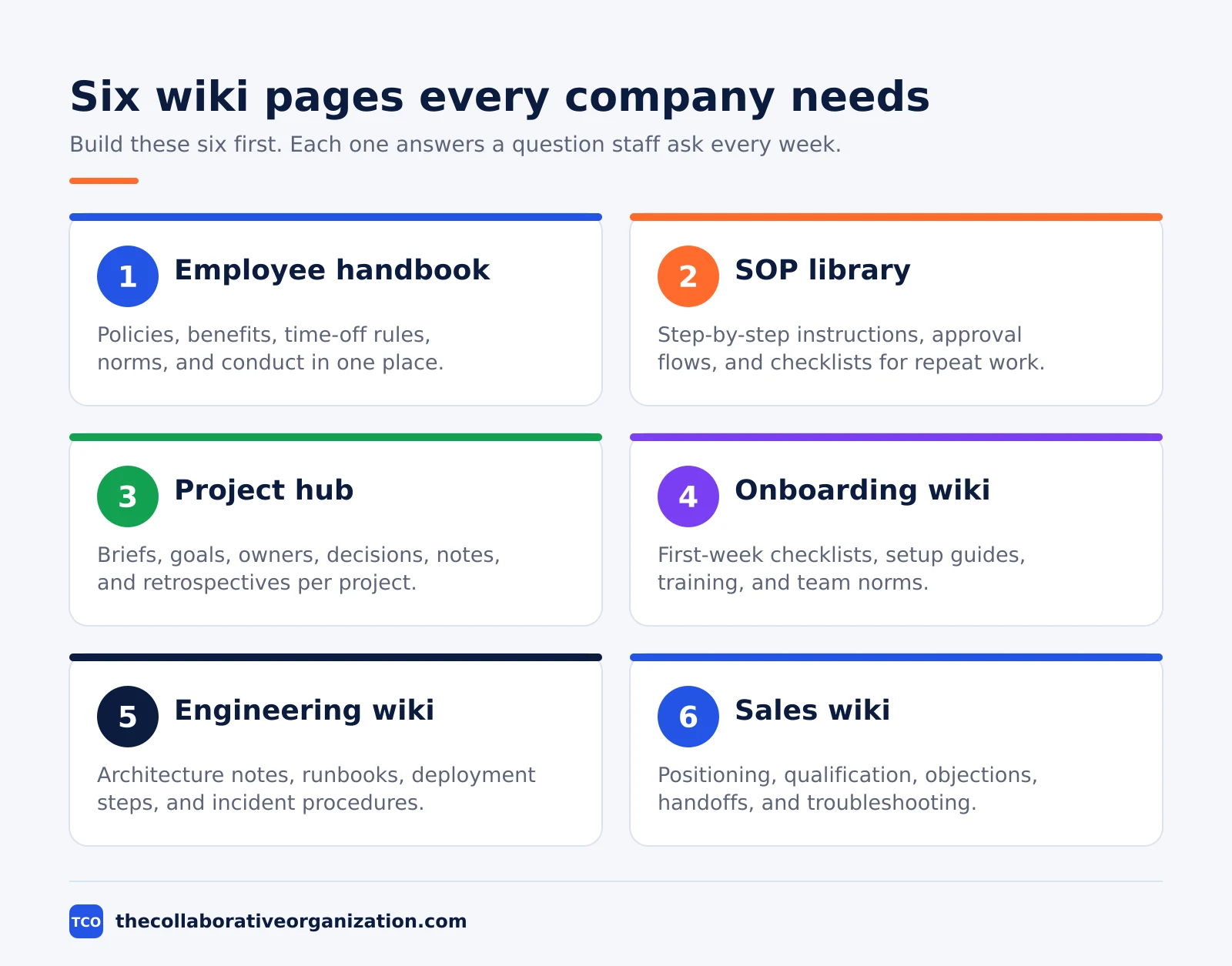
Most teams need six kinds of wiki pages, and each one answers a different question staff ask every week. Build these six first, before you add anything fancy.
- Employee handbook. Company policies, benefits, time-off rules, communication norms, team structure, and the code of conduct. One page per policy, with the owner and the last review date at the top.
- Process and SOP library. Step-by-step instructions for repeat work, approval flows, checklists, and software guides. Each page names the role that does the work and the role that approves it.
- Project documentation hub. Project briefs, goals, owners, decisions, meeting notes, research, timelines, and retrospectives. One page per project, linked from the team page.
- Training and onboarding wiki. First-week checklists, setup instructions, role-specific training, tool guides, and team norms. A new hire should reach their first useful task without asking three people for links.
- Engineering and IT wiki. Architecture notes, setup guides, runbooks, deployment steps, incident procedures, and system diagrams. Runbooks matter most: they tell the on-call person what to do at 2 in the morning.
- Sales and support wiki. Positioning, qualification rules, objection handling, handoff steps, troubleshooting, escalation paths, and common customer questions. Support staff should find the approved answer in one search, not in five chat threads.
These six map closely to the pages in our guide on what is a knowledge base, which explains how a wiki differs from a knowledge base with tighter publishing control. A company can run both models in one tool: open editing for team pages, and review before publishing for HR policies.
What the best examples have in common
The best wikis share four habits: one page per topic, one owner per page, links instead of copies, and a review date on every page. Size is not one of the habits. Valve’s handbook is one short book, GitLab’s is more than 2,000 pages, and both work because the habits hold.
One page per topic stops the same answer living in five places. When the answer changes, one page changes, and every link to it stays correct. One owner per page stops the slow rot: somebody specific is responsible for checking the page and fixing it when the process moves on.
Links instead of copies keep the wiki small. A team page links to the onboarding checklist instead of pasting it in. Search also gets better, because the search engine ranks one strong page instead of five near-copies.
The review date is the habit most teams skip. A page with a review date and an owner tells the reader whether to trust it. A page with neither tells the reader nothing, and staff learn to ask in chat instead.
That drift is costly. Atlassian’s State of Teams 2025 survey of 12,000 knowledge workers found teams spend a quarter of the workweek searching for information, and ITPro reports UK workers in the same study average 9 hours a week on the hunt.
How to structure your wiki like the examples
Copy the structure of the public examples: five top-level spaces, 20 to 30 seed pages, and the same four sections on every team page. A small start that people actually use beats a large empty structure every time.
| Space | Seed pages | Owner |
|---|---|---|
| Company | Mission, values, org chart, how decisions get made | Wiki owner |
| Teams | One page per team: what it owns, how to request work, priorities, rituals | Team lead |
| Processes | SOP library, approval flows, how to run a meeting | Process owner |
| Onboarding | First-week checklist, setup guide, tool logins, team norms | Hiring manager |
| Decisions | Decision log, meeting notes, project retrospectives | Project lead |
Every team page should carry the same four sections: what the team owns, how to request its work, its current priorities, and its rituals. A reader who learns the pattern once can read any team page without relearning the layout.
The same pattern works for files too, and our guide to how to organize shared drive folders covers the folder side of the same problem.
Seed the wiki with pages people already ask for. Look at the last month of chat and list the questions asked twice. Each repeated question becomes one page. A monthly report of failed searches then drives the next pages: if people search and find nothing, write that page next.
Worked example: a 40-person company wiki in 30 days
A 40-person software company can ship a useful wiki in 30 days with one owner, five spaces, and 25 seed pages. The example below is an illustration, not a case study, and the numbers are targets to aim for rather than results from a real rollout.
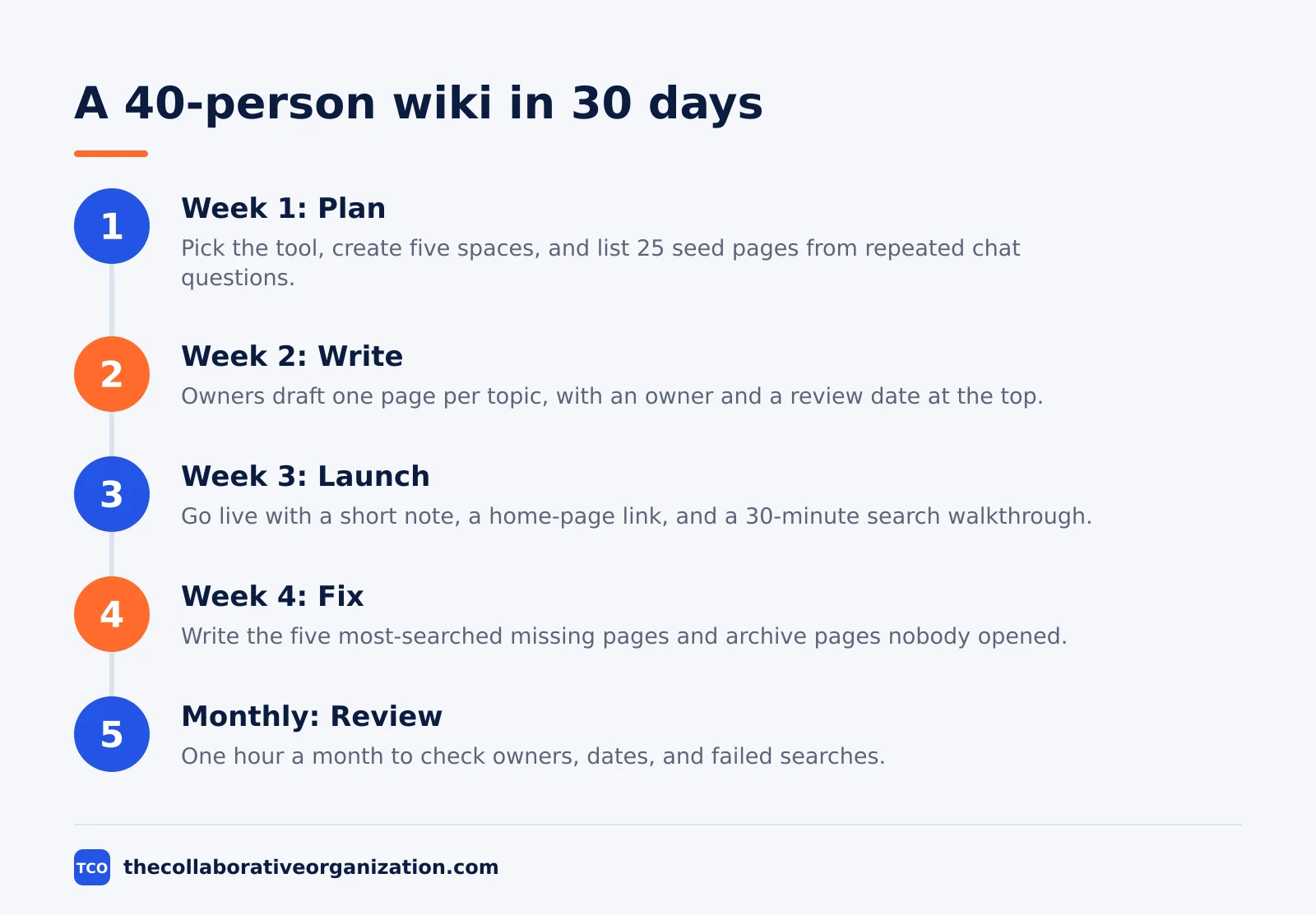
Week 1 is planning. The wiki owner picks the tool, creates the five spaces from the table above, and lists the 25 seed pages from repeated chat questions. Each space gets one owner, and each owner gets a deadline for their pages.
Week 2 is writing. Owners draft their pages in short sittings, one page per topic, with the owner and a review date at the top. The wiki owner reviews each page for one thing only: can a new hire follow it without asking a question.
Week 3 is launch. The wiki goes live with a short note in the team chat, a link on the company home page, and a 30-minute walkthrough. The walkthrough shows search, not the page tree, because search is how people will use it.
Week 4 is fixing. The owner reads the failed-search report, writes the five most-searched missing pages, and archives any page nobody opened. The habit that matters after launch is the monthly review: one hour, once a month, to check owners, dates, and failed searches.
Tools that hold a company wiki
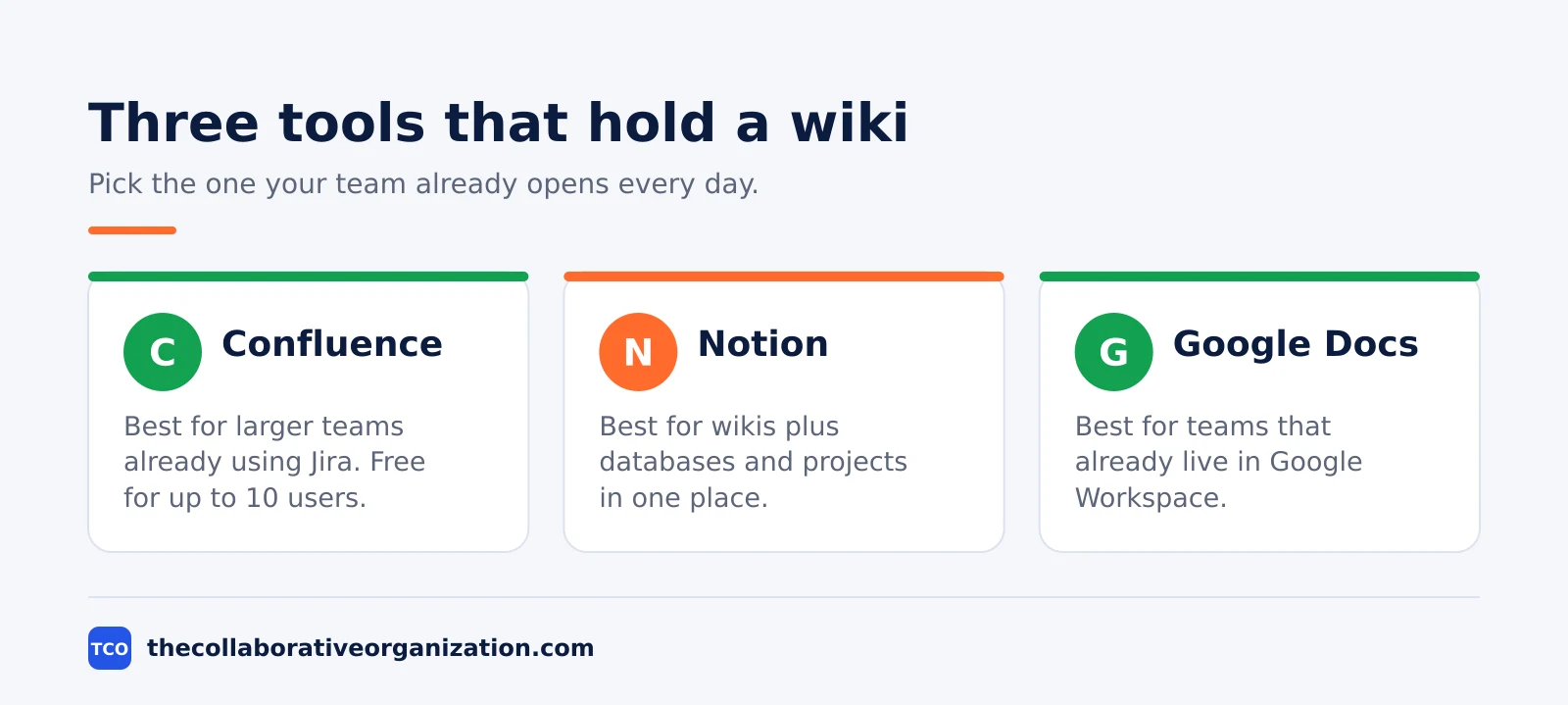
Pick the tool your team already opens every day, because a wiki people never open is just a filing cabinet. All three tools below hold pages, search, version history, and permissions, and the choice comes down to what your team already uses.
| Tool | Best for | Free plan | Starting price (as of November 2026) | Notable limit |
|---|---|---|---|---|
| Confluence | Larger teams already using Jira | Free for up to 10 users | $7.15 per user per month (Standard), billed monthly for 1-100 users | Needs setup and admin as the wiki grows |
| Notion | Wikis plus databases and projects | Free plan | $10 per member per month (Plus), billed annually | Large wikis need strict conventions |
| Google Docs | Teams that already live in Google Workspace | Included with Workspace | $7 per user per month (Business Starter), billed annually | Docs are files, not a linked wiki structure |
The Confluence price comes from Confluence pricing: the page headline shows Standard at $5.78 per user per month, which is the blended rate across user counts. The 1 to 100 user monthly rate is $7.15, and Premium is $14.10 on the same basis.
Check the price for your own user count before you buy, because Atlassian prices fall as the count rises.
Notion’s pricing page shows no dollar figures when opened in November 2026, so the Plus figure of $10 per member per month billed annually comes from an independent November 2026 check of the same plans.
The Notion pricing page lists the plan names and features, and the dollar figure is stated here as corroborated rather than read from the page. Google Workspace prices are corroborated the same way: Business Starter is $7 per user per month on the annual plan, per several independent October 2026 reads of Google’s own pricing page.
Compare the full set of options on our document collaboration software shortlist before you commit, and keep the shortlist to three tools at most. A team that debates tools for a month has a month with no wiki.
Common company wiki mistakes to avoid
Most company wikis fail in the same five ways, and all five show up within the first three months. Check the list below at each monthly review.
- Two hundred blank pages on day one. An empty structure teaches staff that the wiki has nothing in it. Start with 20 to 30 finished pages and grow from failed searches.
- No owner on any page. Pages without owners go stale, and stale pages teach staff to ask in chat instead. Every page needs one named owner and one review date.
- Copies instead of links. The same answer pasted into five pages means five pages to fix when the answer changes. Link to one page and let search find it.
- A wiki nobody can search. If titles are vague and pages have no links, search returns noise. Use titles people would type, and link related pages to each other.
- No review habit. A wiki is not a project with a finish date. Without a monthly hour for owners, dates, and failed searches, the wiki quietly becomes a museum.
Sources
- Nuclino - What is an internal wiki? Examples, software, and setup (2026)
- Microsoft - Will AI Fix Work? Work Trend Index 2023 (2023)
- ITPro - Digital hide-and-seek: workers waste hundreds of hours sourcing information (2025)
- GitLab - Handbook (2026)
- PostHog - Handbook (2026)
- 37signals - Employee Handbook (2026)
- Valve - Handbook for New Employees, first edition (2012)
- Atlassian - Confluence Pricing (2026)
- Notion - Pricing (2026)
- ITBroker - Google Workspace Pricing (2026)
Frequently asked questions
What is the best company wiki example to copy?
GitLab's handbook is the most useful example because it is public, huge, and still in daily use, with more than 2,000 pages covering every team. Start smaller though: copy its structure of one page per topic, one owner per page, and a handbook-first rule, rather than copying its size.
How many pages should a company wiki start with?
Start with 20 to 30 seed pages across five top-level spaces: Company, Teams, Processes, Onboarding, and Decisions. That is enough for search to feel useful on day one. An empty structure with 200 blank pages helps nobody, because people open a blank page once and stop trusting the wiki.
What is the difference between a company wiki and a knowledge base?
A wiki stresses open editing and linked pages, so many people add knowledge as they work. A knowledge base often has a smaller group of owners and a review step before a page goes live. Many companies run both models in one tool, with open editing for team pages and tight control for HR policies.
Who should own a company wiki?
Name one wiki owner who keeps the structure clean and chases stale pages, plus one owner per space or team who keeps their own pages current. Without named owners, pages go stale within months and staff stop trusting the wiki. Review dates on each page make the job visible.
Can a small team use a company wiki?
Yes. A team of 10 to 15 people gets value from a wiki with one handbook, one process library, and one onboarding guide. The wiki only needs to answer the questions people already ask in chat. If the same question comes up twice, it belongs on a wiki page.
Which tool is best for a company wiki?
Confluence fits larger teams that already use Jira, Notion fits teams that want pages plus databases in one place, and Google Docs fits teams that already live in Google Workspace. Pick the tool your team already opens every day, because a wiki people never open is just a filing cabinet.
Related articles
document collaboration
Airtable vs Google Sheets: Which to Use in 2026
Airtable is a database with views and automations; Google Sheets is a free spreadsheet. Learn the limits, the 2026 prices, and which one fits your team's data.
November 19, 2026 · 7 min read
document collaboration
Confluence vs SharePoint: Which to Use in 2026
Confluence is a wiki built around pages; SharePoint is a document platform built around files. Learn the differences, the 2026 prices, and which one fits your team.
November 19, 2026 · 7 min read
document collaboration
How to Document Processes: A Step-by-Step Guide (2026)
To document a process, pick one task, watch it done for real, map the steps and decisions, then test the draft on someone new. Follow the 7 steps in this guide.
November 19, 2026 · 10 min read