Internal Knowledge Base Examples: 10 That Work (2026) | The Collaborative Organization
By The Collaborative Organization Team · November 19, 2026 · Last verified November 19, 2026 · 10 min read
An internal knowledge base example is a single page that answers one question employees ask again and again, such as how to request access to a tool. This guide shows ten of them, each with what it covers and why it works. Together they show what a useful base looks like.
Key takeaways
- An internal knowledge base is a private, searchable place for policies, processes, onboarding and answers to repeat questions.
- Ten useful articles beat a hundred thin ones, so launch with the questions people already ask.
- GitLab runs its company on a public handbook of more than 2,700 pages, with every change documented first.
- Microsoft found 62% of workers struggle with too much time spent searching for information in 2023.
- Every example below names an owner, because a page owned by everyone is owned by no one.
What counts as an internal knowledge base example
An internal knowledge base example is one page that answers one question, with steps a reader can follow without asking anyone. It is not a folder of files and not a chat thread. The reader finds it by search, reads it in minutes, and finishes the task.
A private, searchable place for company information is the shape Nuclino describes: policies, processes, onboarding material and answers to recurring questions, kept where employees can find them. Our guide to what is a knowledge base explains the idea in full, while this article shows the pages that fill one.
| Area | Example pages | Who reads it |
|---|---|---|
| Company | Handbook, who owns what, decision log | Everyone |
| People and HR | Expenses, leave, benefits, onboarding | Every employee |
| Processes | SOPs, approval flows, checklists | The team doing the work |
| Product | Feature notes, release steps, research | Product and support |
| Engineering | Runbooks, deploy steps, architecture | Engineers and on-call staff |
| IT | Access requests, setup, troubleshooting | Everyone with a laptop |
| Support | Known issues, refunds, escalation | Support and success teams |
| Sales | Pricing rules, playbooks, call guides | Sales and success teams |
Good examples share three traits. They answer a question people really ask, they name the owner and the review date, and they stay short enough to read in one sitting. A page that needs an hour to read will not be read at all.
Internal knowledge base examples for every team
The six examples below cover the questions that come up in almost every company, whatever its size. Each one answers a single question and shows what a finished page holds.
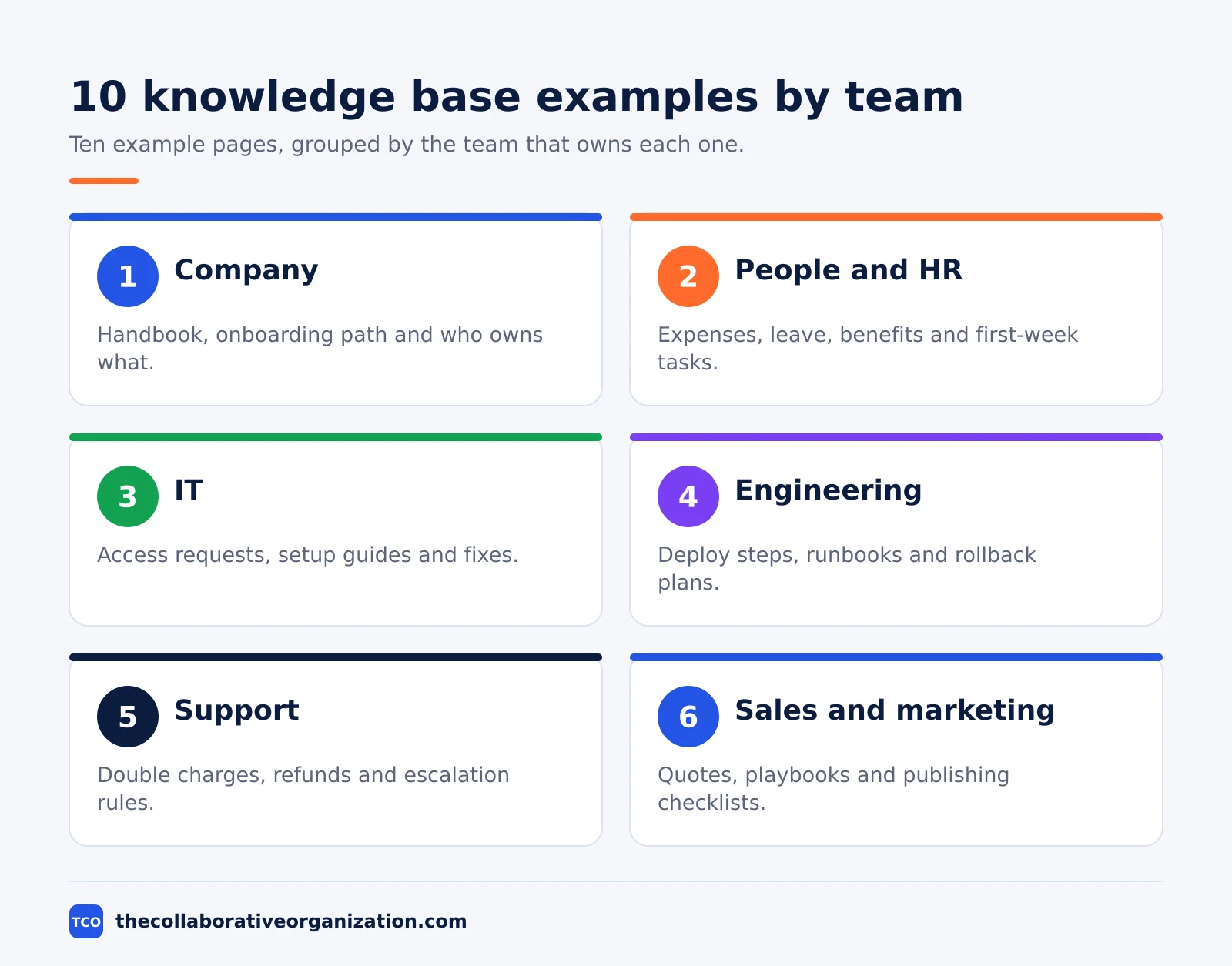
1. The employee handbook
The handbook holds the rules every employee needs: time off, benefits, conduct, pay dates and who to ask. GitLab runs its company on a public handbook of more than 2,700 web pages, and its CEO told McKinsey that every change must first be documented in the handbook. A smaller team can start with 10 pages and grow the same way.
2. The new hire onboarding path
The onboarding path is a dated checklist for the first week: accounts to set up, people to meet, pages to read and a first task to ship. New hires cannot absorb everything on day one, so the path gives them somewhere to return to when questions come up later. Link it from the welcome email on the first morning.
3. How to request access to a tool
This IT page says where to ask, who approves, and what happens after approval. It names the form or channel, the usual wait time, and what to do if access still has not arrived. It works because access is the most repeated question in most companies, and a clear page ends the queue of direct messages.
4. How to submit an expense report
This HR page lists what can be claimed, the spending limits, where to submit and who reimburses. It shows one worked example with a receipt attached, so nobody guesses at the format. Finance teams save hours when the first submission is right instead of the third.
5. How to deploy to production
This engineering runbook lists the steps, the checks before shipping, who approves, and how to roll back. It names the on-call person and the channel for problems. A runbook written while the system is calm is worth far more than one written during an outage.
6. How to handle a double charge
This support page tells the agent what to check first, the refund limit they can approve alone, and when to escalate. It links the refund tool and the exact words to send the customer. Support teams answer faster when the decision is already written down.
Internal knowledge base examples that keep knowledge alive
The four examples below protect knowledge that would otherwise walk out the door with one person. They matter most in teams where one expert holds the answers.
7. How to quote a custom plan
This sales page lists the pricing rules, the discount limits and when approval is needed. It shows two worked quotes, one simple and one with a discount, so a new rep can quote without waiting for a manager. Pricing rules change, so this page needs a review date every quarter.
8. How to publish a blog post
This marketing page holds the checklist, the review steps, the tools and who signs off. It links the style guide and the image rules, so a post moves from draft to live without five rounds of fixes. Teams that publish weekly feel the gain from this page first.
9. Who owns what
This company page lists every team, what it owns, and the right person to contact. It ends the most common question in any company: who do I ask about this. Keep it to one page and update it when teams change, or it misleads people within a month.
10. The decision log
This page records decisions, the reasons behind them and the date, one short entry per decision. It stops the same debate from restarting every quarter, and it lets new joiners learn why things are the way they are. A decision without a written reason gets re-argued; a logged one stands.
Why these examples work
These ten examples work because each one answers a question that already exists, instead of guessing what people might ask. Start with the questions in chat, onboarding notes and support tickets. Ten useful answers give people a reason to visit the base, and that habit is what keeps it alive.
The cost of not having them is easy to see. Microsoft’s 2023 Work Trend Index surveyed 31,000 people across 31 countries.
It found that 62% of respondents struggled with spending too much time searching for information during the workday. Nuclino reports the same finding alongside an APQC survey of 982 knowledge workers, who estimated 2.8 hours per week looking for or requesting information they needed.
Panopto’s 2018 study of 1,001 US workers found that 42% of employee knowledge is unique to the individual holding it. The Panopto report states the result plainly: if that person left, the rest of the team could not do that share of the job.
Write for the person looking for the answer. Put the useful part near the top, use the question as the title, and split long pages when people would search for the parts separately. A page titled “How to request access to Figma” tells the reader far more than one titled “Software access policy”.
A worked example: one week of building a base
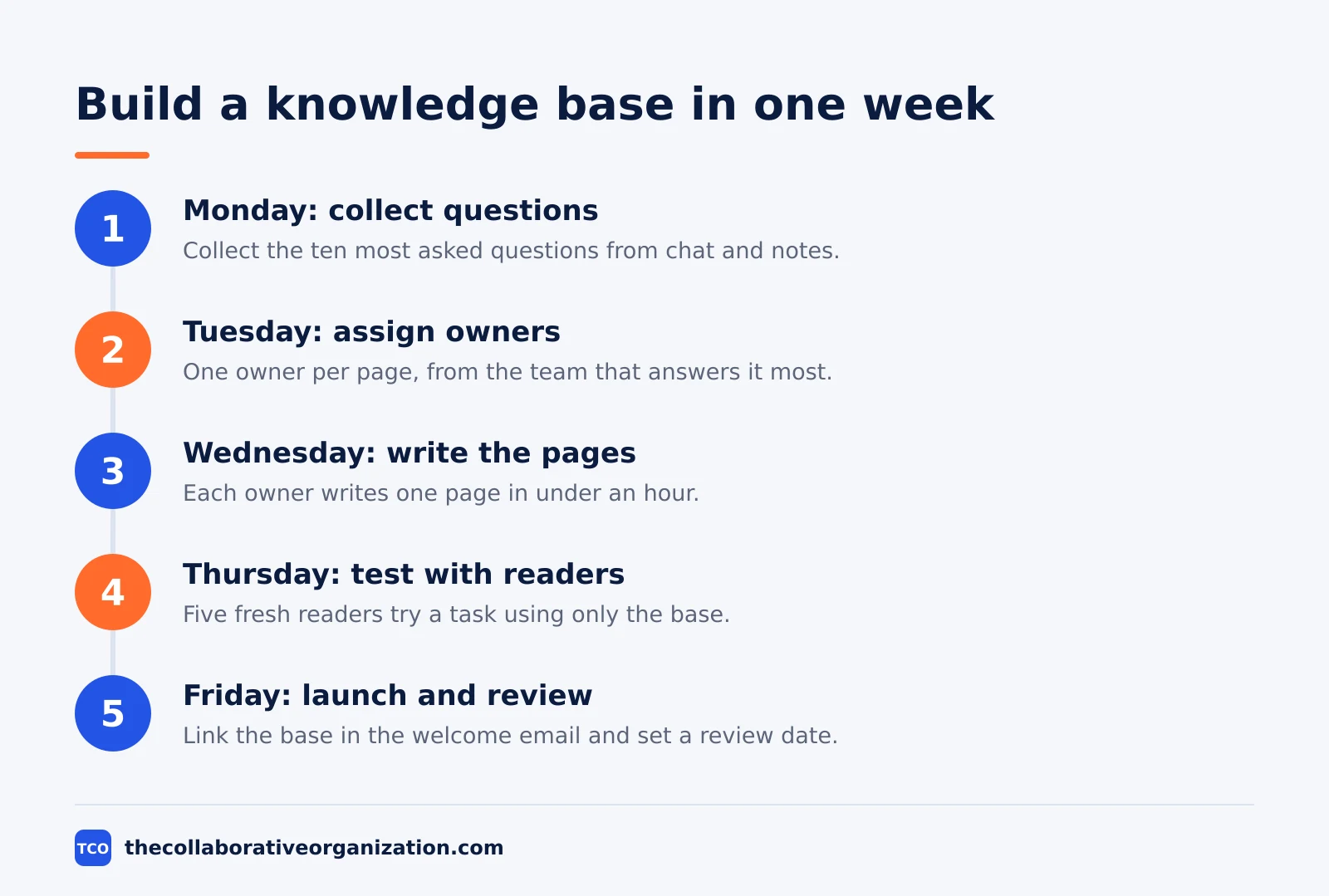
A 40-person company with no knowledge base can launch one in a week with ten pages. This is an illustration, not a real company. The ops lead spends Monday collecting the ten most asked questions from chat and onboarding notes.
On Tuesday the lead assigns one owner per page: IT takes access and setup, HR takes expenses and onboarding, engineering takes the deploy runbook, support takes the double-charge page, sales takes quoting, and marketing takes publishing. Each owner writes one page in under an hour, using the question as the title.
On Wednesday the pages go live in one place with search turned on. Thursday is the test: five people who did not write the pages try to finish a task using only the base. The gaps they find get fixed the same day.
On Friday the lead links the base in the welcome email and in the team chat topic, then sets a review date 90 days out. The base now answers ten real questions, and every new question that comes up twice earns a new page. That loop is the whole system.
Tools for an internal knowledge base
Pick the tool after the first ten pages exist, not before. The pages show what the team needs: search that works, simple editing, clear permissions and a review reminder. Our guide to how to build an internal knowledge base walks through the setup step by step.
| Tool | Best for | Free plan | Starting price (as of November 2026) | Notable limit |
|---|---|---|---|---|
| Notion | Teams that want docs, wikis and databases in one place | Free plan | $10 per member per month (Plus), billed annually | Full AI needs the Business plan |
| Confluence | Teams already using Jira | Free for up to 10 users | $7.15 per user per month (Standard), billed monthly for users 1-100 | Headline $5.78 is a blended 300-user rate |
Notion’s Plus price is $10 per member per month billed annually, or $12 monthly, and Business is $20, or $24 monthly. Those figures come from independent November 2026 checks of Notion pricing, since the vendor page itself shows no dollar figures. Confirm the price before buying.
Confluence Standard is $7.15 per user per month for users 1 to 100 on monthly billing, and Premium is $14.10, after the price change of 13 October 2026. The Confluence price change notes that the $5.78 headline on the plan card is a blended rate for a 300-user team, not the rate a small team pays.
Guru is the other name teams meet: it pushes verified answers into Slack and Teams, and it is sold by quote, so no list price applies. If you have not picked a tool yet, compare the options on our document collaboration software shortlist.
Common internal knowledge base mistakes to avoid
Most internal knowledge bases fail in the same five ways, and all five are easy to spot in a review. Run through the list below each time the base grows.
- Writing pages nobody asked for. A base filled in one big push goes stale fast. Add a page only when the same question comes up twice.
- No owner per page. A page owned by everyone is owned by no one. Name one owner and one review date on every page.
- Titles that hide the answer. “Software access policy” tells nobody what it holds. Use the question as the title, such as “How to request access to Figma”.
- One giant page per topic. A 5,000-word page will not be read. Split it when people would search for the parts separately, then link the parts.
- Never checking what people still ask. The questions after launch show the missing pages. Read them monthly and write the answers down.
Sources
- Nuclino - Internal Knowledge Base: How to Build and Maintain One (2026)
- Nuclino - What Is an Internal Wiki? Examples, Software, and Setup (2026)
- McKinsey - All Remote From Day One: How GitLab Thrives (2023)
- GitLab - Handbook (2026)
- Panopto - Workplace Knowledge and Productivity Report (2018)
- Nuclino - Notion Free vs Paid: Pricing Plan Comparison (2026)
- Nuclino - Confluence Price Increase 2026 (2026)
- Waybook - Best Knowledge Base Software (2026)
Frequently asked questions
What is a good first internal knowledge base example?
Start with the question your team asks most often. For most teams that is how to request access to a tool, how to submit an expense, or where the onboarding checklist lives. One answered question proves the base works, and ten useful answers give people a reason to visit it every day.
How many examples should an internal knowledge base have?
Ten useful articles beat a hundred thin ones. Launch once the base answers a real group of questions, then add articles when the same question comes up twice. A base that grows from real questions stays accurate, while a base filled in one big push goes stale fast.
What is the difference between a knowledge base and a wiki?
The terms overlap, and many teams use them for the same thing. A knowledge base often has a smaller group of owners and a review step before publishing, while a wiki lets more people edit freely. Either shape works when every page has an owner and a review date.
Should an internal knowledge base be public?
No, in most cases. Internal pages hold salaries, security steps, pricing rules and other details that belong inside the company. GitLab is the famous exception: its handbook is public by choice. Keep yours private, and open single pages only when there is a clear reason.
Who should own each knowledge base example?
The team that answers the question most often should own the page. IT owns access guides, HR owns expense and leave pages, and engineering owns runbooks. One named owner per page keeps it current, because a page owned by everyone is owned by no one.
Related articles
document collaboration
Airtable vs Google Sheets: Which to Use in 2026
Airtable is a database with views and automations; Google Sheets is a free spreadsheet. Learn the limits, the 2026 prices, and which one fits your team's data.
November 19, 2026 · 7 min read
document collaboration
Confluence vs SharePoint: Which to Use in 2026
Confluence is a wiki built around pages; SharePoint is a document platform built around files. Learn the differences, the 2026 prices, and which one fits your team.
November 19, 2026 · 7 min read
document collaboration
How to Document Processes: A Step-by-Step Guide (2026)
To document a process, pick one task, watch it done for real, map the steps and decisions, then test the draft on someone new. Follow the 7 steps in this guide.
November 19, 2026 · 10 min read