How to Write a Project Status Report (2026) | The Collaborative Organization
By The Collaborative Organization Team · November 19, 2026 · Last verified November 19, 2026 · 10 min read
A project status report is a short, regular update that tells stakeholders where a project stands: what is done, what is late, what could go wrong, and what decision you need. Send it on a fixed rhythm, keep it to one page, and lead with the answer to one question: should the reader worry about this project right now?
Key takeaways
- A status report answers four questions: what is done, what is late, what could go wrong, and what decision you need.
- Lead with a 2 to 4 sentence summary, then give progress, risks, blockers and next steps.
- Set RAG thresholds with numbers at the start of the project, and let the numbers set the colour.
- A weekly report takes 20 to 30 minutes once you have a template and a routine.
- 42% of project professionals spend one or more days each month collating reports by hand, per Wellingtone in 2025.
What a project status report is
A project status report is a short, regular update on a project’s health, progress, budget, milestones, risks and the decisions the project manager needs. It is not a list of everything the team did. It is a decision tool for people who do not follow the daily work.
The report goes to the sponsor, the team and anyone whose help you need. Each group reads it for a different reason. The sponsor checks health and dates, the team checks what is next, and a stakeholder checks whether their decision is still open.
Asana describes the same job in plain terms: a status report summarizes progress, health and upcoming priorities for stakeholders. Its template uses a status tag of on track, at risk or off track, then a summary, accomplishments, blockers and next steps.
A good report is short enough to read in two minutes. PMI quotes one program manager who puts it bluntly: status reports have to be simple, short and clearly structured, and if the manager cannot explain the status in a few words, there are sometimes deeper problems.
What to include in a project status report
Every status report needs the same six parts: a summary, health, progress, risks, decisions needed and next steps. Leave out anything that does not help a reader act.
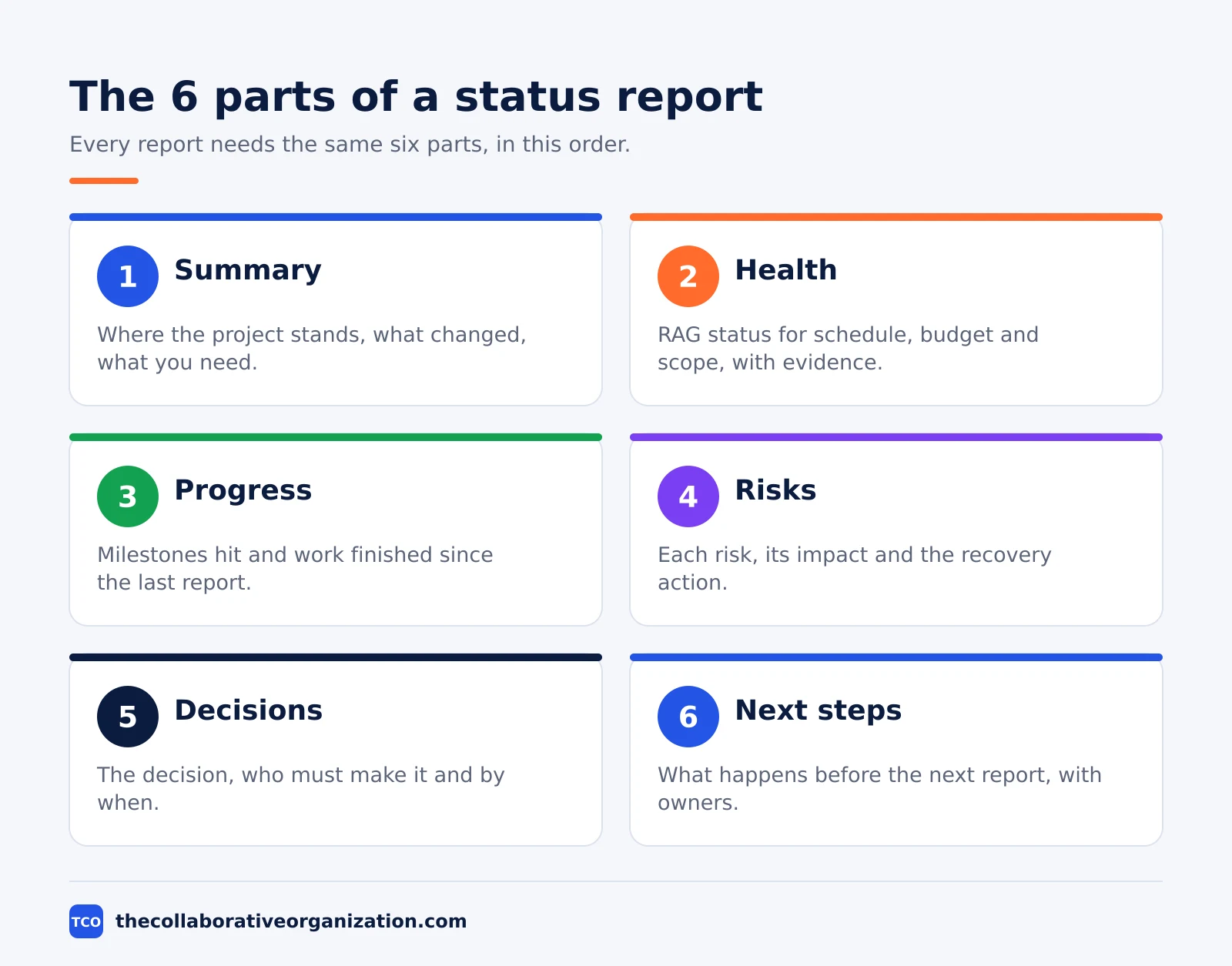
| Section | What goes in it | How long |
|---|---|---|
| Summary | Where the project stands, what changed, what you need | 2 to 4 sentences |
| Health | RAG status for schedule, budget and scope, with one line of evidence | 1 line per area |
| Progress | Milestones hit, work finished since the last report | Short list |
| Risks and blockers | Each risk, its impact and the recovery action | 1 line per risk |
| Decisions needed | The decision, who must make it and by when | 1 line per decision |
| Next steps | What happens before the next report, with owners and dates | Short list |
The summary matters most, because many readers stop there. Lucid advises writing the executive overview last, once the rest of the report is done, so you can pick out the points that truly matter.
Progress means facts, not effort. Write the milestone and the date it was hit, or the task and the date it slipped. A line that says the team worked hard tells the reader nothing.
Risks need an owner and a recovery action. A risk with no action is just a worry written down. Give every Amber or Red item a named person and a date for the fix.
How to write a project status report in 7 steps
Writing a status report takes seven steps, and the first three use no writing at all. Asana lists the same seven moves in its reporting guide: define the audience, set the cadence, gather the data, summarize health, highlight completed work, flag risks and outline next steps.
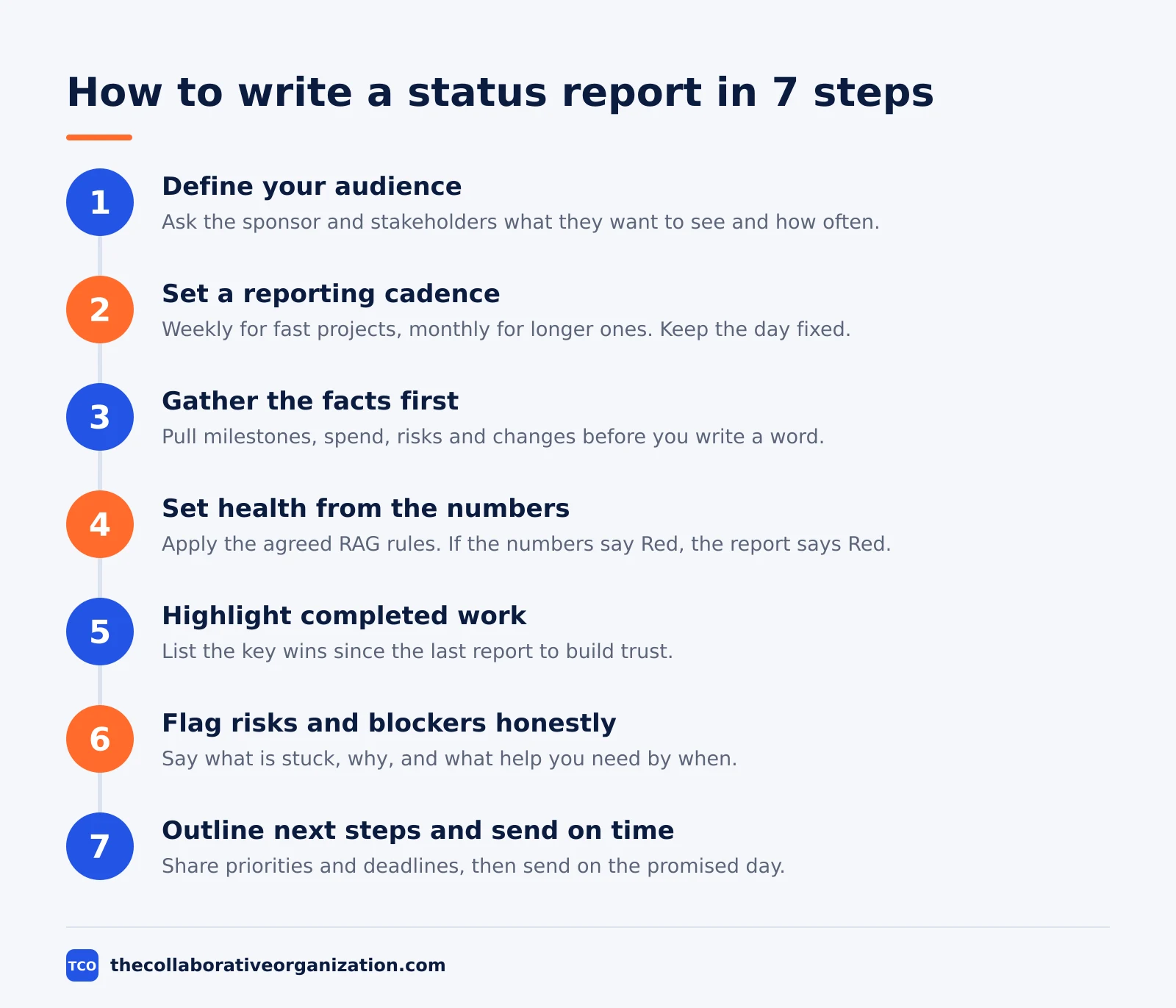
Step 1: Define your audience
Ask the sponsor and key stakeholders what they want to see and how often. An executive wants the colour, the summary and the decision. A team member wants task detail and dates.
Step 2: Set a reporting cadence
Decide how often you will share updates. Weekly reports suit fast-moving projects, while monthly reports suit longer ones. Pick one day and keep it fixed.
Step 3: Gather the facts first
Pull the actual numbers before you write a word: milestones hit, spend to date, open risks and change requests. Writing first and then finding numbers to fit is how reports become fiction.
Step 4: Set the health status from the numbers
Apply the RAG rules you agreed at the start of the project. If the numbers say Red, the report says Red, even when the news is unwelcome.
Step 5: Highlight completed work
List the key wins since the last report. This builds trust with stakeholders and shows momentum, which matters most when the project hits a rough week.
Step 6: Flag risks and blockers honestly
Be clear about what is stuck, why it is stuck and what you are doing about it. Name the help you need and the date you need it by.
Step 7: Outline next steps and send on time
Share the upcoming priorities and deadlines, so readers know what to expect before the next update. Then send the report on the day you promised, every time.
How to set RAG status with numbers
RAG status works only when the colours come from agreed numbers, not from gut feel. Agree the thresholds at the start of the project and write them into the project plan.
Green means on track: the work is within the agreed margin of the plan. Amber means at risk: the project needs attention or a change to stay on track. Red means off track: the project will miss a date, a budget or a scope item unless a decision is made.
One common set of rules uses schedule variance in points of plan. A project within 5 points of plan is Green, within 15 points is Amber, and beyond 15 points is Red. Your numbers can differ, but they must be written down before the first report.
Apply the same rule to budget and to scope. A project can be Green on schedule and Red on budget, and the report should say so. One colour for the whole project hides the real problem.
Never upgrade a Red to Amber to soften the news. Readers learn to distrust a report that always says Green, and the sponsor finds out about the delay anyway, just later and with fewer options.
A worked example: a website relaunch report
A short example shows how the parts fit on one page. Imagine a team relaunching a company website in six weeks. The report below covers week 4, and the numbers are an illustration, not a real project.
| Item | Detail |
|---|---|
| Overall status | Amber - design is 1 week late, launch date still holds |
| Milestones hit | Homepage copy approved; 12 of 20 pages built |
| Spend | $18,400 of a $30,000 budget used |
| Top risk | Product photos arrive 5 days late; owner is the marketing lead |
| Decision needed | Sponsor to approve a 3-day delay to the photo deadline by Friday |
| Next steps | Build the remaining 8 pages; test checkout on Tuesday |
The summary for this report would read: “The relaunch is Amber. Design slipped one week, but the launch date still holds if the sponsor approves a 3-day photo delay by Friday. Twelve of 20 pages are built, and checkout testing starts Tuesday.”
Notice what the example leaves out. It does not list every task, every meeting or every email. It gives the sponsor one decision, one risk and one date that matters.
Tools that make reporting faster
A project tool cuts reporting time because the numbers already live where the work lives. The project management software shortlist compares the main options.
Our guide to what project management is explains how the tool fits the wider process.
The reason to automate is time. In its 2025 survey, Wellingtone found that 42% of project professionals spend one or more days each month collating reports by hand, and 48.5% of organisations have no access to real-time KPIs. A dashboard that pulls live numbers removes that work.
| Tool | Best for | Free plan | Starting price (as of November 2026) | Notable limit |
|---|---|---|---|---|
| Asana | Status updates that pull figures from live tasks | Free for 2 people | $10.99 per user per month (Starter), billed annually | Free plan covers 2 people |
| ClickUp | Dashboards with milestone and budget widgets | Free Forever plan | $9 per user per month (Core), billed annually | Shown against a $12 regular price, so it may be promotional |
| Trello | Simple board-based progress that is easy to scan | Free for up to 10 collaborators | $5 per user per month (Standard), billed annually | $6 per user per month if billed monthly |
| monday.com | Visual boards with status columns | Free plan for up to 2 seats | Price is on the vendor’s pricing page | The pricing page showed no dollar figures when checked on 19 November 2026 |
The Asana price comes from Asana pricing: Personal is free for 2 users and Starter is $10.99 per user per month when billed annually. The ClickUp pricing page lists Core at $9 per user per month billed yearly, shown against a $12 regular price. Trello pricing lists Standard at $5 per user per month billed annually, or $6 billed monthly.
A spreadsheet works too, if that is where your numbers live. Put the raw data on one sheet, use formulas to pull the key numbers through, and use conditional formatting on the RAG cells so the colour follows the value.
Common project status report mistakes to avoid
Most status reports fail in the same five ways, and all five are easy to fix. Run through the list before you send each report.
- Burying the bad news. If the project is Red, say so in the first sentence. Readers who find the delay in paragraph six stop trusting the report.
- Reporting activity instead of progress. “We held 4 meetings” is activity. “We shipped the checkout flow” is progress. Report the second kind.
- No decision asked. A report that lists problems but asks for nothing wastes the sponsor’s attention. Every Red item needs a decision, a date and a named decider.
- Numbers that do not match the plan. If the spend figure differs from the finance sheet, fix the source before you send. One wrong number makes every other number suspect.
- A different format every week. Readers scan a report they know. Keep the sections, the order and the day fixed, so the change stands out.
Poor communication is not a small problem. Visme cites PMI research that poor communication affects project success more than 50% of the time and causes 33% of project failures. A clear weekly report is the cheapest fix available.
How to measure whether your reports work
A status report works when readers act on it without asking for a meeting. That is the test to use each month.
Count three things. First, how many decisions in the report got an answer before the date you asked. Second, how many questions came back asking for facts the report should have held. Third, how long the report took to write.
If decisions go unanswered, the ask was too vague or the decider was wrong. Name the person, the decision and the date in one line. If readers keep asking for the same fact, add it to the template. If writing takes more than 30 minutes, the data is scattered, and the fix is a dashboard, not more writing time.
Review the template with the sponsor after the first month. Ask what they read, what they skipped and what they still ask for. Then cut one section and add one fact. A report that gets shorter and more useful each month is doing its job.
Sources
- Asana - Status Report Template (2026)
- Asana - Project Reporting Template (2026)
- PMI - Anatomy of an Effective Status Report (2026)
- Lucid - Project Status Report: How to Write One (2026)
- Visme - How to Write a Project Status Report (2026)
- ProjectManagers.net - Free Project Status Report Templates (2026)
- Xergy - The State of Project Management in 2025 (2025)
- Asana - Pricing (2026)
- ClickUp - Pricing (2026)
- Trello - Pricing (2026)
Frequently asked questions
How often should you send a project status report?
Send it weekly for fast-moving projects and monthly for longer ones. Pick one day and keep it fixed, so readers learn when to expect it. A report that arrives on a random day gets skipped, while a report that arrives every Friday morning becomes part of the week.
How long should a project status report be?
One page is enough for most projects. Lead with a short summary, then add progress, risks and next steps in a few lines each. If a reader needs more detail, link to the plan or dashboard instead of pasting it into the report.
Who should receive a project status report?
Send it to the sponsor, the people doing the work and anyone whose decision you need. Executives get the summary and the RAG status. Team members get the task detail. One report can serve both groups if the summary sits at the top.
What does RAG status mean in a status report?
RAG stands for Red, Amber and Green. Green means the project is on track, Amber means it is at risk and needs attention, and Red means it is off track and needs a decision. Agree the number thresholds for each colour at the start of the project.
Should a status report name the people who caused a delay?
No. Name the task and the cause, not the person. PMI advises focusing on activities rather than names in status reports. Blame makes the next report less honest, while a clear recovery action keeps the project moving.
Related articles

project management
How to Choose Project Management Software (2026)
Pick project management software in seven steps: define the work, count seats, price the real cost, and run a two-week pilot before you pay.
November 19, 2026 · 10 min read

project management
What Is a RACI Matrix? Definition, Roles and Examples (2026)
A RACI matrix maps who is Responsible, Accountable, Consulted and Informed for each task. Learn the four roles, how to build one, and see a worked example.
November 19, 2026 · 9 min read

project management
Daily Standup Meeting Format That Works (2026)
A daily standup is a 15-minute meeting where Developers inspect progress toward the Sprint Goal and plan the next day. Use this format to run one that ends on time.
November 19, 2026 · 10 min read