Project Charter Template: One-Page Copy (2026) | The Collaborative Organization
By The Collaborative Organization Team · November 19, 2026 · Last verified November 19, 2026 · 10 min read
A project charter template is a one-page form that authorizes a project, so the sponsor can read it, agree it and sign it in one sitting. Copy the form below, fill in each block, and get the signature before any work starts. A signed charter is what lets the project manager book people’s time and spend money.
Key takeaways
- A project charter template holds nine blocks: purpose, objectives, scope, budget, milestones, risks, stakeholders, authority and approval.
- A charter stays high level and fits on one or two pages, while the plan that follows holds the detail.
- The sponsor signs the charter, and the project manager usually helps to write it.
- A charter lists the aim, the roles, the expected budget, the risks, and a timeline and metrics to measure success.
- Atlassian’s charter template covers goals, team members, stakeholders, resource needs and timelines in one structured place.
- Fill the charter first, get it signed, and only then build the plan from its goals and limits.
What a project charter template is
A project charter template is the blank form of the document that turns an idea into an approved project. It holds the purpose, the objectives, the scope, the budget and the people, all at a high level, with a signature block at the bottom. Our guide on what a project charter is explains the concept in full, so this page stays on the form itself.
A charter lists the project’s aim, determines the roles and responsibilities of the people involved, delivers an expected budget, identifies risks, and provides a timeline and metrics to measure success. That summary comes from the ClickUp guide.
ClickUp also notes that a charter must provide an overview of the project, usually within 2 to 4 pages depending on its complexity and length. This template aims for the short end of that range: one page for most projects, two at most.
Use the template at initiation, the first phase of the project, before planning begins. The sponsor issues it, the manager often drafts it, and the signature is what makes it binding. A charter the sponsor has not read is paper, not approval.
PMI defines the charter in the same terms: a document issued by the sponsor that formally authorizes the project and gives the manager authority over resources.
The project charter template
Copy the form below into a document, fill in each block, and keep it to one page where you can. Each block names what to write and how much detail it needs.
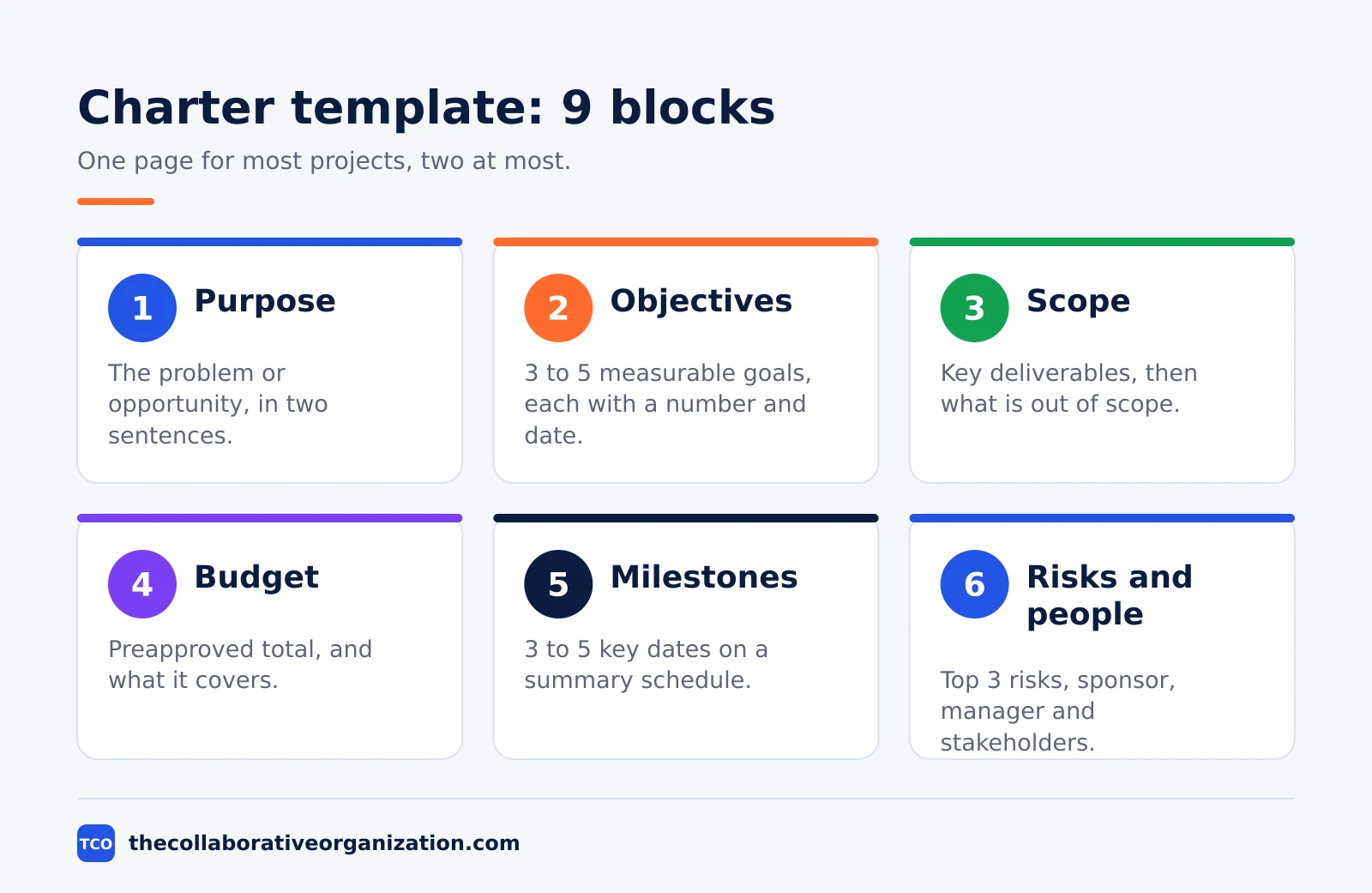
| Block | What to write | How long |
|---|---|---|
| Project name | Name, one-line description, start and end dates | 2 lines |
| Purpose | The problem or opportunity, and why now | 2 sentences |
| Objectives | 3 to 5 measurable goals, each with a number and a date | 1 line each |
| Scope | Key deliverables, then what is out of scope | 2 short lists |
| Budget | Preapproved total, and what it covers | 1 line |
| Milestones | Key dates on a summary schedule | 3 to 5 dates |
| Risks | Top 3 risks, each with a one-line response | 1 line each |
| People | Sponsor, manager, core team, key stakeholders | 1 line each |
| Authority and approval | Manager’s authority level, sponsor signature and date | 1 block |
The same nine blocks work as a blank document. Copy the form below, fill it in, and delete nothing: a missing block is a question the sponsor will ask later, when it costs more to answer.
PROJECT CHARTER - [Project name]
Date: [date] - Version: [number]

PURPOSE
[The problem or opportunity, in one or two sentences. Why now?]

OBJECTIVES
1. [Measurable goal with a number and a date]
2. [Measurable goal with a number and a date]
3. [Measurable goal with a number and a date]

SCOPE
In scope: [key deliverables]
Out of scope: [what is not included]

BUDGET
Total: [amount] - Covers: [people, tools, outside help]

MILESTONES
[Date] - [milestone]
[Date] - [milestone]
[Date] - [milestone]

RISKS
[Risk] - Response: [one line]
[Risk] - Response: [one line]
[Risk] - Response: [one line]

PEOPLE
Sponsor: [name]
Project manager: [name]
Core team: [names and roles]
Key stakeholders: [names and roles]

AUTHORITY AND APPROVAL
The project manager may approve spending up to [amount] without asking again.
Sponsor signature: ______________________ Date: __________
Project manager signature: ______________________ Date: __________
Atlassian’s charter template covers goals, team members, stakeholders, resource needs and timelines in one structured place.
That shape comes from the Atlassian guide at atlassian.com, which lists objectives, scope, success criteria, stakeholders, risks, budget and timeline as the parts a strong charter must hold. The nine blocks above cover the same ground, with the authority line added so the manager’s spending power is written down.
A filled-in project charter example
The example below fills the template for a fictional community hall booking system, so you can see what each block holds at real size. All names, dates and figures are invented, and the hall does not exist. A small charity wants residents to book the hall and pay online, instead of phoning the hall keeper.
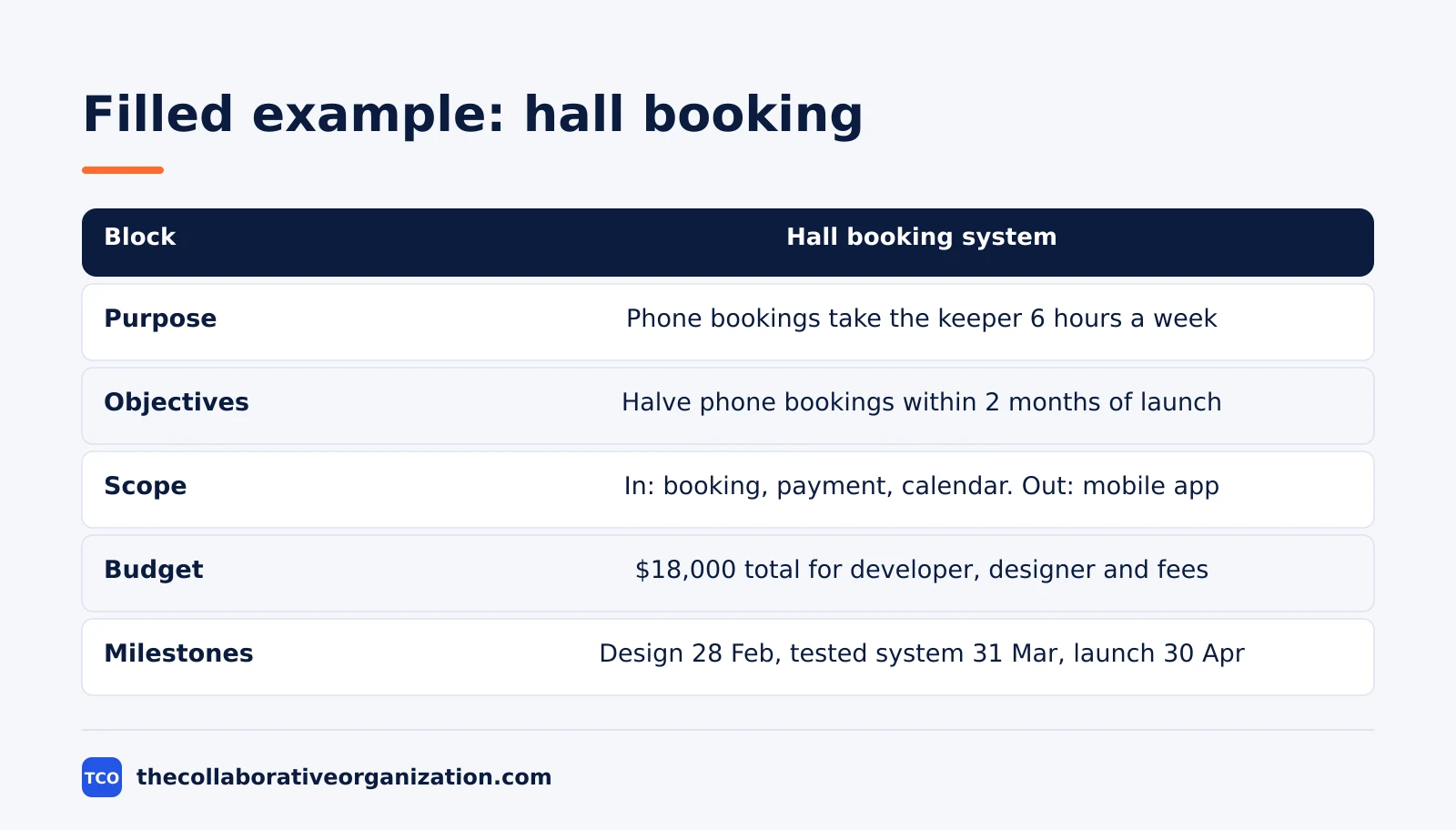
| Block | Filled in for the hall booking system |
|---|---|
| Project name | Hall booking system, 1 February to 30 April, run by the hall committee |
| Purpose | Residents now phone to book the hall, which takes the keeper about 6 hours a week. The system will let them book and pay online. |
| Objectives | Cut phone bookings by half within 2 months of launch; take 90% of payments online; answer booking queries within 1 working day |
| Scope | In: booking page, payment page, calendar view. Out: a mobile app, changes to the hall heating system |
| Budget | $18,000 total, covering a developer, a designer and payment fees for the first year |
| Milestones | Design signed off 28 February; tested system ready 31 March; launch 30 April |
| Risks | Payment provider approval is late, so bookings open with bank transfer as a fallback; the keeper is away in March, so a deputy is named now |
| People | Sponsor is the committee chair; manager is the hall administrator; core team is one developer and one designer |
| Authority | Manager may approve spending up to $1,000 without asking again; sponsor signs below |
Three things make this example work. The purpose names the cost of doing nothing, in hours per week, so the sponsor can see why the project exists. The objectives each carry a number and a date, so success can be tested. The out-of-scope list stops the project from growing into a mobile app nobody budgeted for.
How to customise the template for your team
Start with the nine blocks, then shape them to the size and formality of your project. Customise it in five moves, and keep the signature block on every version.
- Shrink it for tiny projects. A two-week internal job can drop the separate risks block and fold its one top risk into the scope block, keeping the charter to half a page.
- Grow it for large projects. A large project may need a second page for assumptions, constraints and a longer stakeholder list, but keep the first page as the summary the sponsor signs.
- Match the authority line to your rules. A manager with a $500 limit writes $500, and a manager with no spending power writes that plainly, so nobody assumes a power they do not hold.
- Add a success test to each objective. An objective with no number cannot prove success, so give each one a figure and a date before the sponsor signs.
- Keep one template for the whole team. Store it where everyone can copy it, and review it once a year. A charter that lives in five different versions is five different charters.
Our guide to project charter vs project plan compares the two documents in depth, including which parts of each one a sponsor reads first. The short version is that the charter is a promise and the plan is the working detail that keeps that promise, so fill the plan template from this charter once it is signed.
Variations: one-page, two-page and programme charters
One template serves three shapes, because the blocks stay the same and only the depth changes. A one-page charter fits a small project, with each block holding one or two lines. A two-page charter fits a mid-size project, with the scope and risks blocks given half a page each.
A programme charter covers several linked projects under one sponsor. It keeps the same nine blocks, but the scope block lists the projects and the budget block holds the total across them.
Each project under it still gets its own short charter, so the programme page never becomes the plan.
ClickUp’s charter template adds a dedicated risk assessment section and a success criteria section, which help a team predict issues and set clear expectations. That detail comes from the ClickUp templates page at clickup.com. If your project carries real money or real risk, add those two sections to the second page and keep the first page as the summary.
Tools that hold the charter
A project tool keeps the signed charter next to the plan, the tasks and the dates, so the team reads it instead of losing it. Store the signed charter as a document in the project workspace, link it from the project overview, and point every new team member at it first. Compare the options on our project management software shortlist before you pick one.
| Tool | Best for | Free plan | Starting price (as of November 2026) | Notable limit |
|---|---|---|---|---|
| Asana | Teams that want the charter linked to tasks and dates | Free for 2 people | $10.99 per user per month (Starter), billed annually | Free plan covers 2 people |
| ClickUp | Teams that want the charter as a doc inside the project | Free Forever plan | $9 per user per month (Core), billed annually | $9 is shown against a $12 regular price |
The Asana price comes from Asana pricing: the Personal plan is free for 2 users, and Starter is $10.99 per user per month when billed annually. The ClickUp pricing page lists Core at $9 per user per month billed yearly, shown against a $12 regular price.
Confluence is the natural home for a charter on a team that already keeps its project documents there, because Atlassian offers a charter template for it.
No Confluence price is given here, because the template page states no public price.
Our guide on how to create a project plan shows how the plan builds on the signed charter.
Common project charter template mistakes to avoid
Most charters fail in the same five ways, and all five are easy to spot before the sponsor signs. Run through the list before you send the charter for signature.
- Objectives copied from the plan. Goals that name tasks and dates belong in the plan, so keep the charter’s objectives at the level of outcomes.
- A budget written as a range. “About $15,000 to $20,000” is not an approval, so write one total figure the sponsor agrees to.
- Milestones with no dates. A milestone list without dates is a wish list, so give each one a date the sponsor can hold the team to.
- An authority line left blank. If the manager’s spending power is not written down, every purchase becomes a fresh negotiation.
- A charter filed and forgotten. A signed charter that nobody opens again cannot settle arguments, so pin it to the project overview where the team can see it.
Sources
- Atlassian - Project Charter Guide: Definition, Examples and Template (2026)
- ClickUp - How to Write a Project Charter (with Examples) (2026)
- ClickUp - Free Project Charter Templates in Excel (2026)
- Lilach Bullock - Free Project Charter Template: Where to Get One (2026)
- Asana - Pricing (2026)
- ClickUp - Pricing (2026)
Frequently asked questions
What should a project charter template include?
It should include the project name and purpose, 3 to 5 measurable objectives, the scope with what is out, the budget as a total figure, the key milestones, the top risks, the stakeholders and the sponsor, and a signature block. Keep it to one or two pages, because a charter is an authorization, not a plan.
How long should a project charter be?
Aim for one to two pages on a small or mid-size project, and up to four pages on a large one. A charter is a high-level agreement that a busy sponsor can read and sign in one sitting. If it runs longer, the detail belongs in the project plan, not in the charter.
Who signs a project charter?
The sponsor signs it, because the sponsor is the person who provides the money and backing and authorizes the project to exist. The project manager usually helps to write it, and the key stakeholders review it, but the sponsor's signature is what makes the document binding.
What is the difference between a project charter template and a project plan template?
The charter template authorizes the project in one or two pages: purpose, sponsor, budget and who is in charge. The plan template explains how the work will run in detail: tasks, owners, dates, budget lines and risks. Use the charter first, get it signed, then fill in the plan template from the charter's goals and limits.
Can a project start without a charter?
Work can start, but it starts without agreed authority, budget or scope. That leaves the project manager with no formal backing when priorities clash or new requests arrive. Even a one-page charter signed by the sponsor fixes that, because it records who approved the work and what success looks like.
When should a project charter be updated?
Update it when the sponsor changes, the scope shifts in a major way, or the budget or deadline moves beyond what was approved. Small changes belong in the project plan, not the charter. Any change to the charter needs the sponsor to agree again, since the charter is the record of what was authorized.
Related articles

project management
How to Choose Project Management Software (2026)
Pick project management software in seven steps: define the work, count seats, price the real cost, and run a two-week pilot before you pay.
November 19, 2026 · 10 min read

project management
What Is a RACI Matrix? Definition, Roles and Examples (2026)
A RACI matrix maps who is Responsible, Accountable, Consulted and Informed for each task. Learn the four roles, how to build one, and see a worked example.
November 19, 2026 · 9 min read

project management
Daily Standup Meeting Format That Works (2026)
A daily standup is a 15-minute meeting where Developers inspect progress toward the Sprint Goal and plan the next day. Use this format to run one that ends on time.
November 19, 2026 · 10 min read