What Is Team Communication? Definition, Types and Examples (2026) | The Collaborative Organization
By The Collaborative Organization Team · November 19, 2026 · Last verified November 19, 2026 · 10 min read
Team communication is how the members of a team share information, make decisions and give each other feedback as they work toward a shared goal. It covers every channel the team uses, from meetings and chat to documents and video calls, and it is the layer that makes joint work possible.
Key takeaways
- Team communication is the exchange of information, decisions and feedback among people who share a goal.
- Its five types are verbal, nonverbal, written, visual and listening.
- Poor communication cost US businesses up to 1.2 trillion dollars a year in a 2022 Grammarly and Harris Poll estimate.
- Microsoft’s 2025 telemetry found workers interrupted about every two minutes in core hours, or 275 times a day.
- The fix is structural: one home for decisions, clear reply times, and meetings only for debate.
What team communication is
Team communication is the exchange of information, ideas and feedback among members of a group working toward shared goals. Asana defines it in those words, and adds that it covers every interaction the team has, whether through conversations, emails, video calls or team tools.
The exchange does three jobs. It moves information, so everyone works from the same facts. It closes decisions, so work does not wait for an answer nobody gave.
And it closes the feedback loop, so people learn whether their work landed well. A team that does all three moves fast. A team that does only the first one talks a lot and decides little.
Team communication is not the same as workplace communication. Workplace communication is the wider layer that reaches the whole organisation, including announcements and company news. Team communication is the smaller layer inside it: the people who depend on each other’s work, talking to each other about that work.
It is also not the same as collaboration. Communication is the exchange, and collaboration is the joint work that the exchange makes possible. Our guide on what team collaboration is explains that distinction.
The team communication statistics guide puts numbers on the cost when the exchange breaks down.
The five types of team communication
Teams communicate in five ways, and each one suits a different kind of message. Problems start when a team uses one type for everything, such as holding a meeting for a status update that a message could carry.
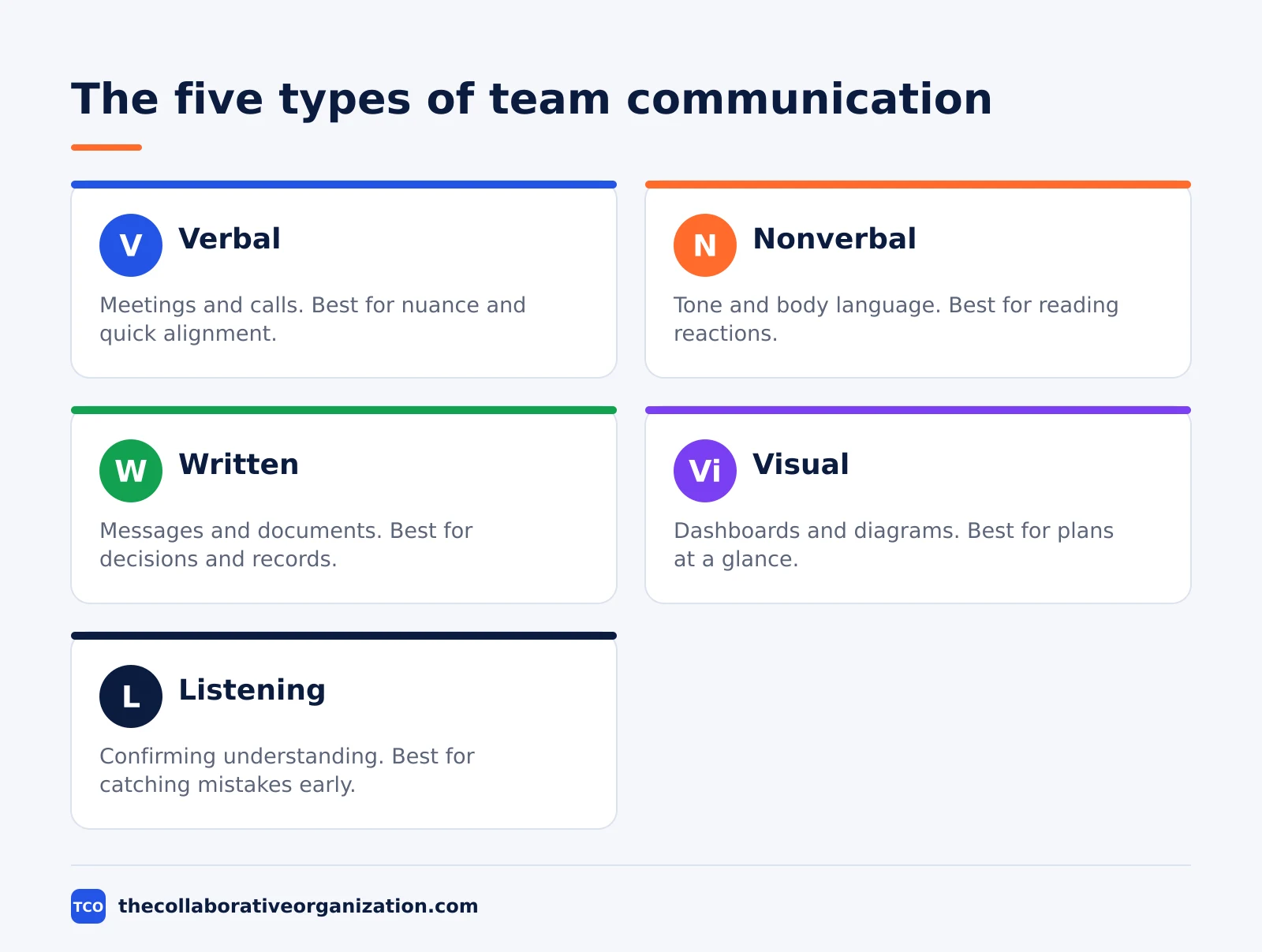
| Type | What it is | Best for |
|---|---|---|
| Verbal | Spoken words in meetings, calls and standups | Nuance, conflict, quick alignment |
| Nonverbal | Tone, body language and facial expression | Reading reactions, building rapport |
| Written | Messages, email, documents and updates | Decisions, instructions, searchable records |
| Visual | Dashboards, diagrams, timelines and slides | Plans, data and processes at a glance |
| Listening | Confirming understanding and asking follow-ups | Making sure the message landed |
Verbal communication is the most direct, and it carries tone that text cannot. Nonverbal cues carry meaning too, and more than half of communication is nonverbal, according to Asana’s guide.
Written communication is the one that lasts: a decision in a document can be found months later, while a decision in a call cannot.
Visual communication shows status without a paragraph, and listening is the type most teams underinvest in. Listening means confirming understanding, asking a follow-up question and reflecting back what was heard. A team that listens well catches misunderstandings in minutes, while a team that does not catches them in weeks.
How team communication flows
Information in a team flows in three directions: down from leaders, up from the team, and sideways between peers. Each direction needs a different channel, and a team that uses one channel for all three loses messages.
Downward communication carries decisions, priorities and context from leaders to the team. It works best in writing, because the team can re-read it and check it against the work. Upward communication carries problems, questions and feedback from the team to leaders, and it needs a safe route, such as a regular one-to-one or an anonymous form.
Sideways communication is the largest flow in most teams. Peers share updates, ask quick questions and hand work to each other all day. Chat suits it best, because it is fast and searchable, but it needs rules: one channel per topic, threads for side discussions, and a clear home for decisions.
Atlassian lists the same channels for workplace communication: live meetings, async video, chat and email, documentation, and in-person conversation. The guide was updated on 16 November 2026, and it stresses the goal: share the right information, in the right format, with the right people, at the right time.
What poor team communication costs
Grammarly and the Harris Poll estimated in 2022 that poor communication costs US businesses up to 1.2 trillion dollars a year, or 12,506 dollars per employee per year. The estimate rests on business leaders saying their teams lose 7.47 hours a week to poor communication, from a survey of 1,001 knowledge workers and 251 leaders in October 2021.
A newer report puts the range in salary terms. The 2025 State of Internal Communication report from Axios HQ puts the cost of poor communication at 3,640 to 37,440 dollars per employee per year, depending on salary.
Pumble reports both figures in its 2026 statistics, and notes that an employee earning 50,000 to 100,000 dollars loses more than 35 working days a year, worth 10,140 dollars in salary.
The interruption load behind those costs is measured, not guessed. Microsoft’s 2025 Work Trend Index found workers are interrupted about every two minutes during core hours, or 275 times a day, by meetings, email and chat. The average worker also receives 117 emails a day and 153 messages on their team communication app, according to the same Microsoft report.
Those figures overlap with our employee communication statistics guide, which covers the same cost from the employee side. The shared finding is simple: the cost is not one big failure, but hundreds of small interruptions and unclear messages, repeated every day.
Team communication example: a product launch
Imagine a team of eight people launching a new feature in four weeks, with one shared document, one chat channel and one weekly meeting. The example below is an illustration, not a case study, and it shows the flow rather than a result.
The team keeps one document as the home for decisions. Every decision goes there, with the date and the name of the person who made it.
The chat channel carries quick questions and daily updates, and threads keep side discussions out of the main flow. The weekly meeting is 30 minutes, with an agenda, and it covers only decisions that need debate.
In week two, a designer asks in the channel whether the launch date has moved. The answer is in the decision document, and the team lead links it rather than re-answering.
In week three, a developer is blocked on an approval. The lead moves the decision to the meeting, where it is made in ten minutes and written into the document the same day.
The launch ships on time, and the team can show why: every decision has a date and an owner, every update has a home, and no decision lives only in a call. The structure did the work, not the effort.
Tools that carry team communication
A tool helps team communication only when it matches the message: chat for quick questions, video for debate, and documents for decisions. No single tool does all three well, so most teams use two or three, with clear rules for each.
| Tool | Best for | Free plan | Starting price (as of November 2026) | Notable limit |
|---|---|---|---|---|
| Slack | Channel chat with threads and search | Free plan, 90-day message history | $7.25 per active user per month (Pro), billed annually | Free plan keeps 90 days of history |
| Microsoft Teams | Chat and video inside Microsoft 365 | Free plan | $4 per user per month (Teams Essentials), paid yearly | Essentials has no business email |
| Zoom | Video meetings with recording | Basic plan free, 40-minute group meetings | $14.16 per user per month (Pro), billed annually | Free plan caps group meetings at 40 minutes |
| Google Chat | Chat inside Google Workspace | Included with Workspace | $7 per user per month (Workspace Business Starter) | Chat comes only inside a Workspace plan |
Slack’s pricing page returns a JavaScript shell to our fetcher, so the Slack price is not from the vendor page directly. Three independent checks in November 2026 put Slack Pro at 7.25 dollars per active user a month billed annually, or 8.75 dollars billed monthly, with Business+ at 15 dollars.
WhatsTheStack confirms those figures from Slack’s own pricing page on 14 November 2026.
Teams Essentials at 4 dollars a user a month paid yearly, and Microsoft 365 Business Basic at 7 dollars, come from independent November 2026 checks of Microsoft’s pricing pages. Merlin reports the same figures, and notes that Business Basic rose from 6 dollars to 7 dollars on 1 July 2026.
Zoom Pro at 14.16 dollars a user a month billed annually, or 16.99 dollars billed monthly, comes from independent November 2026 checks of Zoom’s pricing page. SaaSCRMReview confirms the figure, checked in November 2026. Google Workspace Business Starter at 7 dollars a user a month comes from the same round of checks.
If you have not picked a tool yet, compare the options on our team communication software shortlist before you buy.
Read our guide on how to choose team communication software before you buy. The guide covers seat counts, free-plan limits and how to run a trial.
How to improve team communication in 5 steps
Improving team communication takes five steps, and the first two use no new tool at all. monday.com describes the same shape in its guide: define the channels, set the rules, then pick the tools that fit them.
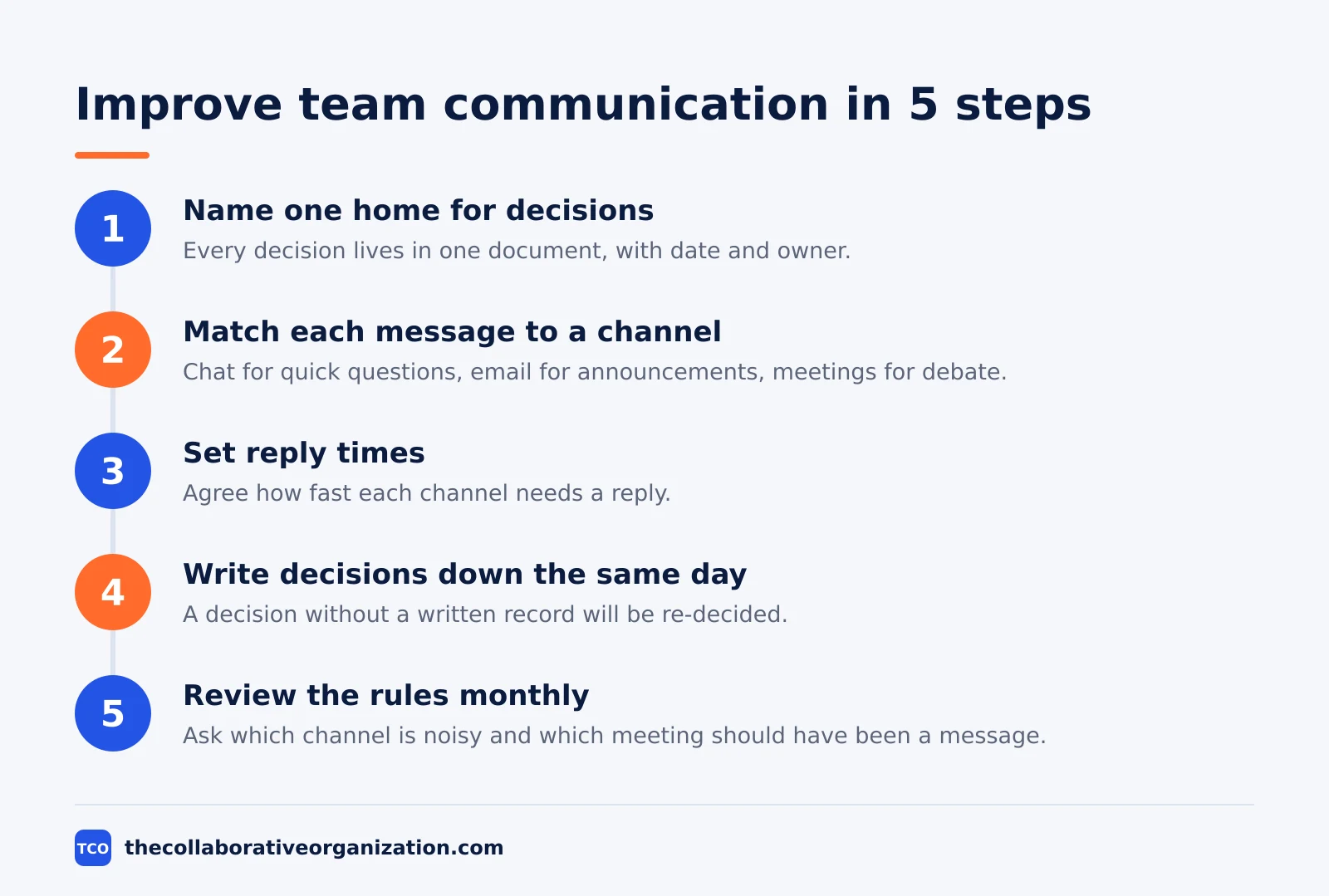
Step 1: Name one home for decisions
Pick one document or page where every decision lives, with the date and the owner. A decision that lives in chat, email and a call at once lives nowhere. The home is the first thing a new joiner reads.
Step 2: Match each message to a channel
Write down which channel carries which message: chat for quick questions, email for formal announcements, documents for decisions, meetings for debate. Post the list where the team can see it, and follow it for two weeks before changing it.
Step 3: Set reply times
Agree how fast each channel needs a reply: chat within a few hours, email within a day, and urgent issues by phone or a direct message. Reply times stop the always-on pressure, and they let people work in focus blocks without guilt.
Step 4: Write decisions down the same day
Every decision made in a meeting or a call goes into the home document the same day, with the date and the owner. A decision without a written record will be re-decided next week, by different people, in a different way.
Step 5: Review the rules monthly
Once a month, ask the team three questions: which channel is noisy, which decision was hard to find, and which meeting should have been a message. Change one rule at a time, and write the change in the same list from step two.
Common team communication mistakes to avoid
Most team communication fails in the same six ways, and all six are habits rather than tool problems. Run through the list below at each monthly review.
- A meeting for a status update. Status belongs in a written update, not in a call. Save meetings for decisions that need debate, and cut the rest from the calendar.
- Decisions that live only in chat. Chat scrolls away, and a decision nobody can find will be made again. Write every decision in the home document.
- One channel for everything. A single channel mixes urgent questions with casual talk, and urgent items get buried. Split channels by topic and use threads.
- No reply times. Without agreed reply times, every message feels urgent. Set the times in writing and hold them.
- Email for quick questions. Email is slow and formal, and a quick question in email waits a day. Use chat for quick questions and email for announcements.
- Never checking whether the message landed. Sending is not communicating. Ask for a short confirmation on important messages, and check understanding rather than assuming it.
Sources
- Asana - Improve Team Communication at Work: 6 Key Strategies (2026)
- Atlassian - Workplace Communication: Definition, Strategies and Best Practices (2026)
- Microsoft - Breaking Down the Infinite Workday, Work Trend Index (2025)
- Pumble - Workplace Communication Statistics for 2026 (2026)
- monday.com - Effective Team Communication: Strategies and Skills (2026)
- WhatsTheStack - Slack vs Microsoft Teams (2026)
- SaaSCRMReview - Zoom Pricing 2026 (2026)
- Merlin - Zoom vs Google Meet vs Teams (2026)
Frequently asked questions
What is team communication?
Team communication is the exchange of information, ideas and feedback among the members of a team working toward a shared goal. It covers every channel the team uses, from meetings and chat to documents and video calls. Good team communication means the right people get the right information at the right time, in a form they can act on.
What are the five types of team communication?
The five types are verbal, nonverbal, written, visual and listening. Verbal covers meetings and calls, nonverbal covers tone and body language, written covers messages and documents, visual covers dashboards and diagrams, and listening covers confirming what was heard. Most teams use all five every day without naming them.
What is the difference between team communication and collaboration?
Team communication is the exchange of information, decisions and feedback, while collaboration is the joint work that exchange makes possible. Communication without joint work is just talk, and joint work without communication falls apart. A team needs both, and the communication layer is what keeps the shared work on track.
How much does poor team communication cost?
Grammarly and the Harris Poll estimated in 2022 that poor communication costs US businesses up to 1.2 trillion dollars a year, or 12,506 dollars per employee per year, based on leaders saying teams lose 7.47 hours a week to it. A 2025 Axios HQ report puts the range at 3,640 to 37,440 dollars per employee a year, depending on salary.
Should team updates go in chat, email or a meeting?
Use chat for quick questions, email for formal announcements and longer updates, and a meeting only for decisions that need debate. Status updates belong in a shared document or a channel post, not in a meeting. When a decision is made anywhere, write it down in the same place every time so nobody has to hunt for it.
How can a remote team communicate well?
A remote team needs written defaults: decisions in documents, updates in channels, and meetings only for debate. Set clear reply times, use status indicators for focus time, and record key calls so people in other time zones can catch up. One shared home for decisions matters more than any single chat app.
Related articles
team communication
Communication Plan for a Project: Template (2026)
A communication plan for a project names who gets which update, in which channel, how often, and from whom. Copy the template and the filled example below.
November 20, 2026 · 10 min read
team communication
How Often Should Managers Communicate With Teams? (2026)
Managers should hold one meaningful conversation with each person every week, plus a weekly team update. See the cadence table for meetings, updates and feedback.
November 20, 2026 · 9 min read
team communication
Upward Communication Examples: 10 That Work (2026)
Upward communication is a message that travels from an employee to a manager or leader. See 10 concrete examples, each with why it works and when to use it.
November 20, 2026 · 9 min read