What Is an Employee Portal? Definition and Features (2026) | The Collaborative Organization
By The Collaborative Organization Team · November 19, 2026 · Last verified November 19, 2026 · 10 min read
An employee portal is a secure, single place where employees log in to find company information and handle routine tasks themselves. It holds policies, payslips, time-off requests, benefits and company news behind one login. Staff use it instead of emailing HR for every routine question.
Key takeaways
- An employee portal is a secure, personal hub for staff: policies, payslips, time off, benefits and news in one place.
- It is also called an HR portal or an employee self-service portal, and it usually sits inside the company intranet.
- An intranet informs the whole company, while a portal serves each employee’s own tasks and records.
- Self-service is the core idea: staff update details, request time off and download payslips without waiting on HR.
- A portal pays off from about 30 to 50 people, when the same HR questions start to repeat every week.
What an employee portal is
An employee portal is a secure intranet platform that connects employees with the information, tools and services they need to work. Softr describes it as a centralized platform that gives employees one place to access important documents, communicate with colleagues and keep up with company policies and updates. It also centralizes HR processes such as benefits, payroll, time-off requests and company announcements.
The portal is personal. When an employee logs in, they see their own payslips, their own time-off balance and their own tasks. That personal view is what sets a portal apart from a plain intranet page that shows the same content to everyone.
Security is part of the definition. Portals are usually secured with login credentials so only authorized users can see sensitive company and employee data. Smartsheet notes the same point about HR portals: they are frequently secure, and existing employees usually need login credentials to reach company information.
How an employee portal works
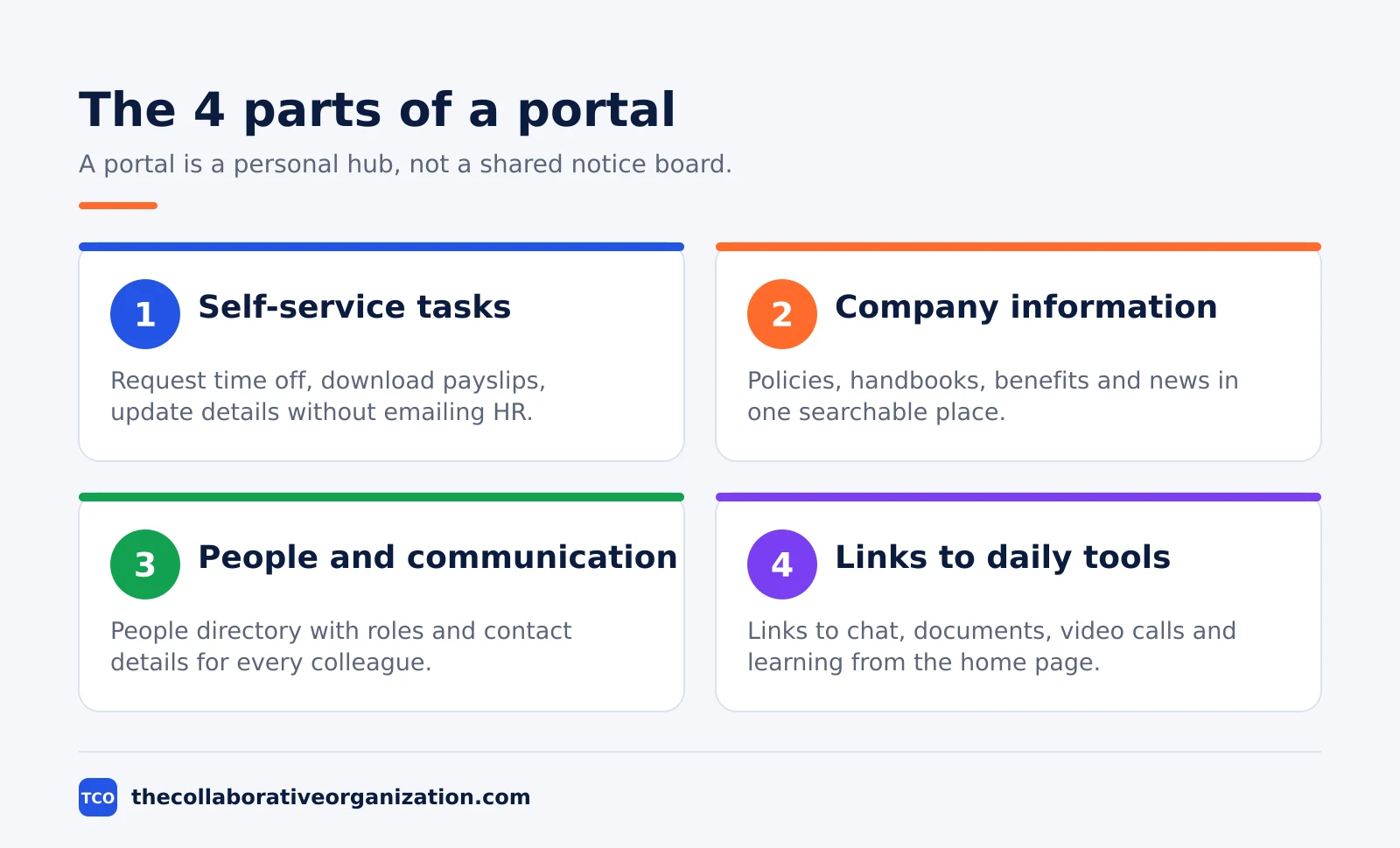
A portal works by connecting one front page to the systems that already hold the real data. The portal itself rarely stores payroll or HR records. Instead, it shows a link or a small view into the payroll system, the HR system and the IT help desk, so staff do one login and reach everything.
A typical flow starts with a task. An employee wants to book time off, so they open the portal, see their remaining days, pick dates and submit the request. The request goes to their manager for approval, and the balance updates when it is approved. No email chain, no form to print.
The same pattern covers the other routine jobs. Payslips appear on payday, benefits enrollment opens during the enrollment window, and personal details can be updated in a form that writes back to the HR system. The portal is the front door; the HR and payroll systems stay the system of record behind it.
Employee portal vs intranet
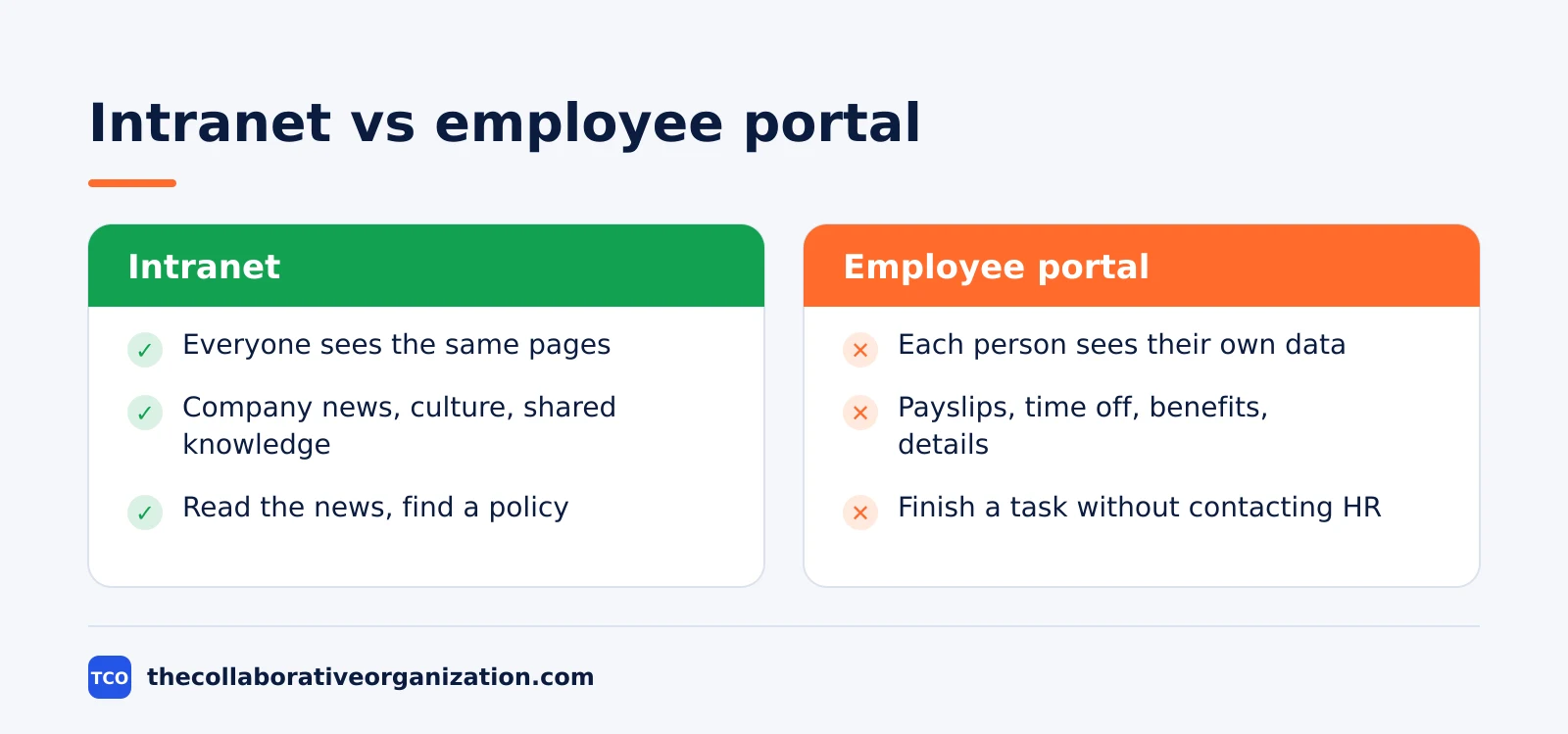
An intranet informs the whole company, while an employee portal serves each employee’s own tasks. The two often live in the same platform, which is why people mix them up. The table below draws the line.
| Feature | Intranet | Employee portal |
|---|---|---|
| Main job | Company-wide news, culture and shared knowledge | Personal self-service tasks and records |
| Audience | Everyone sees the same pages | Each person sees their own data |
| Typical content | News, policies, leadership updates | Payslips, time off, benefits, personal details |
| Login | Often needed, but content is mostly shared | Always needed, content is personal |
| Success measure | Staff read the news and find policies | Staff finish tasks without contacting HR |
Poppulo draws the same line: intranets connect people, culture and communication, while employee portals focus on individual, self-service HR and administrative tasks. A modern platform blends both, so staff get news and self-service from one home page.
The test is simple. If the page shows the same content to the whole company, it is intranet content. If it shows one person’s payslip or time-off balance, it is portal content. A good home page mixes the two: company news at the top, personal tasks in a sidebar.
The 8 core features of an employee portal
Eight features cover almost every portal, and the first four matter most. Leave out a core feature and staff will go back to email.
- Self-service time off. Request leave, see the balance and check who else is away, without emailing HR.
- Payslips and tax documents. Download payslips and year-end tax forms from one page, with access limited to the employee.
- Benefits and enrollment. Read what each benefit covers and enroll during the open window, with links to the provider.
- Policies and handbooks. The current version of each policy, searchable by name, with the owner named on the page.
- People directory. Names, roles, photos and contact details, so staff can find the right person in seconds.
- Company news and announcements. One feed for news, so staff stop hunting through email and chat for updates.
- IT and HR requests. One form for a new laptop, a password reset or an HR question, with a visible status.
- Links to daily tools. Chat, documents, video calls and the learning system, so the portal is the start of the day.
A modern portal blends three things that used to live apart: the intranet for news and knowledge, the portal for HR and IT self-service, and the collaboration hub for team discussion. Happeo describes the same blend, and notes that portals connect to tools such as Workday, SAP SuccessFactors, BambooHR, ServiceNow and Jira Service Management.
When to use an employee portal, and when not to
Use an employee portal when the same HR questions repeat every week and new joiners need the same answers. The portal pays off from about 30 to 50 people. At that size, one page with the top 10 answers saves HR hours each week and gives new joiners a faster start.
It also fits companies with several locations or many remote staff. When people cannot walk over to HR, a portal that works on a phone matters more. Frontline staff who rarely sit at a desk need the same access from a mobile browser.
Engagement is another reason to build one. Gallup found that only 31% of US employees were engaged at work in 2025, down from a 36% peak in 2020. A portal cannot fix engagement alone, but it removes the daily friction of hunting for answers.
Skip the portal when the team is small and everyone already knows where things are. A company with fewer than 20 people can manage with a shared document folder, a group chat and a short handbook. The portal adds admin work in that case without removing any real friction.
Do not confuse an employee portal with a client portal. A client portal serves outside customers, while an employee portal serves staff. Our guide to the client portal explains the client side, including what clients see and what stays internal.
How to build an employee portal in 5 steps
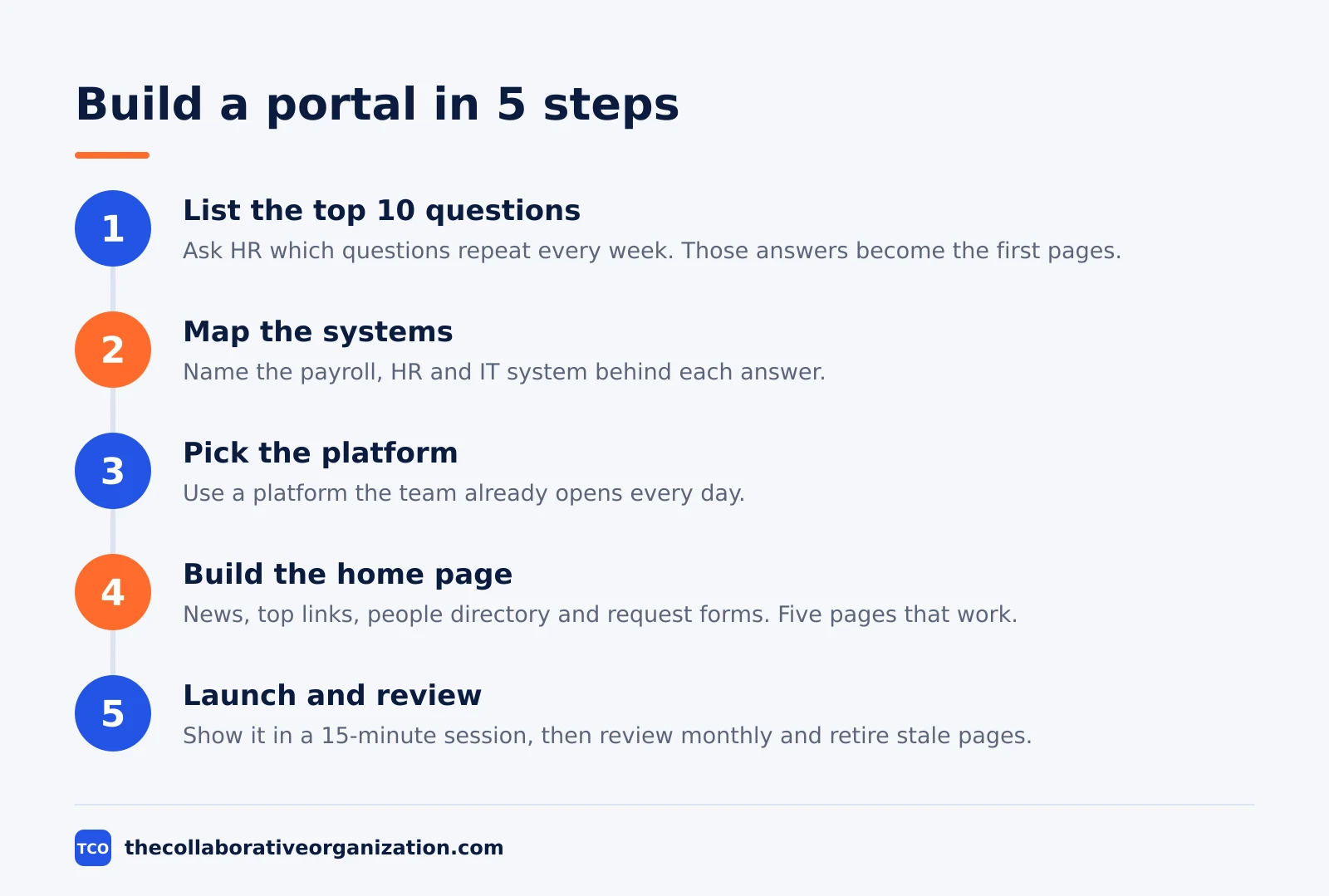
Building a portal takes five steps, and the first two need no software at all. Start by listing the 10 questions HR answers most often. Those answers become the first 10 pages or links on the portal.
Step 1: List the top 10 HR questions
Ask HR and team leads which questions repeat every week. Payslips, time off, benefits and policies will top the list. Write the answer to each one in one short page.
Step 2: Map the systems behind each answer
For each answer, name the system that holds the real data: payroll, HR, IT help desk or the document store. The portal links to these systems; it does not replace them.
Step 3: Pick the platform
Choose a platform the team already uses. A Microsoft 365 company can build the portal on SharePoint, and the SharePoint app in Teams now carries the old Viva Connections home page after Microsoft renamed it in June 2026. A smaller team can build the same pages in Notion or Confluence.
Step 4: Build the home page first
Launch with one home page: news, the top 10 links, the people directory and the request forms. Five pages that work beat 50 pages that nobody maintains.
Step 5: Launch, train and review monthly
Show the portal in a 15-minute team session, then review it monthly. Retire pages nobody opens, and add the next 10 questions when the first 10 are settled.
Employee portal example: a 120-person company
A 120-person company with two offices shows how a portal changes a normal week. HR answered the same questions every Monday: where is my payslip, how many days off do I have left, and where is the travel policy. New joiners waited days for answers because nobody knew who to ask.
The company built a portal home page with the payslip link, a time-off balance view, the travel policy and a people directory. It linked the portal to the payroll and HR systems instead of copying data into it. The launch took three weeks, and the first version had only 12 pages.
After two months, repeat questions to HR fell by about half, and new joiners found their answers on day one instead of day three. The numbers are an illustration, not a case study, but they show the shape of the result: fewer repeat questions, faster answers, and HR time freed for work that needs a person.
Tools that can hold an employee portal
The best platform is the one the team already opens every day. A portal built on a tool nobody uses becomes another page nobody visits. Compare the options on our document collaboration software shortlist before you choose.
Read our guide to document collaboration for the habits that make shared pages work.
| Tool | Best for | Free plan | Starting price (as of November 2026) | Notable limit |
|---|---|---|---|---|
| Notion | A small-team portal with pages, wikis and links | Free plan for individuals | $10 per member per month (Plus), billed annually | Plus is $12 per member per month billed monthly |
| Confluence | Structured policy pages with owners and versions | Free plan for up to 10 users | $7.15 per user per month (Standard), billed monthly for 1-100 users | Headline $5.78 is a blended rate, not the 1-100 user price |
| Google Docs | Policies and handbooks as shared documents | $0 with a Google account | $7 per user per month (Google Workspace Business Starter), billed annually | Admin controls and shared drives need a Workspace plan |
The Notion price is $10 per member per month billed annually, based on independent November 2026 checks, because the Notion pricing page renders no dollar figures to our fetcher. The Confluence Standard price of $7.15 per user per month applies to 1-100 users billed monthly.
The Microsoft 365 Business Basic price of $7 per user per month billed annually is the entry route to a SharePoint portal. Google Workspace Business Starter is also $7 per user per month billed annually, and Google Docs is free with a Google account. Microsoft Teams fits the same stack for surfacing the portal inside chat.
Common employee portal mistakes to avoid
Most portals fail in the same five ways, and all five show up within the first month. Check the list at each monthly review.
- Launching with 50 pages. A big launch with stale pages teaches staff not to trust the portal. Launch with 10 pages that work.
- Copying data instead of linking it. Payslips and balances copied into the portal go stale. Link to the system of record and let it show the current number.
- No owner per page. A policy page without an owner is out of date within a year. Name the owner on the page itself.
- Hiding the portal from phones. Frontline and remote staff open the portal on a phone. Test the home page on a small screen before launch.
- Never measuring use. If nobody checks which pages get opened, nobody knows what to fix. Review page views and repeat questions every month.
Sources
- Softr - What Is an Employee Portal? (2026)
- Smartsheet - The Ultimate Guide to HR Portals (2026)
- Poppulo - Intranet vs Employee Portal (2026)
- Happeo - Intranet Employee Portal Guide 2026 (2026)
- Gallup - U.S. Employee Engagement Declines From 2020 Peak (2026)
- 6SC - SharePoint App in Teams and Viva Connections (2026)
- Notion - Pricing (2026)
- Atlassian - Confluence Pricing (2026)
Frequently asked questions
What is an employee portal?
An employee portal is a secure website or app where staff log in to find company information and handle routine tasks themselves. It holds policies, payslips, time-off requests, benefits and company news in one place. Staff use it instead of emailing HR for every routine question, and only logged-in employees can see the content.
Is an employee portal the same as an intranet?
No. An intranet is the whole internal site for company-wide news, culture and shared knowledge. An employee portal is the personal, self-service layer inside it, where each employee sees their own payslips, requests and tasks. Many modern platforms combine both, but the jobs are different: one informs the whole company, the other serves the individual.
What should an employee portal include?
At minimum it should include company news, policies, a people directory, time-off requests, payslips, benefits information and a way to contact IT or HR. A good portal also links to the tools people use every day, such as chat, documents and the learning system, so staff start their day from one page.
Do small companies need an employee portal?
A company with fewer than 20 people can usually manage with a shared document folder and a group chat. A portal starts to pay off around 30 to 50 people, when HR questions repeat and new joiners need the same answers every month. At that size, one page with the top 10 answers saves hours each week.
How much does an employee portal cost?
The cost depends on the platform underneath it. A portal built on SharePoint comes inside Microsoft 365 Business Basic at $7 per user per month billed annually, as of November 2026. A portal built on Notion starts at $10 per member per month billed annually. Add setup time for the first pages and the time to keep them current.
Related articles
document collaboration
Airtable vs Google Sheets: Which to Use in 2026
Airtable is a database with views and automations; Google Sheets is a free spreadsheet. Learn the limits, the 2026 prices, and which one fits your team's data.
November 19, 2026 · 7 min read
document collaboration
Confluence vs SharePoint: Which to Use in 2026
Confluence is a wiki built around pages; SharePoint is a document platform built around files. Learn the differences, the 2026 prices, and which one fits your team.
November 19, 2026 · 7 min read
document collaboration
How to Document Processes: A Step-by-Step Guide (2026)
To document a process, pick one task, watch it done for real, map the steps and decisions, then test the draft on someone new. Follow the 7 steps in this guide.
November 19, 2026 · 10 min read