Time Blocking Method Explained: Focus Your Day (2026) | The Collaborative Organization
By The Collaborative Organization Team · November 19, 2026 · Last verified November 19, 2026 · 9 min read
Time blocking is a scheduling method where you divide your day into named blocks and assign each block one task or type of work. Instead of working from an open to-do list, you decide in advance when each thing happens. The method is best known through Cal Newport, who made it the core of his deep work practice.
Key takeaways
- Time blocking gives every hour of the day a named job, decided in advance.
- Cal Newport popularised the method in a 2013 blog post and his 2016 book Deep Work.
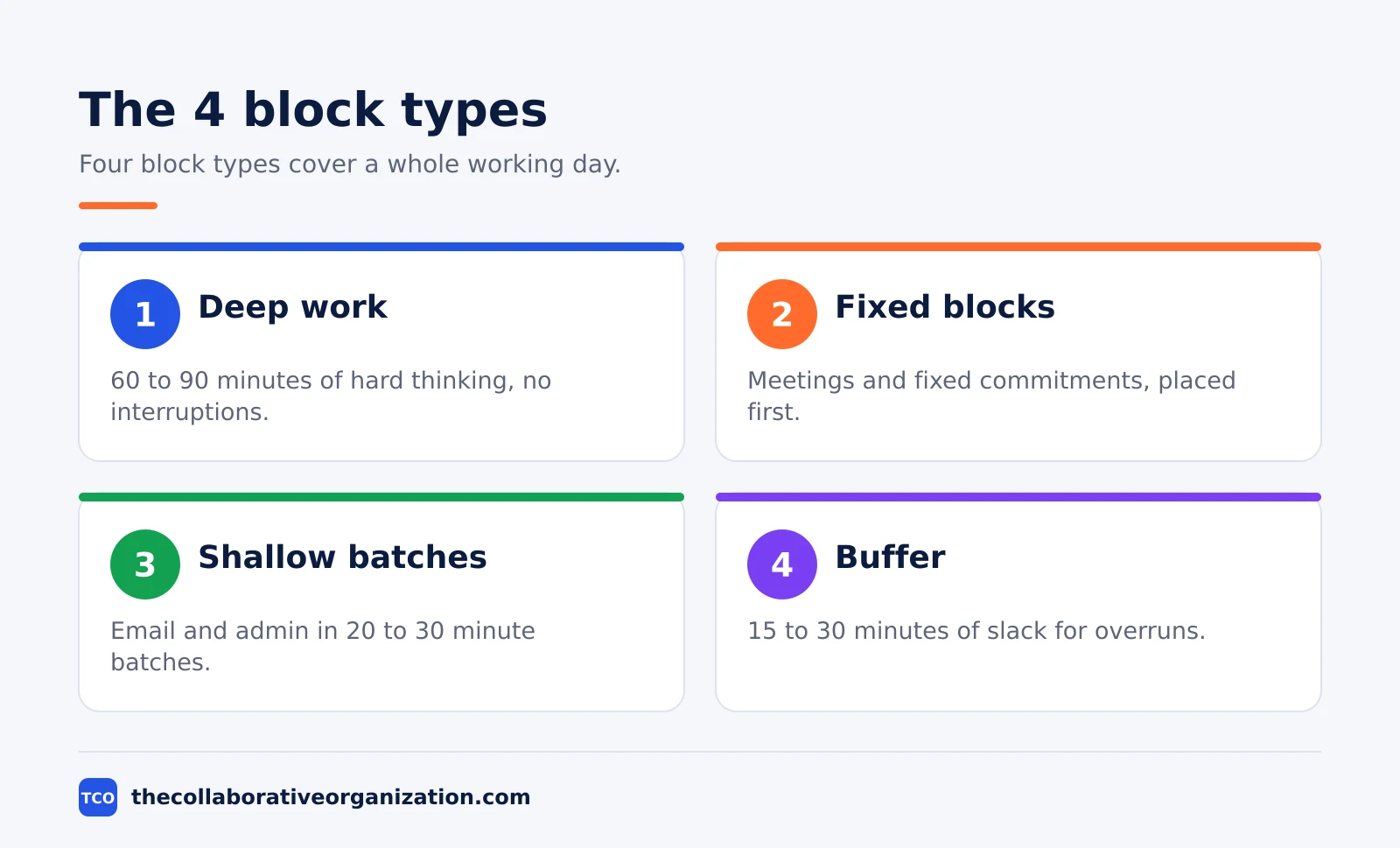
- Deep work blocks should run 60 to 90 minutes, while email and admin fit 20 to 30 minute batches.
- Time boxing, task batching and day theming are close cousins, not the same method.
- Newport estimates a 40-hour time-blocked week can match a 60-plus-hour unstructured week.
What the time blocking method is
Time blocking is the habit of putting tasks on the calendar before the day starts, so each task owns a time and a duration. You look at the day, estimate how long each task will take, and schedule it. A to-do list tells you what to do and leaves the when open, so the hard work waits while small jobs fill the morning.
The method joins two tools that usually live apart: the task list and the calendar. Only a block gives a task a time, and only a block shows whether the day can hold it at all. An impossible day becomes visible at planning time, before it fails at 4 pm.
Newport plans on paper, at the start of the day or the evening before. He writes the hours down the side of a page, boxes off blocks for specific work, and leaves room for corrections when the day changes. The tool is simple on purpose: a calendar, a list and ten minutes of thought.
How time blocking works
Time blocking works in three moves: fixed commitments go down first, deep work gets long blocks, and shallow work is batched. Newport spends 10 to 20 minutes every evening building the next day, consulting his task lists, his calendar and his weekly notes. His goal is progress on the right things at the right pace for each deadline.
Fixed commitments such as meetings go on the grid first, because you cannot move them. Deep work gets the longest blocks, placed in your sharpest hours, since hard thinking needs time to warm up. Shallow work, such as email and admin, goes into its own short batches so it does not spread across the whole day.
When the day goes off course, you do not abandon the plan. You cross out the rest of the day and draw a new plan for the hours left. Newport treats this re-planning as normal, not as failure, and his 2013 post says the point is to always have an intentional plan, not to follow the first draft.
The payoff Newport claims is large. He estimates that a 40-hour time-blocked week produces the same output as a 60-plus-hour week worked without structure. Treat that as his estimate, not a measured result, but the logic behind it is testable in your own week: protected hours produce more finished work than scattered ones.
Time blocking vs time boxing vs task batching vs day theming
Four related methods are often confused, and each one answers a different question. The table below separates them, using the definitions from Todoist.
| Method | What it is | Example |
|---|---|---|
| Time blocking | Divide the day into blocks, one task per block | Write from 9 am to 11 am |
| Time boxing | Set a fixed limit, finish as much as possible | Finish a draft between 9 am and 11 am |
| Task batching | Group similar small tasks into one block | Answer all email at 3 pm |
| Day theming | Give each day one theme of work | Mondays for meetings, Tuesdays for writing |
Time blocking reserves the time. Time boxing adds a finish line inside that time, which suits perfectionists who polish work past the point of value. Task batching cuts the cost of switching between unlike jobs, since answering email twice a day beats checking it every 15 minutes.
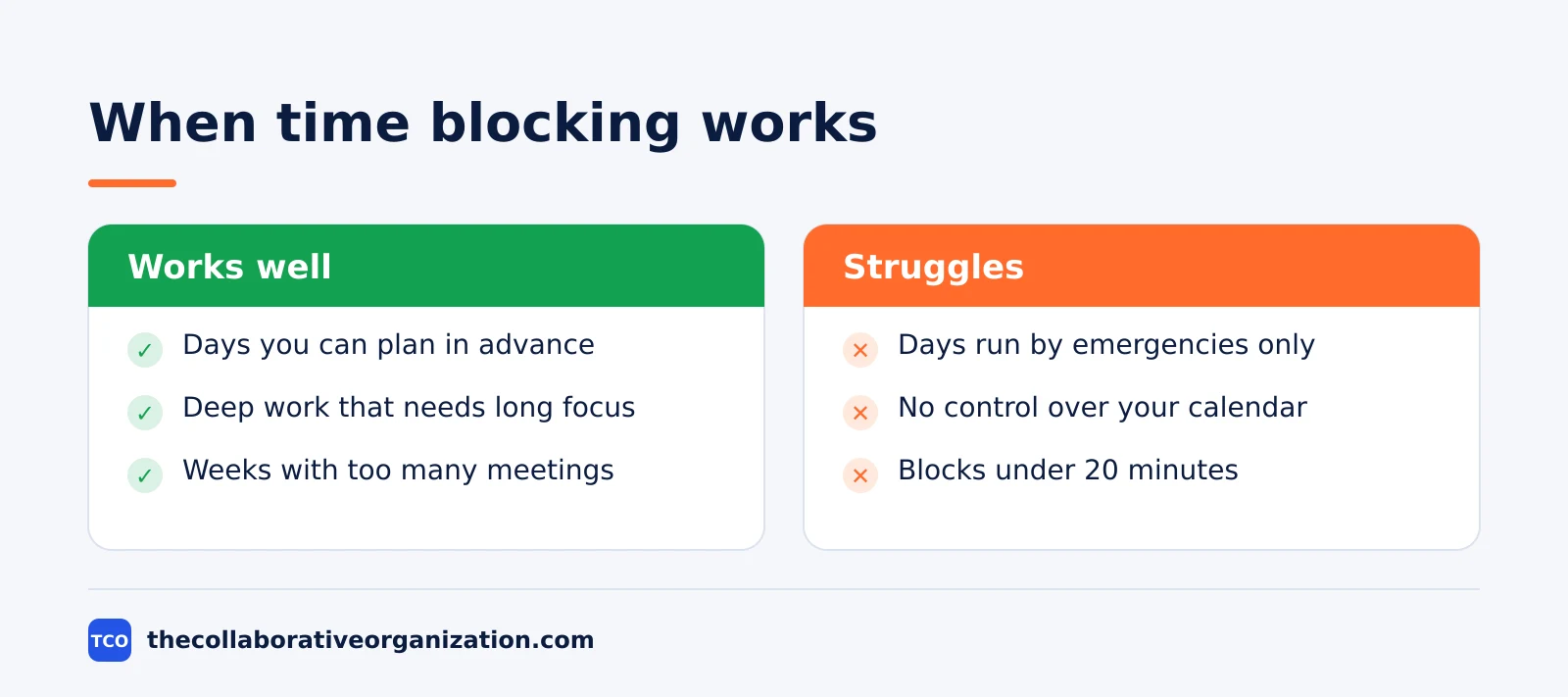
Day theming is the most extreme form of batching: one theme per day, such as admin on Monday and creative work on Tuesday. It fits people who control their own week, and it fails when most days are set by other people’s meetings. Most people do best mixing blocking with batching, and adding theming only where the week allows it.
Why time blocking works
Time blocking works because it removes three costs that open lists leave in place: switching, deciding and guessing. Each cost is small on its own, and together they eat the day.
Switching is the first cost. Moving between unlike tasks forces your mind to reload the context each time, so twelve 15-minute attempts at a report add up to far less than one 90-minute block. Batching similar work and protecting long blocks cuts the number of switches, which is why the method pairs well with reducing meetings.
Deciding costs too. An open list asks you to choose what to do next all day, and each choice spends willpower. A blocked day makes the choice once, the evening before, so the morning starts with work. The plan also fights present bias: doing the easy job now and leaving the hard one for a future self.
Guessing costs too. Estimating project time is hard: most people plan as if tasks take less time than they do. A block forces the estimate into the open: if the tasks need 11 hours and the day holds 8, the plan is wrong before the day starts, so you can cut or move work in time.
Specific plans also raise follow-through. A review by Rogers, Milkman, John and Norton, cited in the Todoist guide, found that people were more likely to act when they wrote down a specific place, date and time. Time blocking is that finding turned into a daily habit.
Time blocking example: a product designer’s day
A product designer with meetings, email and a deadline shows what a blocked day looks like. Imagine Lena, a designer at a 30-person company, who must ship new onboarding screens by Friday. Her Thursday has four meetings, an inbox full of feedback, and three hours of design work that keeps slipping.
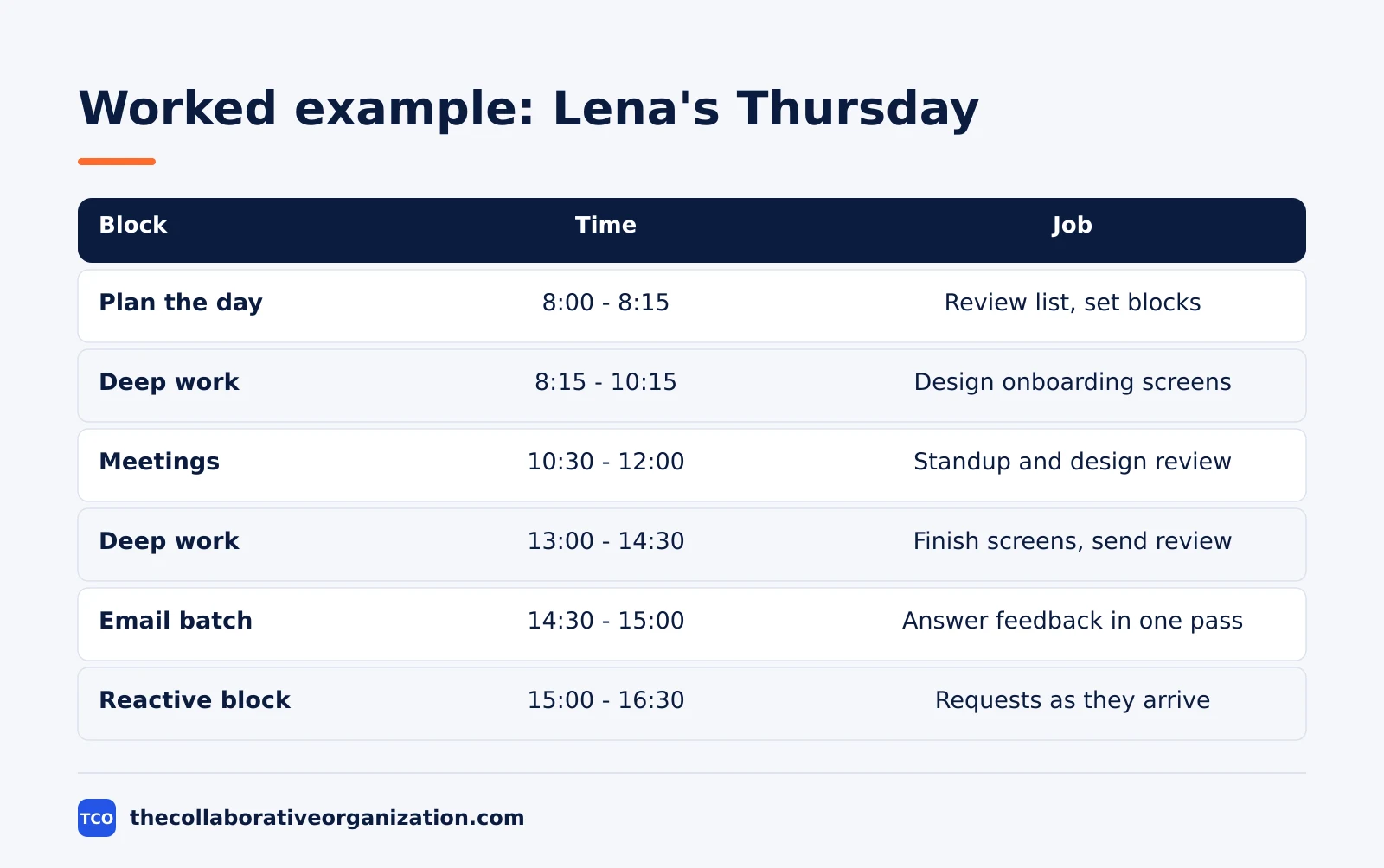
| Block | Time | Job |
|---|---|---|
| Plan the day | 8:00 - 8:15 | Review list, set the blocks |
| Deep work | 8:15 - 10:15 | Design the onboarding screens |
| Meetings | 10:30 - 12:00 | Standup and design review |
| Lunch and walk | 12:00 - 13:00 | Break, no screens |
| Deep work | 13:00 - 14:30 | Finish the screens, send for review |
| Email batch | 14:30 - 15:00 | Answer all feedback in one pass |
| Reactive block | 15:00 - 16:30 | Requests as they arrive |
| Review | 16:30 - 17:00 | Plan Friday, close the day |
Three things stand out. The design work gets the morning, before meetings can fragment it. Email is batched twice instead of checked all day, which saves the switching cost. The reactive block is honest: Lena cannot predict the afternoon, so she blocks the unpredictability itself and keeps the morning safe.
The example is an illustration, not a case study. Its point is the order: deep work first, meetings second, shallow work batched, and a named slot for whatever arrives unplanned.
Tools that support time blocking
A time blocking tool needs two things: a calendar view and a task list that talks to it. The tools below cover both, with real starting prices as of November 2026. Compare the wider field on our task management software shortlist before you pick one.
| Tool | Best for | Free plan | Starting price (as of November 2026) | Notable limit |
|---|---|---|---|---|
| Todoist | Tasks with due times and calendar layout | Free, 5 personal projects | $5 per month (Pro), billed annually | No team features on Pro |
| TickTick | Tasks, calendar and focus timer in one app | Free, 9 lists | $2.99 per month (Premium), billed annually | One person only, no team plan |
| Notion | Notes, tasks and calendar in one workspace | Free for individuals | $10 per member per month (Plus), billed annually | Full AI needs Business |
| ClickUp | Teams that block shared work on one calendar | Free Forever plan | $9 per user per month (Core), billed annually | Page shows $9 against a $12 regular price |
The Todoist price comes from Todoist pricing: Pro is $5 per month, billed as $60 per year. TickTick Premium is $35.99 per year according to November 2026 checks on LifeStack, and one check notes $35.99 is a promotional price against a $49.99 list price.
Notion Plus is $10 per member per month billed annually, or $12 monthly, according to three independent November 2026 checks on Rock, since the vendor pricing page renders no dollar figures to our fetcher.
ClickUp Core is $9 per user per month billed annually, with $12 as the regular price, according to November 2026 checks on GoTechPresso, so the $9 figure may be promotional.
Common time blocking mistakes to avoid
Most blocked days fail in the same five ways, and each one has a simple fix. Run through this list at the weekly review.
- Blocking every minute with no buffer. A day with no slack breaks at the first overrun. Leave 15 to 30 minutes between big blocks for the work that runs long.
- Putting shallow work first. Email in the morning eats the sharpest hours. Block deep work first, then fit shallow work around it.
- Blocks with vague labels. “Work on project” is not a block. Name the output, such as “draft the onboarding screens”, so you know when the block is done.
- Treating the plan as a prison. A missed block is a signal to re-plan, not to quit. Cross out the rest of the day and draw a new plan for the hours left.
- No end-of-day review. Without a review, the same overruns repeat each week. Choosing a task management app that shows planned versus actual time makes the review faster, and the review is what makes the method stick.
Sources
- Cal Newport - Deep Habits: The Importance of Planning Every Minute of Your Work Day (2013)
- Todoist - Time Blocking: Your Complete Guide to More Focused Work (2026)
- ProjectWizards - Time Blocking: Definition, Example Schedule, Pros and Cons (2026)
- Fabric - Time Blocking: A Complete Guide (2026)
- Todoist - Pricing (2026)
- LifeStack - TickTick Pricing in 2026 (2026)
- Rock - Notion Pricing 2026 (2026)
- GoTechPresso - ClickUp Pricing 2026 (2026)
Frequently asked questions
What is the time blocking method?
Time blocking is a scheduling method where you divide your day into named blocks and assign each block one task or type of work. Instead of working from an open to-do list, you decide in advance when each thing happens, which protects focus and makes over-commitment visible before the day starts.
Who popularised time blocking?
Cal Newport, a computer science professor at Georgetown University, popularised it through his 2013 blog post on planning every minute of the work day and his 2016 book Deep Work. He plans each day on paper the evening before, giving every working minute a named job.
What is the difference between time blocking and time boxing?
Time blocking sets aside chunks of time for a task, such as writing from 9 am to 11 am. Time boxing sets a fixed limit and asks you to finish as much as possible inside it, such as finishing a first draft between 9 am and 11 am. Blocking reserves the time, while boxing adds a finish line.
How long should a time block be?
Deep work blocks should run 60 to 90 minutes, which gives your mind time to settle into hard thinking. Shallow work such as email fits in 20 to 30 minute batches. Blocks shorter than 20 minutes rarely pay off, because the cost of switching eats the work itself.
Does time blocking work for reactive jobs?
Yes, if you block the reactivity itself. Newport advises blocking open-ended periods for reactive work, just like any other job, and keeping small blocks at the edges of the day for deep work. A plan that names the reactive hours still beats a day with no plan at all.
Related articles
task management
Eisenhower Matrix Explained: Prioritize in 4 Steps (2026)
The Eisenhower Matrix sorts tasks by urgency and importance into four quadrants: do, schedule, delegate, delete. Learn each quadrant and how to use it.
November 19, 2026 · 9 min read
task management
Getting Things Done Method Explained: GTD in 5 Steps (2026)
Getting Things Done (GTD) moves every commitment out of your head into a trusted system, in five steps: capture, clarify, organize, reflect, engage.
November 19, 2026 · 9 min read
task management
How to Create a To-Do List That Works: 7 Steps (2026)
A to-do list that works starts with one capture list and a short today list of 1 to 3 priorities. Follow these 7 steps to build a list you finish.
November 19, 2026 · 10 min read