Getting Things Done Method Explained: GTD in 5 Steps (2026) | The Collaborative Organization
By The Collaborative Organization Team · November 19, 2026 · Last verified November 19, 2026 · 9 min read
Getting Things Done, usually called GTD, is a five-step method that moves every commitment out of your head and into a trusted system. You capture what has your attention, clarify what it means, organize it onto the right list, review the system each week, and then choose your next action with confidence.
Key takeaways
- GTD has five steps: capture, clarify, organize, reflect and engage, in that order.
- Capture means writing down everything that has your attention, in a few inboxes you trust.
- Clarify turns each item into a concrete next action, or into trash, reference or someday.
- If the next action takes under two minutes, do it now instead of tracking it.
- The weekly review is the step that holds GTD together, and it is the step most people skip.
What Getting Things Done is
Getting Things Done is a workflow for clearing your head, not a to-do list app. David Allen created it in his book Getting Things Done: The Art of Stress-Free Productivity, first published in 2001, with a revised edition in 2015. The problem it solves is simple: your mind keeps reminding you of unfinished commitments, and those reminders steal attention from the work in front of you.
Allen’s point is that the mind is for having ideas, not holding them. The fix is a system you trust: every open loop goes into an inbox, every inbox item gets a clear next action, and every list gets reviewed. When the system holds the commitments, the mind can focus on the one task in front of it.
GTD differs from a plain to-do list in three ways. Capture comes before planning, so nothing stays in your head while you decide. Clarification comes before organizing, so every item has a next action before it lands on a list. And a weekly review keeps the whole system current, so you keep trusting it.
The five steps of GTD
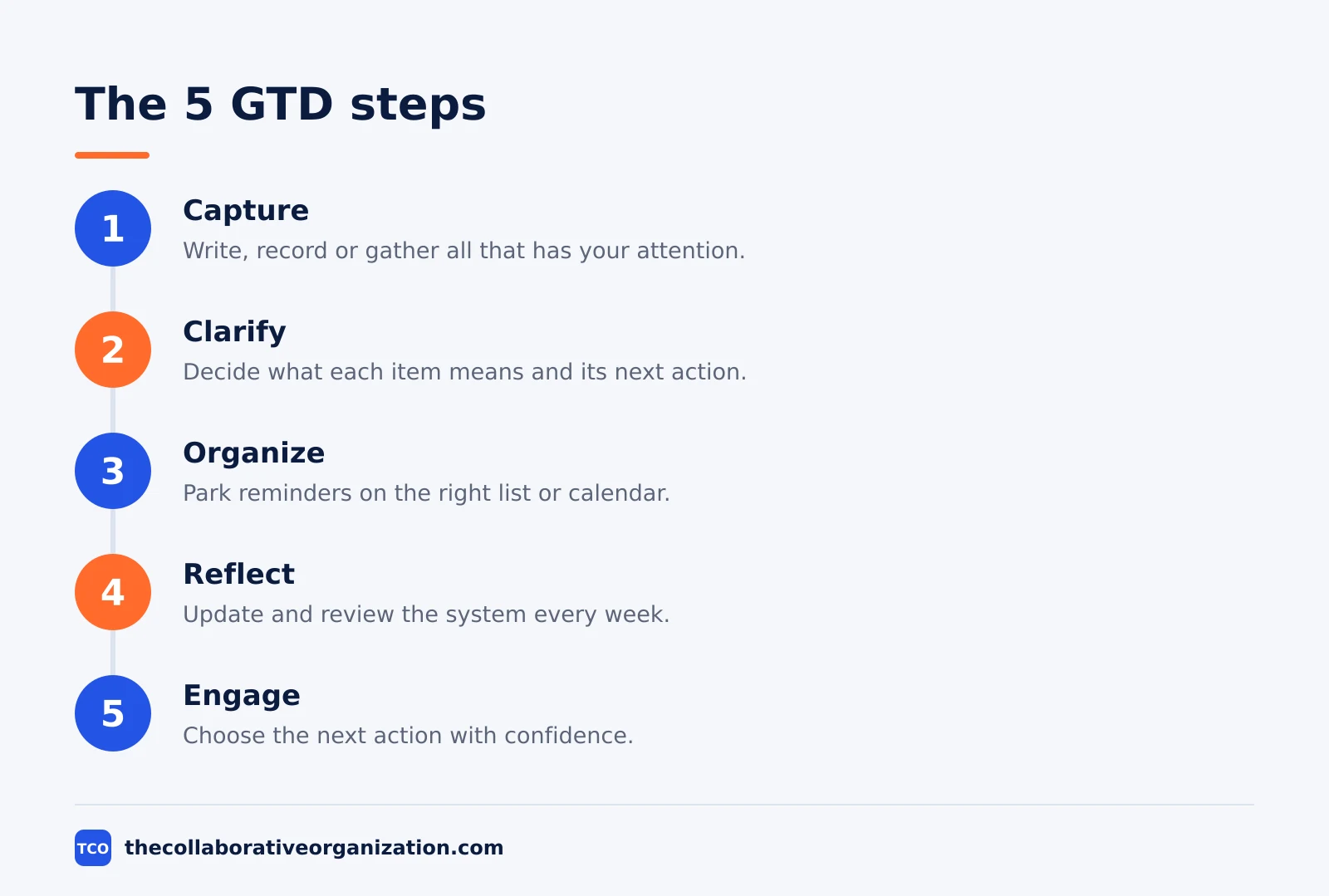
The five GTD steps run as a loop: capture, clarify, organize, reflect and engage. The official GTD site gives each step a short tagline, and the steps below follow those taglines. Skip one step, and work starts slipping through the system.
Step 1: Capture - collect what has your attention
Write, record or gather everything that has your attention into a collection tool. Use a small number of inboxes you trust: a notes app, a paper tray, an email inbox and a voice recorder are enough. The rule is total capture: if it is on your mind, it goes in an inbox.
Step 2: Clarify - process what it means
Take each inbox item and ask two questions: what is it, and is it actionable? If it is not actionable, it is trash, reference material, or something to put on hold. If it is actionable, decide the next action, and note the project if more than one action is needed.
Step 3: Organize - put it where it belongs
Park each clarified item on the right list: a next-action list by context, a waiting-for list, a calendar entry, or a someday list. A task with a date goes on the calendar; a task with a context, such as calls or errands, goes on that context list.
Step 4: Reflect - review frequently
Update and review all pertinent system contents to regain control and focus. The daily version is short: check the calendar and the next-action lists before you start work. The weekly version is the full review, covered in its own section below.
Step 5: Engage - simply do
Use your trusted system to make action decisions with confidence and clarity. Choose the next action by four criteria, in this order: context, time available, energy available, and priority. The criteria come from Allen’s engagement model, as described on Goals and Progress.
The two-minute rule lives inside clarify. Once you have defined the next action, if it takes under two minutes, do it now: tracking it takes longer than finishing it. People confuse it with the two-minute rule in Atomic Habits, about starting a new habit with a two-minute version. The GTD rule is about finishing, not starting.
The lists GTD uses
GTD runs on a small set of lists, and each list has one job. The table below shows the six lists most people need, with what belongs on each.
| List | What goes on it | Check it |
|---|---|---|
| Inbox | Everything captured, not yet clarified | Daily |
| Next actions | One physical step per item, by context | Daily |
| Waiting for | Tasks delegated to someone else | Weekly |
| Projects | Outcomes needing more than one action | Weekly |
| Calendar | Dated actions and appointments only | Daily |
| Someday / Maybe | Ideas parked for later, not now | Weekly |
The inbox is the only list that holds unprocessed items, and it must be emptied daily. A next-action list holds one physical step per item, written with a verb, such as “call the supplier” rather than “supplier”. The calendar holds only dated actions and appointments, never a wish list.
In GTD, a project is any outcome needing more than one action: a product launch, a house move, a hiring round. Each project keeps one next action on a list, so nothing stalls for want of a first step. See how to create a project plan for the planning side once the project is defined.
The weekly review
The weekly review is the habit that holds GTD together, and Allen splits it into three parts: get clear, get current and get creative. The three parts are described in a summary of the official GTD weekly review on Merlin Computer, so treat the wording as a faithful summary rather than Allen’s own text.
Get clear means emptying every inbox: process loose papers, notes, voice memos and email down to zero. Get current means reviewing the lists: check next actions, waiting-for items, the calendar ahead and the project list, and update anything that moved. Get creative means looking ahead: pick the work that matters most for the coming week and park the rest.
The review takes 30 to 60 minutes a week, on Friday afternoon or Sunday evening. Skipping it costs more than the time it takes: within two weeks the lists go stale, you stop trusting them, and the loops creep back into your head. A system you do not trust is worse than no system: it adds guilt to the clutter.
GTD example: one inbox, one week
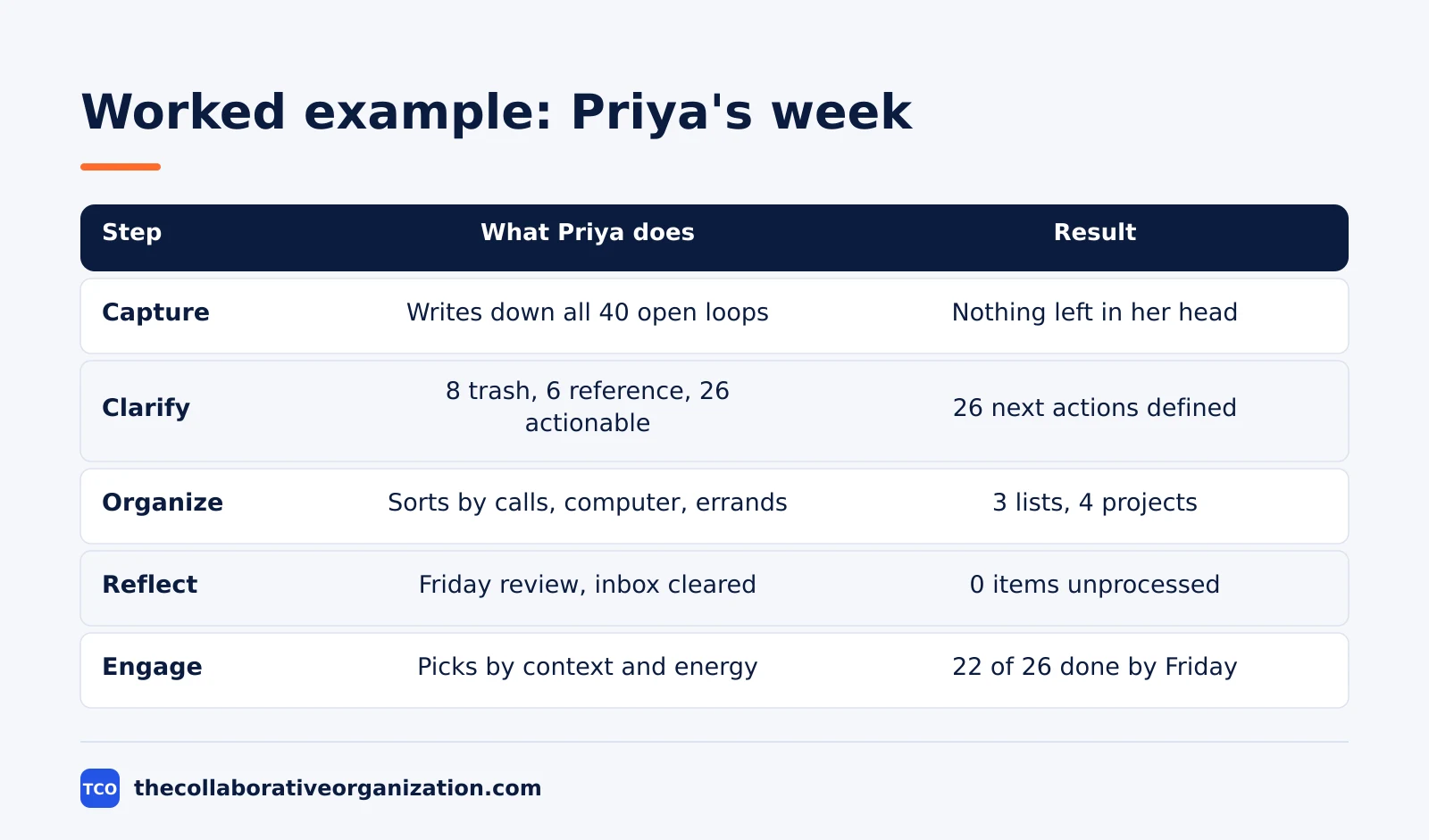
A freelance consultant with 40 open loops shows how the five steps work in practice. Imagine Priya, who runs a one-person consulting practice. On Monday her head holds client work, invoices, marketing ideas and home tasks, all mixed together. She sets up GTD in one afternoon and runs it for a week.
| Step | What Priya does | Result |
|---|---|---|
| Capture | Writes down all 40 open loops in one inbox | Nothing left in her head |
| Clarify | Processes each item: 8 trash, 6 reference, 26 actionable | 26 next actions defined |
| Organize | Sorts actions by context: calls, computer, errands | 3 context lists, 4 projects |
| Reflect | Reviews lists on Friday, clears the inbox again | 0 items left unprocessed |
| Engage | Picks next actions by context and energy each morning | 22 of 26 actions done by Friday |
Three things stand out. Only 26 of the 40 loops were actionable, so a third of the load was clutter. The two-minute rule cleared 9 of the 26 actions on the spot, so the week felt lighter by Tuesday. The Friday review caught 3 waiting-for items that had gone quiet, which would otherwise have turned urgent the following week.
The example is an illustration, not a case study. Its point is the shape of the week: a heavy capture afternoon, light daily maintenance, and one review that keeps the system honest.
Tools that run GTD well
A GTD tool needs fast capture, context lists and a calendar, and little else. The tools below cover that, with real starting prices as of November 2026. Compare the wider field on our task management software shortlist before you pick one.
| Tool | Best for | Free plan | Starting price (as of November 2026) | Notable limit |
|---|---|---|---|---|
| Todoist | Fast capture with labels for contexts | Free, 5 personal projects | $5 per month (Pro), billed annually | No team features on Pro |
| Things 3 | Calm GTD lists on Apple devices | No free plan, 15-day Mac trial | $49.99 once (Mac) | Apple devices only |
| TickTick | Lists, calendar and habits in one app | Free, 9 lists | $2.99 per month (Premium), billed annually | One person only, no team plan |
| Notion | Notes, tasks and reference in one workspace | Free for individuals | $10 per member per month (Plus), billed annually | Full AI needs Business |
The Todoist price comes from Todoist pricing: Pro is $5 per month, billed as $60 per year. Things 3 is a one-time purchase per Apple device: Mac $49.99, iPhone $9.99 and iPad $19.99, with no subscription. Those figures come from November 2026 App Store checks on Merlin Computer, since the vendor page lists no prices.
TickTick Premium is $35.99 per year according to November 2026 checks on LifeStack, and one check notes $35.99 is a promotional price against a $49.99 list price. Notion Plus is $10 per member per month billed annually, or $12 monthly, according to November 2026 checks on Rock, since the vendor pricing page renders no dollar figures to our fetcher.
Common GTD mistakes to avoid
Most GTD systems fail in the same five ways, and each one traces back to a skipped step. Run through this list at the weekly review.
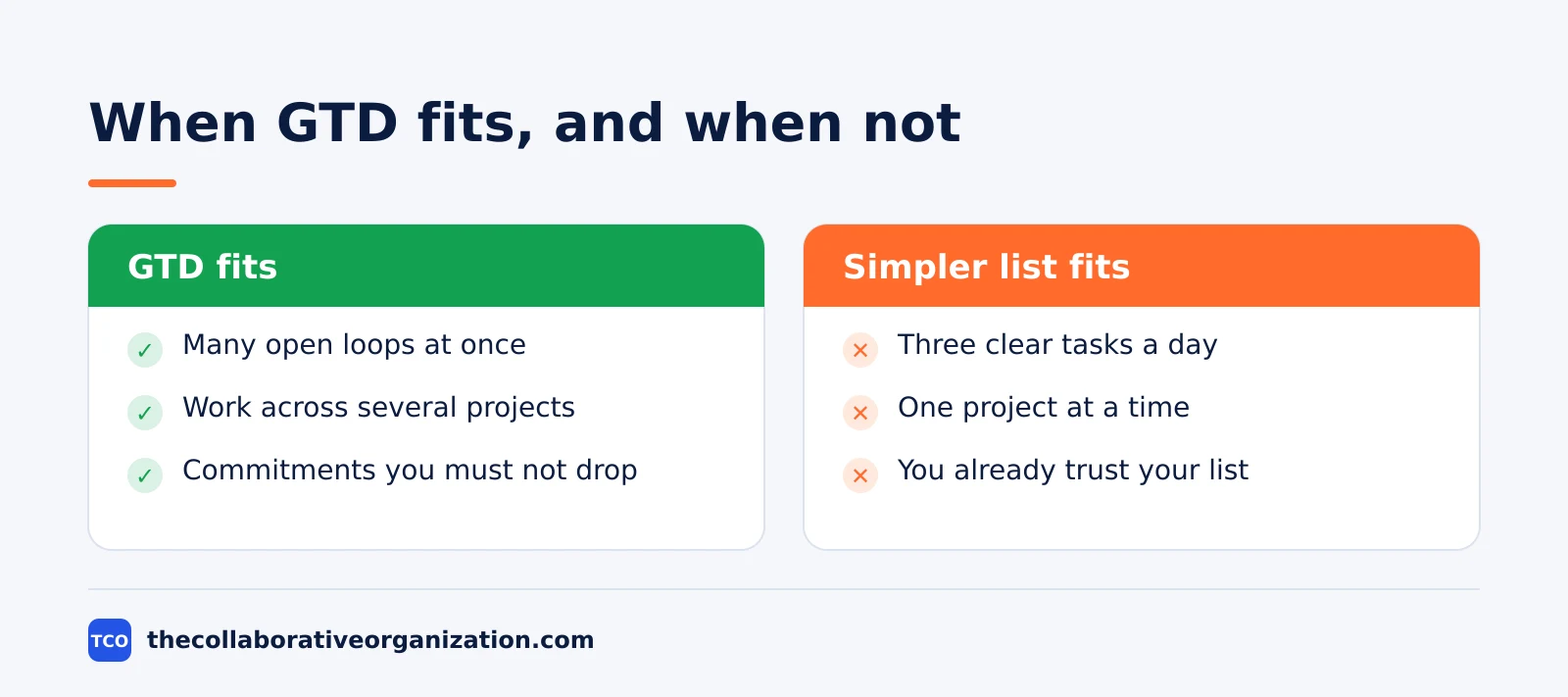
- Capture without clarifying. An inbox that is never emptied becomes a second junk drawer. Process it daily, or the capture habit dies.
- Vague next actions. “Website” is a project, not an action. Write the physical step, such as “email the designer the homepage copy”.
- Everything on one list. A single list of 80 tasks is unusable. Split by context, so the calls list is the only list you see when you have 20 minutes and a phone.
- Skipping the weekly review. This is the step most people drop first, and the system rots within two weeks. Choosing a task management app that makes review easy helps, but the habit is the fix, not the tool.
- Putting non-dated tasks on the calendar. The calendar is for dated actions only. Filling it with wish-list tasks teaches you to ignore it, and then real deadlines get missed too.
Sources
- Getting Things Done - What is GTD (2026)
- Merlin Computer - Getting Things Done Summary: GTD’s 5 Steps (2026)
- Barside - Getting Things Done (GTD): The 5 Steps Explained (2026)
- Goals and Progress - Getting Things Done Method: 5-Step GTD Guide (2026)
- Todoist - Pricing (2026)
- Merlin Computer - Best To-Do List Apps for Mac (2026)
- LifeStack - TickTick Pricing in 2026 (2026)
- Rock - Notion Pricing 2026 (2026)
Frequently asked questions
What are the five steps of Getting Things Done?
Capture, clarify, organize, reflect and engage. You capture everything that has your attention, clarify what each item means and what the next action is, organize it onto the right list, review the system every week, and then choose what to do with confidence.
What is the two-minute rule in GTD?
If the next action takes under two minutes, do it now instead of tracking it. Allen's reasoning is simple: recording a two-minute task takes longer than finishing it. The rule applies only to the next physical action, not to a whole project that happens to look small.
What is the GTD weekly review?
The weekly review is the habit that holds GTD together. Once a week you clear your inboxes, review your project and next-action lists, check the calendar ahead, and pick the work that matters most for the coming week. Without it, the lists go stale and you stop trusting the system.
Is GTD just a to-do list?
No. A to-do list is one part of GTD, the place where next actions live. GTD adds capture, so nothing stays in your head, clarification, so every item has a next action, and a weekly review, so the system stays current. The lists are the output, not the whole method.
Who created Getting Things Done?
David Allen, a productivity consultant, created GTD in his book Getting Things Done: The Art of Stress-Free Productivity, first published in 2001. A revised edition came out in 2015. His company, the David Allen Company, teaches the method on gettingthingsdone.com.
Related articles
task management
Eisenhower Matrix Explained: Prioritize in 4 Steps (2026)
The Eisenhower Matrix sorts tasks by urgency and importance into four quadrants: do, schedule, delegate, delete. Learn each quadrant and how to use it.
November 19, 2026 · 9 min read
task management
How to Create a To-Do List That Works: 7 Steps (2026)
A to-do list that works starts with one capture list and a short today list of 1 to 3 priorities. Follow these 7 steps to build a list you finish.
November 19, 2026 · 10 min read
task management
How to Time Block Your Day in 6 Steps (2026)
To time block your day, list your tasks, put deep work first, and give every hour a job the evening before. Follow these 6 steps tonight.
November 19, 2026 · 9 min read