Microsoft Teams vs Zoom for Meetings: Which Wins in 2026? | The Collaborative Organization
By The Collaborative Organization Team · November 19, 2026 · Last verified November 19, 2026 · 8 min read
Microsoft Teams wins on price and on life inside Microsoft 365, while Zoom wins as a standalone meeting tool that works the same for everyone, including guests. Teams Essentials costs $4 per user per month and holds 300 people, while Zoom Pro costs $14.16 and holds 100, as of November 2026.
Key takeaways
- Teams Essentials costs $4 per user per month paid yearly and holds 300 people; Zoom Pro costs $14.16 billed annually and holds 100.
- Free Zoom caps group meetings at 40 minutes and free Teams at 60 minutes, both for up to 100 people.
- Both tools reach 1,000 participants on enterprise plans, and both offer breakout rooms, polls, captions and recording on paid plans.
- Zoom sells licences per host, so 12 hosts cover a 100-person call, while Teams sells one licence per user.
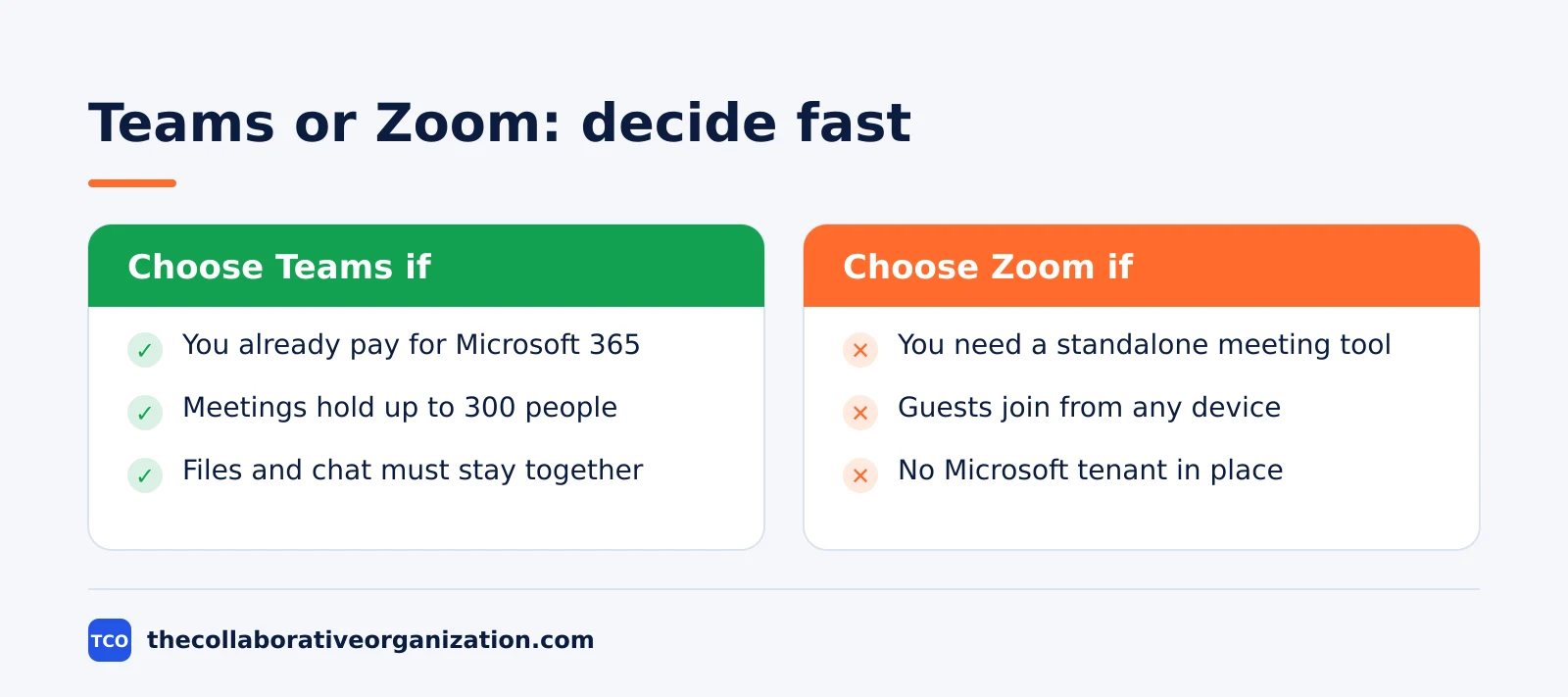
- Pick Teams if your team lives in Microsoft 365, and pick Zoom if you need a meeting tool that stands on its own.
The core difference between Teams and Zoom
Microsoft Teams is a workplace that happens to hold meetings, while Zoom is a meeting tool that happens to include chat. That split decides almost every comparison in this guide, because the two tools charge for different things.
Teams comes with chat, channels, file storage and the Office apps in one subscription, so its meeting price is really the price of the whole Microsoft 365 suite. Zoom sells meetings on their own, so its price is the price of the call alone, and everything else is an add-on.
A team that already pays for Microsoft 365 gets Teams meetings almost free, because the licence is already in the bundle. A team with no Microsoft 365 pays $4 per person for Essentials, which is still less than a third of Zoom Pro.
A team that wants the best standalone call, with guests who join from any device without an account, pays the price of Zoom for that freedom.
Microsoft Teams vs Zoom for meetings side by side
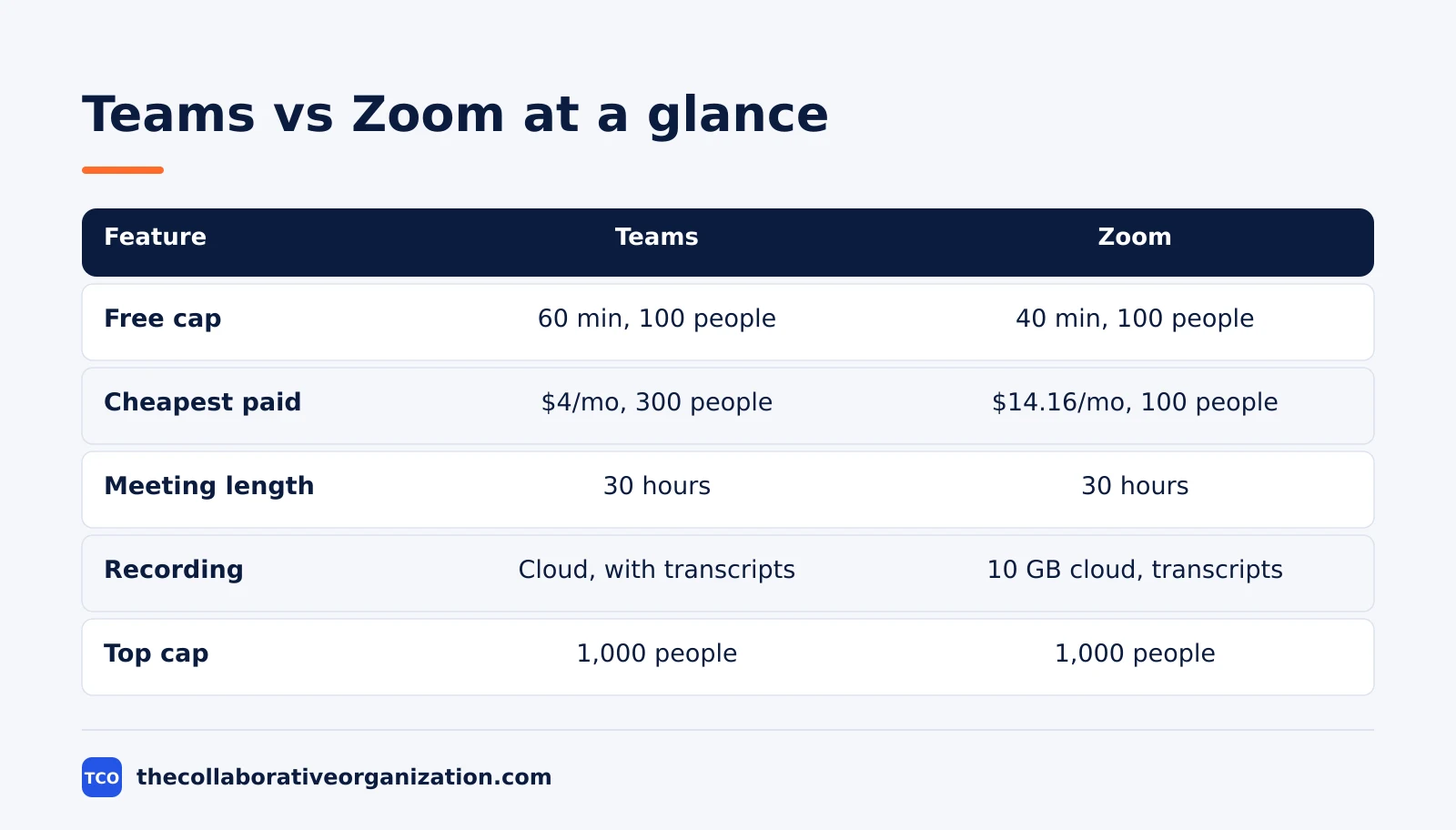
The table below compares the two tools on the numbers that decide a purchase: price, free cap, paid size, recording and the top end. Every figure comes from the vendors’ own pricing pages, opened on 19 November 2026.
| Feature | Microsoft Teams | Zoom |
|---|---|---|
| Free group meeting cap | 60 minutes, 100 people | 40 minutes, 100 people |
| Cheapest paid plan | Essentials, $4 per user per month, paid yearly | Pro, $14.16 per user per month, billed annually |
| Participants on cheapest paid plan | 300 | 100 |
| Meeting length on paid plans | 30 hours | 30 hours |
| Recording | Cloud recording with transcripts on Essentials | 10 GB cloud storage per user plus transcripts on Pro |
| Breakout rooms | Yes, on paid plans | Yes, on all plans including free |
| Live captions | English only on Essentials, 30+ languages on Business plans | Automated captions on all plans |
| Top participant cap | 1,000 on enterprise plans | 1,000 on Enterprise |
The Teams figures come from Microsoft Teams pricing: Essentials is $4.00 per user per month paid yearly with 30-hour meetings for 300 people, and Business Basic is $7.00.
The free limits come from Microsoft’s free Teams page.
The Zoom figures come from Zoom pricing: Pro is $14.16 per user per month billed annually, or $16.99 billed monthly, with 30-hour meetings for 100 people and 10 GB of cloud storage per user. Business is $18.33 billed annually and raises the cap to 300 participants.
Price: Teams is cheaper at every step
Teams undercuts Zoom at every tier, and the gap is widest where most small teams buy. Essentials at $4 against Pro at $14.16 is a $10.16 gap per person per month, and it grows with headcount.
A 25-person team pays $100 a month, or $1,200 a year, for Teams Essentials. The same team pays $354 a month, or $4,248 a year, for Zoom Pro on annual billing. That is $3,048 a year for a tool that holds fewer people per meeting, and the gap buys nothing the team asked for.
Zoom Business closes the size gap at 300 participants for $18.33 a month billed annually, or $458.25 a month for 25 people. That is $5,499 a year, against $1,200 for Essentials with the same 300-person cap. Zoom Business adds single sign-on, managed domains and device management, which matter to an IT team and not to a 25-person consultancy.
There is one billing difference that cuts the other way. Zoom sells licences per host, so a 100-person call needs only as many licences as there are hosts, not one per attendee.
Teams sells one licence per user, so every person who hosts needs a paid seat. A company that runs town halls for 500 guests with 5 hosts pays Zoom for 5 hosts and Teams for every employee who needs a licence.
Meetings: where each tool wins
Zoom wins the call itself, and Teams wins everything around the call. The meeting features are close enough that the tie-breaker is the rest of the workday, not the call.
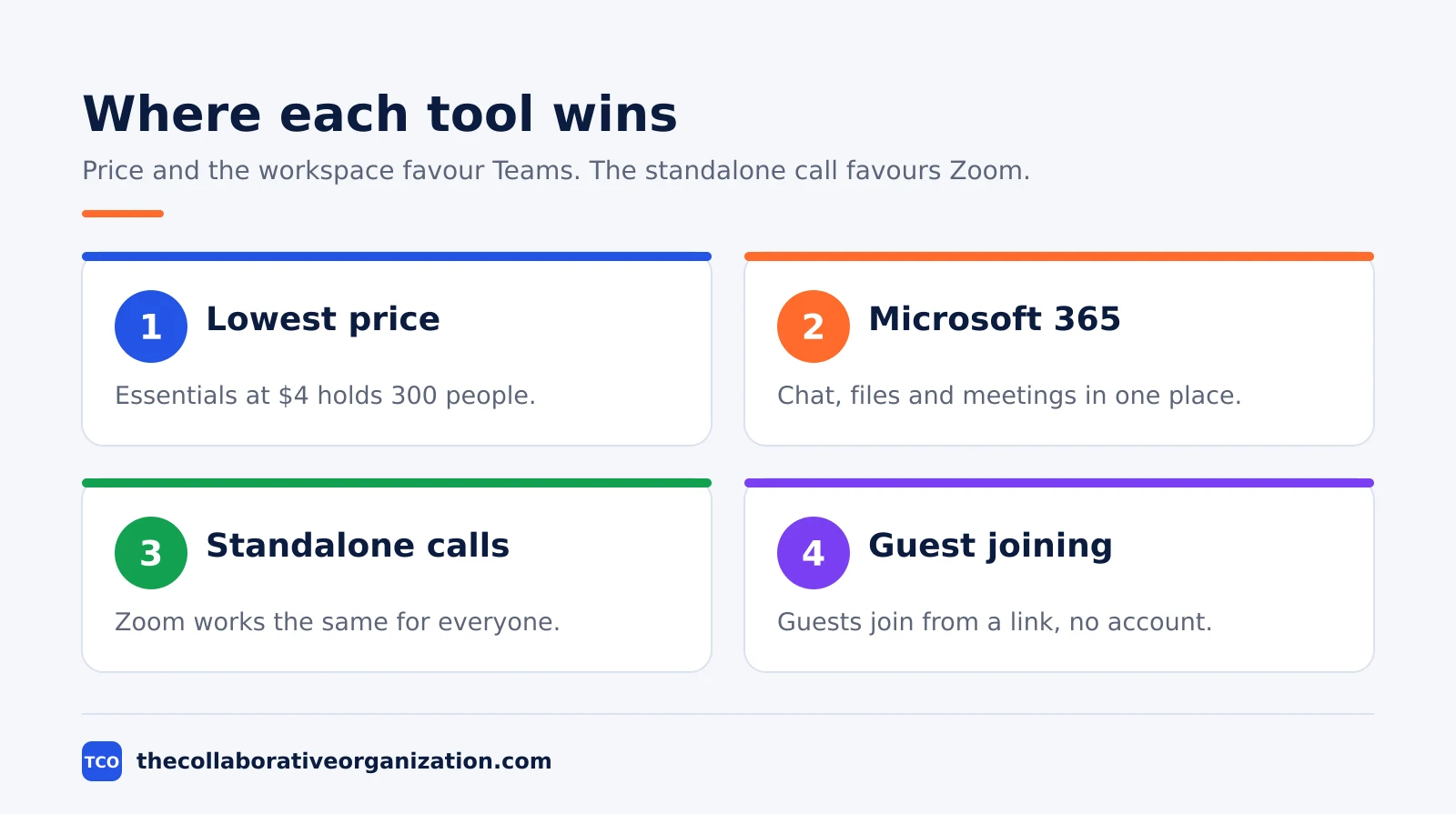
Zoom’s edge is the guest experience. A guest joins from a link, with no account and no install in most cases, and the call quality holds up on weak connections.
Breakout rooms, polling, co-host and waiting rooms work on every plan, including free, and the recording lands in 10 GB of cloud storage per user on Pro. Our guide on how to make video calls more engaging covers the hosting habits that matter more than the tool, from agendas to camera rules.
Teams’ edge is the workspace around the meeting. The chat before the call, the files shared in the channel, the recording with a transcript and the follow-up task all live in one place.
Live captions run in over 30 languages on Business plans, against English only on Essentials, and the meeting recording is stored in OneDrive and SharePoint where the team already works.
Webinars split the two. Teams Essentials has no webinar hosting with registration and reporting; that starts on Business Standard. Zoom puts webinars on Enterprise, with 500 attendees, so neither cheap plan runs a proper webinar. Teams live events retired on 30 June 2026, and town halls now run in the unified Teams events experience, per Microsoft Learn.
Worked example: a 25-person consultancy switches
A 25-person consultancy on Microsoft 365 Business Basic pays $175 a month for Teams and drops Zoom Pro, saving $2,448 a year without losing a feature it uses. The consultancy already pays $7 per person for Business Basic, so Teams meetings cost nothing extra.
Before the switch, the firm paid $354 a month for Zoom Pro on annual billing, or $4,248 a year, for 25 hosts. The calls were fine, but every recording lived in Zoom while every file lived in SharePoint, and new staff had to learn two tools for one meeting.
After the switch, the firm runs its client calls in Teams with the same 30-hour limit and 300-person cap, records with transcripts, and stores the recordings next to the project files.
The saving is $4,248 a year minus nothing, because Business Basic was already in the budget. The one loss is Zoom’s guest join flow, and the firm fixes it by sending a one-line join guide with every invite.
The reverse case is just as clear. A design studio with no Microsoft 365, clients on Google Workspace and guests on every platform keeps Zoom Pro at $354 a month, because the $100 Essentials price would still leave the studio paying for a Microsoft tenant it does not want.
Can you use both Teams and Zoom?
Yes, and the sensible split is Teams for internal work and Zoom for the calls that must work for anyone, anywhere. Use one as the default and the other for the exceptions, or the team will never know which link to open.
Keep internal meetings, project calls and the weekly all-hands in Teams, where the chat, files and recording stay together. Keep client calls, interviews and webinars in Zoom, where the guest join flow is the simplest of the two.
That split costs $100 a month for Essentials plus $14.16 per Zoom host, which is still less than Zoom Pro for the whole team.
The risk is drift: recordings pile up in two libraries, and nobody remembers which tool holds the notes from last month’s call. Name one owner for the split and write the rule in the team handbook.
Review it every quarter. Our guide on how to run a virtual meeting covers the setup that keeps a two-tool team from confusing its guests.
Common Microsoft Teams vs Zoom mistakes to avoid
Most Teams versus Zoom regret comes from buying for the demo, not for the working week. Check this list before you commit.
- Comparing monthly prices instead of yearly totals. Pro at $14.16 a month is $4,248 a year for 25 people, while Essentials at $4 is $1,200. The yearly number is the decision.
- Buying a Zoom seat for every attendee. Zoom sells licences per host, so 5 hosts cover a 100-person call. Buying 100 seats triples the bill for nothing.
- Picking Teams Essentials for webinars. Essentials has no webinar hosting with registration and reporting. That starts on Business Standard, so check the feature before the event.
- Judging the call and ignoring the workspace. A great call with a lost recording is a bad week. Pick the tool whose files, chat and notes your team will actually find.
- Running two tools with no rule. Two tools without a written split means two recording libraries and confused guests. Write the rule down, or pick one tool.
For the wider choice, see our video conferencing software shortlist.
Our team communication software shortlist lists the chat-first options.
If your team is moving from chat to Teams, our guide on how to migrate from Slack to Microsoft Teams covers the move.
Sources
- Zoom - Pricing (2026)
- Microsoft - Microsoft Teams Pricing for Business (2026)
- Microsoft - Free Microsoft Teams (2026)
- Microsoft Learn - Limits and specifications for Microsoft Teams (2026)
- WhatsTheStack - Zoom Workplace vs Microsoft Teams (2026)
- GoTechPresso - Zoom Pricing 2026 (2026)
Frequently asked questions
Is Microsoft Teams cheaper than Zoom?
Yes, at every step. Teams Essentials costs $4 per user per month paid yearly and holds 300 people, while Zoom Pro costs $14.16 per user per month billed annually and holds 100 people, as of November 2026. Zoom Business at $18.33 matches Teams on size but still costs over four times the Essentials price.
Which is better for large meetings, Teams or Zoom?
Both reach 1,000 participants on enterprise plans, so size alone does not decide it. On the cheapest paid plans Teams wins: Essentials holds 300 people for $4 a month, while Zoom Pro holds 100 for $14.16. Zoom Business raises the cap to 300 for $18.33 a month billed annually.
Can guests join a Teams or Zoom meeting without an account?
Yes, both let guests join from a meeting link without an account. Microsoft's free Teams page says guests can join a meeting from a link even without a Teams account, and Zoom meetings work the same way from a link. Guests join as attendees and cannot host, record or change meeting settings.
Does Zoom or Teams have better meeting recordings?
Both record well on paid plans, with different storage. Zoom Pro includes 10 GB of cloud storage per user plus recording transcripts, while Teams Essentials includes recordings with transcripts stored in OneDrive and SharePoint. Teams free has no recording at all, while Zoom free records only to your own computer.
Can a team use both Teams and Zoom?
Yes, and many do during a move from one to the other. A common split is Teams for internal meetings and chat, with Zoom kept for client calls or webinars. The cost is confusion: two sets of links, two recording libraries and two bills, so pick one as the default and keep the other for the cases that need it.
Related articles

team communication
Communication Plan for a Project: Template (2026)
A communication plan for a project names who gets which update, in which channel, how often, and from whom. Copy the template and the filled example below.
November 20, 2026 · 10 min read
team communication
How Often Should Managers Communicate With Teams? (2026)
Managers should hold one meaningful conversation with each person every week, plus a weekly team update. See the cadence table for meetings, updates and feedback.
November 20, 2026 · 9 min read
team communication
Upward Communication Examples: 10 That Work (2026)
Upward communication is a message that travels from an employee to a manager or leader. See 10 concrete examples, each with why it works and when to use it.
November 20, 2026 · 9 min read