How to Make Video Calls More Engaging (2026) | The Collaborative Organization
By The Collaborative Organization Team · November 19, 2026 · Last verified November 19, 2026 · 9 min read
An engaging video call is one where people talk, decide and leave with a job to do. Most calls fail because they have no goal and ask nothing of the people in them. This guide shows how to fix that: prepare with a goal, open with a question, change the format often, and close with decisions and owners.
Key takeaways
- Give every call a goal and an agenda: 79% of workers say an agenda makes meetings more productive.
- Keep calls short: 80% of workers say most meetings could be done in half the time.
- Change the format every 10 minutes: a poll, a question, a breakout room or a short silent write.
- Hide self-view and offer audio-only spells: camera-on days are more tiring than camera-off days.
- End with decisions, owners and due dates, written down before anyone leaves.
What makes a video call engaging
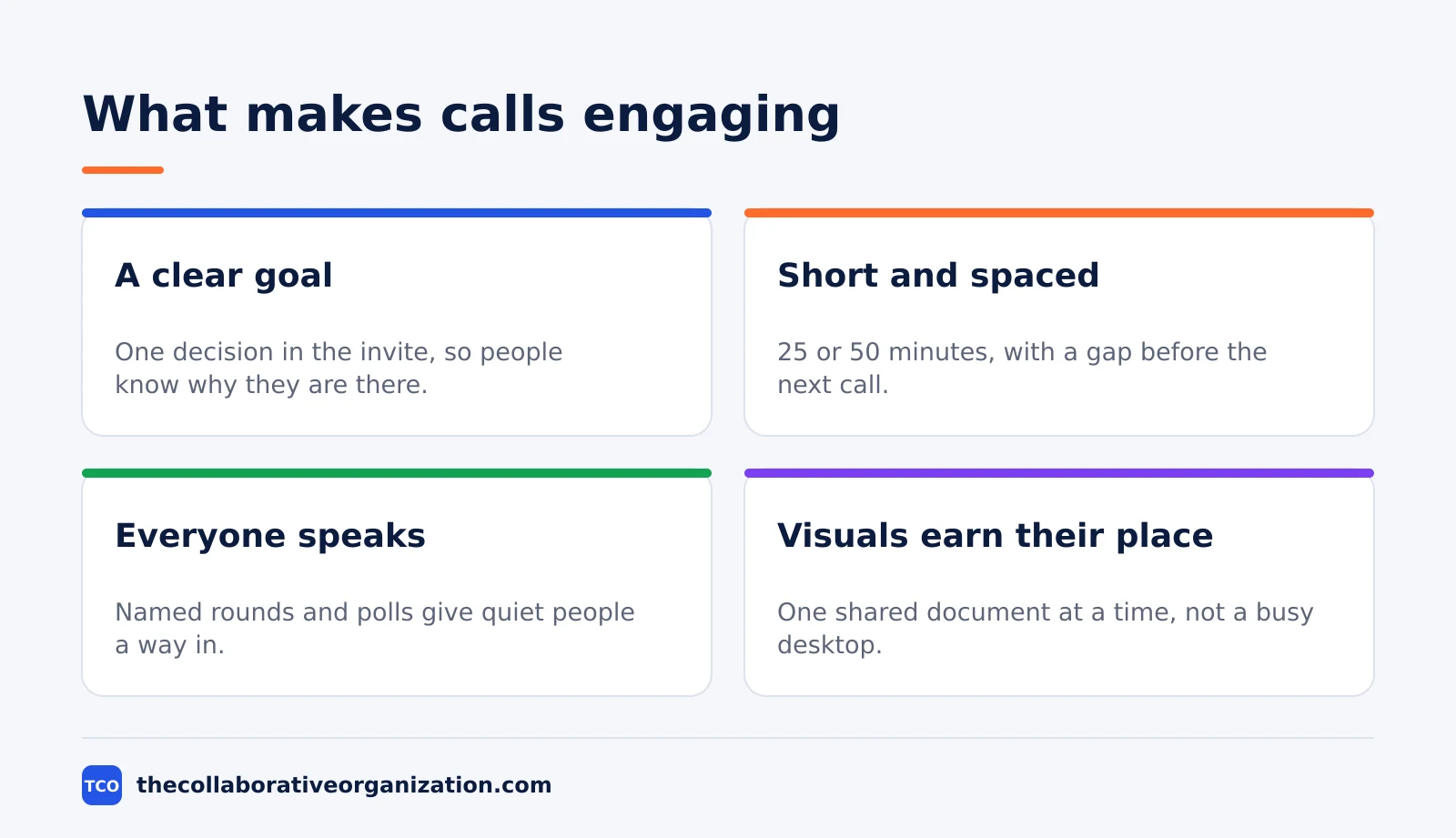
A video call is engaging when people do something in it, not only watch it. The best calls have a clear goal, a short length, and a job for every person in the room. People stay alert when they expect to speak, vote or write, and they drift when the call asks nothing of them.
Video narrows thinking, so the format matters more than the slides. In a 2022 study in Nature, pairs over video generated fewer creative ideas than pairs in person, across 602 people in the lab and 1,490 employees in the field. That means idea generation works better in small groups or async, with video used for decisions.
Energy is the other limit. Microsoft’s lab study found stress-linked brain activity climbed across back-to-back 30-minute meetings, and held steady when people took 10-minute breaks. A call that runs long without a break is a call that loses people.
How to prepare a call people join ready
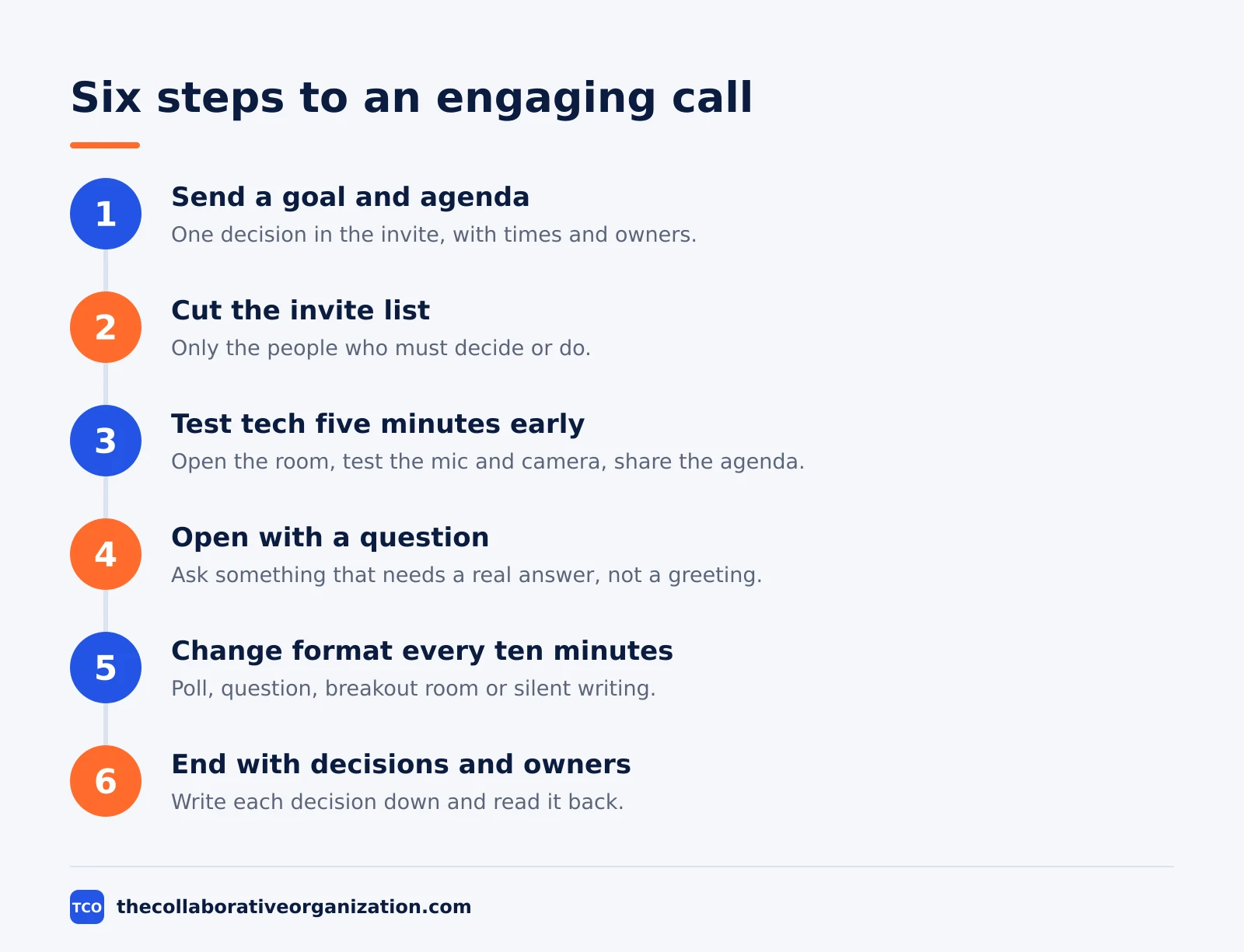
Preparation starts with a goal in the invite, not with slides. Write one sentence that says what the call will decide or produce. Then add an agenda with times, and name the people who must speak. If a call has no decision to make, turn it into a written update or a phone call.
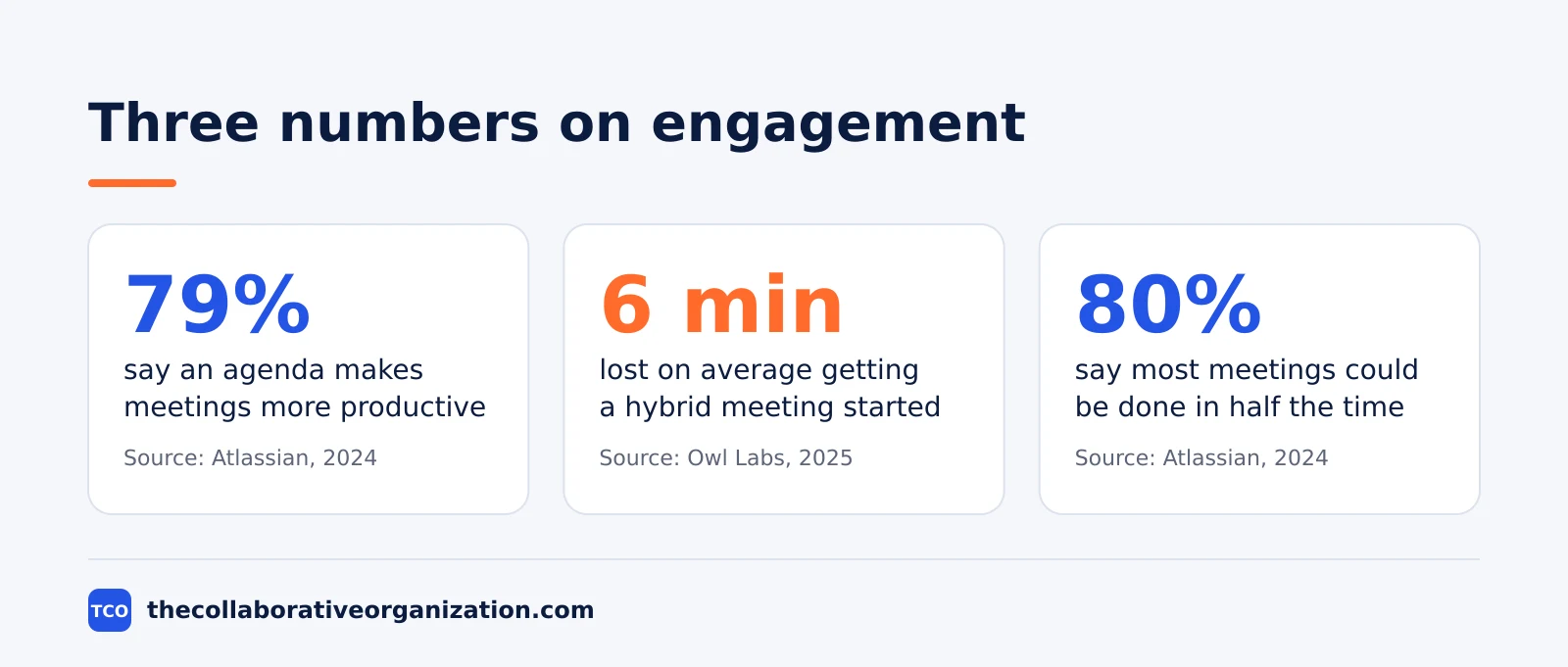
An agenda is the single most popular fix workers name. In Atlassian’s 2024 survey of 5,000 knowledge workers, 79% said an agenda leads to more productive meetings, and 62% said they often attend meetings with no goal in the invite. Send the agenda and any reading a day before, so people arrive with a view, not a blank page.
Cut the invite list to people who must decide or do. A video call vs a phone call is worth weighing for small updates: the phone removes the visual load that video adds. For a big decision, keep the call small and send the background in writing first.
- One decision written in the invite: what will be true when the call ends.
- An agenda with times, and a named owner for each item.
- Reading sent a day early, short enough to read in five minutes.
- A 25- or 50-minute slot, with a 5- or 10-minute gap after it.
How to run the first five minutes
The first five minutes set the tone: say the goal, ask a question, and give everyone a voice. Start on time, even if one person is late, and state the decision the call must make. Then ask a question that needs a real answer, not a greeting. People who speak early keep speaking.
Check the tech before the people arrive. Owl Labs’ 2025 survey found workers lose about 6 minutes on average getting a hybrid meeting started, and 77% had lost time to technical difficulties. Open the room five minutes early, test the mic and camera, and share the agenda on screen.
Set one rule out loud: cameras are welcome but not forced. In a four-week experiment, camera-on days were more tiring than camera-off days, and the effect was stronger for women and newer employees. Let people go audio-only when they are listening, and ask them to switch video on when they speak.
How to keep people talking through the call
Change the format every ten minutes, or attention will drift. Ask a question, run a quick poll, split into pairs, or give two minutes of silent writing. A format change is a reset: it gives quiet people a new way in and gives tired people a new thing to do.
Name people, do not wait for volunteers. Go round the room by name, ask one person a direct question, and invite the quietest voice first. In Microsoft’s 2025 report, 57% of meetings are ad hoc calls with no invite, so a named round also stops the loudest person from setting the agenda.
Keep one shared note open so nobody has to remember the decisions. Atlassian’s 2024 survey found 54% of workers often leave meetings without a clear idea of next steps or who owns which task. Write each decision as it is made, with an owner and a date, and read it back before the call ends.
How to use the screen, polls and breakout rooms
Use the screen for one thing at a time, and make every tool earn its place. Share a single document or slide, not a busy desktop, and keep it still while people talk. A poll answers a yes-or-no question fast, and a breakout room gives a big group a small room to think in.
Breakout rooms work best for idea generation, because video narrows focus in a big group. Split people into pairs or threes for five minutes, give them one question, and bring back one idea per room. Microsoft’s Teams guide names Raise your hand, Whiteboard and Breakout Rooms as tools that help remote people take part.
Hide self-view and shrink the video window when you present. Stanford’s advice is to take video out of full-screen, hide self-view, and use an external camera so you can move. The audience sees your slides; you see them, not yourself.
Send the link to the shared note in chat, not only on screen. People in a big room miss what flashes past, and a link lets them catch up in their own time. Our meeting notes vs minutes guide shows what to write down and what to leave out.
Video call engagement example: one team, one call
This example is an illustration, not a real case. A six-person product team meets for 30 minutes to pick a launch date.
Before the call, the lead sends one sentence: the call will pick a launch date. The agenda has three items with times, and a one-page brief is attached. The call is 25 minutes, with a 5-minute gap before the next meeting.
In the first five minutes, the lead states the decision and asks each person for their preferred date. A quick poll shows four people prefer 12 May and two prefer 19 May. The team splits into pairs for five minutes to list risks for each date, then returns with one risk per pair.
In the last five minutes, the team picks 12 May and writes it down with an owner and a date for the launch plan. The lead reads the decisions back, and the shared note goes to everyone within the hour. The call used 25 minutes; the old version of the same call took 60.
The change was the format, not the people. A goal in the invite, a poll, a breakout and a written close turned a 60-minute call into a 25-minute one. The same team now runs its sprint planning meeting the same way, with the same four moves.
Tools that make video calls more engaging
The tool matters less than the format, but the right tool makes the format easy. Polls, breakout rooms and recordings are built into the tools below, so you do not need a separate app for them. Pick the tool your team already opens every day, and learn its poll and breakout features before your next call.
The prices below are as of November 2026. Zoom lists Pro at $14.16 per user per month billed annually, and Webex lists Meet at $12. Google Workspace Starter is $7 per user per month on an annual plan. Our video conferencing software shortlist compares these tools side by side.
| Tool | Best for | Free plan | Starting price (as of November 2026) | Notable limit |
|---|---|---|---|---|
| Zoom | Polls, breakout rooms and long meetings | Basic, free, 40-minute meetings, 100 participants | $14.16 per user per month (Pro), billed annually | Pro caps at 100 participants per meeting |
| Google Meet | Teams already on Google Workspace | Free with a Google account, 60-minute meetings, 100 participants | $7 per user per month (Business Starter), billed annually | Starter has no meeting recording |
| Webex | Breakout sessions with more people | Free, 40-minute meetings, 100 attendees | $12 per user per month (Meet), billed annually | Meet caps at 200 attendees per meeting |
Zoom’s own pricing page shows Pro at $16.99 per user per month billed monthly and $14.16 billed annually, with meetings up to 30 hours and 10 GB of cloud storage per user.
Webex lists Meet at $144 per user per year on the Webex pricing page, with 24-hour meetings and 200 attendees.
Google Workspace Starter is $7 per user per month on an annual plan, or $8.40 on the flexible plan, according to independent reads of the Google Workspace pricing page.
Common mistakes that make video calls boring
The most common mistake is running a call with no decision to make. If the call only shares news, write it down instead. The second mistake is inviting everyone: a call with 20 people is a broadcast, not a conversation. Cut the list to the people who must decide or do.
The third mistake is reading slides aloud for 20 minutes. People can read faster than you can speak, so send the slides early and use the call for questions. The fourth is ending without a written close: Atlassian’s 2024 survey found 54% of workers often leave meetings with no clear next steps.
The fifth mistake is back-to-back calls with no gap. Microsoft’s lab study found stress-linked brain activity climbed across four 30-minute meetings with no break. Shorten 30-minute calls to 25 and hour-long calls to 50, and protect the gap.
Sources
- Stanford News - Four causes for Zoom fatigue and their solutions (2021)
- Microsoft WorkLab - Research proves your brain needs breaks (2021)
- Microsoft WorkLab - Breaking down the infinite workday (2025)
- Nature - Video calls curb creative idea generation (2022)
- Atlassian - Workplace Woes: Meetings (2024)
- Owl Labs - State of Hybrid Work 2025 (2025)
- PubMed - The fatiguing effects of camera use in virtual meetings (2021)
- Zoom - Pricing (2026)
- Webex - Pricing (2026)
- Google Workspace - Pricing (2026)
Frequently asked questions
How do you make a video call more engaging?
Give it a goal and an agenda, keep it short, and make people do something every ten minutes: answer a question, vote in a poll, or work in a pair. Hide self-view, offer audio-only spells, and end with decisions, owners and due dates written down. A call where people talk, decide and leave with a job is an engaging call.
How long should a video call be?
Keep it to 25 or 50 minutes, with a 5- or 10-minute gap after it. Microsoft's lab study found stress-linked brain activity climbed across back-to-back 30-minute meetings, and held steady with 10-minute breaks. Shorter calls also force a tighter agenda, which is why 80% of workers say most meetings could be done in half the time.
Should cameras be on for video calls?
Cameras help when people speak, and hurt when they only listen. In a four-week experiment, camera-on days were more tiring than camera-off days, and the effect was stronger for women and newer employees. Ask people to switch video on when they talk, and let them go audio-only while they listen.
How do you keep people from talking over each other on video?
Name people by name and go round the room, instead of waiting for volunteers. Use Raise your hand in Teams or the equivalent in your tool, and ask the quietest person first. A shared note also helps: people write a point instead of fighting for the floor.
What is the best tool for engaging video calls?
The tool matters less than the format. Zoom, Google Meet and Webex all offer polls, breakout rooms and recordings, and each has a free plan. Pick the one your team already uses, and learn its poll and breakout features before your next call. A good format on a plain tool beats a bad format on a fancy one.
Related articles
video conferencing
Loom vs Zoom Clips: Which Async Video Tool Wins? (2026)
Loom is the dedicated async video tool, while Zoom Clips is built into Zoom Workplace. Compare recording, editing, analytics and price to pick the right one.
November 19, 2026 · 9 min read
video conferencing
How to Reduce Meetings at Work: A 5-Week Plan (2026)
Cut meetings by a third without losing decisions: audit the calendar, cancel the weak ones, replace updates with writing, and protect focus days.
November 19, 2026 · 10 min read
video conferencing
How to Run an Effective Meeting in 7 Steps (2026)
An effective meeting starts with a clear purpose, a short agenda and named owners for every action. Follow 7 steps to run meetings people value.
November 19, 2026 · 12 min read