Microsoft Teams Free vs Paid: What Each Plan Gives You (2026) | The Collaborative Organization
By The Collaborative Organization Team · November 19, 2026 · Last verified November 19, 2026 · 8 min read
Microsoft Teams free covers chat and 60-minute group meetings for up to 100 people, while paid plans start at $4 per user per month and add recording, channels and admin control. The free plan is a personal tool that happens to work for tiny teams, and the paid plans are the business version.
Key takeaways
- Teams free costs nothing and covers one-to-one calls up to 30 hours, group meetings up to 60 minutes for 100 people, and 5 GB of storage.
- Teams Essentials costs $4 per user per month paid yearly and lifts meetings to 30 hours for 300 people, as of November 2026.
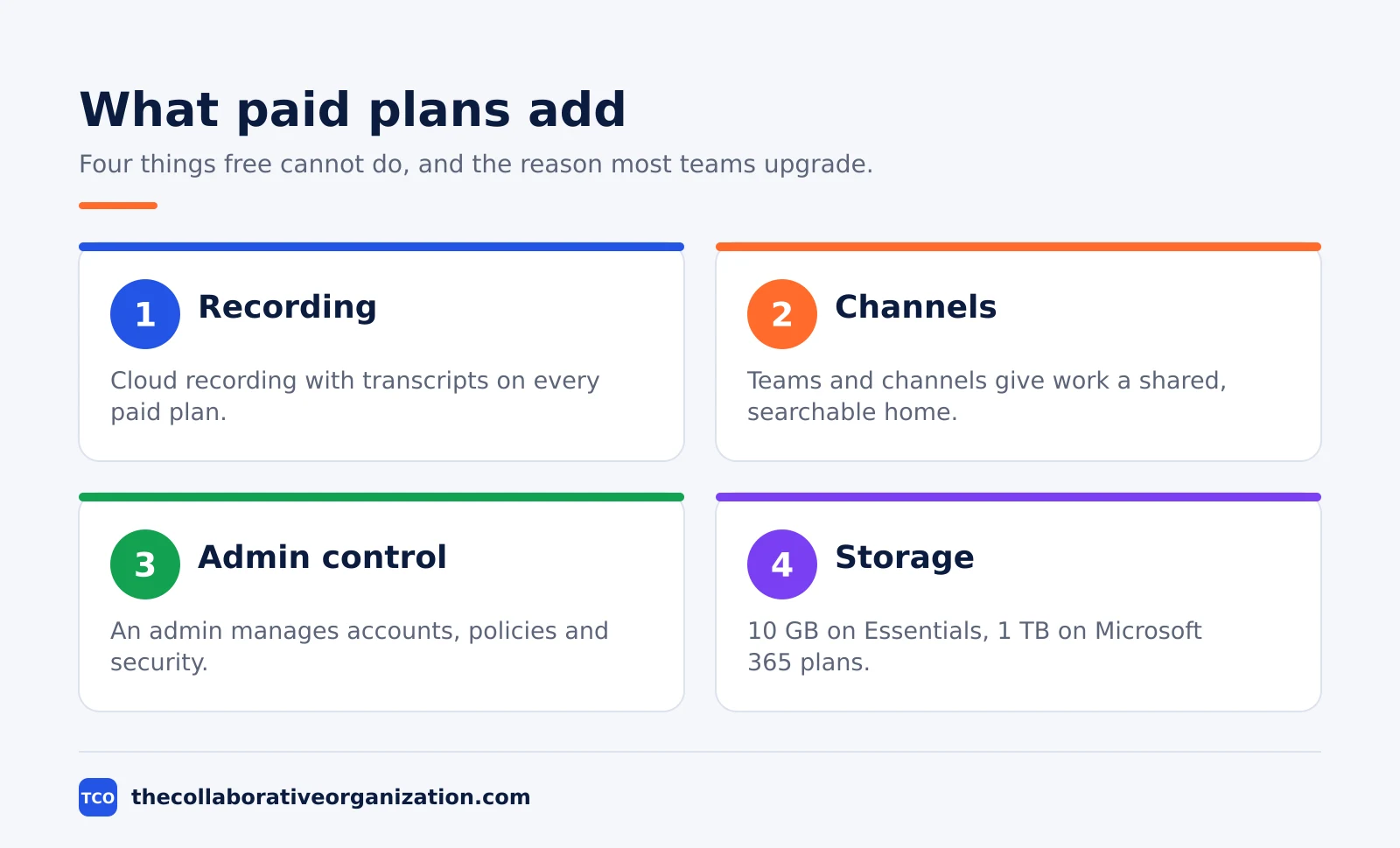
- Free has no teams and channels, no meeting recording and no admin control, so it cannot run a real team workspace.
- Microsoft 365 Business Basic at $7 adds a business email address, 1 TB of storage and the web Office apps.
- Once you convert a free account to paid, Microsoft says you cannot revert that email address to the free version.
Teams free vs paid at a glance
The gap between free and paid is not the price, it is the workspace: free gives you calls and chat, paid gives you a team with channels, recording and an admin. The table below lists the plans Microsoft sells, as of November 2026.
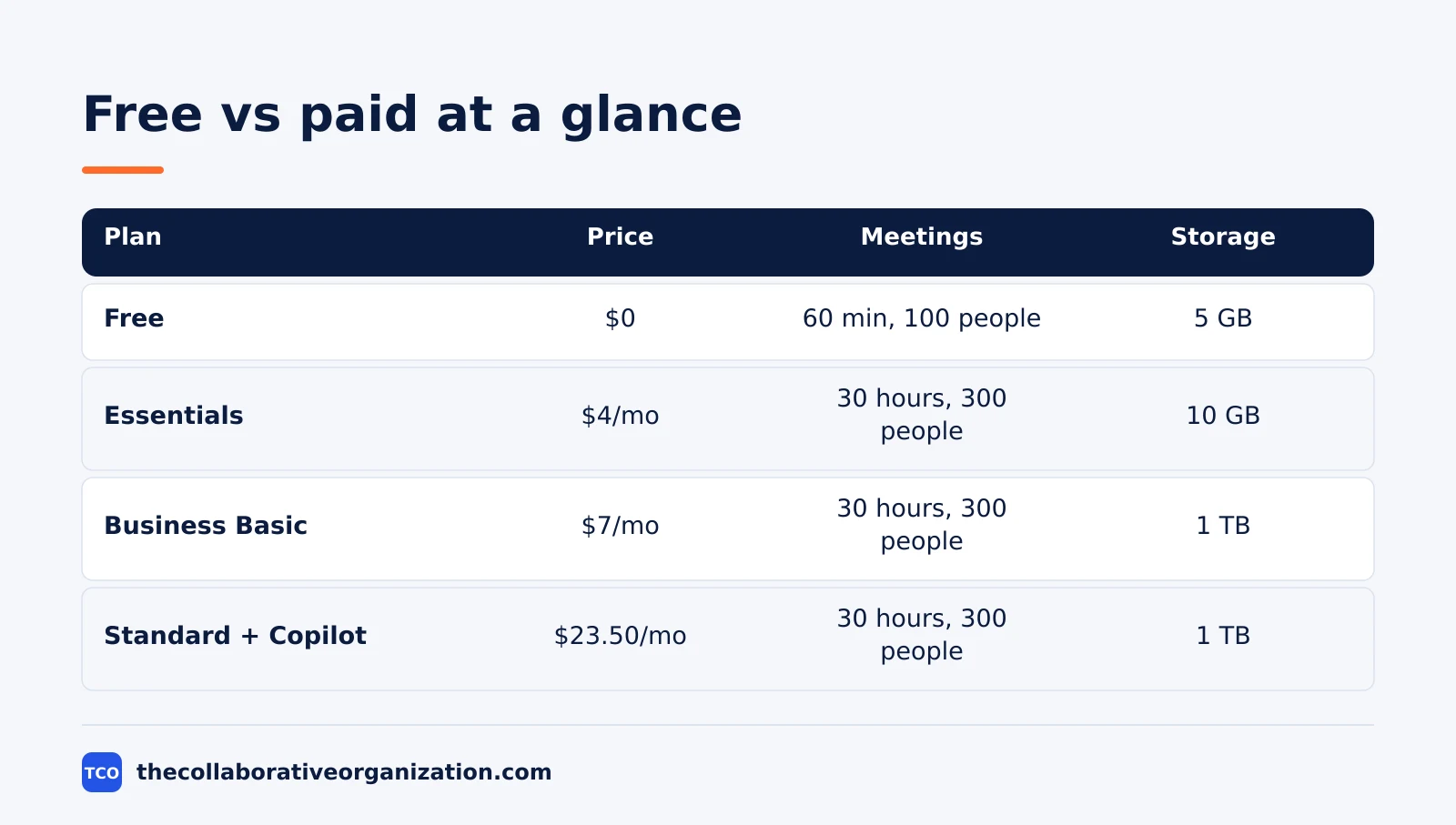
| Plan | Price (as of November 2026) | Group meetings | Storage per user | Recording |
|---|---|---|---|---|
| Teams Free | $0 | 60 minutes, 100 people | 5 GB | No |
| Teams Essentials | $4 per user per month, paid yearly | 30 hours, 300 people | 10 GB | Yes, with transcripts |
| Microsoft 365 Business Basic | $7 per user per month, paid yearly | 30 hours, 300 people | 1 TB | Yes, with transcripts |
| Microsoft 365 Business Standard with Copilot | $23.50 per user per month, paid yearly | 30 hours, 300 people | 1 TB | Yes, with transcripts |
The prices come from Microsoft Teams pricing, opened on 19 November 2026: Essentials is $4.00 per user per month paid yearly, Business Basic is $7.00, and Business Standard with Copilot is $23.50.
The free limits come from Microsoft’s free Teams page.
What Teams free gives you
Teams free gives you chat, calls and file sharing for one person or a tiny group, with no subscription and no admin. Sign in with a Microsoft account and you can start a chat with anyone who has an email address or phone number.
One-to-one calls run up to 30 hours, which covers almost any real call between two people. Group calls and meetings run up to 60 minutes with up to 100 participants, and you get 5 GB of cloud storage per user, file sharing, tasks, polling and encryption for meetings, chats, calls and files.
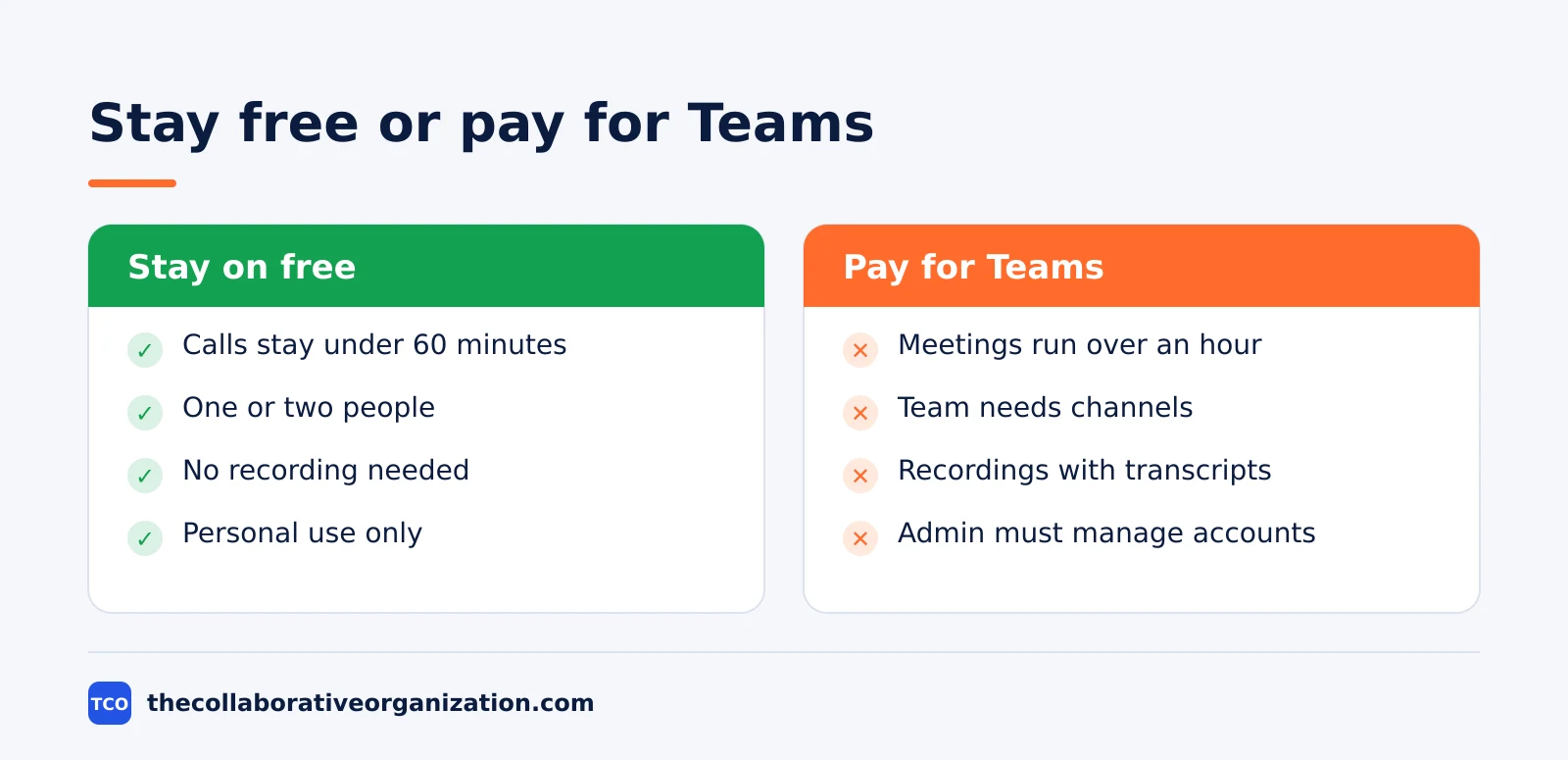
Microsoft says the free version is available for anyone to use, including small business use and non-profit organizations. That is true, and it hides the catch: free is a personal plan, not a work tenant.
It has no teams and channels, no meeting recording, no Entra ID admin and no custom business email, per Unio’s free versus paid comparison of Microsoft’s own plan pages.
Communities are the one team-like feature on free: you can create a community to collaborate with contacts or engage an audience. A community is closer to a group chat with a name than to a work team, because it has no channels, no SharePoint file library and no admin controls.
Free works best for short calls with a clear end; our guide on how to run a virtual meeting covers the setup that keeps those calls on track.
What Teams Essentials adds for $4
Teams Essentials is the only plan that sells Teams on its own, and for $4 per user per month billed annually it turns the free app into a business meeting tool. The price is the smallest step in Microsoft’s whole catalogue, and it removes the three limits that hurt most.
Meetings jump from 60 minutes to 30 hours, and the participant cap jumps from 100 to 300 people. That covers a full-day workshop and a company all-hands for most small businesses. Storage doubles from 5 GB to 10 GB per user, which is still small, so heavy file users will outgrow it.
Recording arrives with transcripts and live captions in English, plus breakout rooms and data encryption for meetings, chats, calls and files.
Microsoft Teams lists all of these on its pricing page, and the same page notes that Essentials covers 1 to 300 employees. What it does not add is webinar hosting with attendee registration, a business email address, or the Office apps: those need a Microsoft 365 plan.
What the Microsoft 365 plans add
Microsoft 365 Business Basic at $7 per user per month paid yearly is the usual next step, because it adds a business email address and 1 TB of storage for $3 more than Essentials. The Teams features stay the same: 30-hour meetings for up to 300 people, recording with transcripts, and live captions in over 30 languages instead of English only.
Basic adds custom business email with Exchange, the web and mobile versions of Word, Excel, PowerPoint and Outlook, and 10 or more extra apps including Bookings, Planner and Forms. It does not include the desktop Office apps, so staff who need Word installed on their computer must step up.
Business Standard with Copilot costs $23.50 per user per month paid yearly and adds the desktop Office apps plus Copilot built into Teams, Word, Excel, PowerPoint and Outlook.
Business Premium, at $22 per user per month in Microsoft’s standard list, keeps the same Teams features and adds advanced security and device management instead of Copilot. The $22 Premium figure is the standing list price corroborated by October 2026 reads; the Standard with Copilot price of $23.50 comes from Microsoft’s pricing page opened today.
Home users have a cheaper route. Microsoft 365 Personal costs $9.99 a month or $99.99 a year for one person with 1 TB of storage, and it lifts Teams group calls to 30 hours for up to 300 participants.
See Nerdused’s Personal versus Family check for the October 2026 read of Microsoft’s prices. Personal is a home plan, though: it still has no teams and channels, no breakout rooms and no admin control.
Worked example: a 10-person business picks a plan
A 10-person accounting firm with 90-minute client calls and a shared file library picks Business Basic at $70 a month, or $840 a year. The firm already pays for email elsewhere, but the $3 gap over Essentials buys the business email address and 1 TB of storage per person, which retires a separate email bill.
Free fails on the first test: the 90-minute client call hits the 60-minute cap, and there is no recording for the file. Essentials passes the call test at $40 a month, or $480 a year, with 30-hour meetings and recordings with transcripts. It fails the file test, because 10 GB per user cannot hold the firm’s shared library.
Basic passes both tests at $70 a month. The 1 TB of storage per user holds the library, the custom email address replaces the old provider, and the web Office apps cover the firm’s spreadsheet work.
Standard with Copilot would cost $235 a month, or $2,820 a year, and the firm has no use for Copilot in its client calls, so the extra $1,980 buys nothing it needs.
The rule that decided it: price the plan that passes every test, then stop. A higher plan only wins when a named need, such as desktop apps or advanced security, forces the step up.
How to upgrade without losing your chats
Upgrading means moving from a personal Microsoft account to a work tenant, so set up the paid tenant first and invite people into it, rather than converting the account everyone already uses. Microsoft’s own pricing page warns that once you upgrade and convert a free account to a paid account, you cannot revert to the free version with the same email address.
Start with a trial of the plan you picked: Essentials or Business Basic both offer a trial through the Microsoft 365 admin center. Create the team structure in the new tenant first, with the channels the team will actually use, and move the shared files into the team’s SharePoint library before anyone joins.
Then invite the team by work email and ask each person to keep their personal free account separate. That separation matters twice: it keeps personal chats out of the work tenant, and it leaves each person a free account to fall back on.
If you have not settled on a tool yet, our guide on how to choose team communication software compares the options side by side.
Our guide on how to migrate from Slack to Microsoft Teams covers the same move from the other direction.
Our team communication software shortlist lists the alternatives if Teams is not the right fit.
Common Teams free vs paid mistakes to avoid
Most Teams billing mistakes come from picking a plan for the price instead of the missing feature. Check this list before you pay.
- Staying on free with 90-minute meetings. The 60-minute cap ends the call mid-sentence. Time your longest call, then pick the plan.
- Buying Essentials for a team that needs email. Essentials has no business email address. If the team needs you@yourbusiness.com, start at Business Basic.
- Paying for Standard with Copilot for the desktop apps alone. The desktop apps are the draw, but Copilot is most of the price. Check whether the team will use Copilot before paying $23.50 per person.
- Converting your only free account. Once converted, that email address cannot go back to free. Keep a personal account separate from the work tenant.
- Forgetting the recording cap. Teams recordings stop at 4 hours or 1.5 GB, per Microsoft Learn, so an all-day workshop needs more than one recording. See the Teams limits page for the full list of caps.
Sources
- Microsoft - Microsoft Teams Pricing for Business (2026)
- Microsoft - Free Microsoft Teams (2026)
- Microsoft Learn - Limits and specifications for Microsoft Teams (2026)
- Unio - Is Microsoft Teams Free? Free vs Paid Limits (2026)
- Nerdused - Microsoft 365 Family vs Personal (2026)
- Deldur - Microsoft 365 prices and every change (2026)
Frequently asked questions
Is Microsoft Teams really free?
Yes. Teams free costs nothing and needs no subscription: you sign in with a Microsoft account and get chat, one-to-one calls up to 30 hours, group meetings up to 60 minutes for 100 people, and 5 GB of cloud storage. It suits personal use and very small teams, but it has no teams and channels, no meeting recording and no admin control.
What is the cheapest paid Microsoft Teams plan?
Teams Essentials is the cheapest paid plan at $4 per user per month paid yearly, as of November 2026. It lifts group meetings to 30 hours for up to 300 people, adds recordings with transcripts, and raises storage to 10 GB per user. It does not include email or the Office apps.
Does Teams free include meeting recording?
No. Meeting recording is a paid feature. Teams Essentials at $4 per user per month billed annually includes recordings with transcripts, and Microsoft 365 Business plans include them too. On the free plan you can only record locally with another tool, which is a poor substitute for a shared cloud recording.
Can I use Teams free for my business?
Microsoft says yes: the free version is available for small business use and non-profit organizations. In practice it fits a business of one or two people with short calls. Once you need channels, recording, a business email address or an admin to manage accounts, move to Teams Essentials or Microsoft 365 Business Basic.
What happens if I upgrade from Teams free to paid?
You move to a work account with channels, recording and admin control, and your chats and contacts carry over into the paid tenant. One catch: Microsoft says you cannot revert to the free version with the same email address after you convert it, so keep a separate personal account if you still want a free one.
Related articles
team communication
Communication Plan for a Project: Template (2026)
A communication plan for a project names who gets which update, in which channel, how often, and from whom. Copy the template and the filled example below.
November 20, 2026 · 10 min read
team communication
How Often Should Managers Communicate With Teams? (2026)
Managers should hold one meaningful conversation with each person every week, plus a weekly team update. See the cadence table for meetings, updates and feedback.
November 20, 2026 · 9 min read
team communication
Upward Communication Examples: 10 That Work (2026)
Upward communication is a message that travels from an employee to a manager or leader. See 10 concrete examples, each with why it works and when to use it.
November 20, 2026 · 9 min read