How to Time Block Your Day in 6 Steps (2026) | The Collaborative Organization
By The Collaborative Organization Team · November 19, 2026 · Last verified November 19, 2026 · 9 min read
To time block your day, list tomorrow’s tasks tonight, put your fixed meetings on the grid first, then give your deep work the best hours before anything else. The six steps below take 10 to 20 minutes, and they work for office days, meeting-heavy days and freelance days alike.
Key takeaways
- Plan the day the evening before, in 10 to 20 minutes, using your task list and calendar.
- Fixed meetings go on the grid first, because you cannot move them.
- Deep work gets the longest blocks, placed in your sharpest hours.
- Batch email and admin into short slots, and keep a reactive block for surprises.
- When the day goes off plan, re-plan the hours that are left instead of abandoning the plan.
What you need before you start
You need three things before you time block a day: a task list, a calendar, and 15 minutes of quiet. Without a task list, you will block hours for work you have not defined. Without a calendar, you will double-book the hours meetings already own.
Start with the task list from yesterday, plus anything new that arrived during the day. Todoist lays out the same starting point in its guide: identify your tasks first, then create and schedule the blocks. Pick the 3 to 5 tasks that matter most for tomorrow, and leave the rest on the list for later in the week.
Next, open the calendar and mark the fixed commitments: meetings, calls, deadlines and travel. These hours are already spent, so the plan must work around them. A day with six hours of meetings has only a few hours left to block, and seeing that fact the night before beats discovering it at noon.
Finally, pick your tool. Paper works, and Newport plans on a single sheet with two lines per hour. A digital calendar works too, and it has one edge: it can carry the task list beside the blocks. Our guide on how to choose a task management app covers what to look for when the paper habit outgrows itself.
How to time block your day in 6 steps
Six steps turn a task list into a day plan, and the order matters. Fixed work goes down before deep work, and deep work goes down before shallow work, so the hours you protect are the ones that count most.
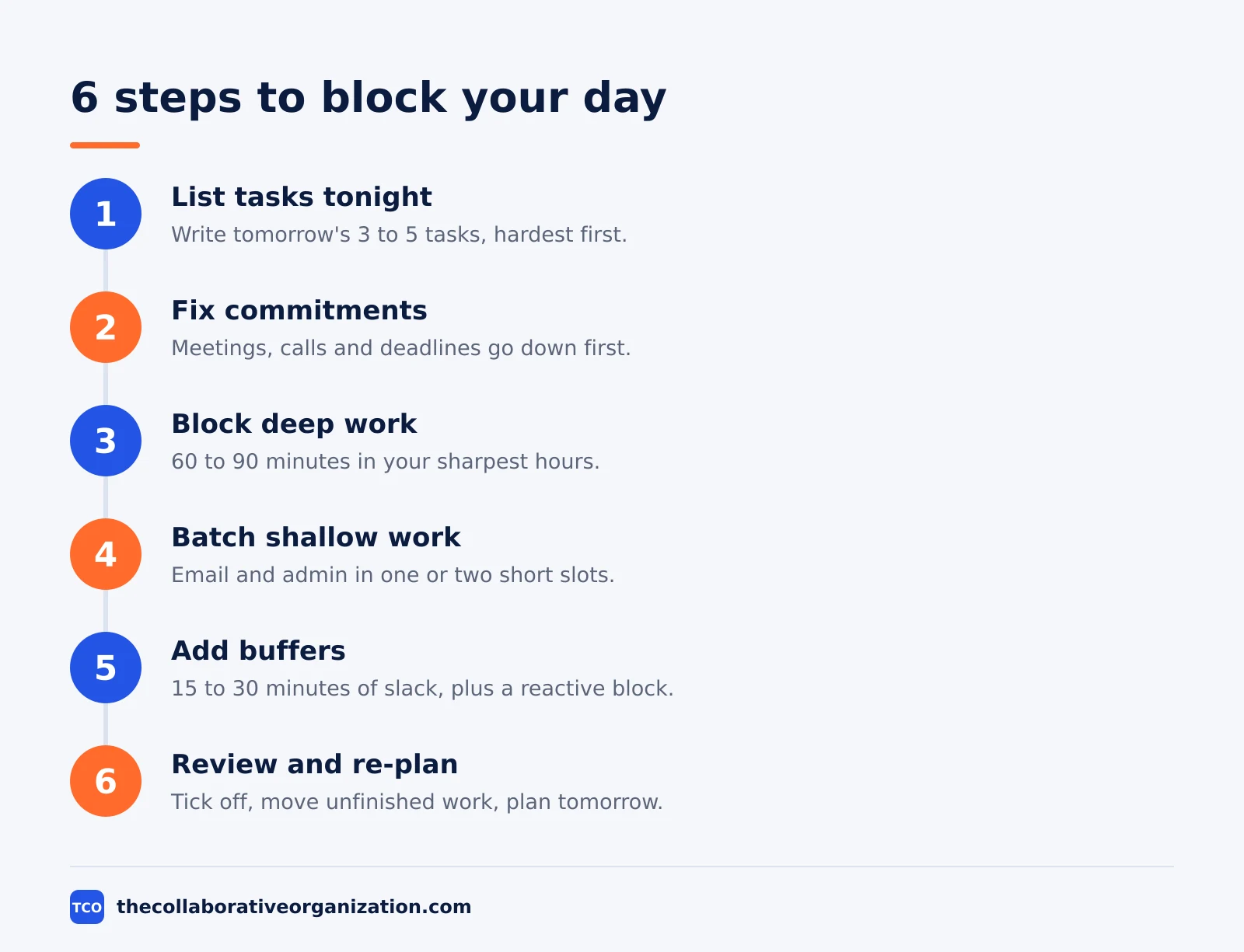
Step 1: List tomorrow’s tasks tonight
Write down what tomorrow must hold, in order of importance. Keep the list short: 3 to 5 tasks, with the hardest one at the top. Estimate the minutes each one needs, and be honest about the total.
Step 2: Put fixed commitments on the grid first
Add every meeting, call and deadline to the calendar, with its real start and end time. Leave the travel and setup time around them. These blocks cannot move, so they set the shape of the day.
Step 3: Block deep work first
Place your longest block, 60 to 90 minutes, in your sharpest hours, usually the morning. Name the output, not the topic: “draft the onboarding screens” beats “work on design”. One named block is worth three vague ones.
Step 4: Batch the shallow work
Group email, admin and quick replies into one or two short slots, 20 to 30 minutes each. Answering email twice a day beats checking it every 15 minutes, and the batch keeps shallow work from spreading across the whole day.
Step 5: Add buffers and a reactive block
Leave 15 to 30 minutes of slack after big blocks, because work runs long. Then add a reactive block for requests that arrive during the day. Newport’s advice, from his 2013 post, is that open-ended reactivity can be blocked like any other job, so the day stays planned even when it is unpredictable.
Step 6: Review at the end of the day and re-plan
At the end of the day, tick off what is done and move what is not to a future block. Do not extend a block to finish a task; move the task instead. Then build tomorrow’s plan while the day is still fresh, and repeat.
A worked example: a meeting-heavy day
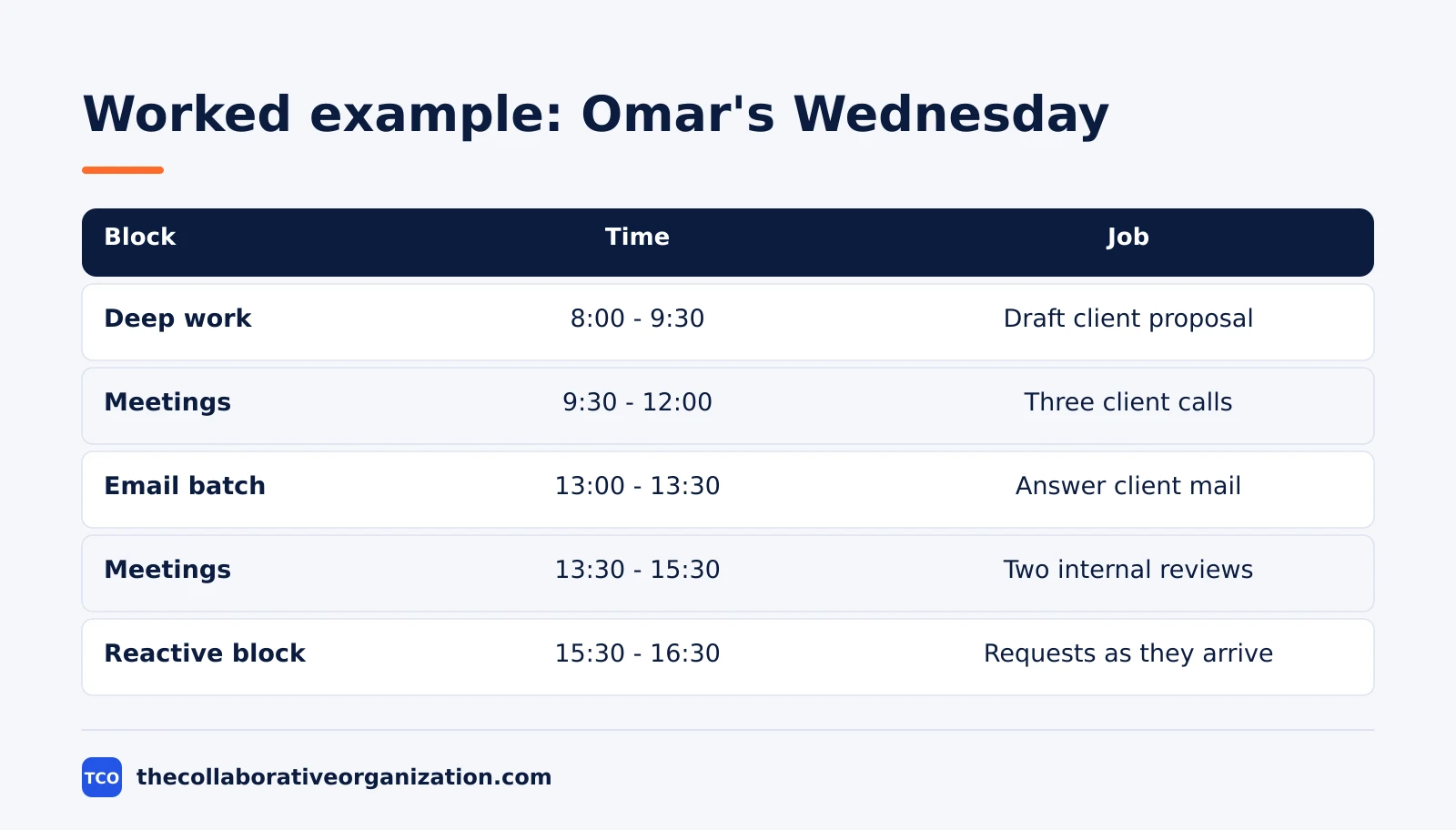
An account manager with five meetings shows how the six steps survive a crowded day. Imagine Omar, who manages 14 client accounts. His Wednesday holds five meetings, a proposal due Thursday, and an inbox that never empties. He plans on Tuesday evening, and his Wednesday looks like this.
| Block | Time | Job |
|---|---|---|
| Deep work | 8:00 - 9:30 | Draft the client proposal |
| Meetings | 9:30 - 12:00 | Three client calls |
| Lunch | 12:00 - 13:00 | Break, no email |
| Email batch | 13:00 - 13:30 | Answer client mail in one pass |
| Meetings | 13:30 - 15:30 | Two internal reviews |
| Reactive block | 15:30 - 16:30 | Requests as they arrive |
| Review | 16:30 - 17:00 | Plan Thursday, close the day |
Three things stand out. The proposal gets the first 90 minutes, before the meetings can fragment the day. Email is batched once, at 13:00, instead of checked between every call. The reactive block at 15:30 is honest about the job: clients call, and the plan names the hour for it.
The example is an illustration, not a case study. Its point is that even a meeting-heavy day holds one protectable hour, and that hour should go to the work with the nearest deadline.
Time blocking templates for different jobs
One template does not fit every job, so start from the pattern that matches your week. The table below gives a starting shape for four common workdays, and each one keeps the same rule: deep work first, shallow work batched.
| Job | Deep work block | Shallow batch | Reactive block |
|---|---|---|---|
| Office worker | 8:00 - 10:00 | 15:00 - 15:30 | 16:00 - 17:00 |
| Freelancer | 9:00 - 12:00 | 14:00 - 14:30 | 16:30 - 17:30 |
| Manager | 8:00 - 9:00 | 12:30 - 13:00 | 15:00 - 17:00 |
| Student | 10:00 - 12:00 | 16:00 - 16:30 | None, use office hours |
A freelancer controls the day, so the deep block can run three hours. A manager controls less of it, so the deep block shrinks to one hour and the reactive block grows. A student has the most freedom and the least structure, so the blocks must be written down or the day drifts.
Adapt the template after one week, not after one day. A template that fails on Monday may only need its deep block moved an hour later. Reducing meetings is the other lever: one fewer recurring meeting buys a deep work block every week.
Tools that make time blocking easier
A time blocking tool should show the calendar and the task list side by side. The tools below do that, with real starting prices as of November 2026. Compare the wider field on our task management software shortlist before you pick one.
| Tool | Best for | Free plan | Starting price (as of November 2026) | Notable limit |
|---|---|---|---|---|
| Todoist | Tasks with due times and calendar layout | Free, 5 personal projects | $5 per month (Pro), billed annually | No team features on Pro |
| TickTick | Lists, calendar and focus timer in one app | Free, 9 lists | $2.99 per month (Premium), billed annually | One person only, no team plan |
| Trello | Boards with a calendar view for blocked cards | Free, up to 10 collaborators | $5 per user per month (Standard), billed annually | Calendar view needs Premium |
| Asana | Teams that block shared work on a timeline | Free for 2 people | $10.99 per user per month, billed annually | Free plan covers 2 people |
The Todoist price comes from Todoist pricing: Pro is $5 per month, billed as $60 per year. TickTick Premium is $35.99 per year according to November 2026 checks on LifeStack, and one check notes $35.99 is a promotional price against a $49.99 list price.
On the Trello pricing page, Standard is $5 per user per month billed annually, with Premium at $10. The Asana pricing page lists Starter at $10.99 per user per month billed annually, with the Personal plan free for 2 users.
Common time blocking mistakes to avoid
Most blocked days fail in the same five ways, and each one has a simple fix. Check your plan against this list at the end-of-day review.
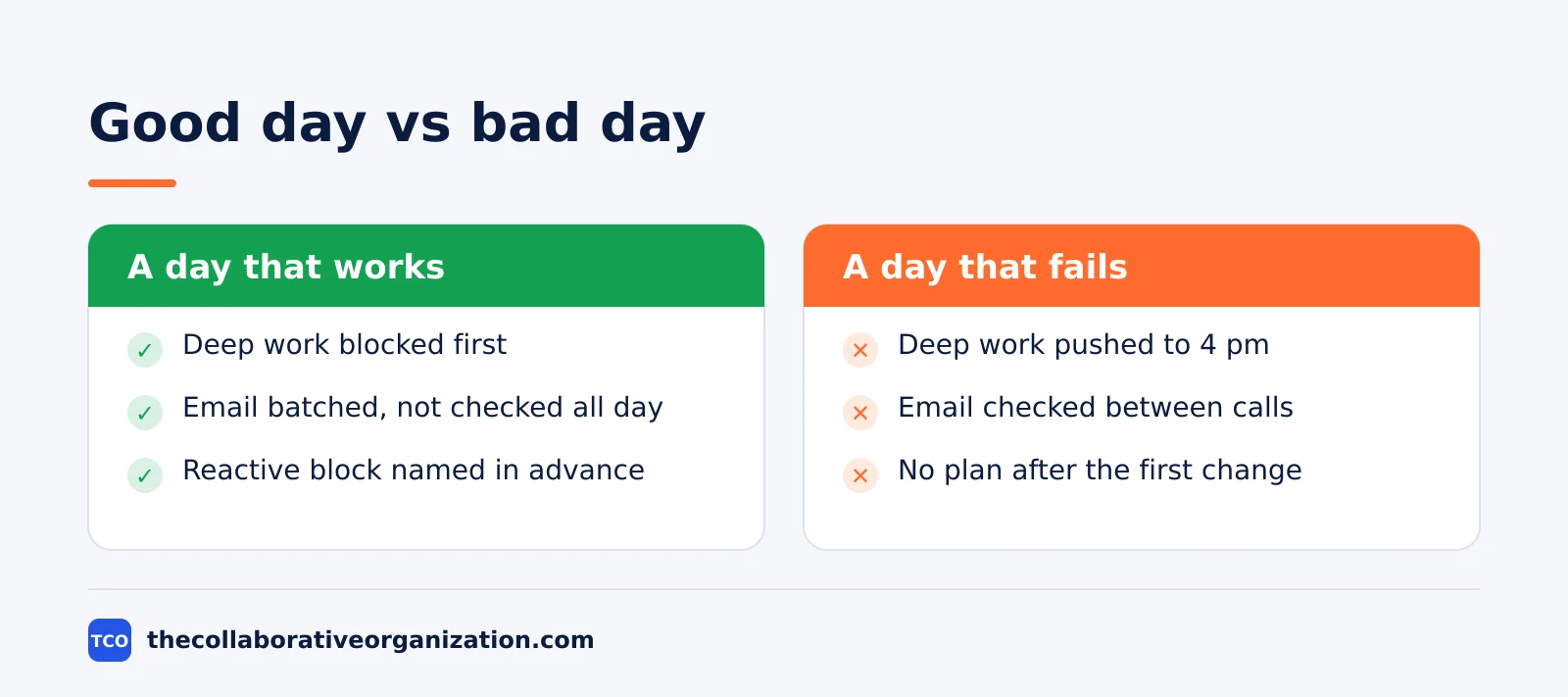
- No buffer between blocks. A day with back-to-back blocks breaks at the first overrun. Leave 15 to 30 minutes of slack after each big block.
- Deep work scheduled last. The hard task loses to every meeting when it sits at 4 pm. Block it first, in the morning, before the calendar fills.
- Vague block labels. “Work on the report” is not a block. Name the output, such as “draft sections 1 to 3”, so you know when the block is done.
- Checking email inside deep work blocks. One inbox check breaks the block and costs the warm-up time. Keep the phone away and batch email into its own slot.
- Quitting after one bad day. A missed plan is a signal to re-plan, not to stop. Estimating project time honestly helps too, since a block built on a real estimate holds up better than one built on hope.
How to measure whether time blocking works
Time blocking works when you finish the deep work most days and the plan survives contact with the week. Count two numbers for two weeks: how many deep work blocks ran as planned, and how many hours went to unplanned work. The first should rise and the second should fall.
If deep work blocks keep failing, the problem is usually placement, not willpower. Move the block earlier, shorten it to 60 minutes, or cut one meeting that sits in its way. If unplanned work keeps winning, the reactive block is too small: grow it and shrink the shallow batch to match.
After two weeks, compare the plan with the reality. A plan that matches reality 70% of the time is a good plan, and the gaps tell you what to fix next. The goal is not a perfect day, but a day where the important work has a time and the time is defended.
Sources
- Cal Newport - Deep Habits: The Importance of Planning Every Minute of Your Work Day (2013)
- Todoist - Time Blocking: Your Complete Guide to More Focused Work (2026)
- ProjectWizards - Time Blocking: Definition, Example Schedule, Pros and Cons (2026)
- Todoist - Pricing (2026)
- LifeStack - TickTick Pricing in 2026 (2026)
- Trello - Pricing (2026)
- Asana - Pricing (2026)
Frequently asked questions
How long does it take to time block a day?
About 10 to 20 minutes, done the evening before or first thing in the morning. Cal Newport spends 10 to 20 minutes each evening building the next day, consulting his task lists and calendar. The planning time pays for itself, because the day starts with work instead of a debate about what to do first.
Should I time block every minute of my day?
Newport gives every working minute a job, but he leaves room for corrections and re-plans when the day changes. Block the work hours, add buffers between big blocks, and keep evenings and weekends free. A plan that covers the whole day but bends is better than a rigid one you abandon by noon.
What if my day is full of meetings I cannot move?
Block the meetings first, since they are fixed, then protect whatever deep work time is left, even if it is only one hour. Batch email and admin into the gaps, and keep a reactive block for requests that arrive during the day. Even one protected hour beats a day with no plan at all.
What is the best time blocking app?
The best app is the one that shows your calendar and your task list together, so a block and its task stay linked. Todoist and TickTick pair lists with calendar views, while Trello and Asana add boards and timelines for team work. Paper works too, and Newport himself plans on paper.
How do I handle a day that goes off plan?
Cross out the rest of the day and draw a new plan for the hours left, then keep going. Do not abandon the plan or work from memory for the rest of the day. Re-planning takes two minutes, and it keeps every remaining hour intentional instead of reactive.
Related articles
task management
Eisenhower Matrix Explained: Prioritize in 4 Steps (2026)
The Eisenhower Matrix sorts tasks by urgency and importance into four quadrants: do, schedule, delegate, delete. Learn each quadrant and how to use it.
November 19, 2026 · 9 min read
task management
Getting Things Done Method Explained: GTD in 5 Steps (2026)
Getting Things Done (GTD) moves every commitment out of your head into a trusted system, in five steps: capture, clarify, organize, reflect, engage.
November 19, 2026 · 9 min read
task management
How to Create a To-Do List That Works: 7 Steps (2026)
A to-do list that works starts with one capture list and a short today list of 1 to 3 priorities. Follow these 7 steps to build a list you finish.
November 19, 2026 · 10 min read