How to Manage a Remote Team: A Practical Guide (2026) | The Collaborative Organization
By The Collaborative Organization Team · November 19, 2026 · Last verified November 19, 2026 · 10 min read
Managing a remote team means leading people you do not share an office with, using clear goals, written rules, and regular check-ins instead of watching desks. People need to know what good looks like, who decides what, and when they will hear from you. When the team is spread out, none of that happens by accident.
Key takeaways
- A remote team needs written goals, written decisions, and a weekly rhythm, because hallway chats do not exist.
- Gallup found teams with a written collaboration plan were 66% more likely to be engaged than teams without one.
- Judge output, not hours online: agree on visible results for each person and review them weekly.
- Keep live meetings short and few, and make written updates the default for status and decisions.
- Owl Labs found 69% of managers say hybrid or remote work made their team more productive.
What managing a remote team means
Managing a remote team means setting direction, removing blocks, and checking progress without sharing a room. You cannot see who is stuck, so you have to ask in a planned way. You cannot overhear a problem, so you have to build places where problems get written down early.
The job splits into four parts: goals, people, rhythm, and tools. Goals tell each person what done looks like. People work means hiring, coaching, and trust. Rhythm is the weekly pattern of meetings, updates, and one-to-ones.
Tools are the chat, docs, and task board where the work lives. Our guide to remote vs hybrid vs office work sets out how the three patterns differ in practice.
Remote management is not office management with video calls added. In an office, a quick question costs seconds. Across time zones, the same question can cost a day if it waits for a meeting. That is why written rules matter more than live presence, and why the best remote managers write more than they meet.
What you need before you start
Before you manage a remote team, you need four things in place: a written team goal, a task board, one chat channel, and a shared calendar. Without these, every request becomes a new thread and every decision lives in one person’s head. With them, a new joiner can find the goal, the work, and the people in one afternoon.
Start with the goal. Write one paragraph that states what the team must deliver this quarter and how you will know it is done. Add each person’s main work in one line each. Pew Research Center found in 2023 that 56% of teleworkers say working from home helps them meet deadlines, so the goal is the anchor, not the location.
Then pick the tools and stick to them. One chat tool for talk, one board for tasks, one place for docs. Every extra tool adds a place where a decision can hide. The team communication software shortlist compares the main chat options side by side.
How to manage a remote team in 7 steps
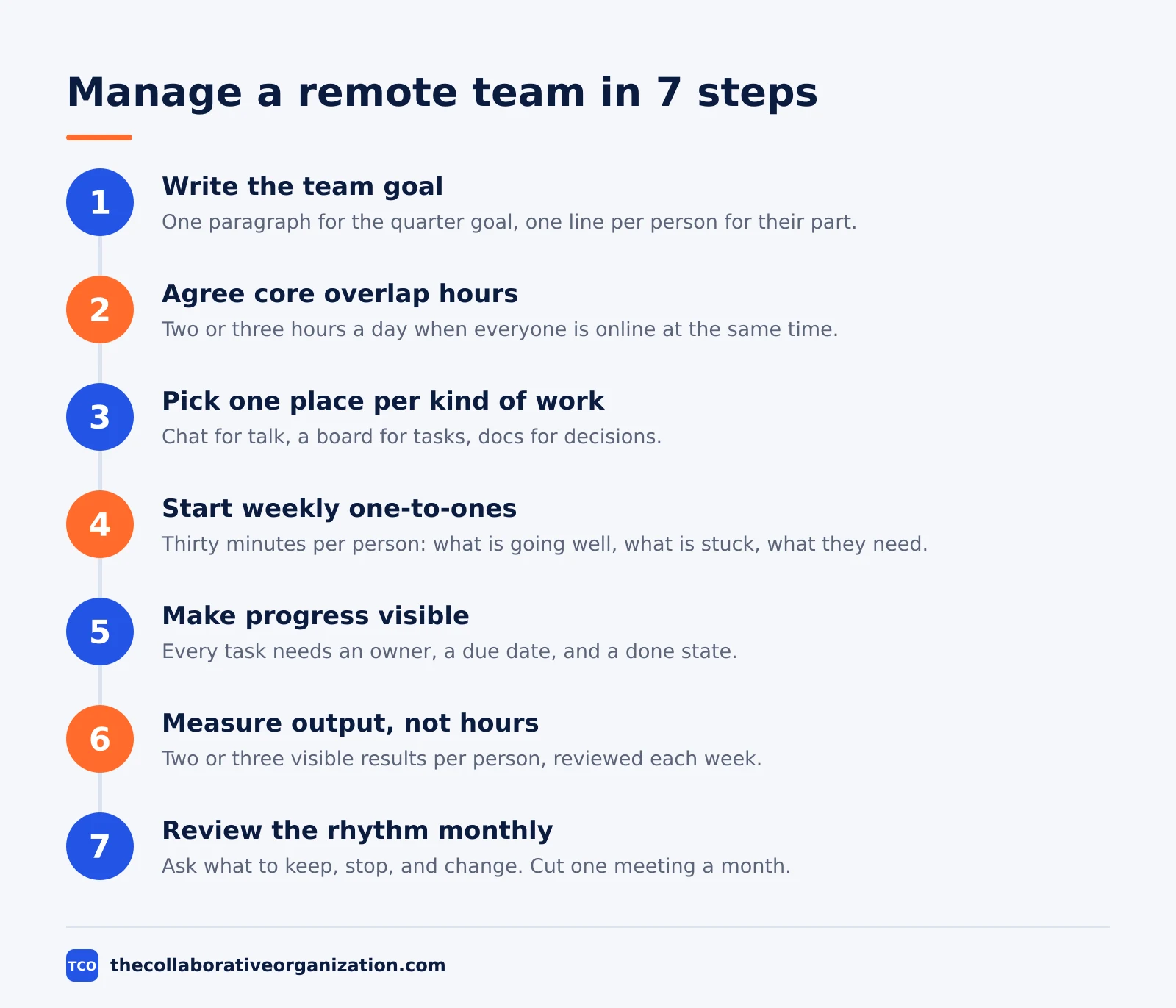
Managing a remote team takes seven steps, and the first three cost nothing but writing. The steps below run in order, and each one has a clear result you can check.
Step 1: Write the team goal and each person’s part
Write the quarter goal in one paragraph, then give each person one line that states their main work. Share it in the team doc and ask each person to repeat it back in their own words. If two people describe the goal differently, the goal is not clear yet.
Step 2: Agree core overlap hours
Pick two or three hours a day when everyone is online at the same time. Put them in the shared calendar with each person’s local time. Outside those hours, work is async by default, and nobody is expected to reply at once.
Step 3: Pick one place for each kind of work
Choose one chat tool, one task board, and one doc store, then write the rule down: chat is for talk, the board is for work, docs are for decisions. When a decision is made in chat, move it to the doc the same day so it survives the scroll.
Step 4: Start weekly one-to-ones
Meet each person alone for 30 minutes a week. Ask three questions: what is going well, what is stuck, and what do you need from me. Write the answers down and follow up on them. Gallup found managers account for about 70% of team engagement, so this meeting is the highest-value hour in your week.
Step 5: Make progress visible on the board
Every task on the board needs an owner, a due date, and a done state. Review the board together once a week and move stuck work to the top of the list. A board that is out of date is worse than no board, because it tells the team that dates do not matter.
Step 6: Measure output, not hours
Agree on two or three visible results per person, such as tasks shipped or drafts delivered, and review them each week. Owl Labs found in 2025 that 69% of managers say hybrid or remote work made their team more productive, and output measures are how you see that gain for your own team.
Step 7: Review the rhythm every month
Once a month, ask the team what to keep, what to stop, and what to change. Cut one meeting or one report each month until the team says the rhythm is right. A rhythm that never changes will slowly fill with meetings nobody needs.
How to set goals and measure output
Set goals that name a result, a number, and a date, then measure the result each week. A goal like “improve the help docs” is not a goal. A goal like “publish 10 updated help pages by 30 November, each reviewed by support” is one, because anyone can check whether it happened.
Keep the number of goals small. Three team goals per quarter is enough, and each person should have no more than three personal results tied to them. More goals mean less focus, and a team that chases ten goals finishes none of them well.
Measure with work the team already produces. Tasks shipped, tickets closed, pages published, and calls handled are all visible without extra tracking. Avoid new tracking tools that ask people to log hours, because hours measure presence, not work. The team will trust a measure it can see and check.
How to run meetings across time zones
Run live meetings only for decisions, debate, and connection, and handle status in writing. A meeting that only shares news wastes the one hour when everyone is online together. Put the news in a written update and spend the live time on the two or three items that need talk.
Keep a simple rule for each meeting type. A daily standup is 15 minutes with three questions: what you did, what you will do, and what blocks you. A weekly team meeting is 30 minutes for decisions and risks.
A one-to-one is 30 minutes for the person, not for status. Our guide on how to run a virtual meeting covers the setup and the etiquette in detail.
Time zones need fairness, not perfection. If the overlap hour is 8pm for one person, rotate the meeting time each month so the late hour moves around the team.
Record every meeting and write the decisions in the doc, so anyone who missed it can catch up fast. Microsoft found in 2025 that 57% of meetings are ad hoc calls with no invite, so a written invite with a clear purpose helps.
| Meeting | Length | Purpose | Async alternative |
|---|---|---|---|
| Daily standup | 15 minutes | Blocks and next steps | Written update in chat |
| Weekly team meeting | 30 minutes | Decisions and risks | Shared doc with comments |
| One-to-one | 30 minutes | Coaching and support | No good alternative |
| Monthly review | 60 minutes | Goals and rhythm | Short survey plus doc |
Tools that help remote teams
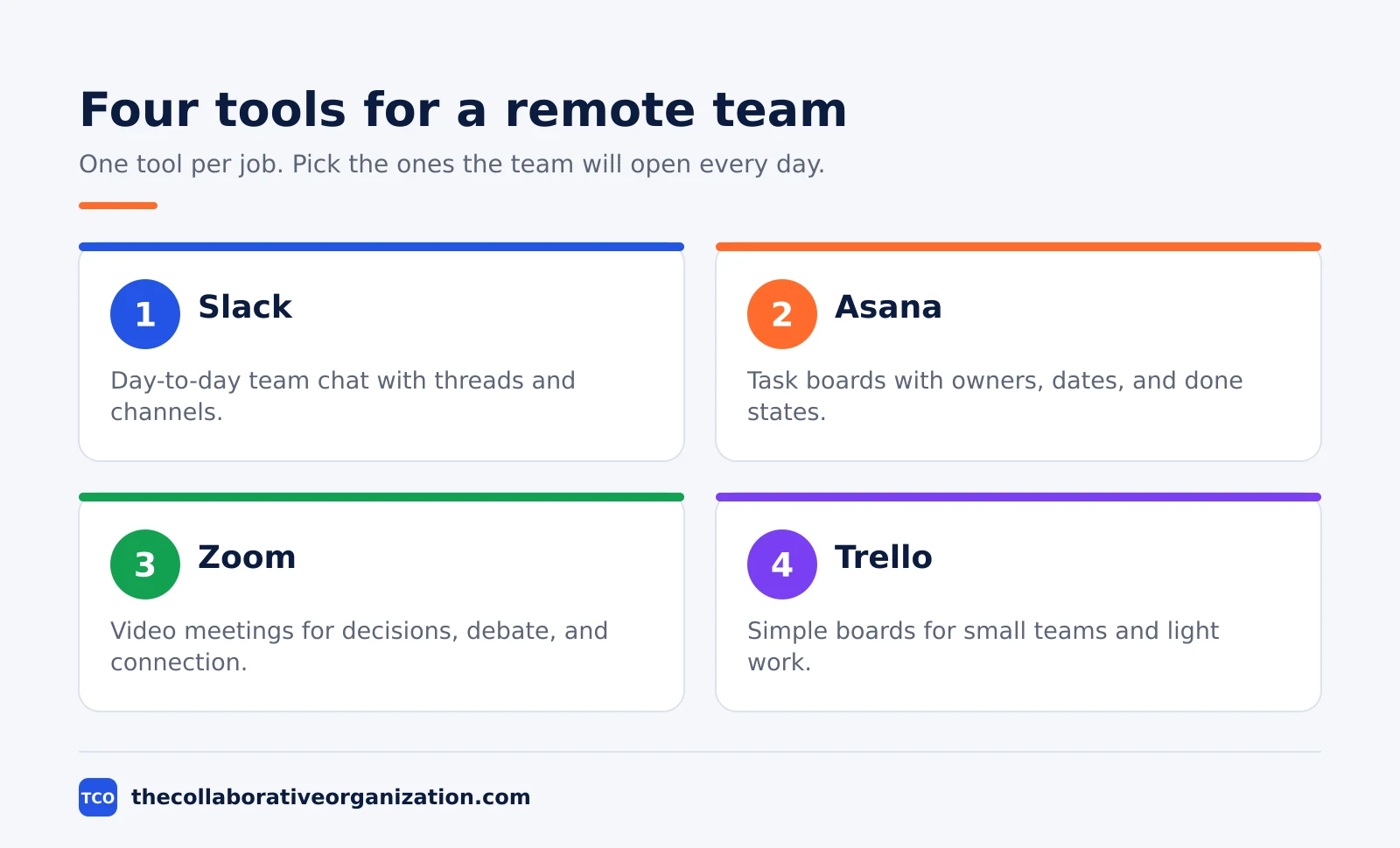
A remote team needs four tools: chat for talk, a board for tasks, video for live talk, and docs for decisions. The table below lists one option for each job with its starting price as of November 2026. Pick tools the team will open every day, not the ones with the longest feature list.
| Tool | Best for | Free plan | Starting price (as of November 2026) | Notable limit |
|---|---|---|---|---|
| Slack | Day-to-day team chat | Free plan, 90-day message history | $7.25 per user per month (Pro), billed annually | Paid plans bill per active member |
| Asana | Task boards with owners and dates | Free for up to 2 people | $10.99 per user per month (Starter), billed annually | Free plan covers 2 people |
| Zoom | Video meetings and calls | Free plan, 40-minute meetings | $14.16 per user per month (Pro), billed annually | Pro covers 1 to 99 licenses |
| Trello | Simple boards for small teams | Free for up to 10 collaborators | $5 per user per month (Standard), billed annually | Free plan caps at 10 boards |
If your team is new to remote work, start with chat and a board, then add video and docs as the gaps appear. A team that writes well needs fewer meetings, and the tools above all reward writing: threads in chat, comments on tasks, and notes in docs.
Worked example: a 12-person team across three time zones
A 12-person support team in London, Toronto, and Sydney shows how the steps fit together. The team answers customer tickets in three shifts, and the manager sits in London. The quarter goal is clear: answer 90% of tickets within four hours, and cut repeat tickets by 10%.
The manager sets core overlap hours of 14:00 to 16:00 London time, which is morning in Toronto and late evening in Sydney. The Sydney shift takes the late hour once a week, and the Toronto shift takes the early hour once a month, so the awkward slot rotates.
All decisions go in one doc, and the ticket board shows owner, due time, and status for every ticket.
Each person has a weekly one-to-one, and the team meets live for 30 minutes on Mondays to review risks. The rest is written: a daily standup post in chat and a Friday summary of tickets answered. After six weeks, first-response time is inside the goal, and the team has cut one standing meeting.
Common remote team management mistakes to avoid
Most remote teams fail in the same five ways, and each one is easy to spot early. Run through the list below once a month.
- Managing by presence. Rewarding fast replies and long hours online teaches the team to look busy instead of doing good work.
- No written decisions. When a decision lives only in a call, the next person to ask gets a different answer, and the team drifts apart.
- Too many meetings. Every meeting you add takes the one hour when the whole team is online, so each one must earn its place.
- Skipping one-to-ones. Without a private weekly slot, small problems grow until they become resignations. Buffer found in 2023 that 81% of remote workers check email outside work hours, which is a sign that boundaries need a manager, not more hours.
- One rule for every time zone. A fixed meeting time that suits one region will burn out the other one within a quarter, so rotate the awkward hours.
Trust is the thread through all five. People who feel trusted do better work, and our guide on how to build psychological safety in a team covers the habits that build it. Pew found in 2023 that 79% of fully remote workers say their manager trusts them a great deal.
Sources
- Gallup - State of the Global Workplace 2025 Report (2025)
- Pew Research Center - About a Third of US Workers Who Can Work From Home Do So All the Time (2023)
- Owl Labs - State of Hybrid Work 2025 (2025)
- Microsoft - Breaking Down the Infinite Workday (2025)
- Buffer - Key Insights from the 2023 State of Remote Work (2023)
- Slack - Pricing (2026)
- Asana - Pricing (2026)
- Zoom - Pricing (2026)
- Trello - Pricing (2026)
Frequently asked questions
How do you manage a remote team for the first time?
Start with one written page that states the team goal, each person's main work, core overlap hours, and how decisions get made. Then set a weekly one-to-one with each person and a short team check-in. Gallup found that teams with a written collaboration plan were 66% more likely to be engaged, so write the plan before you add more meetings.
How do you know if remote employees are working?
Judge output, not hours online. Agree on a small set of visible results for each person, such as tasks shipped, tickets closed, or drafts delivered, and review them each week. If the results arrive on time and at the right quality, the hours do not matter. If they do not, talk about the work, not the clock.
How often should a remote team meet?
Most remote teams do well with one short team meeting a week, one-to-ones every week or two, and the rest handled in writing. Microsoft found that workers are interrupted about every two minutes, so each live meeting should earn its place. If a meeting has no decision or discussion, turn it into a written update.
What is the biggest mistake when managing a remote team?
The biggest mistake is managing by presence instead of by results, such as rewarding fast replies and long hours online. That habit burns people out and hides real problems. Set clear goals, write decisions down, and check progress against the work itself. Trust grows when people see fair, visible measures.
How do you handle time zones in a remote team?
Pick two or three core overlap hours when everyone is online, and make the rest of the work async by default. Record decisions in writing so people in later time zones can catch up without a meeting. Rotate meeting times when the overlap is unfair to one region, and keep a shared calendar with each person's hours.
Related articles

team communication
Communication Plan for a Project: Template (2026)
A communication plan for a project names who gets which update, in which channel, how often, and from whom. Copy the template and the filled example below.
November 20, 2026 · 10 min read

team communication
How Often Should Managers Communicate With Teams? (2026)
Managers should hold one meaningful conversation with each person every week, plus a weekly team update. See the cadence table for meetings, updates and feedback.
November 20, 2026 · 9 min read
team communication
Upward Communication Examples: 10 That Work (2026)
Upward communication is a message that travels from an employee to a manager or leader. See 10 concrete examples, each with why it works and when to use it.
November 20, 2026 · 9 min read