External Collaboration Security Risks Explained (2026) | The Collaborative Organization
By The Collaborative Organization Team · November 19, 2026 · Last verified November 19, 2026 · 11 min read
External collaboration security risks are the ways shared work with people outside your company can leak data: guest accounts that stay active too long, shared links that anyone can forward, and files that AI tools can surface. The work itself is normal; the risk comes from access that is too broad, lasts too long, and is never reviewed.
Key takeaways
- External collaboration means guests, partners, and vendors working in your tools and files, outside your direct control.
- The human element played a role in about 60% of breaches in Verizon’s 2025 report, and credential abuse was the most common entry point at 22%.
- Anyone-with-the-link shares need no login, so they sit outside every identity control and can be forwarded without a trace.
- Varonis found in 2025 that 66% of companies have cloud data exposed to anonymous users, and 88% have stale but enabled accounts.
- The fix is boring and works: named guests only, link expiry dates, least-privilege access, and a quarterly review of every guest and share.
What are external collaboration security risks?
External collaboration security risks are the data leaks, account takeovers, and compliance failures that come from letting people outside your company into your tools, files, and chats. A guest, a vendor, a contractor, or a client all count as external collaborators. Each one needs access to do the work, and each one adds a door into your systems.
The risk is not that outsiders are untrustworthy. It is that their security is outside your control. You cannot set their password rules, check their devices, or see when their account is compromised. A vendor whose employee leaves may keep using a guest account nobody owns.
A client may forward a shared link to a colleague, who forwards it again. The file spreads without any log entry.
Three patterns cause most of the damage. First, guest accounts pile up: people invited for one project keep access for years. Second, sharing links are set too wide: “anyone with the link” instead of named guests, with no expiry date.
Third, files shared for one purpose get copied into personal drives, chat apps, or AI tools, where your controls no longer reach them. Our guide to what is shadow IT covers the related problem of tools your team uses without approval.
The 6 main external collaboration risks
Six risks cover most external collaboration incidents: stale guest accounts, over-broad links, credential theft, AI exposure, third-party breaches, and lost audit trails. The table below names each one, how it happens, and what it costs.
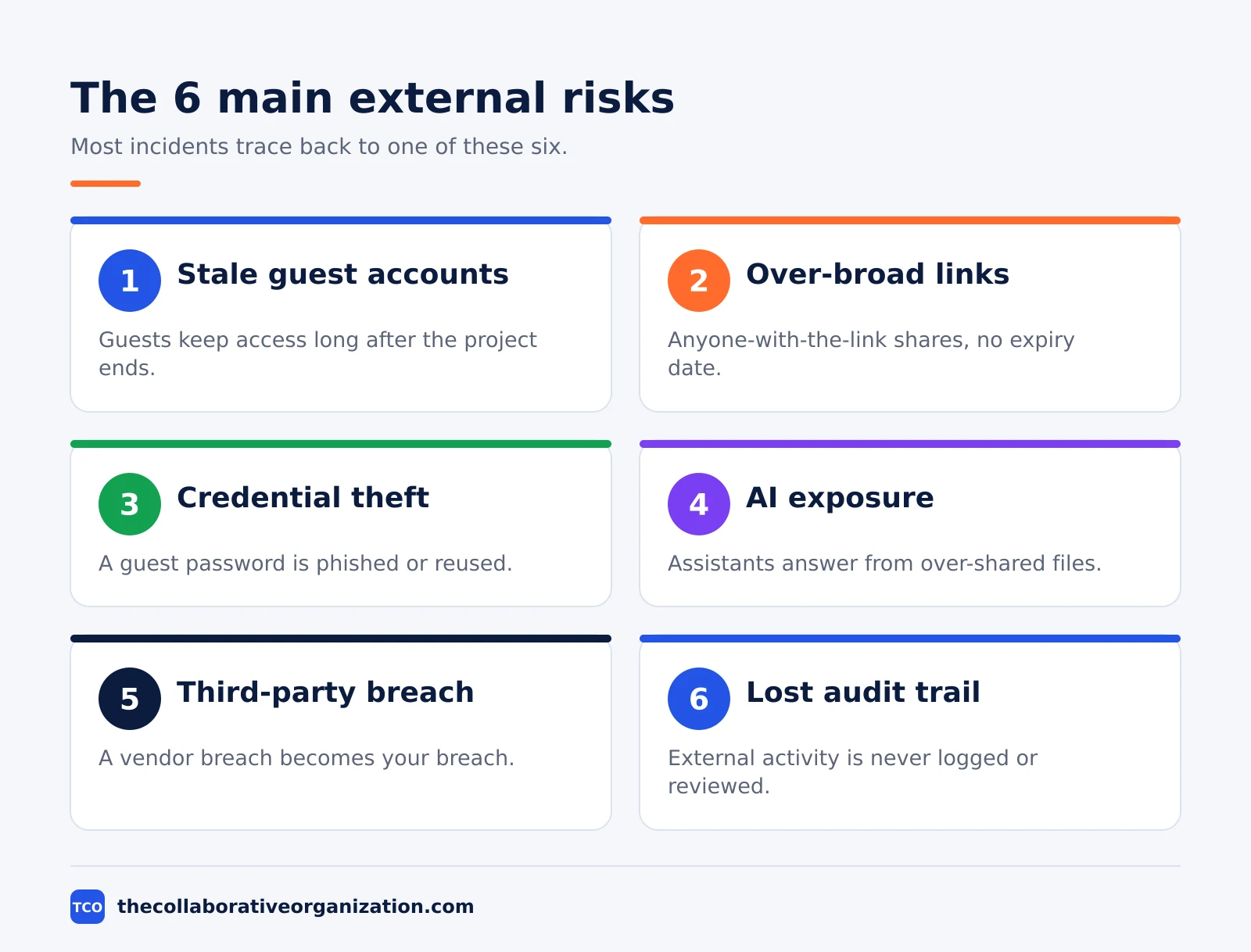
| Risk | How it happens | What it costs |
|---|---|---|
| Stale guest accounts | Guests invited for one project keep access for years | A compromised guest account opens your files |
| Over-broad sharing links | Anyone-with-the-link shares with no expiry date | Files spread by forwarding, with no log |
| Credential theft | A guest’s password is phished or reused | Attackers enter as a trusted identity |
| AI exposure | AI assistants answer from over-shared files | Sensitive data surfaces in AI replies |
| Third-party breach | A vendor is breached and attackers use its access | Your data leaves through a partner’s door |
| Lost audit trail | External activity is not logged or reviewed | You learn about a leak weeks late |
Stale guests are the quietest risk. Varonis found in its 2025 report that 88% of organizations have stale but enabled accounts, often former employees or contractors whose access was never removed. These “ghost users” can be used for reconnaissance or to copy data without tripping alarms, because the account looks legitimate.
Third-party breaches doubled as a share of incidents in Verizon’s 2025 report, reaching 30% of breaches. When a vendor is breached, the attackers inherit whatever access that vendor had into your systems. The vendor’s breach becomes your breach, and you may not hear about it for weeks.
How guest access creates risk
Guest access creates risk because a guest account is a real identity inside your tenant, with real permissions, owned by someone whose security you do not control. The account stays valid until someone removes it, and removal is the step teams forget.
In Microsoft Teams, a guest is added as a Microsoft Entra B2B collaboration user in a specific team. Guest access is off by default, and only team owners can add guests. Four switches must line up for it to work: Entra external collaboration settings, the Microsoft 365 Groups guest setting, the Teams guest access switch, and the SharePoint sharing level.
Microsoft documents the full setup in its guide to collaborating with guests in a team.
The danger is not the feature but the defaults around it. Guests can see the employee directory unless that visibility is limited, which lets an attacker map the organization and pick targets.
Guests may also work in a host tenant whose security protections are weaker than yours: security firm Ontinue notes that Defender for Office 365 protections such as Safe Links and Safe Attachments may not follow a guest into an external tenant. Treat that as third-party analysis, not a confirmed Microsoft flaw.
The fix has four parts. Require multi-factor authentication for guests. Limit guest invitations to named domains. Give guests the least access that lets them do the job, such as one channel instead of a whole team.
And set a review date for every guest when you invite them, so the account dies with the project.
How shared links leak data
Shared links leak data because the loosest kind, anyone-with-the-link, needs no login at all, so the file sits outside every identity control you run. A link sent to one person can be forwarded to anyone, pasted into a chat, or posted by mistake, and the file opens for whoever holds it.
The numbers show how common this is. Varonis analyzed 1,000 real-world IT environments and nearly 10 billion files for its 2025 report, and found that 66% of companies have cloud data exposed to anonymous users.
In a separate scan of 6.5 million Google Drive files, Metomic found about 350,000 documents open to anyone with the link, in a 2023 report cited by AccessCreep. Most of that sharing serves nobody: the files sit open long after the project ended.
The fix is to change the default. Use named-guest sharing, where the recipient signs in and the share is tied to their identity. Set an expiry date on every external link, so a proposal link stops working when the deal closes.
Block anyone-links at the tenant level if your platform allows it, and check the sharing report each month for links that are still open.
Audit logs help only if someone reads them. Microsoft 365 keeps audit records for 180 days by default, one year on E5 or Audit Premium, and up to ten years with the Advanced Audit add-on. A log nobody reviews is a record of a leak, not a defence against one. Name one person to review external sharing each month.
What the breach numbers say
The breach numbers say the same thing three ways: people, not software flaws, open most doors, and outside parties are involved more often than before. Read the figures below as the scale of the problem, not as a prediction for any one company.
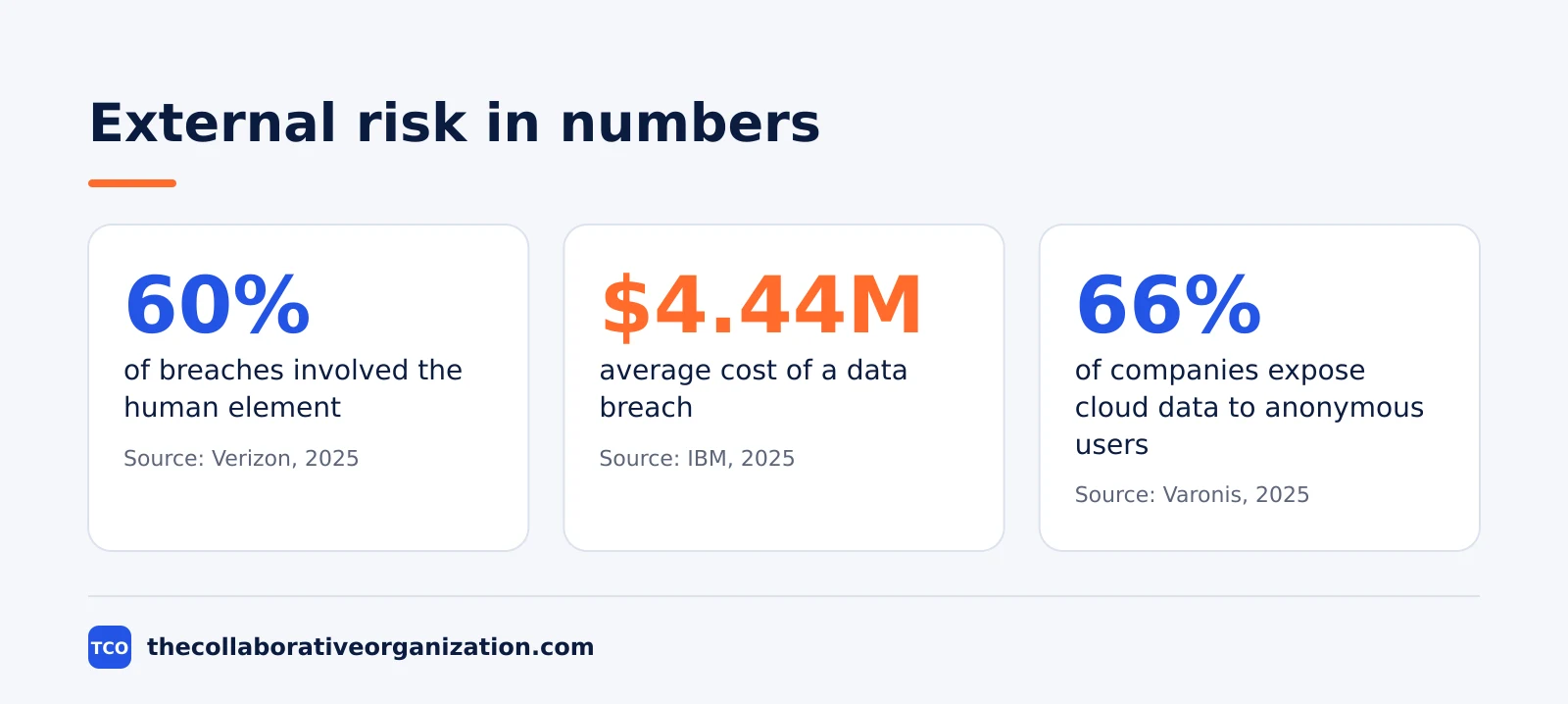
Verizon’s 2025 Data Breach Investigations Report analyzed 22,052 security incidents and 12,195 confirmed breaches, the largest dataset in the report’s history. The human element played a role in about 60% of breaches, through error, social engineering, or misuse.
Credential abuse was the most common entry point at 22% of breaches, ahead of vulnerability exploitation at 20% and phishing at 16%. Ransomware appeared in 44% of breaches, and third-party involvement doubled to 30%.
IBM’s 2025 Cost of a Data Breach Report, based on 600 breached organizations, put the global average breach cost at $4.44 million, down 9% from the year before. Breaches involving shadow AI, meaning AI tools used without approval, cost $670,000 more on average, and appeared in 20% of breaches.
In 97% of AI-related incidents, the organization had no proper AI access controls in place.
The two reports agree on the remedy. Verizon’s data shows that most breaches start with a person, not a zero-day flaw, so training and least-privilege access matter. IBM’s data shows that organizations using AI and automation widely in security saved $1.9 million per breach.
The figures in this section come from summaries of the Verizon and IBM reports, since the full reports sit behind registration walls; the numbers are corroborated across several summaries.
Worked example: a vendor account goes quiet, then active
A mid-size software company shows how a stale guest account becomes a breach. This example is an illustration built from the patterns in the reports above, not a report on a real incident.
The company hires a vendor for a three-month integration project and adds two vendor staff as guests in a Teams channel with access to product roadmaps and customer files. The project ends, the vendor staff move on, and nobody removes the guest accounts. The accounts sit idle for four months.
Then one of the vendor’s former employees has their personal email compromised. The attacker finds the old guest invitation, signs in with the stale account, and downloads customer files over two days. The guest account has no multi-factor authentication requirement, and the company has no alert set for guest downloads.
The company learns about the breach three weeks later, when the vendor discloses its own incident.
Three controls would have stopped it. An expiry date on the guest account would have ended access with the project. Multi-factor authentication for guests would have blocked the sign-in. A monthly review of guest accounts would have flagged an account idle for four months.
None of the three costs money; all three need a named owner and a calendar reminder.
How to cut external collaboration risk in 6 steps
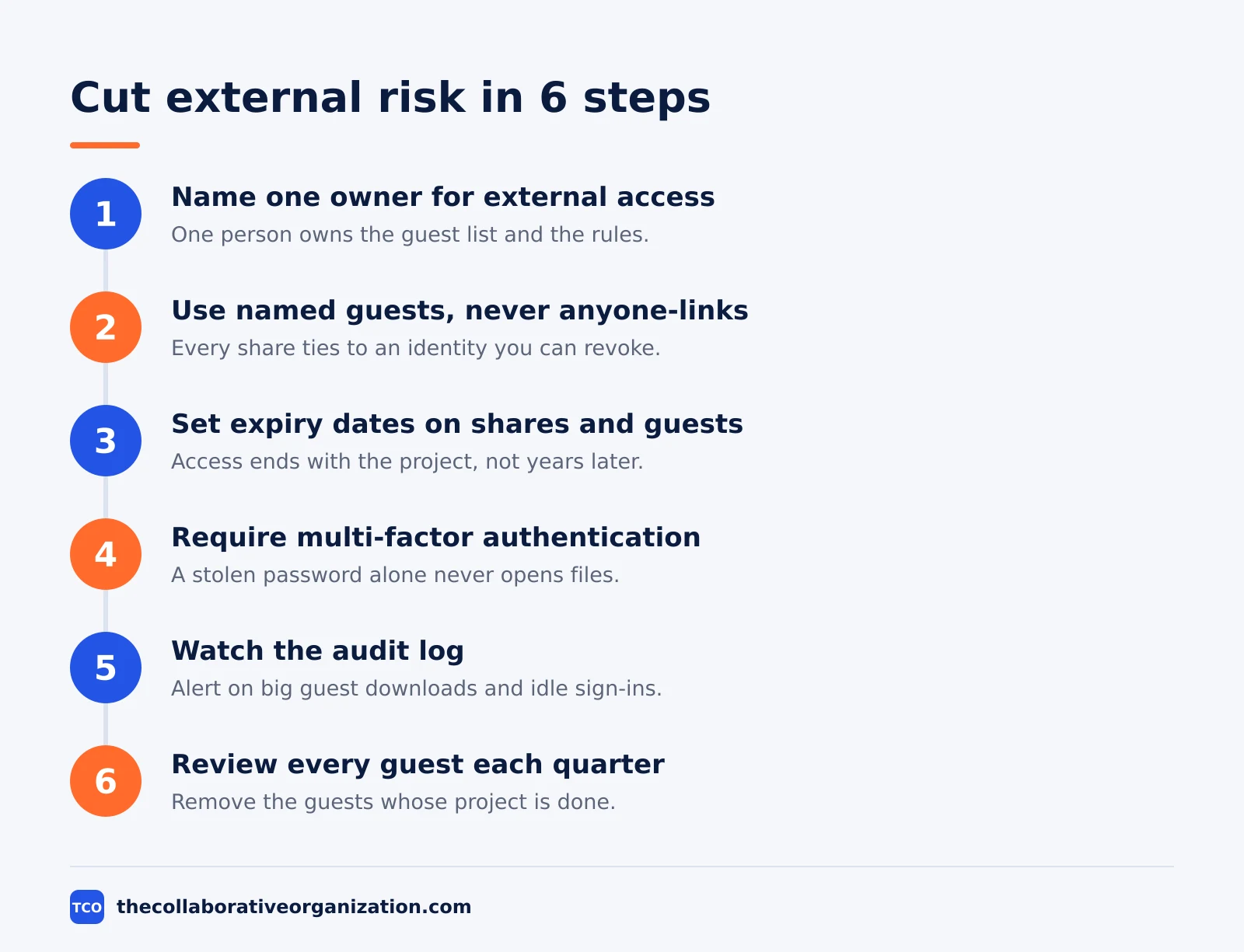
Cutting external collaboration risk takes six steps: name an owner, use named guests, set expiry dates, require multi-factor authentication, watch the logs, and review every quarter. None of the six needs a new tool; all of them need someone to own the list.
Step 1: Name one owner for external access
Give one person the job of owning the guest list and the sharing settings. Without an owner, every team invites guests its own way and nobody checks the total. The owner does not approve every invite; they own the rules and the review.
Step 2: Use named guests, never anyone-links
Invite each external collaborator by name and email, so the share is tied to an identity you can revoke. Block anyone-with-the-link sharing at the tenant level where you can. Slack takes a similar approach with Slack Connect: external messages stay inside named channels with up to 250 organizations on paid plans, and data loss prevention scans messages and files sent to outside organizations.
Step 3: Set expiry dates on every share and guest
Give every link and every guest account an end date when you create it. A proposal link does not need to work forever, and a guest account does not need to outlive its project. Expiry turns a forgotten share into a closed door.
Step 4: Require multi-factor authentication for guests
Turn on multi-factor authentication for every guest account. A stolen password alone should never open your files. This is the single control that most often stops a compromised guest account from being used.
Step 5: Watch the audit log for guest activity
Set alerts for guest downloads of large file sets and for guest sign-ins after long idle periods. Review the external sharing report each month. Asana offers guest invitation permissions on its Enterprise plan, so only trusted members can extend access to outsiders in the first place.
Step 6: Review every guest and share each quarter
Once a quarter, list every guest account and every external share, and remove the ones whose project is done. Ask each project lead to confirm their guests are still needed. A quarterly review takes about an hour and closes the most common gap in external access.
Common external collaboration security mistakes to avoid
Most external collaboration incidents trace back to the same five mistakes, and all five are easy to check. Run through the list below each quarter, not once a year.
- Guests never removed. An account invited for one project keeps access for years. Set an expiry date at invite time and review the guest list quarterly.
- Anyone-links left open. A link that needs no login can be forwarded without a trace. Use named-guest sharing and set expiry dates.
- No multi-factor authentication for guests. A phished password should not be enough to open your files. Require a second factor for every external account.
- Guests given whole-team access. A vendor who needs one channel gets the whole team. Give the least access that lets them do the job.
- Audit logs nobody reads. A log is only useful if someone reviews it. Name one person to check external activity each month.
Our guide on how to check if a SaaS tool is secure covers the checks to run on any tool before you share files through it.
The SOC 2 explained for software buyers guide covers the audit report to ask a vendor for before you trust it with client files.
The SSO vs SAML vs OAuth guide explains the login options that keep guest accounts under your control.
When a vendor’s security is unclear, our shadow IT risks guide explains what happens when teams work around the rules instead.
Sources
- SpyCloud - Key Insights from Verizon’s 2025 Data Breach Report (2025)
- Conversational Geek - What the IBM Cost of a Data Breach Report 2025 Says About Shadow AI (2026)
- Varonis - Data Security Report Reveals 99% of Orgs Have Sensitive Information Exposed to AI (2025)
- Microsoft - Collaborate with Guests in a Team (2026)
- AccessCreep - External and Guest File Sharing (2025)
- CloudCapsule - Secure Guest User Access in Microsoft 365 (2026)
- Slack - Pricing (2026)
- Asana - Pricing (2026)
Frequently asked questions
What is the biggest security risk of external collaboration?
The biggest risk is access that outlives its purpose: guest accounts and shared links that stay active after the project ends. A guest whose account is later compromised can walk into your files with a trusted identity. Regular reviews of guests and links cut this risk more than any single tool setting.
Are guest accounts in Microsoft Teams safe?
Guest accounts are safe when they are set up with care: guest access off by default, only team owners able to add guests, domain limits on who can be invited, and multi-factor authentication required for guests. The risk comes from guests added with broad access and never reviewed, not from the guest feature itself.
What is wrong with anyone-with-the-link sharing?
An anyone-with-the-link share needs no login, so it sits outside every identity control you run. Anyone who gets the link can open the file, and the link can be forwarded without a trace. Use named-guest sharing instead, and set an expiry date so the link stops working when the project ends.
How often should you review external access?
Review guest accounts and external shares every quarter at minimum, and at the end of every project. Remove guests whose project is done, expire old links, and check the audit log for guests who have not signed in for months. A quarterly review takes an hour and closes the most common gap.
Can AI tools leak data shared with external collaborators?
Yes. AI assistants answer from whatever the user can access, so files shared too broadly with guests can surface in AI answers. Varonis found in 2025 that 99% of organizations have sensitive data exposed to AI tools. Tighten sharing before you switch on an AI assistant, not after.
Related articles

project management
How to Choose Project Management Software (2026)
Pick project management software in seven steps: define the work, count seats, price the real cost, and run a two-week pilot before you pay.
November 19, 2026 · 10 min read

project management
What Is a RACI Matrix? Definition, Roles and Examples (2026)
A RACI matrix maps who is Responsible, Accountable, Consulted and Informed for each task. Learn the four roles, how to build one, and see a worked example.
November 19, 2026 · 9 min read

project management
Daily Standup Meeting Format That Works (2026)
A daily standup is a 15-minute meeting where Developers inspect progress toward the Sprint Goal and plan the next day. Use this format to run one that ends on time.
November 19, 2026 · 10 min read