What Is Knowledge Management? Definition and Process (2026) | The Collaborative Organization
By The Collaborative Organization Team · November 19, 2026 · Last verified November 19, 2026 · 12 min read
Knowledge management is the structured process of capturing what an organization knows, keeping it accurate, and getting it to the people who need it when they need it. APQC, a nonprofit research group, defines it as getting information and knowledge to the right people at the right time.
Key takeaways
- APQC defines knowledge management as a structured process that moves information and knowledge to the right people at the right time.
- Knowledge comes in three forms: explicit knowledge that is written down, tacit knowledge that lives in people’s heads, and implicit knowledge that could be written down but has not been yet.
- APQC’s knowledge flow has seven steps: create, identify, collect, review, share, access, and use.
- Atlassian’s 2025 survey found that teams waste 25% of the workweek searching for answers.
- Buying software is not knowledge management: APQC calls overemphasizing technology the most common knowledge management mistake.
What knowledge management means
Knowledge management is the discipline of making what a team knows findable, usable, and current. It covers the documents, the data, the processes, and the experience in people’s heads, and it treats all four as one system. A team that manages knowledge well can answer a question once, write the answer down, and reuse it a hundred times.
The APQC definition is the one most teams start with: knowledge management is “the application of a structured process to help information and knowledge flow to the right people at the right time.” APQC adds that it helps employees find, understand, share, and use knowledge to create value.
ISO 30401, the international standard for knowledge management systems, takes the same view. It sets requirements for a system that helps an organization create, share, and apply knowledge, and it applies to any organization of any size. The standard covers the knowledge lifecycle, the roles, and the culture that keeps knowledge moving.
The three kinds of knowledge every team holds
Every team holds three kinds of knowledge, and each kind needs a different way of capturing it. Explicit knowledge is written down: procedures, price lists, and code. Tacit knowledge lives in people’s heads: judgment, timing, and the sense of what a client really wants. Implicit knowledge sits between the two: it could be written down, but nobody has done it yet.
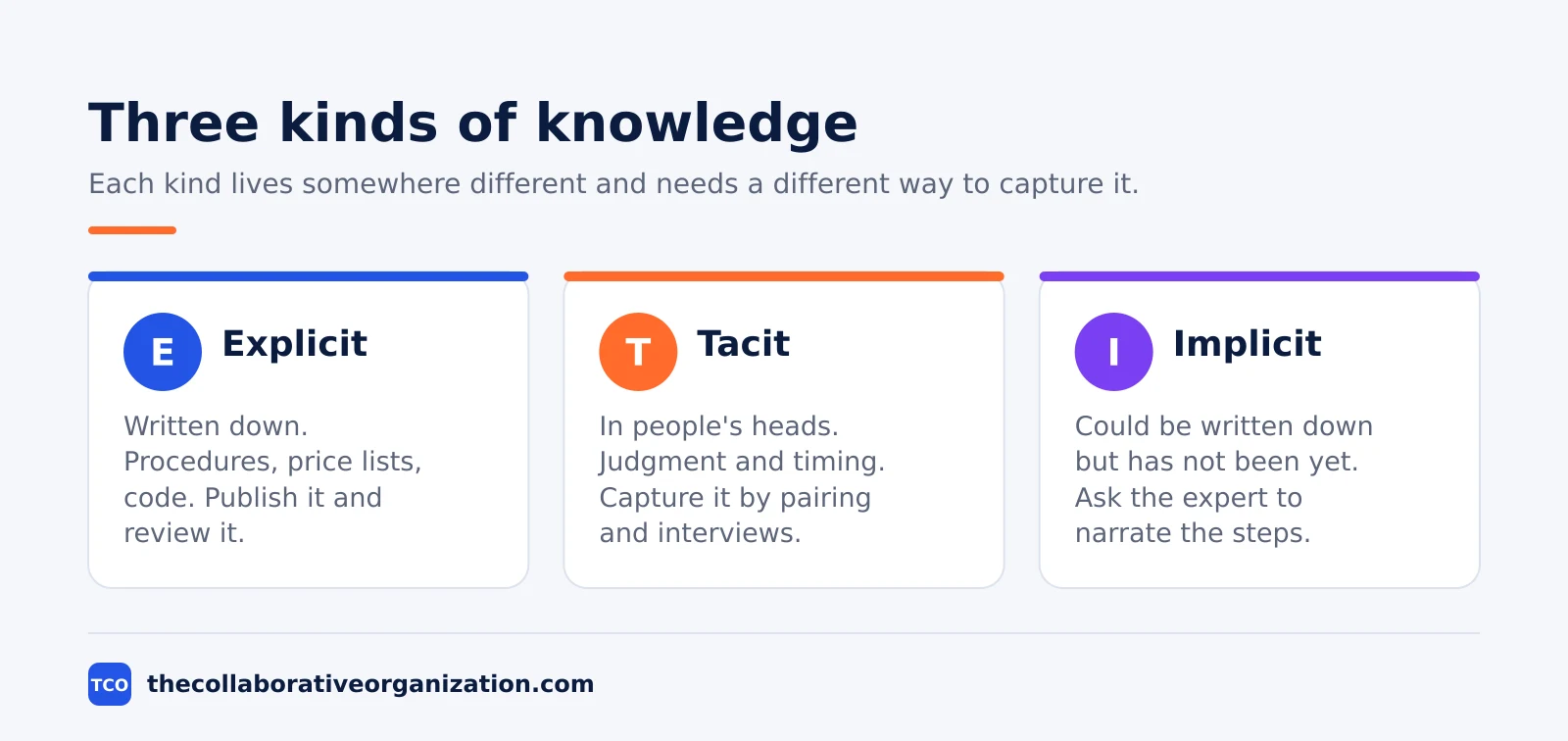
| Kind | Where it lives | Example | How to capture it |
|---|---|---|---|
| Explicit | Documents and data | A refund procedure | Write it, review it, publish it |
| Tacit | People’s heads | Knowing when a client is ready to sign | Pairing, shadowing, interviews |
| Implicit | Habits and routines | The checks a senior rep runs before a call | Ask the expert to narrate the steps |
Tacit knowledge is the hardest to keep, and it is also the largest share of what a team knows. Panopto’s 2018 report found that 42% of institutional knowledge is unique to the individual who holds it, so it walks out the door when that person leaves.
The fix is not to write down everything. The fix is to find the knowledge that hurts most when it is missing, and capture that first. A short interview with an expert, recorded and turned into a page, often saves more time than a month of writing policies nobody reads.
How knowledge management works: the 7-step flow
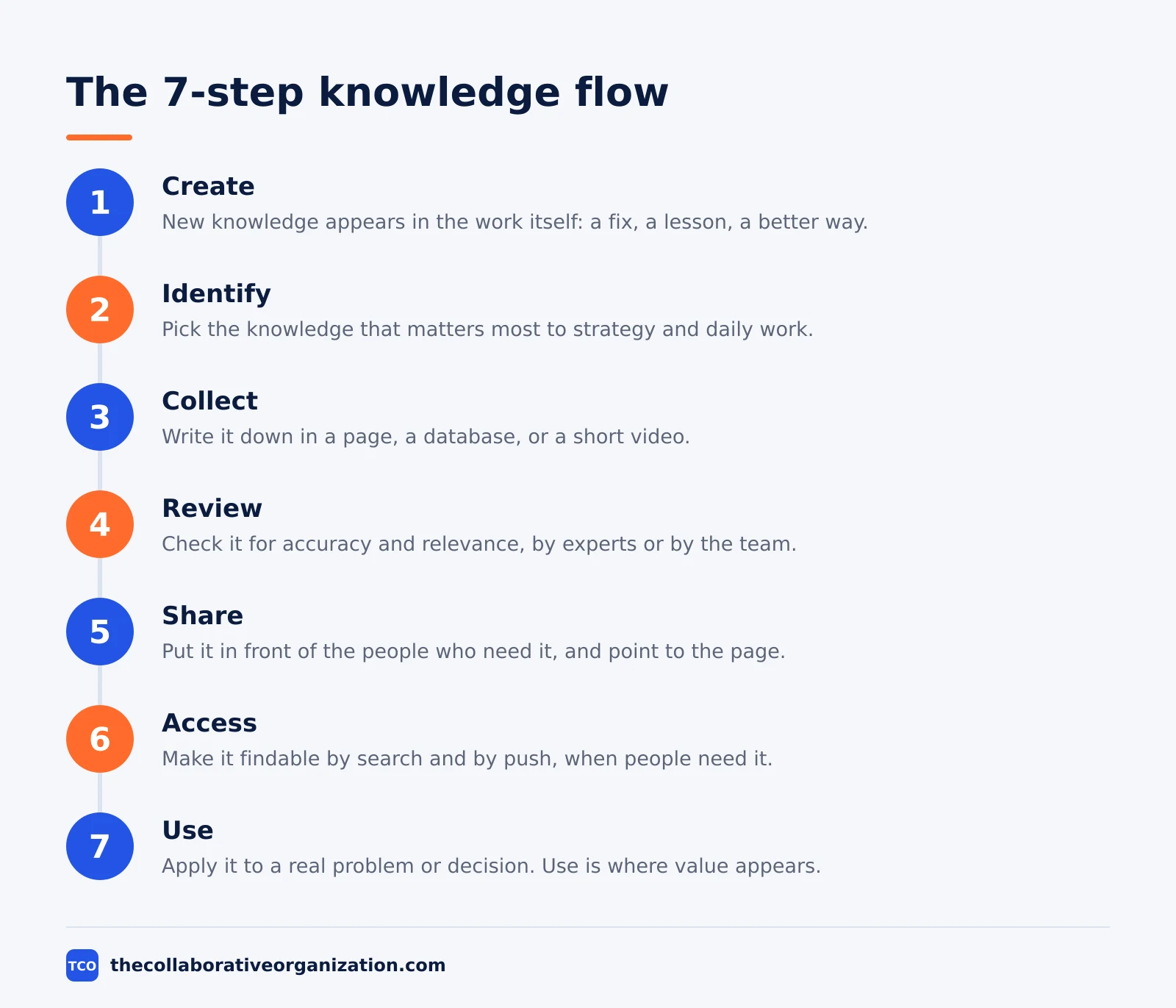
Knowledge management works as a cycle: knowledge is created, picked out, written down, checked, shared, found, and used. APQC calls this the knowledge flow process, and it has seven steps. The cycle repeats, because every use of knowledge creates new knowledge that feeds back into step one.
Step 1: Create
New knowledge appears every day: a fix for a bug, a better way to brief a client, a lesson from a failed launch. Creation happens in the work itself, not in a separate writing session.
Step 2: Identify
Not all knowledge matters equally. Identify the knowledge that is critical to strategy and operations, and focus on that first. A support team starts with the ten questions customers ask most, not with a full manual.
Step 3: Collect
Write the knowledge down in a medium people can find: a page, a database, a short video. Collection can happen in a meeting, in a facilitated session, or in the course of daily work.
Step 4: Review
Check the knowledge for relevance, accuracy, and use. Some pages need a formal review by an expert. Others can be reviewed by the wider team that uses them every day.
Step 5: Share
Share the knowledge with the people who need it, through a page, a training session, or a direct answer that points to the page. Sharing is the step most teams skip, and it is the step that makes the earlier work pay off.
Step 6: Access
Make the knowledge findable. Access covers both push, where knowledge is delivered at set times or in response to a trigger, and pull, where people search for it when they need it.
Step 7: Use
Apply the knowledge to a real problem, a process, or a decision. Use is the only step that creates value. A page nobody opens is not knowledge management, it is storage.
What a knowledge management system includes
A knowledge management system is the mix of people, processes, content, and technology that makes the flow above happen. Software alone is not a system. A team with a wiki and no owners, no review dates, and no habits will end up with the same mess it had in shared folders.
APQC lists four parts that every program needs: people, process, content and IT, and strategy. The people part covers the KM team, the subject experts, and the community leaders who keep knowledge moving.
The process part covers the seven steps above. The content part covers the pages, the taxonomy, and the search. The strategy part ties all of it to a business goal.
| Part | What it covers | Who owns it |
|---|---|---|
| People | KM team, experts, community leaders | KM lead |
| Process | The 7-step flow, review dates, handover rules | KM lead and page owners |
| Content | Pages, taxonomy, search, templates | Page owners |
| Technology | Wiki, search, chat, file storage | IT with the KM team |
| Strategy | Goals, measures, funding | Leadership |
A KM team has both formal roles, such as the KM leader and the IT analyst, and informal roles, such as sponsors and champions. APQC finds that around half of surveyed KM programs run as a centralized team, and those teams are more likely to have a defined strategy and a consistent set of tools.
The skillset matters as much as the structure. APQC lists the top skillsets for KM teams now as change management, design thinking, critical thinking and problem-solving, and partnership and collaboration. The work is mostly about people changing habits, not about picking software.
Knowledge management example: a support team handover
A support team shows how the seven steps work on real knowledge. Picture a team of eight support agents. Their most experienced agent, who knows the billing system inside out, is leaving in three weeks. Her knowledge is mostly tacit: she knows which error codes mean a real outage and which ones clear themselves, and she knows which customers need a call instead of an email.
The team starts with step two, identify. They pull the last quarter of tickets and find that 12 billing questions make up a third of all escalations. Those 12 answers are the critical knowledge. Then they collect: the leaving agent spends two hours a day for a week writing the answers with a junior agent.
Each answer gets a review by the billing lead, then goes into the team wiki with the junior agent named as owner. The team shares the pages in the daily standup and links them from the ticket system, so the next agent who sees error code 402 opens the page instead of asking in chat.
The numbers in this example are an illustration, built from the pattern Panopto measured: 5 hours a week waiting for knowledge, 8 hours searching for it, and nearly 6 hours redoing work that already exists.
Knowledge management vs knowledge base vs wiki
Knowledge management is the discipline, a knowledge base is the collection of content, and a wiki is one kind of software that can hold that content. The three terms overlap, so teams mix them up. The table below draws the line.
| Term | What it is | Example |
|---|---|---|
| Knowledge management | The discipline: people, process, content, technology | The whole program, with owners and review dates |
| Knowledge base | The collection of articles and answers | The help center customers read |
| Wiki | Editable website software anyone can update | The team pages in Confluence |
| Intranet | The whole internal site | News, links, apps, and the wiki |
A wiki is the most common home for a knowledge base, because anyone can edit a page and every change keeps a version history. Our guide on wiki vs knowledge base explains the difference in more detail.
A wiki also sits inside a wider internal site, next to news, links, and apps. That wider site is the intranet, and the wiki is the part of it that holds editable knowledge.
The mix-up to avoid is buying a wiki and calling it knowledge management. A wiki with no owners, no review cycle, and no link from the work people actually do is a filing cabinet. The management part is the habit of keeping the content current and pointing people to it.
When knowledge management pays off, and when it does not
Knowledge management pays off when the same knowledge is needed again and again by different people. It pays off in support teams, in onboarding, in compliance work, and in any team where experts leave and take answers with them. The US Bureau of Labor Statistics found median employee tenure was 4.1 years in January 2026, so most teams lose experienced people every few years.
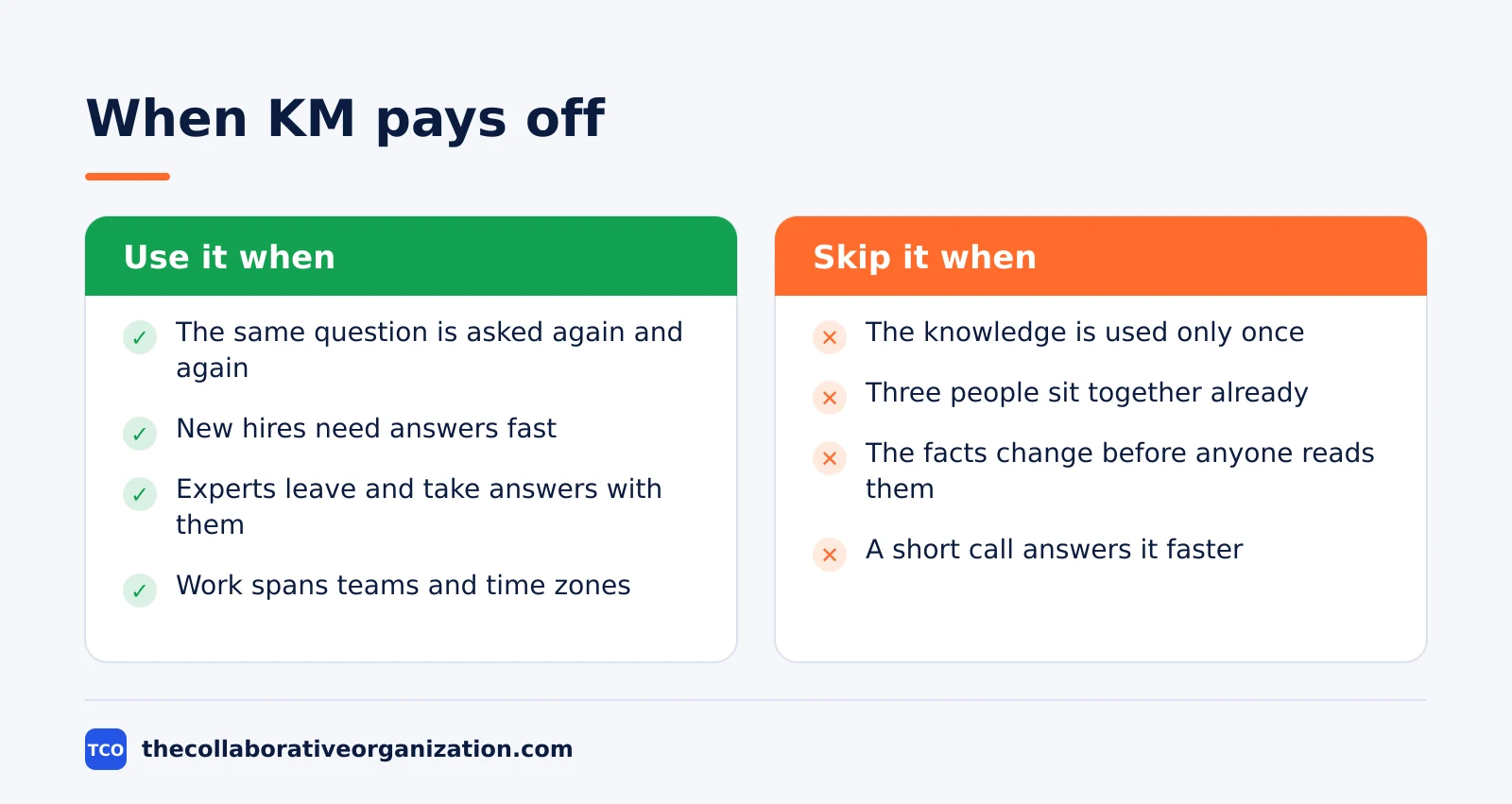
It does not pay off for knowledge that is used once, for a team of three people who sit together, or for work that changes so fast that a page is out of date before anyone reads it. In those cases a chat message or a short call is faster, and writing a page adds work without adding value.
The cost of doing nothing is measurable. Atlassian’s State of Teams 2025 survey found that teams waste 25% of the workweek searching for answers. Gartner found in 2023 that 47% of digital workers struggle to find the information they need to do their jobs.
Start small if the case is unclear. Pick one repeated question, write one page, and watch whether people use it. If they do, the program has a reason to grow. If they do not, the problem was somewhere else.
Tools that support knowledge management
The right tool is the one the team will open every day, not the one with the longest feature list. Most teams start with a wiki or a docs tool they already pay for. Our guide on how to choose collaboration software covers seat counts and free-plan caps.
Before you buy, compare the options on the document collaboration shortlist. It lists the main tools side by side, with prices and free-plan limits.
| Tool | Best for | Free plan | Starting price (as of November 2026) | Notable limit |
|---|---|---|---|---|
| Confluence | Team wikis with spaces and templates | Free for up to 10 users | $7.15 per user per month (Standard), billed monthly for 1-100 users | Page headline shows $5.78, the blended rate |
| Notion | Wikis that mix pages and databases | Free plan | $10 per member per month (Plus), billed annually | $12 per member per month if billed monthly |
| Google Docs | Simple shared documents | Free for personal use | $7 per user per month (Workspace Business Starter), billed annually | Business plans cap at 300 users |
| Dropbox Paper | Lightweight shared docs in Dropbox | Free with any Dropbox account | Free with a Dropbox account | Web only since October 2025 |
The Confluence price needs a note, because the page shows two numbers. The Confluence pricing page lists Standard at $5.78 per user per month, which is the blended rate for a larger team.
The 1-100-user monthly rate is $7.15, and Premium is $14.10 on the same basis, after a price rise on 13 October 2026. Use the monthly 1-100-user rate when you budget for a small team.
The Notion price comes from the Notion pricing page: Plus is $10 per member per month billed yearly, or $12 billed monthly. Google Workspace Business Starter is $7 per user per month on an annual plan, or $8.40 on the flexible plan.
Paper is free with any Dropbox account. Dropbox ended the Paper mobile and desktop apps in October 2025, so it is web only now.
Common knowledge management mistakes to avoid
Most knowledge management programs fail in the same five ways, and all five are easy to spot early. Run through the list below before you buy anything.
- Buying software first. APQC calls overemphasizing technology the most common KM mistake. Start with the problem and the goal, then pick the tool that fits.
- No named owner per page. A page with no owner goes stale, and one stale page teaches the team to distrust all of them. Name an owner and a review date on every page that matters.
- Writing everything at once. A team that tries to document the whole company in a month burns out and stops. Start with the ten questions people ask most.
- Two homes for the same answer. When the same procedure lives in a wiki, a shared drive, and a chat thread, nobody knows which copy is current. Pick one home and turn the others into short pointers.
- Measuring pages instead of answers. A count of published pages says nothing about whether people found what they needed. Measure repeat questions, time to find an answer, and onboarding time instead.
Sources
- APQC - What Is Knowledge Management? (2026)
- APQC - Managing Knowledge Starts with Knowledge Flow (2023)
- Standards Explained - ISO 30401 Knowledge Management Systems (2025)
- McKinsey Global Institute - The Social Economy (2012)
- Atlassian - State of Teams 2025 (2025)
- Gartner - 47% of Digital Workers Struggle to Find Information (2023)
- Panopto - How Much Time Is Lost to Knowledge Sharing? (2019)
- U.S. Bureau of Labor Statistics - Employee Tenure in 2026 (2026)
- Atlassian - Confluence Pricing (2026)
- Notion - Pricing (2026)
Frequently asked questions
What is knowledge management in simple terms?
Knowledge management is how a team captures what it knows, keeps it accurate, and gets it to the person who needs it. When a new hire asks how refunds work, the answer should already exist in one place, written by the person who knows it best, instead of living only in that person's head or in a chat thread.
What is the difference between knowledge management and a knowledge base?
A knowledge base is a collection of articles and pages. Knowledge management is the wider discipline that decides what gets written, who keeps it current, and how people find and use it. The knowledge base is one tool inside the system; the management part covers the people, the process, and the habits around it.
What are the 7 steps of knowledge management?
APQC's knowledge flow process has seven steps: create, identify, collect, review, share, access, and use. You create new knowledge at work, pick out the parts that matter, write them down, check them for accuracy, share them, make them findable, and then apply them to a real problem or decision.
Who owns knowledge management in a company?
A KM lead or a small central team usually owns the system, and APQC finds that around half of surveyed KM programs run as a centralized team. The content itself belongs to the people who do the work. Each page needs a named owner who answers for its accuracy, or the pages go stale and people stop trusting them.
How do you measure knowledge management success?
Measure the problem you set out to fix, not page views alone. Track time to find an answer, repeat questions in chat, onboarding time for new hires, and the share of pages reviewed in the last year. A short survey that asks whether people found what they needed is a better signal than a count of pages published.
Related articles

document collaboration
Airtable vs Google Sheets: Which to Use in 2026
Airtable is a database with views and automations; Google Sheets is a free spreadsheet. Learn the limits, the 2026 prices, and which one fits your team's data.
November 19, 2026 · 7 min read
document collaboration
Confluence vs SharePoint: Which to Use in 2026
Confluence is a wiki built around pages; SharePoint is a document platform built around files. Learn the differences, the 2026 prices, and which one fits your team.
November 19, 2026 · 7 min read
document collaboration
How to Document Processes: A Step-by-Step Guide (2026)
To document a process, pick one task, watch it done for real, map the steps and decisions, then test the draft on someone new. Follow the 7 steps in this guide.
November 19, 2026 · 10 min read