Video Call Fatigue Explained: Causes and Fixes (2026) | The Collaborative Organization
By The Collaborative Organization Team · November 19, 2026 · Last verified November 19, 2026 · 12 min read
Video call fatigue is the drained, unfocused feeling that builds up after long or back-to-back video meetings. It is not laziness and it is not only about screen time. Research from Stanford and Microsoft shows the format itself adds strain: close-up faces, constant self-view, sitting still and hard nonverbal work. Changes to how you run calls cut that strain fast.
Key takeaways
- Video call fatigue is physical and mental tiredness caused by video meetings, not by work in general.
- Stanford names four causes: close-up eye contact, constant self-view, reduced movement and higher mental load.
- In a Stanford survey, 13.8% of women and 5.5% of men felt very or extremely fatigued after video calls.
- Camera-on days were more tiring than camera-off days in a four-week experiment with 103 employees.
- Ten-minute breaks between meetings kept stress-linked brain activity steady in Microsoft lab research with 14 people.
- Hiding self-view, shrinking the video window and taking audio-only breaks are the fastest fixes.
What video call fatigue is
Video call fatigue is the tiredness caused by spending long stretches in video meetings. It shows up as sore eyes, a stiff neck and a mind that wanders two minutes into the next call. The name comes from “Zoom fatigue”, but the problem is not one brand. Any video tool that keeps faces large and cameras on can cause it.
A phone call removes the visual load, which is the key difference. On a video call vs a phone call, the phone lets you walk, look away and stop watching yourself. Video adds all three loads back at once, so a day of video calls tires people more than a day of phone calls.
Signs you have it are easy to spot once you know them. They arrive during or just after a call, and they fade after a real break away from the screen.
- Heavy eyes and headaches after two or three calls in a row.
- Irritation at small things, such as a frozen frame or a late joiner.
- Trouble following the thread of a discussion you would normally track with ease.
- Dreading the next call even when the topic is simple.
- A stiff neck, shoulders or back from sitting in one spot for hours.
Video call fatigue is not the same as burnout. Burnout builds over months from workload and support problems, while video call fatigue shows up the same day and fades with rest. If breaks and fewer video hours do not help after a few weeks, the cause may sit elsewhere, and workload and sleep deserve a look.
The four causes of video call fatigue
Stanford research names four causes, and each one points to a different fix. Jeremy Bailenson, who runs Stanford’s Virtual Human Interaction Lab, set out the four causes in a 2021 paper. His point was not that video calls are bad. His point was that the way video tools are built adds strain that in-person talk does not.
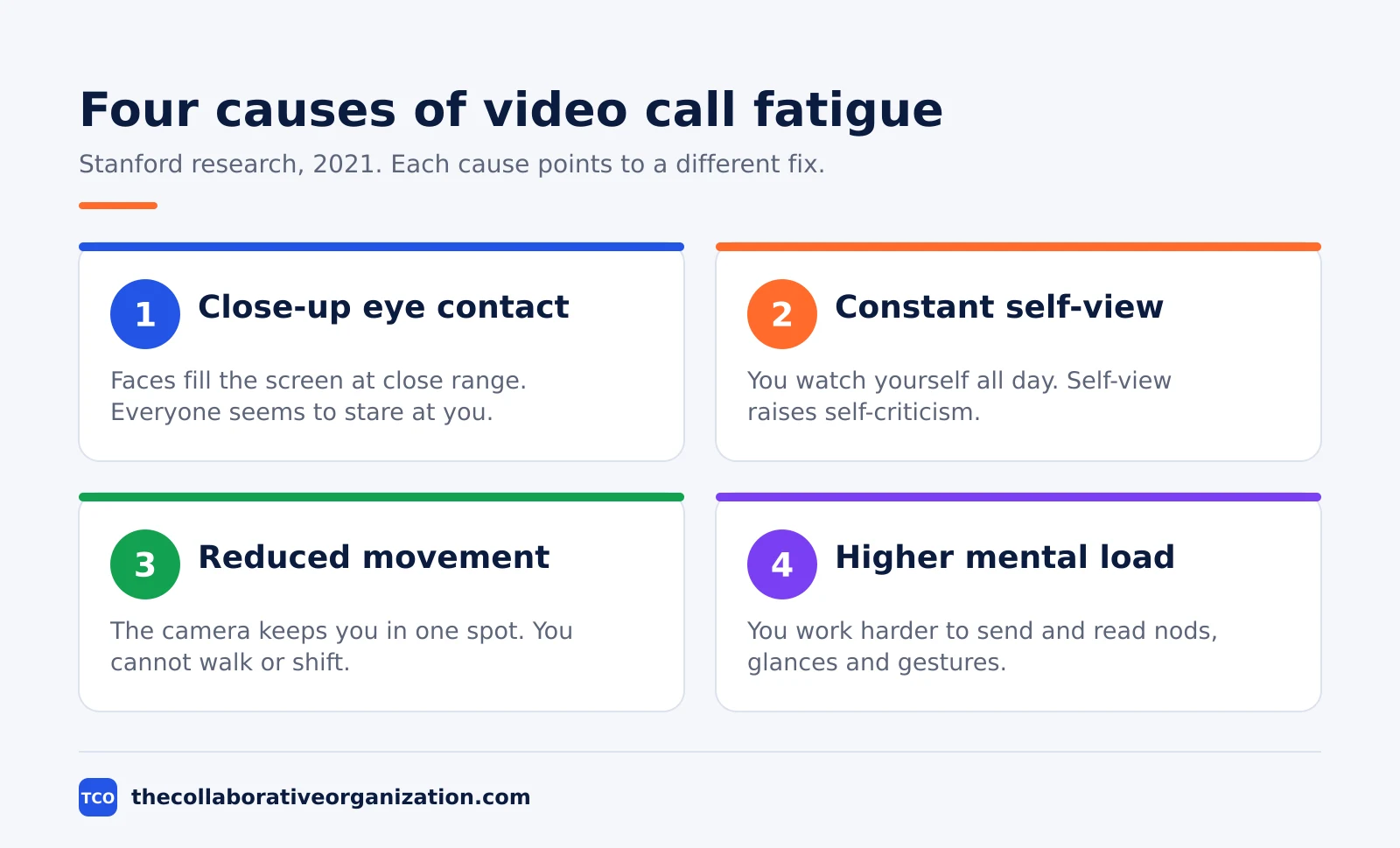
| Cause | Why it tires you | Quick fix |
|---|---|---|
| Close-up eye contact | Faces fill the screen at a distance your brain reads as intimate, and everyone seems to stare at you all the time | Shrink the video window and sit farther back |
| Constant self-view | You watch yourself all day, which raises self-criticism and self-focused attention | Hide self-view once your framing looks right |
| Reduced movement | The camera keeps you in one spot, while in-person talk lets you walk, stand and shift | Use an external camera and take audio-only spells |
| Higher mental load | You work harder to send and read signals, such as nods and glances, through a screen | Turn away from the screen for a few minutes between calls |
The eye-contact cause surprises most people. In a normal meeting, people look at the speaker, take notes or look elsewhere. On a video grid, everyone looks at everyone all the time, so even a listener is treated like a speaker. Bailenson notes that a face on screen can look as close as a person standing in your personal space.
The self-view cause is the one with the strongest evidence behind it. Studies cited by Bailenson show that seeing your own reflection makes you more critical of yourself, and that the effect carries negative emotional costs. The fix is free and takes ten seconds: hide your own video tile and check your framing once at the start.
Who feels video call fatigue most
Women report more video call fatigue than men, and newer employees feel it more than long-serving ones. In a Stanford survey of 10,322 people in February and March 2021, 13.8% of women and 5.5% of men said they felt very or extremely fatigued after video calls. That is about 1 in 7 women and 1 in 20 men.
The main driver was “mirror anxiety”, the self-focused attention triggered by seeing yourself on screen. Women in the study had the same number of meetings per day as men, but their meetings ran longer and they took fewer breaks between them. The research team found that self-view contributed most to the extra fatigue women reported.
The same pattern shows up for people who are new to a team. In the camera experiment described below, the fatigue effect of keeping cameras on was stronger for newer employees, who face more pressure to look present. Introverts also reported more exhaustion than extraverts in the Stanford survey, and younger people reported more tiredness than older people.
None of this means some people are weak and others are not. The same meeting format loads different people in different ways, so one rule for everyone misses the point. A team that lets people choose camera-on times protects those who pay the highest price. Our guide to remote and hybrid work covers how those arrangements change the meeting load.
What brain studies show about video calls
Brain and body measurements confirm what tired workers already feel: video calls tire people in ways in-person talk does not. The evidence comes from three kinds of studies, and they agree. Surveys show who feels it, a field experiment shows the camera causes it, and brain scans show it in the body.
In Microsoft research, 14 people wore EEG caps for two days of video meetings. On one day they took four 30-minute meetings back-to-back; on the other, the same meetings had 10-minute breaks for meditation. Without breaks, beta wave activity linked to stress kept rising. With breaks, it held steady, and people taking breaks showed brain patterns linked to higher engagement.
A 2023 study from Austria measured both brain and heart. In it, 35 students took the same 50-minute lecture in person and over video, while researchers tracked EEG and ECG signals. The video lecture left people significantly more fatigued, tired, drowsy and fed up than the in-person lecture, and the readings matched what people reported.
The camera itself carries much of the cost. In a four-week field experiment, 103 employees were told when to keep cameras on and when to keep them off, and reported in daily. Camera-on days brought more fatigue, and tired people spoke up less in meetings that day and the next. The effect was stronger for women and for newer employees.
Video also narrows how people think. In a 2022 study in Nature, pairs working over video generated fewer creative ideas than pairs working in person, across a lab study of 602 people and a field study of 1,490 employees in five countries.
The reason was focus: video pins the eyes to a screen, which narrows the mind. The same pairs were no worse at choosing between ideas, so video suits decisions more than it suits brainstorming.
How to reduce video call fatigue
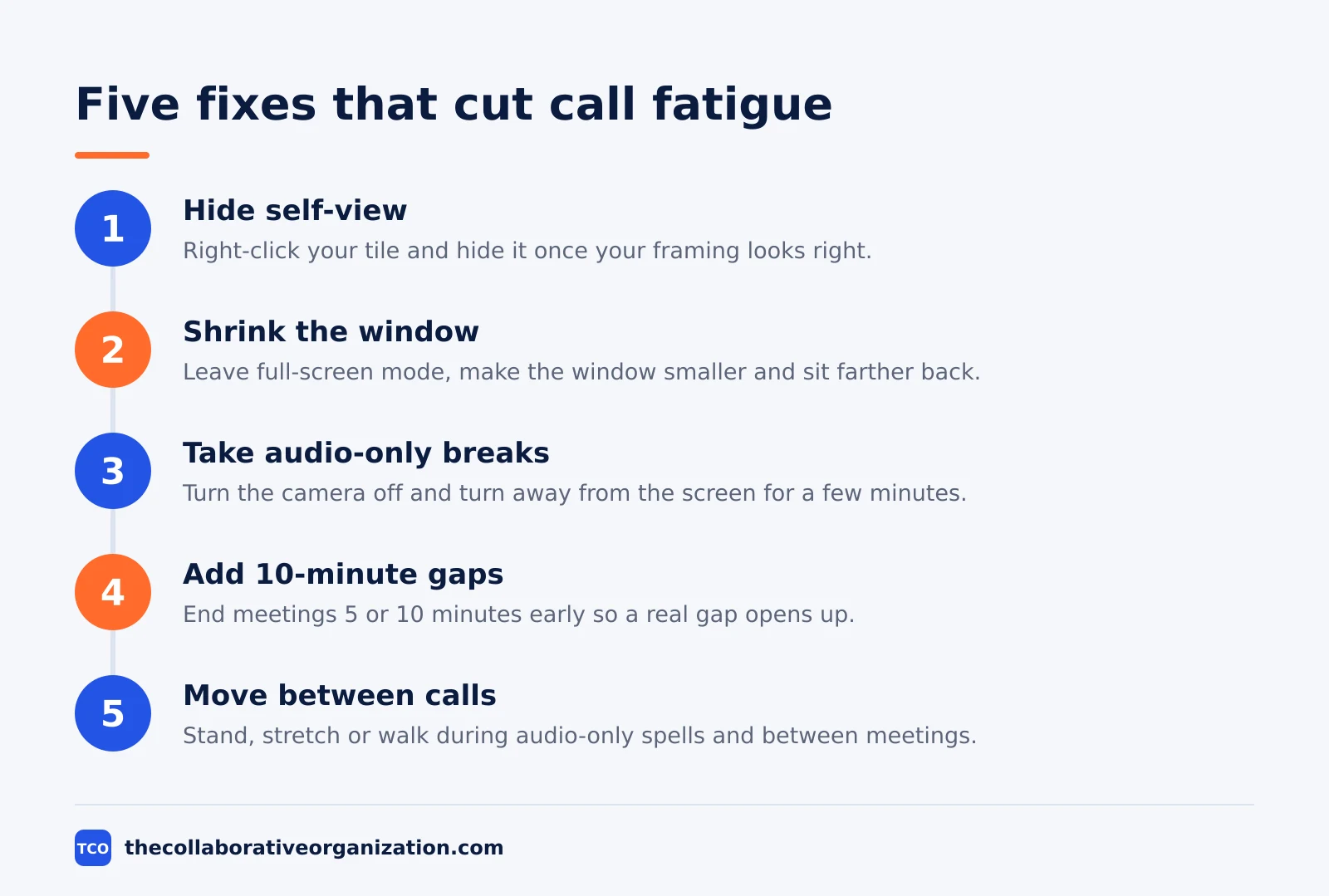
The fastest way to cut video call fatigue is to change the format of the calls, not to push through them. Five moves cover most of the strain, and each one maps to a cause from the Stanford research. Start with the two that cost nothing and take seconds.
Step 1: Hide self-view
Right-click your own video tile and hide it once your framing looks right. You still appear on camera to everyone else, but you stop watching yourself. This single change cuts the self-view load that Stanford found drives much of the fatigue gap between women and men.
Step 2: Shrink the video window
Take the call out of full-screen mode and make the window smaller, then sit farther back from the monitor. Faces drop to a normal size, the sense of being stared at fades, and an external keyboard helps you keep that distance. This step answers the close-up eye contact cause.
Step 3: Take audio-only breaks
Turn the camera off and turn your body away from the screen for a few minutes during long calls. Bailenson calls this an audio-only break, and it works because it stops the nonverbal work for a spell. Agree the rule with the team first, so nobody reads a dark tile as disengagement.
Step 4: Put 10 minutes between meetings
Set meetings to end 5 or 10 minutes early so a gap opens up. Microsoft’s lab work shows 10 minutes is enough for stress-linked brain activity to reset. Use the gap to step away from the screen, not to answer email, or the break never happens.
Step 5: Move between calls
Stand, stretch or walk during audio-only spells and between meetings. Movement helps thinking, and the camera is the thing that stops it. A short walk to get water counts, and it beats sitting through one more back-to-back call.
A team-level fix matters more than any personal trick. Cut the number of video calls first: status updates, announcements and one-way information do not need a live video slot. When a call stays, give it a goal in the invite and a hard end time, so people arrive knowing why they are there and when they can leave.
Video call fatigue example: one team, one week
A small support team shows how fast the fixes work when they are applied together. Imagine six support agents who each spent five hours a day on video calls: a morning standup, three client calls and an afternoon review, all back-to-back with cameras on. By Thursday, two agents had headaches by lunch and one stopped speaking up in the review.
The lead changed four things on Friday: she hid self-view for the whole team, cut the standup to 15 minutes and made it audio-only, and set every meeting to end 5 minutes early. She also moved the afternoon review to a shared document with comments, so only decisions needed a call.
The next week, the team held 11 video calls instead of 25, and total video time fell from 25 hours to 9 hours per person. The two agents with headaches reported none, and the review finished in 20 minutes because the document had already settled the facts.
The example is an illustration, not a study, but each change in it comes from the research above: fewer calls, hidden self-view, audio-only spells and real gaps.
Tools that make video calls less tiring
The right tool helps when it makes cameras optional, breaks easy and notes automatic, and the wrong one adds features nobody uses. All three tools below support hiding self-view, breakout rooms and polls, and all three offer a free plan with 40-minute meetings. Pick the one your team already opens every day, since a tool nobody opens cannot help.
The prices below are as of November 2026. Zoom lists Pro at $14.16 per user per month billed annually, and Webex lists Meet at $12. Google Workspace Starter is $7 per user per month on an annual plan. Our video conferencing software shortlist compares these tools side by side.
| Tool | Best for | Free plan | Starting price (as of November 2026) | Notable limit |
|---|---|---|---|---|
| Zoom | Teams that want long meetings with polls and breakout rooms | Basic, free, 40-minute meetings, 100 participants | $14.16 per user per month (Pro), billed annually | Pro caps at 100 participants per meeting |
| Google Meet | Teams already on Google Workspace | Free with a Google account, 60-minute meetings, 100 participants | $7 per user per month (Business Starter), billed annually | Starter has no meeting recording |
| Webex | Teams that need long meetings with more people | Free, 40-minute meetings, 100 attendees | $12 per user per month (Meet), billed annually | Meet caps at 200 attendees per meeting |
Zoom’s own pricing page shows Pro at $16.99 per user per month billed monthly and $14.16 billed annually, with meetings up to 30 hours and 10 GB of cloud storage per user.
Webex lists Meet at $144 per user per year on the Webex pricing page, with 24-hour meetings and 200 attendees.
Google Workspace Starter is $7 per user per month on an annual plan, or $8.40 on the flexible plan, according to independent reads of the Google Workspace pricing page.
Common video call fatigue mistakes to avoid
Most teams try to fix video call fatigue with the wrong lever, and the fix makes the problem worse. Run through the list below before you change a policy or buy a tool.
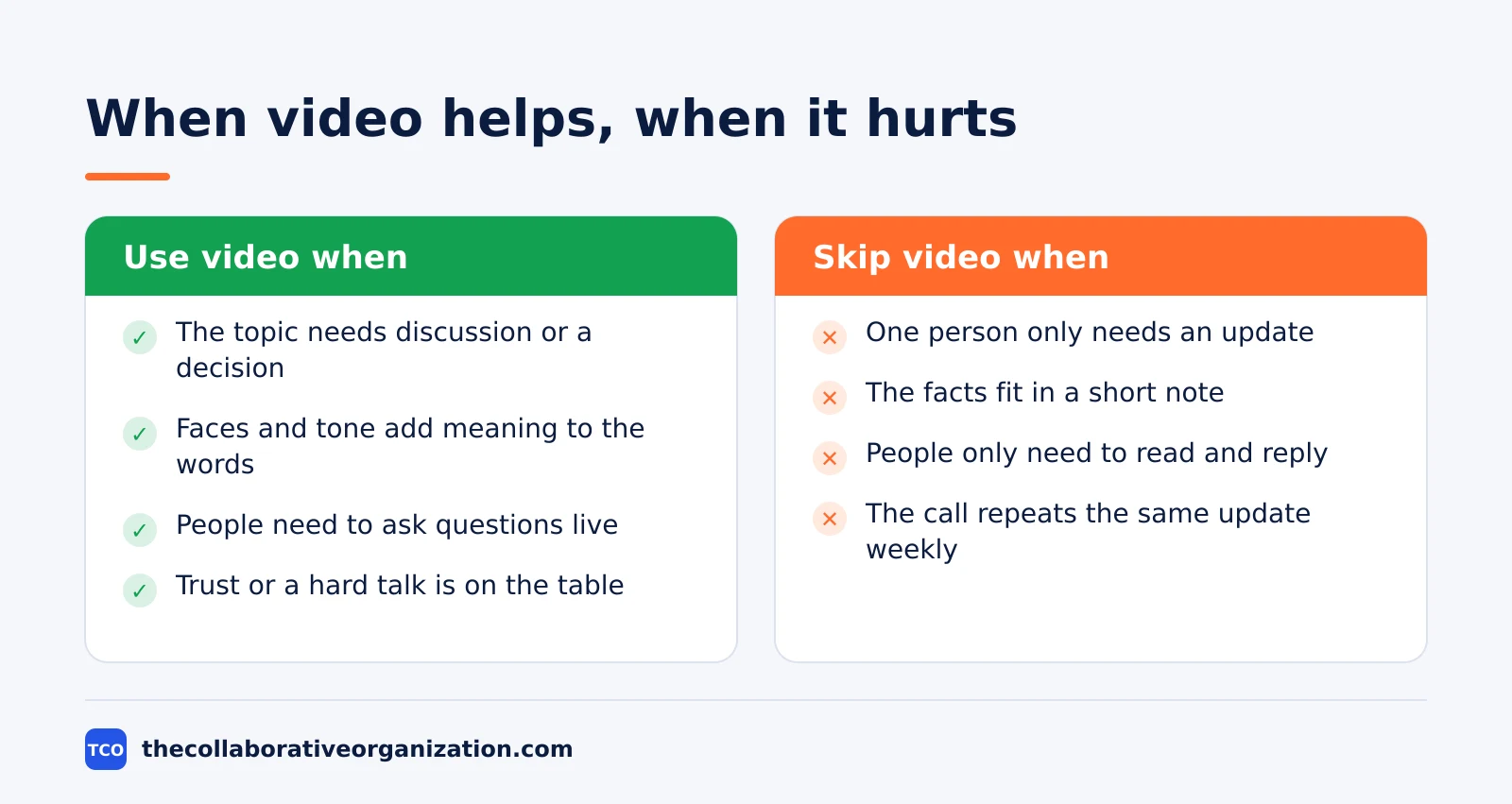
- Making cameras mandatory for every call. Camera-on days are more tiring, so a blanket rule taxes the people who already pay the most. Ask for cameras when faces add value, and let people go audio-only for the rest.
- Stacking calls back-to-back with no gap. Stress builds across back-to-back meetings, and a 10-minute gap resets it. End meetings 5 minutes early instead of booking the next one on the hour.
- Treating a video call as the default for everything. Status updates and announcements work better as a written note or a short recording. Save live video for discussion, decisions and hard conversations.
- Reading a dark tile as disengagement. People turn cameras off to rest their eyes and their attention, not to check out. Judge engagement by what people contribute, not by whether their face is on screen.
- Buying a new tool before fixing the schedule. A new platform does not fix 25 video calls a week. Cut the calls first, then pick a tool that fits the calls that remain. Our Zoom vs Google Meet comparison helps when the choice is between those two.
Sources
- Stanford News - Four causes for Zoom fatigue and their solutions (2021)
- Stanford News - Zoom fatigue worse for women (2021)
- Microsoft WorkLab - Research proves your brain needs breaks (2021)
- Nature - Videoconference fatigue from a neurophysiological perspective (2023)
- PubMed - The fatiguing effects of camera use in virtual meetings (2021)
- Nature - Virtual communication curbs creative idea generation (2022)
- Owl Labs - State of Hybrid Work 2025 (2025)
- Zoom - Pricing (2026)
- Webex - Pricing (2026)
- Google Workspace - Pricing (2026)
Frequently asked questions
What is video call fatigue?
Video call fatigue is the drained, unfocused feeling that builds after long or back-to-back video meetings. Stanford research traces it to four causes: close-up eye contact, constant self-view, sitting still, and the extra mental work of reading signals on screen. Short breaks, smaller video windows and audio-only spells all help.
Is video call fatigue the same as burnout?
No. Burnout builds over months from workload, control and support problems, while video call fatigue shows up the same day after heavy video use and fades with rest. The two can feed each other, though. If short breaks and fewer video hours do not help after a few weeks, look at workload and rest, not only at meetings.
Do cameras on or off make a difference?
Yes. A four-week field experiment with 103 employees found camera-on days more tiring than camera-off days, and the effect was stronger for women and newer employees. Turning the camera off for parts of a call, or hiding self-view, cuts the strain without cutting the meeting itself.
How long should a break between video calls be?
Ten minutes is enough to help. In Microsoft lab research with 14 people, 10-minute breaks between 30-minute meetings kept stress-linked brain activity steady, while back-to-back meetings let it climb. Use the gap to step away from the screen, not to answer email.
Can video call fatigue be measured?
Yes. Stanford researchers built a 15-item Zoom Exhaustion and Fatigue Scale that asks about general, physical, social, emotional and motivational fatigue after video calls. Teams can use it as a short survey to see whether a change, such as fewer cameras-on hours, makes a real difference.
Related articles

video conferencing
Loom vs Zoom Clips: Which Async Video Tool Wins? (2026)
Loom is the dedicated async video tool, while Zoom Clips is built into Zoom Workplace. Compare recording, editing, analytics and price to pick the right one.
November 19, 2026 · 9 min read
video conferencing
How to Reduce Meetings at Work: A 5-Week Plan (2026)
Cut meetings by a third without losing decisions: audit the calendar, cancel the weak ones, replace updates with writing, and protect focus days.
November 19, 2026 · 10 min read
video conferencing
How to Run an Effective Meeting in 7 Steps (2026)
An effective meeting starts with a clear purpose, a short agenda and named owners for every action. Follow 7 steps to run meetings people value.
November 19, 2026 · 12 min read