Task vs Subtask: What Is the Difference? (2026) | The Collaborative Organization
By The Collaborative Organization Team · November 19, 2026 · Last verified November 19, 2026 · 10 min read
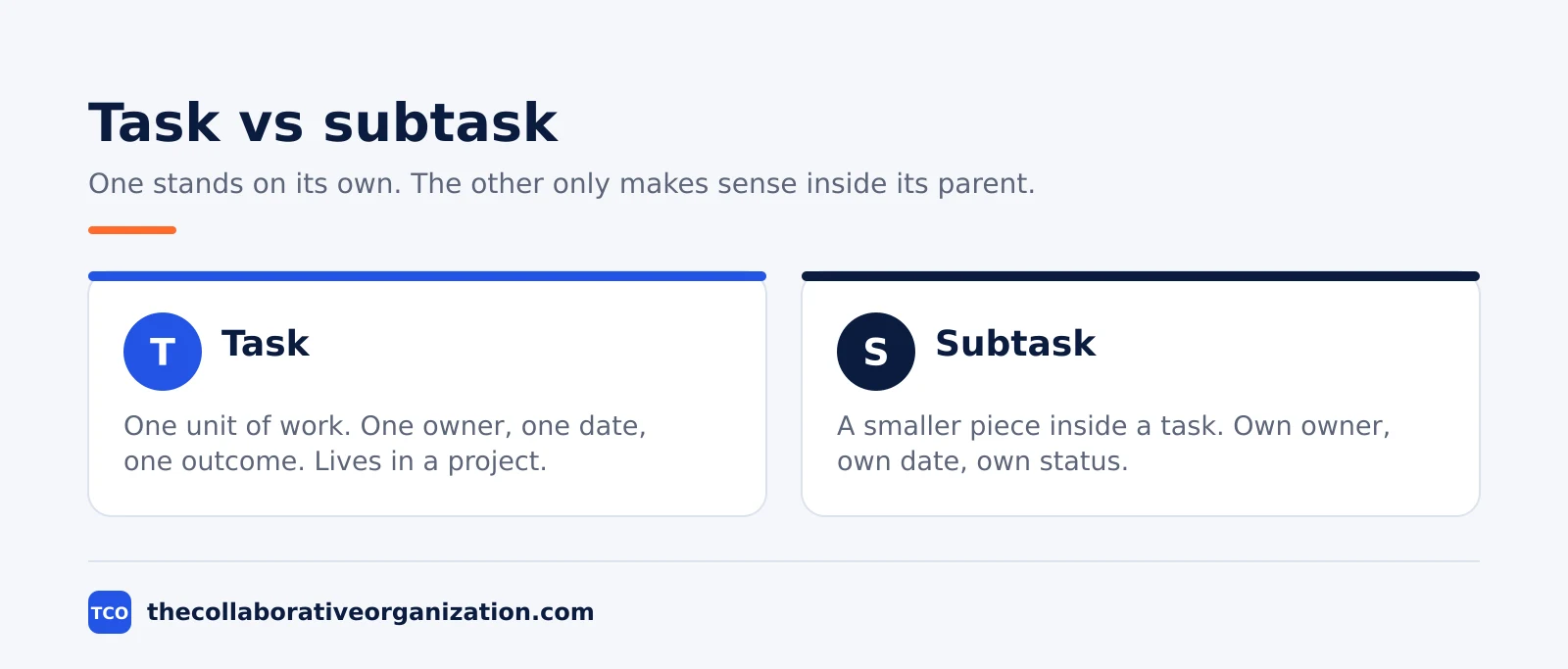
A task is one unit of work with an owner and a due date, while a subtask is a smaller piece of work nested inside a task. One stands on its own, the other only makes sense as part of its parent. Teams that mix them up bury work in nesting nobody can see.
Key takeaways
- A task captures one outcome, one assignee and one due date, so anyone can answer who is doing what by when.
- A subtask breaks a task into smaller parts, and it works like an independent task with its own fields.
- Subtasks do not inherit the project, tags or assignee of their parent task, so each one needs its own owner and date.
- One level of nesting covers almost all cases; deep nesting hides work and makes projects hard to scan.
- Use a checklist for your own reminders, a subtask for a step with its own owner or deadline, and a project when the work has several deliverables.
What a task is
A task is a single unit of work that one person owns and finishes by a date. It states an outcome, not an activity. “Write the homepage copy” is a task. “Work on the homepage” is not, because nobody can tell when it is done.
Asana puts it simply: tasks represent actionable steps that make it clear who is responsible for what by when. A well-formed task tells any teammate what will happen, who owns it and when it is due.
The title should start with an action verb, and the description should state the outcome. The task needs exactly one assignee. That guidance comes from the Asana guide to structuring projects.
A task also lives in a project, on a board or in a list, where the team can see it. That visibility is part of the point. When a task sits in a project, its status, date and owner show up in reports, calendars and dashboards.
A task that lives only in a chat message has no owner in the system and no date anyone can check.
Tasks sit in a hierarchy that runs from the largest unit down to the smallest. An epic holds stories, a story holds tasks, and a task can hold subtasks. Our guide on epics, stories and tasks explains how those levels fit together, and when each one is the right size.
What a subtask is
A subtask is a smaller task nested inside a parent task, with its own assignee, due date and status. It breaks a large or complex task into pieces the team can track one by one. The parent task holds the outcome, and each subtask holds one step toward it.
Asana describes subtasks as breaking up the work of a task into smaller parts. They function like independent tasks with all the same fields as a parent task, but they stay embedded within the parent. The Asana help page on tasks and subtasks sets out that definition, and it is the standard most tools follow.
One detail catches new users out. Subtasks do not inherit the projects, tags or assignee of their parent tasks. A subtask needs its own due date, and it must be added to the project by hand before it shows up on the project calendar. A team that forgets this step will watch subtasks slip past their dates with no warning.
ClickUp gives the same shape in its own words: a subtask is a smaller task nested inside a parent task, and it breaks a large task into individually trackable steps. Subtasks also spread work across a team, because different people can own different pieces of one parent task. That definition comes from the ClickUp guide to subtasks.
Task vs subtask at a glance
The short version is simple: a task is the unit of work, and a subtask is a piece of that unit. The table below lines up the two sides.
| Aspect | Task | Subtask |
|---|---|---|
| What it is | One unit of work with an outcome | A smaller piece of a parent task |
| Owner | One assignee | Its own assignee, often a different person |
| Due date | Its own date | Its own date, set by hand |
| Lives in | A project, board or list | Inside a parent task |
| Shows in reports | Yes, by default | Only when added to the project |
| Best for | Work one person can finish | Steps with different owners or dates |
| Nesting | Can hold subtasks | Should hold no further subtasks |
The nesting rule matters more than it looks. Asana advises limiting depth to one layer, because deep nesting hides work and makes projects harder to scan. ClickUp agrees: one level of nesting covers 90 percent of use cases, and two levels should stay rare. The 90 percent figure is ClickUp’s own guidance in its subtask guide.
When to use a subtask, and when not to
Use a subtask when a step has its own owner, its own deadline, or a different deliverable from the rest of the task. If none of those apply, the step belongs in the task description or a checklist, not in a subtask.
Asana names the same test: subtasks shine when a task has multiple contributors or discrete steps. They keep responsibilities and dates clear without losing the bigger context of the parent task. A task with three people doing three steps is a good case. A task with one person doing five steps in order is not.
The monday.com team adds a useful check: use subtasks for work with a finite endpoint. “Collect 10 examples from competitors” is a good subtask, because the team can tell when it is done. “Research competitors” is a poor one, because it has no endpoint and can never be checked off. That advice comes from the monday.com guide to sub-items.
Do not turn every step into a subtask. Over-listing pulls a team into false productivity, where the board looks busy and nothing ships. The monday.com guide warns about the same trap: breaking down every email and phone call into subtasks leaves a long, cluttered list of unfocused responsibilities.
Worked example: onboarding a new hire
A team onboards a new designer in two weeks, and one parent task holds the whole job. The example below is an illustration, not a real project. The parent task is “Onboard Maya, product designer”, owned by the hiring manager, due on the Friday of week two.
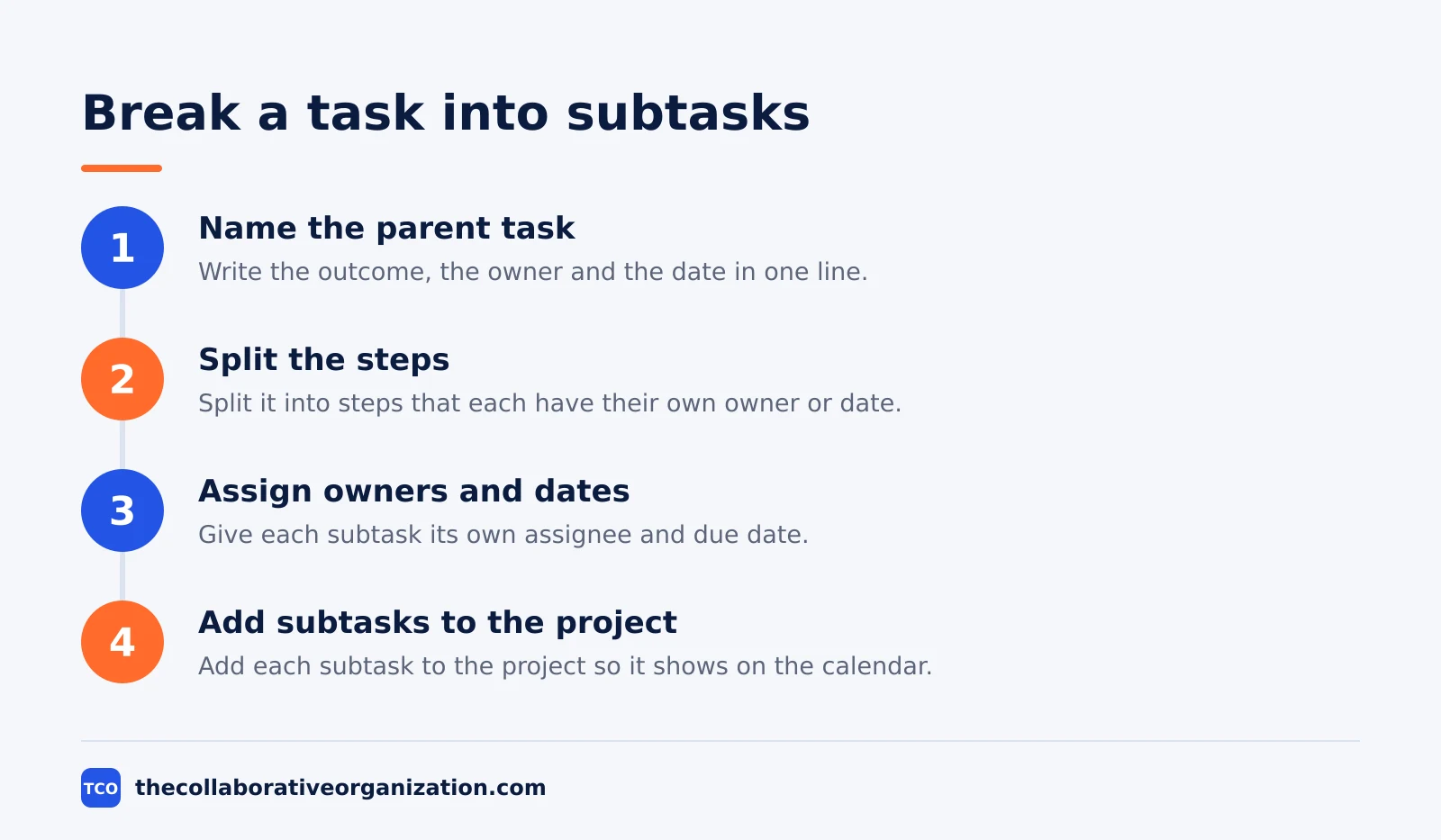
The task splits into four subtasks, each with its own owner and date. IT sets up the laptop and accounts by day two. The hiring manager books the intro meetings by day three.
A senior designer prepares the first brief by day five. HR files the paperwork by day seven. Each subtask has its own assignee, so the hiring manager can see which piece is stuck without chasing the whole task.
Two details show the rules in action. First, each subtask is added to the project by hand, with its own due date, or it would not show on the team calendar. Second, nobody nests further: “set up the laptop” is one subtask, not a chain of smaller ones. The IT owner keeps the small steps in the subtask description.
How to decide: task, subtask or checklist
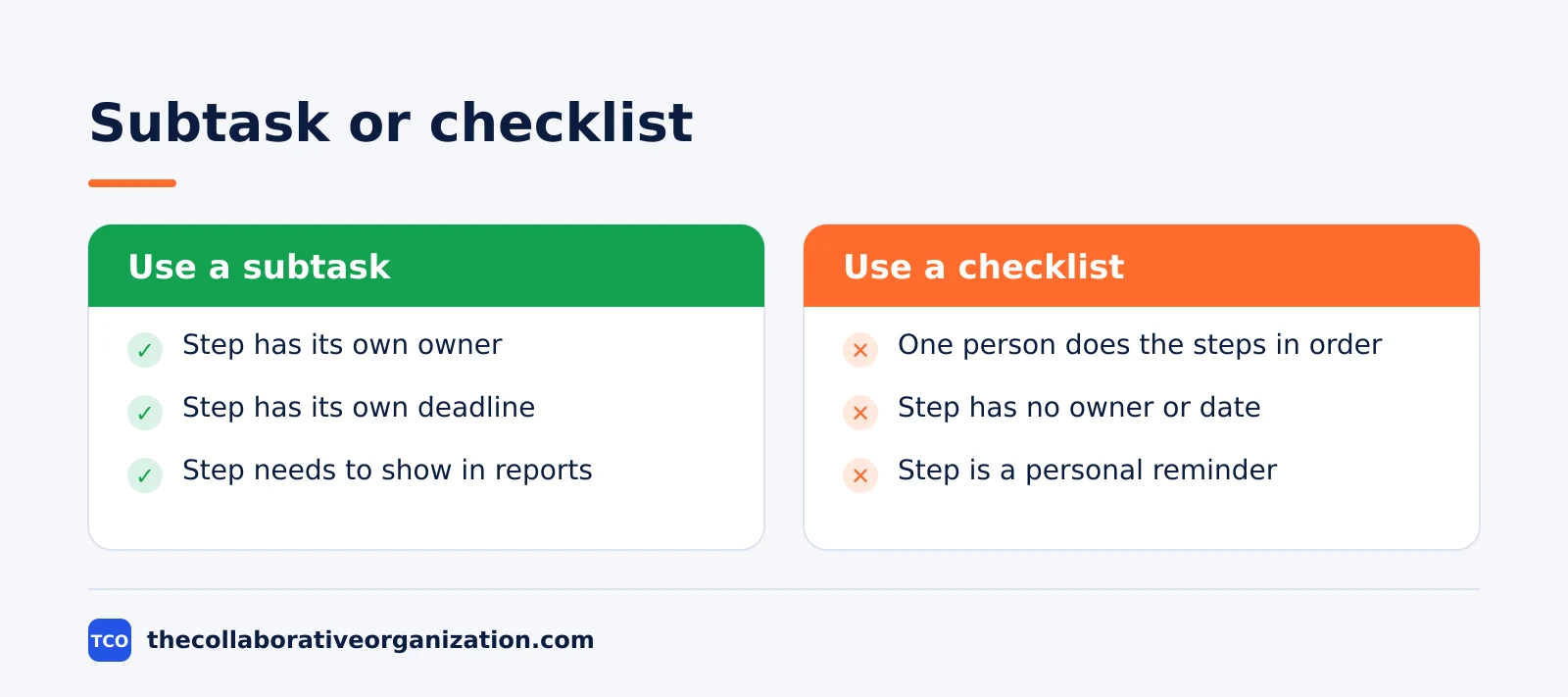
Ask who owns the step and whether it needs its own date. A step with a different owner or its own deadline is a subtask. A step you do yourself, in order, is a checklist item. A step that is really a separate outcome is a task of its own.
Checklists and subtasks look alike on the surface, but they behave differently. Subtasks are full tasks: they have their own assignees, due dates, statuses, comments and attachments, and they appear in filters, reports and dashboards.
Checklists are light lists of items inside a task description, and they do not appear in reports or carry their own dates. That split comes from the ClickUp subtask guide.
Trello shows the same idea from the other side. Trello has no true subtasks, so teams use checklists inside a card. A checklist item can be checked off when done, and in a Premium workspace it can carry an assignee and a due date. The Atlassian Trello checklist guide explains how advanced checklists work.
Use a board to keep the decision visible. A kanban board shows each task as a card, and the subtasks sit inside the card where the team can open them. If a card holds more than five subtasks, the work is probably too big for one task.
Tools that handle tasks and subtasks
The tool matters less than the rule, but the tool should make the rule easy to follow. It should show subtasks inside the parent, let each one carry its own owner and date, and warn you when a subtask has no date.
Compare the options on our task management software shortlist before you pick one.
Our guide on how to choose a task management app covers free-plan caps and seat counts in more depth.
| Tool | Best for | Free plan | Starting price (as of November 2026) | Notable limit |
|---|---|---|---|---|
| Asana | Teams that want one assignee per task | Free for 2 people | $10.99 per user per month, billed annually | Free plan covers 2 people |
| Trello | Teams that use checklists inside cards | Free for up to 10 collaborators | $5 per user per month (Standard), billed annually | Free plan covers 10 boards |
| ClickUp | Teams that nest subtasks with custom fields | Free Forever plan | $9 per user per month (Core), billed annually | Yearly billing needed for that price |
| Notion | Teams that plan tasks inside docs | Free for individuals | $10 per member per month (Plus), billed annually | Free plan is for individual use |
The Asana price comes from Asana pricing, opened today: Starter is $10.99 per user per month billed annually. The ClickUp pricing page, opened today, lists Core at $9 per user per month billed yearly, and the Free Forever plan includes unlimited tasks and subtasks.
Trello Standard is $5 per user per month billed annually, and Premium is $10. Notion Plus is $10 per member per month billed annually. Both figures were checked against vendor pricing pages in November 2026, as recorded in the TaskReports pricing comparison of 13 November 2026.
Common task vs subtask mistakes to avoid
Most task and subtask trouble comes from five habits, and all five are easy to spot in a review. Run through the list below each time a board gets messy.
- Nesting three levels deep. A subtask of a subtask of a subtask hides work, and the team stops seeing it.
- Leaving subtasks without owners or dates. A subtask with no owner is a wish, and a subtask with no date never gets done.
- Turning every step into a subtask. Small steps one person does in order belong in a checklist, not in the project plan.
- Forgetting to add subtasks to the project. A subtask that is never added to the project will not show on the calendar or in reports.
- Keeping a task that is really a project. When a task has several deliverables and several owners, split it into a project.
Sources
- Asana - Tasks and Subtasks: When and How to Use Each (2026)
- Asana - How to Structure Projects in Asana (2026)
- ClickUp - Subtasks: When to Use Them and How Deep Nesting Should Go (2026)
- monday.com - How to Be Smart About Your Sub-Tasks and Sub-Items (2026)
- Atlassian - Add, Delete, and Manage Checklists in Trello (2026)
- Asana - Pricing (2026)
- ClickUp - Pricing (2026)
- TaskReports - Best Affordable Project Management Software (2026)
Frequently asked questions
Can a subtask have its own subtasks?
In most tools, yes, but you should almost never do it. Asana advises keeping nesting to one layer, because deep nesting hides work and makes projects hard to scan. If a subtask needs its own subtasks, the parent task is probably a small project in disguise, and it deserves its own project.
Do subtasks inherit the due date of the parent task?
No. In Asana, subtasks do not inherit the projects, tags or assignee of their parent tasks, and they need their own due dates. Give each subtask its own date, even when it falls before the parent date, or the team will not know when each piece is due.
What is the difference between a subtask and a checklist item?
A subtask is a full task with its own assignee, due date, status and comments, and it shows up in reports. A checklist item is a simple checkbox inside a task, with no owner and no date. Use checklists for your own reminders, and subtasks when a step needs its own owner or deadline.
Should every step of a task become a subtask?
No. Small steps that one person does in order belong in the task description or a checklist. Subtasks earn their place when a step has a different owner, its own deadline, or needs to show up in a report. Turning every step into a subtask creates admin work without adding clarity.
When should a task become a project instead?
When the work has several deliverables, several owners and its own timeline, it has outgrown a task. Asana gives the same advice: if the work involves different deliverables, split it into multiple tasks and create a project. A task should hold one outcome, not a whole plan.
Related articles

guides
Free Project Management Templates: 7 to Copy (2026)
Seven free project management templates from monday, Wrike, Teamwork, Smartsheet, ClickUp, Asana and Trello, with what each one is for and what free really costs.
November 20, 2026 · 7 min read

guides
Project Proposal Template: Copy and Win Work (2026)
A project proposal template pitches the work before it is approved: problem, solution, scope, budget, timeline and terms. Copy the template and filled example.
November 20, 2026 · 10 min read

guides
Action Plan Template: Goal to Done in One Page (2026)
An action plan template turns one goal into owned steps with dates, dependencies and a success measure. Copy the table and see it filled for a support team.
November 20, 2026 · 11 min read