Project Scope vs Product Scope: What Is the Difference? (2026) | The Collaborative Organization
By The Collaborative Organization Team · November 19, 2026 · Last verified November 19, 2026 · 9 min read
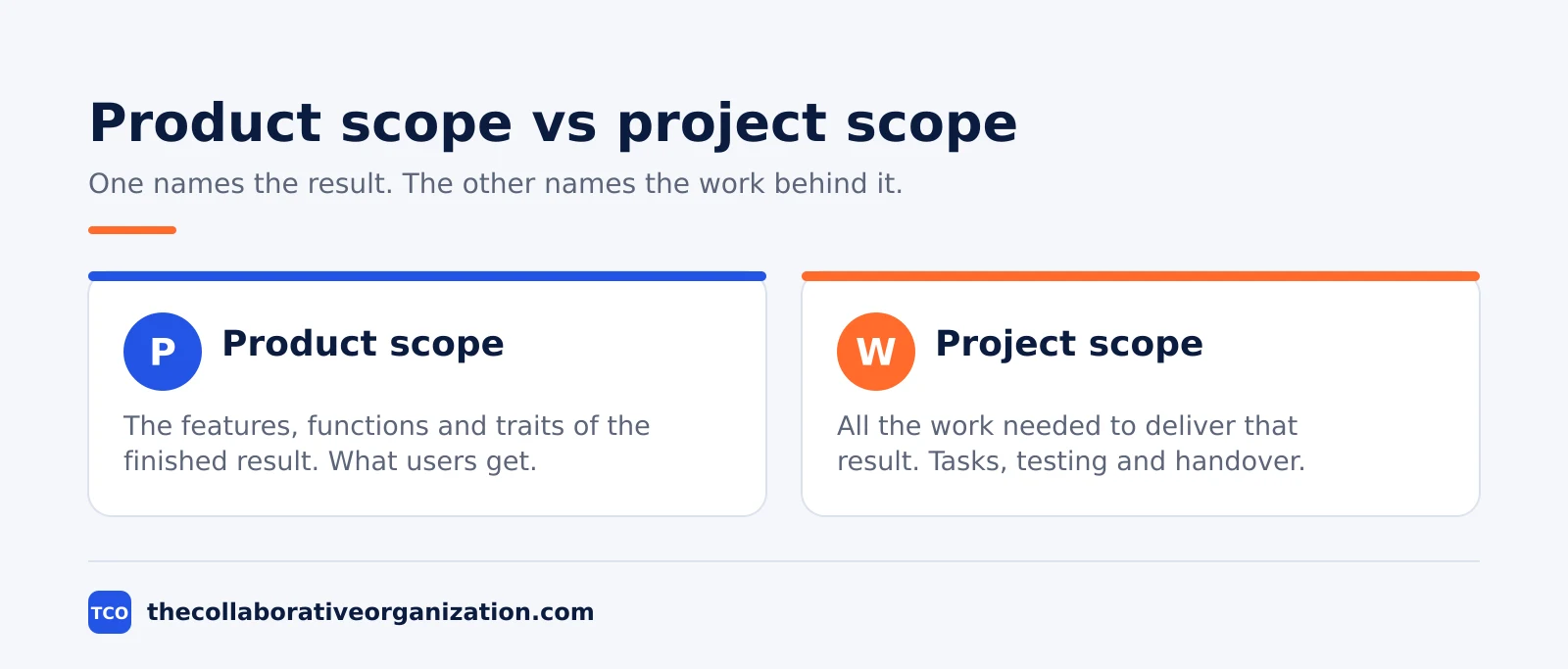
Project scope is the work a project must do, while product scope is the features and functions the finished result must have. One names effort, the other names the outcome. Teams that mix them up track tasks and forget what the result must do.
Key takeaways
- Product scope names the features, functions and characteristics of the finished result, while project scope names the work needed to deliver them.
- The PMBOK Guide defines product scope as the features and functions that characterize a product, service or result.
- Project scope is checked against the project plan and the work breakdown structure, while product scope is checked against requirements and acceptance criteria.
- Product scope comes first in practice: you cannot plan the work until you know what the result must do.
- Both scopes can grow without control, so each change needs a decision on time, cost and resources.
What project scope is
Project scope is all the work a project must perform to deliver its result, and nothing else. It covers the tasks, the project management work, the testing and the handover. It also states what the project will not do, which is often the most useful line in the document.
The PMBOK Guide puts it plainly: managing project scope is mainly about defining and controlling what is and is not included in the project. That control is the whole job. A scope with no boundary grows a little each week, and each small addition looks harmless on its own.
Wrike makes the same point: project scope is the work that must be done to deliver a product according to the product’s scope.
Project scope is managed through practices that define, document and control what the project will and will not deliver. The goal is a project that holds all the work required and no extra work, so time and money go only to what creates value. That aim comes from the scope management guidance published by Projeric in November 2026.
In the PMBOK Guide 8th edition, scope sits in the Scope performance domain, one of seven performance domains. That domain holds six processes: Plan Scope Management, Elicit and Analyze Requirements, Define Scope, Develop Scope Structure, Monitor and Control Scope, and Validate Scope.
Quality now sits inside the same domain, because a deliverable counts as done only when it meets its acceptance criteria. The six-process list comes from a PMBOK 8 summary of the Scope performance domain.
What product scope is
Product scope is the set of features, functions and characteristics of the finished product, service or result. It answers one question: what will the result be, and what will it do? It says nothing about how the team builds it, who does the work, or how long the work takes.
The PMBOK Guide defines product scope as the features and functions that characterize a product, service or result. That wording is quoted in the iZenBridge guide to product and project scope, which draws directly on the PMBOK Guide.
A mobile app’s product scope might list offline reading, search and a dark mode. A training course’s product scope might list 12 lessons, a quiz and a certificate.
Product scope is written from the user’s point of view, not the team’s. BrainSensei draws the line by perspective: project scope is seen from the project management side, while product scope is seen from the customer or end-user side.
The user cares that the app works offline. The team cares how many tasks that feature adds. Both views matter, but they belong on different lists. The perspective split is set out in the BrainSensei comparison.
Requirements feed product scope, and the product backlog is where those requirements usually live once work starts. Each backlog item describes one piece of the product, and the team turns it into tasks only after the product scope is clear.
Project scope vs product scope at a glance
The short version is simple: product scope is the what, project scope is the work. The table below lines up the two sides so a team can check which one a request belongs to.
| Aspect | Product scope | Project scope |
|---|---|---|
| Answers | What will the result be and do? | What work must the project do? |
| Describes | Features, functions, characteristics | Tasks, effort, handover, limits |
| Viewpoint | Customer or end user | Project team and manager |
| Checked against | Requirements and acceptance criteria | Project plan and work breakdown structure |
| Owned by | Product owner or client | Project manager |
| Changes when | Needs or expectations change | Features change, or the plan changes |
| Example | Offline reading, search, dark mode | Design, build, test, launch, training |
One useful test sorts any request in seconds. If the request adds a feature the user can see or use, it touches product scope. If it adds effort, a task or a deadline, it touches project scope. Most real requests touch both, which is why the team should record the change on both lists and price it once.
How project scope and product scope work together
Product scope sets the target, and project scope sets the path to it. The team agrees what the result must do, then plans the work that delivers it. When the product changes, the work changes with it, and the plan, budget and dates move too.
The order matters. Project scope can only be defined once product scope is understood, because project scope is the set of actions needed to deliver the product. A team that starts planning tasks before the features are agreed builds a schedule for a product nobody described. That is how projects end up on time for the wrong result.
The two scopes also share one enemy: uncontrolled growth. Scope creep is the uncontrolled expansion of product or project scope without matching changes to time, cost and resources.
A feature added for free costs the team hours, and hours added for free cost the schedule days. The fix is the same on both sides: write the change down, price it, and get it approved before the work starts.
Stories help keep the two scopes apart in daily work. A user story describes one piece of product scope in the user’s words, and the tasks under it describe the project scope that delivers it. When a story grows, the team can see the extra work before it agrees to the change.
Worked example: a mobile app launch
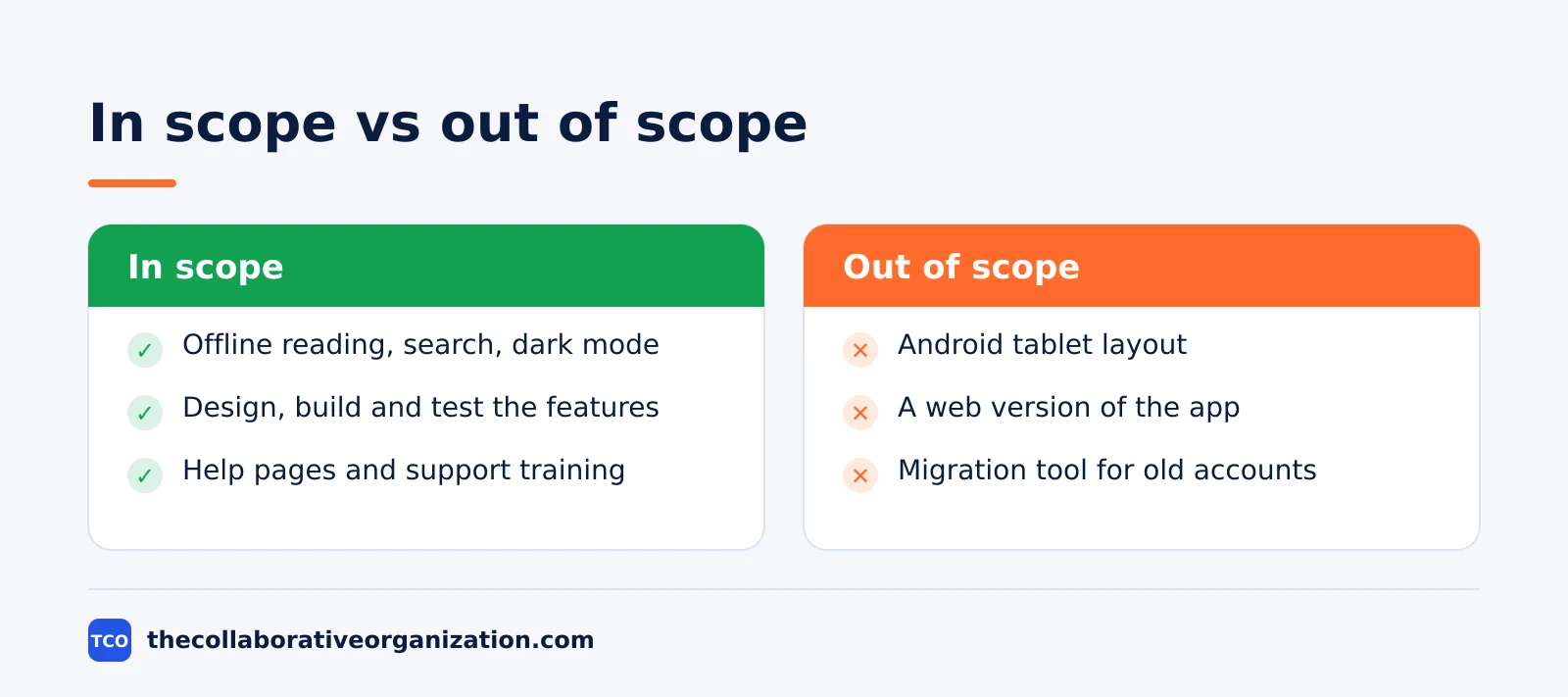
A small team plans a mobile app with three features, and the two scopes keep the plan honest. The example below is an illustration, not a real project. The product scope lists offline reading, search and a dark mode. Nothing else is promised to users.
The project scope lists the work: design the three features, build them, test them on two phone models, write the help pages, and train the support team.
It also lists what is out of scope: an Android tablet layout, a web version and a migration tool for old accounts. Those three items are the ones users will ask for first, so writing them down now saves an argument later.
Halfway through, a stakeholder asks for push notifications. The team checks both lists. Push notifications are a new product feature, so product scope grows. They also add design, build and test work, so project scope grows too.
The team prices the change at two extra weeks and asks for approval. The stakeholder agrees to drop the help pages to keep the date, and the trade is written into both scopes.
Which scope do you define first
Define product scope first, then project scope, and revisit both at every review. The features decide the work, not the other way round. A team that plans tasks first ends up fitting the product into the schedule it already built.
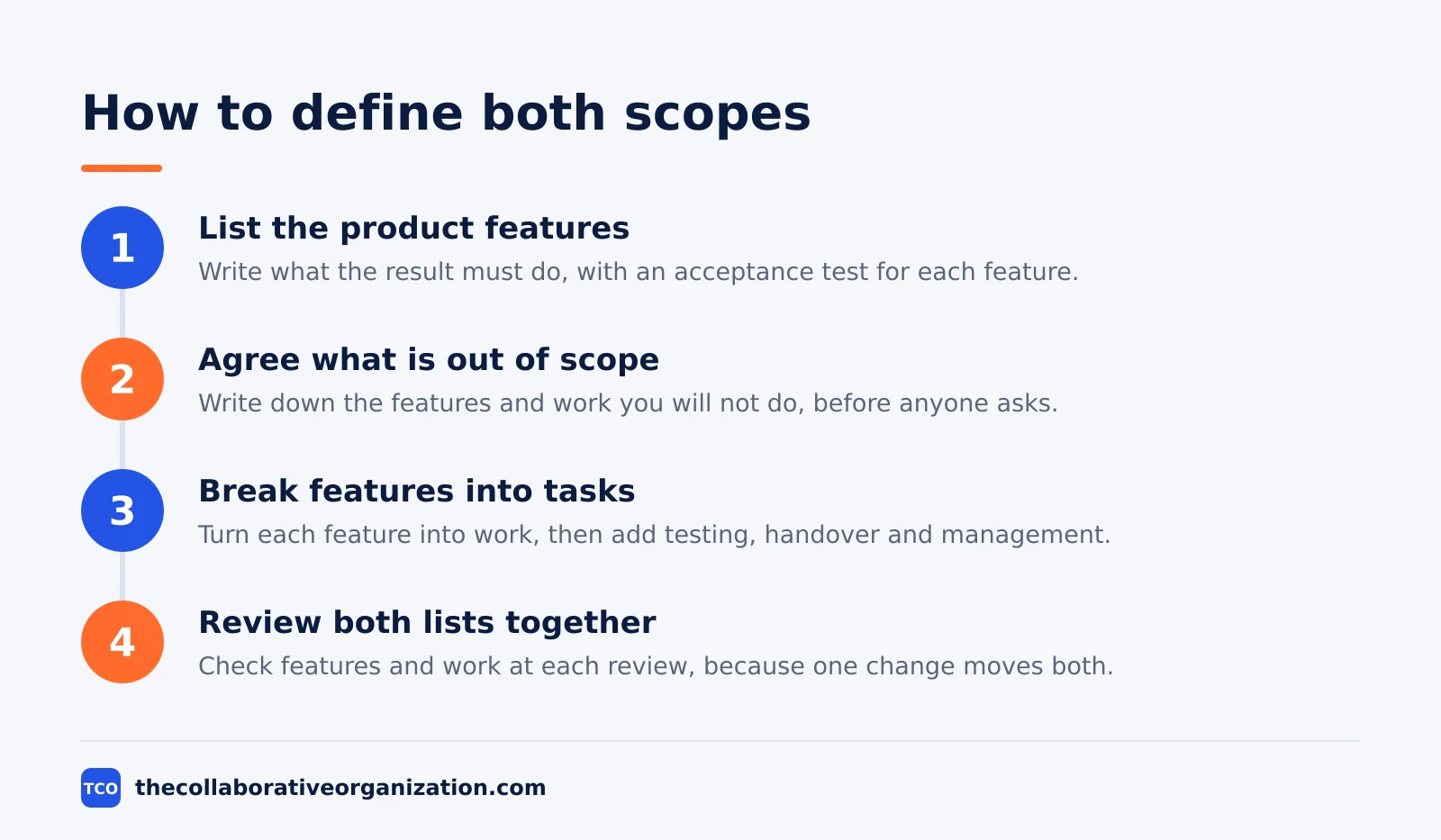
Start with the result. Ask the client what the product must do, write the features down, and agree the acceptance criteria for each one. Keep the list short enough to read in one sitting. If a feature has no acceptance test, it is a wish, not a scope item.
Then plan the work. Break each feature into tasks, add the management, testing and handover work, and write down what is out of scope. Our guide on how to choose project management software covers the tools that hold both lists in one place, so the team sees features and tasks side by side.
There is one exception to the order. When a project has a fixed deadline and a fixed team, the team may cut product scope to fit the work that fits the dates. That is still product scope first: the team decides which features survive, then plans the work for those features only.
Tools that keep scope visible
A scope document in a drawer helps nobody, so keep both scopes where the team already works. The tool should show features next to the tasks that deliver them, and it should make out-of-scope items easy to find.
Compare the options on our project management software shortlist before you pick one. The right tool is the one the team opens every day, not the one with the longest feature list.
| Tool | Best for | Free plan | Starting price (as of November 2026) | Notable limit |
|---|---|---|---|---|
| Asana | Teams that track features as tasks with owners and dates | Free for 2 people | $10.99 per user per month, billed annually | Free plan covers 2 people |
| monday.com | Teams that want features and work on one visual board | Free plan for up to 2 seats | $9 per seat per month (Basic), billed annually | Paid plans need at least 3 seats |
| ClickUp | Teams that want custom fields for scope status | Free Forever plan | $9 per user per month (Core), billed annually | Yearly billing needed for that price |
The Asana price comes from Asana pricing, opened today: the Personal plan is free for 2 users, and Starter is $10.99 per user per month billed annually. On the monday.com pricing page, Basic is $9 per seat per month billed annually, with a 3-seat minimum.
Common project scope vs product scope mistakes to avoid
Most scope trouble comes from five habits, and all five are easy to spot in a review. Run through the list below each time the scope changes hands.
- Writing one scope list instead of two. A single list mixes features with tasks, so nobody can tell whether a request adds value or adds work.
- Approving features without pricing the work. Every new feature adds tasks, testing and handover, and the team should price all three before it agrees.
- Leaving out-of-scope items unwritten. If the excluded work is not written down, the client will assume it is included.
- Treating the scope statement as a draft forever. A scope that is never signed is a wish list, and a wish list cannot say no.
- Checking only one scope at reviews. Review the features and the work together, because a change to one side always moves the other.
Sources
- Wrike - What Is Scope in Project Management? (2026)
- iZenBridge - Product Scope vs Project Scope (2023)
- Mudassir Iqbal - Product Scope vs Project Scope | PMBOK 8 (2026)
- Projeric - Project Scope Management: Steps, Plan and Examples (2026)
- BrainSensei - Project Scope and Product Scope (2023)
- Asana - Pricing (2026)
- monday.com - Pricing (2026)
- ClickUp - Pricing (2026)
Frequently asked questions
Can project scope change after the project starts?
Yes, but only through a clear decision. When a stakeholder asks for extra work, the team checks the effect on time, cost and resources, then the person who owns the project approves or refuses the change. Work that slips in without that decision is scope creep, and it is the most common reason projects run late.
Who owns product scope and who owns project scope?
Product scope is usually owned by the product owner or the client, because they decide what the result must do. Project scope is owned by the project manager, who plans and controls the work. The two owners must agree with each other, because a change to the product almost always changes the work.
Is product scope part of project scope?
The PMBOK Guide says the term project scope is sometimes viewed as including product scope, because the work exists to deliver the product. In practice, keep the two lists separate. One list holds features, the other holds work, and merging them hides the difference between what you build and what you do.
What is the difference between scope and a work breakdown structure?
Scope is the agreement about what is included and what is not. The work breakdown structure is the tool that breaks the agreed project scope into smaller, named pieces of work. Scope comes first as a decision, and the work breakdown structure comes second as the plan that carries it out.
How do you write a project scope statement?
Start with the goal in one sentence, then list the deliverables, the work included, the work excluded, the limits and the acceptance criteria. Keep it short enough to read in five minutes. Get the client and the project manager to sign it, then use it as the test for every change request that follows.
Related articles

guides
Free Project Management Templates: 7 to Copy (2026)
Seven free project management templates from monday, Wrike, Teamwork, Smartsheet, ClickUp, Asana and Trello, with what each one is for and what free really costs.
November 20, 2026 · 7 min read

guides
Project Proposal Template: Copy and Win Work (2026)
A project proposal template pitches the work before it is approved: problem, solution, scope, budget, timeline and terms. Copy the template and filled example.
November 20, 2026 · 10 min read

guides
Action Plan Template: Goal to Done in One Page (2026)
An action plan template turns one goal into owned steps with dates, dependencies and a success measure. Copy the table and see it filled for a support team.
November 20, 2026 · 11 min read