Project Brief Template: Copyable Format (2026) | The Collaborative Organization
By The Collaborative Organization Team · November 19, 2026 · Last verified November 19, 2026 · 11 min read
A project brief template is a one-page format that states why a project exists, what it will deliver, by when, who is on it, who decides, and what it costs. Copy the template below, fill in the nine sections, get one named approver to sign it, and the kickoff runs from the brief instead of from memory.
Key takeaways
- A project brief is a one-page summary written by the project manager before kickoff, for the team and the client to share.
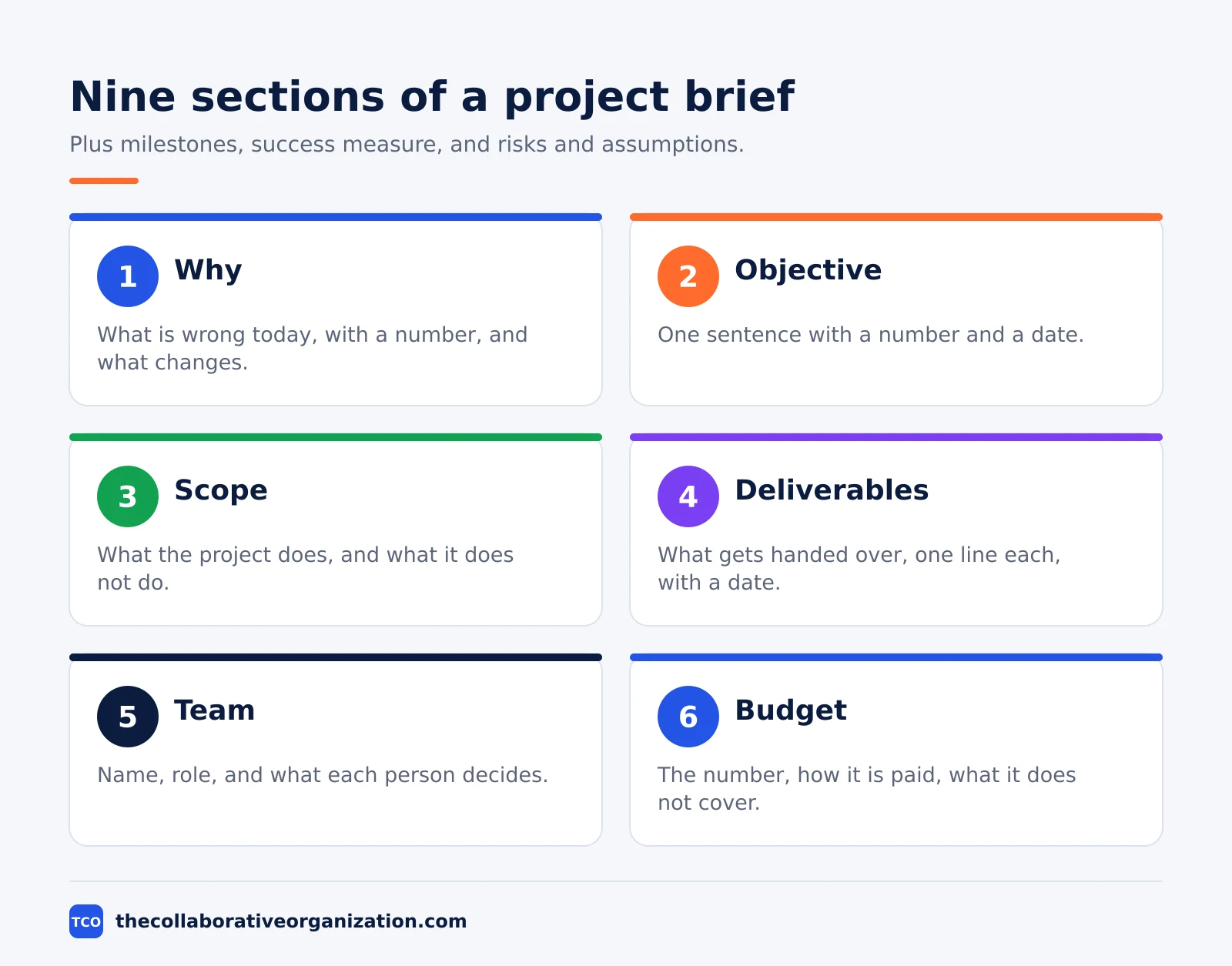
- The nine sections are why, objective, scope, deliverables, milestones, team, budget, success measure, and risks.
- The objective needs one sentence with a number and a date, or it is a wish, not an objective.
- The out-of-scope list is the section most briefs leave out, and it is the one the budget stands on.
- One named approver signs the brief, not a committee.
- Asana Starter costs $10.99 per user per month billed annually as of November 2026.
What is a project brief?
A project brief is a short document, usually one or two pages, that says what you want to build, for whom, and why. It states the reason for the project, the objective with a number and a date, what is in and out of scope, the deliverables and milestones with dates, the team with one named approver, the budget, the success measure, and the main risks.
The brief is not a plan. A plan holds the tasks, the dependencies, and the day-to-day schedule. The brief holds the agreements the plan runs on: the goal, the boundaries, the date, and the approver. When the team argues about scope mid-project, the brief is the document that settles it, because everyone agreed to it before the work started.
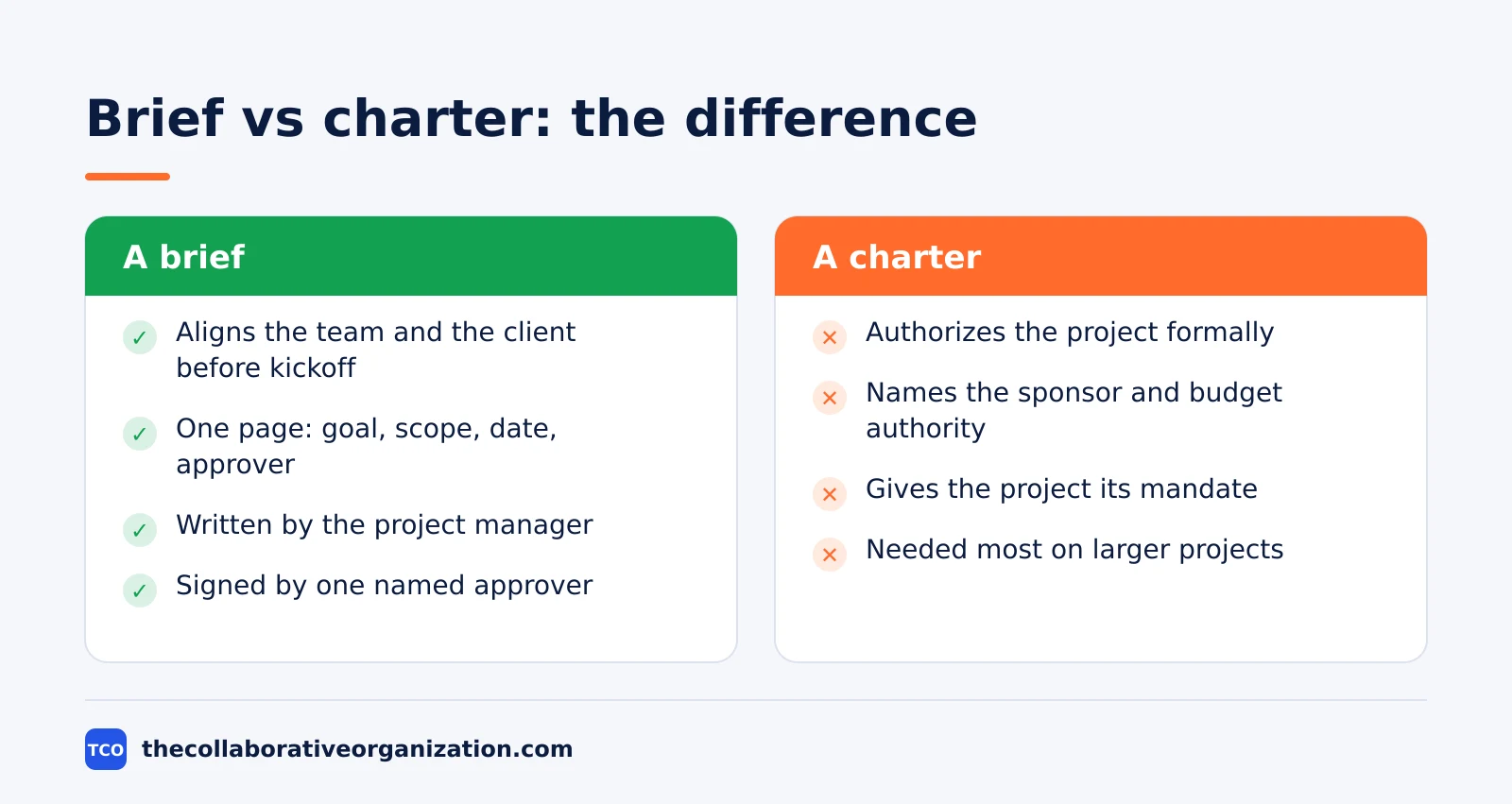
A brief is also not a project charter. The charter is the formal document that authorizes the project and names the sponsor and the budget authority.
Our guide on what is a project charter explains the charter in full. The brief aligns people before kickoff, and the charter gives the project its mandate. Most small projects need a brief; only larger ones need both.
Rock makes the point well: the headings are not the hard part. The hard part is the number in the objective, the list of what the project will not do, and the name at the top that signed both.
The project brief template to copy
Copy the table below into a document, a wiki page, or a shared drive file, then replace every bracketed line. Keep the brief to one page by writing a few lines per section and linking the detail instead of pasting it in.
| Section | What to write |
|---|---|
| 1. Why | One paragraph: what is wrong or missing today, with a number, and what changes when the project is done |
| 2. Objective | One sentence with a number and a date |
| 3. Scope | What the project does, one line per item, and what it does not do |
| 4. Deliverables | What gets handed over, one line each, with the date it is due |
| 5. Milestones | The five or six dates everyone plans around: kickoff, approvals, freezes, launch, review |
| 6. Team and stakeholders | One line per person: name, role, and what they decide; one named approver |
| 7. Budget | The number, how it is paid, and what it does not cover |
| 8. Success measure | How the objective is checked, with what data, on what date |
| 9. Risks and assumptions | The three or four things most likely to move the date, each with what is being done about it |
The objective is the section to write first, even though it sits second in the table.
Plane lists six core components for a brief, and goals plus success metrics come first among them: goals define the outcomes, and metrics turn those outcomes into numbers the team can check. If the objective has no number and no date, the rest of the brief is built on sand.
The scope section needs two lists, not one. The in-scope list states what the project does, one line per item. The out-of-scope list states what it does not do, and it is the list the budget stands on. Docsaura calls the out-of-scope section the most valuable one, because it is the section most briefs leave out.
How to fill in each section of the template
Fill the template in order, starting with the why and the objective, because those two sections decide what belongs in scope. A brief written backwards, starting with deliverables, usually lists work nobody asked for.
Why takes one paragraph with a number in it. State what is wrong or missing today, and what changes when the project is done. A shop whose checkout fails on one order in five is a why with a number built in. A vague wish for a better website is not.
Objective takes one sentence with a number and a date. Launch the new shop by 15 December 2026 with checkout conversion at or above 2 percent is an objective. “Improve the website” is not, because nobody can check it on a date.
Nactore gives the same rule for software briefs: the sections that change a quote most are scope, integrations, constraints, and a budget range, so write those four with numbers in them.
Scope takes one line per item, in and out. Deliverables take one line each with the date it is due. Milestones take the five or six dates everyone plans around: kickoff, design approval, content freeze, launch, and review.
Team takes one line per person with name, role, and what they decide, and exactly one approver. Budget takes the number, how it is paid, and what it does not cover.
Risks take the three or four things most likely to move the date, each with what is being done about it. Then list the assumptions: what the plan takes as true without proof. A brief that hides its assumptions will be blamed for them later, when one turns out to be wrong.
Filled example: relaunch a client online shop
A filled example shows how the nine sections read when they hold real text. The example below is an illustration for a ten-person agency relaunching a client shop, not a real project, and the names, dates, and numbers are invented for the example.
| Section | Filled example |
|---|---|
| 1. Why | Harbor Books’ shop loses about one order in five to checkout errors, and the old platform has no fix planned. |
| 2. Objective | Launch the new shop by 15 December 2026 with checkout conversion at or above 2 percent. |
| 3. Scope | In: 10 page templates, checkout, product import, redirects. Out: loyalty scheme, mobile app, new product photos. |
| 4. Deliverables | Page templates and 10 designs by 30 October 2026; tested shop by 27 November 2026; launch by 15 December 2026. |
| 5. Milestones | Kickoff 22 September; design approval 13 November; content freeze 27 November; launch 15 December; review 15 January. |
| 6. Team and stakeholders | Amara Osei, marketing director, approves design and launch. Daniel Park, project manager, runs the project. |
| 7. Budget | $24,000 fixed fee in three payments: 30 percent at kickoff, 40 at design approval, 30 at launch. |
| 8. Success measure | Measured on 15 January: conversion, organic sessions, redirects, open bugs. |
| 9. Risks and assumptions | Risk: product data arrives late; mitigation is a weekly data check from 29 September. Assumes the client approves designs within 5 working days. |
Four lines in scope, three lines out, and the first out line is the loyalty scheme. That out list is what protects the $24,000 budget: when the client asks for the loyalty scheme mid-project, the brief shows it was never in scope.
The work breakdown behind these deliverables is covered in how to create a work breakdown structure, which splits the project into the deliverables the brief then dates one by one.
How to use this template
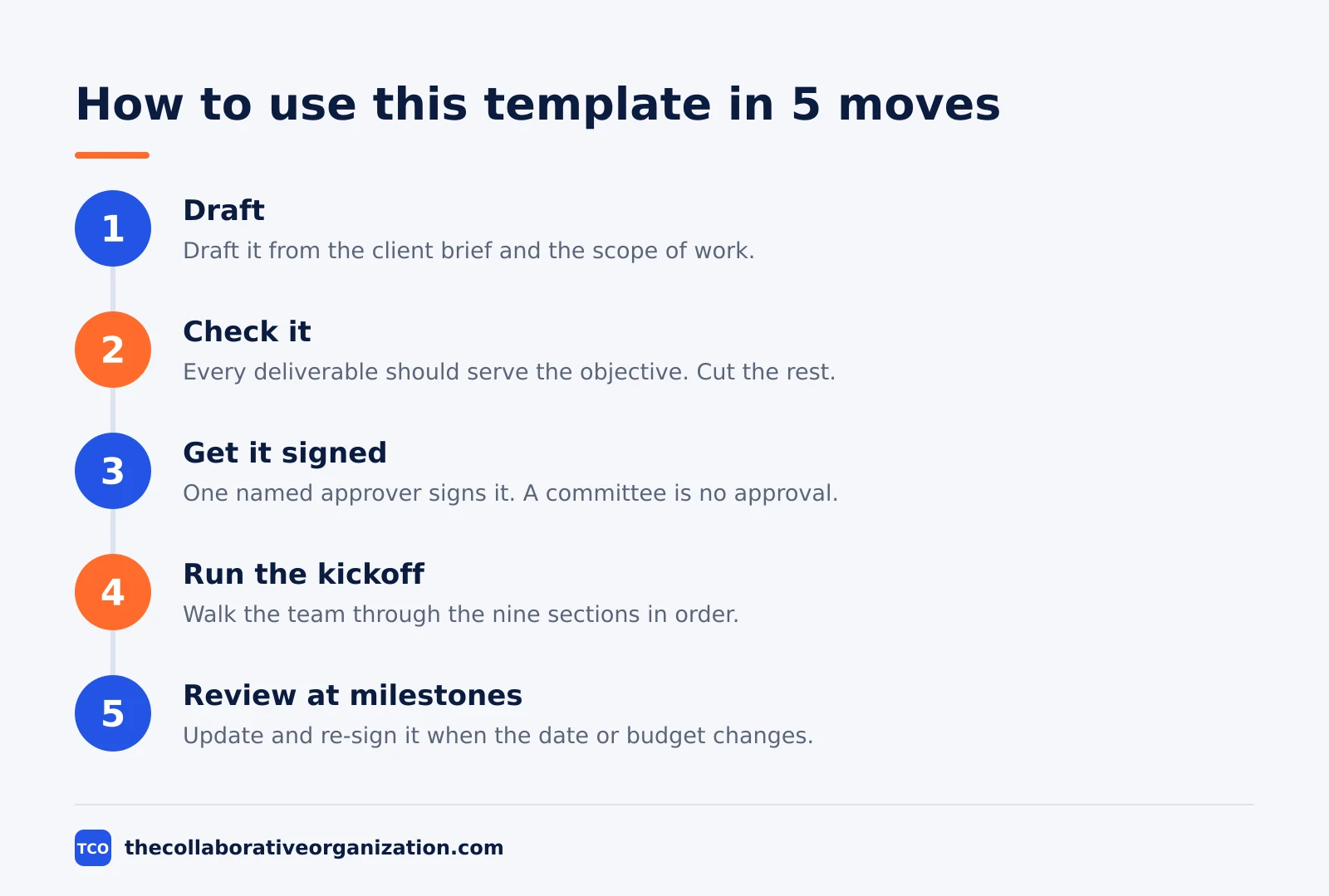
Use the template in five moves: draft it, check it against the goal, get it signed, run the kickoff from it, and review it at each milestone. A brief that is never signed is a draft, not an agreement.
Draft the brief from the client brief and the scope of work, with the project manager writing and the sponsor checking the numbers. Check it against the goal: every deliverable should serve the objective, and every scope line should have a reason. Cut any line that serves neither.
Get one named approver to sign it. The signature is what makes the brief binding, and it is what the project manager points to when scope grows. A committee approval is no approval, because nobody owns the decision.
Run the kickoff from the brief, not from slides. Walk the team through the nine sections in order, and let the client ask questions against the brief. Then pin the brief where the team works, and link it from the project board.
Review the brief at each milestone. If the objective, the date, or the budget changes, update the brief and get it signed again. A brief that still states the old date after the date has moved is worse than no brief, because it misleads the team.
Tools that hold a project brief
Store the brief in the project tool where the work runs, because a brief in a forgotten folder never settles a scope argument. All three tools below hold docs, tasks, dates, and owners in one place.
| Tool | Best for | Free plan | Starting price (as of November 2026) | Notable limit |
|---|---|---|---|---|
| Asana | Briefs linked to tasks, milestones, and approvals | Free for 2 people | $10.99 per user per month (Starter), billed annually | Free plan covers 2 people |
| ClickUp | Briefs plus docs, tasks, and goals in one workspace | Free Forever plan | $9 per user per month (Core), billed annually | Yearly billing needed for that price |
| Trello | Small projects tracked on boards with due dates | Free for up to 10 collaborators | $5 per user per month (Standard), billed annually | Boards need discipline to track a full brief |
The Asana price comes from Asana pricing: the Personal plan is free for 2 users, and Starter is $10.99 per user per month when billed annually.
The ClickUp price comes from ClickUp pricing: Core is $9 per user per month billed yearly, shown against a $12 regular price, so the $9 rate may be promotional. The same page lists Business at $17 and MAX at $100, and describes MAX as the full Max AI engine.
The Trello price comes from Trello pricing: Standard is $5 per user per month billed annually, or $6 billed monthly, and Premium is $10 billed annually. Compare the full set of options on our document collaboration software shortlist.
Common project brief mistakes to avoid
Most project briefs fail in the same five ways, and all five are visible before the kickoff if you look for them. Run through the list below before you ask anyone to sign.
- An objective with no number and no date. “Improve the website” cannot be checked on any date. Write one sentence with a number and a date, or the team will argue about success at the end.
- No out-of-scope list. A brief with only an in-scope list invites scope growth, because nothing is ever said to be out. Write the out list first if you have to choose.
- Two approvers, or none. When two people approve, neither does, and the decision waits. Name exactly one approver, and give the rest of the team clear roles instead. Our guide on what is a RACI matrix explains the one-accountable-owner rule that applies here.
- A budget with no payment terms. A number with no schedule is a guess. State the total, how it is paid, and what it does not cover.
- A brief written after the work starts. A brief that records decisions already made cannot prevent the arguments it was meant to stop. Write it after the goal is agreed and before any work starts.
The Template Desk guide adds a useful check: a good brief covers alignment, delivery, and decisions in that order. Alignment sections state the overview, problem, objective, and stakeholders. Delivery sections state the scope, deliverables, dates, and success criteria. Decision sections state the assumptions, risks, dependencies, budget, approvals, and next steps.
Sources
- Rock - Project Brief Template: Example and Word Download (2026)
- Plane - How to write a project brief: Template and examples (2026)
- Docsaura - How to Write a Project Brief for Clients (2026)
- Nactore - How to Write a Software Project Brief (2026)
- Template Desk - Free Project Brief Template and Generator (2026)
- Asana - Pricing (2026)
- ClickUp - Pricing (2026)
- Trello - Pricing (2026)
Frequently asked questions
What should a project brief template include?
At minimum, background, objective with a number and a date, scope in and out, deliverables, milestones, team with one named approver, budget, success measure, and risks. The out-of-scope list is the section most briefs leave out, and it is the one the budget stands on, so write it before you share the brief.
What is the difference between a project brief and a project charter?
A brief is a short summary written before kickoff so the team and the client agree on the goal, the scope, and the date. A charter is the formal document that authorizes the project and names the sponsor and the budget authority. The brief aligns people; the charter gives the project its mandate.
How long should a project brief be?
One page for most projects, and two pages at most. A brief that runs longer is usually a plan in disguise. Keep each section to a few lines, put the detail in the linked plan and scope documents, and let the brief stay the one page everyone reads before the kickoff.
Who writes the project brief?
The project manager writes it before the kickoff, from the client brief and the scope of work, for the team and the client to share. The sponsor or client approves it, and that approval is what makes the brief binding. One named approver signs it, not a committee.
When should a project brief be written?
Write it after the goal and the scope are agreed and before any work starts, so the kickoff meeting runs from the brief instead of from memory. If the brief comes after the work starts, it becomes a record of decisions already made, and it cannot prevent the arguments it was meant to stop.
What makes a good project objective?
One sentence with a number and a date, such as launch the new shop by 15 December 2026 with checkout conversion at or above 2 percent. If the objective cannot be measured on that date, it is a wish, not an objective, and the team will argue about success at the end.
Related articles
document collaboration
Airtable vs Google Sheets: Which to Use in 2026
Airtable is a database with views and automations; Google Sheets is a free spreadsheet. Learn the limits, the 2026 prices, and which one fits your team's data.
November 19, 2026 · 7 min read
document collaboration
Confluence vs SharePoint: Which to Use in 2026
Confluence is a wiki built around pages; SharePoint is a document platform built around files. Learn the differences, the 2026 prices, and which one fits your team.
November 19, 2026 · 7 min read
document collaboration
How to Document Processes: A Step-by-Step Guide (2026)
To document a process, pick one task, watch it done for real, map the steps and decisions, then test the draft on someone new. Follow the 7 steps in this guide.
November 19, 2026 · 10 min read