How to Write a Meeting Agenda in 6 Steps (2026) | The Collaborative Organization
By The Collaborative Organization Team · November 19, 2026 · Last verified November 19, 2026 · 11 min read
A meeting agenda is a plan you send before the meeting: one sentence of purpose, a list of items with a time and an owner for each, and five minutes at the end for decisions and actions. It takes six steps to write one, and the document fits on one page. The agenda is the cheapest meeting fix there is.
Key takeaways
- Only 37% of workplace meetings actively use agendas, Fellow found.
- 67% of professionals call a clear agenda the most important element of an effective meeting.
- 38% of workers get no agenda or pre-read before internal meetings, Calendly found.
- A good agenda has a purpose, three to seven items, a time box and an owner per item, and five minutes for the close.
- Send the agenda with the invite, at least a day ahead, and three days ahead when people must read or prepare.
- Each item should start with a verb, such as decide, approve or review, so the outcome is clear.
What is a meeting agenda
A meeting agenda is a written plan for one meeting, sent before it starts, that says what the meeting must decide and how the time will be used. It is not a list of topics. A topic says what people will talk about; an agenda item says what they must produce, who leads it, and how long it gets.
Agendas are rare and valued at the same time. Fellow found only 37% of workplace meetings actively use agendas, while 67% of professionals say a clear agenda is the most important element of an effective meeting. The gap between those two numbers is the opportunity: most teams agree agendas matter, and most meetings still lack one.
The cost of skipping the agenda shows up in the room. Calendly surveyed 1,200 business leaders in 2024 and found 38% get no agenda or pre-read before internal meetings.
Atlassian found 62% of workers attend meetings with no goal stated in the invite, and 54% frequently leave without a clear idea of next steps. An agenda fixes the first half of that problem before the meeting starts.
What a good agenda includes
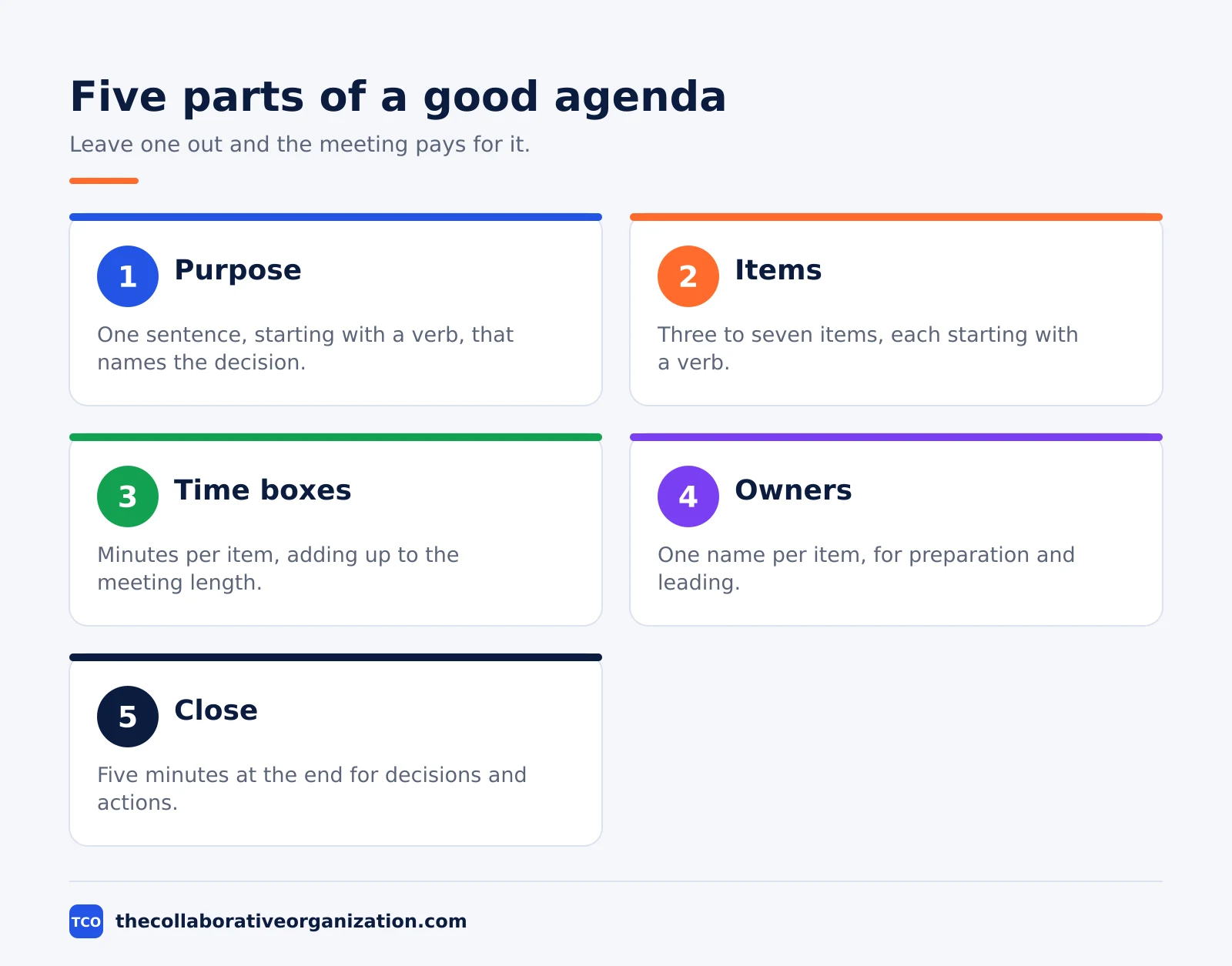
A good agenda has five parts, and each one earns its place by saving time in the room. Leave one out and the meeting pays for it. The table below lists each part and what to write for it.
| Part | What to write | Why it matters |
|---|---|---|
| Purpose | One sentence, starting with a verb | Tells people whether they must attend |
| Items | Three to seven, each with a verb | Shows what the meeting must produce |
| Time boxes | Minutes per item, adding up to the meeting length | Keeps the discussion on schedule |
| Owners | One name per item | Shows who prepares and who leads |
| Close | Five minutes for decisions and actions | Turns talk into named owners and dates |
The purpose comes first and does the most work. Write it as a sentence that starts with a verb: “Decide the launch date for the new pricing page.” A purpose written that way tells each invitee whether they are needed. A purpose that reads “Discuss the launch” tells them nothing, so they come just in case.
Time boxes do the second-most work. Give each item a number of minutes, and make the boxes add up to the meeting length minus five minutes for the close. When the boxes add up to more than the meeting, cut an item or shorten a box. The agenda is where the trade-off belongs, not the meeting itself.
How to write a meeting agenda in 6 steps
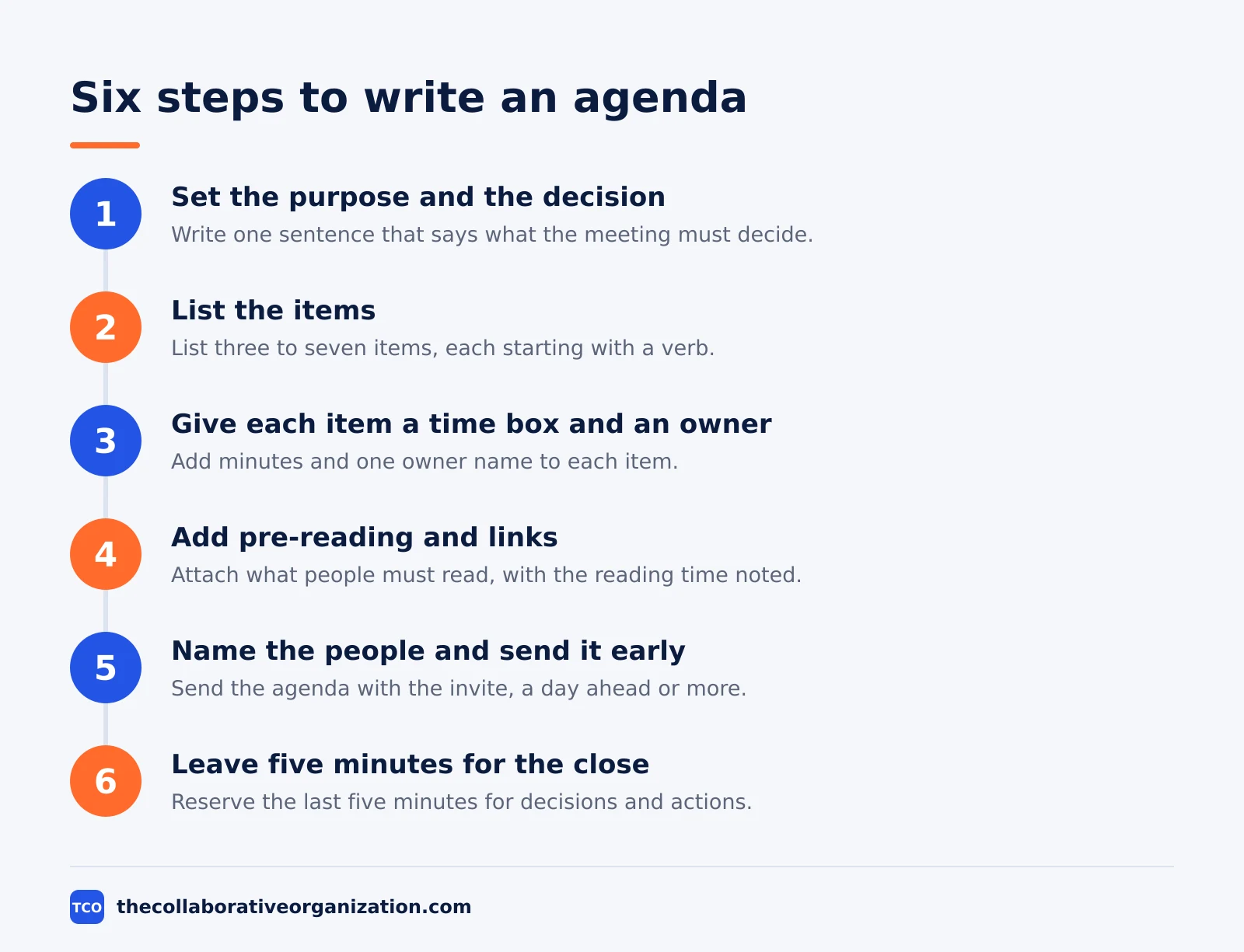
The six steps below take an agenda from a blank page to a sent invite, and each step has a clear outcome. The whole job takes about 15 minutes for a normal meeting, and less once the team uses a fixed template.
Step 1: Set the purpose and the decision
Write one sentence that says what the meeting must decide. The outcome is a purpose everyone can repeat. If you cannot name the decision, the meeting is not ready to be booked, so write the decision first and the invite second.
Ask one question to test the purpose: could this be a message instead? If the purpose is “share updates”, the answer is yes, and the meeting should not happen. If the purpose is “decide the launch date”, the answer is no, because a decision needs a live discussion.
Step 2: List the items that lead to the decision
List the items the meeting must cover to reach the decision, in the order they will be discussed. The outcome is a list of three to seven items, each starting with a verb. Put the hardest item early, when attention is fresh, and put quick approvals at the end.
Cut ruthlessly. Every item must serve the purpose. An item that serves a different purpose belongs in another meeting or a document. Our guide on how to write a project brief uses the same rule: one document, one job.
Step 3: Give each item a time box and an owner
Add minutes and one owner name to each item. The outcome is an agenda whose boxes add up to the meeting length minus five minutes for the close. The owner is the person who prepares the item and leads it in the room, not the person who called the meeting.
Keep the boxes honest. A decision item needs at least 10 minutes, and a review item needs at least five. If the boxes add up to more than the meeting allows, cut an item now rather than running over later.
Step 4: Add pre-reading and links
Attach or link anything people must read before the meeting, with a note on how long it takes to read. The outcome is that the meeting starts with discussion instead of a read-aloud. Keep pre-reading short: one page, or a document with the key lines marked.
Name the reading time in the agenda itself, such as “Read: pricing options (5 min)”. People skip reading they cannot size, and they read what they know takes five minutes. If the reading takes more than 15 minutes, the meeting is probably a review session, and the document should carry a decision deadline instead.
Step 5: Name the people and send it early
List the people who must attend, and send the agenda with the invite. The outcome is that invitees can judge whether they are needed and can prepare. Send it at least a day ahead for a normal meeting, and three days ahead when people must read or prepare material.
Invite the decider, the item owners and the people who must act on the outcome. Everyone else gets the notes after. A daily standup meeting shows the same idea in a small form: a fixed shape, a short list of people, and no surprises.
Step 6: Leave five minutes for the close
Reserve the last five minutes for decisions and actions, and write that into the agenda as an item. The outcome is a meeting that ends with named owners and dates instead of fading out. The close item reads: “Decisions and actions (5 min)”.
Protect the close. When the discussion runs long, cut an item rather than the close. A meeting that ends without decisions has to be held again, and the second meeting costs the same as the first. Our guide on meeting notes vs minutes shows what the close should produce in writing.
Meeting agenda example: a filled-in template
The example below is a complete agenda for a 30-minute weekly team meeting, and you can copy the shape for your own meetings. The team is six people who ship a web app. The meeting happens every Tuesday at 10:00, and the agenda goes out on Monday morning with the invite.
| Item | Time | Owner | Outcome |
|---|---|---|---|
| Decide the launch date | 10 min | Priya | Launch date agreed |
| Review the two blocked tasks | 10 min | Sam | Unblock plan agreed |
| Approve the support rota | 5 min | Ana | Rota approved |
| Decisions and actions | 5 min | Priya | Owners and dates listed |
Three things make this agenda work. First, every item starts with a verb, so the outcome is visible before the meeting starts. Second, the time boxes add up to 30 minutes, with the close protected. Third, each item has one owner, so nobody wonders who prepares what.
The worked example also shows what to leave out. There is no “any other business” item, because open items have no owner and no time box, and they always run long. There is no status round, because updates go in a shared document that people read before the meeting. The meeting exists to decide, not to report.
Agenda formats for common meetings
Different meetings need different agenda shapes, but the five parts stay the same. The table below gives a starting shape for the meetings most teams hold every week. Adjust the items to fit your team, and keep the close in every format.
| Meeting | Typical items | Length |
|---|---|---|
| Daily standup | Done, doing, blocked | 15 minutes |
| Weekly team meeting | Decisions, blocked work, actions | 30 minutes |
| One-to-one | Wins, challenges, next steps | 30 minutes |
| Project kickoff | Goal, scope, roles, dates | 60 minutes |
| Sprint planning | Goal, backlog items, capacity | 60-90 minutes |
| Decision meeting | Options, risks, decision | 30 minutes |
A sprint planning meeting follows the same shape at a larger scale: a goal, a list of items with owners, and a close that names what the team commits to.
A team kickoff adds a scope and roles section, because a new project needs shared context before it needs decisions.
Tools that help share agendas
The agenda should live where the invite lives, so people see it without hunting for a second document. Put it in the calendar invite itself, or link it from the invite to a shared document. Our video conferencing software shortlist compares the main meeting tools side by side.
| Tool | Best for | Free plan | Starting price (as of November 2026) | Notable limit |
|---|---|---|---|---|
| Zoom | Teams that want agendas in the invite and AI summaries | Basic plan, 40-minute meetings | $14.16 per user per month (Pro), billed annually | Group meetings capped at 40 minutes on Basic |
| Google Meet | Teams already on Google Workspace | No free business plan; 14-day trial | $7 per user per month (Business Starter), billed annually | AI notes need Business Standard or higher |
| Microsoft Teams | Teams already on Microsoft 365 | No free business plan | $14 per user per month (Business Standard), billed annually | Business plans cover up to 300 users |
The Zoom price comes from Zoom pricing: Pro is $14.16 per user per month billed annually, or $16.99 billed monthly.
Google Workspace Business Starter is $7 per user per month on the annual plan, or $8.40 on the flexible plan, according to Google Workspace pricing as read by independent checks in November 2026, since the page renders no dollar figures to our fetcher.
Microsoft 365 Business Standard is $14 per user per month billed annually, with Business Basic at $7 and Premium at $22, after the July 2026 price rise.
The Microsoft 365 pricing page lists the plans but renders no dollar figures to our fetcher, so the figures rest on the standing checks noted in our research notes. Notion also works well for a shared agenda library, since one page can hold the template, the pre-reading and the notes together.
Common meeting agenda mistakes to avoid
Most bad agendas fail in the same five ways, and all five are easy to spot before the invite goes out.
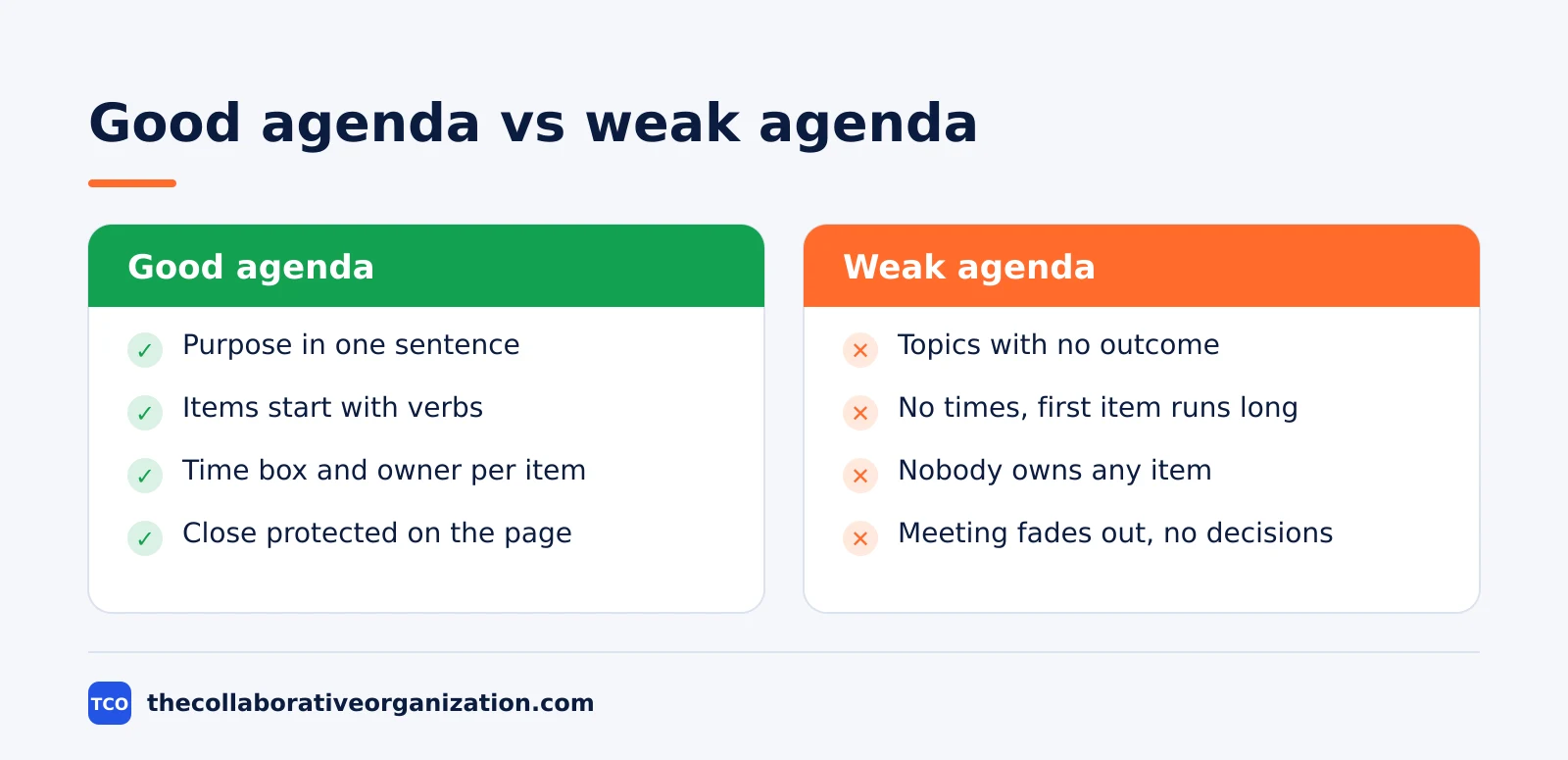
- Topics instead of items. “Discuss the launch” is a topic. “Decide the launch date (10 min, Priya)” is an item. Write items, not topics.
- No time boxes. Without minutes per item, the first item takes the whole meeting and the decision never gets discussed.
- No owner per item. When nobody owns an item, nobody prepares it, and the meeting spends ten minutes reading the document aloud.
- An agenda sent at the last minute. An agenda that arrives with the meeting is decoration. Send it a day ahead, or three days ahead when reading is needed.
- No close on the page. If the last five minutes are not on the agenda, they will be spent on the last item instead of on decisions and actions.
Sources
- Fellow - 45 Meeting Statistics and Behavior Trends in 2025 (2025)
- Calendly - The State of Meetings 2024 (2024)
- Atlassian - Workplace Woes: Meetings (2024)
- ClickUp - The Meeting Trap: How Much Time Are We Wasting in 2026 (2026)
- Zoom - Pricing (2026)
- Google Workspace - Pricing (2026)
- Microsoft 365 - Pricing for Business (2026)
- ConversionGems - Google Workspace Pricing (2026)
Frequently asked questions
What should a meeting agenda include?
A purpose in one sentence, a list of items with a time box and an owner for each, the names of the people who must attend, any pre-reading, and five minutes at the end for decisions and actions. Each item should start with a verb, such as decide, approve or review, so people know what the meeting must produce.
When should you send a meeting agenda?
Send it with the invite, at least a day before a normal meeting and three days before one that needs reading or preparation. Calendly found 38% of workers get no agenda or pre-read before internal meetings, which is why so many meetings start with ten minutes of catching up. Late agendas waste the first part of the meeting.
How long should a meeting agenda be?
One page, with three to five items for a 30-minute meeting and five to seven for an hour. Each item needs a time box, an owner and a clear outcome. If the list runs past one page, the meeting is trying to do too much, so split it or move some items to a document.
Who should write the meeting agenda?
The person who called the meeting writes the first draft, then asks the other attendees for items before it goes out. The owner of each item writes that item, because they know what decision it needs. For a recurring meeting, rotate the writer so one person does not carry the work every week.
What is the difference between an agenda and meeting notes?
An agenda is written before the meeting and says what the meeting will decide. Notes are written during and after the meeting and record what was decided, who owns each action, and by when. The agenda sets the plan, and the notes prove the plan happened. Keep both in the same document when you can.
Can a meeting work without an agenda?
A quick two-person check-in can, but a group meeting almost never does. Only 37% of workplace meetings use agendas, and 67% of professionals call a clear agenda the most important element of an effective meeting. Without one, the loudest topic wins and the decision the meeting was called for gets pushed to next week.
Related articles
video conferencing
Loom vs Zoom Clips: Which Async Video Tool Wins? (2026)
Loom is the dedicated async video tool, while Zoom Clips is built into Zoom Workplace. Compare recording, editing, analytics and price to pick the right one.
November 19, 2026 · 9 min read
video conferencing
How to Reduce Meetings at Work: A 5-Week Plan (2026)
Cut meetings by a third without losing decisions: audit the calendar, cancel the weak ones, replace updates with writing, and protect focus days.
November 19, 2026 · 10 min read
video conferencing
How to Run an Effective Meeting in 7 Steps (2026)
An effective meeting starts with a clear purpose, a short agenda and named owners for every action. Follow 7 steps to run meetings people value.
November 19, 2026 · 12 min read