How to Take Meeting Notes That People Actually Use (2026) | The Collaborative Organization
By The Collaborative Organization Team · November 19, 2026 · Last verified November 19, 2026 · 11 min read
Good meeting notes fit on one page: the decisions made, the actions with one owner and a date each, and the open questions with a next step. They go out within a day, to everyone who was invited, including people who missed the meeting. Notes exist so people can act, not so they can relive the discussion.
Key takeaways
- 40% of workers get no follow-up notes or action items after meetings, Calendly found.
- 54% of workers frequently leave meetings without a clear idea of next steps or who owns which task.
- Name one note-taker before the meeting starts, and do not make it the person leading the discussion.
- Keep notes to one page: decisions, actions with owner and date, open questions, and attendees.
- Send the notes within 24 hours, and sooner when the decisions are urgent.
- AI tools can draft notes, but a person must check names, numbers and owners.
What are meeting notes
Meeting notes are a short written record of what a meeting decided and who must do what next. They are not a transcript. A transcript records everything that was said; notes record only what matters after the meeting ends. If a sentence does not change what someone does next, it does not belong in the notes.
Notes matter because meetings leak decisions. Atlassian surveyed 5,000 knowledge workers in March 2024 and found 54% frequently leave meetings without a clear idea of next steps or who owns which task.
Calendly found 40% of workers get no follow-up notes or action items after meetings at all. The two numbers together explain why teams hold the same meeting twice.
Notes also help people who missed the meeting. Microsoft telemetry shows 57% of meetings are ad hoc calls without a calendar invite, and many people join late or miss the call entirely. A one-page note lets them catch up in five minutes instead of asking a colleague for a replay.
Meeting notes vs minutes: which one do you need
Most team meetings need notes, not minutes. Notes are informal, short and written for the team. Minutes are formal, detailed and written for a record, often for board meetings, legal meetings or decisions that need exact wording. The table below shows the difference.
| Feature | Meeting notes | Minutes |
|---|---|---|
| Length | One page | Several pages |
| Tone | Informal, plain words | Formal, exact wording |
| Decisions | Short summary | Exact wording of motions and votes |
| Who writes them | A team member, rotating | A named secretary or clerk |
| When they are needed | Every team meeting | Board, legal and formal meetings |
Our guide on meeting notes vs minutes covers the difference in full, including when a formal record is required. For a normal team meeting, notes are the right tool: faster to write, faster to read, and enough to hold people to what they agreed.
The test is simple. If someone reads the notes a month later, can they tell what was decided, who owns each action, and whether it happened? If yes, the notes did their job. If the notes only list topics, they are a table of contents, not a record.
What good meeting notes include
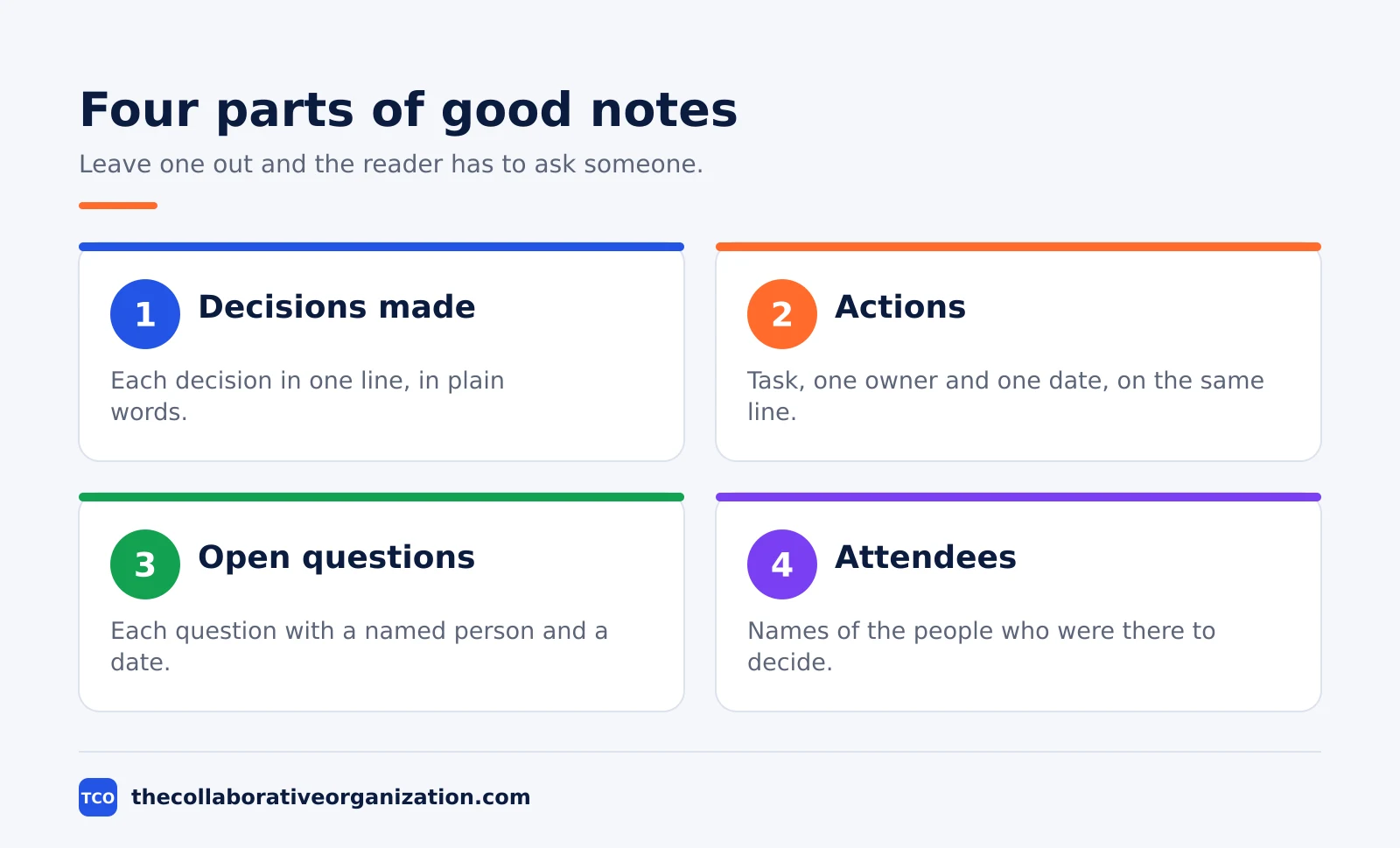
Good notes have four parts, and each one answers a question the reader will ask. Leave one out and the reader has to ask someone, which defeats the purpose of writing the notes down.
| Part | What to write | Question it answers |
|---|---|---|
| Decisions | Each decision in one line | What did we agree? |
| Actions | Task, one owner, one date | Who does what, and by when? |
| Open questions | Question plus next step | What is still undecided? |
| Attendees | Names of people present | Who was there to decide? |
Decisions come first, because they are the reason the meeting happened. Write each decision as one line in plain words: “Launch date: 12 December.” If the meeting made no decision, say so in one line: “No decision; see open questions.” Hiding that fact helps no one.
Actions need three facts: the task, one owner, and one date. An action with two owners has no owner, and an action with no date has no deadline. Write actions as a short list, with the owner and date on the same line, so the reader can scan them in seconds.
How to take meeting notes in 6 steps
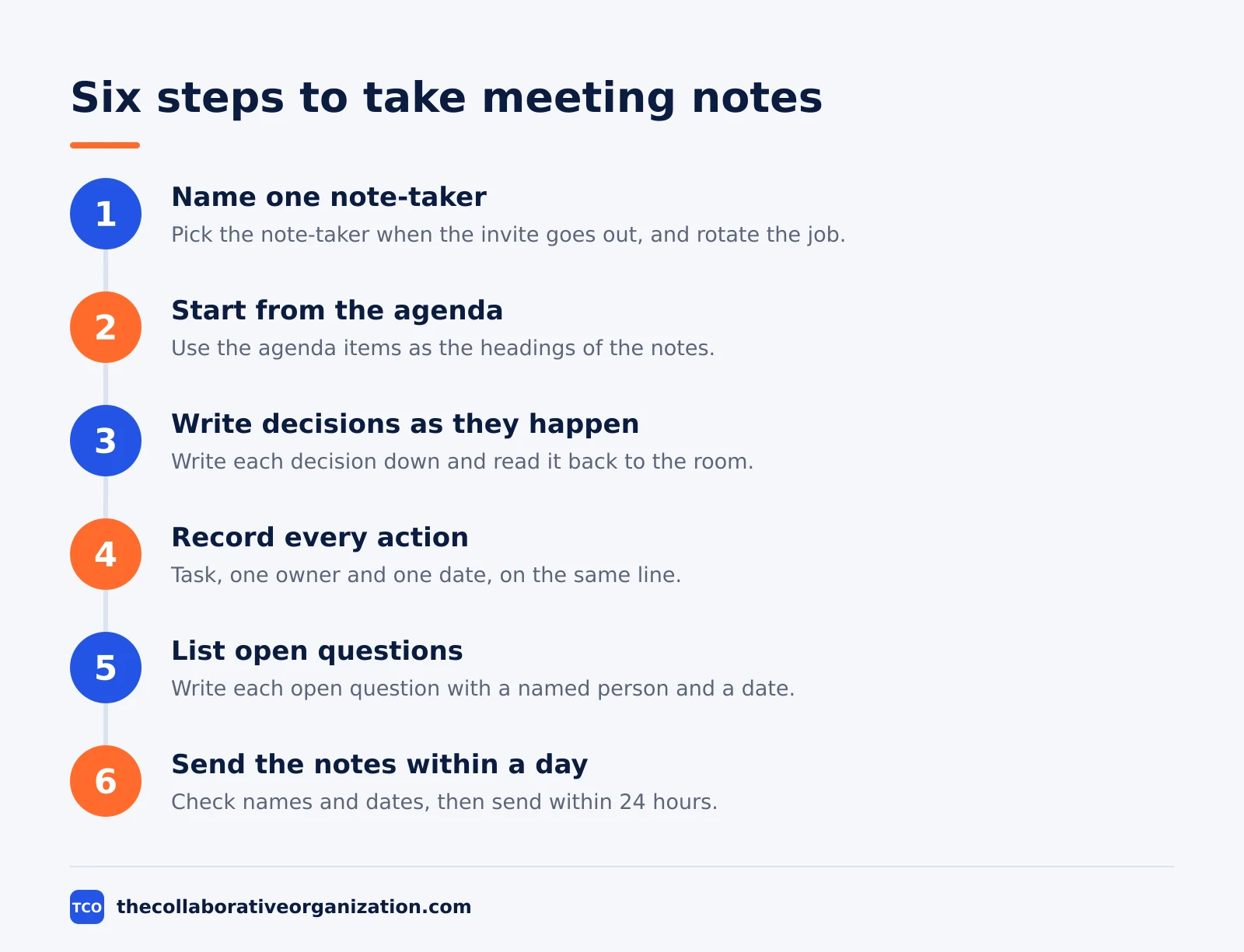
The six steps below take notes from a blank page to a sent document, and each step has a clear outcome. The whole job takes about 10 minutes of writing for a 30-minute meeting, plus a few minutes to send and file the notes.
Step 1: Name one note-taker before the meeting
Pick the note-taker when the invite goes out, and rotate the job each week. The outcome is that one person owns the notes instead of everyone assuming someone else is writing. The note-taker should not be the person leading the discussion, because leading and writing at the same time splits attention.
Tell the note-taker what to capture: decisions, actions with owner and date, and open questions. Everything else is optional. A note-taker who tries to write down the whole discussion will miss the decisions, which are the only parts that matter later.
Step 2: Start from the agenda
Open the agenda and use its items as the headings of the notes. The outcome is notes that match the meeting people expected, item by item. When the discussion drifts to a new topic, add a heading for it rather than forcing it under the wrong item.
Starting from the agenda also keeps the notes short. Each agenda item gets a few lines: what was decided, what actions came out of it, and what is still open. An item with no decision gets one line that says so, and the notes move on.
Step 3: Write decisions as they happen
Write each decision down the moment it is made, and read it back to the room. The outcome is a decision everyone heard and agreed to, with no argument later about what was decided. Read the decision aloud in plain words: “So we agreed the launch date is 12 December. Is that right?”
This step is the heart of good notes. Decisions made and written in the room survive; decisions remembered after the meeting do not. A daily standup uses the same habit on a small scale: short, written, and agreed in the moment.
Step 4: Record every action with an owner and a date
Each time the meeting creates work, write the task, one owner and one date on the same line. The outcome is an action list that needs no further meeting to interpret. Ask out loud when the owner or date is unclear: “Who owns this, and by when?”
If nobody volunteers, the meeting leader assigns the action before moving on. An action with no owner at the end of the meeting will not happen, and it will return as an agenda item next week. That is the most common way meetings repeat themselves.
Step 5: List open questions with a next step
Write down every question the meeting could not answer, with a named person and a date for the answer. The outcome is a short list of loose ends that someone owns. An open question with no owner and no date is a decision the team has quietly postponed.
Keep the list short. If the meeting leaves more than three or four questions open, it probably ended before the hard part started. That is worth saying in the notes, so the next meeting can pick up where this one stopped.
Step 6: Send the notes within a day
Clean up the notes, check the names and dates, and send them within 24 hours. The outcome is a record that reaches everyone while the meeting is still fresh. Send them to everyone who was invited, including people who could not attend, and file them where the team can find them later.
Check the notes before you send them. Names, numbers and dates are the parts that go wrong most often, and an error in an owner’s name sends the action to the wrong person.
Our guide on how to collaborate on a document in real time shows how a shared document can hold the notes where the whole team can see and fix them.
Meeting notes example: a filled-in template
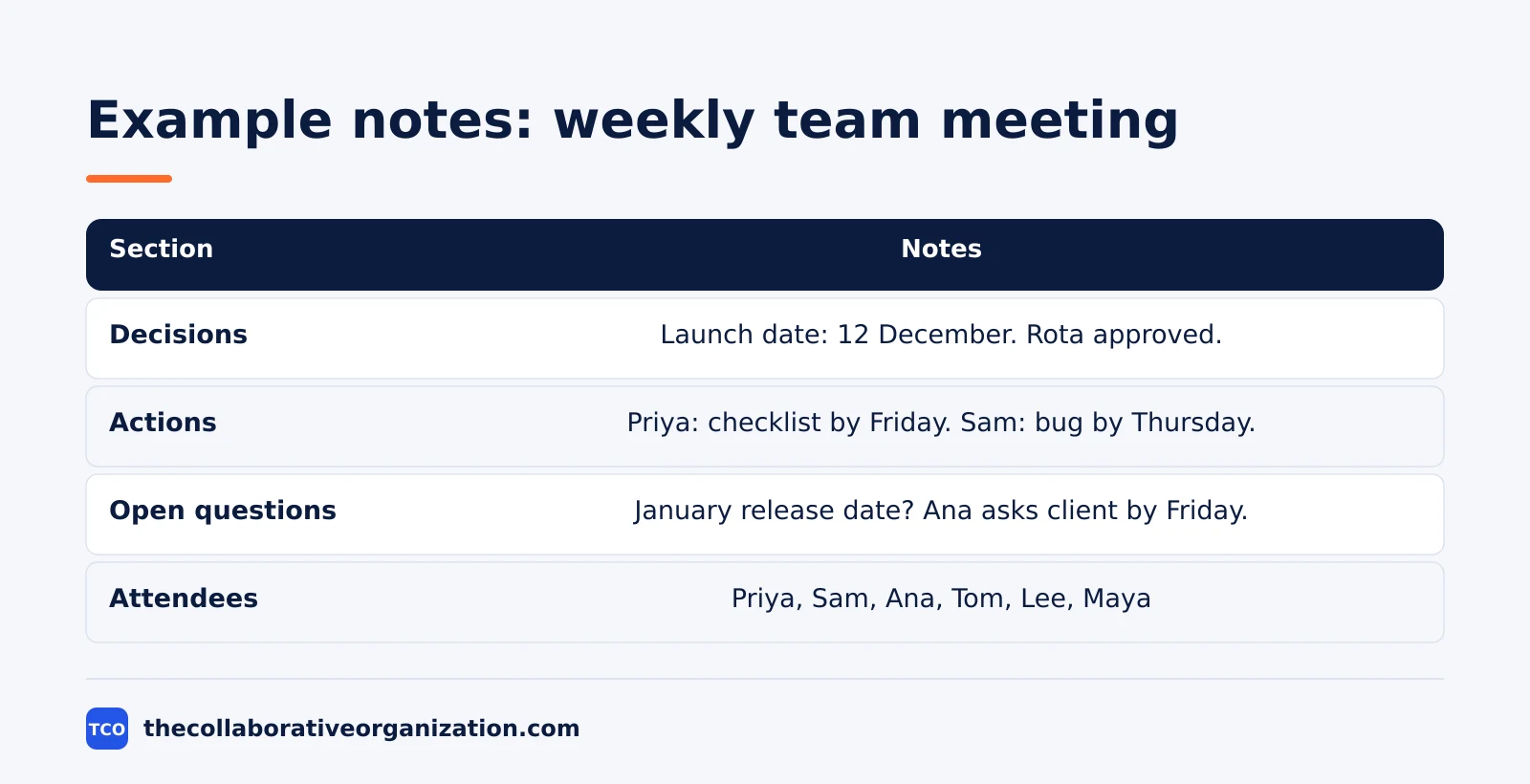
The example below is a complete set of notes for a 30-minute weekly team meeting, and you can copy the shape for your own meetings. The team is six people who ship a web app. The meeting happened on Tuesday at 10:00, and the notes went out the same day.
| Section | Notes |
|---|---|
| Decisions | Launch date: 12 December. Support rota for December approved. |
| Actions | Priya sends the launch checklist by Friday. Sam unblocks the payment bug by Thursday. Ana publishes the rota by Wednesday. |
| Open questions | Which date for the January release? Ana to ask the client by Friday. |
| Attendees | Priya, Sam, Ana, Tom, Lee, Maya |
Three things make these notes work. First, they fit on one page, so anyone can read them in two minutes. Second, every action has one owner and one date, so nobody has to ask what happens next. Third, the open question has an owner and a date too, so it will be answered instead of forgotten.
The worked example also shows what the notes leave out. There is no summary of the discussion, no list of topics, and no record of who said what. The notes record what the meeting produced, not how it got there. That is what makes them short enough to read.
Tools that take notes for you
AI note tools can draft the notes, but a person must still check them before they go out. The draft saves writing time; the check catches the errors that matter. Names, numbers and owners are the parts AI gets wrong most often, so read those lines twice.
| Tool | Best for | Free plan | Starting price (as of November 2026) | Notable limit |
|---|---|---|---|---|
| Zoom | Teams that want unlimited AI summaries on paid plans | Basic plan, 3 AI summaries a month | $14.16 per user per month (Pro), billed annually | AI note-taking capped at 3 uses a month on Basic |
| Google Meet | Teams already on Google Workspace | No free business plan; 14-day trial | $7 per user per month (Business Starter), billed annually | AI notes need Business Standard or higher |
| Microsoft Teams | Teams already on Microsoft 365 | No free business plan | $14 per user per month (Business Standard), billed annually | Business plans cover up to 300 users |
The Zoom price comes from Zoom pricing: Pro is $14.16 per user per month billed annually, or $16.99 billed monthly. The Basic plan includes 3 AI meeting summaries and 3 AI note-taking uses per month, while Pro adds unlimited summaries and unlimited note-taking.
Google Workspace Business Starter is $7 per user per month on the annual plan, or $8.40 on the flexible plan, according to Google Workspace pricing as read by independent checks in November 2026, since the page renders no dollar figures to our fetcher.
Microsoft 365 Business Standard is $14 per user per month billed annually, with Business Basic at $7 and Premium at $22, after the July 2026 price rise. The Microsoft 365 pricing page lists the plans but renders no dollar figures to our fetcher, so the figures rest on the standing checks noted in our research notes.
For meetings that should not have happened at all, a recorded video can replace the notes. Our Loom vs Zoom Clips comparison shows how short recorded updates can carry information without a live meeting.
Compare the options on our video conferencing software shortlist before picking a tool.
Common meeting notes mistakes to avoid
Most bad notes fail in the same five ways, and all five are easy to spot before the notes go out.
- A transcript instead of notes. Writing down everything that was said buries the decisions. Keep the decisions, the actions and the open questions, and cut the rest.
- Actions with no owner or no date. An action that says “someone should fix the bug” will not happen. Name one owner and one date for every action.
- No note-taker named. When everyone assumes someone else is writing, nobody writes, and the meeting leaves no record at all.
- Notes sent a week late. Notes that arrive after the actions are due are useless. Send them within a day, while the meeting is still fresh.
- Notes filed where nobody looks. Notes in a private inbox help one person. File them in the shared space where the team already works, and link them from the invite.
Sources
- Calendly - The State of Meetings 2024 (2024)
- Atlassian - Workplace Woes: Meetings (2024)
- Microsoft - Work Trend Index 2024 (2024)
- Fellow - 45 Meeting Statistics and Behavior Trends in 2025 (2025)
- Zoom - Pricing (2026)
- Google Workspace - Pricing (2026)
- Microsoft 365 - Pricing for Business (2026)
- ConversionGems - Google Workspace Pricing (2026)
Frequently asked questions
What should meeting notes include?
Four things: the decisions made, the actions with one owner and a date each, the open questions with a next step, and the names of the people who attended. Leave out the full discussion. Notes exist so people who missed the meeting can act on it, not so they can relive it.
How long should meeting notes be?
One page, or about 300 words for a 30-minute meeting. A 60-minute meeting rarely needs more than a page and a half. If the notes run longer, they are a transcript, not notes. Cut the discussion and keep the decisions, the owners, the dates and the open questions.
Who should take meeting notes?
Name one person before the meeting starts, and rotate the job so it does not always fall on the same person. The note-taker should not be the person leading the discussion, because leading and writing at the same time splits attention. AI note tools can draft the notes, but a person must check them.
When should meeting notes be sent?
Within 24 hours, and sooner when the decisions are urgent. Calendly found 40% of workers get no follow-up notes or action items after meetings, which is why decisions get remade in the next meeting. Send the notes to everyone who was invited, including people who could not attend.
What is the difference between meeting notes and minutes?
Notes are a short, informal record of decisions and actions, written for the team. Minutes are a formal record, often required for board or legal meetings, with exact wording of motions and votes. Most team meetings need notes, not minutes. Our guide on meeting notes vs minutes explains when each one fits.
Can AI take meeting notes for you?
Yes, and the main video tools now include it. Zoom Pro adds unlimited AI meeting summaries and AI note-taking, and Google Meet can take notes with Gemini on Business Standard and higher. AI drafts still need a human check: names, numbers and owners are the parts it gets wrong most often.
Related articles

video conferencing
Loom vs Zoom Clips: Which Async Video Tool Wins? (2026)
Loom is the dedicated async video tool, while Zoom Clips is built into Zoom Workplace. Compare recording, editing, analytics and price to pick the right one.
November 19, 2026 · 9 min read
video conferencing
How to Reduce Meetings at Work: A 5-Week Plan (2026)
Cut meetings by a third without losing decisions: audit the calendar, cancel the weak ones, replace updates with writing, and protect focus days.
November 19, 2026 · 10 min read

video conferencing
How to Run an Effective Meeting in 7 Steps (2026)
An effective meeting starts with a clear purpose, a short agenda and named owners for every action. Follow 7 steps to run meetings people value.
November 19, 2026 · 12 min read