How to Run a Retrospective Meeting (2026) | The Collaborative Organization
By The Collaborative Organization Team · November 19, 2026 · Last verified November 19, 2026 · 13 min read
To run a retrospective meeting, gather the whole team at the end of a sprint, look back at how the work went, and leave with two or three owned actions for the next sprint. The meeting is about how the team worked, not what it built. That is the job the Scrum Guide gives it.
Key takeaways
- A retrospective inspects how the last sprint went: people, interactions, process, tools, and the “definition of done”.
- The Scrum Guide caps the meeting at three hours for a one-month sprint; most teams need 45 to 90 minutes.
- The five phases are set the stage, gather data, generate insights, decide what to do, and close.
- Start, Stop, Continue is the best first format, because it needs no training and produces actions directly.
- Every retro should end with two or three actions, each with one owner and a date inside the next sprint.
What a retrospective meeting is
A retrospective meeting is a regular meeting where a team looks back at its recent work and agrees how to work better next time. It happens at the end of a sprint or a project, and it covers the way the team worked, not the product it shipped. The product review happens in a different meeting.
The Scrum Guide gives the meeting one purpose: to plan ways to increase quality and effectiveness. The Scrum Team inspects how the last sprint went with regard to individuals, interactions, processes, tools, and the team’s “definition of done”.
The team then identifies the most helpful changes to improve its effectiveness, and the most impactful ones are addressed as soon as possible.
The difference from a sprint review is the subject. A sprint review inspects the product increment and gathers feedback from stakeholders, while a retrospective inspects the team’s own working practices. Our sprint review vs retrospective guide explains the two meetings side by side, so a team can run both without mixing them up.
A retrospective is not a blame session and not a status report. Nobody reads out what they did last week, and nobody is put on trial for what went wrong. The question is always what the team will change, and who will own that change.
What you need before you start
You need four things before a retrospective: the whole team, a board, a facilitator, and the facts of the sprint. Without the facts, the meeting runs on memory, and memory favors the loudest voice and the most recent problem.
Bring the sprint data to the meeting: what was planned, what shipped, what carried over, and where the work got stuck. A short list of dates and numbers keeps the discussion grounded. If the team uses Scrum, the sprint board and the burndown already hold most of it.
Pick a facilitator who is not the loudest person in the room. The Scrum Master often takes the role, and on teams without one, the role should rotate. The facilitator’s job is to keep time, keep the conversation on the work rather than on people, and make sure quiet people get heard.
Set one ground rule before anyone speaks: what is said in the retro stays in the retro, unless the team agrees to share it. People will not name real problems if they expect their words to travel. The rule is sometimes called the prime directive: everyone did the best job they could, given what they knew at the time.
How to run a retrospective meeting in 5 steps
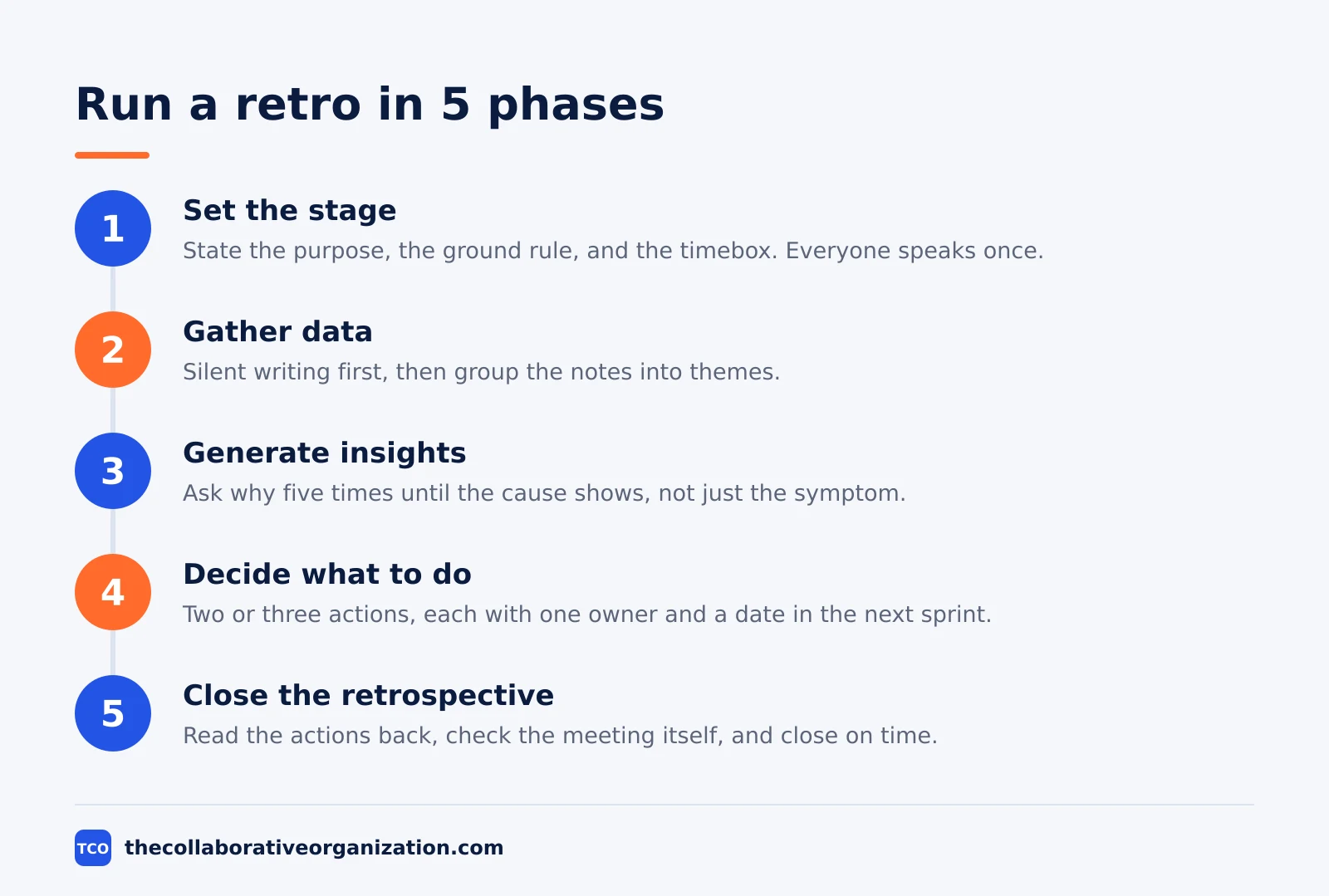
Running a retrospective takes five phases, and the fourth is the one that matters most. The first three gather the material, the fourth turns it into action, and the fifth closes the loop. The structure comes from Esther Derby and Diana Larsen’s book on agile retrospectives, and Atlassian’s playbook uses the same shape.
Step 1: Set the stage
Open by stating the purpose in one sentence and the timebox out loud. Remind the team of the ground rule, then run a short check-in so everyone speaks once before the hard part starts. Outcome: everyone knows the meeting is about improving the work, not judging people.
A two-minute check-in works well: each person gives the sprint one word, or rates it from 1 to 5 with fingers held up at the same time. The point is to hear every voice early, because a person who has not spoken in the first five minutes rarely speaks later.
Step 2: Gather data
Collect facts before opinions. Ask each person to write notes silently for five minutes: what went well, what did not go well, and what surprised them. Silent writing matters, because it stops the first speaker from setting the agenda for everyone else.
Put the notes on a shared board in three columns, then group notes that say the same thing. Read the groups back to the team and ask what is missing. Outcome: a shared picture of the sprint that the whole team recognizes, not one person’s version of it.
Step 3: Generate insights
Pick the two or three groups that matter most and ask why they happened. The usual tool is five whys: ask why, then ask why again, until the answer stops being a symptom and becomes a cause. A missed deadline is a symptom; a review step that nobody owns is a cause.
Keep the discussion on the work, not on people. Frame every problem as a process gap: what was missing, what was unclear, or what got in the way. Outcome: the team agrees on the root cause of each big issue, in words everyone accepts.
Step 4: Decide what to do
Turn each insight into one action with one owner and one date inside the next sprint. Keep the list to two or three actions, because more than five will not happen. Put the actions in the next sprint backlog so they are visible work, not a note in a document nobody opens.
Vote when the team cannot agree. Give each person two votes, let them place votes on the actions they care about most, and take the top two or three. Outcome: a short list of changes the team chose together, each with a name and a date attached.
Step 5: Close the retrospective
End by asking each person for one word about the meeting itself, and write down what to change next time. Read the actions back out loud with their owners and dates. Outcome: the team leaves knowing what will change, who owns it, and when it will be checked.
Close on time even if the discussion is still going. A retro that overruns teaches the team that its time does not matter, and the next retro will start late and end later. Park unfinished topics in a list for the next retro.
Formats to try when the usual one goes stale
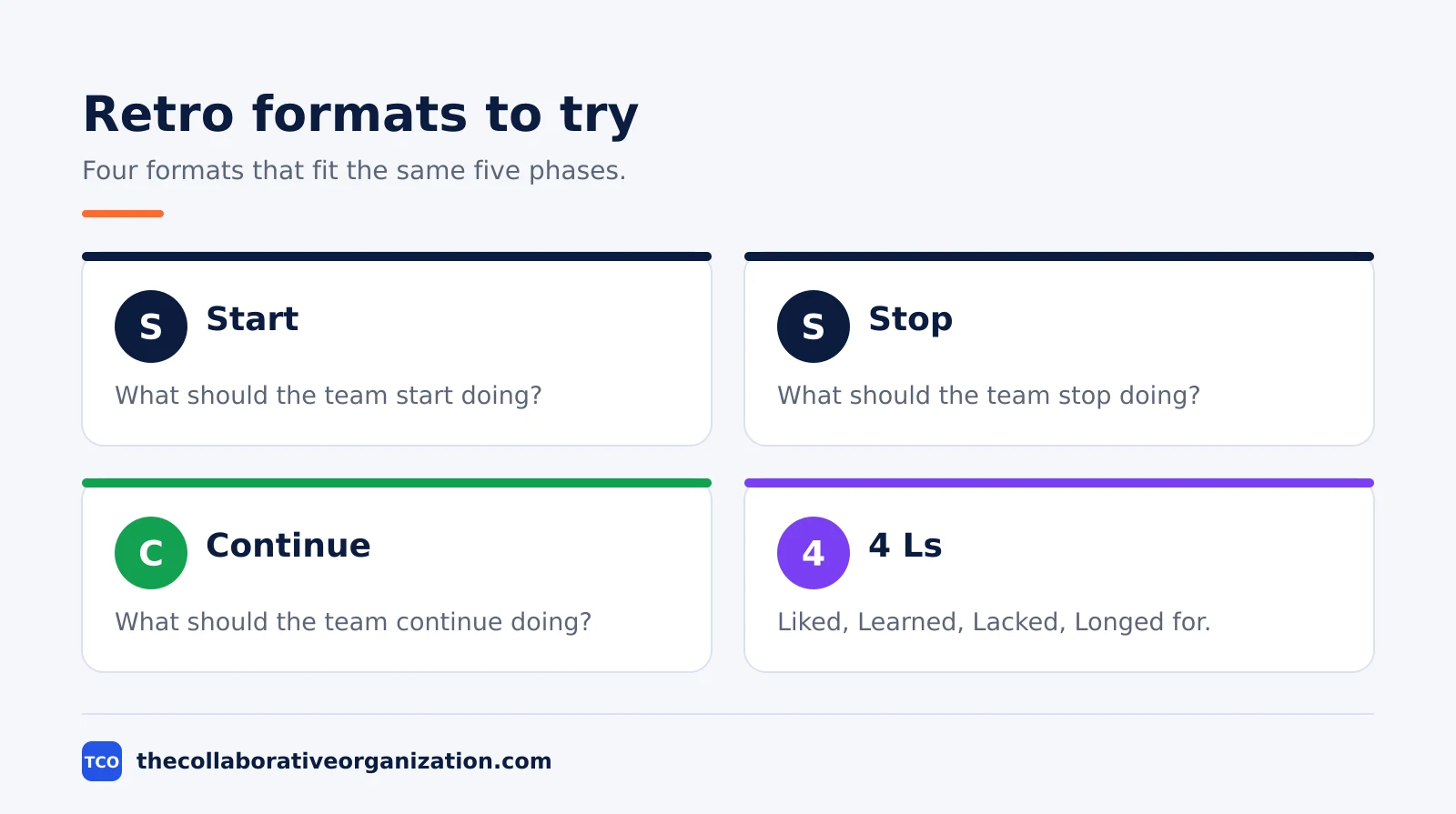
Change the format when the retro starts producing the same notes every sprint. A stale format is a sign the team has stopped thinking, not a sign the team has stopped having problems. The formats below all fit the same five phases.
| Format | Columns | Best when |
|---|---|---|
| Start, Stop, Continue | Start, Stop, Continue | The team is new to retros and needs actions fast |
| Glad, Sad, Mad | Glad, Sad, Mad | Feelings are the story, such as after a hard sprint |
| Sailboat | Wind, Anchors, Rocks, Island | The team wants a visual picture of what helps and blocks |
| 4 Ls | Liked, Learned, Lacked, Longed for | The sprint was long and the team wants a full review |
Start, Stop, Continue is the best first format. It asks three action questions: what should the team start doing, stop doing, and continue doing. The answers are already actions, so step four is short. Atlassian’s guide to retro ideas lists it first for the same reason.
Glad, Sad, Mad works when the sprint was hard and people need to say so. It sorts the sprint by feeling, which surfaces problems that a facts-first format misses. The facilitator must then turn feelings into actions, or the retro ends as a complaint session.
The Sailboat format draws the sprint as a boat: wind pushes it forward, anchors hold it back, rocks are risks ahead, and the island is the goal. It suits teams that think in pictures, and it works well on a shared whiteboard.
The 4 Ls format suits a long sprint or a quarterly review, because it asks what the team learned and what it lacked, not only what went wrong.
How long a retrospective should take
A retrospective should take 45 to 90 minutes for a two-week sprint, and no more than three hours for a one-month sprint. The Scrum Guide sets the three-hour cap for a one-month sprint, and shorter sprints need shorter retros. Atlassian’s playbook sets 60 minutes for a team of four to eight people, with 15 minutes of preparation.
Time follows the sprint, not the calendar. A one-week sprint with little change needs 30 to 45 minutes, and a retro after every other one-week sprint can make sense. A sprint with a missed release, a production incident, or a team change needs the full time, because there is more to work through.
Protect the timebox by cutting the data phase, not the decision phase. If the meeting runs long, shorten the gathering of notes and keep the full time for deciding actions. A retro that gathers data and never decides is worse than no retro, because it teaches the team that talking changes nothing.
A worked example: a two-week sprint retro
A worked example shows how the five steps turn into real actions. Picture a team of six people finishing a two-week sprint. They planned eight stories, shipped six, and carried two over because testing started late. The retro runs for 60 minutes, and the example below is an illustration, not a record of any real team.
| Phase | Time | What happens |
|---|---|---|
| Set the stage | 5 minutes | Facilitator states the purpose, the ground rule, and the 60-minute timebox |
| Gather data | 15 minutes | Silent writing, then grouping: testing late, reviews slow, deploy smooth |
| Generate insights | 15 minutes | Five whys on late testing: no test data ready until day 8 of the sprint |
| Decide what to do | 20 minutes | Vote, then three actions with owners and dates |
| Close | 5 minutes | Read the actions back, one word each on the meeting |
The three actions the team chose were concrete. First, the tester owns preparing test data by day 2 of the next sprint, checked at the mid-sprint review. Second, the team agrees that code reviews start within four working hours, owned by the tech lead.
Third, the team keeps the new deploy checklist, because the deploy went smoothly for the first time in three sprints.
The test is what happens next. At the start of the following sprint, the facilitator reads the three actions out loud and asks for their status. If an action is not done, the team asks why before it adds new ones. Our sprint planning meeting guide shows where those actions sit in the next sprint’s plan.
How to measure whether retrospectives work
A retrospective works when its actions get done and the same problem stops coming back. Count two things: how many actions from the last retro are finished, and how many problems repeat from one retro to the next. Both numbers should move in the right direction over three sprints.
A healthy rate is two out of three actions finished per sprint. Below that, the team is choosing actions it cannot carry, or nobody is checking them. The fix is fewer actions, smaller actions, or an owner with real time to do the work.
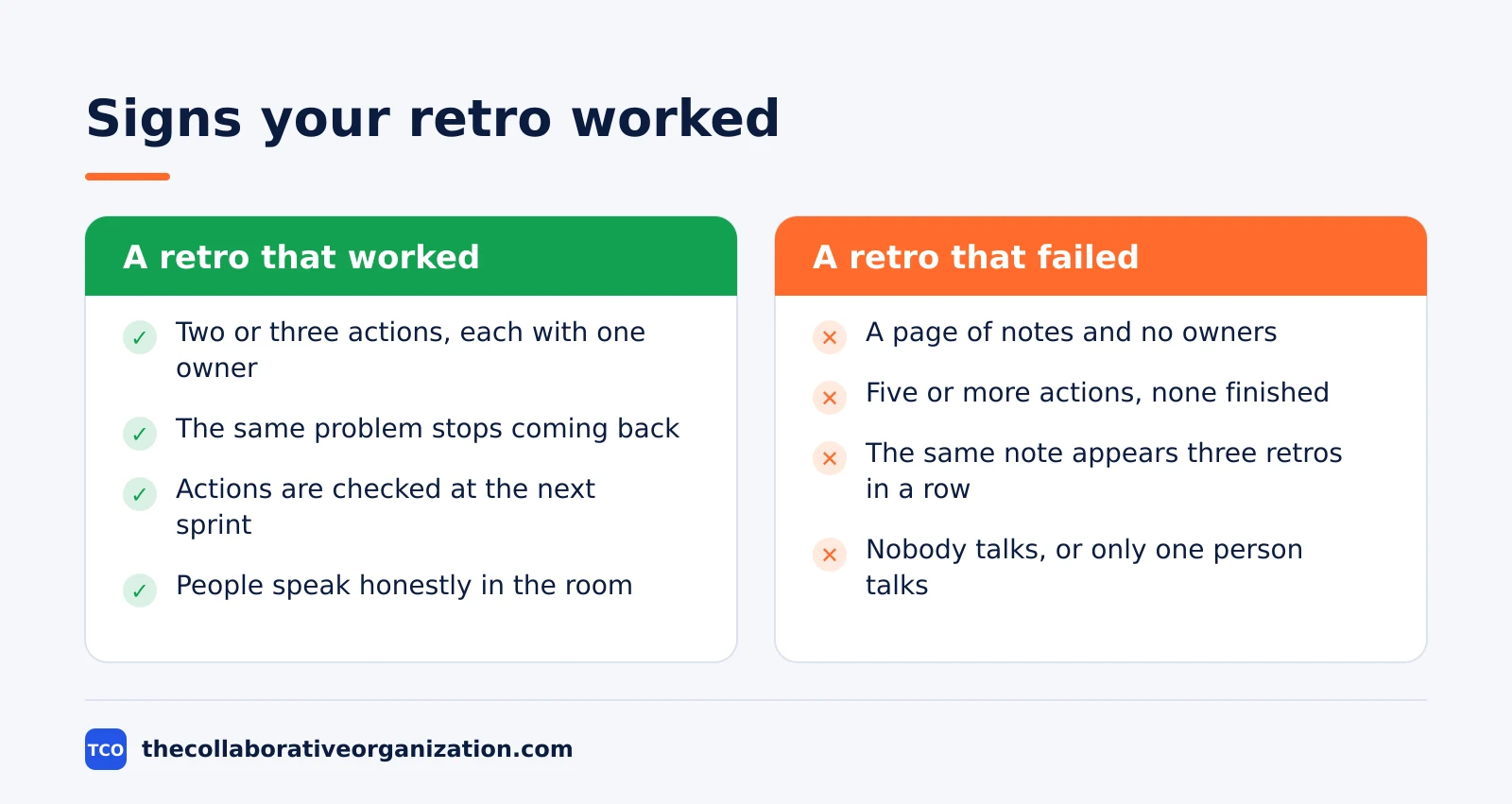
Watch for the same note appearing in three retros in a row. A repeated note means the action did not work, the action was never done, or the team is naming a symptom instead of a cause. When a note repeats, the next retro should spend its full time on that one problem.
Ask the team directly, too. A one-question check at the close, such as whether the retro was worth the hour, gives a trend over time. If the score falls for three retros in a row, change the format, change the facilitator, or shorten the meeting. Our team collaboration guide covers the habits that make these meetings stick.
Common retrospective meeting mistakes to avoid
Most retrospectives fail in the same five ways, and all five are visible in the first ten minutes. The list below is the one to check before the meeting starts.
- No actions, only notes. A retro that ends with a page of notes and no owners has changed nothing. End with two or three actions, each with a name and a date.
- Too many actions. Five or more actions means none of them will happen. Pick two or three and put them in the next sprint backlog.
- Blaming people instead of process. A problem framed as a person’s fault ends the discussion. Frame it as a missing step, an unclear owner, or a tool that got in the way.
- The same format every time. A format that never changes produces the same notes every sprint. Rotate formats when the notes start repeating.
- Skipping the retro when the sprint went badly. The sprints that hurt most are the ones that need a retro most. A cancelled retro after a failed sprint tells the team that reflection is optional, and the same failure will repeat. When tension is high, a facilitator who can keep the talk on the work matters most, and our conflict resolution guide covers the same ground.
Tools that hold a retrospective board
A shared board is the one tool a remote retrospective needs, because the notes have to be visible to everyone at once. The tools below hold the board and the actions, and their prices are current as of November 2026. Compare the options on our project management software shortlist before you pick one.
| Tool | Best for | Free plan | Starting price (as of November 2026) | Notable limit |
|---|---|---|---|---|
| Miro | A shared whiteboard with voting and timers | Free plan, 3 editable boards | $8 per member per month (Starter), billed yearly | Free plan caps at 3 boards |
| Trello | A simple board with Start, Stop, Continue lists | Free plan | $5 per user per month (Standard), billed annually | Advanced checklists need a paid plan |
| Jira | Retros tied to the sprint backlog and actions | Free plan for up to 10 users | $9.70 per user per month (Standard), billed monthly for 1-100 users | Free plan caps at 10 users |
The Miro price is the Starter plan at $8 per member per month billed yearly, with Business at $20, from Miro pricing. The Trello price is Standard at $5 per user per month billed annually, with Premium at $10, from Trello pricing.
The Jira price is Standard at $9.70 per user per month billed monthly for 1 to 100 users, from Jira pricing. Atlassian’s pricing page shows a lower headline rate for a larger team, so the 1 to 100 user monthly rate is the one used here.
A board tool does not run the retro by itself. The facilitator still has to set the stage, keep time, and close with owned actions. The tool only holds the notes where everyone can see them.
Sources
- Scrum Guide - The Scrum Guide 2020 (2020)
- Scrum.org - Conducting the Sprint Retrospective (2024)
- Atlassian - Sprint Retrospective: How to Hold an Effective Meeting (2024)
- Atlassian - 5 Fun Sprint Retrospective Ideas with Templates (2021)
- Atlassian - How to Run a Remote Retrospective (2024)
- Atlassian - Workplace Woes: Meetings Edition (2024)
- Microsoft - Will AI Fix Work? Work Trend Index (2023)
- Miro - Pricing (2026)
- Trello - Pricing (2026)
- Atlassian - Jira Pricing (2026)
Frequently asked questions
How long should a retrospective meeting last?
The Scrum Guide caps it at three hours for a one-month sprint, and shorter sprints need shorter retros. In practice, most teams run 45 to 90 minutes for a two-week sprint. Atlassian's playbook sets 60 minutes for a team of four to eight people. Keep it under an hour when the sprint was short and quiet, and use the full time only when the sprint had real problems to work through.
Who should attend a retrospective meeting?
The whole Scrum Team attends: the developers, the Scrum Master, and the Product Owner. Nobody else needs to be there, and managers who were not in the sprint should stay out, because their presence changes what people are willing to say. If the retro covers a project rather than a sprint, invite everyone who did the work and no one who only watched it.
What is the best format for a retrospective?
Start, Stop, Continue is the best first format, because it needs no training and it produces actions directly. Teams that have run the same format for months should rotate to Glad, Sad, Mad or the 4 Ls to keep the conversation fresh. The format matters less than the ending: every retro should close with two or three owned actions and a date to check them.
How many action items should a retrospective produce?
Two or three, each with one owner and a date inside the next sprint. More than five actions means none of them will happen, because the team cannot carry that much change alongside its normal work. Put the actions in the next sprint backlog so they are visible work, not a note that nobody reads again.
What do you do when nobody talks in a retrospective?
Start with silent writing instead of open discussion, so everyone has notes before anyone speaks. Ask each person to write one thing that went well and one thing to change, then read the notes aloud without names attached. If silence continues, run the retro in smaller groups or collect the input in writing before the meeting, and check whether people feel safe to speak honestly.
Related articles

video conferencing
Loom vs Zoom Clips: Which Async Video Tool Wins? (2026)
Loom is the dedicated async video tool, while Zoom Clips is built into Zoom Workplace. Compare recording, editing, analytics and price to pick the right one.
November 19, 2026 · 9 min read
video conferencing
How to Reduce Meetings at Work: A 5-Week Plan (2026)
Cut meetings by a third without losing decisions: audit the calendar, cancel the weak ones, replace updates with writing, and protect focus days.
November 19, 2026 · 10 min read

video conferencing
How to Run an Effective Meeting in 7 Steps (2026)
An effective meeting starts with a clear purpose, a short agenda and named owners for every action. Follow 7 steps to run meetings people value.
November 19, 2026 · 12 min read