How to Roll Out New Software to Employees (2026) | The Collaborative Organization
By The Collaborative Organization Team · November 19, 2026 · Last verified November 19, 2026 · 11 min read
Rolling out new software to employees works when the people plan leads and the tech plan follows. Assess how work happens today, align the people who decide, train each role on what they will use, pilot with a small group, then switch in waves and measure what happens.
Key takeaways
- A rollout is a people project with eight steps: assess, align, communicate, train, pilot, deploy in waves, support, measure.
- Pilot with 5 to 10 percent of users, or at least 50 to 100 people, and expand only when the pilot hits its targets.
- Train each role on the screens they will actually use, in short hands-on sessions, with a sandbox to practice in.
- Announce a sunset date for the old tool, or people will keep using it and the new one never becomes the real record.
- Measure adoption at 30, 60 and 90 days: daily users, feature use, training completion, tickets and satisfaction.
What a software rollout plan covers
A software rollout plan is a written sequence that moves a team from the old way of working to the new one without breaking the work in between. It states the shared objective, names the people who decide, sets the timeline, and says how success will be measured before anyone switches.
The plan starts with the current state: which tools people actually use, how work gets done now, and where the biggest headaches are. A plan built on the real workflow survives contact with users; a plan built on the vendor’s demo does not.
A good plan also names the risks up front: training gaps, unclear ownership, conflicting tools, integration failures and data migration headaches. Spotting those risks early and planning around them keeps them small. Our guide on how to choose project management software covers the selection step that comes before the rollout plan.
The rollout plan guide from Nexacu lists the same contents: a shared objective, possible problems, user needs, communication, training, the right people, testing and feedback.
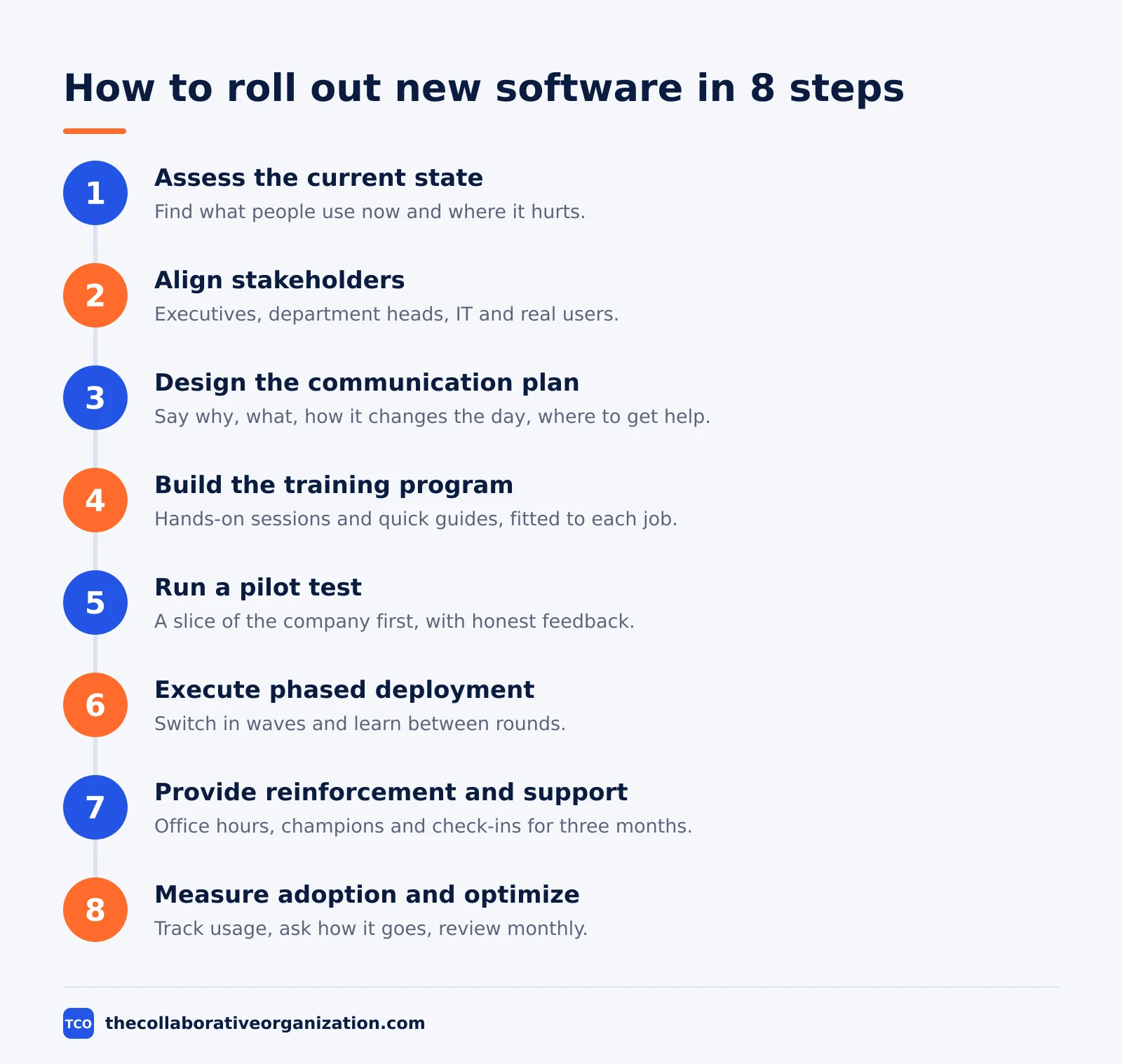
How to roll out new software in 8 steps
The eight steps below follow a sequence where each step sets up the next one, so problems surface early instead of on launch day. The sequence comes from the UnifyStreams rollout framework, which covers collaboration tools but fits any company-wide software switch.
Step 1: Assess the current state
Figure out what tools people actually use, how work gets done now, and where the biggest headaches are. Interview daily users, watch the workarounds, and list the pain points the new tool must fix. A rollout that skips this step trains people on a tool that solves nobody’s problem.
Step 2: Align stakeholders and build governance
Get the right people at the table: executives who can clear roadblocks, department heads who know their teams, IT staff who make it run, and real users who will say what is broken. Map who owns what with a RACI matrix, and set up a governance group that meets weekly while you plan and biweekly once deployment starts.
Step 3: Design the communication plan
Map out what you will say, when you will say it, and how you will reach people, from the first announcement through the awkward early weeks. At every touchpoint, answer four things: why you are doing this, what the tool does, how it changes their day, and where to go for help. Track the rollout tasks on a board so nothing slips: our guide on how to set up a Kanban board shows a simple way to do it.
Step 4: Build the training program
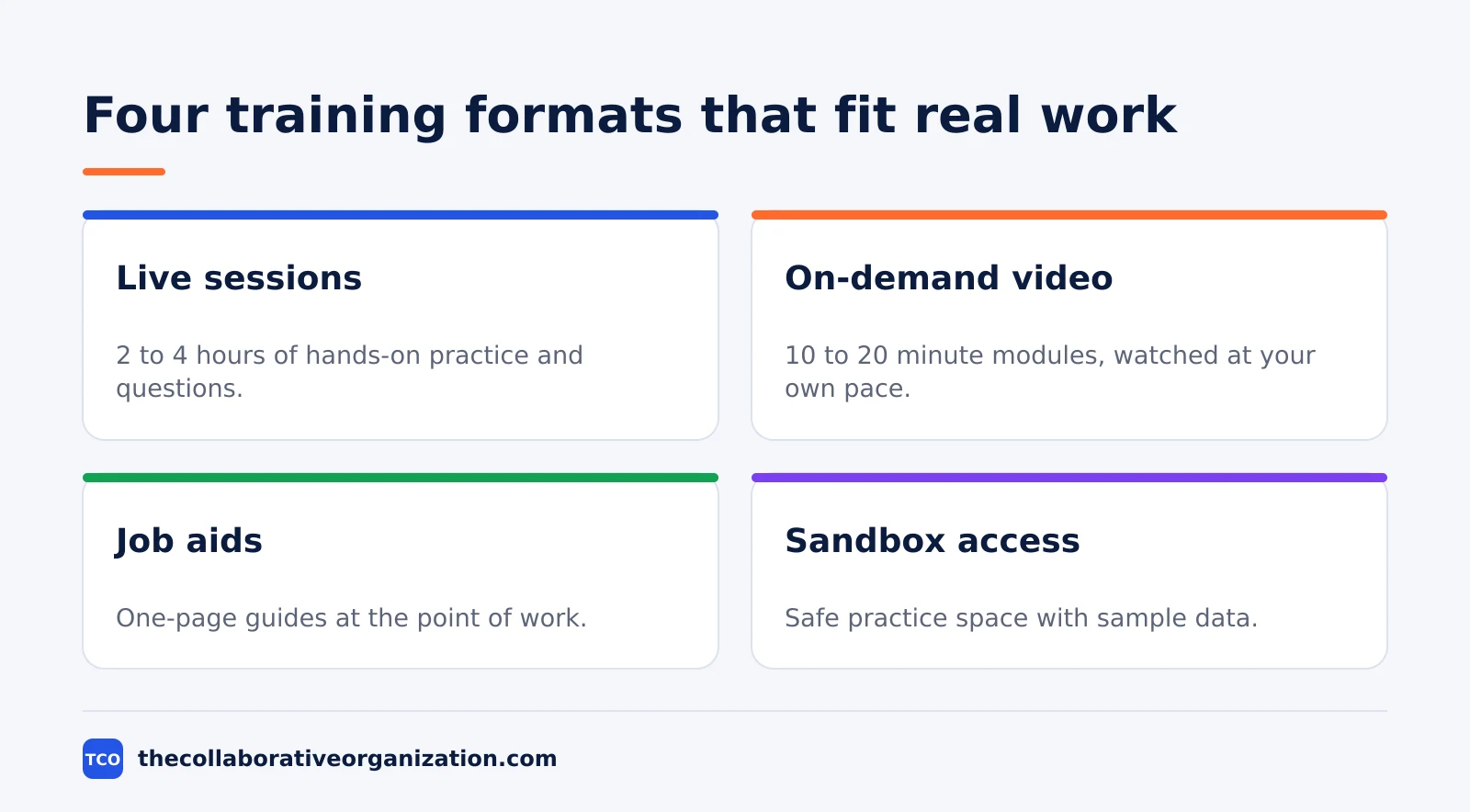
Create hands-on sessions and quick guides that fit different jobs, not one-size-fits-all tutorials nobody finishes. Live sessions let people ask questions and practice in real time, recorded videos work for review, and job aids give support right when someone is stuck. Training turns access into actual use, and the training section below shows the mix.
Step 5: Run a pilot test
Try the tool with a slice of the organization first, collect honest feedback, and fix what is not working. Pick pilot participants who reflect different roles, skill levels and departments, and include a few skeptics. A good pilot proves value, validates the communication plan, and builds credibility for the wider rollout.
Step 6: Execute phased deployment
Roll out in waves so you are not trying to support everyone at once and can learn between rounds. Each wave gets the fixes from the last one: updated training, clearer workflows, fixed integrations. A phased rollout turns one big risk into several small ones.
Step 7: Provide reinforcement and support
Be ready with office hours, champions who help their peers, and regular check-ins during the first three months. Run weekly office hours the first month, deploy champions to coach peers, and hold refresher sessions at 30 and 90 days. Reinforcement stretches learning past the first session, when most of it would otherwise fade.
Step 8: Measure adoption and optimize
Track who is using what, ask how it is going, and run monthly reviews to close gaps and recognize progress. Set success metrics before launch so you have a baseline to compare against. The measurement section at the end of this guide lists the metrics and the targets to aim for.
How to run a pilot that proves the rollout works
A pilot is a small rollout with a verdict attached: expand only when the pilot hits its success targets. Without targets, a pilot is just an early launch, and the pressure to expand comes from the calendar instead of the evidence.
Aim for 5 to 10 percent of total users, or at least 50 to 100 people, so the feedback means something. Include enthusiastic early adopters and a few skeptics, because skeptics surface resistance you need to address before it scales. During the pilot, watch usage closely, run weekly check-ins, and track support tickets to spot patterns.
The pilot breaks down into five moves: select participants across roles and departments, configure the environment with sample data and sandbox access, and deliver targeted training for pilot workflows.
Then gather structured feedback through weekly surveys and usage data, and iterate before the next wave. A pilot that hits targets such as 80% active usage and positive satisfaction scores is ready to expand, according to the UnifyStreams rollout framework.
Training by role
Training works when each role learns only the tasks they actually perform, demonstrated with safe sample records on the devices they use at work. Start with a small pilot, provide short instructions and a named help contact, then check that the work reaches the right person before expanding the rollout.
| Training type | Format | Who it fits |
|---|---|---|
| Live sessions | 2 to 4 hours, hands-on practice and Q and A | All users, grouped by role or department |
| On-demand video | 10 to 20 minute modules, self-paced | Remote or shift workers, and review |
| Job aids | One-page guides at the point of work | Everyone, when they get stuck |
| Sandbox | Safe practice space with sample data | Pilot users and power users |
The formats in the table come from the UnifyStreams training program: live sessions of 2 to 4 hours, video modules of 10 to 20 minutes each, job aids such as one-page references and checklists, and sandbox access for safe experimentation.
Demonstrate once, then let the employee do it. A short guide beside the work should list where to start, the few essential steps, what success looks like, and whom to contact when it does not work. That approach comes from the employee software training guide published in October 2026.
Worked example: a 120-person company rolls out a new chat tool
Imagine a 120-person company replacing email threads with a team chat tool, and picture the rollout week by week. This example is an illustration, not a case study, and the numbers are made up to show the method.
In weeks 1 and 2, the project lead interviews staff in four departments and finds the same three complaints: decisions buried in email, files nobody can find, and new joiners with no idea where to ask. The governance group sets the goal: every project decision lives in a channel, not in an inbox.
In weeks 3 and 4, a pilot of 12 people from all four departments tests the tool on two live projects. The pilot surfaces two fixes: channel names need a clear pattern, and the old email list needs a sunset date.
In weeks 5 and 6, the pilot expands to 60 people in two waves, with champions in each department and office hours twice a week.
In week 7, the whole company switches, and the old email list becomes read-only on a fixed date.
In week 10, the numbers say the rollout worked: 78% of staff log in daily, tickets about finding files fall by half, and the onboarding guide for new joiners points at channels instead of inboxes.
Tools that keep the rollout on track
A project tool holds the rollout plan, the pilot feedback and the adoption numbers in one place. Compare the options on our project management software shortlist before you pick, and run the rollout from inside the tool the team will use every day.
| Tool | Best for | Free plan | Starting price (as of November 2026) | Notable limit |
|---|---|---|---|---|
| Asana | Rollout plans with owners and due dates | Free for 2 people | $10.99 per user per month (Starter), billed annually | Free plan covers 2 people |
| monday.com | Visual rollout boards by wave and team | Free plan for up to 2 seats | $9 per seat per month (Basic), billed annually | Paid plans need at least 3 seats |
| ClickUp | Pilot feedback, tasks and docs in one workspace | Free Forever plan | $9 per user per month (Core), billed annually | Yearly billing needed for that price |
The Asana price comes from Asana pricing: the Personal plan is free for 2 users, and Starter is $10.99 per user per month when billed annually.
The ClickUp price comes from ClickUp pricing: Core is $9 per user per month when billed yearly, and the Free Forever plan costs nothing.
The monday.com price comes from monday.com pricing: Basic is $9 per seat per month billed annually, with a 3-seat minimum.
Common software rollout mistakes to avoid
Most rollouts fail in the same ways, and the failures are visible in the first two weeks. Check this list before go-live, not after.
- Skipping the current-state check. A rollout built on the vendor’s demo trains people on a tool that solves nobody’s problem.
- One generic training session. A single session for every role teaches every feature to nobody, and the people who miss it never catch up.
- No sunset date for the old tool. Without a fixed date, people keep using the old system and the new one never becomes the real record.
- Expanding before the pilot proves itself. A pilot with no success targets is an early launch, and the pressure to expand comes from the calendar.
- Champion burnout. Limit champion duties to 2 to 4 hours per week and rotate champions after 6 months, or your best helpers quit helping.
- Measuring logins instead of work. A login tells you someone opened the tool, not whether they finished the task, so track task completion and feature use.
The cost of getting this wrong is real. In WalkMe’s 2026 research, 40% of technology spend underperforms because of user adoption challenges, and organizations realize only 52% of broader enterprise software value. The figures come from WalkMe’s adoption research, and they explain why the people plan matters more than the install plan.
How to measure adoption after go-live
Set success metrics before launch, then review them at 30, 60 and 90 days. Without a baseline, every number looks fine, and the rollout is declared a success on the day the old tool is switched off.
| Metric | What it measures | Target |
|---|---|---|
| Daily active users | Share of employees logging in each day | 70 to 85% within 60 days of go-live |
| Feature adoption | Share of users engaging core features | 80% or more for the top 3 features within 90 days |
| Training completion | Share of employees who finished assigned training | 100% for assigned roles within 30 days |
| Help-desk tickets | Support requests about the new tool | 30 to 50% fewer from week 1 to week 12 |
| Satisfaction | User sentiment and likelihood to recommend | Baseline plus 10 to 20 points within 6 months |
The targets in the table come from the UnifyStreams metrics section, which sets the same ranges for daily active users, feature adoption, training completion, ticket volume and satisfaction.
Run pulse surveys at 30, 60 and 90 days asking what works, what confuses people, and which features they wish they understood better. Hold monthly governance reviews to check progress against targets, prioritize fixes, and celebrate wins.
If one department shows low adoption, assign a champion to run targeted coaching there. If tickets spike around one feature, update the training video and send a reminder.
Sources
- UnifyStreams - Change Management Plan for Company-Wide Collaboration Tools Rollout (2026)
- Nexacu - What to Consider When Completing a Software Rollout (2026)
- Pebble Creek Lawn - How to Train Employees to Use New Software (2026)
- WalkMe - Software Adoption ROI: Improve Returns (2026)
- Freshworks - 20% of Software Budgets Wasted on Unnecessary Business Complexity (2025)
- Asana - Pricing (2026)
- ClickUp - Pricing (2026)
- monday.com - Pricing (2026)
Frequently asked questions
How long does a software rollout take?
A small rollout takes four to eight weeks from the first announcement to go-live, while a company-wide switch can take three to six months. The pilot alone needs two to four weeks of real use. Set the date by the work, not by the calendar: expand only when the pilot hits its success targets.
Should we roll out new software to everyone at once?
No, unless the team is very small and the tool is simple. A phased rollout in waves lets you fix training and settings between rounds, so one mistake does not hit everyone on the same day. A big-bang switch only works when the old tool disappears and the new one is already familiar.
How big should the pilot group be?
Aim for 5 to 10 percent of total users, or at least 50 to 100 people, so the feedback means something. Pick people from different roles, skill levels and departments, and include a few skeptics. Skeptics surface the resistance you need to fix before it scales to the whole company.
What do we do with the old software after the switch?
Announce a sunset date, run the old and new systems side by side for a short overlap, then turn the old one off. A fixed date matters: without one, people keep using the old tool and the new one never becomes the real record. Keep the old data readable after the switch, but not editable.
How do we know the rollout worked?
Track daily active users, feature use, training completion, help-desk tickets and a short satisfaction survey at 30, 60 and 90 days. A rollout works when most people use the tool daily, tickets fall week by week, and the old tool stays unused. Report the numbers to the team, not only to managers.
Related articles

guides
Free Project Management Templates: 7 to Copy (2026)
Seven free project management templates from monday, Wrike, Teamwork, Smartsheet, ClickUp, Asana and Trello, with what each one is for and what free really costs.
November 20, 2026 · 7 min read

guides
Project Proposal Template: Copy and Win Work (2026)
A project proposal template pitches the work before it is approved: problem, solution, scope, budget, timeline and terms. Copy the template and filled example.
November 20, 2026 · 10 min read

guides
Action Plan Template: Goal to Done in One Page (2026)
An action plan template turns one goal into owned steps with dates, dependencies and a success measure. Copy the table and see it filled for a support team.
November 20, 2026 · 11 min read