How to Prioritize Tasks at Work: 7 Methods That Work | The Collaborative Organization
By The Collaborative Organization Team · November 19, 2026 · Last verified November 19, 2026 · 9 min read
Prioritizing tasks at work means deciding what to do first, and doing it first. It starts with sorting by urgency and importance, not by which task arrived most recently. This guide shows a four-step process and seven methods that put the right task at the top of the list.
Key takeaways
- Urgency and importance are different: the urgent task is the one with a deadline, the important task is the one that moves the goal forward.
- Sort the whole list before starting work, or the loudest task wins by default.
- The Eisenhower matrix is the fastest first method: four boxes, one decision per task.
- Pick one method and keep it for two weeks before trying another.
- Time-box the top three tasks each day, and protect that time from meetings.
What prioritizing means, and what it is not
Prioritizing means putting tasks in order by what matters most, then working the list from the top. It is not doing more tasks, and it is not working faster. A person who finishes ten small tasks and misses the one that mattered has not prioritized; they have only stayed busy.
The trap is built into how we choose. A 2018 paper in the Journal of Consumer Research, by Zhu, Yang and Hsee, named it the “mere urgency effect”: people pick lower-payoff tasks simply because they carry a deadline, even when a task with no deadline would pay off more.
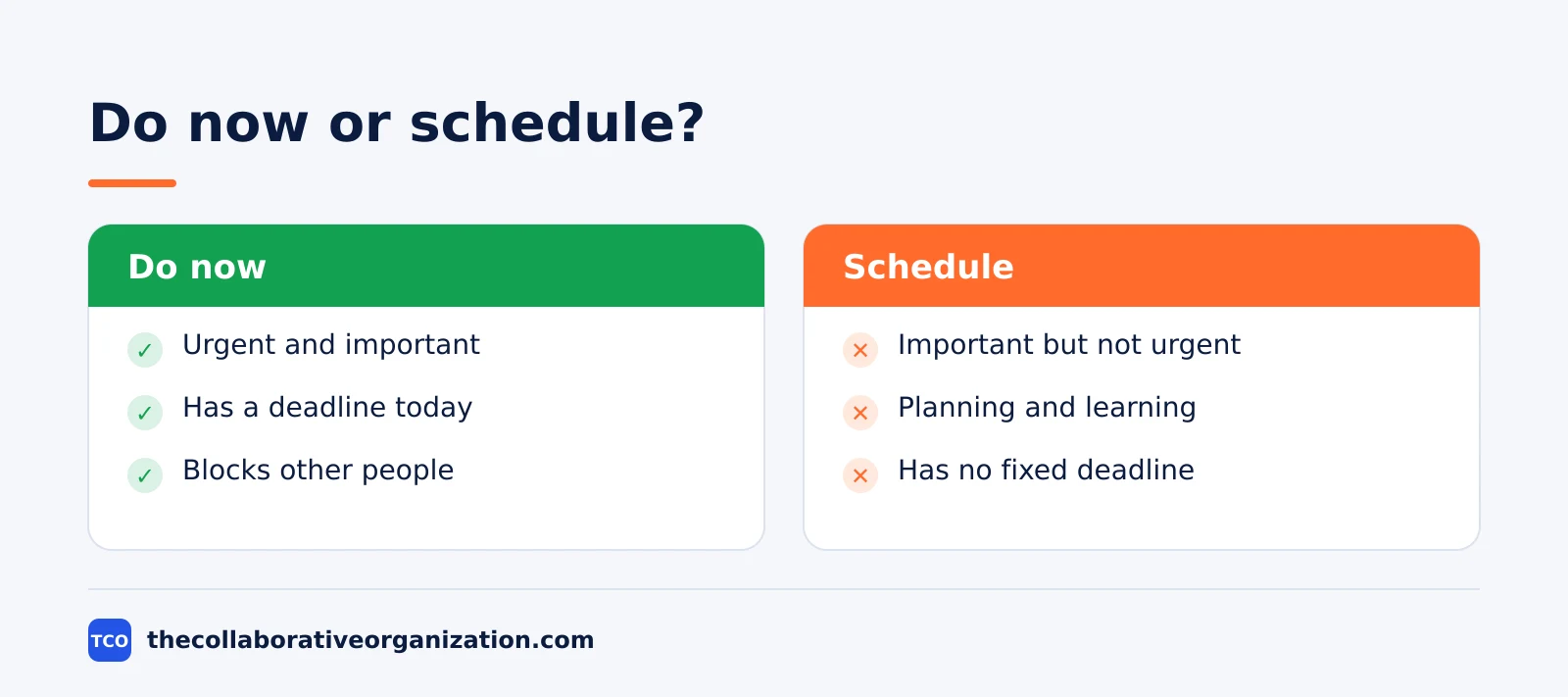
The fix is a question before each choice: what happens if this task waits a day? If nothing breaks, it is not urgent. Our guide to managing multiple projects at once uses the same question when several projects compete for one week.
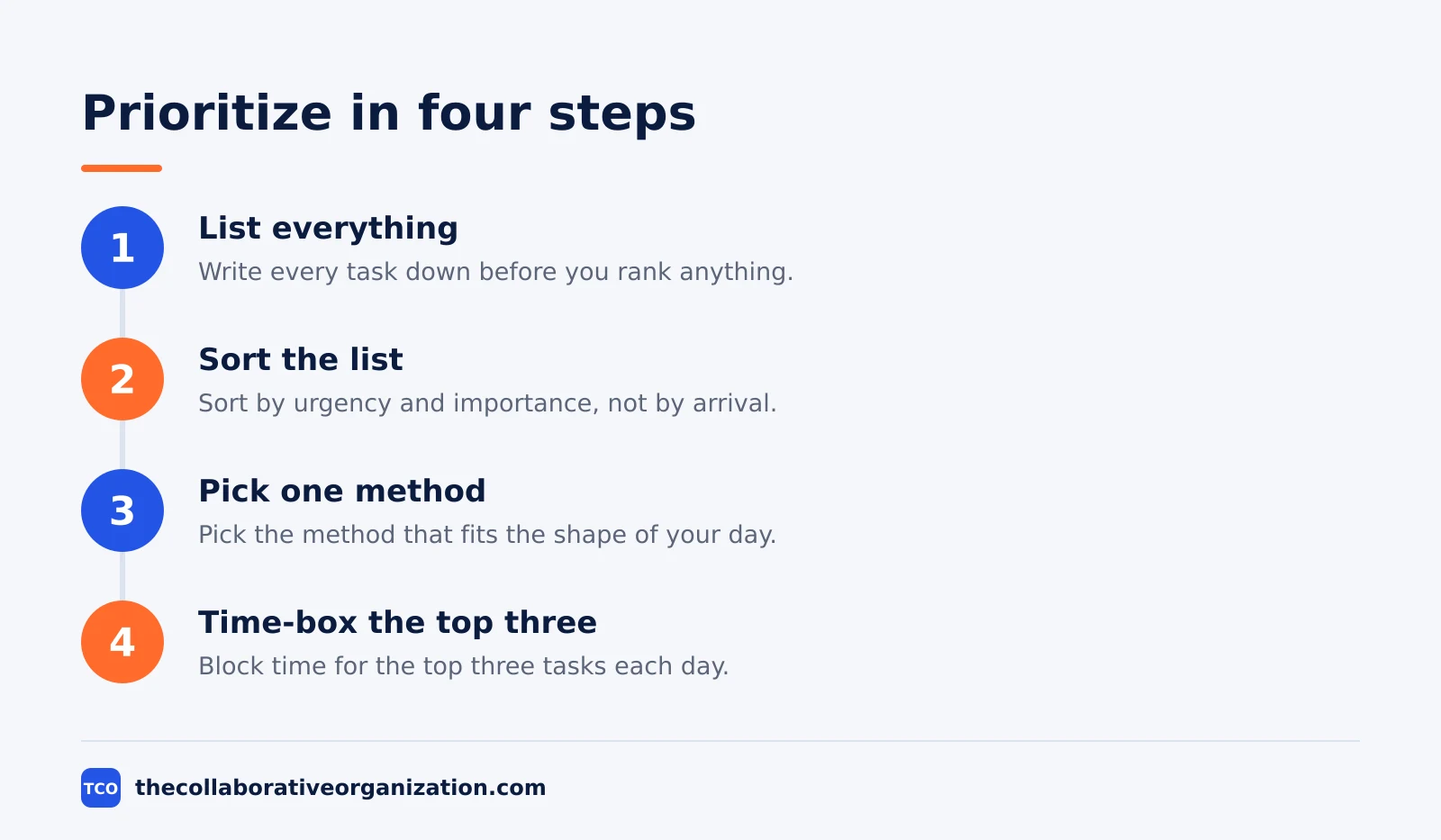
Step 1: list everything
Write every task down before you rank anything, because a task you cannot see cannot be prioritized. Empty your head, your inbox and your chat messages into one list. A list that holds only the tasks you remember is a list that hides the important ones.
Keep each task short and concrete. “Prepare the budget” is too vague to rank; “send the Q1 budget draft to finance by Thursday” is a task with a finish line.
If a task takes more than a day, split it now, or it will sit at the top of the list untouched. Our best task management software page lists tools that hold the list in one place.
Step 2: sort with the Eisenhower matrix
The Eisenhower matrix sorts every task into one of four boxes by urgency and importance. Do the tasks that are urgent and important. Schedule the tasks that are important but not urgent. Delegate the tasks that are urgent but not important. Delete the tasks that are neither.
The matrix is named after Dwight D. Eisenhower, and the idea is often linked to his 1954 remark: “I have two kinds of problems, the urgent and the important. The urgent are not important, and the important are never urgent.”
Sorting takes minutes and it shows the shape of your week at a glance: a list full of urgent tasks means you are reacting, and a list full of important tasks means you are planning.
Step 3: pick a method for the day
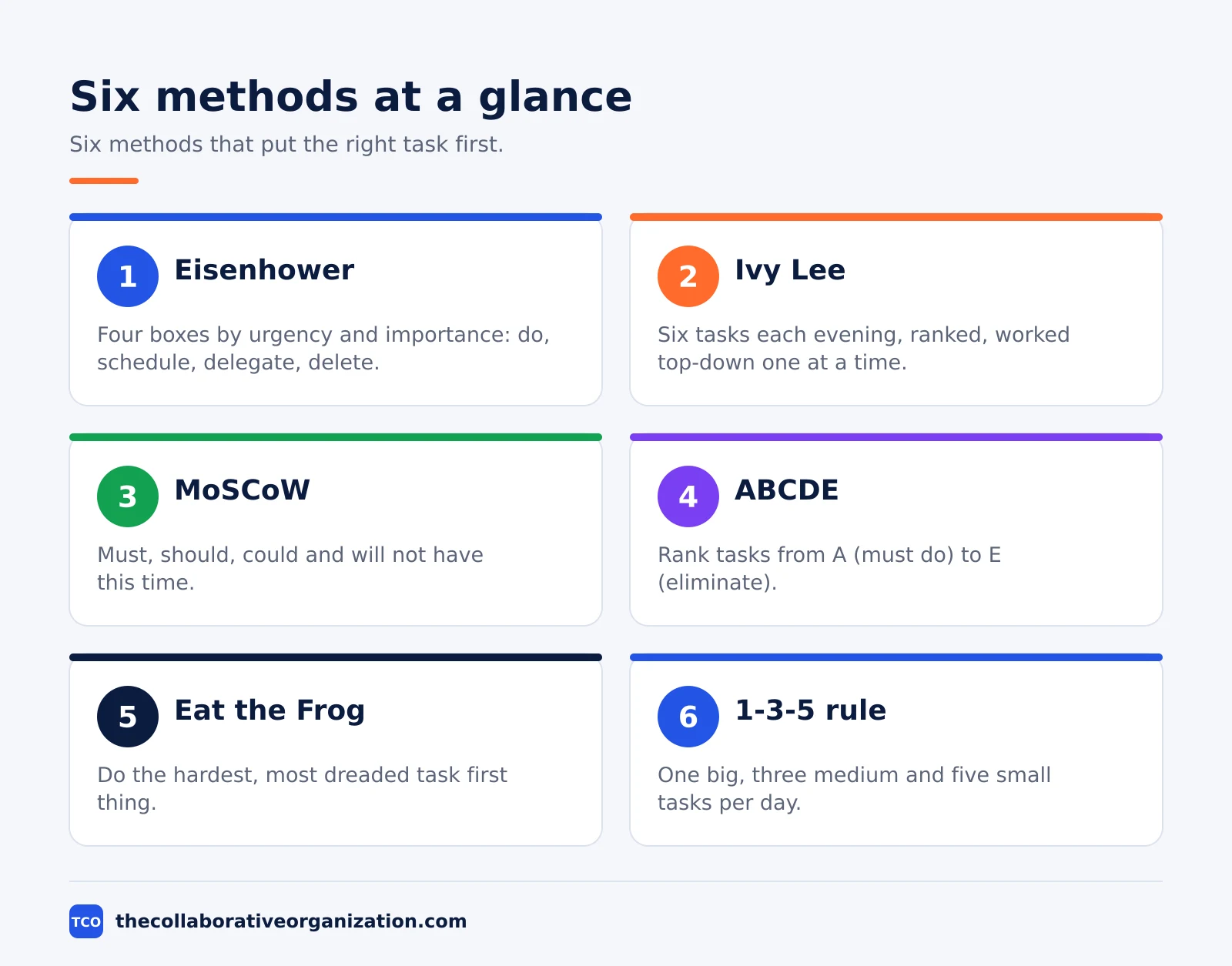
One method, used daily, beats seven methods used once. Pick the method that fits the shape of your day, then keep it for two weeks before judging it.
- Ivy Lee. Each evening, list the six most important tasks for tomorrow, rank them, and work them top-down, one at a time. Unfinished tasks roll to the next day. The story says Ivy Lee gave the method to Charles Schwab of Bethlehem Steel in 1918, and it is widely retold rather than verified as fact.
- MoSCoW. Sort work into must have, should have, could have and will not have this time. Developed by Dai Clegg in 1994 for rapid application development, it suits project planning. Must Haves should take no more than about 60% of the effort.
- ABCDE. Rank each task from A (must do) to E (eliminate), a method from Brian Tracy. Do the A tasks first, and never do a B task while an A task is open.
- Eat the Frog. Do the hardest, most dreaded task first thing in the morning. The name comes from Brian Tracy’s 2001 book, which borrowed Mark Twain’s remark about eating a live frog first thing.
- 1-3-5 rule. Plan one big task, three medium tasks and five small tasks per day. It is a rule of thumb with no single originator, and it keeps the day realistic.
- Pareto principle. Vilfredo Pareto’s 80/20 idea, used as a sorting lens: a small share of tasks usually delivers most of the result. Find the few tasks that matter most and do them first.
- Parkinson’s law. Work expands to fill the time available, wrote C. Northcote Parkinson in 1955. Give a task a short deadline and it takes less time; give it a week and it takes a week.
Step 4: time-box the top three tasks
A ranked list still fails without time on the calendar. Take the top three tasks from the morning sort and block time for each one. A task with no time slot is a task that meetings will eat.
Keep the blocks short and honest. Ninety minutes of focus beats a whole day of half-attention, and a task that needs four hours should be split before it is scheduled.
When a block ends, stop and note what is left; the unfinished part goes back on tomorrow’s list, not into the evening. Our guide to setting up a kanban board shows how to make those blocks visible to the whole team.
Seven methods compared
The table below compares the seven methods in this guide, so you can pick one in a minute. Use it as a starting point, not a verdict: the best method is the one you will still use next week.
| Method | Best for | Time to learn |
|---|---|---|
| Eisenhower matrix | Sorting any list fast | 10 minutes |
| Ivy Lee | Daily focus, one task at a time | 5 minutes |
| MoSCoW | Project planning with a team | 30 minutes |
| ABCDE | Ranking a long list | 10 minutes |
| Eat the Frog | Beating procrastination | 5 minutes |
| 1-3-5 rule | Planning a realistic day | 5 minutes |
| Pareto principle | Finding the few tasks that matter | 15 minutes |
The Eisenhower matrix and ABCDE suit a list of any size, while Ivy Lee and Eat the Frog suit a single day. MoSCoW needs a team to agree on the categories, so it fits planning sessions better than a morning sort.
The 1-3-5 rule and the Pareto principle are the lightest: they take minutes to learn and they work on any list. Our guide to choosing a task management app covers the tools that support priority flags and due dates.
Tools that help you prioritize
A tool helps when it can rank, date and filter the list. The four tools below all support priority flags and due dates, and all four have a free tier. Prices are starting prices for paid plans as of November 2026, taken from each vendor’s own pricing page, except Notion, whose price comes from independent November 2026 checks.
| Tool | Free tier | Starting paid price | Priority features |
|---|---|---|---|
| Todoist | Free for 5 personal projects | $5/mo billed annually | Priority flags P1-P4 |
| Asana | Free for up to 2 users | $10.99/user/mo billed annually | Custom priority fields |
| Trello | Free for up to 10 collaborators | $5/user/mo billed annually | Labels and due dates |
| Notion | Free for individuals | $10/member/mo billed annually | Priority select fields |
Todoist’s Pro plan is $5 per month when billed annually, and its Beginner plan is free for five personal projects. Asana’s Starter plan is $10.99 per user per month billed annually, and its Personal plan is free for up to two users.
Trello’s Standard plan is $5 per user per month billed annually, and its free plan covers up to 10 collaborators. Notion’s pricing page rendered no dollar figures when opened on 19 November 2026, so its Plus price of $10 per member per month billed annually is corroborated by independent November 2026 checks, not by Notion’s own page.
Worked example: a Monday list of 12 tasks
A Monday list shows how the four steps work in practice. Imagine a project manager starting the week with 12 tasks: a client report due Tuesday, a budget draft, six emails, a team meeting, a hiring review, a vendor call, a blog post, and a training course.
Step one lists all 12 in one place. Step two sorts them with the matrix: the client report and the budget draft are urgent and important, the hiring review and the blog post are important but not urgent, the vendor call is urgent but not important, and the training course is neither, so it is deleted from this week.
Step three picks Ivy Lee for the day: the six most important tasks are ranked, with the client report first. Step four time-boxes the top three: 90 minutes for the report, 60 minutes for the budget draft, and 30 minutes for the hiring review.
By lunch, the two tasks that mattered most are done, and the emails that felt urgent are still waiting, which is exactly the point.
Common prioritization mistakes to avoid
Most prioritization fails in the same four ways, and all four are easy to fix. Run through the list before you rebuild your system.
- Ranking by arrival. The newest task is rarely the most important. Sort by urgency and importance, not by which email landed last.
- Treating every task as urgent. If everything is urgent, nothing is. The 2018 mere urgency study shows how deadlines trick us into picking low-payoff work.
- Switching methods daily. A method needs two weeks to show its value. Pick one, use it every day, and judge it at the end of the fortnight.
- No time on the calendar. A ranked list with no time slots is a wish list. Block the top three tasks before the meetings fill the day.
Sources
- SmartKeys - Eisenhower Matrix (2024)
- Goals and Progress - Eisenhower Matrix (2024)
- Any.do - The Ivy Lee Method (2024)
- EM Tools - MoSCoW Prioritization (2024)
- Todoist - Pricing (2026)
- Asana - Pricing (2026)
- Trello - Pricing (2026)
- Notion - Pricing (2026)
Frequently asked questions
How do I prioritize tasks at work when everything is urgent?
Sort by importance first, then by urgency. Most tasks that feel urgent are not important, and a 2018 study in the Journal of Consumer Research found people pick lower-payoff tasks simply because they carry a deadline. Ask what happens if the task waits a day. If nothing breaks, it is not urgent, and it goes below the work that moves the goal forward.
What is the Eisenhower matrix?
The Eisenhower matrix sorts tasks into four boxes by urgency and importance: do the urgent and important ones, schedule the important ones, delegate the urgent ones, and delete the rest. The idea is often linked to Dwight D. Eisenhower's 1954 remark that the urgent are not important and the important are never urgent. It is the fastest way to see which tasks deserve your time.
What is the Ivy Lee method?
The Ivy Lee method is a nightly routine: list the six most important tasks for tomorrow, rank them, and work them top-down, one at a time, without starting the next until the first is done. Unfinished tasks roll to the next day. The story says Ivy Lee gave the method to Charles Schwab of Bethlehem Steel in 1918, and it is widely retold rather than verified.
Should I use one prioritization method or several?
Start with one and keep it for two weeks. The Eisenhower matrix is the best first method because it sorts any list in minutes. Add a second method only when the first one stops helping, such as Ivy Lee for daily focus or MoSCoW for project planning. Switching methods every day is a form of procrastination, not prioritization.
What tool is best for prioritizing tasks?
Any tool that lets you rank, date and filter a list will do. Todoist, Asana and Trello all support priority flags and due dates, and paid plans start at about $5 per user per month as of November 2026. Pick the tool your team already uses, and put the method inside it, rather than buying a new tool to fix a ranking problem.
Related articles
task management
Eisenhower Matrix Explained: Prioritize in 4 Steps (2026)
The Eisenhower Matrix sorts tasks by urgency and importance into four quadrants: do, schedule, delegate, delete. Learn each quadrant and how to use it.
November 19, 2026 · 9 min read
task management
Getting Things Done Method Explained: GTD in 5 Steps (2026)
Getting Things Done (GTD) moves every commitment out of your head into a trusted system, in five steps: capture, clarify, organize, reflect, engage.
November 19, 2026 · 9 min read
task management
How to Create a To-Do List That Works: 7 Steps (2026)
A to-do list that works starts with one capture list and a short today list of 1 to 3 priorities. Follow these 7 steps to build a list you finish.
November 19, 2026 · 10 min read