How to Manage Multiple Projects at Once (2026) | The Collaborative Organization
By The Collaborative Organization Team · November 19, 2026 · Last verified November 19, 2026 · 10 min read

Managing multiple projects at once means running them from one shared view, with a cap on active work, priorities set by value, and a weekly review across the whole portfolio. Without that system, the loudest project wins, the same people get overloaded, and delays in one project quietly spread to the others.
Key takeaways
- Put every project in one place, with its status, owner, next milestone and key decisions visible.
- Cap active work at about three projects per owner, and queue the rest.
- Prioritize by value to company goals, not by who shouts loudest or what is easiest.
- Switching between tasks can cost as much as 40% of productive time, per research cited by the American Psychological Association.
- Hold a short weekly review across the whole portfolio, and rebalance workloads before anyone burns out.
What multi-project management is
Multi-project management is the practice of overseeing and coordinating several projects at the same time, balancing resources, timelines and priorities across the whole portfolio. It is the daily work of program managers, team leads and department heads.
Asana defines it the same way: overseeing and coordinating multiple projects at once, balancing resources, timelines and priorities across the entire portfolio of work. The goal is not to do more projects, but to finish the right ones without overloading the team.
First, name what you are running. PMI defines a program as a group of related projects managed in a coordinated manner to obtain benefits and control not available from managing them individually. If finishing project A changes what project B needs, you are running a program, not a set of separate projects.
A portfolio is different. It is the full set of work your team chooses to invest in, related or not. Related projects share a roadmap and a risk list. Unrelated projects just compete for the same people and hours, so the lever there is prioritization and a cap on active work.
Why managing several projects breaks
Running several projects at once breaks in five predictable ways, and each one has a fix. Asana lists the same five: resource constraints, conflicting priorities, lack of visibility, interdependencies and communication gaps.
Resource constraints come first. Team members are spread across several projects, so it is hard to allocate their time without overloading anyone. One person at 120% capacity across three projects will miss a date in at least one of them.
Conflicting priorities come next. When everything feels urgent, it is hard to know which project deserves attention first. The project with the loudest stakeholder wins, even when another project matters more to the company.
Lack of visibility hides the damage. Without one shared view, you cannot see how work on one project affects another until problems appear. A delay in a shared dependency shows up as a surprise in two projects at once.
Switching itself has a cost. The American Psychological Association, citing research by psychologist David Meyer, reports that the brief mental blocks created by shifting between tasks can cost as much as 40% of someone’s productive time. The figure is quoted in a guide to managing multiple projects.
Communication gaps finish the list. Keeping stakeholders informed across several projects takes steady effort and clear routines. Without them, each project invents its own update format, and nobody knows where the truth lives.
How to manage multiple projects in 7 steps
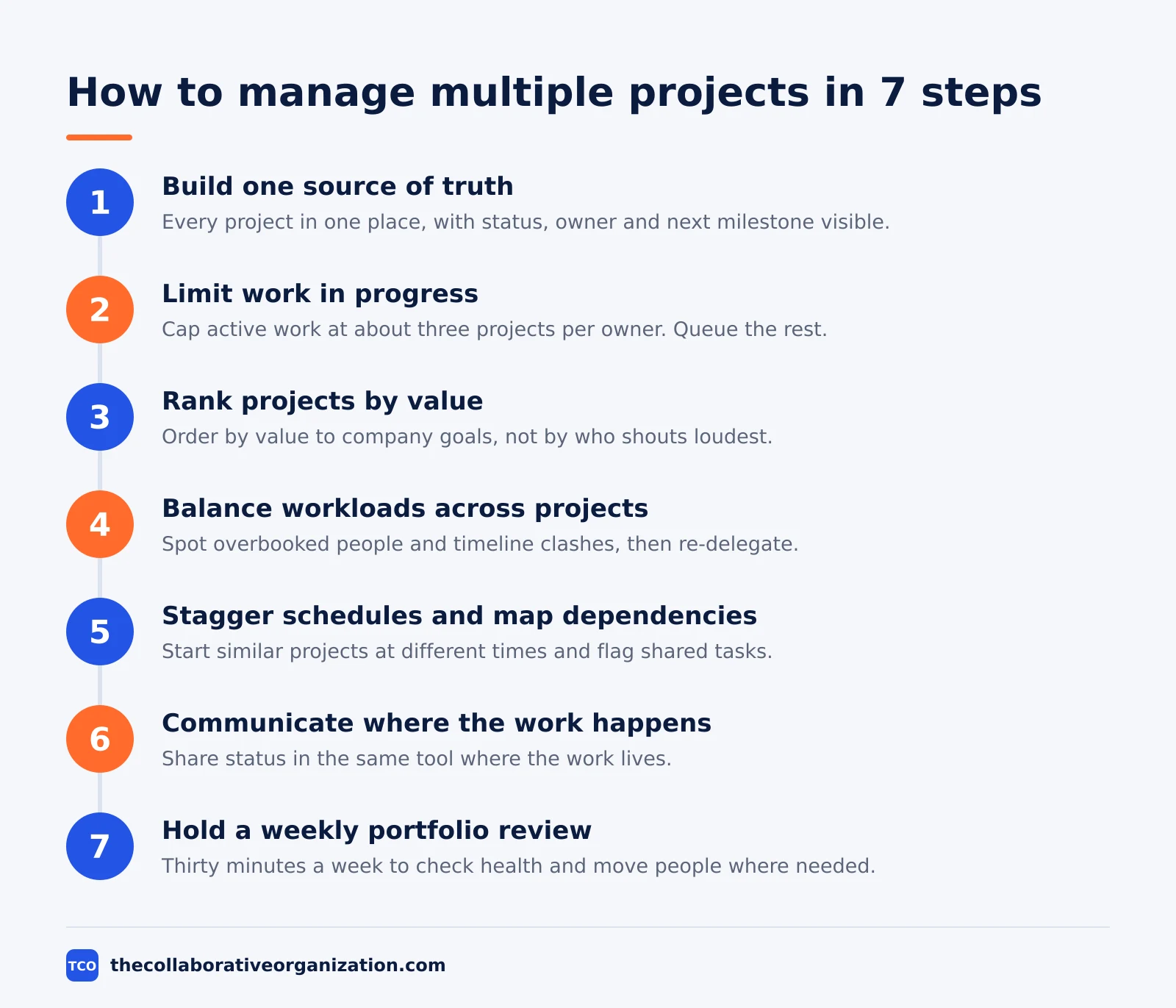
Managing several projects takes seven steps, in order, and tool choice comes after step one, not before it. The steps below follow the same order Asana uses in its guide to managing multiple projects.
Step 1: Build one source of truth
Put every project in one place, with its status, owner, next milestone and key decisions visible. Status, owner, next milestone and decisions should live in one board or sheet, not in seven threads and someone’s head.
Step 2: Limit work in progress
Set an explicit cap on how many projects a person or team runs at once. Three active projects per owner is a reasonable starting cap for most knowledge teams. Everything over the cap goes into a queue.
Step 3: Rank projects by value, not by noise
Look at how each project ladders up to larger company goals. Ask what will have the most impact, and start there. Push low-impact projects to next quarter, and staff the highest-impact project first.
Step 4: Balance workloads across projects
Look at all tasks for each person across all projects, with dates, so you can spot overbooked people and timeline clashes. Then defer lower-priority tasks, remove unnecessary work, or re-delegate to balance the load.
Step 5: Stagger schedules and map dependencies
Schedule each project with the full portfolio in mind. Stagger the start dates of similar projects so the same group is not finishing five things at once, and flag any task that two projects share.
Step 6: Communicate where the work happens
Share status and progress updates in the same tool where the work lives. That way, stakeholders see the full context behind a shifting timeline instead of asking for a separate meeting about it.
Step 7: Hold a weekly portfolio review
Meet for 30 minutes each week with the whole portfolio on screen. Check each project’s health, move people between projects where needed, and agree what starts, stops or waits this week.
How to prioritize across projects
Prioritize at two levels: the portfolio level once a week, and the daily level each morning. Asana calls these the macro level and the micro level, and both need a rule.
At the macro level, rank the projects. Score each one on value to company goals, deadline risk and effort, then order the list. The top project gets full staffing before lower ones get any extra people. A project that ranks last does not start until something above it finishes.
At the micro level, organize each day by importance, not by arrival time. A task that unblocks three people beats a task that only moves your own project forward. Use a priority field in your tool, and sort by it each morning.
Two traps break prioritization. The first is starting the easiest project first, because it feels like progress. The second is letting the most recent request jump the queue. Both are fixed by the same habit: no new project starts until the ranking says so, and the ranking changes only in the weekly review.
Dependencies change the order too. If project B cannot start until project A ships a piece of work, then A’s blocking task outranks B’s early tasks. Map the links between projects before you rank them, or the ranking will fight reality.
A worked example: three projects, one team
A short example shows how the system holds together under pressure. Imagine a team of six people running three projects at once, and the details below are an illustration, not a real team.
| Project | Goal | Owner | Status | Next milestone |
|---|---|---|---|---|
| Website relaunch | New homepage live | Priya | Amber | Design approved, 21 Nov |
| Onboarding guide | Cut new-hire setup time | Sam | Green | Draft reviewed, 24 Nov |
| Pricing page test | Lift sign-ups by 5% | Alex | Red | Test live, 18 Nov |
Priya is also the designer on the onboarding guide, so she carries two projects. The weekly review shows she is at 130% capacity, while Alex has spare hours. The team moves the onboarding illustrations to Alex, which brings Priya back to 95% and keeps the relaunch on track.
The pricing test is Red because the test tool needs a fix that only Sam can make, and Sam is busy on the onboarding guide. The review moves the fix to the top of Sam’s list, because the test unblocks a decision the sponsor needs by Friday. One 30-minute review, two moves, and no new hire needed.
Tools that show the whole portfolio
A tool earns its place when it shows workload across projects, not just tasks inside one project. The project management software shortlist compares the main options.
Our guide to how to choose project management software covers seat counts and free-plan caps.
Look for three features before you buy. First, a portfolio or dashboard view that lists every project with its health. Second, a workload view that shows each person’s tasks across all projects with dates. Third, a way to move a task between projects without losing its history, which Asana calls multi-homing.
| Tool | Best for | Free plan | Starting price (as of November 2026) | Notable limit |
|---|---|---|---|---|
| Asana | Portfolios with workload and resource views | Free for 2 people | $10.99 per user per month (Starter), billed annually | Portfolios and resource management need Advanced at $24.99 |
| ClickUp | Dashboards across spaces with goals and Gantt views | Free Forever plan | $9 per user per month (Core), billed annually | Shown against a $12 regular price, so it may be promotional |
| Trello | Simple boards with calendar and timeline views | Free for up to 10 collaborators | $5 per user per month (Standard), billed annually | Timeline view needs Premium at $10 |
The Asana price comes from Asana pricing: Starter is $10.99 per user per month billed annually, and Advanced is $24.99. The ClickUp pricing page lists Core at $9 per user per month billed yearly. Trello pricing lists Standard at $5 per user per month billed annually, or $6 billed monthly, and Premium at $10.
A spreadsheet can work as the first portfolio view. List each project in a row, with owner, health, next milestone and the people assigned. The risk is staleness: a sheet that nobody updates is worse than no sheet, because it looks like the truth.
Common multiple-project mistakes to avoid
Most multi-project trouble comes from five habits, and all five feel productive in the moment. Check the list in your weekly review.
- Starting everything at once. Five projects at 20% each finish nothing. Three projects at full focus finish one, then the next.
- No single owner per project. When two people share ownership, neither one answers for the date. Give each project one owner, and write the name down.
- Hiding overload. Team members rarely say they are at 130% until a date slips. Check the workload view every week, and ask the question directly.
- Letting priorities change daily. A ranking that changes every morning is not a ranking. Change it in the weekly review, and protect the team from mid-week swaps.
- No queue for new work. Every new request that starts at once pushes all the others later. A visible queue makes the trade-off clear to the person asking.
Resource pressure is the top challenge in the wider data too. In Wellingtone’s 2025 survey, 40% of project professionals said resource management is the biggest challenge they face. The figure comes from a summary of the Wellingtone report.
How to measure whether the system works
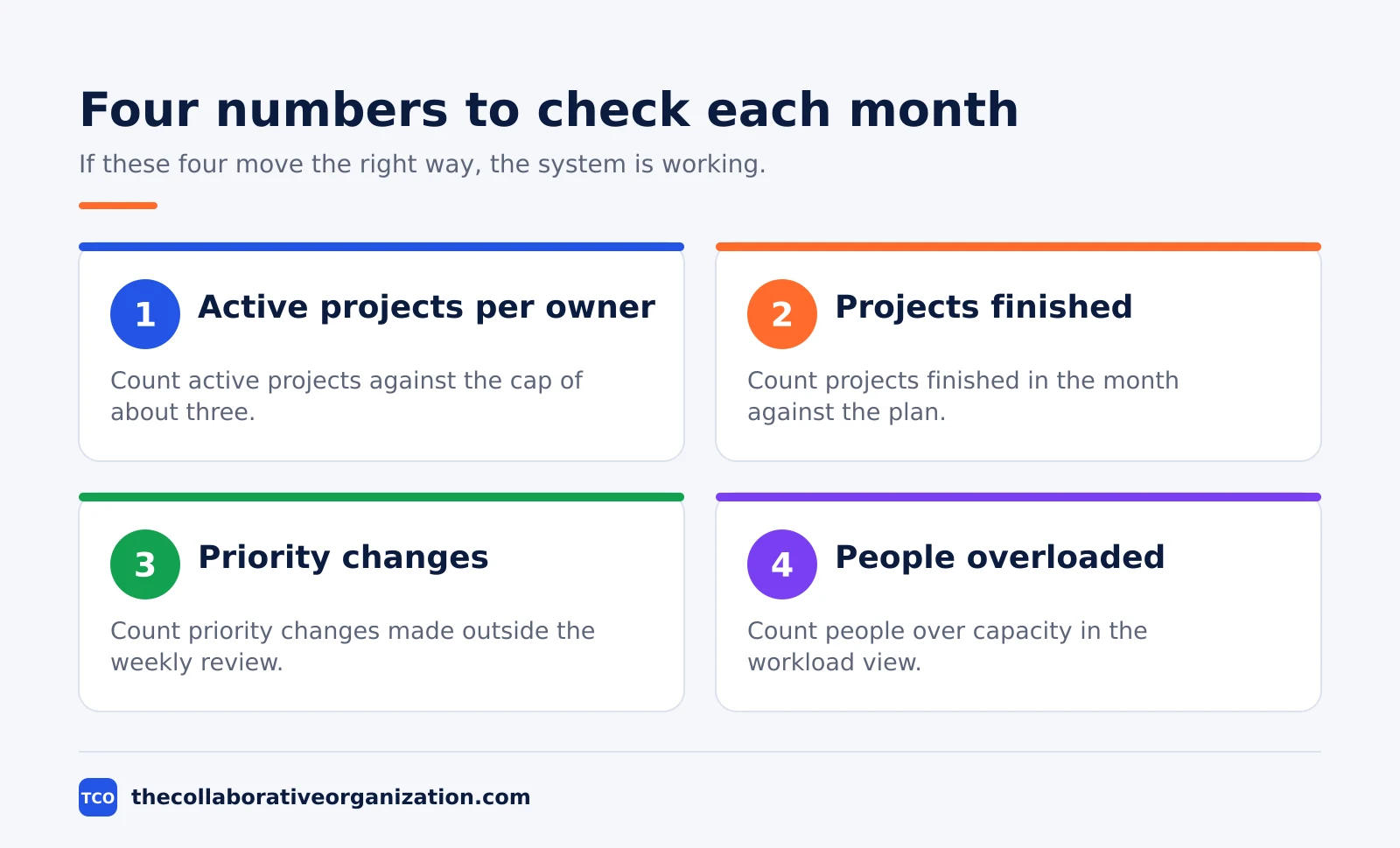
The system works when projects finish on their dates without anyone working at 130% capacity. That is the test to use each month.
Count four things. First, how many active projects each owner carries against the cap. Second, how many projects finished in the month against the plan.
Third, how many times a project changed priority outside the weekly review. Fourth, how many people were overloaded in the workload view.
If the cap keeps breaking, the problem is intake, not effort. Say no to new work until something finishes, or move the lowest-ranked project to the queue in writing. If priorities keep changing mid-week, the ranking rule is too weak, and the fix is a sponsor who owns the ranking.
Review the cap itself every quarter. A cap of three may be too high for large projects or too low for small ones. Change the number in the open, tell the team, and watch the finish rate for a month before changing it again.
Sources
- Asana - Managing Multiple Projects (2026)
- Asana - Prioritize Tasks in Asana (2026)
- Scribbl - How to Manage Multiple Projects (2026)
- Wellingtone - State of Project Management 2025, via summary (2025)
- PMI - Pulse of the Profession 2024, via summary (2024)
- Asana - Pricing (2026)
- ClickUp - Pricing (2026)
- Trello - Pricing (2026)
Frequently asked questions
How many projects can one person manage at once?
Three active projects per owner is a reasonable starting cap for most knowledge teams. The right number depends on project size and how much of the person's week each one needs. Above the cap, work waits in a queue instead of starting, so nothing gets half done.
What is the difference between a program and a portfolio?
A program is a group of related projects managed together to get benefits you cannot get from managing them alone. A portfolio is the full set of work a team chooses to invest in, related or not. Run related projects as one program, and rank unrelated ones by value.
How do you prioritize multiple projects?
Rank projects by the value they add to company goals, not by who shouts loudest or which one is easiest. Push low-impact projects to next quarter, staff the highest-impact project first, and review the ranking every week because priorities change.
What tool is best for managing multiple projects?
The best tool is the one that shows every project, owner, deadline and workload in one place. Asana, ClickUp and Trello all do this in different ways. Pick the tool the team will open every day, and check that it shows workload across projects before you buy.
How do you stop projects from slipping when you run several at once?
Limit work in progress, stagger start dates for similar projects, and hold a short weekly review across the whole portfolio. Check dependencies between projects, rebalance workloads when one person is overloaded, and say no to new work until something finishes.
Related articles

project management
How to Choose Project Management Software (2026)
Pick project management software in seven steps: define the work, count seats, price the real cost, and run a two-week pilot before you pay.
November 19, 2026 · 10 min read

project management
What Is a RACI Matrix? Definition, Roles and Examples (2026)
A RACI matrix maps who is Responsible, Accountable, Consulted and Informed for each task. Learn the four roles, how to build one, and see a worked example.
November 19, 2026 · 9 min read

project management
Daily Standup Meeting Format That Works (2026)
A daily standup is a 15-minute meeting where Developers inspect progress toward the Sprint Goal and plan the next day. Use this format to run one that ends on time.
November 19, 2026 · 10 min read