Data Residency Explained: Where Your Data Lives (2026) | The Collaborative Organization
By The Collaborative Organization Team · November 19, 2026 · Last verified November 19, 2026 · 9 min read
Data residency is the physical place where your data is stored and processed, such as a data centre in Ireland, Germany or Sydney. When you pick a cloud region for a tool, you are picking the country where the hard drives holding your data live.
Key takeaways
- Data residency is geography: the country or region of the data centre that stores and processes your data.
- Data sovereignty is different: it is which country’s laws can compel access to the data, whatever the location.
- A cloud region is the unit that sets residency, and data does not leave a region unless you copy or replicate it.
- GDPR does not require EU residency, but it requires safeguards for transfers outside the EU.
- AWS, Microsoft and Google all sell residency options, and each one has exceptions for backups, logs and support access.
What data residency is
Data residency is the rule that data stays inside a defined geographic boundary, such as a country, the EU, or a single cloud region. The boundary is set by a law, a contract, or a customer requirement, and the vendor must keep the data inside it.
Residency covers both storage and processing. A database in Sydney that sends every record to an analytics service in the United States does not have Australian residency for that step, even though the database itself sits in Australia. Backups, logs, replicas and support access all count, and each one needs to be inside the boundary or listed as an exception.
That is why residency is a fact you can verify, not a marketing claim. You pick the region, the vendor commits to keeping the data there, and you check the settings, the contract and the data-flow map. If any copy leaves the boundary, the vendor should be able to name it and explain why.
Residency vs sovereignty vs localization
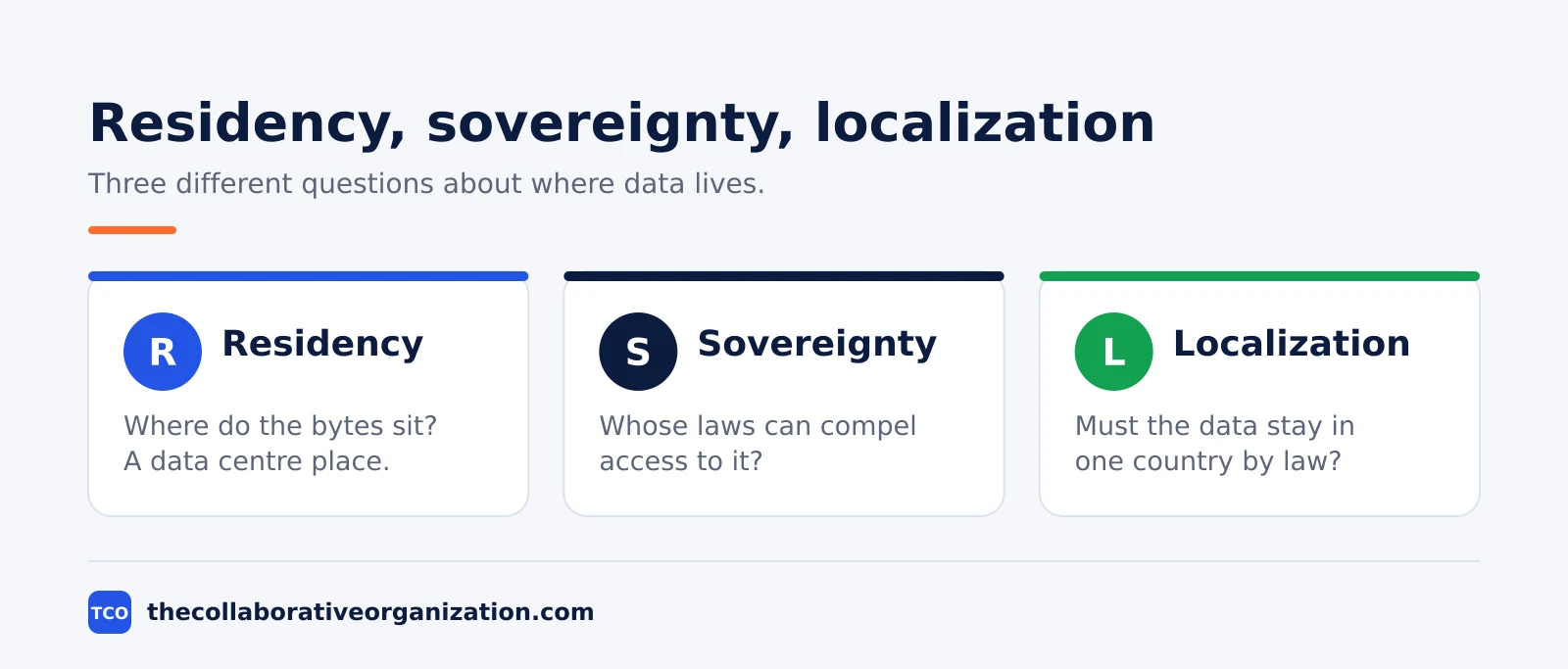
Residency, sovereignty and localization are three different ideas, and buyers who mix them up buy the wrong promise. The table below keeps them apart.
| Term | Question it answers | Example |
|---|---|---|
| Data residency | Where do the bytes sit? | Data stored in a Frankfurt data centre |
| Data sovereignty | Whose laws can compel access? | A US company must answer US orders, wherever the data sits |
| Data localization | Must the data stay in one country by law? | A law that bans storing citizen data abroad |
Residency is about geography, and sovereignty is about jurisdiction. AWLabs puts the split plainly: keeping data in Australia gives you residency, but if the provider is a foreign company, foreign law can still reach it, so residency alone does not guarantee sovereignty.
Localization is the strictest of the three. It is a law that says certain data must stay inside a country, and it leaves no room for a vendor promise. Most buyers do not face localization laws, but those who do need a vendor that runs a data centre in that country, not merely a region nearby.
How cloud regions work
A cloud region is a separate geographic area where a provider groups its data centres, and it is the unit that sets data residency. Each region is isolated from the others, with its own endpoints and resources, so a problem in one region does not cascade into another.
AWS names its regions by code and place: eu-west-1 is Europe (Ireland), eu-central-1 is Frankfurt, ap-southeast-2 is Sydney, and ap-southeast-4 is Melbourne. A resource created in one region is invisible in another, and data never leaves a region unless you configure replication or copy it yourself.
Microsoft Azure and Google Cloud work the same way, with regions named for their places, such as North Europe in Ireland and West Europe in the Netherlands.
Three limits catch buyers out. First, some services are global, not regional: identity, DNS and content delivery run from central places, and personal data should stay out of resource names and tags.
Second, not every service is available in every region, so check the list before you design around a region. Third, a second region for disaster recovery is a second country, so write down where the backup copy sits.
What vendors offer for residency
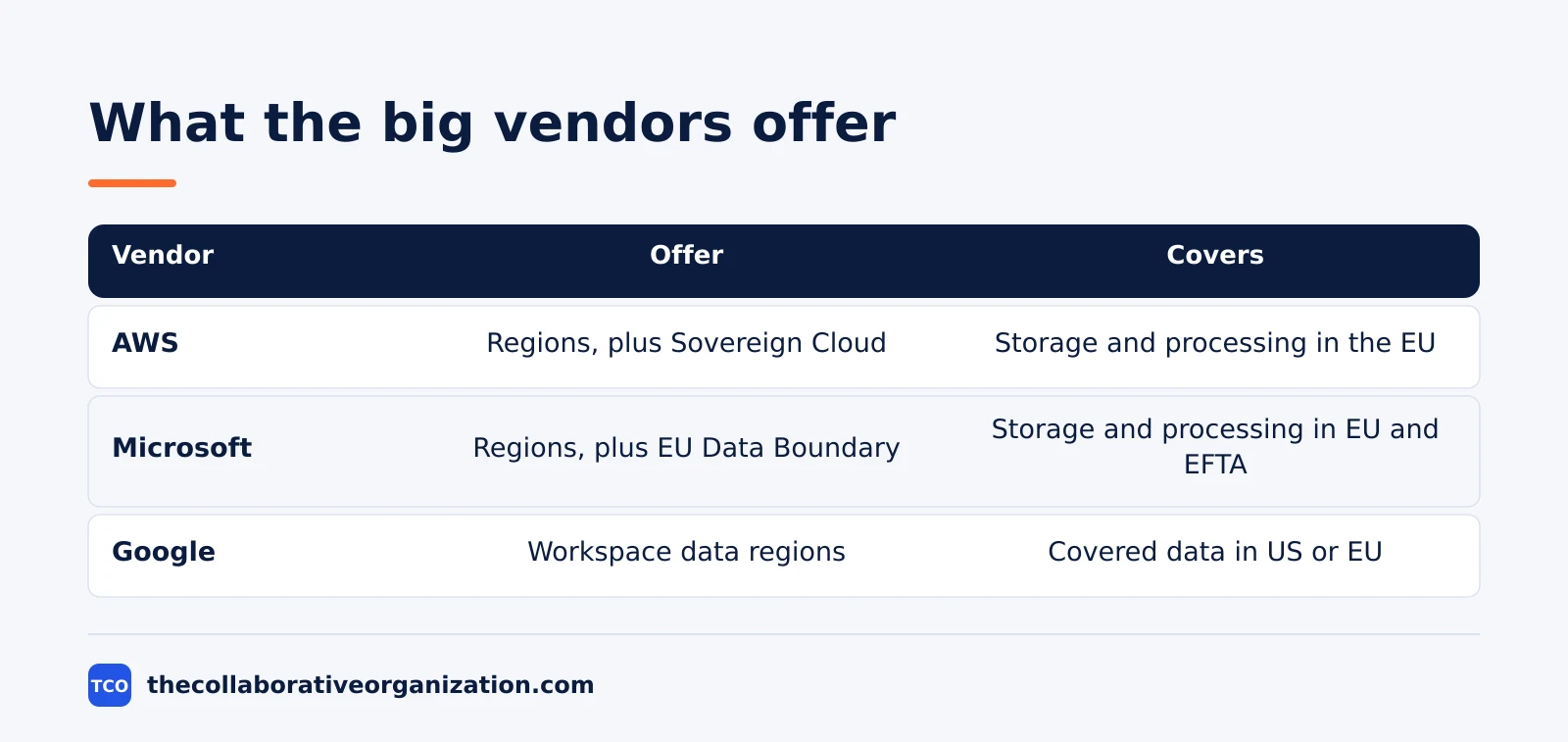
The three large cloud vendors each sell residency in a different shape: AWS sells regions and a sovereign partition, Microsoft sells regions plus the EU Data Boundary, and Google sells data regions for Workspace. The shape matters, because each one covers different data.
AWS offers a region in each place you need, and in January 2026 it made the AWS European Sovereign Cloud generally available, with its first region in Brandenburg, Germany.
AWS describes it as an independent cloud for Europe, located entirely within the EU, operated exclusively by EU residents, with no critical dependencies on non-EU staff or infrastructure. The launch came with more than 90 services and a planned investment of 7.8 billion euros.
Microsoft offers the EU Data Boundary, a commitment to store and process customer data and personal data for its enterprise online services, including Azure, Microsoft 365, Dynamics 365 and Power Platform, within the EU and EFTA. Microsoft launched the boundary in January 2023, and the last phase completed in February 2025.
The boundary covers processing as well as storage, which is more than a region choice alone gives.
Google Workspace takes a simpler route. An admin can set a data region policy for covered data, choosing the United States, the European Union, which the console labels Europe, or no preference, and can also set processing to happen in the same region.
Google notes the feature is available on Business Standard and Business Plus, Enterprise Standard and Enterprise Plus, and other listed editions.
How to set a residency requirement
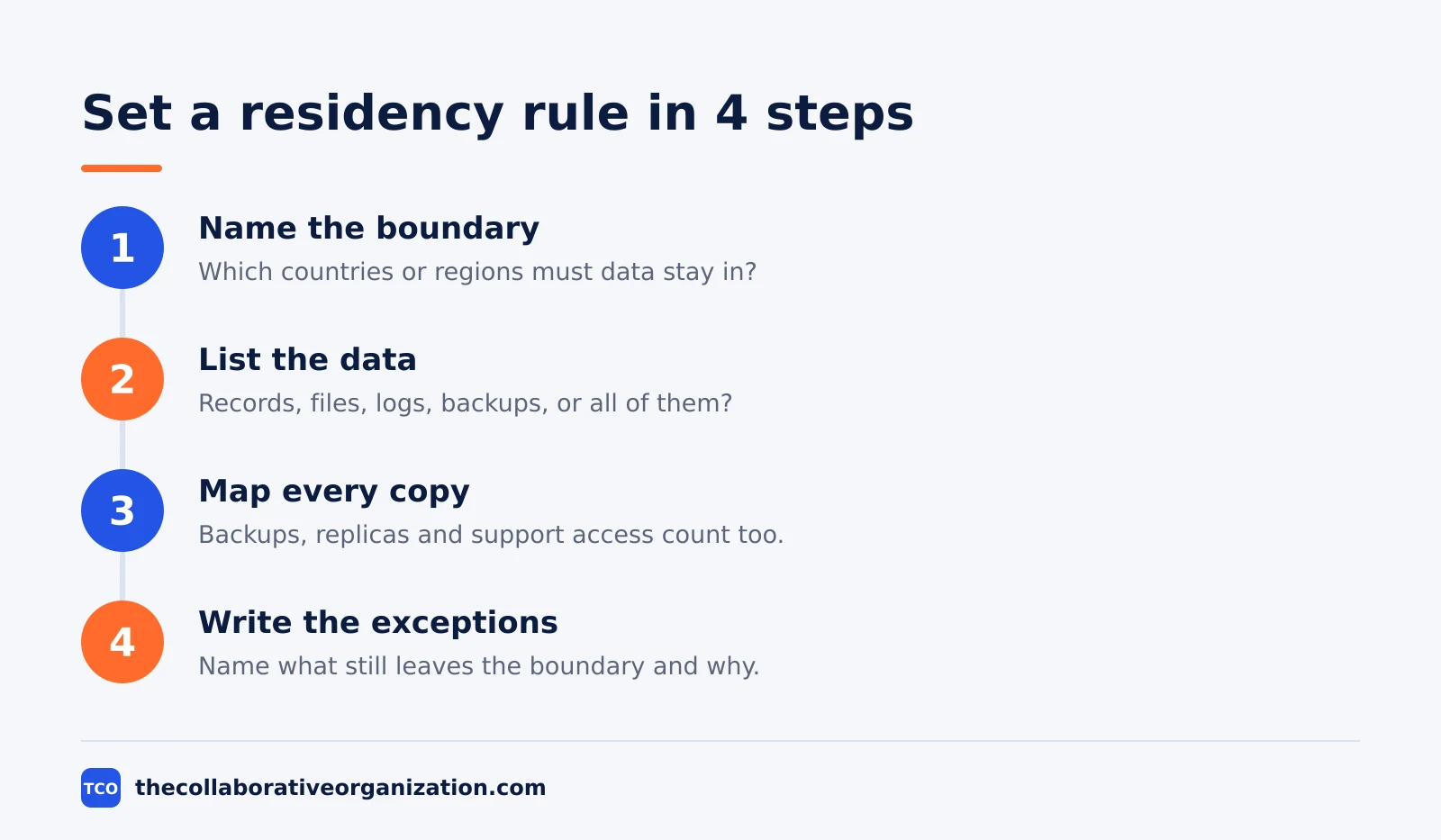
Set a residency requirement as a short list of testable rules, not as a single sentence in a contract. A vendor should be able to show each rule, or name it as an exception.
Write down four things. First, the boundary: which countries or regions must the data stay in, and does the rule cover storage, processing, or both? Second, the data: which types count, customer records, files, logs, backups, or all of them?
Third, the copies: where do backups, replicas and archives sit, and who can access them from outside? Fourth, the exceptions: which services, such as support, analytics or global identity, still move data out, and under which safeguard?
Then ask the vendor for its data-flow map and its region list, and check them against your four rules. Our guide on how to evaluate SaaS software explains how to compare vendors on the same criteria, and a residency rule that cannot be tested is a promise you cannot enforce.
Worked example: an EU team picks a region
An EU team that writes its residency rules before it shops will find the gaps in one afternoon. Imagine a 40-person company in the Netherlands buying a project tool that will hold client records.
The team writes three rules: all client data stored and processed in the EU, backups in the EU too, and no support access from outside the EU without notice.
Vendor A offers an EU region for storage but routes support through a US team. Vendor B offers EU storage and processing, with support access from the EU only. Vendor C offers a sovereign partition at a higher price.
The team picks vendor B, because it meets all three rules without the sovereign price.
It writes the rules into the RFP, as our guide on how to write an RFP for software advises, and asks vendor B for a data-flow map that names the backup region. The map shows backups in the same EU region, and the deal moves ahead.
Costs and limits of residency
Residency has costs: fewer services in some regions, slower access for far-away users, and a higher price for sovereign options. A team that knows the costs can decide whether the requirement is worth them.
Service gaps are the most common cost. A new region may lack a feature your team relies on, and a sovereign partition launched with more than 90 services still misses some tools that the main regions offer. Check the service list for your region before you commit, not after the migration starts.
Latency is the second cost. Users far from the region will see slower load times, and a team split across continents may need more than one region, which breaks a single-country rule. Price is the third: sovereign partitions and in-country options cost more than a standard region, and the premium buys legal separation, not faster performance.
The EU Data Act adds a helpful limit on switching costs. It has applied since 12 September 2025, and it caps cloud switching charges, including data egress fees, at cost until 12 January 2027, then bans them. That makes it cheaper to leave a region that no longer fits, and it is worth naming in the contract.
Common data residency mistakes to avoid
Most residency failures come from five errors, and each one is a copy of data the buyer forgot to check. Run through the list before you sign.
- Checking storage only. Backups, logs, replicas and analytics copies move data too, and a database in the EU with backups elsewhere breaks the rule.
- Forgetting global services. Identity, DNS and content delivery run outside regions, so keep personal data out of names, tags and records.
- Assuming residency means sovereignty. A US company must answer US legal orders for data it controls, wherever the servers sit, under the CLOUD Act of 2018. Residency does not change that.
- Picking a region with no service check. Not every service runs in every region, and a missing feature can force a second region that breaks the rule.
- No plan for the second copy. Disaster recovery needs a second place for the data, and that place is a second country unless you plan it. Name it in the contract.
Our guide on how to run a software trial explains how to test a vendor’s region settings before you buy.
Our software guides hub has more checks for comparing vendors.
Sources
- AWLabs - Data Residency vs Data Sovereignty in Australia (2026)
- AWS - Run Open Weight Models on Amazon Bedrock in AWS European Sovereign Cloud (2026)
- Microsoft - What Is the EU Data Boundary? (2026)
- Microsoft - Microsoft Completes Landmark EU Data Boundary Offering (2025)
- Google Workspace Help - Choose a Geographic Location for Your Data (2026)
- Honest Consultancy - AWS vs Azure for Irish Businesses (2026)
- TechJack Solutions - Cloud Regions and Availability Zones Explained (2026)
Frequently asked questions
What is data residency in simple terms?
Data residency is the physical place where your data sits and is processed, such as a data centre in Ireland or Germany. When you pick a cloud region, you pick the country where the hard drives holding your data live. Residency is a fact about geography, and you can check it in the vendor's settings and contracts.
Is data residency the same as data sovereignty?
No. Residency is where the data physically sits, while sovereignty is which country's laws can compel access to it. Data in Frankfurt run by a US company is resident in Germany but still subject to US law. You can have perfect residency and no sovereignty at the same time, so ask about both.
Does GDPR require data to stay in the EU?
No. GDPR does not require data to stay in the EU. It requires a safeguard, such as standard contractual clauses, when personal data moves to a country without an adequacy decision. Residency in the EU is a customer or contract requirement, not a GDPR rule, though it makes transfers simpler to manage.
How do I choose a data region for my team?
Start from the requirement: which countries must the data stay in, and why. Then check which vendors offer a region there, which services are covered, and what still leaves the region, such as backups, logs and support access. Pick the region that covers the most of your data, and write the rest down as exceptions.
What is the AWS European Sovereign Cloud?
The AWS European Sovereign Cloud is a separate AWS cloud partition located entirely in the EU, with its first region in Brandenburg, Germany. It became generally available in January 2026, is operated exclusively by EU residents, and is physically and logically separate from other AWS regions.
Related articles

guides
Free Project Management Templates: 7 to Copy (2026)
Seven free project management templates from monday, Wrike, Teamwork, Smartsheet, ClickUp, Asana and Trello, with what each one is for and what free really costs.
November 20, 2026 · 7 min read

guides
Project Proposal Template: Copy and Win Work (2026)
A project proposal template pitches the work before it is approved: problem, solution, scope, budget, timeline and terms. Copy the template and filled example.
November 20, 2026 · 10 min read

guides
Action Plan Template: Goal to Done in One Page (2026)
An action plan template turns one goal into owned steps with dates, dependencies and a success measure. Copy the table and see it filled for a support team.
November 20, 2026 · 11 min read