What Is Resource Management? Definition (2026) | The Collaborative Organization
By The Collaborative Organization Team · November 19, 2026 · Last verified November 19, 2026 · 10 min read
Resource management is the process of planning, acquiring, allocating and monitoring the resources a project needs, so the right people, time, money and tools are available for the right work at the right moment. It stops a familiar failure: a plan that says three people are free next month, when two are already booked and one is on leave.
Key takeaways
- Resource management plans, acquires, allocates and monitors people, time, money, equipment and materials so work finishes on time and within budget.
- A 40-hour week is not 40 hours of project capacity: leave, meetings, training and support work all reduce it.
- Resource management is the whole cycle; planning, allocation, capacity planning and leveling are parts inside it.
- Utilization is billable hours divided by available hours; a rate near 100% week after week usually means burnout, not success.
- Leveling moves task dates to fit real capacity and can move the end date; smoothing works only inside existing float.
What resource management is
At its core, resource management answers one question: with the people and tools you actually have, what can you finish, and when? actiTIME defines it as planning, acquiring, allocating and monitoring the resources a project or organization needs, so the work gets done on time, within budget, and without overloading anyone.
The PMBOK Guide treats resources as one of its core areas, covering both the project team and physical resources such as equipment and materials. In plain terms, it means identifying what a project needs from its requirements, acquiring it in time, keeping workloads realistic, and releasing resources when their work is done.
Resource management is broader than scheduling or budgeting, though it includes both. It is also different from human resources management: HR handles hiring, contracts and development of employees as people, while resource management decides which of those people work on what, and when. The two work together, but they answer different questions.
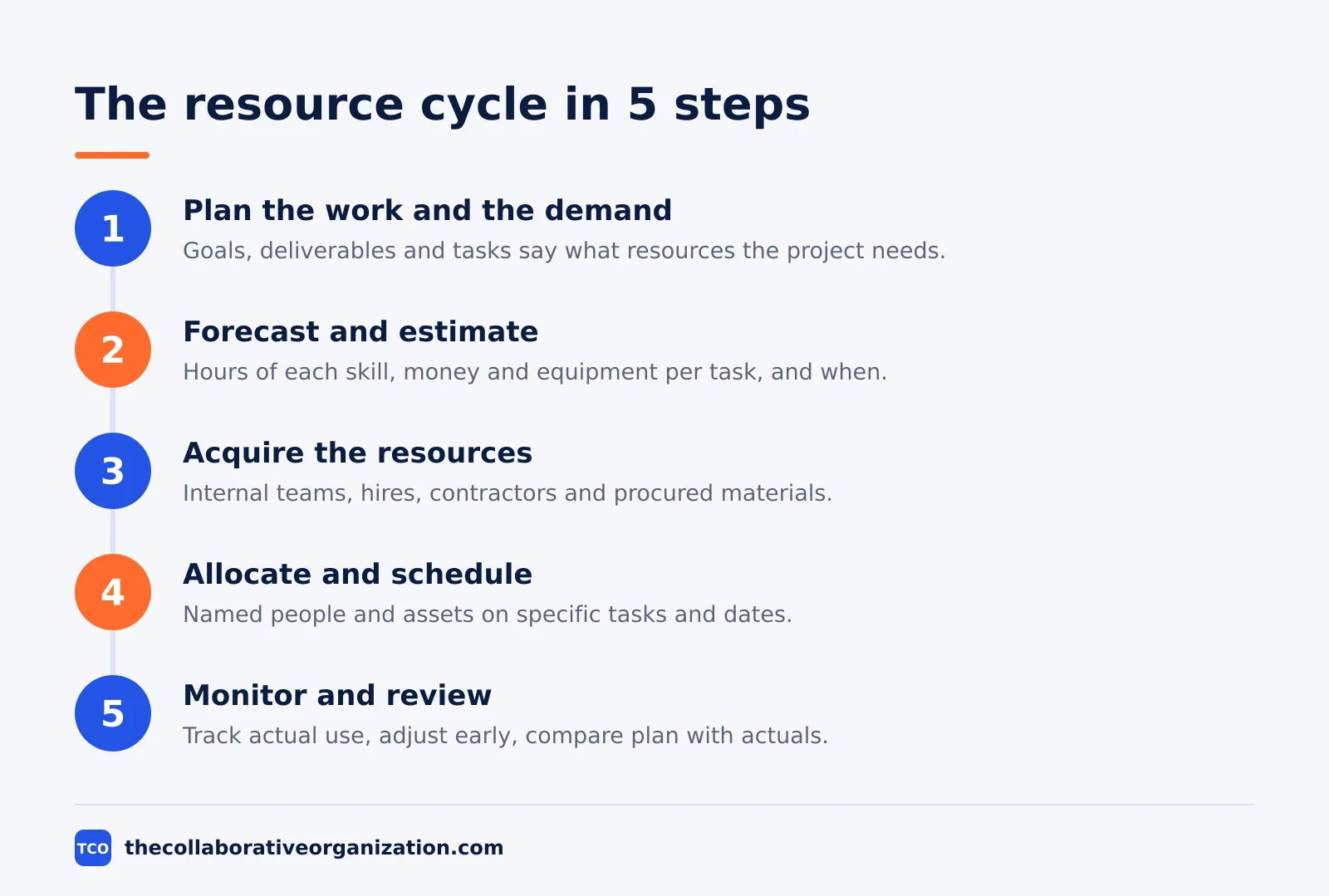
The work runs as a cycle with five steps: plan the work and the demand, forecast and estimate, acquire the resources, allocate and schedule, then monitor, control and review. The cycle repeats for every project, and at the portfolio level for every planning period.
The types of resources to manage
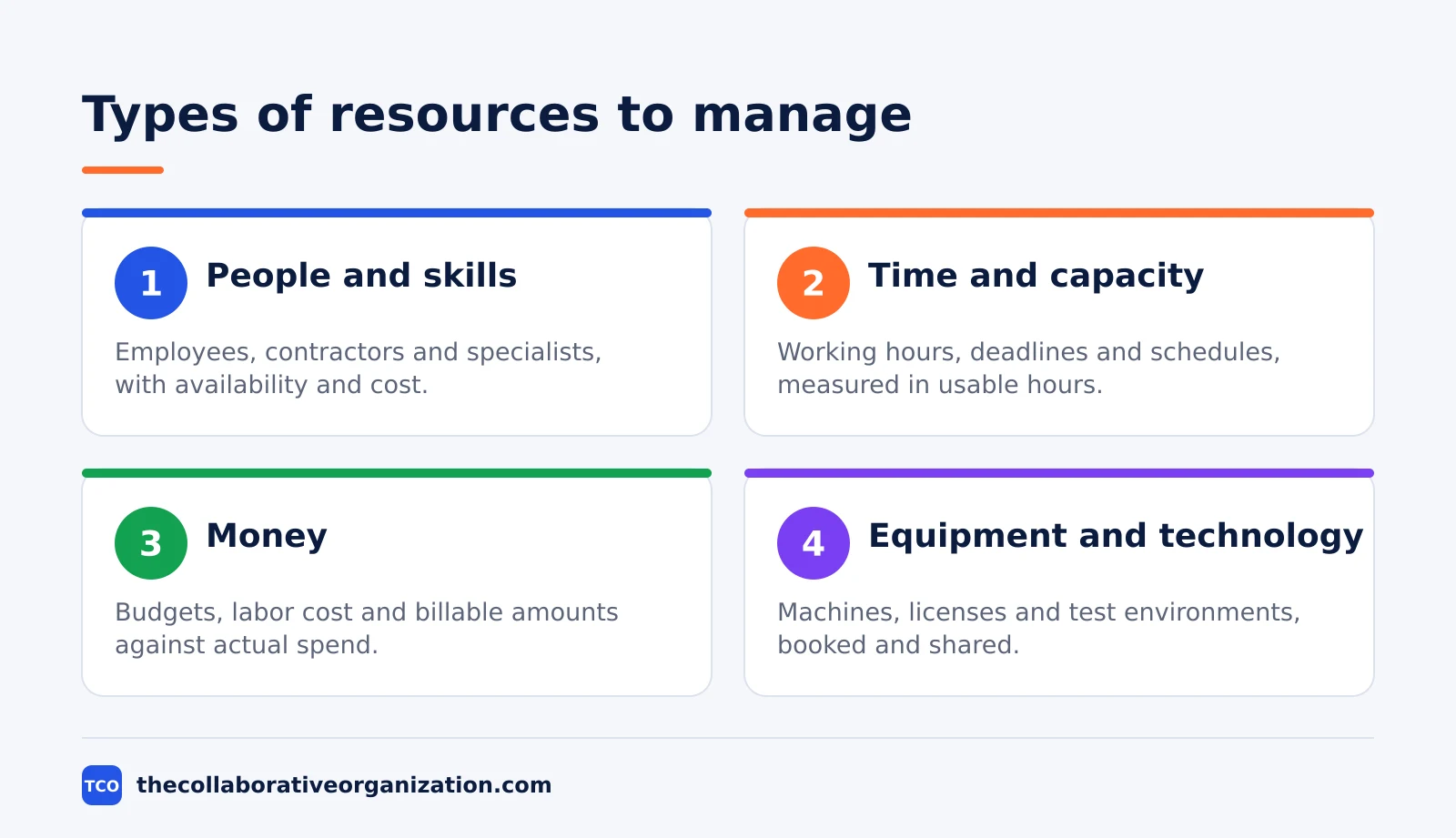
A project resource is anything you need to draw on to complete the work, and the usual split is tangible resources against intangible ones. Tangible resources are physical and financial assets you can count and store. Intangible resources are skills, time and knowledge, which you can only measure through the people who hold them.
| Resource | Examples | What you manage |
|---|---|---|
| People and skills | Employees, contractors, specialists | Availability, skills, workload, cost rate |
| Time and capacity | Working hours, deadlines, schedules | Estimates, actual hours, capacity per week |
| Money | Project budget, labor cost, billable amounts | Budget versus actual spend, cost of overtime |
| Equipment and technology | Machines, software licenses, test environments | Booking, sharing, maintenance windows |
| Facilities | Offices, meeting rooms, workshops, sites | Space use and occupancy cost |
| Materials and inventory | Raw materials, components, supplies | Quantities, procurement lead time, storage |
| Data and information | Project data, documentation, approvals | Accuracy, access, timeliness, ownership |
In service businesses, agencies and software teams, people and their time are by far the largest resource, so most effort goes into who works on what. That is also why time management and resource management are so closely linked: an hour of a specialist’s time is the unit you are actually allocating.
Quickbase adds a warning: a person may look free on the calendar but still be the wrong fit for work needing a specific skill, certification or level of experience. Match work to capabilities, not just availability.
Resource management vs planning, allocation and capacity planning
The related terms are nested, not rivals: resource management is the umbrella, and the others answer smaller questions inside it. Planning looks forward to what the work will need and when. Allocation assigns specific resources to specific tasks and dates. Capacity planning compares expected demand with usable supply over a period.
| Practice | Question it answers |
|---|---|
| Resource management | Are our resources used well across all projects? |
| Resource planning | What will we need next quarter, and do we have it? |
| Resource forecasting | What resources are we likely to need in future? |
| Capacity planning | Do we have enough usable capacity to meet demand? |
| Resource allocation | Who works on this task next week? |
| Resource scheduling | When will each assigned resource be used? |
| Resource utilization | How much of a resource’s usable capacity is being used? |
| Resource leveling | How can we resolve overallocation, even if the schedule changes? |
Capacity planning is where most plans go wrong. actiTIME puts it plainly: supply is not 40 hours times headcount, so subtract leave, public holidays, internal meetings and work outside projects first. If demand for a skill exceeds supply for weeks in a row, you face a hiring or prioritization decision, and it is better to see it a quarter ahead.
Why resource management matters
Resource management matters because every organization runs on limited capacity, and the limit shows up as a missed date, a blown budget or a burned-out specialist. Done consistently, it shows up in results you can check: projects finish closer to their planned dates, because overload is found before it becomes a delay.
It also makes hiring and prioritization decisions honest. When demand exceeds supply, a shared resource view shows which projects win the scarce specialist and what the losers give up. Without that view, the loudest request wins, and the decision cannot be reviewed when something goes wrong.
The cost of poor resource decisions is easy to list: overtime, emergency contractors, expedited shipping, idle equipment, rework and deadline penalties. Comparing planned and actual use helps teams decide when to hire, train, outsource, purchase, share, reschedule or change scope. Quickbase lists the same costs in its 2026 guide, and adds earlier visibility into bottlenecks as the main gain.
Our guide to managing multiple projects at once shows how to run the weekly capacity check across a portfolio.
Worked example: a design studio with one senior designer
A ten-person design studio shows how resource management turns a hidden overload into a visible, dated plan. This is an illustration, not a real studio, and the numbers are simple on purpose. The studio runs three client projects at once, and all three need Maya, its only senior designer.
Maya has 32 usable hours a week: 40 contracted hours minus 8 hours of meetings, admin and support. The three projects ask for 20 hours of her time in the same week: 10 on the homepage mock-ups, 6 on the campaign art, and 4 on the report layout. That fits, at 20 of 32 hours.
| Person | Usable hours | Assigned hours | Load |
|---|---|---|---|
| Maya, senior designer | 32 | 36 | 112% |
| Junior designer | 32 | 8 | 25% |
| Project manager | 32 | 24 | 75% |
Then a fourth project lands, asking for 16 more hours of Maya in the same week. The total becomes 36 hours against 32 usable, or 112% of capacity. The studio has three honest options: delay the new project, hand the report layout to a junior designer with Maya reviewing, or bring in a contractor for the campaign art.
The studio picks the second option, and Maya’s week drops to 28 hours of project work, or 87% of usable capacity. The junior designer gains a reviewed piece of work, the new project starts on time, and nobody works a 12-hour day. That trade is the heart of resource management: a plan that reflects real capacity.
Resource management vs resource leveling
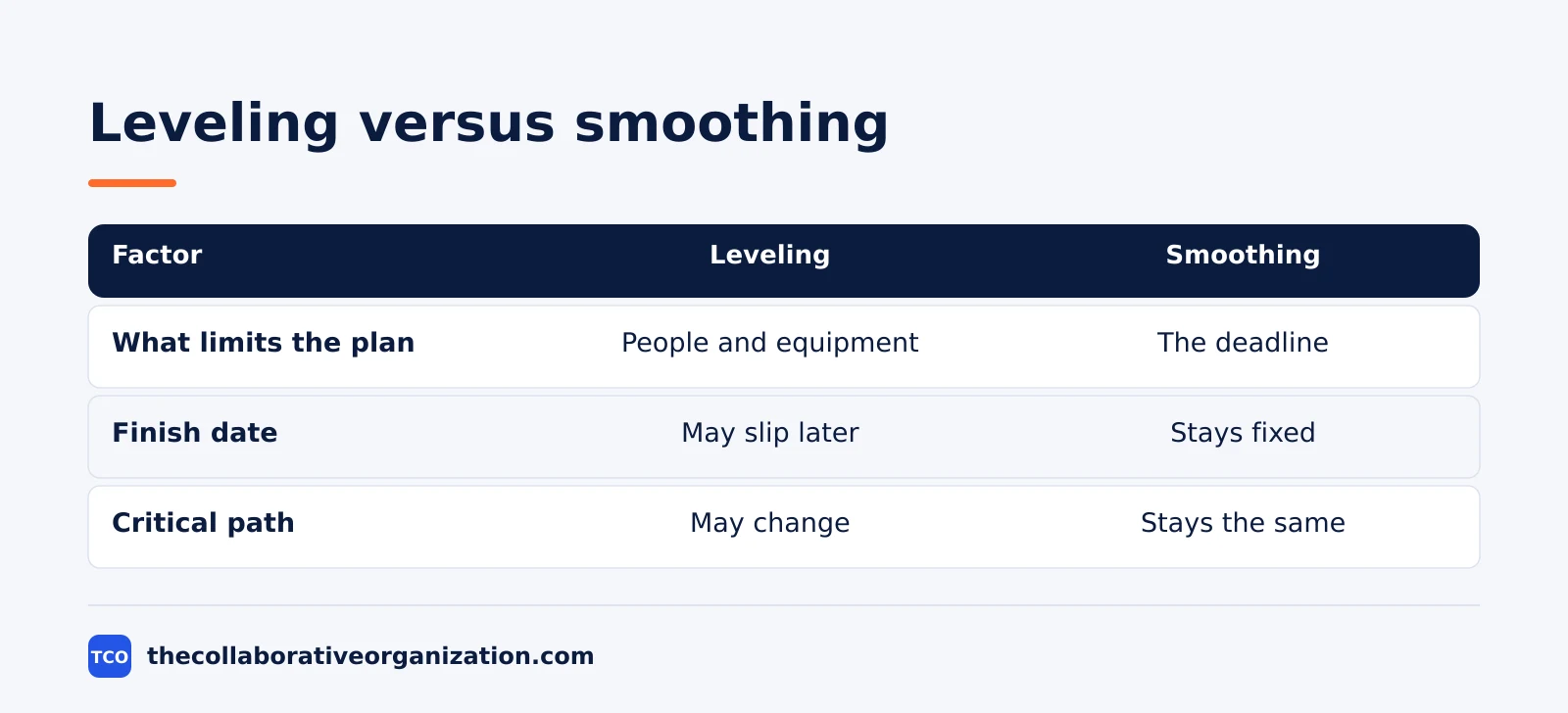
Resource leveling is one technique inside resource management, and it fixes overallocation by moving task dates to fit the resources you actually have. Our guide to what resource leveling is explains the four moves: delay, split, stretch, or add resources when the deadline cannot move. Leveling can push the end date later, which is its main cost.
Smoothing is the gentler cousin: it removes peaks only within the slack, or float, that tasks already have, so the end date never moves. Use smoothing first when the deadline is fixed and the workload is uneven. Use leveling when a person or tool is the hard limit, or when the overload is too large for float alone.
| Factor | Leveling | Smoothing |
|---|---|---|
| What limits the plan | People and equipment | The deadline |
| Finish date | May slip later | Stays fixed |
| Critical path | May change | Stays the same |
| Right moment | One person is the bottleneck | Peaks and troughs in the load |
Tools that manage resources
A tool helps resource management when it shows who is booked for how many hours, across all projects, before the overload becomes a missed date. A single-project board hides the problem, since the same person can look free on three boards at once. Workload views sit on paid plans, so the price below is the real entry cost.
Compare the shortlist on our project management software page before you pick one.
| Tool | Best for | Free plan | Starting price (as of November 2026) | Notable limit |
|---|---|---|---|---|
| Asana | Seeing capacity across portfolios | Free for 2 people | $24.99 per user per month (Advanced), billed annually | Resource tools start on Advanced |
| ClickUp | Capacity plus timesheets in one place | Free Forever plan | $17 per user per month (Business), billed yearly | Resource tools start on Business |
| Wrike | Time tracking with resource views | Free plan | $25 per user per month (Business), billed annually | Resource tools start on Business |
Asana Advanced costs $24.99 per user per month billed annually, per Asana’s pricing page. It includes resource management, workload and native time tracking, which is why it is the entry point for this feature.
ClickUp Business costs $17 per user per month billed yearly, with a $25 regular price crossed out on ClickUp’s pricing page. It includes resource management and timesheets.
Wrike Business costs $25 per user per month billed annually, according to independent November 2026 checks of Wrike’s pricing page. The page showed no dollar figures in a text read today, so confirm the price on the vendor’s site before you buy.
Common resource management mistakes to avoid
Resource management fails in the same five ways, and most of them come from planning with guessed numbers or planning once and never again. Check this list each time the schedule changes.
- Planning from headcount, not usable capacity. A 40-hour week is not 40 project hours, so subtract leave, meetings and support work first.
- Treating every overload as a hiring problem. Some overloads need a smaller scope, a later date or a moved task, not a new person.
- Trusting the tool’s answer without review. An automatic plan follows priority rules, not judgment, so check every move before the dates go out.
- Freezing the plan after approval. People join, leave and fall ill, and scope shifts, so revisit allocations weekly or at each phase gate.
- Hiding the plan from the team. A capacity plan only managers can see cannot be corrected by the people doing the work.
Sources
- actiTIME - Resource Management: Process, Techniques, Best Practices (2026)
- Quickbase - What Is Resource Management? (2026)
- Rebel’s Guide to PM - Resource Management in Projects (2026)
- Teamwork - Project Resource Management (2026)
- Asana - Pricing (2026)
- ClickUp - Pricing (2026)
- Wrike - Pricing (2026)
Frequently asked questions
What is resource management in simple terms?
Resource management means working out what people, time, money and equipment a project needs, getting them when they are needed, and keeping workloads realistic until the work is done. It answers one question: with the people and tools you actually have, when can you finish?
What are the types of resources in a project?
The usual types are people and their skills, time and capacity, money and budget, equipment and technology, facilities, materials and inventory, and data and information. In service and software teams, people and their time are by far the largest resource, so most management effort goes into who works on what.
What is the difference between resource management and resource allocation?
Resource management is the whole cycle: plan, acquire, allocate, monitor and review. Resource allocation is one step inside it: assigning specific people and assets to specific tasks and dates. Planning asks what the work will need, allocation answers who works on this task next week.
What is the difference between resource management and resource leveling?
Resource management is the full cycle of planning and using resources, while resource leveling is one technique inside it. Leveling fixes overallocation by moving task dates to fit the resources you actually have, and it can push the end date later. Management decides whether leveling is the right fix.
When should you not use formal resource management?
Skip it when one person does the whole job, the work takes a day or two, and everyone already knows who does what. A full resource plan adds admin work in that case without adding clarity. Use it when several projects share the same specialists, or when one overloaded person can stall the whole plan.
Related articles

project management
How to Choose Project Management Software (2026)
Pick project management software in seven steps: define the work, count seats, price the real cost, and run a two-week pilot before you pay.
November 19, 2026 · 10 min read

project management
What Is a RACI Matrix? Definition, Roles and Examples (2026)
A RACI matrix maps who is Responsible, Accountable, Consulted and Informed for each task. Learn the four roles, how to build one, and see a worked example.
November 19, 2026 · 9 min read

project management
Daily Standup Meeting Format That Works (2026)
A daily standup is a 15-minute meeting where Developers inspect progress toward the Sprint Goal and plan the next day. Use this format to run one that ends on time.
November 19, 2026 · 10 min read