Slack vs Email for Teams: Which Is Better? (2026) | The Collaborative Organization
By The Collaborative Organization Team · November 19, 2026 · Last verified November 19, 2026 · 10 min read
Slack is fast chat in channels, and email is a slow, searchable record for formal messages. Slack wins when the team needs a quick answer today. Email wins when the message must be found in a year, sent outside the company, or approved in writing. Most teams need both, with clear rules for each.
Key takeaways
- Slack is built for fast team chat in channels; email is built for formal, lasting messages.
- On Slack Free, messages are searchable for 90 days, and data older than one year is deleted.
- Knowledge workers spend about 28% of the workweek on email, in a 2012 McKinsey study still widely cited.
- Microsoft found in 2025 that the average worker receives 117 emails and 153 Teams messages a day.
- Slack Pro costs $7.25 per user per month billed annually, as of November 2026.
- The split that works: Slack for fast talk, email for decisions, approvals and external messages.
The core difference between Slack and email for teams
Slack is a room where the team talks, and email is a letter that lands in one person’s inbox. A Slack message goes to a channel, and anyone in the channel can see it, reply in a thread and react. An email goes to named people, and only they see it unless someone forwards it. That one difference drives the speed, the search and the record-keeping of each tool.
Slack is faster because the barrier is lower: a short message, a reaction, a thread. Email is slower because each message carries a subject, a greeting and a sign-off, and every reply starts a new round. Our guide on how to choose team communication software covers the wider choice, including Teams and Google Chat.
The mistake is treating them as rivals. A team that moves everything to Slack loses its record, and a team that keeps everything in email drowns in reply-all chains. The job is to split the work between them on purpose.
Slack vs email at a glance
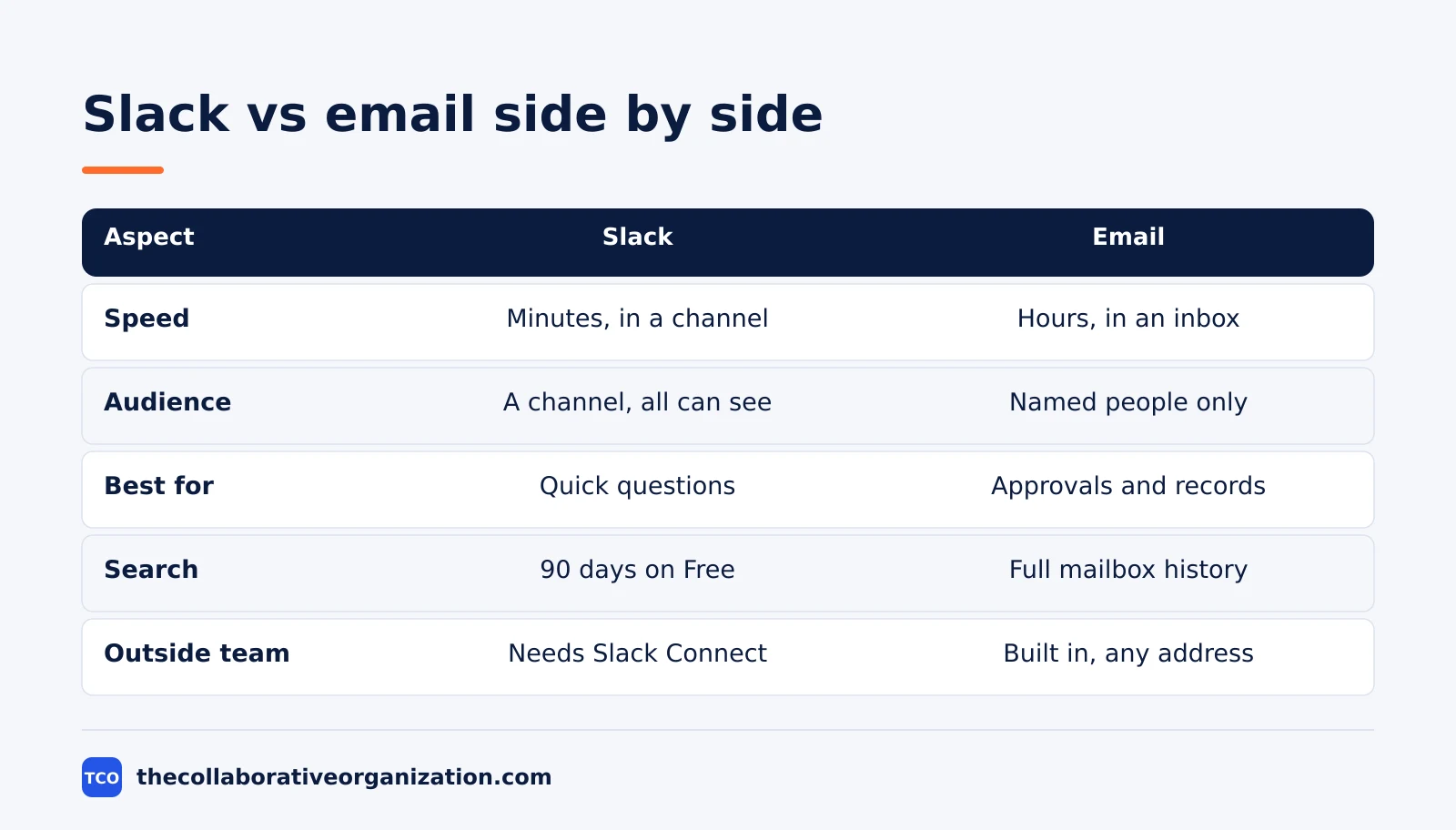
The table below compares the two on the questions a team actually asks. Use it when someone proposes moving all team talk to one tool or the other.
| Aspect | Slack | |
|---|---|---|
| Speed | Minutes, in a channel | Hours, in an inbox |
| Audience | A channel, visible to all | Named people only |
| Best for | Quick questions and status | Approvals and formal notes |
| Search | 90 days on Free, unlimited on Pro | Full mailbox history |
| Record | Deleted after a year on Free | Kept as long as the mailbox lasts |
| Outside the team | Needs Slack Connect | Built in, any address |
| Cost to start | Free plan, $0 | Free Gmail, or $7 per user for Workspace |
One row decides more choices than the rest: the record. Slack Free hides messages older than 90 days and deletes data older than one year. Email keeps the message as long as the mailbox lasts. A decision that must be found next year belongs in email or a doc, not in a channel.
How Slack works for teams
Slack works as channels, threads and reactions. A channel gathers one topic or one team, messages appear in real time, and replies sit in threads so the channel stays readable. Reactions answer a yes-or-no question without a new message, and search finds past messages inside the 90-day window on the free plan.
The limits matter as much as the features. Slack’s own help center says paid plans keep data for the lifetime of the workspace by default, while the free plan can retain data for 90 days or one year. Data older than one year is deleted on a rolling basis.
The Slack help center page sets out those retention choices in full.
Slack also caps the free plan at 10 app integrations, and group huddles need a paid plan. Those limits rarely bite a small team, but the history limit bites every team sooner or later. Before the team standardizes on chat, read our guide on what to check before you standardize team chat.
How email works for teams
Email works as a named, dated, searchable record that any address can receive. Each message has a sender, a date, a subject and a thread, and it sits in the mailbox until the owner deletes it. That record is why email survives every new chat tool: approvals, contracts and customer messages need a trail.
The cost of email is time. The McKinsey Global Institute found in 2012 that knowledge workers spend about 28% of the workweek reading, writing and responding to email, or about 11 hours of a 40-hour week. That figure is old, and it is still the most cited benchmark because no larger study has replaced it.
Microsoft’s 2025 index shows the volume has not fallen: the average worker receives 117 emails a day.
Email also fails at fast team talk. A reply-all chain with ten people produces ten inboxes full of the same thread, and the useful answer hides in message 14. Chat fixes that by putting the talk in one visible place. The split is the point: email for the record, chat for the talk.
Choose Slack if the team needs fast answers
Choose Slack when the team needs answers in minutes and the talk is mostly internal. Support teams, product teams and remote teams fit this shape. A question posted in a channel gets an answer from whoever is online, and the thread keeps the answer next to the question.
Slack fits best when the team agrees on channel rules: one channel per topic, threads for replies, and no decisions in direct messages. Without those rules, channels turn into a second inbox with worse search. The Slack versus Microsoft Teams comparison covers the choice when the team already uses Microsoft 365.
- Answers are needed in minutes, not hours. A blocked developer or a stuck support agent cannot wait for the inbox.
- The talk is mostly internal. Channels work when everyone who needs the answer is already in the workspace.
- Status updates are frequent and short. A daily post in a channel beats ten emails.
- The team is remote or spread out. Chat replaces the tap on the shoulder.
Choose email if the message needs a record
Choose email when the message must be found later, sent outside the company, or approved in writing. Approvals, contracts, customer messages and formal decisions all fit. Email is also the right choice when the reader is outside the team and has no Slack account.
Email fits best when the team treats the inbox as a record, not a chat room. Short, clear subjects, one topic per message and no reply-all unless everyone truly needs the answer keep the record usable. A team that writes long chat threads and then cannot find them has the worst of both tools.
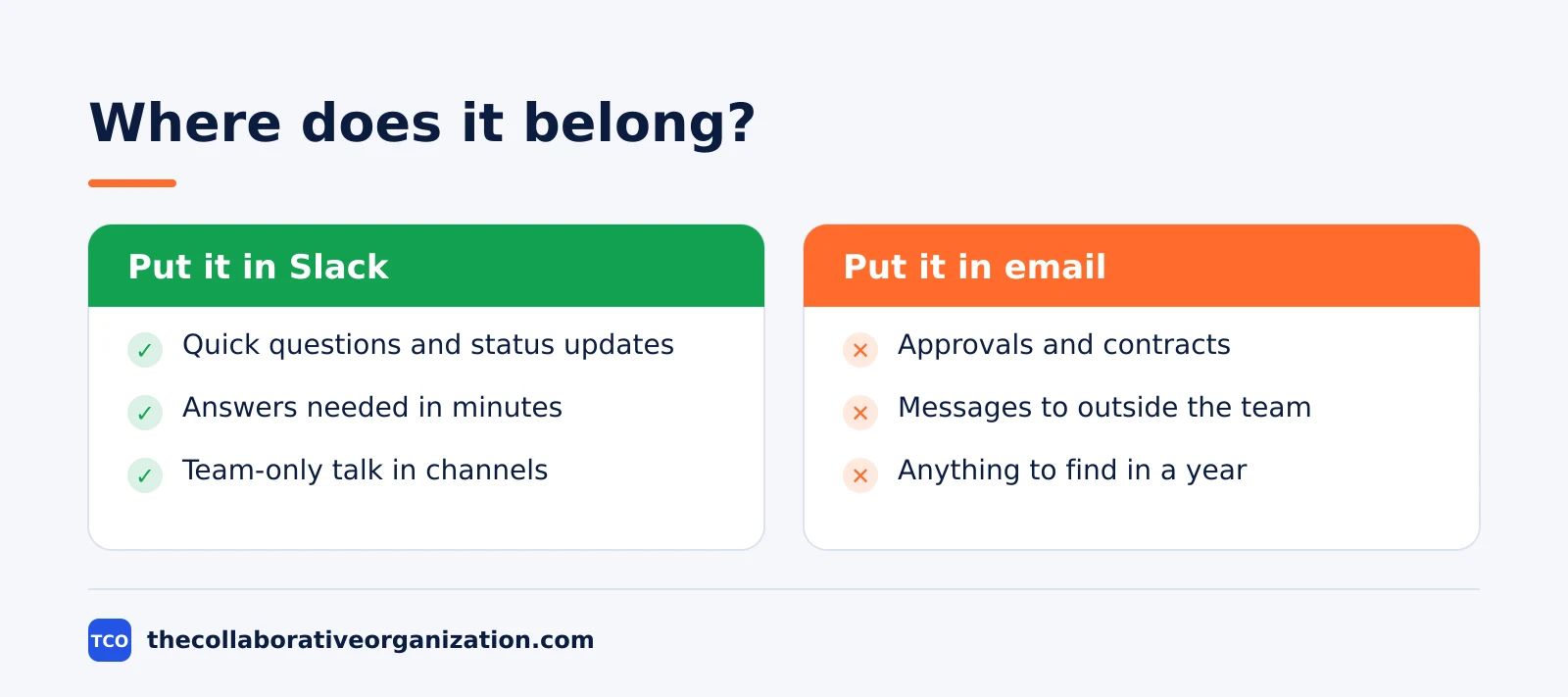
- The message must be found in a year. Email keeps it; Slack Free deletes it after a year.
- The reader is outside the company. Any address can receive an email, with no guest setup.
- The message is an approval or a contract. The thread, the sender and the date form the record.
- The topic is sensitive. A private email beats a channel message that anyone can scroll back to.
Can you combine Slack and email?
Yes, and the combination is the normal setup: Slack for fast talk, email for the record. The split works when the team writes the rules down and follows them. A common rule is that a decision made in Slack gets a one-line summary in email or a doc the same day, so the record survives the 90-day window.
The combination fails when the rules are unwritten. One person posts a decision in a channel, another emails it, and a third misses both. Name the home of each kind of message, and put the list where new hires see it on day one.
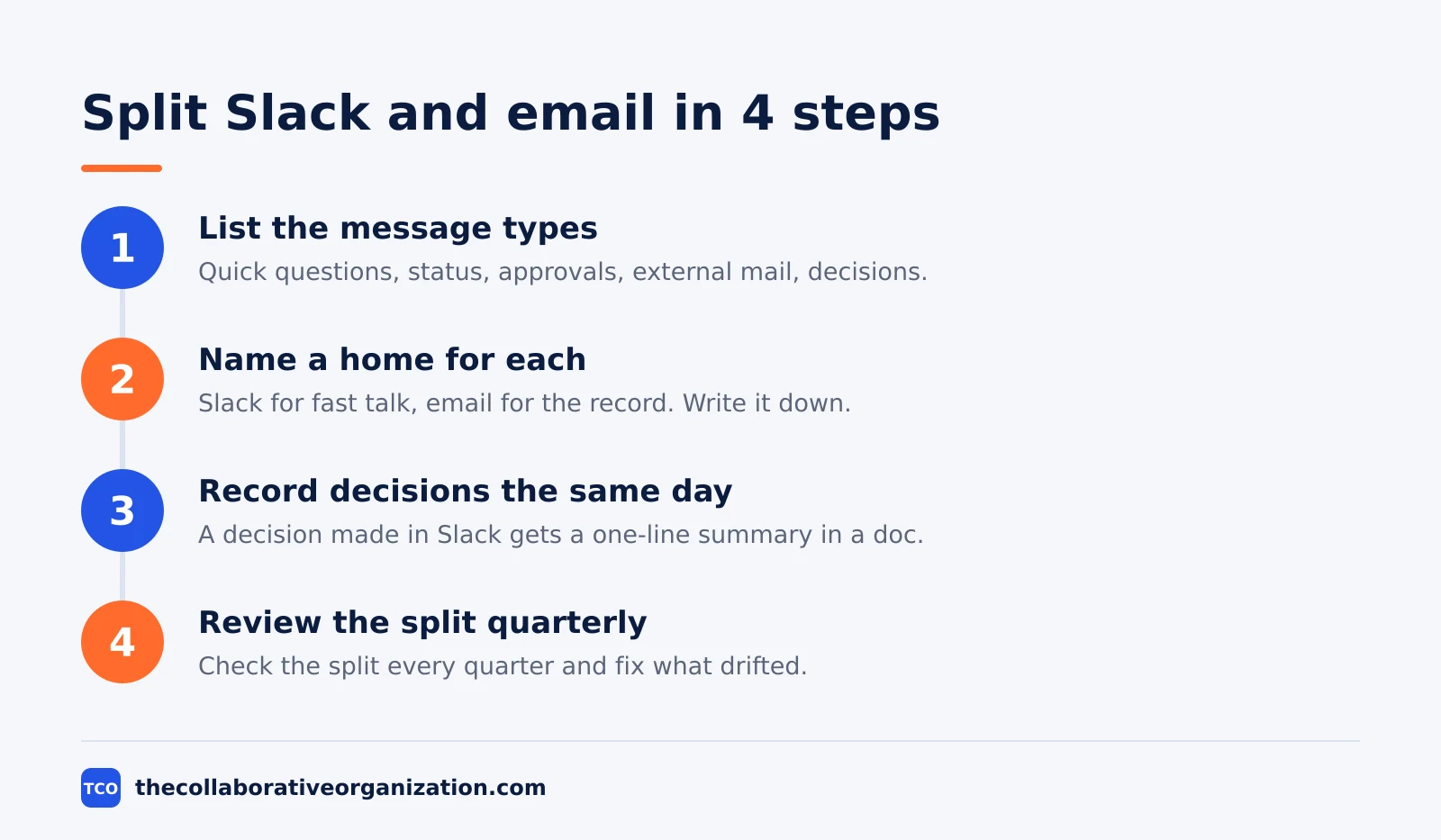
A simple test keeps the split honest: if the message must be found in a year, it does not belong in Slack alone. If the answer is needed in minutes, it does not belong in email alone. Everything else is a judgment call, and the team should make it once, in writing, instead of remaking it every day.
Worked example: a 12-person team splits its talk
A 12-person support team shows the split in practice. The team ran everything in email, and the average question waited four hours for an answer. The inbox held 40 threads a day, and the useful answer hid in the middle of reply-all chains. Urgent questions and formal approvals sat in the same queue.
The team moved fast talk to Slack: one channel per product, threads for replies, and a rule that no decision lives only in a channel. Approvals, customer messages and anything needing a record stayed in email. A decision made in Slack got a one-line summary in a shared doc the same day.
Answers arrived in under 30 minutes on average within a month, and the inbox fell to 12 threads a day. The team did not replace email. It gave email the work email does best, and gave Slack the rest.
Tools that carry team chat and email
A team needs one chat tool and one email tool, and the pair should match the stack it already uses. A Google team pairs Google Chat with Gmail, a Microsoft team pairs Teams with Outlook, and a team with no stack picks the pair that costs least and fits its habits. Our team communication software shortlist compares the chat options side by side.
| Tool | Best for | Free plan | Starting price (as of November 2026) | Notable limit |
|---|---|---|---|---|
| Slack | Fast team chat with channels | Free, 90 days of history | $7.25 per user per month (Pro), billed annually | Free plan deletes data older than one year |
| Microsoft Teams | Teams already on Microsoft 365 | Free version for small groups | $4 per user per month (Essentials), billed annually | Essentials has no business email |
| Google Chat | Teams already on Google Workspace | Included with a Google account | $7 per user per month (Workspace Starter), billed annually | Needs Workspace for business email |
Pricing checks from October and November 2026 put Slack Pro at $7.25 per user per month billed annually, and Business+ at $15. The Slack pricing check lists the same figures, and Slack’s help center confirms the 90-day free history window.
Pricing checks from November 2026 list Teams Essentials at $4 per user per month billed annually, in the Teams pricing check.
The Google Workspace pricing check lists Business Starter at $7 per user per month billed annually, which is the price of Gmail on a team’s own domain with Chat and Meet included.
Common Slack vs email mistakes to avoid
Most Slack versus email problems come from five mistakes, and all five are easy to spot. Run through the list before the team changes its rules.
- Making decisions only in Slack. A decision in a channel is hidden after 90 days on Free, and gone after a year.
- Sending fast questions by email. A question that needs an answer in minutes should not wait in an inbox.
- Using reply-all for team talk. Ten inboxes full of the same thread is the slowest chat tool ever built.
- Letting direct messages hold decisions. Nobody else can find a decision made in a private message.
- Running two chat tools at once. One chat tool and one email tool is the limit; a third splits the team.
Sources
- Slack Help Center - Customize Data Retention in Slack (2026)
- Microsoft - Work Trend Index 2025 Executive Summary (2025)
- Asa.Team - How Many Hours Do Employees Spend on Email (2026)
- Flick - How Much Time Do We Spend on Email? (2026)
- Rock - Slack Pricing 2026: Plans, Real Costs and Free Limits (2026)
- The 64th - Zoom vs Microsoft Teams (2026)
- Axel SEO - Gmail for Business: Free vs Your Own Domain (2026)
Frequently asked questions
Should a team replace email with Slack?
No. Slack replaces the fast, informal half of email, not the formal half. Quick questions, status updates and team talk move to channels, where answers arrive in minutes. Contracts, approvals, external messages and anything that needs a lasting record stay in email, where the thread, the sender and the date are clear.
How long does Slack keep messages on the free plan?
On the free plan, Slack keeps messages searchable for 90 days, and data older than one year is deleted on a rolling basis. Paid plans keep data for the lifetime of the workspace by default. A team that needs a searchable record of decisions older than three months must pay for Pro or keep those decisions in email or a doc.
How much time do workers spend on email?
The most cited figure comes from the McKinsey Global Institute in 2012: knowledge workers spend about 28% of the workweek reading, writing and responding to email, or about 11 hours of a 40-hour week. Microsoft found in 2025 that the average worker receives 117 emails a day, so the volume has not fallen since that study.
Is Slack better than email for remote teams?
Slack is better for the daily talk of a remote team: channels, threads and quick reactions replace the reply-all chains that slow email down. Email is still better for formal messages, external contact and anything that needs a record. A remote team that uses both, with clear rules for each, beats a team that forces everything into one tool.
What should go in Slack and what should go in email?
Put fast, informal and team-only talk in Slack: questions, status updates, links and reactions. Put formal, external and lasting messages in email: approvals, contracts, customer messages and decisions that need a record. Anything that must be found in a year belongs in email or a doc, not in a chat channel.
Related articles

guides
Free Project Management Templates: 7 to Copy (2026)
Seven free project management templates from monday, Wrike, Teamwork, Smartsheet, ClickUp, Asana and Trello, with what each one is for and what free really costs.
November 20, 2026 · 7 min read

guides
Project Proposal Template: Copy and Win Work (2026)
A project proposal template pitches the work before it is approved: problem, solution, scope, budget, timeline and terms. Copy the template and filled example.
November 20, 2026 · 10 min read

guides
Action Plan Template: Goal to Done in One Page (2026)
An action plan template turns one goal into owned steps with dates, dependencies and a success measure. Copy the table and see it filled for a support team.
November 20, 2026 · 11 min read