The Pomodoro Technique Explained (2026) | The Collaborative Organization
By The Collaborative Organization Team · November 19, 2026 · Last verified November 19, 2026 · 9 min read

The Pomodoro Technique is a time management method that splits work into 25-minute focused sessions, called pomodoros, separated by short breaks. Francesco Cirillo created it in the late 1980s while studying at university in Italy, timing himself with a tomato-shaped kitchen timer. After four sessions you take a longer break of 15 to 30 minutes, then start the next set.
Key takeaways
- The Pomodoro Technique uses 25 minutes of focused work, a 5-minute break, and a 15 to 30 minute break after every four sessions.
- Francesco Cirillo created it in the late 1980s as a university student, using a tomato-shaped kitchen timer; pomodoro is Italian for tomato.
- The timer is only one part: the full method adds planning, effort estimation, tracking interruptions and review.
- Tasks that need more than four pomodoros should be split, and small tasks should be batched into one session.
- It fits single-task focus work and fits badly for work that needs long unbroken stretches or constant replies.
What the Pomodoro Technique is
The Pomodoro Technique is a time management method built around short, timed work sessions and regular breaks, with planning and review wrapped around them. Cirillo’s official site calls it a way to turn time into an ally instead of an enemy. The name comes from the tomato-shaped kitchen timer he used as a student.
Cirillo began with a small test: could he concentrate for just two minutes? That two-minute challenge grew into a full method through years of practice and teaching. A book on the method followed in 2018, published by Penguin Random House.
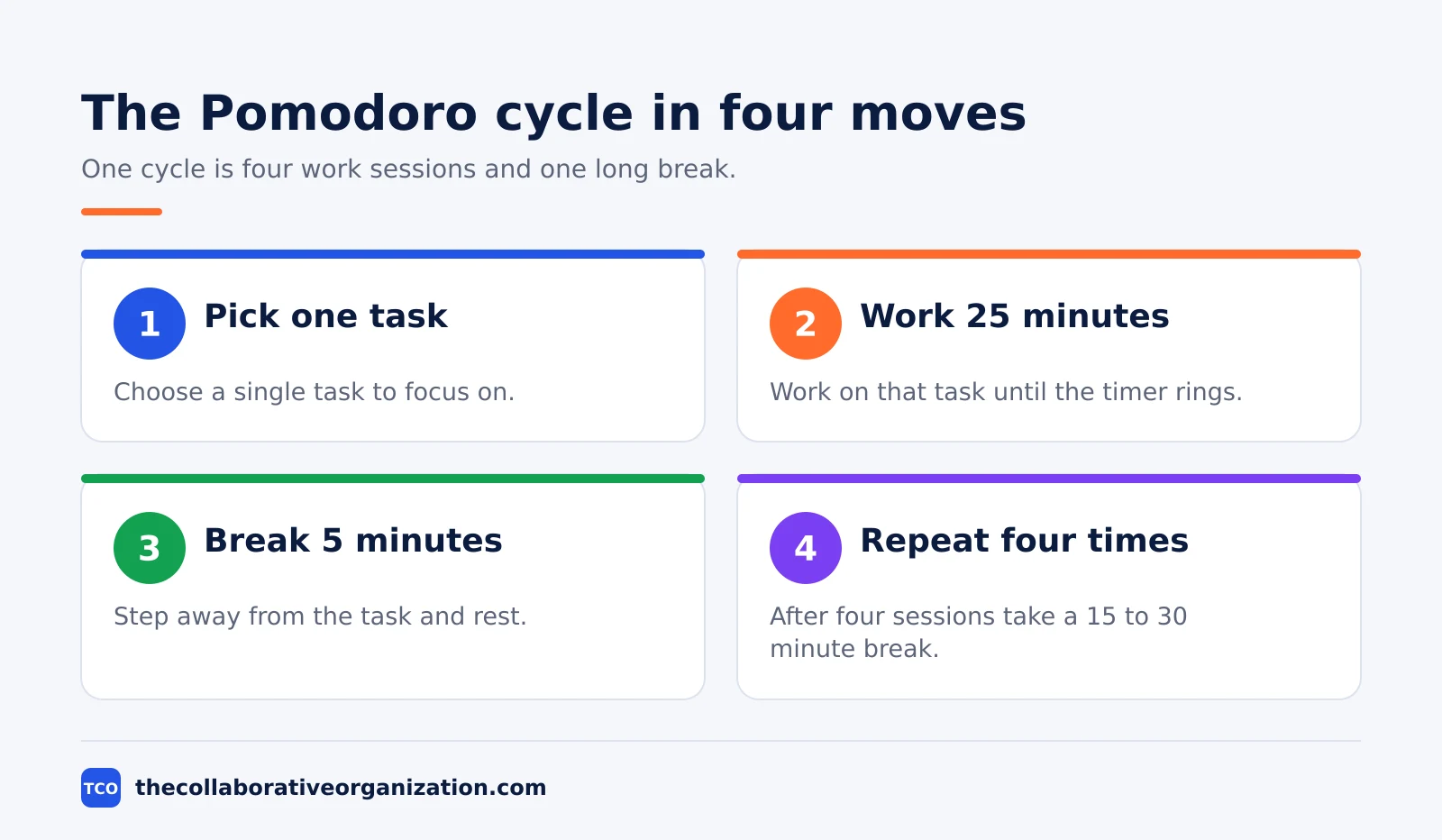
Most timer tricks stop at the timer. The Pomodoro Technique adds three habits around it: plan the day, count the effort each task takes, and note every interruption. Those records turn a timer into a planning tool, because you learn how many sessions a task really needs.
How the Pomodoro Technique works
One pomodoro runs in six steps: pick a task, set a timer for 25 minutes, work until it rings, mark the session done, take a 5-minute break, and repeat. After four sessions, take a longer break of 15 to 30 minutes before the next set.
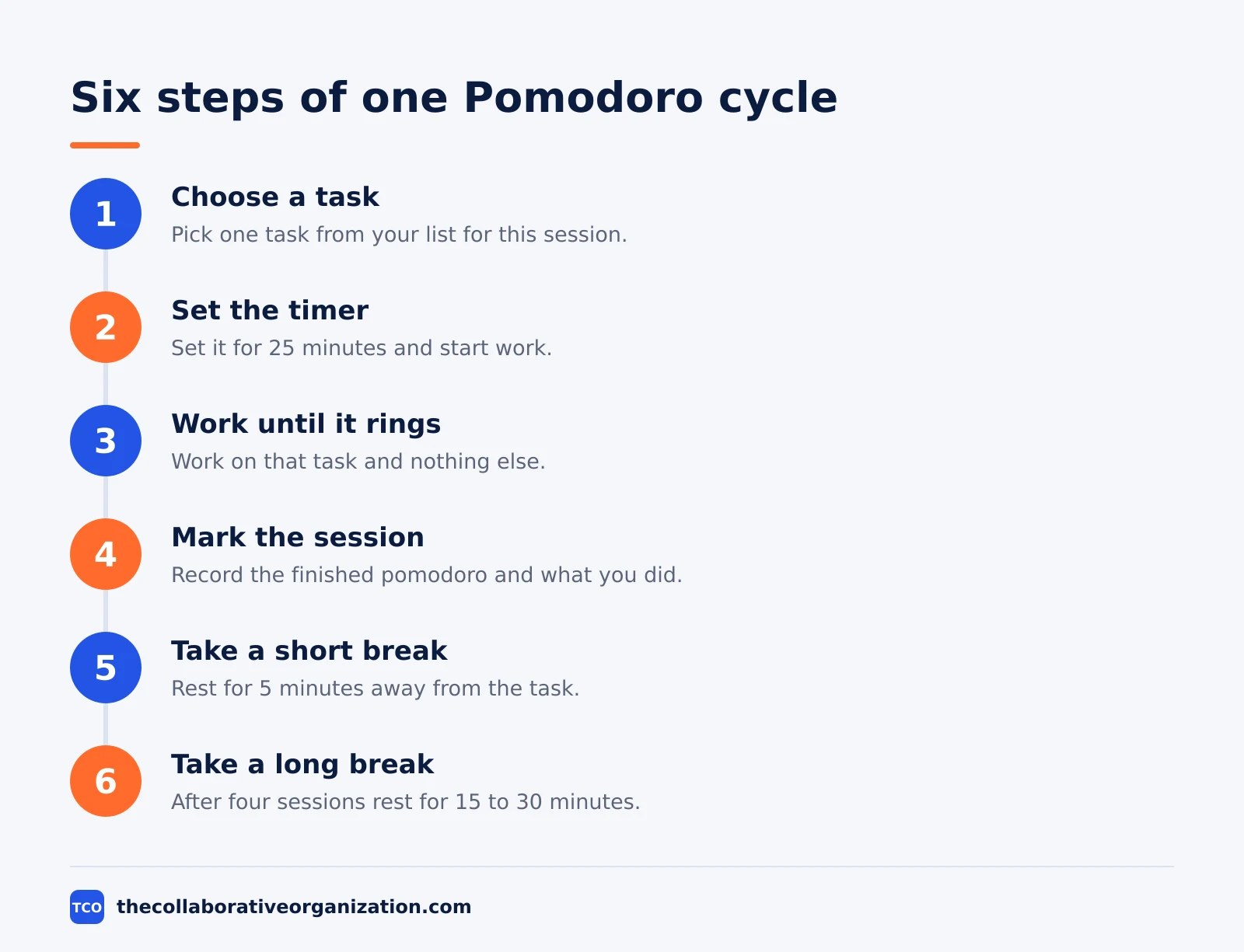
The break is part of the work, not a reward for finishing. Cirillo’s site says breaks are part of the practice, and you should step away from the task during them. A break spent checking the same inbox you just left does not reset your attention.
Before the day starts, guess how many sessions each task needs and write the number next to it. At the end of the day, compare the guess with the real count. After a week of this, your guesses get closer, and your plans stop promising more than the day holds.
The three rules that make it work
Three rules keep the method honest: split big tasks, batch small ones, and never break a running session. Todoist’s guide to the method lists these three rules as the core of a good session.
- Split tasks over four sessions. If a task needs more than four pomodoros, break it into smaller steps first, or it will never fit a day.
- Batch small tasks together. Jobs that take less than one session, like quick replies and short calls, share a single pomodoro.
- Let the timer ring. A session is one unbroken unit: note new ideas and requests, and return to them after the break.
Interruptions get sorted into two kinds: ones from inside your head, like a sudden idea, and ones from outside, like a knock on the door. Write both down as they happen, then deal with them in the break. If an interruption cannot wait, take the break early and start a fresh session.
Pomodoro Technique example: a writer’s morning
A writer with a 2,000-word draft due by Friday shows how a morning of pomodoros adds up. She plans 8 sessions for the day: 5 for drafting, 2 for editing, and 1 for email. Each session has one job, and the breaks keep her from fading by noon.
| Session | Work | Break after |
|---|---|---|
| 1 | Draft the opening, about 600 words | 5 minutes |
| 2 | Draft the middle, about 600 words | 5 minutes |
| 3 | Draft the close, about 600 words | 5 minutes |
| 4 | Edit the full draft once | 30 minutes |
The count tells the story: 4 sessions, about 1,600 words drafted and edited, and a real lunch break. She planned 8 sessions for the day and finished 4 before lunch, which matches her plan. When a session runs short, she uses the spare minutes to read notes for the next section.
The example is an illustration, not a case study: real days include late starts and surprise calls. The fix is the overflow buffer: plan 2 to 4 spare sessions, and use them for work that runs long or lands without warning.
When to use it, and when not to
Use the Pomodoro Technique for single-task focus work, and skip it when the work needs long unbroken stretches or constant replies. It fits writing, coding, study, design drafts and admin batches. It fits badly for live support shifts, back-to-back meetings, and lab work that cannot pause mid-step.
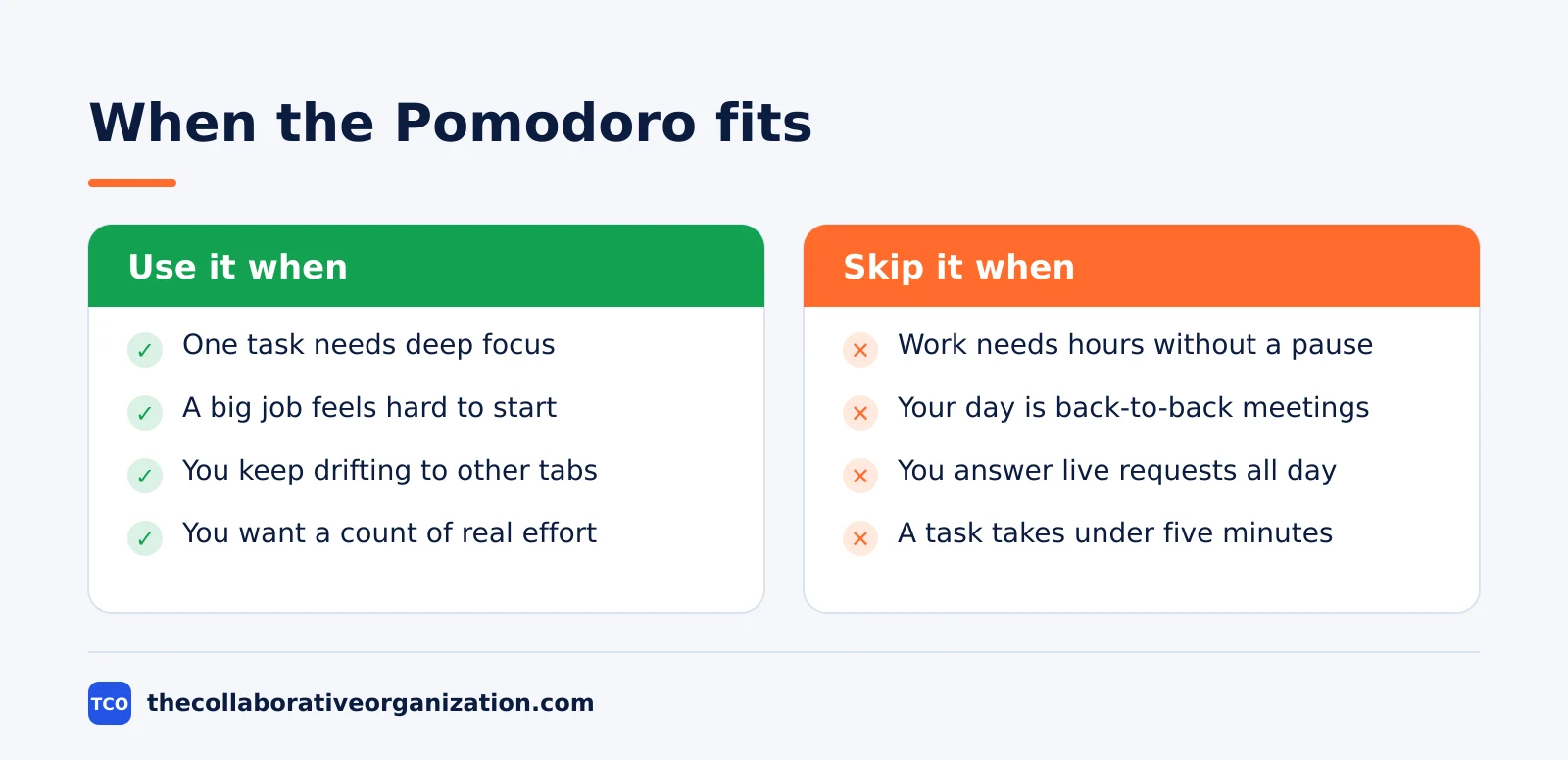
Team use needs one extra rule: never use shared timers to monitor people. The official site says the method is not a tool for monitoring people, and shared sessions should protect each person’s focus. Agree on quiet hours and shared break times instead, so the team moves together without spying on anyone.
If your day is mostly meetings, time blocking can protect the gaps where pomodoros fit. Two sessions before lunch and two after still beat an open list with no plan. The method bends to the day; the day should not bend to the timer.
Pomodoro vs time blocking vs GTD
The Pomodoro Technique times your work, time blocking schedules it, and GTD organizes it: three different jobs. Mixing them up is common, because all three use lists and timers. The table below shows what each one decides for you.
| Method | What it decides | Core unit |
|---|---|---|
| Pomodoro Technique | When to start and stop | 25-minute session |
| Time blocking | When each task happens | Calendar block |
| Getting Things Done | What the next action is | Next action list |
The three methods combine well. GTD clears the list and picks the next action, time blocking puts that action on the calendar, and pomodoros carry it out in 25-minute runs. Use one at a time until it sticks, then add the next.
The mix-up to avoid is calling any 25-minute timer a Pomodoro Technique. A timer alone skips the planning, the effort count and the review, which are the parts that make the method last past the first week.
Tools that support the Pomodoro Technique
A timer and a list are enough to start, but a task tool keeps the plan and the session count in one place. Pick the tool your team already opens every day. Compare the options on our task management software shortlist before you pay for a new one.
| Tool | Best for | Free plan | Starting price (as of November 2026) | Notable limit |
|---|---|---|---|---|
| Todoist | One-person lists with priorities and labels | Beginner free, 5 personal projects | $5 per month (Pro), billed yearly | Free plan covers 5 personal projects |
| Trello | Visual boards with a card per session | Free for up to 10 collaborators | $5 per user per month (Standard), billed annually | Free plan covers up to 10 collaborators |
| ClickUp | Teams that want time tracking built in | Free Forever plan | $9 per user per month (Core), billed yearly | Core is listed at $9 against a $12 regular price |
Todoist Pro costs $5 per month when billed yearly, and the free Beginner plan covers 5 personal projects. Todoist pricing lists the full plans.
Trello Standard costs $5 per user per month when billed annually, or $6 month to month, and the free plan covers up to 10 collaborators. Trello pricing lists the full plans.
ClickUp Core costs $9 per user per month when billed yearly, shown on the pricing page against a $12 regular price. ClickUp pricing lists the full plans.
Common Pomodoro Technique mistakes to avoid
Most pomodoro routines fail in the same five ways, and all five show up in the first week. Check the list below each time a session feels off.
- Skipping the break. Working through the break turns four short sessions into one long slog, which is what the method avoids.
- Breaking a session for email. One quick check restarts the focus cost, so note the message and answer it in the break.
- Planning 16 sessions a day. An 8-hour day holds 16 sessions on paper, but meetings and surprises leave no room for them.
- Timing everything, including rest. Not every minute needs a timer; use pomodoros for focus work and leave the rest open.
- Never reviewing the count. Without comparing planned and real sessions, the same bad estimates repeat every week.
How to start with the Pomodoro Technique today
Start with one task, one timer and a sheet of paper, and run four sessions before you buy any tool. Pick the task you most want to finish today, set a timer for 25 minutes, and work on nothing else until it rings.
After the fourth session, take the long break and write down what you finished. If four sessions felt easy, add one more tomorrow; if they felt hard, keep the count and shorten nothing. The goal is a steady daily count, not a record day.
After a week, look at the numbers: how many sessions you ran, how many you planned, and where the interruptions came from. That review is the method working, and it tells you what to change next week.
Sources
- Pomodoro Technique - What Is the Pomodoro Technique (2026)
- Pomodoro Technique - Francesco Cirillo (2026)
- Todoist - The Pomodoro Technique (2026)
- Barside - The Pomodoro Technique (2026)
- Todoist - Pricing (2026)
- Trello - Pricing (2026)
- ClickUp - Pricing (2026)
- Asana - Pricing (2026)
Frequently asked questions
How long is one pomodoro?
One pomodoro is 25 minutes of focused work followed by a 5-minute break. After four pomodoros you take a longer break of 15 to 30 minutes. The 25-minute length is a starting point from Francesco Cirillo, not a fixed law, so you can adjust it once you know your own focus span.
Can I use the Pomodoro Technique for team work?
Yes, with one rule: never use shared timers to watch people. The official site says the method is not a tool for watching people. Agree on quiet hours and shared break times instead, so the team focuses together and still respects each person's attention.
What if I finish a task before the timer rings?
Use the rest of the session for overlearning, which means improving the skill or knowledge behind the task. Read notes, review related work, or prepare the next step. Do not start a new task in the leftover minutes, because that breaks the one-task rule.
How many pomodoros can I do in a day?
An 8-hour workday holds 16 pomodoros on paper, but meetings, messages and surprises take most of that time. Most people run far fewer, and that is fine. Plan 2 to 4 overflow sessions as a buffer, and judge the day by the sessions you finish, not the ones you planned.
Does the Pomodoro Technique work for studying?
Yes. It was created by a university student who could not focus on his studies, and students still use it for reading, revision and exam prep. Short sessions make a large topic feel smaller, and the breaks keep attention fresh across a long study day.
Related articles
task management
Eisenhower Matrix Explained: Prioritize in 4 Steps (2026)
The Eisenhower Matrix sorts tasks by urgency and importance into four quadrants: do, schedule, delegate, delete. Learn each quadrant and how to use it.
November 19, 2026 · 9 min read
task management
Getting Things Done Method Explained: GTD in 5 Steps (2026)
Getting Things Done (GTD) moves every commitment out of your head into a trusted system, in five steps: capture, clarify, organize, reflect, engage.
November 19, 2026 · 9 min read
task management
How to Create a To-Do List That Works: 7 Steps (2026)
A to-do list that works starts with one capture list and a short today list of 1 to 3 priorities. Follow these 7 steps to build a list you finish.
November 19, 2026 · 10 min read