One-on-One Meeting Template: Copyable Agenda (2026) | The Collaborative Organization
By The Collaborative Organization Team · November 19, 2026 · Last verified November 19, 2026 · 10 min read
A one-on-one meeting template is a shared 30-minute agenda that belongs to the employee: a short check-in, recognition, their topics first, one growth item, and written actions with owners and dates. Copy the blocks below into a shared note and reuse them every week.
Key takeaways
- Gallup recommends one meaningful conversation per week with each team member, and says 15 minutes can be enough.
- Only 16% of nearly 15,000 employees said their last conversation with their manager was extremely meaningful.
- The template below fits six blocks into 30 minutes, with the employee’s topics in the longest block.
- The employee adds most of the topics; the manager adds one or two of their own.
- Every meeting ends with two or three actions, each with one owner and one date.
- Keep one shared note per person so topics and actions carry over week to week.
What this template covers
This template covers the shape of a weekly 30-minute one-on-one, not how to run the meeting itself. It gives you the blocks, the minutes, the prompts and a filled example, so you can start this week without designing an agenda from scratch.
The meeting itself has one job: help the employee do their best work by clearing blocks, giving feedback in both directions, and talking about growth. Our guide on how to run effective one-on-ones explains that job in full, including how often to meet and how to listen.
Use this template as the agenda for that meeting, and use the guide when you want the reasoning behind it.
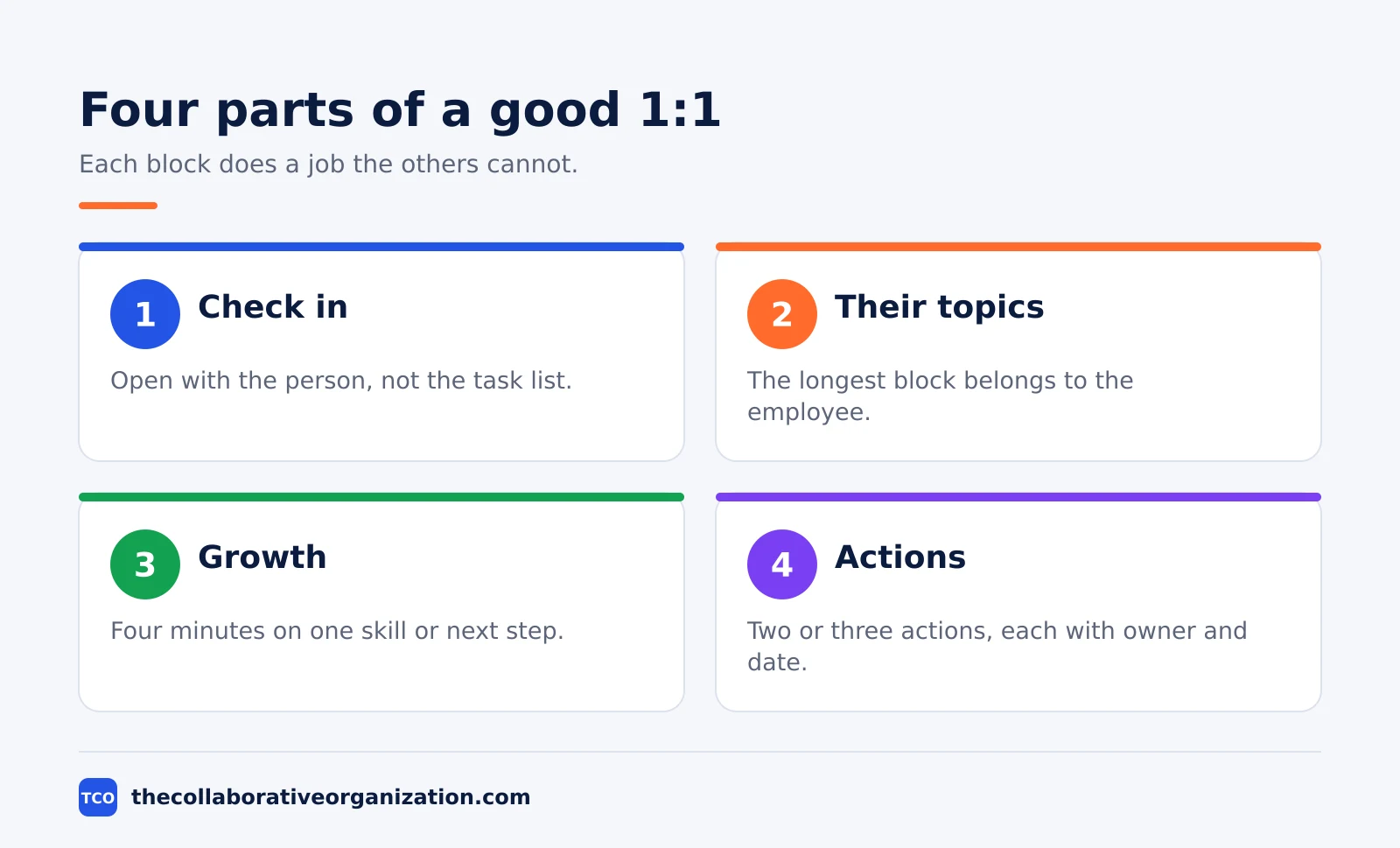
One rule shapes the whole template: the employee’s topics come first and get the most time. Recognition comes before the topics, because Gallup found it is the strongest feature of a meaningful conversation. Actions come last, because a meeting with no written actions is a chat that fades by Monday.
The one-on-one meeting template
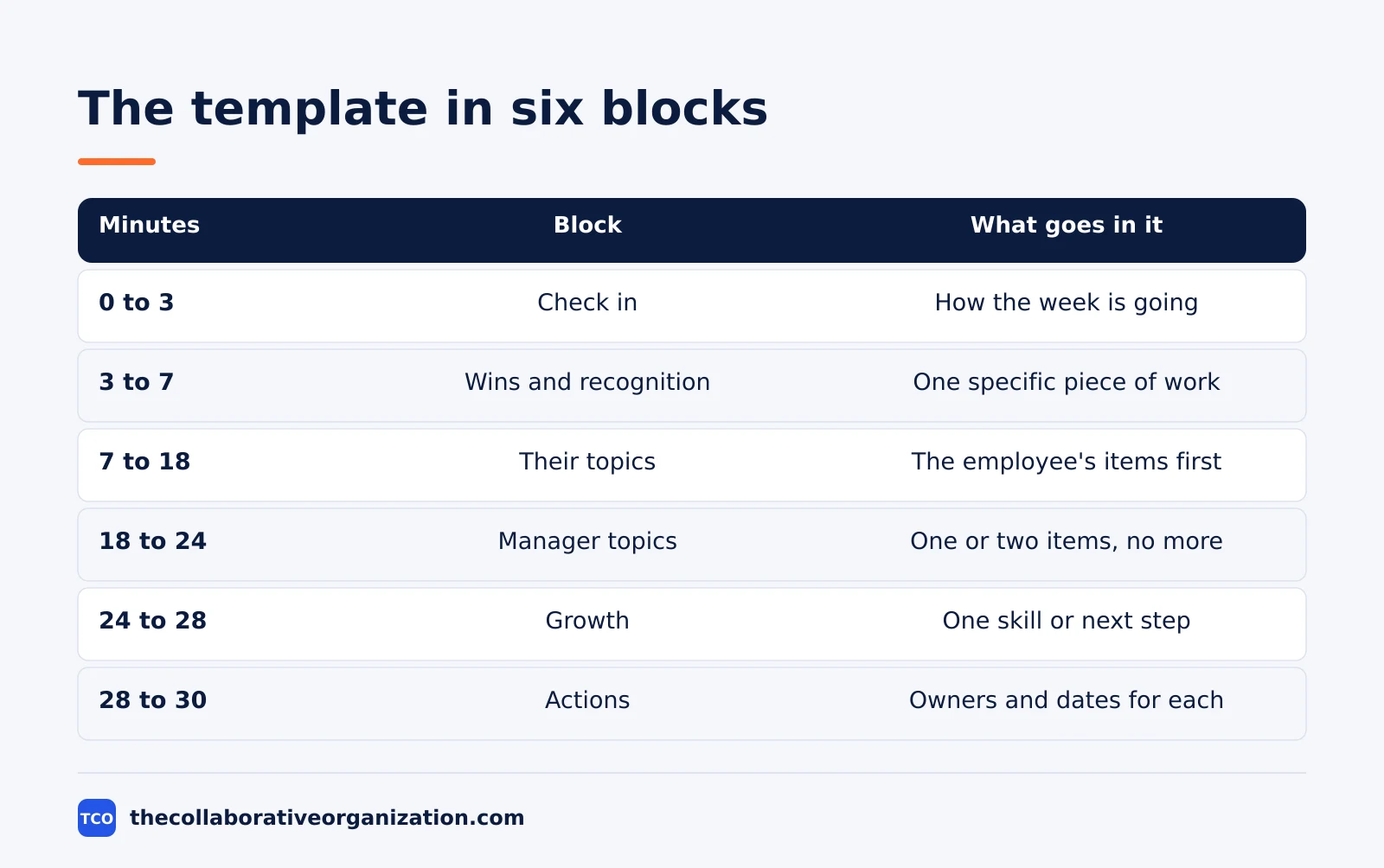
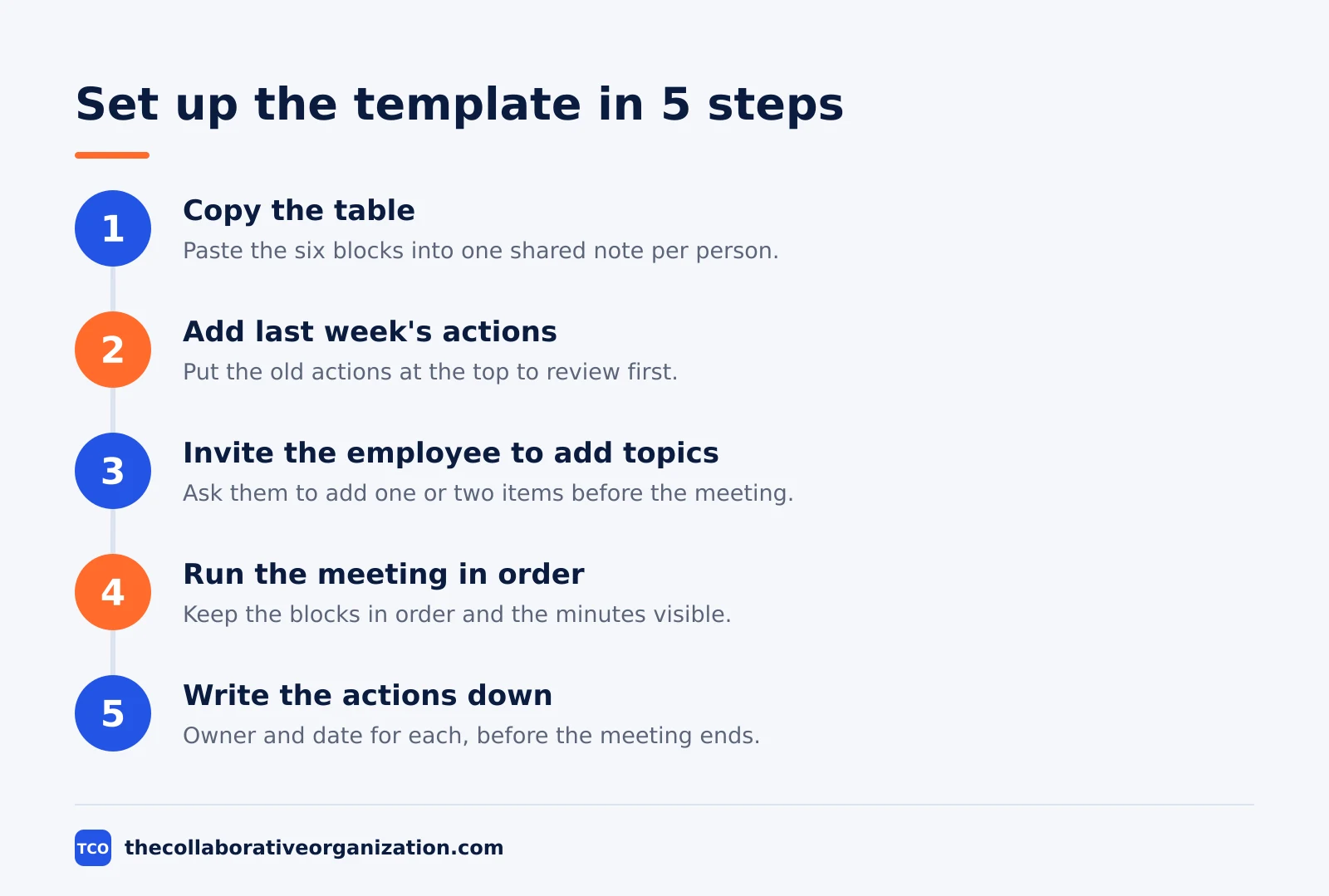
Copy the table below into a shared note, one note per person, and reuse it every week. Both of you add topics to the note before the meeting. The note becomes the record after it.
| Minutes | Block | What goes in it |
|---|---|---|
| 0 to 3 | Check in | How the week is going, in their words |
| 3 to 7 | Wins and recognition | One specific piece of recent work, named and praised |
| 7 to 18 | Their topics | The employee’s items from the shared note |
| 18 to 24 | Manager topics | One or two items from the manager, no more |
| 24 to 28 | Growth | One skill, goal or next step to talk about |
| 28 to 30 | Actions | Two or three actions, each with one owner and one date |
Use this note layout under the table, so the topics and the actions live in the same place:
One-on-one: [Name] - [Date]
Last week's actions:
- [Action] - [Owner] - [Done / New date]
Their topics:
- [Topic 1]
- [Topic 2]
Manager topics:
- [Topic 1]
Growth:
- [One item]
Actions from today:
- [Action] - [Owner] - [Date]
Start the note with last week’s actions, and review them first in the next meeting. An action with no owner and no date is a wish, so write both down before the meeting ends. Most actions should belong to the manager, not the employee, because the manager is the one who can clear blocks.
Keep the note short. Three bullets for topics and three lines for actions are enough. A long transcript makes people careful about what they say, while a short note records decisions and promises, not every word.
Filled-in example: a 30-minute one-on-one
This filled example is an illustration of the template above, not a real case. Maya manages a team of four and meets Dev, a data analyst, every Thursday at 11 in the morning for 30 minutes. They share one note, and Dev adds his topics to it on Wednesday.
| Minutes | Block | Filled in |
|---|---|---|
| 0 to 3 | Check in | Dev says the week was heavy but the release went out clean |
| 3 to 7 | Wins and recognition | Maya names Dev’s fix to the billing report, which saved the finance team a day of manual checks |
| 7 to 18 | Their topics | Dev needs a decision on the new dashboard tool, and asks for help with a slow data feed |
| 18 to 24 | Manager topics | Maya raises the on-call rota for December and asks Dev to cover one weekend |
| 24 to 28 | Growth | Dev wants to learn the new query engine before the next quarter |
| 28 to 30 | Actions | Maya approves the dashboard tool; Maya books Dev a learning session; Dev confirms the on-call weekend |
Three things make this example work. First, Dev’s topics get eleven minutes, the longest block, because the meeting belongs to him. Second, the recognition is specific: it names the billing report fix and says why it mattered. Third, the actions have owners and dates, and two of the three belong to Maya.
The decision on the dashboard tool takes four minutes because Dev already did the thinking and wrote his recommendation in the note. The slow data feed gets an owner and a time to look at it together, instead of a debate in the meeting. The growth item is small and concrete: one learning session, booked by Friday.
How to customise the template
Change the minutes and the prompts, not the shape. The six blocks stay, because each one does a job the others cannot. Customise in these ways:
- New starters: meet twice a week for the first month, keep the same blocks, and use the growth slot for learning goals and introductions to people they should meet.
- Senior people who work alone: meet every other week, stretch the growth block to ten minutes, and shrink the manager topics to one item or none.
- Remote teams: hold the meeting on video with cameras on, keep the shared note open on screen, and add a line at the top for time zone and connection notes.
- People going through a hard patch: meet weekly without fail, give the check-in five minutes instead of three, and keep the growth slot light until the pressure eases.
- Two managers sharing one report: use one note, not two, and agree who covers which topics so the person is not asked the same questions twice.
Review the template after a month. If one block is always empty, ask why instead of deleting it: an empty growth block usually means growth is never discussed, not that it is unneeded. If a block always runs over, the topics in it are too big for the meeting, so split them or move them to a document.
Variations for different teams
The same six blocks fit most teams, but the prompts change with the person. A support engineer needs room for escalations, a designer needs room for feedback on work in progress, and a new hire needs room for questions about how the team works.
For a support team, add a prompt to the employee’s topics: “Which customer issue needs a decision this week?” For a product team, add: “What did you ship that I might have missed?” For a new hire, add: “What has surprised you so far, and who have you not met yet?”
A monthly version keeps the same shape with longer blocks. Stretch the meeting to 45 minutes once a month and use the extra time in the growth block, where a career conversation needs room. Keep the weekly 30-minute shape for the other weeks, so the monthly talk does not replace the regular habit.
For a skip-level meeting, where a manager’s manager meets the report, the template still works, but the manager topics change: the senior manager asks about the team, not about tasks. Do not reuse this template for a group meeting: a group agenda needs different blocks, and a one-on-one agenda stretched across eight people helps nobody.
Worked example: the first month with the template
This worked example is an illustration, not a real case. A team lead, Priya, starts one-on-ones with three reports using this template. In week one, the shared notes are empty, because nobody has used one before. Priya adds one topic of her own to each note and asks each person to add one topic before the meeting.
In week two, two of the three notes have topics in them. The third is still empty, so Priya opens with a question instead of a topic: “What is the most frustrating part of your work this week?” The answer fills the whole eleven minutes, and it surfaces a broken approval step that has slowed the team for a month.
By week four, all three notes fill up before the meeting. One report uses the growth block to ask for a course, one uses it to talk about moving into a senior role, and one uses it to say they want less on-call work.
Priya writes the actions down each week, and by the end of the month nine of eleven actions are done.
The lesson is simple: the template works when the note fills up before the meeting, and it fails when the note stays empty. An empty note means the meeting has not yet earned the person’s trust, so ask better questions instead of adding more agenda.
Tools that hold the template
The template needs a shared note, a place to track actions, and a video tool for remote pairs. Keep all three in tools the team already opens. Our video conferencing software shortlist compares the video options for remote one-on-ones.
| Tool | Best for | Free plan | Starting price (as of November 2026) | Notable limit |
|---|---|---|---|---|
| Slack | Reminders and follow-ups between meetings | Free plan with 90 days of history | $7.25 per user per month (Pro), billed annually | Free plan keeps 90 days of history |
| Asana | Tracking actions with an owner and a date | Free for 2 people | $10.99 per user per month (Starter), billed annually | Free plan covers 2 people |
| Trello | A simple board for one-on-one actions | Free for up to 10 collaborators | $5 per user per month (Standard), billed annually | Free plan covers 10 collaborators |
The Slack pricing page lists Pro at $7.25 per user per month when billed annually. The Asana pricing page lists Starter at $10.99 per user per month when billed annually. The Trello pricing page lists Standard at $5 per user per month billed annually.
Common one-on-one template mistakes to avoid
Most templates fail in the same five ways, and each one has a simple cure.
- The manager fills the whole note. When the manager brings every topic, the meeting becomes a status check. Leave the note mostly empty and let the employee fill it first.
- No review of last week’s actions. Actions that are never reviewed are never done. Open the next meeting with last week’s list and say plainly which ones are done.
- Recognition that names nothing. “Good work this week” means nothing. Name one specific thing the person did and say why it mattered.
- Growth squeezed out every week. The growth block is the first to go when time runs short, and the first to be missed. Protect four minutes for it, even in a busy week.
- One template for the whole team, unchanged. A new starter and a senior engineer need different prompts. Keep the six blocks, but change the questions to fit the person.
Sources
- Gallup - Gallup Finds a Silver Bullet: Coach Me Once Per Week (2021)
- Gallup - A Great Manager’s Most Important Habit (2023)
- Fellow - 200 One-on-One Meeting Questions Great Managers Ask in 2026 (2026)
- Realign Coaching - One on One Meeting Questions for Managers (2026)
- Granola - 1:1 meeting questions for managers (2026)
- Slack - Pricing (2026)
- Asana - Pricing (2026)
- Trello - Pricing (2026)
Frequently asked questions
What should a one-on-one meeting template include?
A short check-in, one piece of recognition, the employee's topics, one or two manager topics, a growth item, and written actions with owners and dates. The template below fits those blocks into 30 minutes. Keep one shared note per person so the topics and actions carry over from week to week.
How long should a one-on-one meeting be?
Thirty minutes works for most teams, held weekly. Gallup found that one meaningful conversation per week with each team member builds high-performance relationships more than any other leadership activity, and that such a conversation can be as short as 15 minutes. Short and regular beats long and rare, so protect the weekly slot.
Who fills in the one-on-one template?
The employee fills in most of it. Both of you add topics to the shared note before the meeting, but the employee's items come first in the agenda. A meeting where the manager brings the whole agenda is a status meeting with a new name, and it misses the point of the one-on-one.
How do you adapt a one-on-one template for a new starter?
Keep the same blocks but change the questions. Ask what has surprised them, who has been helpful, and what they need to learn first. Meet twice a week for the first month if the role is new to them. Move to weekly once they know the team and the work, and keep the shared note from day one.
Should one-on-ones be on video or in person?
Either works if the conversation is real. In person suits teams in one office, and video suits remote and hybrid teams. What matters is undivided attention: close other tabs, silence notifications, and take notes in the shared doc. A video call with the camera on beats an in-person meeting where you check your phone.
What do you do when a one-on-one keeps getting cancelled?
Reschedule it in the same week instead of dropping it. A skipped one-on-one tells the person their time with you is the first thing to go when work gets busy. If cancellations keep happening, ask whether the time, the length or the format is wrong, and change it.
Related articles

video conferencing
Loom vs Zoom Clips: Which Async Video Tool Wins? (2026)
Loom is the dedicated async video tool, while Zoom Clips is built into Zoom Workplace. Compare recording, editing, analytics and price to pick the right one.
November 19, 2026 · 9 min read
video conferencing
How to Reduce Meetings at Work: A 5-Week Plan (2026)
Cut meetings by a third without losing decisions: audit the calendar, cancel the weak ones, replace updates with writing, and protect focus days.
November 19, 2026 · 10 min read
video conferencing
How to Run an Effective Meeting in 7 Steps (2026)
An effective meeting starts with a clear purpose, a short agenda and named owners for every action. Follow 7 steps to run meetings people value.
November 19, 2026 · 12 min read