Milestone vs Deliverable: What Is the Difference? (2026) | The Collaborative Organization
By The Collaborative Organization Team · November 19, 2026 · Last verified November 19, 2026 · 9 min read
A milestone is a dated checkpoint that marks progress, while a deliverable is the output a project produces and hands over. One is a moment in time, the other is a thing. Teams that mix them up track dates and call them results, or they ship outputs with no date that proves the project moved forward.
Key takeaways
- A milestone has zero duration and no work of its own; it marks the moment a phase ends or a decision is made.
- A deliverable is a concrete, verifiable output, such as a report, a design file or a working feature.
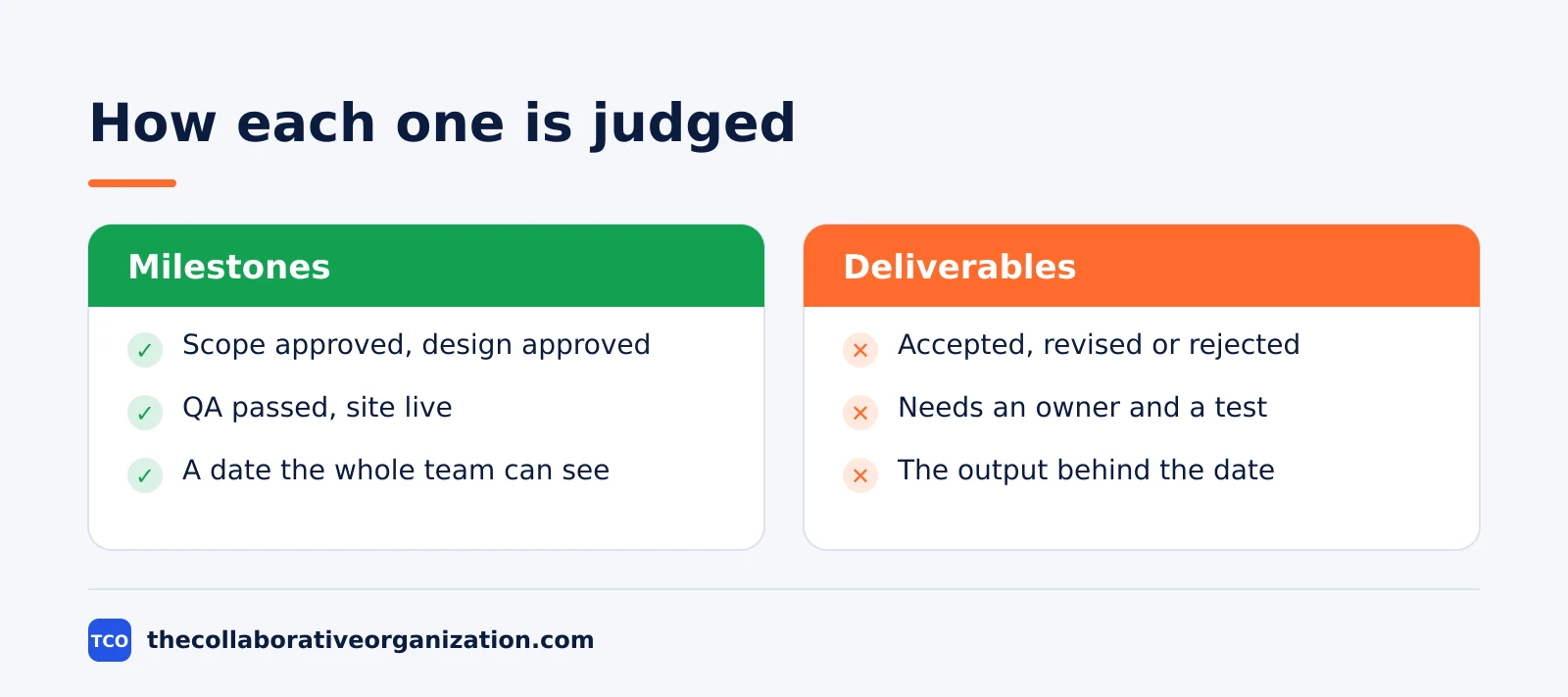
- A milestone is judged as reached or missed, while a deliverable is judged as accepted, revised or rejected.
- Most strong milestones sit on top of a deliverable: the milestone is the date the deliverable is accepted.
- A project plan needs both: deliverables say what will exist, and milestones say when the project reaches each point.
What a milestone is
A milestone is a significant point in a project timeline that marks progress, with no duration and no work of its own. It is a date with a meaning: the design is approved, the phase ends, the product goes live. Nothing happens at a milestone except confirmation that the project reached it.
Atlassian describes milestones as important events in a project life cycle that mark achievements and confirm progress at the right time in the schedule. Unlike tasks or deliverables, a milestone marks a decision point or a completed phase. The Atlassian guide to project milestones also says the best milestones are SMART, owner-assigned and tied to deliverables.
The rule that a milestone takes no time comes from scheduling practice. The PMI Practice Standard for Scheduling states that milestones have zero duration, no resources assigned, and serve as benchmarks to measure progress. That wording is quoted in the Otto Taskly guide to milestones. If a date carries effort, it is a task, not a milestone.
A milestone can also mark a decision rather than a delivery. A steering group may need to approve a budget, pick a vendor or accept a risk before work continues. That approval is a milestone even though nothing is handed over. The date matters because the next phase cannot start until the decision is made.
What a deliverable is
A deliverable is a specific output a project produces, such as a report, a design, a piece of software or a trained team. It is the thing the project hands over to someone: a client, a department or the next team in line. A deliverable has effort behind it and acceptance criteria in front of it.
Atlassian defines deliverables as tangible or intangible outputs that must be completed and delivered to fulfil project requirements. They are usually defined at the start of a project, in the kickoff phase, and they serve as checkpoints to measure progress and success. The Atlassian guide to project deliverables lists reports, software and services among the common types.
A deliverable differs from a task in a simple way: the task is the work, and the deliverable is what the work leaves behind. Fox Plan puts it in one line: “audit report delivered” is a deliverable, while “audit” is a task.
The deliverable is the result of work, not the work itself. That line comes from the Fox Plan guide to deliverables.
Deliverables can be internal or external. An internal deliverable goes to another team, such as a test report for the quality team. An external deliverable goes to the client, such as a finished website. Both need a named owner and a clear test for done, or the team will argue about whether the work finished.
Milestone vs deliverable at a glance
The short version is simple: a deliverable is what the project makes, and a milestone is when the project reaches a point that matters. The table below lines up the two sides.
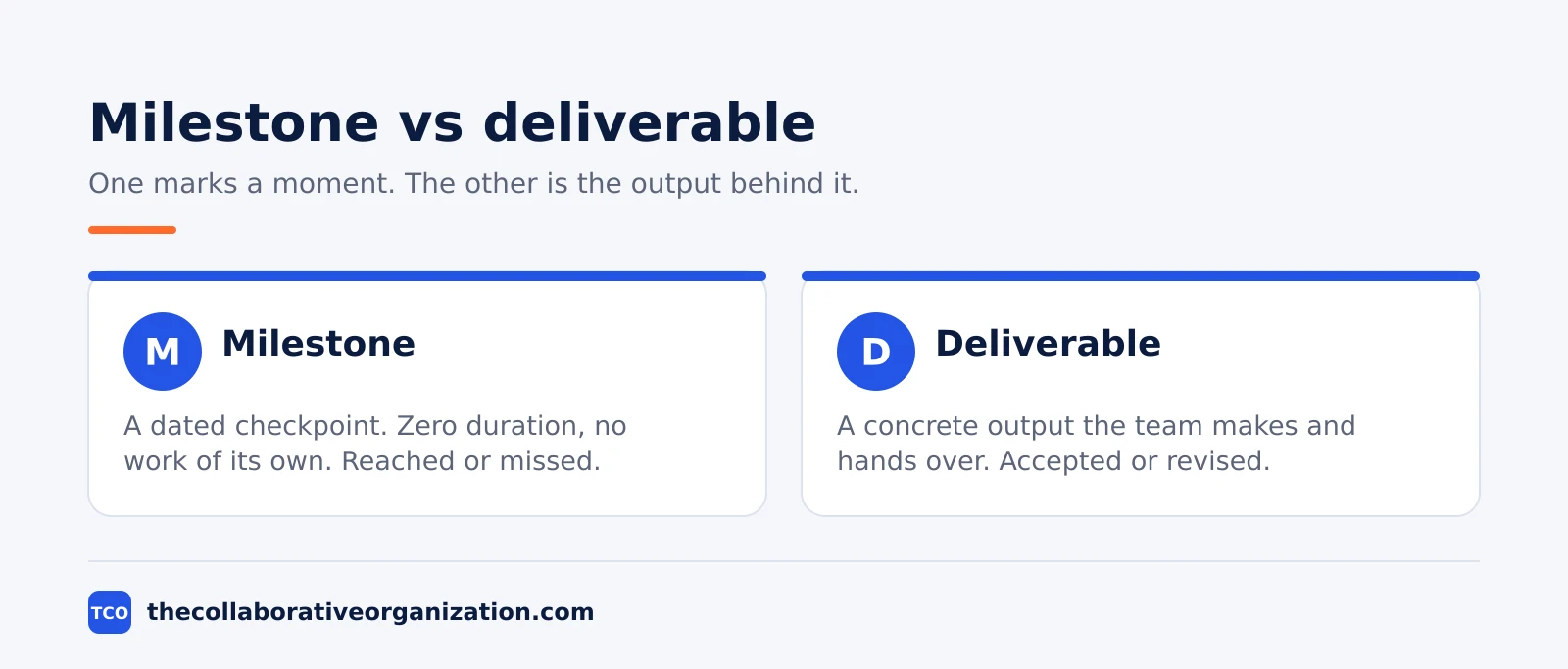
| Aspect | Milestone | Deliverable |
|---|---|---|
| What it is | A dated checkpoint in the plan | A concrete output the team produces |
| Duration | Zero, it is a moment in time | Takes days or weeks to create |
| Has work of its own | No | Yes, with effort behind it |
| Owner | Usually the project manager | The team or person who makes it |
| Judged as | Reached or missed | Accepted, revised or rejected |
| Example | Design approved on 14 March | The approved design file |
| Answers | When did the project reach this point? | What will the project hand over? |
The ONES team frames the same split as two questions. A milestone answers “What checkpoint are we aiming for?”, while a deliverable answers “What will the team produce?” That pair of questions sorts almost any item in a plan in seconds. The framing comes from the ONES guide to milestones and deliverables.
How milestones and deliverables work together
Deliverables are the outputs, and milestones are the dates that prove those outputs arrived. A plan that lists only deliverables has no rhythm, and a plan that lists only milestones has no substance. The two need each other.
In a schedule, an important milestone is almost always tied to the handover or approval of a deliverable. The milestone “acceptance signed” has no duration and no work of its own.
It records that the deliverable “tested application” has been accepted. That pairing is the normal shape of a project plan, and it is how the Fox Plan guide describes the link between the two.
Milestones also give the team natural points to stop and decide. At a milestone, the project manager can ask whether the deliverable passed its checks, whether the next phase can start, and whether the plan still holds. A sprint works the same way in agile teams: the sprint ends on a date, and the team reviews what it delivered.
A burndown chart shows the same pairing from the other side. It tracks work done against time, so the team can see whether the next milestone is still reachable. Our guide on how to read a burndown chart explains how that check works in practice.
Worked example: a website relaunch
A team of four relaunches a company website in six weeks, and five milestones mark the way. The example below is an illustration, not a real project. Each milestone sits on a deliverable, and each deliverable has one owner.
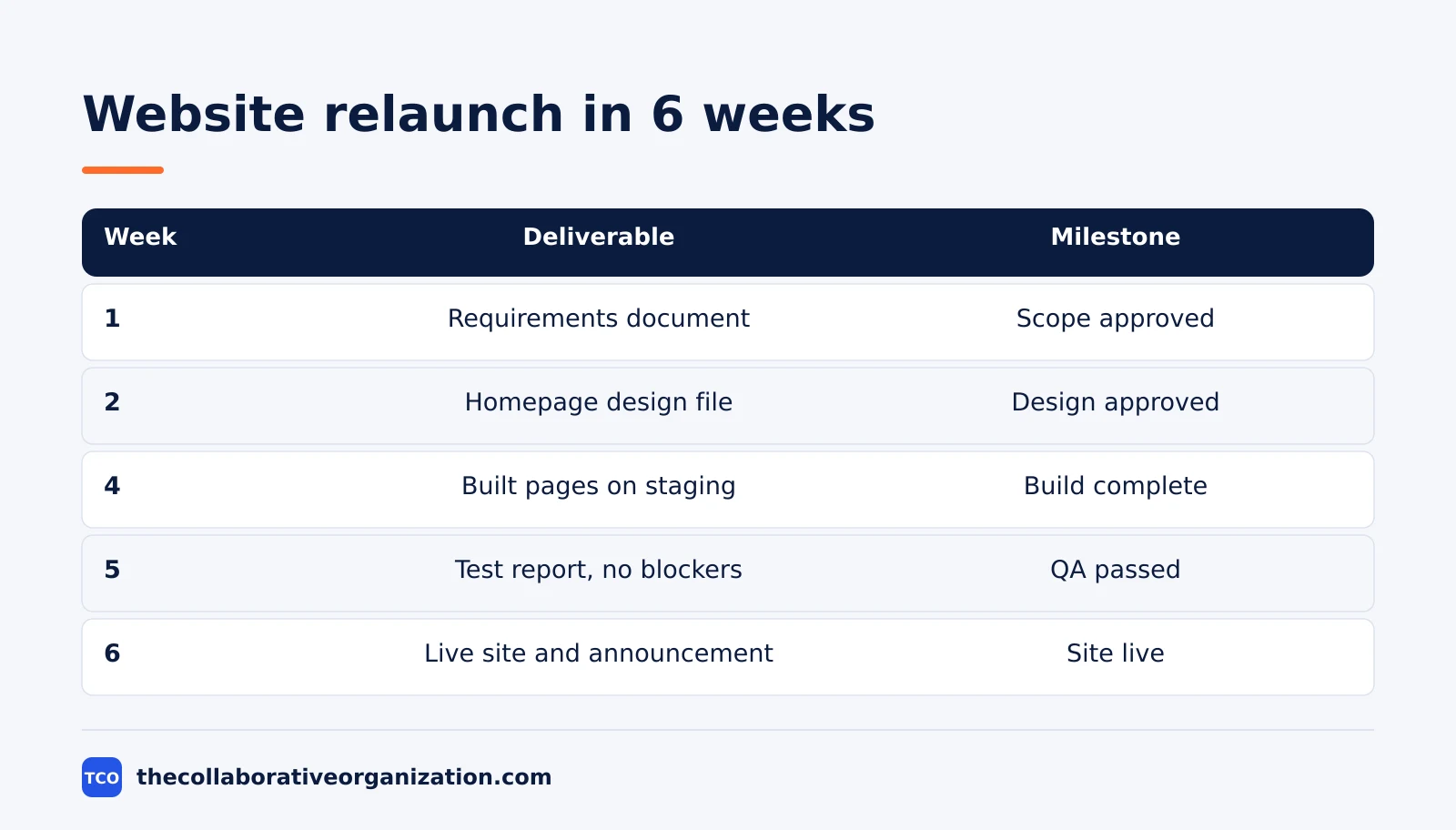
| Week | Deliverable | Milestone |
|---|---|---|
| 1 | Requirements document, signed | Scope approved |
| 2 | Homepage design file | Design approved |
| 4 | Built pages on a staging site | Build complete |
| 5 | Test report with zero open blockers | QA passed |
| 6 | Live site and launch announcement | Site live |
Week 2 shows why the two terms must stay apart. The design file is the deliverable, and “design approved” is the milestone. If the client asks for changes, the deliverable goes back for revision, and the milestone date moves. The team updates both items, not just one.
Week 5 shows the acceptance test in action. The test report is the deliverable, and it lists every blocker found. The milestone “QA passed” is reached only when the report shows zero open blockers. A date on the calendar cannot pass QA; only the deliverable can.
Which one do you plan first
Plan the deliverables first, then place milestones on the dates that matter. The outputs decide the shape of the project, and the milestones mark the points where the project changes state. A plan built the other way round has dates with nothing behind them.
Start by listing what the project must hand over, with an owner and an acceptance test for each item. Keep the list short: five to ten deliverables cover most projects. If an item has no owner and no test, it is a wish, not a deliverable.
Then choose the milestones. Pick the moments that change the project: scope approved, design approved, build complete, QA passed, launch. Atlassian’s schedule guide names “design approved”, “QA complete” and “launch ready” as stronger milestones than individual task updates. The advice comes from the Atlassian guide to project schedules.
Plan the work in a sprint planning meeting once the deliverables and milestones are set. The meeting turns each deliverable into tasks and dates, and the milestones give the team its checkpoints.
A Gantt chart then shows both on one timeline, as our kanban vs Gantt comparison explains.
Tools that track milestones and deliverables
A milestone hidden in a spreadsheet is easy to miss, so track both items where the team already works. The tool should show milestones as diamonds on a timeline and deliverables as tasks with owners and acceptance tests.
Compare the options on our project management software shortlist before you pick one. The right tool is the one the team opens every day, not the one with the longest feature list.
| Tool | Best for | Free plan | Starting price (as of November 2026) | Notable limit |
|---|---|---|---|---|
| Asana | Teams that mark milestones on a timeline | Free for 2 people | $10.99 per user per month, billed annually | Free plan covers 2 people |
| monday.com | Teams that want milestones on a visual board | Free plan for up to 2 seats | $9 per seat per month (Basic), billed annually | Paid plans need at least 3 seats |
| ClickUp | Teams that link milestones to tasks and docs | Free Forever plan | $9 per user per month (Core), billed annually | Yearly billing needed for that price |
The Asana price comes from Asana pricing, opened today: Starter is $10.99 per user per month when billed annually. On the monday.com pricing page, Basic is $9 per seat per month billed annually, with a 3-seat minimum. The ClickUp pricing page, opened today, lists Core at $9 per user per month billed yearly.
Common milestone vs deliverable mistakes to avoid
Most milestone and deliverable trouble comes from five habits, and all five are easy to spot in a review. Run through the list below each time the plan changes.
- Calling every task a milestone. A milestone should mark a phase, an approval or a launch, not the end of routine work.
- Listing a deliverable with no owner. If nobody owns the output, nobody chases it when the date slips.
- Setting a milestone with no acceptance test. A date without a test is a hope, and hopes do not prove progress.
- Moving the milestone but not the deliverable. When a date slips, the output and its owner must move with it.
- Counting a milestone as done work. Reaching a checkpoint is not the same as shipping the output behind it.
Sources
- Atlassian - How to Achieve Project Milestones in 2026 (2026)
- Atlassian - What Are Project Deliverables in Project Management? (2026)
- Otto Taskly - What Is a Milestone in Project Management? (2026)
- Fox Plan - Project Deliverables: Definition, Examples and Milestones (2026)
- ONES - Project Milestones vs Deliverables (2026)
- Atlassian - How to Create a Project Schedule That Actually Works (2026)
- Asana - Pricing (2026)
- monday.com - Pricing (2026)
- ClickUp - Pricing (2026)
Frequently asked questions
Can a milestone have a deliverable attached to it?
Yes, and most good milestones do. The milestone is the date the deliverable is accepted, such as design approved on 14 March. The deliverable is the thing itself, such as the approved design file. Keep the two separate in the plan so the team knows what is due and when it counts as done.
Is a milestone the same as a deadline?
No. A deadline is the last date a task can finish, while a milestone marks a meaningful point in the project, such as a phase ending or an approval given. A milestone often has a date, but the date is not what makes it a milestone. What makes it one is the progress it marks.
How many milestones should a project have?
Enough to show real progress and few enough to stay meaningful. A three-month project usually needs four to eight milestones, one per phase or major approval. If every task gets a milestone, the word loses its meaning and the team stops paying attention to the dates that matter.
Who owns a milestone?
The project manager usually owns the milestone, because milestones are about the plan and the schedule. The deliverable behind it is owned by the person or team that produces it. Both owners should be named in the plan, so a missed milestone has a clear next step.
Can a deliverable exist without a milestone?
Yes. Small deliverables often ship without a milestone, such as a weekly report or a minor document update. Milestones are for the moments that change the state of the project: a phase ends, a client signs off, or the product goes live. Routine outputs do not need one.
Related articles

guides
Free Project Management Templates: 7 to Copy (2026)
Seven free project management templates from monday, Wrike, Teamwork, Smartsheet, ClickUp, Asana and Trello, with what each one is for and what free really costs.
November 20, 2026 · 7 min read

guides
Project Proposal Template: Copy and Win Work (2026)
A project proposal template pitches the work before it is approved: problem, solution, scope, budget, timeline and terms. Copy the template and filled example.
November 20, 2026 · 10 min read

guides
Action Plan Template: Goal to Done in One Page (2026)
An action plan template turns one goal into owned steps with dates, dependencies and a success measure. Copy the table and see it filled for a support team.
November 20, 2026 · 11 min read