Communication Matrix Template (2026): Copy and Use | The Collaborative Organization
By The Collaborative Organization Team · November 20, 2026 · Last verified November 20, 2026 · 11 min read
A communication matrix template is a table that maps who gets told what, when and how for one project: the audience, the message, the channel, the frequency and the owner for each kind of update. Copy the table below, fill in one row per kind of message, and nobody has to guess where an update goes or who sends it.
Key takeaways
- A communication matrix has seven columns: audience, message, channel, frequency, owner, format and reply rule.
- One row is one kind of message, with one channel and one owner, so every update has a single home.
- Asana names the same five core parts for any communication plan: audience, key message, channel, frequency and owner.
- PMI found ineffective communication is the primary contributor to project failure one third of the time.
- A matrix serves one project with many audiences, while a charter governs one team’s daily habits.
What a communication matrix template is
A communication matrix template is the blank grid of a project: the columns, the rows and the rules, with no project detail filled in yet. It tells a project manager exactly what to write for each kind of message, and how much detail each part needs. Asana defines a communication plan as a document that outlines how a team shares important information with stakeholders, and names its five core parts: audience, key message, channel, frequency and owner.
The matrix is the grid form of those five parts, with two columns added: the format of the message, and the reply rule for it. A row that says “weekly status, email, Fridays” is a plan. A row that also says “one page, no reply needed” is a matrix, because it answers the next two questions the reader asks.
The need for one is plain in the numbers. PMI, in its Pulse of the Profession research as summarised by Ascertra, found that ineffective communication is the primary contributor to project failure one third of the time, and had a negative impact on project success more than half the time.
That finding rests on the Ascertra summary of the PMI report, so treat it as second-hand.
The communication matrix template
Copy the table below into a sheet or a document, then add one row per kind of message your project sends. Each column names what to write, and each row holds one kind of message with one channel and one owner.
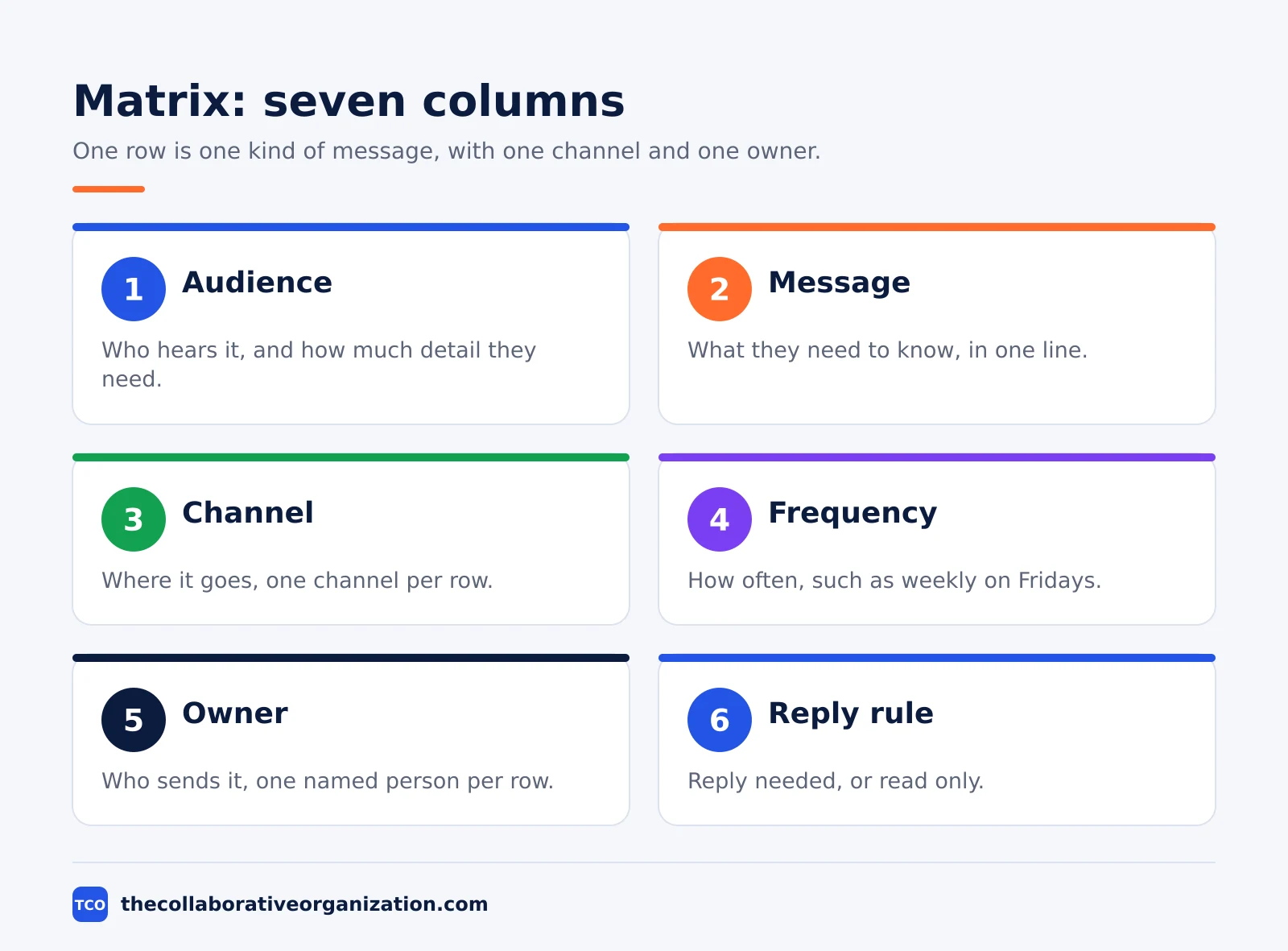
| Audience | Message | Channel | Frequency | Owner | Format | Reply rule |
|---|---|---|---|---|---|---|
| (who hears it) | (what they need to know) | (where it goes) | (how often) | (who sends it) | (how long, what shape) | (reply needed?) |
| (who hears it) | (what they need to know) | (where it goes) | (how often) | (who sends it) | (how long, what shape) | (reply needed?) |
| (who hears it) | (what they need to know) | (where it goes) | (how often) | (who sends it) | (how long, what shape) | (reply needed?) |
The same seven columns work as a plain-text form. Copy the blocks below into a fresh document when a table does not fit the tool you use. Each block holds one row, so the matrix stays readable in any tool.
MATRIX ROW - [Audience]
Message: [what they need to know]
Channel: [where it goes] - Frequency: [how often]
Owner: [who sends it] - Format: [how long, what shape]
Reply rule: [reply needed, or read only]
MATRIX ROW - [Audience]
Message: [what they need to know]
Channel: [where it goes] - Frequency: [how often]
Owner: [who sends it] - Format: [how long, what shape]
Reply rule: [reply needed, or read only]Two columns deserve a note. The format column stops the weekly status from growing into a ten-page report, because it says “one page, five bullets” before anyone writes it. The reply rule column stops the team from waiting for answers that were never asked for, because it says “read only” on the rows that need none.
Build the rows from audiences, not from tools. List every group that needs project news first, then decide what each one needs to hear, and only then pick the channel. A matrix built from tools lists every channel the team owns, and half the rows end up saying the same thing in a different app.
How to fill in the matrix in four passes
Fill the template in four passes, in order: audiences, messages, channels, and owners. A matrix filled in that order stays short, because each pass only asks the questions the last pass made necessary.
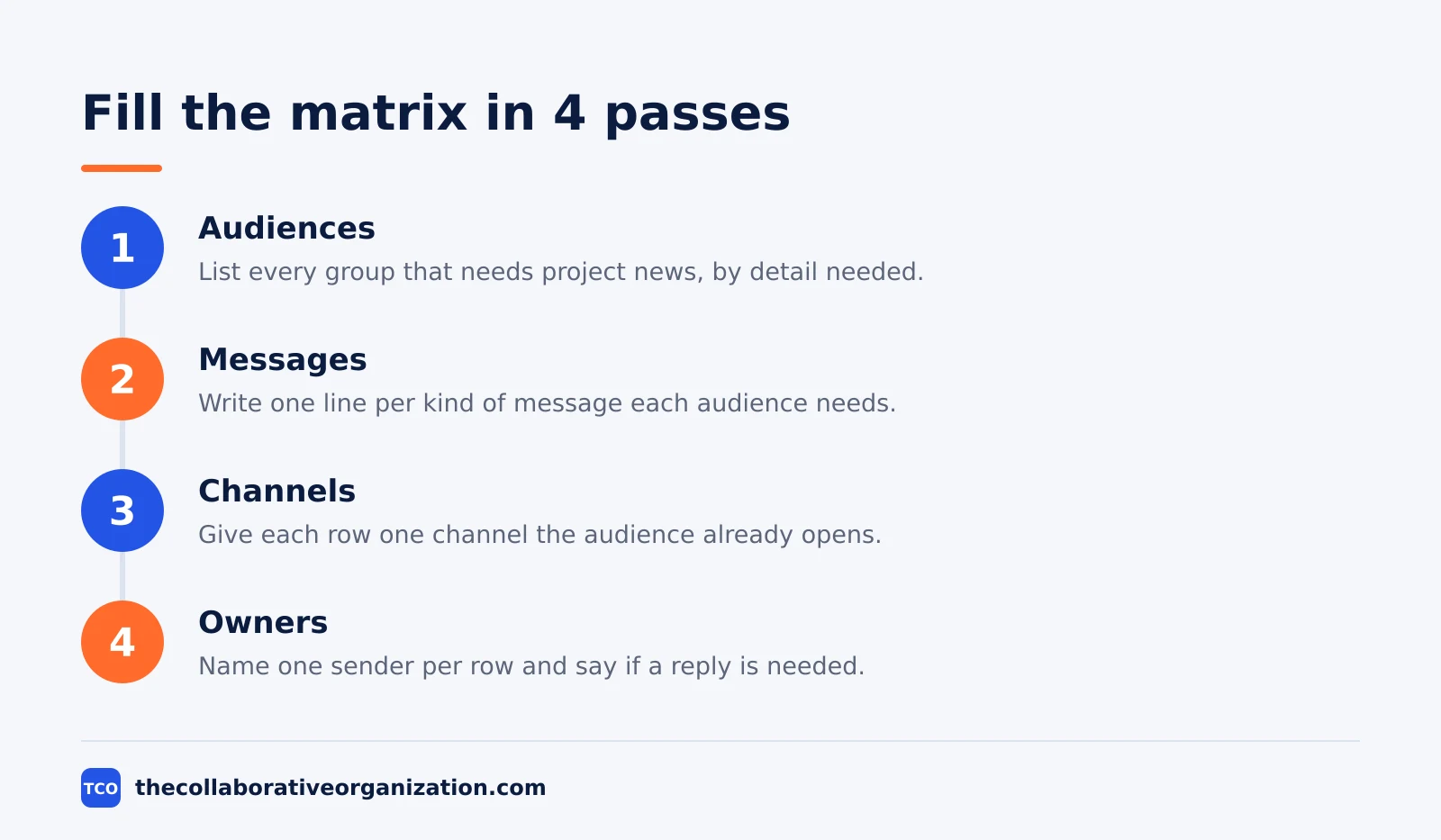
First pass: the audiences. List every group that needs project news, from the sponsor to the customers, and sort them by how much detail they need. Executives get summaries, teams get the full story, and frontline staff get the action. A group that appears in no row is a group that will hear the news late, or not at all.
Second pass: the messages. Write one line per kind of message each audience needs, such as progress, decisions, risks, or dates. Keep each message to one line, and cut any message that two audiences share into one row each, because the same news lands differently on a sponsor and on a store manager.
Third pass: the channels. Give each row one channel, not two. A message sent in email and chat and the intranet teaches people to watch everything, and they end up reading nothing. Pick the channel the audience already opens, and write the format in the same pass, such as one page or five bullets.
Fourth pass: the owners and the reply rules. Name one person per row, and say whether a reply is needed. NotionSender gives the same rule in its stakeholder matrix: name the owner, the method and the frequency for each audience, and sort the audiences by influence and interest first, so the closest ones get the most care.
A filled-in example: Bluepeak rolls out a new checkout
The example below fills the template for Bluepeak, a fictional retail chain with 20 people rolling out a new checkout system across 3 offices in 10 weeks. All names, dates and figures are invented, and the company does not exist. The matrix has six rows, one per kind of message, and each row has one channel and one owner.
The sponsor gets a weekly one-page email on Fridays, read only. The product team gets a daily stand-up note in the team channel, with a reply when blocked. The support team gets a milestone email when a new office goes live, plus a short guide they can send to customers.
Store managers get a weekly call on Mondays, with questions answered in the same call.
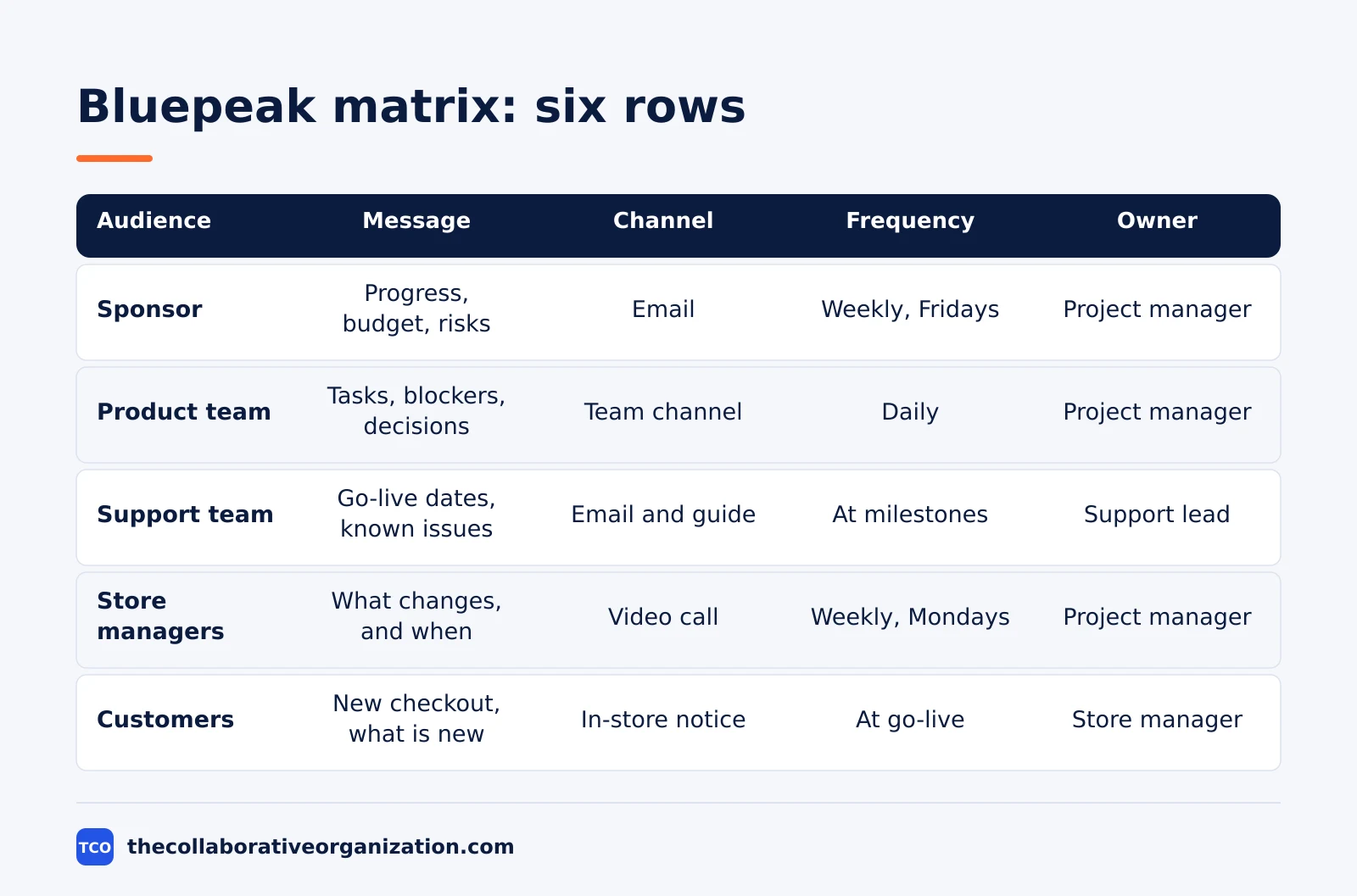
| Audience | Message | Channel | Frequency | Owner | Format | Reply rule |
|---|---|---|---|---|---|---|
| Sponsor | Progress, budget, risks | Weekly, Fridays | Project manager | One page, five bullets | Read only | |
| Product team | Tasks, blockers, decisions | Team channel | Daily | Project manager | Short note, blockers first | Reply when blocked |
| Support team | Go-live dates, known issues | Email and guide | At each milestone | Support lead | One page plus a customer guide | Reply with questions |
| Store managers | What changes, and when | Video call | Weekly, Mondays | Project manager | 30 minutes, questions live | Reply in the call |
| Customers | New checkout, what is new | In-store notice | At go-live | Store manager | One notice, plain words | No reply needed |
| Finance | Spend against budget | Monthly | Project manager | One table, three lines | Read only |
Three things make this example work. Every row has one owner, so no update waits for a group to send it. Every row has one channel, so no audience must watch three places. The reply rule is written on every row, so the team never waits for answers that were never asked for.
How to customise the template for your team
Start with the seven columns, then shape them to the size and shape of your project. Customise it in four moves, and keep the same columns every time so the team always knows where to look.
- Shrink it for a small project. A project with three audiences can drop the format and reply rule columns, keeping five columns. The rows still answer who, what, when and how, just shorter.
- Add an influence column for a political project. A project with a sponsor who can stop it can add one column that rates each audience high or low on influence and interest, so the closest audiences get the most care and the fastest channel.
- Add a language column for a multi-country project. A project that reaches three countries can add one column naming the language each audience hears, so no audience gets a message it cannot read.
- Keep one master copy. Store it where the whole team can read it, date every version, and share each update with the same people who saw the last one. A matrix that lives in five versions is five matrices.
Our remote team communication plan covers the wider agreement for one team, with reply times, meetings and off-hours rules. The matrix is the grid that sits inside that kind of plan, and it works for a project with many audiences, not one team’s daily habits.
Variations: project, launch and change matrices
One template serves three shapes, because the columns stay the same and only the rows change. A project matrix covers the whole project, with rows for progress, decisions, risks and dates. A launch matrix covers one launch, with rows for the announcement, the training and the support guide.
A change matrix covers one change, such as a new policy or a new tool, with rows for the reason, the date, the training and the feedback route. The rows change, the columns stay, and any reader can move between versions without relearning the shape.
Convoe shows the same shape in its construction plan: a stakeholder matrix with information needs, frequency, channel and owner per audience, plus a channels matrix that adds response time and record keeping. The two tables together are one matrix, split so each table fits on a page.
Tools that carry the matrix
Tools carry the matrix, but they are not the matrix. Pick the chat tool the team already opens, add a home for reference, and keep decisions in the task tool. The table below lists the usual starting set, with starting prices as of November 2026.
| Tool | Best for | Free plan | Starting price (as of November 2026) | Notable limit |
|---|---|---|---|---|
| Slack | Chat-first teams with channels and search | Free plan, 90 days of history | $7.25 per user per month (Pro), billed annually | Free plan keeps 90 days of history |
| Asana | Tasks, decisions and status in one place | Free for 2 people | $10.99 per user per month (Starter), billed annually | Free plan covers 2 people |
The Slack pricing page lists Pro at $7.25 per user per month billed annually, with Business+ at $15. The Asana pricing page lists Starter at $10.99 per user per month billed annually, and the Personal plan is free for 2 users.
Compare the full shortlist on our team communication software page before you choose. One home per message type is the rule that matters most: Asana found the average knowledge worker switches between 10 and 25 apps a day, and a matrix that names one home per message cuts that switching at the source.
Common communication matrix mistakes to avoid
Most communication matrices fail in the same five ways, and each one is easy to spot before you publish. Run through the list below before the first update goes out.
- Two channels on one row. A message sent in two places teaches people to watch everything, so give each row one channel.
- A row with no owner. A message with no sender has no one to write it, and the date slips without anyone noticing.
- One message for everyone. Executives, teams and frontline staff need different detail. One message for all of them fits none of them.
- No reply rule. A matrix with no reply rule leaves the team waiting for answers that were never asked for, so write read only where no reply is needed.
- A matrix that is never updated. A matrix that still names people who left the project misleads the team, so review it at each milestone and name one person to keep it current.
Sources
- Asana - How to Write a Communication Plan (2026)
- Ascertra - Poor Communication Leads to Project Failure One Third of the Time (2026)
- NotionSender - A Practical Stakeholder Communication Plan Template (2026)
- Convoe - Construction Communication Plan Template (2026)
- Slack - Pricing (2026)
- Asana - Pricing (2026)
Frequently asked questions
What is a communication matrix?
A communication matrix is a table that maps who gets told what, when and how for one project: the audience, the message, the channel, the frequency and the owner for each kind of update. One row is one kind of message. A person who needs an update finds their row, and a person sending an update finds the channel and the timing in the same place.
What is the difference between a communication matrix and a communication plan?
A matrix is the lookup grid inside a plan: one table that answers who, what, when and how for each message. A plan is the wider document that explains the audiences, the message, the rollout and the review. The matrix is the part of the plan people check daily, while the plan is the document they read once.
What is the difference between a communication matrix and a team communication charter?
A charter is the agreement a team signs about how it behaves: reply times, urgency tiers, meeting rules and working hours. A matrix is a project grid that says who gets told what, when and how. The charter governs one team's daily habits, while the matrix serves one project with many audiences.
What columns should a communication matrix have?
Use seven columns: audience, message, channel, frequency, owner, format and a reply rule. A small project can start with five, dropping format and reply rule. Add a column only when a row cannot be read without it, because a column nobody reads is a column to delete.
How often should a communication matrix be reviewed?
Review it at each project milestone, and whenever an audience, a channel or an owner changes. A matrix that still names people who left the project misleads the team. Name one person to keep it current, and check it at each project review, so the rows match the real work.
Who should fill in a communication matrix?
The project manager usually drafts it, with input from each audience on what they need and how often. The sponsor checks the rows that name them, and each owner checks the rows they must send. A matrix written by one person alone usually misses the audience that needed a different channel.
Related articles

guides
Free Project Management Templates: 7 to Copy (2026)
Seven free project management templates from monday, Wrike, Teamwork, Smartsheet, ClickUp, Asana and Trello, with what each one is for and what free really costs.
November 20, 2026 · 7 min read

guides
Project Proposal Template: Copy and Win Work (2026)
A project proposal template pitches the work before it is approved: problem, solution, scope, budget, timeline and terms. Copy the template and filled example.
November 20, 2026 · 10 min read

guides
Action Plan Template: Goal to Done in One Page (2026)
An action plan template turns one goal into owned steps with dates, dependencies and a success measure. Copy the table and see it filled for a support team.
November 20, 2026 · 11 min read