What Is a Work Breakdown Structure (WBS)? (2026) | The Collaborative Organization
By The Collaborative Organization Team · November 19, 2026 · Last verified November 19, 2026 · 12 min read
A work breakdown structure (WBS) is a deliverable-oriented, hierarchical breakdown of the total scope of a project into smaller, manageable components. The whole project sits at the top, branches break it into deliverables, and the lowest level holds work packages that one owner can estimate, run and track.
Key takeaways
- A WBS breaks the total scope into deliverables and work packages, and it answers what the work is, not who does it or when.
- The 100% rule says the children of any element must add up to exactly that element, with nothing missing and nothing extra.
- A work package is the lowest level of the WBS, with one owner and one estimate.
- The WBS dictionary defines each element: scope, owner, resources and acceptance criteria.
- A WBS is not a schedule and not an org chart: dates and reporting lines belong in other documents.
What a work breakdown structure is
A work breakdown structure is a family tree of the work, with the whole project at the top and smaller pieces below it. PMI defines it as a deliverable-oriented, hierarchical breakdown of the total scope of a project into smaller, manageable components. Each level is a more detailed definition than the one above, until the pieces are small enough to assign, estimate and track.
The key word is deliverable-oriented. The WBS organizes around what the project must produce, not around the activities people perform. A branch named “tested checkout page” is a deliverable; a branch named “hold a meeting” is an activity, and it does not belong in the tree.
The WBS also sets the boundary of the project. PMI puts it plainly in its August 2026 guide: if it is not in the WBS, it is not in the project. Work that cannot be found in the structure needs authorization to proceed. That rule turns the chart from a drawing into an agreement about scope.
The building blocks of a WBS
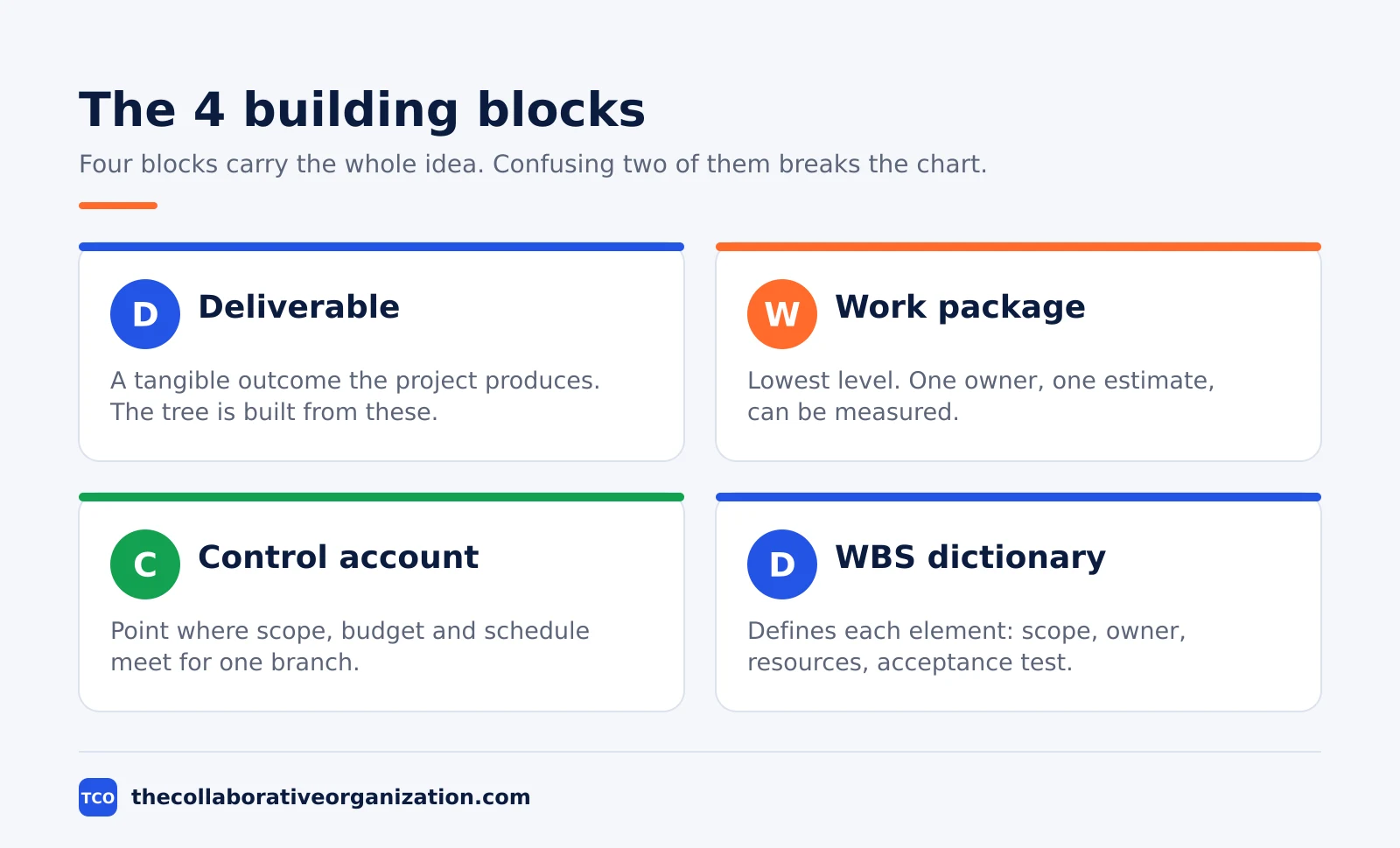
Four building blocks carry the whole idea: deliverables, work packages, control accounts and the WBS dictionary. Each one has a clear job, and confusing two of them is the most common way a WBS goes wrong. The table below gives the short version, and the sections after it fill in the detail.
| Term | What it is | Why it matters |
|---|---|---|
| Deliverable | A tangible, verifiable outcome the project produces | The WBS organizes around these, not activities |
| Decomposition | Subdividing deliverables into smaller components | How you build the tree, level by level |
| Work package | The lowest-level element, owned and tracked by one party | Where estimating, assigning and measuring happen |
| Control account | A point where scope, budget and schedule are integrated | Where performance is measured and rolled up |
| WBS dictionary | The detail behind each element | Removes doubt about what a package includes |
| 100% rule | The WBS captures all the work, and only that work | Guards against gaps and scope creep |
A deliverable is the unit the tree is built from. Decomposition is the act of splitting it: take a deliverable, name its parts, then split those parts again. You stop when you reach a work package, the lowest level, where one owner can estimate the cost and time and be measured against the result.
The control account sits above the work packages. It is a management point where scope, budget and schedule come together, so a manager can measure performance for a whole branch instead of reading every package. The dictionary is the text behind the boxes: it defines what each element includes, who owns it and how done is judged.
The 100% rule
The 100% rule says the WBS must include 100% of the work in scope, and the children of any element must roll up to exactly that element. Nothing is left out, and no extra work sneaks in. The rule applies at every level of the tree, not only at the top.
The rule is the main guard against two opposite failures. The first is a gap: work nobody planned for, such as an integration step or a review round, which surfaces late and costs far more to fix than it would have cost to plan.
The second is scope creep: extra work added without a decision, which quietly grows the budget and the schedule.
PMI states the rule in its August 2026 guide as the design principle that ties the WBS together. To test a branch, add up its children and ask whether they equal the parent exactly.
If a child is missing, the parent is not fully covered. If a child adds work outside the scope, it does not belong in the tree. The project plan then builds its schedule and budget from the packages that pass this test.
Levels of a work breakdown structure
A WBS usually has three or four levels: the project at level 1, major deliverables at level 2, smaller components at level 3, and work packages at the bottom. Most teams use three levels for a small project and four for a large one. More levels than that usually mean the team is planning tasks, not deliverables.
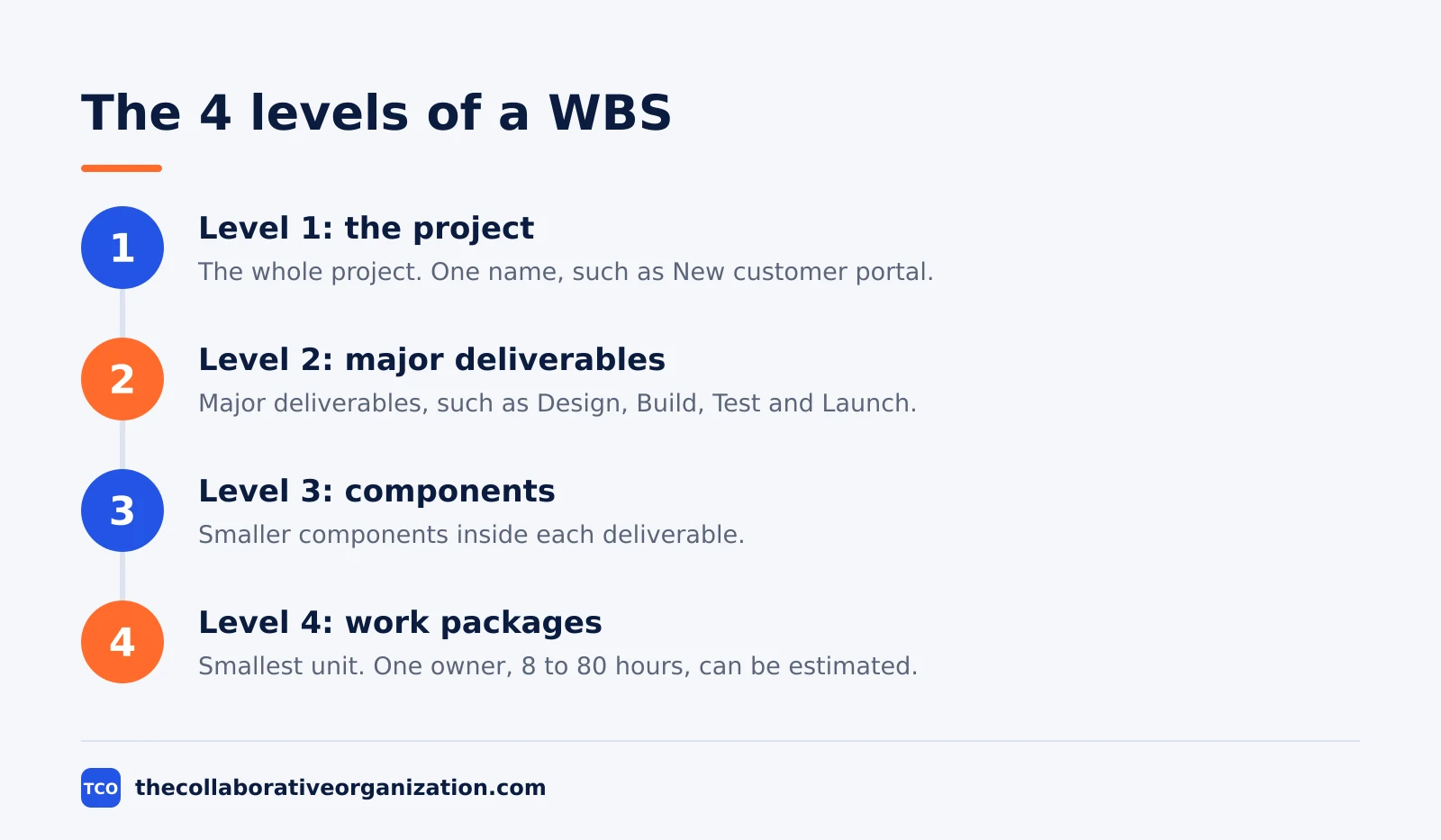
Level 1 is the whole project, such as “New customer portal.” Level 2 holds the major deliverables, such as “Design,” “Build,” “Test” and “Launch” in a phase-based split, or “Login pages,” “Order pages” and “Ticket pages” in a deliverable-based split. Level 3 breaks each deliverable into its parts, and the bottom level holds the work packages.
A useful guide for the bottom level is the 8/80 rule: a work package should take about 8 to 80 hours of effort. PMLearning notes it as the practical test many managers use.
If a package needs more than 80 hours, split it. If it needs less than 8, you are likely planning at a level of detail that costs more to track than it returns.
Deliverable-based vs phase-based breakdowns
A deliverable-based WBS splits the project by what it produces, and a phase-based WBS splits it by when the work happens. PMI prefers the deliverable-based form for most projects, because it gives clearer ownership and easier estimates. The phase-based form is acceptable when the deliverables cut across phases.
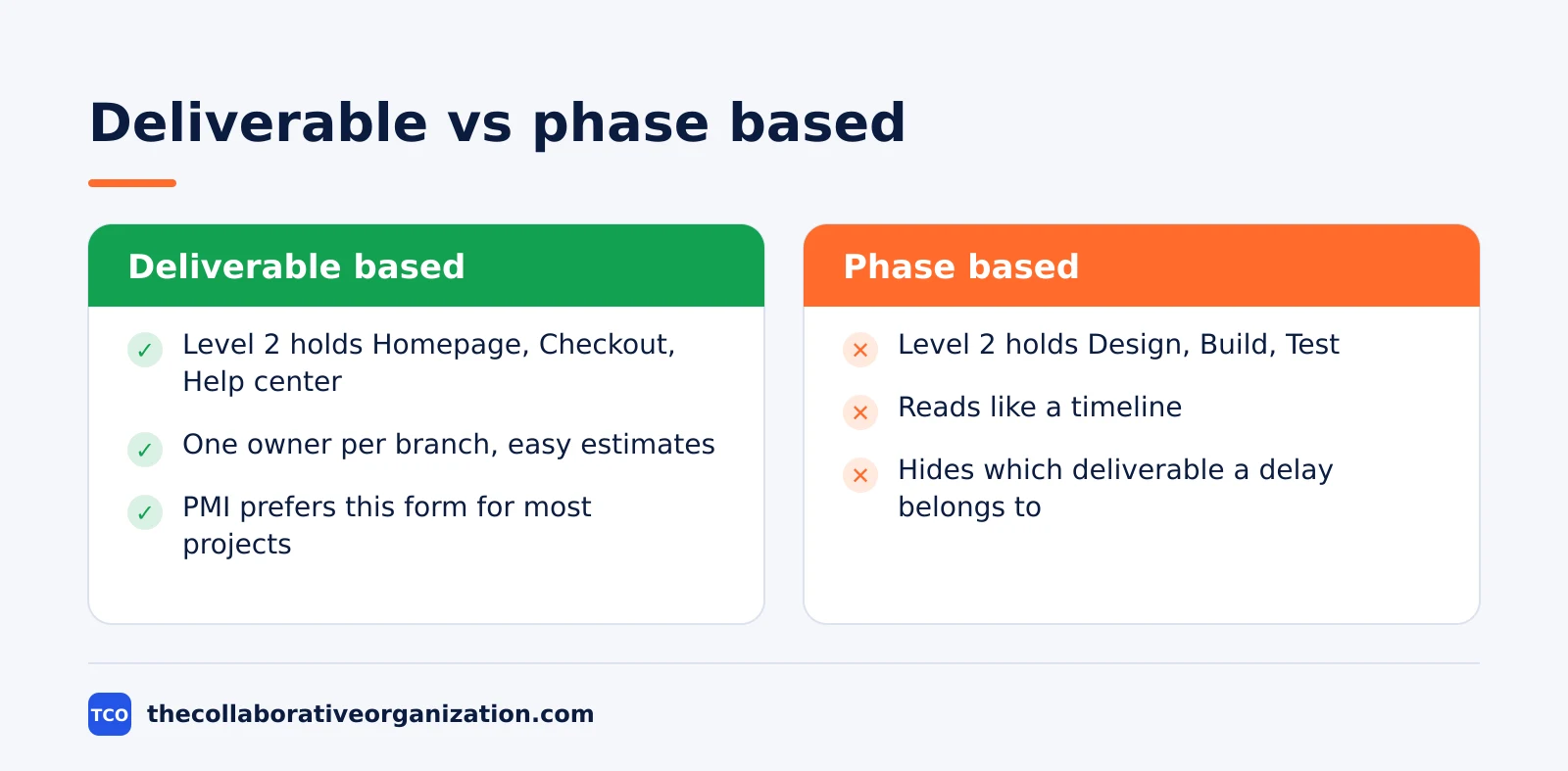
In a deliverable-based tree for a website, level 2 holds “Homepage,” “Checkout” and “Help center.” Each branch then breaks into the design, build and test work for that page. One owner can take a whole branch, and the estimate for the branch is the sum of its packages.
In a phase-based tree, level 2 holds “Design,” “Build” and “Test,” and each phase branch holds the work for all pages. The phase form reads like a timeline, which is why teams drift toward it, but it hides which deliverable a delay belongs to.
The choice is not permanent. A large project can use deliverables at level 2 and phases at level 3, or the other way round. What matters is that the team picks one logic per level and applies the 100% rule inside it, so no deliverable appears twice and none is missing.
Our guide to milestone vs deliverable explains the difference between the two words, since teams often use them as if they meant the same thing.
The WBS dictionary
The WBS dictionary is the companion document that defines each element of the structure in words. The chart shows the shape of the work; the dictionary holds the detail that stops two people from reading the same package name in two different ways. Without it, a work package is only a label.
A dictionary entry for one work package records its scope, its milestones, the responsible party, the resources it needs and its acceptance criteria. For example, an entry for package 1.3.2 might say the owner is the support engineering lead and the deliverable is a reply-drafting module.
The acceptance test for that package is that drafts are reviewable and editable. PMI gives exactly that shape of entry in its August 2026 guide, with dependencies on the ticketing integration listed beside it.
Write dictionary entries only for the work packages, not for every level. Higher levels are defined by their children. Keep each entry short enough to read in a minute, and update it when the scope of that package changes.
The dictionary, the scope statement and the WBS together form the scope baseline, which is the reference the team manages changes against.
Work breakdown structure example: a training course
A small example shows how the levels, the 100% rule and the dictionary fit together. Imagine a team building a four-week online training course for new support staff. The project is level 1. Level 2 holds four deliverables: “Course content,” “Video lessons,” “Practice exercises” and “Launch and enrolment.” These figures are an illustration, not a real project.
Level 3 breaks “Course content” into “Lesson scripts” and “Slide decks,” and “Video lessons” into “Recorded lessons” and “Edited captions.” The work packages at the bottom include “Write lesson 1 script” (12 hours, owned by the content lead) and “Record lesson 1” (10 hours, owned by the trainer).
Each package sits inside the 8 to 80 hour range, has one owner, and has an acceptance test: the script is approved by the support manager, and the recording passes a sound check.
Check the 100% rule at level 2: content, video, exercises and launch must add up to the whole course, with nothing missing. The dictionary entry for “Record lesson 1” records the owner, the 10-hour estimate and the sound-check test.
The schedule and the budget are then built from these packages, in the order set by the project management process step by step.
When to use a WBS, and what it is not
Use a WBS whenever the project is big enough that its scope cannot fit in one person’s head. That covers most projects with more than one deliverable, more than one team, or a budget that needs an estimate the sponsor can trust. The WBS is the document that proves the estimate covers the whole job.
A WBS is not a schedule. It deliberately leaves out dependencies and dates, which belong in the project network and the schedule that follows it. PMI makes this point in its August 2026 guide: the WBS comes first and feeds the schedule.
A WBS is also not an org chart. It shows the work, not who reports to whom, and it does not show the order in which the work happens.
It also fits Agile work. On adaptive projects, a WBS can line up with the product backlog, with scope broken down through epics and user stories. Teams define the higher levels first and break the lower branches down as the work becomes clearer.
The discipline stays the same: name what must be delivered before planning when each piece happens. For the wider context, see our guide to what is project management.
Tools that can hold your WBS
A project tool holds the WBS next to the tasks, dates and owners, so the structure stays current as the work changes. A shared outline works for a first WBS, but a tool keeps the tree, the dictionary and the schedule in one place. Our project management software shortlist compares the options side by side.
| Tool | Best for | Free plan | Starting price (as of November 2026) | Notable limit |
|---|---|---|---|---|
| Asana | Teams that map WBS branches to sections and tasks | Free for 2 people | $10.99 per user per month (Starter), billed annually | Free plan covers 2 people |
| ClickUp | Teams that want a tree view with custom fields per package | Free Forever plan | $9 per user per month (Core), billed yearly | Yearly billing needed for that price |
| Trello | Small teams that track packages as cards on a board | Free for up to 10 collaborators | $5 per user per month (Standard), billed annually | Timeline view needs Premium |
The Asana price comes from Asana pricing: the Personal plan is free for 2 users, and Starter is $10.99 per user per month when billed annually.
The ClickUp price comes from ClickUp pricing: Core is $9 per user per month billed yearly, shown against a regular price of $12, so the $9 figure may be promotional.
The Trello price comes from Trello pricing: Standard is $5 per user per month billed annually, or $6 billed monthly.
PMI notes that tools such as Microsoft Project, Smartsheet and Wrike generate and maintain the hierarchy, while Jira and Asana express the same logic through epics and stories. The tool matters less than the discipline behind it: deciding what is in scope, what stays out and who owns each piece is a person’s call.
Common work breakdown structure mistakes to avoid
Most WBS charts fail in the same five ways, and all five are easy to spot in a review. Run through the list below each time the structure changes hands.
- Listing activities instead of deliverables. “Hold kickoff” and “send emails” are tasks, not deliverables. They produce a to-do list that no longer adds up to the whole project.
- Breaking the 100% rule. A branch with a missing child leaves work unplanned, and a branch with an extra child adds scope without a decision.
- Work packages with no owner. Every package needs a single point of responsibility, or nobody can be asked about its estimate or its result.
- Going too deep. Packages below 8 hours of effort cost more to track than they return, and the chart becomes a task list in disguise.
- No WBS dictionary. Two people read the same package name in two ways, and the argument surfaces only when the work is due.
The first mistake is the one to check first. Read each branch name and ask whether it names a thing the project hands over. If the answer is a verb instead of a noun, rewrite the branch.
TruTimer gives the same test in its WBS guide: if a package cannot be estimated, assigned and tracked, break it down further or fold it back up.
Sources
- PMI - What Is a Work Breakdown Structure (WBS)? (2026)
- PM-ProLearn - What Is a Work Breakdown Structure (WBS)? Definition, Examples, and Best Practices (2026)
- PMLearning - What is a Work Breakdown Structure (WBS)? (2026)
- TruTimer - How to Create a Work Breakdown Structure: 7 Steps (2026)
- Rock - Work Breakdown Structure: 100% Rule, Examples, Builder (2026)
- Asana - Pricing (2026)
- ClickUp - Pricing (2026)
- Trello - Pricing (2026)
Frequently asked questions
What is the difference between a WBS and a task list?
A WBS organizes the work around deliverables, the things the project must produce, while a task list organizes it around activities, the things people do. A task list can miss a deliverable entirely, while a WBS that follows the 100% rule covers all of the scope and nothing outside it. The WBS comes first, and the task list is built from its work packages.
How detailed should a work breakdown structure be?
Break work down until each work package is small enough to estimate, assign to one owner, and track, then stop. A common guide is the 8/80 rule: a package should take about 8 to 80 hours of effort. If you cannot estimate an element, go one level deeper. If the detail costs more to manage than it informs, you have gone too far.
What is the 100% rule in a WBS?
The 100% rule says the WBS must include 100% of the work defined by the project scope, no more and no less, and that the children of any element must add up to exactly that element. It applies at every level of the tree. The rule guards against gaps, where work is missing, and against scope creep, where extra work slips in.
Does a WBS work for Agile projects?
Yes. On Agile projects a WBS can line up with the product backlog, with scope broken down through epics and user stories. You can define the higher levels first and break the lower branches down as the work becomes clearer. The discipline is the same: name what the project must deliver before you plan when each piece happens.
What is a WBS dictionary?
A WBS dictionary is the companion document that defines each element of the structure: its scope, milestones, responsible party, resources and acceptance criteria. The chart shows the shape of the work, and the dictionary holds the detail that stops two people from reading the same work package name in two different ways.
Related articles

project management
How to Choose Project Management Software (2026)
Pick project management software in seven steps: define the work, count seats, price the real cost, and run a two-week pilot before you pay.
November 19, 2026 · 10 min read

project management
What Is a RACI Matrix? Definition, Roles and Examples (2026)
A RACI matrix maps who is Responsible, Accountable, Consulted and Informed for each task. Learn the four roles, how to build one, and see a worked example.
November 19, 2026 · 9 min read

project management
Daily Standup Meeting Format That Works (2026)
A daily standup is a 15-minute meeting where Developers inspect progress toward the Sprint Goal and plan the next day. Use this format to run one that ends on time.
November 19, 2026 · 10 min read