Sprint vs Iteration: What Is the Difference? (2026) | The Collaborative Organization
By The Collaborative Organization Team · November 19, 2026 · Last verified November 19, 2026 · 9 min read

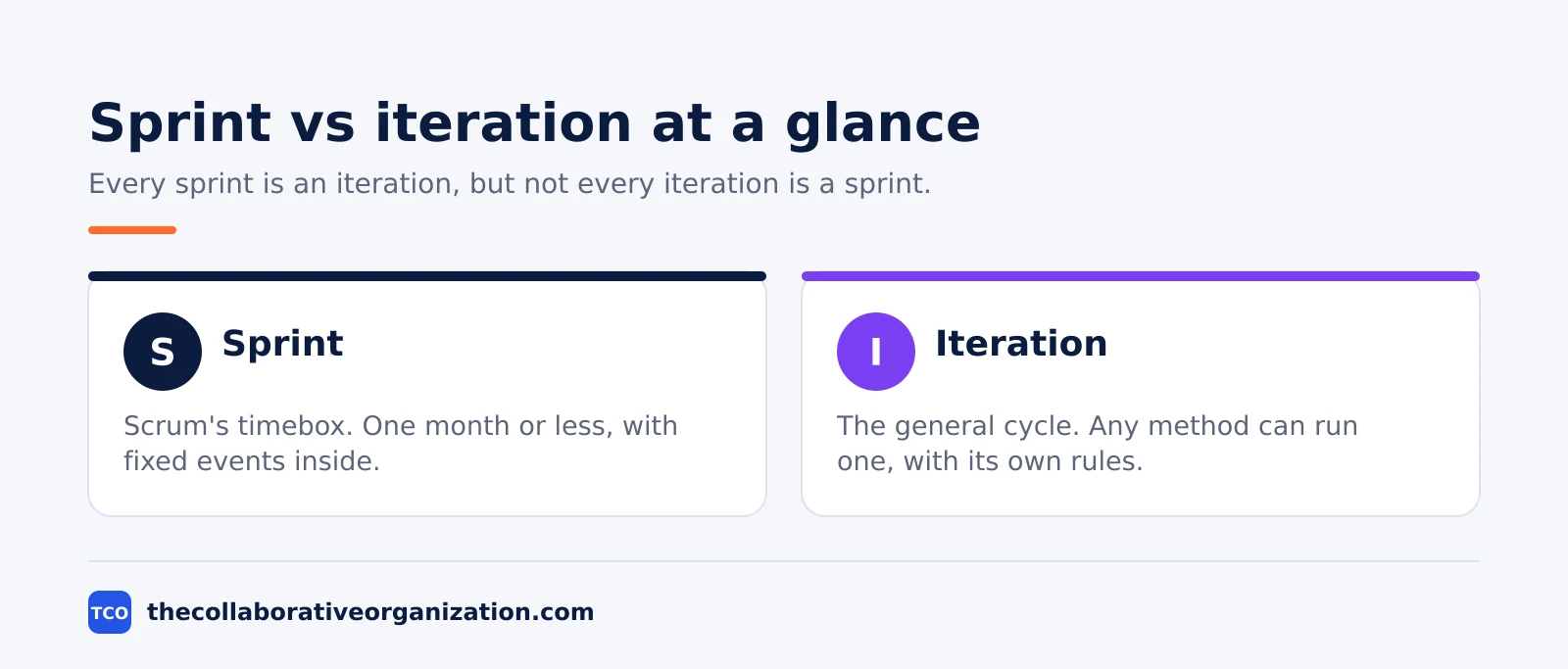
A sprint is Scrum’s name for a timeboxed iteration, while iteration is the general Agile word for any repeated cycle of work. Every sprint is an iteration, but not every iteration is a sprint, because other frameworks run iterations with different rules.
Key takeaways
- A sprint is a fixed-length event of one month or less, and a new one starts at once after the last.
- An iteration is the general term for a repeated cycle, used in Scrum, XP, SAFe and other methods.
- A sprint contains all other Scrum events: planning, daily scrums, review and retrospective.
- Two weeks is the most common sprint length, though the Scrum Guide allows up to one month.
- Only the Product Owner can cancel a sprint, and only when the Sprint Goal becomes obsolete.
The core difference in one sentence
The core difference is scope: “sprint” belongs to Scrum, while “iteration” belongs to Agile in general. The words describe the same shape, a short cycle that ends with something inspectable, but they carry different rules.
A sprint is a formal Scrum event with fixed rules. It has a maximum length, a fixed set of contained events, and strict limits on what can change while it runs. An iteration is a looser idea: a repeat of plan, build and review inside a timebox, with the details left to each method.
Our guide on what is Scrum explains the framework the sprint belongs to.
Our comparison of agile vs Scrum explains why Agile is a set of ideas while Scrum is a framework built on them.
What is a sprint?
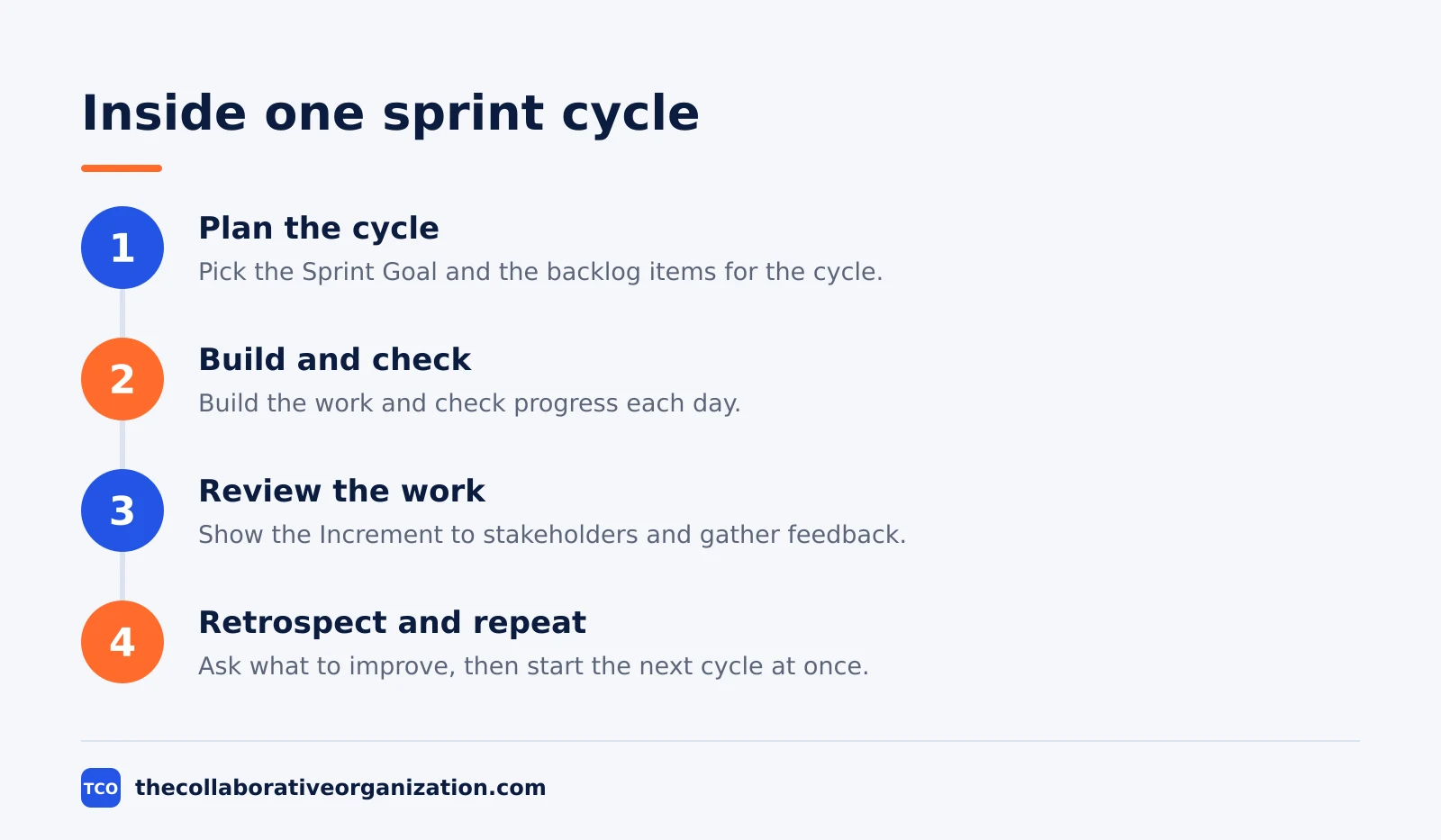
A sprint is a fixed-length event of one month or less in which a Scrum Team turns selected backlog items into a usable Increment. It is the container for every other Scrum event, and it repeats without a gap until the work is done.
The Scrum Guide calls sprints “the heartbeat of Scrum, where ideas are turned into value”. The same page sets the rules: sprints are fixed length to create consistency, and a new sprint starts at once after the last one ends.
The Guide also caps the Scrum Team at 10 or fewer people, so the team stays small enough to talk well and large enough to finish real work.
Inside a sprint, four events happen in order: Sprint Planning opens it, the Daily Scrum runs each day, the Sprint Review inspects the Increment with stakeholders, and the Sprint Retrospective closes it. For a one-month sprint, the Guide caps planning at 8 hours, the review at 4 hours, and the retrospective at 3 hours, with shorter sprints using shorter events.
Two rules protect the sprint while it runs. No changes may endanger the Sprint Goal, and quality may not decrease, though the team can clarify scope with the Product Owner as it learns more. A sprint can be cancelled only by the Product Owner, and only when the Sprint Goal becomes obsolete.
What is an iteration?
An iteration is a repeated cycle of planning, building and reviewing, run inside a timebox that the team repeats until the work is done. The word is generic, so it fits Scrum, XP, SAFe and any method that works in cycles.
In Scrum, the iteration is called a sprint, and it follows the Guide’s rules. In Extreme Programming, the iteration follows XP’s rules instead, with a stronger focus on engineering habits such as pair programming and test-driven development. In SAFe, iterations nest inside a longer Program Increment, which runs several iterations back to back.
The length is usually fixed for the project, and two weeks is the most common choice across methods. Some teams run one-week iterations for fast feedback, while others run four-week ones for work that cannot be split smaller. The point of fixing the length is rhythm: the team, and everyone waiting on it, knows when the next review happens.
TeachingAgile sums up the split in one line: “Sprint” is not interchangeable with “iteration” in every method, because Kanban has no equivalent at all, since it uses continuous flow instead of timeboxes. The word you use tells the reader which rulebook you are playing by.
Sprint vs iteration: side-by-side table
The table below puts the two side by side, so you can see which word fits the method you use. Start with the “belongs to” row, since that is the row teams get wrong most often.
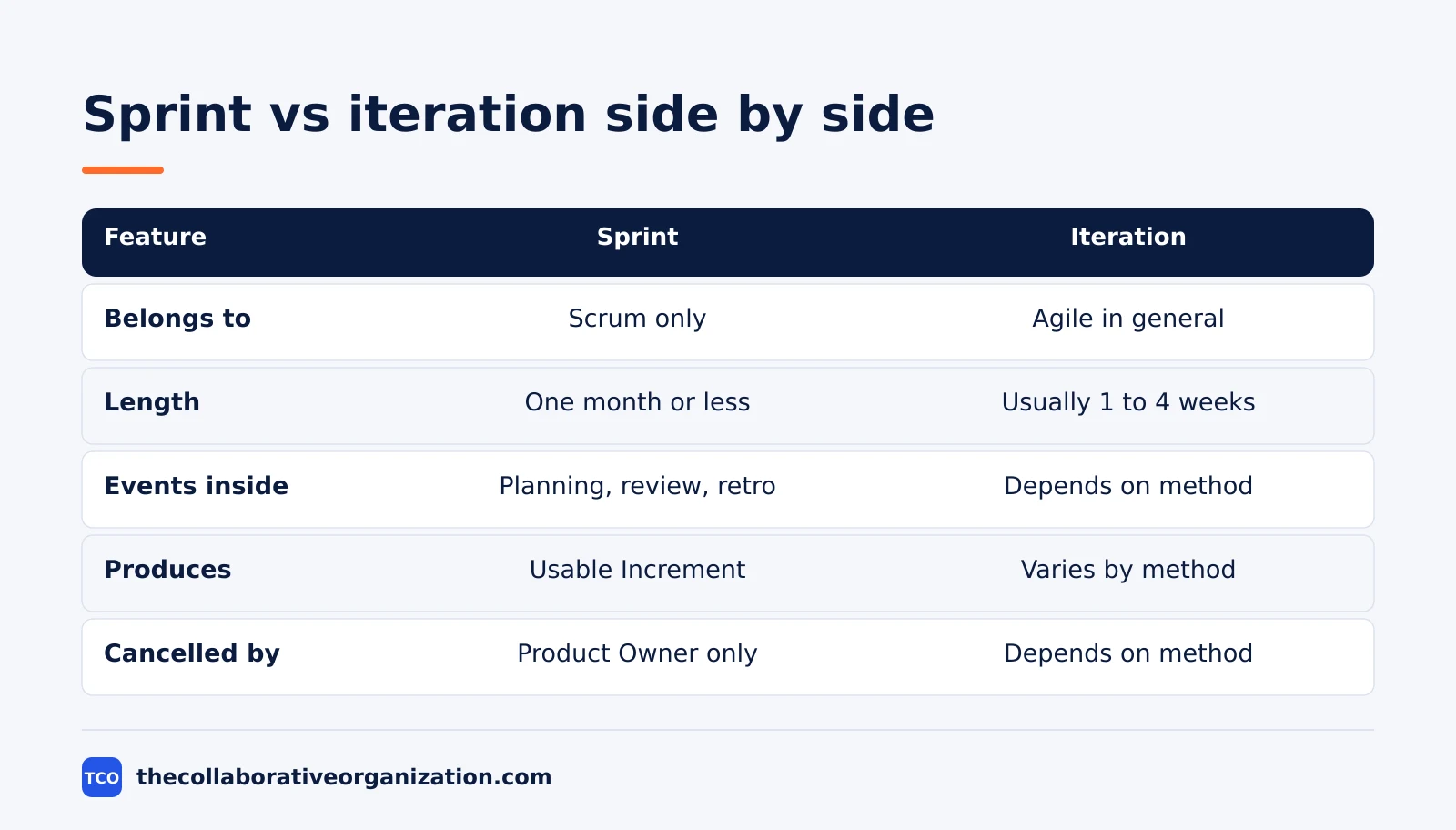
| Feature | Sprint | Iteration |
|---|---|---|
| Belongs to | Scrum only | Agile in general |
| Length | One month or less, fixed | Usually 1 to 4 weeks, fixed |
| Most common | Two weeks | Two weeks |
| Events inside | Planning, daily, review, retro | Depends on the method |
| Produces | A usable, Done Increment | Varies by method |
| Can it change mid-cycle | No changes that endanger the goal | Depends on the method |
| Cancelled by | Product Owner only | Depends on the method |
| Next cycle | Starts at once, no gap | Usually starts at once |
One row deserves extra care: the “produces” row. A sprint must produce a usable Increment that meets the Definition of Done, even if nobody releases it to users yet.
Worked example: two teams, two timeboxes
Two teams of six people show how the words differ in practice. The example is an illustration, not a case study, and the teams are made up to show the method.
Team A runs Scrum. Its sprint lasts two weeks, and the Sprint Goal is “Let clinics book online without calling us”. Sprint Planning picks five backlog items, the Daily Scrum runs each morning, and the Sprint Review shows a working booking page to two clinic managers. The retrospective ends the sprint, and the next one starts the next morning.
Team B runs XP. Its iteration also lasts two weeks, and the goal is the same booking page. The team pairs up to write the code, writes tests before the code, and reviews the work at the end of the iteration. There is no Sprint Review or retrospective by name, because XP does not define those events.
Both teams worked in a two-week cycle, and both ended with working software. Only Team A ran a sprint, because only Team A used Scrum’s events and rules. Our guide on what is a sprint in Scrum walks through Team A’s cycle in more detail.
Which word should you use?
Use “sprint” when the team follows Scrum, and “iteration” when you mean the general cycle or a non-Scrum method. The word you pick tells the reader which rules apply.
Use “sprint” when the cycle has a Sprint Goal, a Sprint Backlog, a review and a retrospective, and when only the Product Owner can cancel it. If any of those are missing, the word is wrong, and “iteration” is the honest label.
Use “iteration” when you talk about XP, SAFe, or Agile in general, or when the method does not matter and you only mean “one repeat of the cycle”. It is also the right word when you compare methods, since it is the only term they all share.
If your team says “sprint” but has no Sprint Goal and no review, the label is doing more harm than good. Either adopt the Scrum events, or rename the cycle an iteration and stop promising Scrum’s guarantees.
Can a team use both sprints and iterations?
Yes, in the sense that a Scrum team runs sprints that are also iterations, and many teams mix Scrum’s cadence with XP’s engineering habits. The two words describe different layers, so they rarely clash.
A common mix is Scrum’s sprint cadence with XP’s technical practices inside it. The team plans in a sprint, holds the Scrum events, and writes code in pairs with tests first. The sprint gives the rhythm, and the XP habits keep quality high inside each cycle.
SAFe nests the two in a different way: teams run Scrum sprints, and several sprints form one Program Increment, which is itself a longer iteration at the program level. The words stay honest as long as each level names its own cycle and its own rules.
The mistake to avoid is using the words as synonyms in the same document. Pick one word per cycle, define it once, and use it the same way throughout, or the team will argue about the word instead of the work.
Tools that run sprints and iterations
A board tool keeps the sprint backlog, the iteration plan and the Increment in one place. The right tool is the one the team opens every day, not the one with the longest feature list.
Jira is built around sprints, with a backlog, a sprint board, and reports that track the Increment. ClickUp and Asana suit teams that mix methods, since they support sprint boards without forcing Scrum’s rules on every project. Pick the tool that matches your method, and keep the board where the team already works.
| Tool | Best for | Free plan | Starting price (as of November 2026) | Notable limit |
|---|---|---|---|---|
| Jira | Scrum teams that live in sprints | Free plan for up to 10 users | $9.70 per user per month (Standard), billed monthly | Standard and Premium prices are monthly, not annual |
| ClickUp | Teams that mix Scrum and XP habits | Free Forever plan | $9 per user per month (Core), billed annually | Yearly billing needed for that price |
| Asana | Teams that want tasks and goals together | Free for 2 people | $10.99 per user per month, billed annually | Free plan covers 2 people |
The Jira price comes from Atlassian Jira pricing: Standard is $9.70 per user per month, billed monthly for 1 to 100 users. The ClickUp price comes from ClickUp pricing, and the Asana price from Asana pricing.
If you have not picked a tool yet, compare the options on our project management software shortlist before your next sprint starts.
Our guide on how to run a sprint planning meeting covers the event that opens each sprint.
Common sprint and iteration mistakes to avoid
Most sprint and iteration confusion comes from the same five mistakes, and all five are easy to spot in a review. Run through the list below before the next cycle starts.
- Calling any two-week cycle a sprint. A sprint needs a Sprint Goal, a review and a retrospective, or the word is wrong.
- Changing the sprint length mid-project. A fixed length creates rhythm, and changing it breaks the team’s ability to forecast.
- Letting scope changes endanger the Sprint Goal. Clarify scope with the Product Owner, but never trade away the goal itself.
- Skipping the retrospective. The sprint ends with learning, not just shipping, and a skipped retro means the same problems return.
- Treating the Increment as a release. A sprint must produce usable work, but nothing in Scrum forces the team to release it to users yet.
Sources
- Scrum Guide - The Scrum Guide (2020)
- TeachingAgile - The Sprint in Scrum: Complete Guide to Time-Boxed Iterations (2026)
- Simpliaxis - What is a Sprint in Scrum? Benefits and Key Elements (2026)
- Wikipedia - Scrum (Development) (2026)
- Atlassian - Jira Pricing (2026)
- ClickUp - Pricing (2026)
- Asana - Pricing (2026)
Frequently asked questions
Is every sprint an iteration?
Yes. Every sprint is an iteration, because it repeats a cycle of planning, building, and reviewing inside a fixed timebox. The reverse is not true: an iteration in XP or SAFe follows different rules, so calling it a sprint would be wrong. Use iteration for the general idea, and sprint only when you mean Scrum.
How long is a sprint?
A sprint lasts one month or less, and two weeks is the most common choice. The Scrum Guide sets the one-month cap, and the length stays fixed while the sprint runs. Shorter sprints give the team more learning cycles and less risk, while longer sprints suit work that cannot be split into smaller pieces.
Can a sprint be cancelled?
Yes, but only the Product Owner can cancel it, and only when the Sprint Goal becomes obsolete. A cancelled sprint is rare, because it wastes the planning work and breaks the team's rhythm. If the goal changes mid-sprint, the team usually clarifies scope with the Product Owner instead of cancelling.
Does Kanban use sprints or iterations?
Neither. Kanban uses continuous flow instead of timeboxes, so work moves across the board as capacity allows. A Kanban team can still review work on a weekly rhythm, but it has no sprint, no sprint planning, and no fixed end date for a batch of work. The two models solve different problems.
What happens at the end of a sprint?
The team holds a Sprint Review to inspect the Increment with stakeholders, then a Sprint Retrospective to improve how it works. A new sprint starts at once, with no gap, and the next Sprint Planning opens it. The Increment must be usable and meet the Definition of Done, even if nobody releases it yet.
Related articles

guides
Free Project Management Templates: 7 to Copy (2026)
Seven free project management templates from monday, Wrike, Teamwork, Smartsheet, ClickUp, Asana and Trello, with what each one is for and what free really costs.
November 20, 2026 · 7 min read

guides
Project Proposal Template: Copy and Win Work (2026)
A project proposal template pitches the work before it is approved: problem, solution, scope, budget, timeline and terms. Copy the template and filled example.
November 20, 2026 · 10 min read

guides
Action Plan Template: Goal to Done in One Page (2026)
An action plan template turns one goal into owned steps with dates, dependencies and a success measure. Copy the table and see it filled for a support team.
November 20, 2026 · 11 min read