How to Collaborate With Clients: 7 Steps That Work (2026) | The Collaborative Organization
By The Collaborative Organization Team · November 19, 2026 · Last verified November 19, 2026 · 11 min read
To collaborate with clients, set one shared goal, agree the scope in writing, and give the client one place to see progress, leave feedback, and approve work. The rest is rhythm: short weekly updates, named decisions, and a clear record of what changed. Teams that work this way spend less time chasing answers and more time finishing the work.
Key takeaways
- Client collaboration means the team and the client work together on a shared goal, with open communication, shared visibility, and feedback loops.
- Start with a written goal, scope, and decision list before any work begins, so both sides can point to the same record.
- Give clients one hub for files, progress, feedback, and approvals, and keep internal notes out of their view.
- Ask for feedback on one deliverable at a time, with a deadline, and turn each accepted comment into a task.
- Bad communication wastes time: 63% of workers say they wasted time at work due to communication problems, in a Project.co survey cited by Zoom in 2025.
What you need before the first client call
You need four things before the first call: a named client contact, a written goal, a draft scope, and one place where the work will live. Without a named contact, every question waits for a group to answer it. Without a written goal, the team and the client judge success by different measures.
Start by finding the person on the client side who can say yes. That person approves work, answers questions, and settles trade-offs. If the project has several stakeholders, ask who gives the final sign-off and who only needs updates.
Our guide to how to run a team kickoff shows how to run that first meeting so the decisions land in writing.
Prepare a one-page brief: the goal in one sentence, the deliverables, the dates, and what the client must supply. Bring a draft scope, not a blank page. Clients react faster to something they can correct than to an open question. Agree on the tools too: one channel for talk, one place for files and approvals.
Check the basics as well. Confirm time zones, working hours, and how fast each side answers messages. A client in another time zone needs a plan for approvals that does not wait for a live call. Write these points down and share them the same day.
How to collaborate with clients in 7 steps
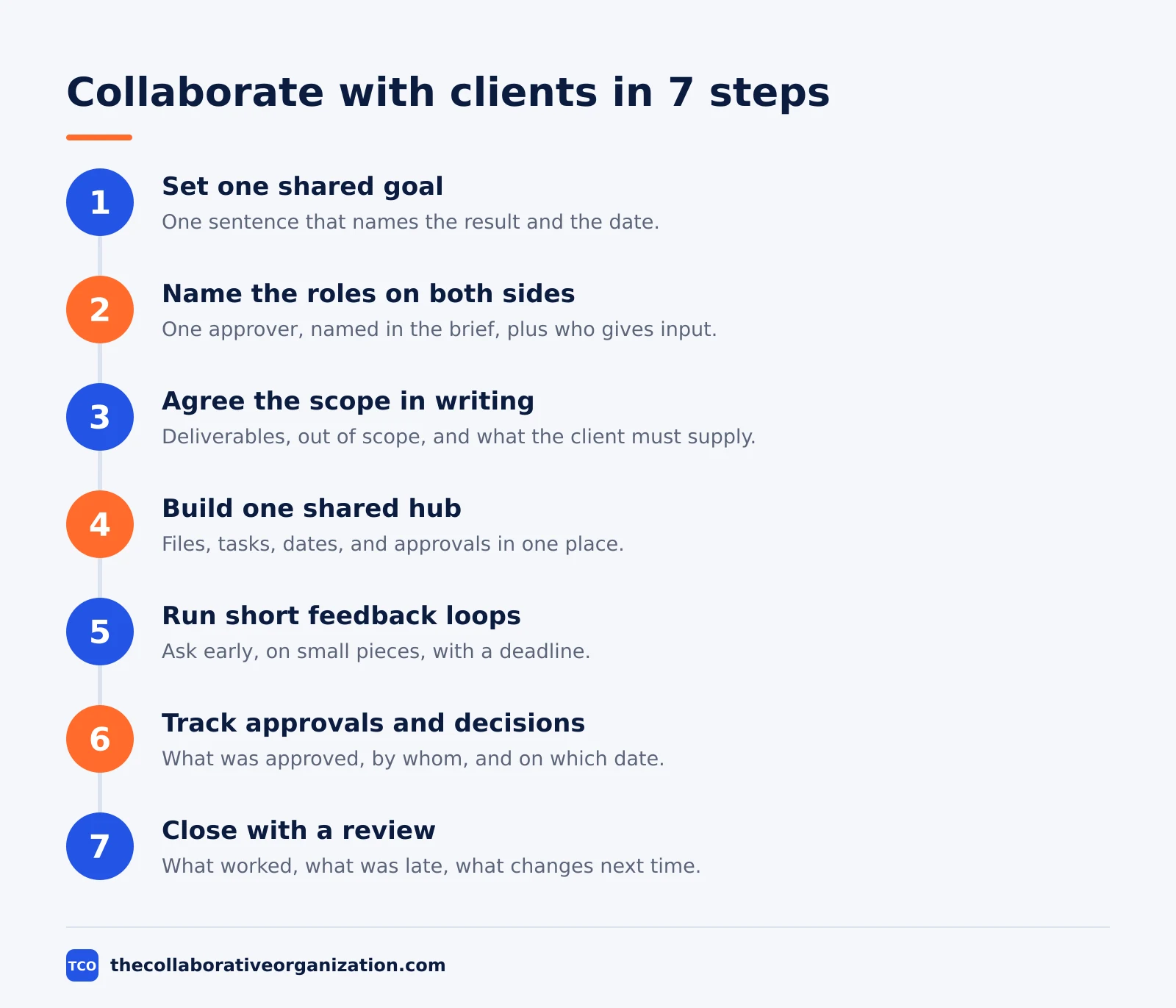
The seven steps are: set the goal, name the roles, agree the scope, build one hub, run feedback loops, track approvals, and close with a review. Each step ends with something written down. Skip a step and the missing record shows up later as a dispute about what was agreed.
Step 1: Set one shared goal
Write the goal as one sentence that names the result and the date. “Launch the new booking page by 12 December” beats “improve the website” because anyone can test it. Ask the client what success looks like in their words, then write it back to them and get a yes.
Step 2: Name the roles on both sides
List who does the work, who approves it, who gives input, and who only needs updates. A RACI chart works well here: one Accountable person per task, several Responsible people where needed. Our guide on what is a RACI matrix explains the four letters and how to build the chart in five steps.
Step 3: Agree the scope in writing
Write down every deliverable, what is out of scope, and what the client must supply and by when. Scope written after the work starts is a guess; scope written before is a contract both sides can check. Note the cost and date impact of any change, so later requests have a price attached.
Step 4: Build one shared hub
Put files, tasks, dates, and approvals in one place the client can open. ClickUp puts it plainly: share specific Docs, tasks, or views with custom permissions, so clients see what they need and nothing more. Comment-only views let clients give feedback without changing task details.
Step 5: Run short feedback loops
Ask for feedback early and often, on small pieces, instead of once at the end. A draft reviewed in week two costs an hour to fix; the same draft reviewed in week six costs a week. Set a deadline for each review round and name the questions you need answered.
Step 6: Track approvals and decisions
Keep a simple log: what was approved, by whom, and on which date. Approvals given in chat get lost; approvals logged next to the deliverable stay findable. Automate the nudge: when a deliverable is ready, the client gets a request to approve it or ask for changes.
Step 7: Close with a review
When the work ships, hold a short review with the client. Cover what worked, what was late, and what to change next time. Write the notes down and keep them with the project record. A review turns one project into a better next project.
How to set up a shared hub clients will actually use
A shared hub works when a client can open it and find three things in under a minute: what is done, what is next, and what you need from them. If they have to ask where the latest file is, the hub has failed, even if the tool is good.
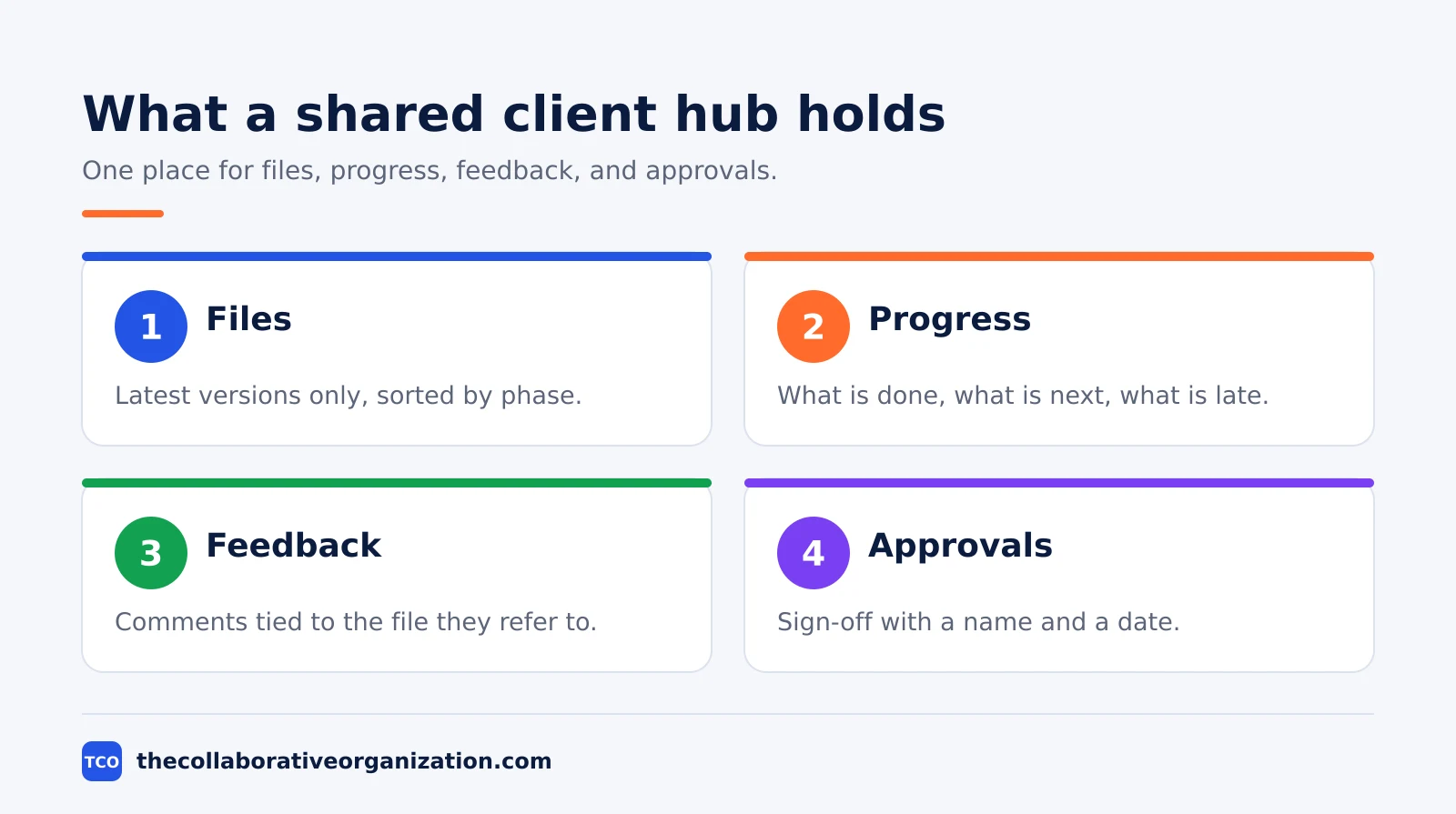
Keep the structure simple. Use one folder or project per client, with sections for work in progress, work for review, and approved finals. The Fast.io portal guide recommends exactly that split, with a separate workspace per client so files never leak between clients. Clients should know where to look without a map.
Set permissions before you invite anyone. Start with view and comment access, and add upload or edit rights only where the client needs them. Asana offers unlimited free guests on its paid plans, so clients can join without adding to your seat count, as of November 2026.
ClickUp takes a different route: paid plans include a set number of guest seats, with unlimited read-only guests.
Tell the client how to use the hub in one short message: where files for review live, how to leave a comment, and who to contact with questions. Most clients ignore a tool they were never shown. A five-minute walkthrough in the kickoff call saves weeks of email.
How to run feedback loops that end rework
A feedback loop works when it asks for input on one named deliverable, gives a deadline, and lists the exact questions to answer. Vague requests such as “let us know what you think” produce vague replies, late replies, or silence followed by a big change request at the end.
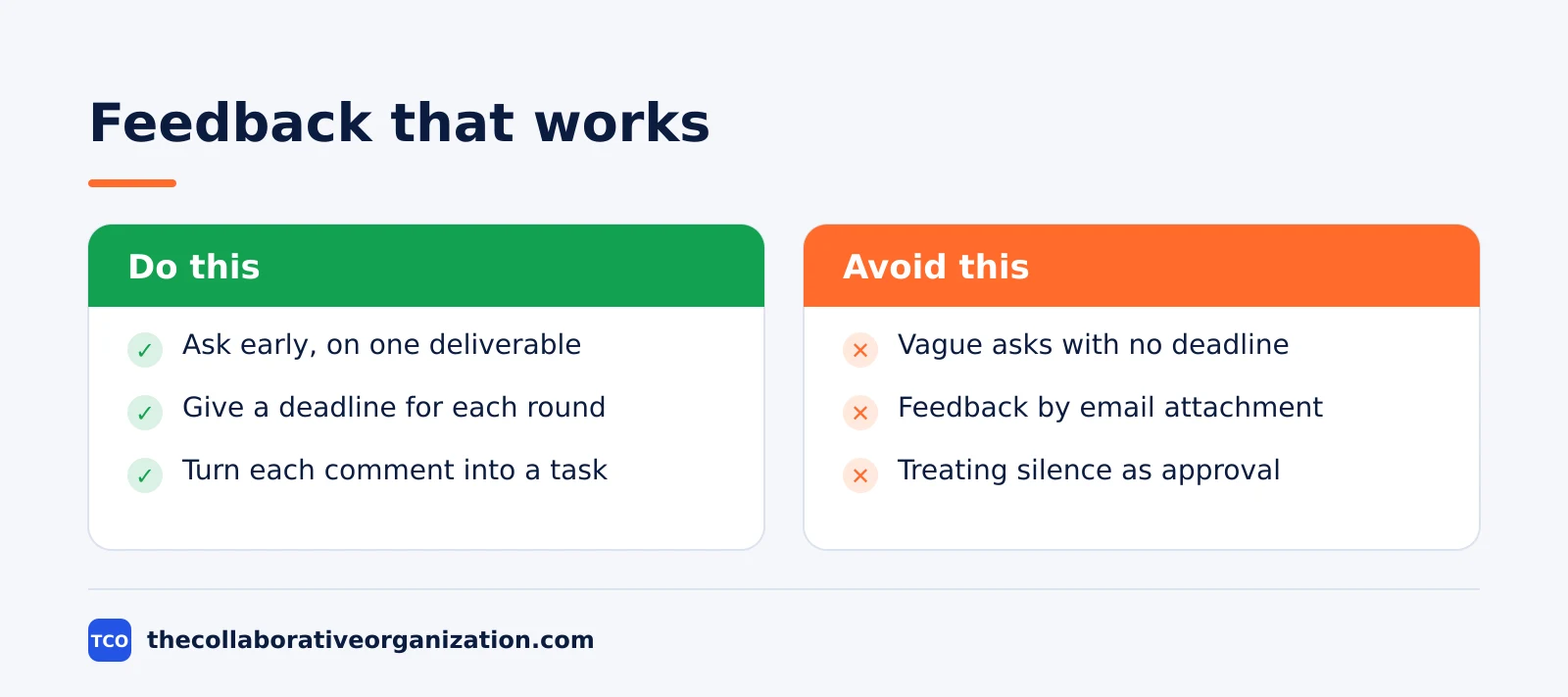
Send the work where it lives, not as an attachment in email. Comments tied to a file or task keep the context with the work, so nobody has to hunt through an inbox to find what a note referred to.
Turn each accepted comment into a task with an owner and a date, and close the loop by telling the client what changed.
Cap the number of review rounds in the scope. Two rounds is a fair default: one for direction, one for detail. A third round usually means the brief was unclear, not that the work is wrong. When a client asks for a third round, point to the scope and agree what it costs.
Watch for silence too. If a client has not viewed the files after three days, send a short nudge with the deadline. Activity logs in a portal show who viewed what and when, which turns a guess into a fact. Silence is a signal, not a yes.
Worked example: a six-week website project
A six-week website project shows how the seven steps fit together for one client and one team. This example is an illustration built from the steps above, not a report on a real project.
A design studio signs a six-week project to rebuild a client’s booking page. In week one, the studio and the client agree one goal: launch the new page by 12 December with online payment working. The client names one approver, the marketing lead, and the studio names one project lead. The scope lists four deliverables: copy, design, build, and testing.
The studio sets up one shared hub with three sections: work in progress, for review, and approved finals. The client gets comment access only. Each Friday, the studio posts a short update: what shipped, what is next, and what the client owes by Tuesday.
The client reviews the design in week two and asks for two changes, which become two tasks with dates.
In week five, the client asks to add a loyalty discount to the page. The studio points to the scope, prices the change at two extra days, and the client approves it in writing. The page launches on 12 December. The review call in week six records one lesson: start testing in week four, not week five.
How to measure whether client collaboration is working
Client collaboration is working when approvals arrive on time, rework falls, and the client can answer “where is my project?” without asking you. Track four numbers each month and the trend will tell you more than any single project review.
First, count approval time: how many days pass between sending work for review and getting a decision. If the average is over five working days, the review step is the bottleneck. Shorter, named review requests usually cut it in half.
Second, count rework: how many tasks get reopened after approval. Rework after approval points to unclear briefs, not slow work. Third, count scope changes after kickoff and their cost in days. A rising count means the scope was agreed too fast.
Fourth, ask the client one question at the end of each project: “Would you work with us again?” The answer is a rough but honest measure. ProofHub lists the same building blocks: shared visibility, structured communication, secure exchange, defined access, feedback loops, and client enablement. When those six hold, the numbers above usually follow.
Common client collaboration mistakes to avoid
Most client projects stall in the same five ways, and each one has a simple fix. Check the list below at kickoff and again at the midpoint of the project.
- No named approver. When a group approves, nobody approves. Name one person who can say yes, and write the name in the brief.
- Scope agreed by chat. Decisions made in chat vanish. Move every scope decision into the written scope and share it the same day.
- Clients shown everything. A client who sees internal drafts and half-finished notes loses trust in the finished work. Share a filtered view with deliverables, dates, and status only.
- Feedback asked too late. A review at the end of a project is a verdict, not a loop. Ask for input on drafts while changes are still cheap.
- Silence treated as approval. A client who has not replied has not agreed. Set a deadline, send a nudge, and record the answer when it comes.
Our guide on how to improve team collaboration covers the internal side of the same habits: short updates, named owners, and decisions written down.
Tools that help teams collaborate with clients
The right tool is the one your client will open without a manual, with guest access that costs you nothing extra. Compare the options on our project management software shortlist before you pick, and test the guest view yourself before you invite a client.
| Tool | Best for | Free plan | Starting price (as of November 2026) | Notable limit |
|---|---|---|---|---|
| Asana | Client projects with clear owners and approvals | Free for 2 people | $10.99 per user per month (Starter), billed annually | Free plan covers 2 people |
| ClickUp | Client hubs with Docs, tasks, and chat in one place | Free Forever plan | $9 per user per month (Core), billed annually | Guest seats limited on paid plans |
| Slack | Fast client chat and file sharing | Free plan, 90-day history | $7.25 per user per month (Pro), billed annually | Free plan keeps 90 days of history |
| monday.com | Visual client boards with phases and status | Free plan for up to 2 seats | $9 per seat per month (Basic), billed annually | Paid plans need at least 3 seats |
The Asana price comes from Asana pricing: Starter is $10.99 per user per month when billed annually, and guests are free. The ClickUp pricing page lists Core at $9 per user per month billed yearly. Slack pricing lists Pro at $7.25 per user per month billed annually, with 1:1 external messages on the free plan.
The monday.com pricing page lists Basic at $9 per seat per month billed annually.
Pick one hub and stick with it for the whole project. Clients forgive a plain tool; they do not forgive three tools with three logins. If the client already uses a tool your team knows, use theirs. The goal is shared work, not a new system.
Sources
- ClickUp - How to Build Stronger Client Collaboration Strategies (2026)
- ProofHub - What is Client Collaboration? Importance and Elements (2026)
- Fast.io - How to Set Up a Client Collaboration Portal (2026)
- Zoom - 31 Statistics About Collaboration in the Workplace in 2025 (2025)
- Pumble - Workplace Communication Statistics for 2026 (2026)
- Asana - Pricing (2026)
- ClickUp - Pricing (2026)
- Slack - Pricing (2026)
- monday.com - Pricing (2026)
Frequently asked questions
How often should you update a client during a project?
Send a short written update once a week at minimum, and more often during busy phases such as review rounds or launch week. Each update should state what is done, what is next, and what you need from the client, with a date. A fixed weekly rhythm beats long silent stretches followed by a big surprise.
What should a client kickoff meeting cover?
A kickoff should cover the goal, the scope, the deliverables, the dates, who decides what, and how feedback works. Agree on one channel for day-to-day talk and one place where files and approvals live. End the meeting by writing the decisions down and sharing them the same day, so both sides work from the same record.
How do you handle a client who keeps adding work?
Point to the written scope and name the trade-off: the new item can join the project if another item moves out or the date and budget move. Put the change in writing with its cost and date impact, and ask the client to approve it before work starts. This keeps the change visible instead of letting it pile up silently.
Should clients see your internal task board?
No. Give clients a filtered view that shows their deliverables, dates, and status, and keep internal notes, drafts, and team chat out of it. Most project tools let you share single tasks or views with guests while the rest of the workspace stays private. A clean client view builds trust without exposing unfinished work.
What is the best way to collect client feedback?
Ask for feedback on one named deliverable at a time, in the place where the work lives, with a clear deadline and a short list of questions. Comments attached to the file beat long email threads, because the context stays with the work. Turn each accepted comment into a task with an owner and a date.
Related articles

project management
How to Choose Project Management Software (2026)
Pick project management software in seven steps: define the work, count seats, price the real cost, and run a two-week pilot before you pay.
November 19, 2026 · 10 min read

project management
What Is a RACI Matrix? Definition, Roles and Examples (2026)
A RACI matrix maps who is Responsible, Accountable, Consulted and Informed for each task. Learn the four roles, how to build one, and see a worked example.
November 19, 2026 · 9 min read

project management
Daily Standup Meeting Format That Works (2026)
A daily standup is a 15-minute meeting where Developers inspect progress toward the Sprint Goal and plan the next day. Use this format to run one that ends on time.
November 19, 2026 · 10 min read