Benefits of Collaboration in the Workplace (2026) | The Collaborative Organization
By The Collaborative Organization Team · November 19, 2026 · Last verified November 19, 2026 · 9 min read

Collaboration in the workplace means people from different teams working toward one shared goal, sharing plans, and owning the result together. It is more than talking: it is joint work with a shared plan and a named owner. The payoff is real, and the research behind it is strong, from Gallup’s engagement data to Zoom’s cost figures.
Key takeaways
- Collaboration in the workplace is joint work across teams toward one shared goal, with a shared plan and a named owner.
- Gallup’s 2024 meta-analysis ties top-quartile engagement to 18% higher sales productivity and 23% higher profitability.
- Bad collaboration is expensive: Zoom and Morning Consult put it at up to $16,491 a year per manager in 2024.
- More than half of knowledge workers’ time goes to busywork, searching, and low-value tasks, which good collaboration cuts.
- The benefits arrive when collaboration is planned: one goal, one tool, one weekly sync, and written decisions.
What collaboration in the workplace means
Collaboration in the workplace is joint work across teams toward one shared goal, with shared plans and named owners. A launch that needs product, marketing, sales, and support in one plan is collaboration. Four teams running four separate plans for the same launch is not.
It works through three parts: a goal every team owns, a plan every team can see, and an owner for each piece of work. When one part is missing, the other two cannot carry the work. A shared goal with no owner becomes a wish, and a plan no one can see becomes a rumor.
A short daily check-in, like the standup in Scrum, keeps joint work visible without adding meetings. Each person states what they finished, what they will do next, and what blocks them. The whole check-in takes 15 minutes when the plan is written down first.
The benefits of collaboration in the workplace
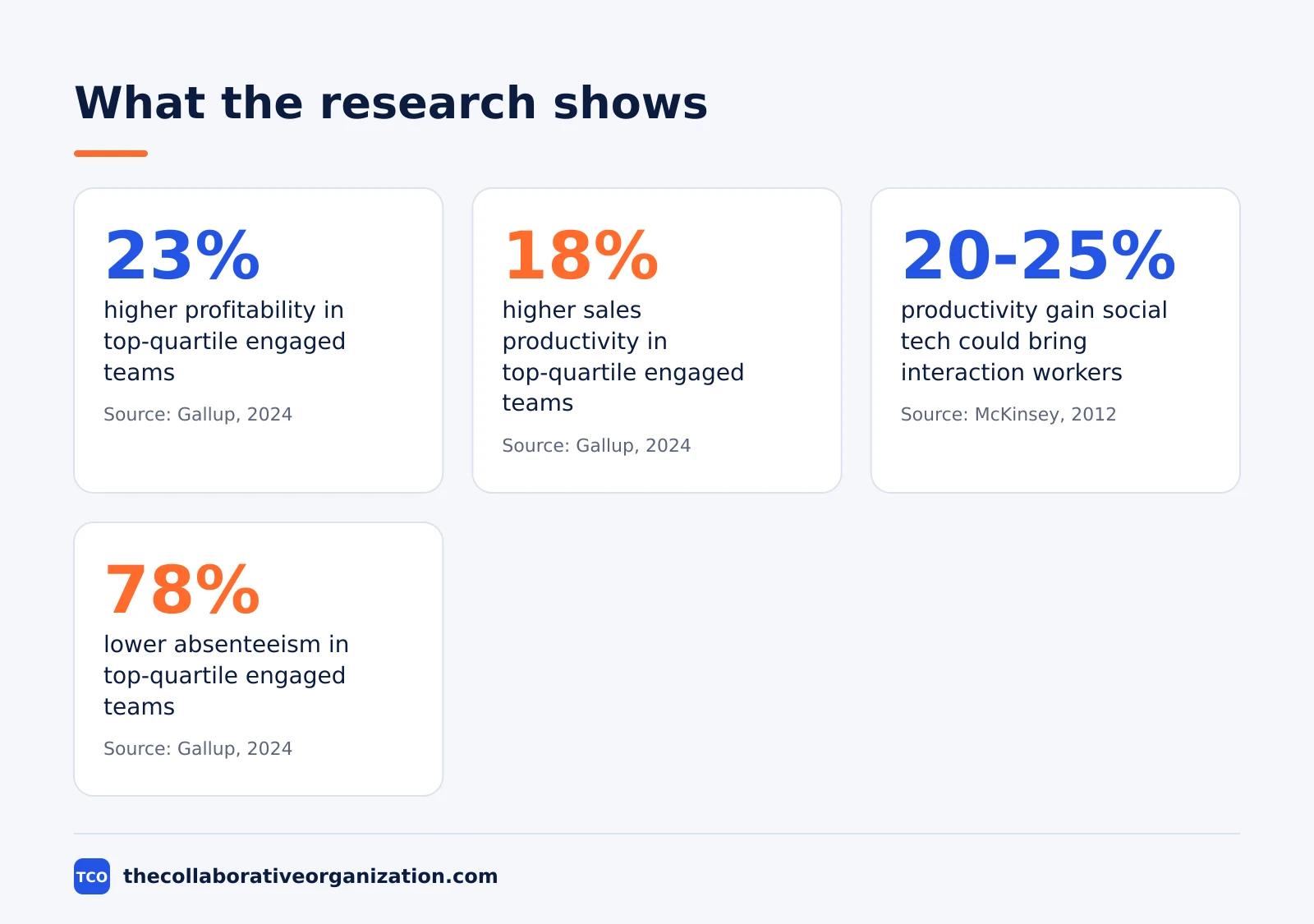
The benefits of collaboration in the workplace are higher productivity, less duplicated work, stronger engagement, and lower costs, and each one shows up in published research. The figure below shows the four strongest numbers. The sections that follow explain each benefit in turn.
Higher productivity
Engaged teams produce more. In Gallup’s 2024 meta-analysis of 183,806 business units, teams in the top quartile for engagement had 18% higher sales productivity and 14% higher production productivity than teams in the bottom quartile. The same teams also had 23% higher profitability and 78% lower absenteeism.
More time for skilled work
Joint work cuts the time spent chasing status and searching for files. Asana’s 2024 survey of 13,066 knowledge workers found busywork takes 53% of knowledge workers’ time, leaving only 47% for skilled and strategic work.
Slack’s 2024 research found the same pattern: desk workers report spending 41% of their time on low-value, repetitive tasks. That is two days a week spent on work that does not move the core job forward.
Less duplicated work
Shared plans stop two teams building the same thing. In Atlassian’s State of Teams 2025 survey, executives and teams alike said they spend 25% of the workweek searching for information, and 56% often have to ask someone or book a meeting to get it. A plan everyone can find turns that search time into work time.
Stronger engagement and retention
People stay where they feel heard and useful. Gallup’s State of the Global Workplace 2026 found only 20% of employees worldwide were engaged in 2025, and low engagement cost the world economy about $10 trillion in lost productivity. In best-practice organizations, 79% of managers were engaged, nearly four times the global average.
Lower cost of poor teamwork
Bad collaboration has a bill attached. Zoom and Morning Consult found in 2024 that over one-third of leaders spend an hour or more a day fixing bad-collaboration issues, at up to $16,491 a year per manager. For an enterprise of 1,000 people, that adds up to more than $874,000 a year.
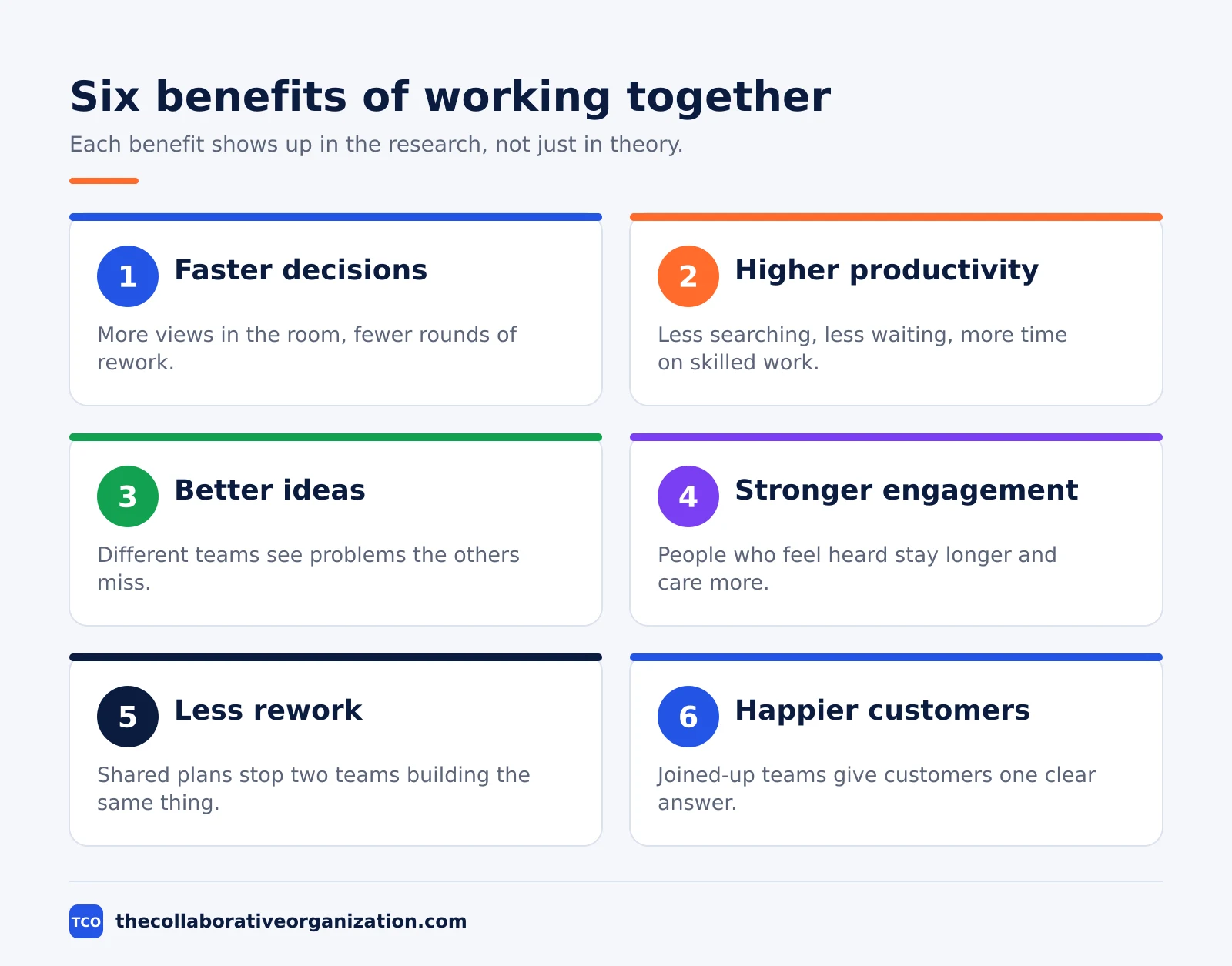
Better ideas from more views
Different teams see problems the others miss. The McKinsey Global Institute estimated in 2012 that social technologies could raise the productivity of interaction workers by 20 to 25 percent, and its full report notes that interaction workers spend about 28% of the week on email. A regular review, such as the ceremonies in agile ceremonies, gives every team a slot to share what it learned.
How collaboration works in practice
Collaboration works when five parts are in place: a shared goal, a named owner, one source of truth, a fixed rhythm, and written decisions. Miss one part and the rest wobble. The table below shows what each part does and what it looks like in a real team.
| Part | What it does | Example |
|---|---|---|
| Shared goal | Gives every team the same finish line | Cut onboarding from 14 days to 7 days |
| Named owner | Gives each workstream one person to ask | One owner per launch workstream |
| One source of truth | Stops plans living in five tools | One board with tasks, owners, and dates |
| Fixed rhythm | Replaces random meetings with one sync | A weekly 30-minute sync on Tuesdays |
| Written decisions | Stops the same choice being re-argued | Decisions logged in a shared doc |
The goal comes first, because it decides what counts as done. The owner comes second, because a goal with no owner is a wish. The shared board comes third, because a plan no one can see cannot be followed. The rhythm and the decision log keep the other three parts honest week after week.
Worked example: a support team that stopped repeating itself
A support team shows how the benefits add up in one quarter. Picture a 12-person support team at a software company. Each agent kept their own notes, so the same customer question got a different answer from each agent, and the product team never heard which questions came up most.
In month one, the team lead set one shared goal: cut repeat questions by a third in one quarter. Agents moved their notes into one shared doc, and the lead named one owner per product area. The product team joined a weekly 30-minute sync to hear the top five questions.
By month three, repeat questions had fallen by a third, because agents now gave the same answer from the same doc. The product team fixed the three most common questions in the product itself. The numbers in this example are an illustration, not a report of a real team.
When collaboration helps most, and when it hurts
Collaboration pays off when the goal needs more than one team, and it wastes time when one person could decide alone. The figure below splits the two cases. Use it as a quick check before you call a meeting or start a shared project.
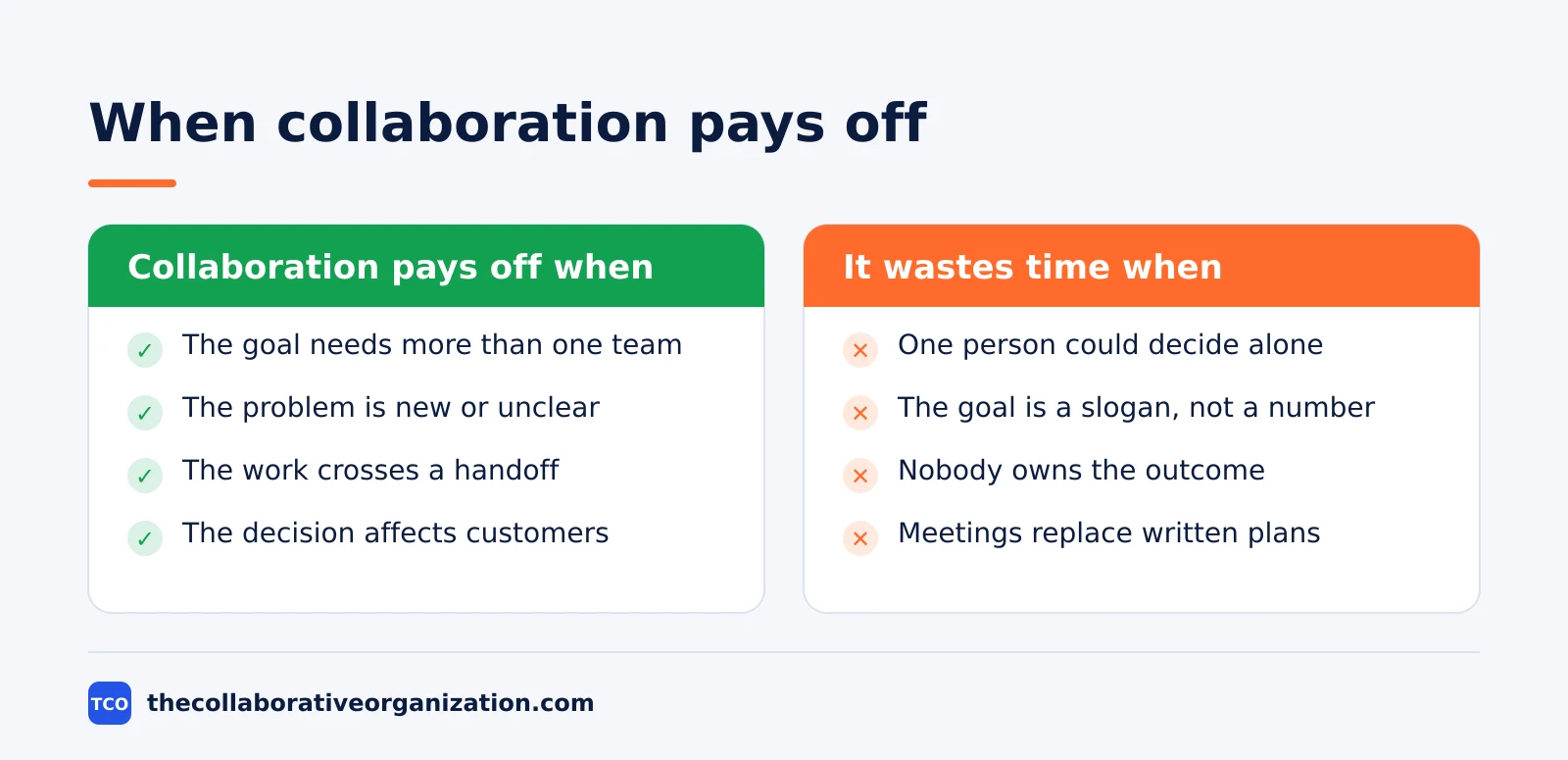
Joint work helps most when the problem is new, the decision affects customers, or the work crosses a handoff. It helps least when the goal is a slogan, nobody owns the outcome, or meetings replace written plans. In Microsoft’s 2025 Work Trend Index, 48% of employees said their work feels chaotic and fragmented.
The test is simple: if the meeting ends without a written decision and a named owner, it was not collaboration. It was a conversation. Conversations have their place, but they do not move joint work forward.
How to get the benefits without adding meetings
Start with one team, one shared doc, and one weekly sync, then add tools only where work starts to wait. Our guide on how to choose team communication software covers channels, threads, and free-plan limits for small teams.
Give each project a channel in Slack, so questions and answers stay where the next person can find them. A channel per project beats a dozen direct messages, because the decision stays visible to the whole team.
Track tasks and owners in Asana, so the plan lives next to the conversation instead of in a separate spreadsheet. When a task moves, the owner and the date move with it, and no one has to ask for status.
Hold live calls in Microsoft Teams only when a decision needs a live discussion. Record the decision in the shared doc right after the call, so people who missed it can catch up in five minutes.
Compare chat and meeting tools on our team communication software shortlist before you buy seats for the whole company. The cheapest tool that every team will open each day beats the richest tool that half the team ignores.
Collaboration vs coordination: a common mix-up
Collaboration is joint work toward one goal, while coordination is lining up separate work so it fits together. Coordination keeps trains on time; collaboration builds the railway. Both matter, but they need different habits.
A team that only coordinates will run smooth handoffs and still ship a product no one wanted. A team that only collaborates will agree on big ideas and miss every date, because no one lined up the steps. Strong teams do both: they agree on the goal together, then they coordinate the steps in a shared plan.
Common collaboration mistakes to avoid
Most collaboration fails in the same five ways, and all five are easy to spot in a review. Run through the list below each time a project changes hands.
- Meetings with no written decision. If the meeting ends without a decision and a named owner, the same meeting happens again next week.
- A shared goal no one can repeat. When each team states the goal differently, the teams are working on different projects.
- Plans hidden in private chats. Work that lives in direct messages cannot be found by the next person who needs it.
- Too many helpers, no owner. Ten people giving input and no one owning the outcome means the outcome waits for everyone.
- Tools added before habits. A new tool cannot fix a missing goal, a missing owner, or a missing decision log.
Sources
- Gallup - Employee Engagement and Productivity (2024)
- Gallup - State of the Global Workplace 2026 (2026)
- Asana - The State of Work Innovation 2024 (2024)
- Atlassian - State of Teams 2025 (2025)
- Zoom - Global Collaboration in the Workplace (2024)
- McKinsey Global Institute - The Social Economy (2012)
- Microsoft - Breaking Down the Infinite Workday (2025)
- Slack - New Slack Research Shows Accelerating AI Use at Work (2024)
- Harvard Business Review - Collaborative Overload (2016)
- Asana - Pricing (2026)
Frequently asked questions
What are the main benefits of collaboration in the workplace?
The main benefits are higher productivity, faster decisions, less duplicated work, stronger engagement, and lower costs from fixing bad teamwork. Gallup ties top-quartile engagement to 23% higher profitability, and Zoom puts bad collaboration at up to $16,491 a year per manager. The gains come from shared plans and named owners, not from more meetings.
Does collaboration really increase productivity?
Yes, when it is organized around a shared goal and a named owner. Gallup's 2024 meta-analysis of 183,806 business units found top-quartile engagement teams had 18% higher sales productivity and 23% higher profitability than bottom-quartile teams. Unplanned collaboration has the opposite effect, because it fills the day with meetings and messages.
What is the difference between collaboration and teamwork?
Teamwork is people in one team working together, while collaboration is people across teams working toward one shared goal. A sales team hitting its own target is teamwork. Sales, product, and support shipping one launch together is collaboration. Collaboration needs shared plans and handoffs, which teamwork inside one team does not.
Can too much collaboration hurt productivity?
Yes. Harvard Business Review found in 2016 that collaborative work had grown by 50% or more over two decades, and that at many companies people spend about 80% of their time in meetings or answering requests. The fix is to plan collaboration: one shared goal, one weekly sync, written decisions, and the rest handled in a shared tool.
How can a small team get the benefits of collaboration?
Start with one shared goal, one shared board, and one weekly 30-minute sync. A team of five does not need new software: a shared doc for decisions and a short daily check-in are enough. Add a chat tool and a task board only when work starts to wait between people, and keep every meeting tied to a written decision.
Related articles

project management
How to Choose Project Management Software (2026)
Pick project management software in seven steps: define the work, count seats, price the real cost, and run a two-week pilot before you pay.
November 19, 2026 · 10 min read

project management
What Is a RACI Matrix? Definition, Roles and Examples (2026)
A RACI matrix maps who is Responsible, Accountable, Consulted and Informed for each task. Learn the four roles, how to build one, and see a worked example.
November 19, 2026 · 9 min read

project management
Daily Standup Meeting Format That Works (2026)
A daily standup is a 15-minute meeting where Developers inspect progress toward the Sprint Goal and plan the next day. Use this format to run one that ends on time.
November 19, 2026 · 10 min read