Asana Goals Explained: Objectives, Key Results and Tracking (2026) | The Collaborative Organization
By The Collaborative Organization Team · November 19, 2026 · Last verified November 19, 2026 · 11 min read

Asana Goals are measurable objectives that connect tasks and projects to company targets, with progress that updates as the work gets done. You set them from the Goals tab in the sidebar of Asana. Each goal has one owner, a time period, and a progress measure, so the team can see whether the work is moving the number that matters.
Key takeaways
- Asana Goals are measurable objectives with one owner, a time period, and a progress measure.
- Goals come in three types: Objectives, Key results, and Individual goals.
- Progress updates by hand or automatically from sub-goals, projects, or tasks.
- Sub-goals break a big objective into smaller targets that feed the parent goal.
- Goals are an Advanced feature as of November 2026, at $24.99 per user per month billed annually.
What Asana Goals are and how they work
Asana Goals are measurable objectives that sit above projects and tasks, so the team can see how daily work connects to company targets. A goal names an outcome, such as a revenue number or a satisfaction score, and tracks progress toward it. Projects and tasks are the work that moves the number; the goal is the number itself.
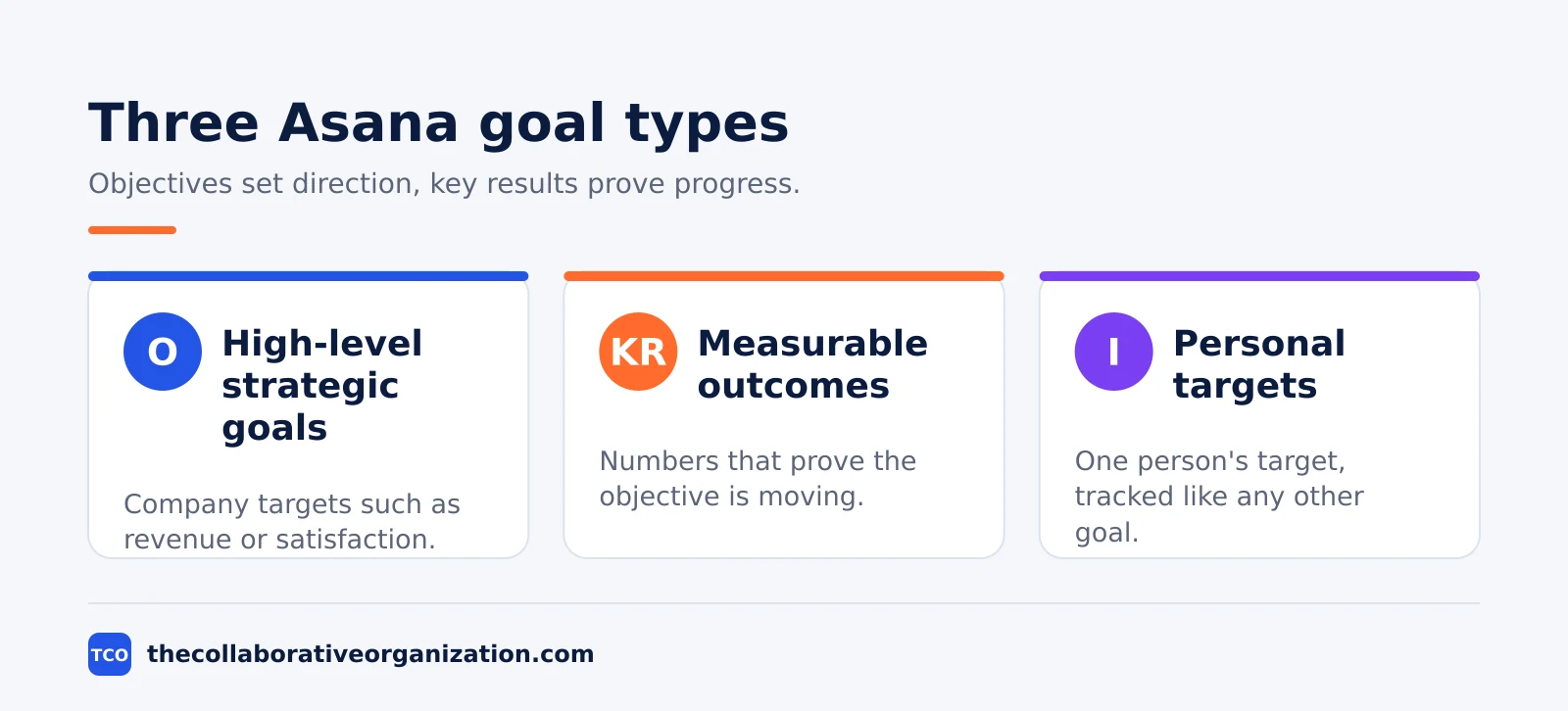
Goals come in three types, and each one plays a different part. Objectives set the direction, key results prove the objective is moving, and individual goals give one person a target of their own. The table below sums up the three types.
| Goal type | What it is | Example | Who owns it |
|---|---|---|---|
| Objective | High-level strategic goal for the whole company | Grow new-customer revenue by 25% in Q1 | A team lead or executive |
| Key result | Measurable outcome that supports an objective | Sign 40 new customers in Q1 | The person doing the work |
| Individual goal | Personal target for one team member | Complete 10 customer calls per week | That team member |
Every goal measures progress in one of two ways. Manual measurement means the owner updates the number by hand. Automatic measurement means Asana calculates progress from the work linked to the goal, such as sub-goals, projects, or tasks that finish. The Asana Goals help page describes both options, and automatic updates suit goals that change every week.
Progress itself is measured as a percentage, a numeric total, or a currency total. A percentage suits a target such as 90% on-time delivery. A numeric total suits a count, such as 40 new customers.
A currency total suits a money target, such as $100,000 in new revenue. One OKR guide lists the same three measure types for Asana Goals.
Goals matter because most teams cannot see the target. Asana’s Anatomy of Work Index found that just 43% of respondents are clear on their company’s objectives for the year, and only 46% are clear on how their work adds value. Goals close that gap by putting the target and the work in one place.
Our Asana statistics guide has the full set of figures from the study.
How to set up Asana Goals in 5 steps
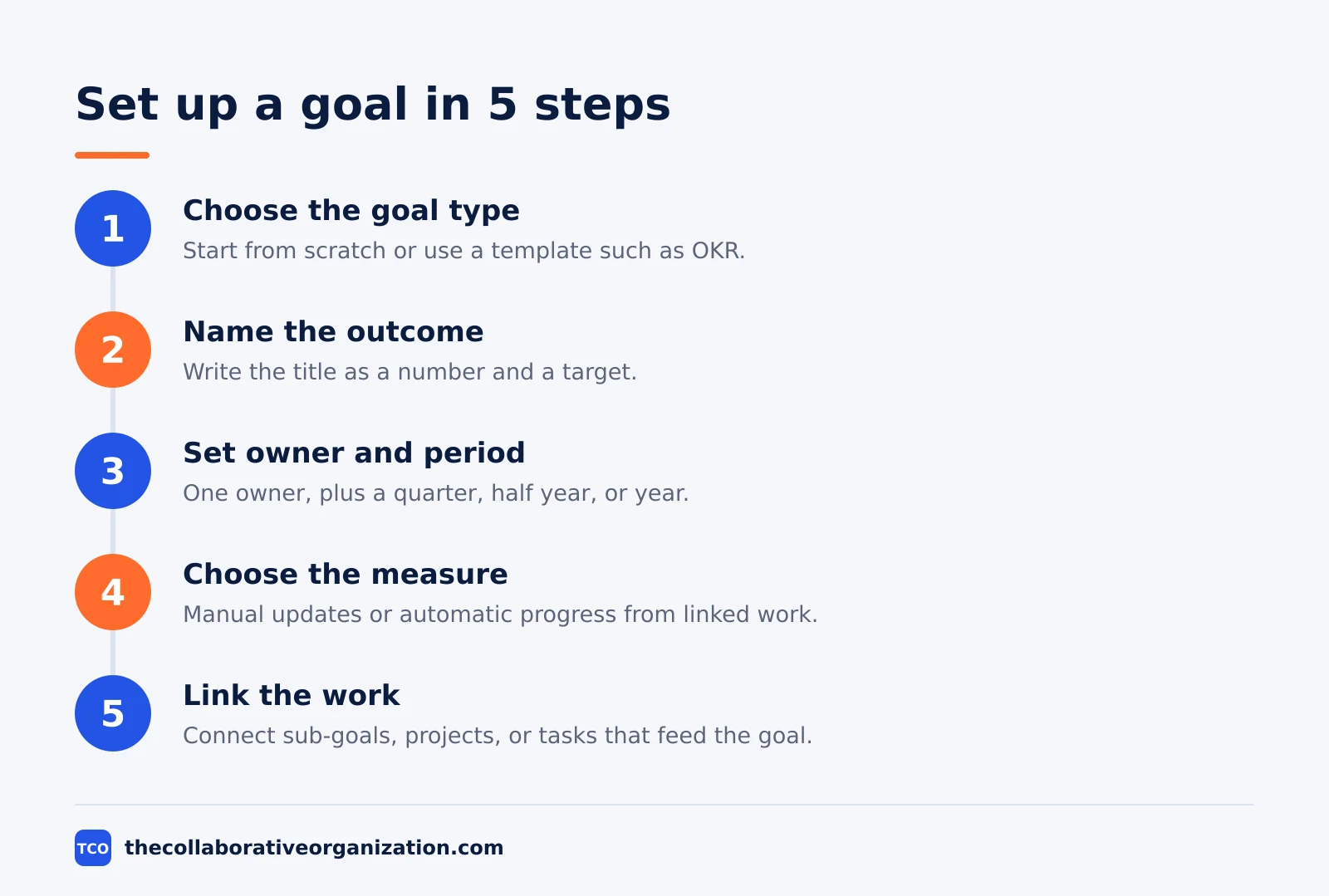
Setting up a goal takes five moves: pick the type, name the outcome, set the owner and time period, choose how progress is measured, and link the work that feeds it. Start with the company objective, then add key results under it. If the team is new to the tool, our guide on how to use Asana covers the basics.
Step 1: Choose the goal type
Open the Goals tab in the sidebar and click Create goal. Pick Start from scratch for a custom goal, or Use a template for a common type such as an OKR or a quarterly target. The type sets what the goal measures, so choose it before you write the title.
Step 2: Name the outcome and set the owner
Write the title as the outcome, not the activity. Asana’s help page gives the example ‘Increase customer satisfaction score to 4.5/5’, which names a number and a target. Then assign one owner, who is responsible for updating the goal and reporting on it. One owner keeps the goal from drifting when several teams touch the work.
Step 3: Set the time period and privacy
Set the time period to a quarter, a half year, or a full year. A goal without a date has no deadline, so the team cannot tell if it is late. Then set privacy: public to the organization means everyone can see the goal, while private means only the owner and members see it.
Step 4: Choose how progress is measured
Pick manual or automatic measurement. Manual means the owner updates the number by hand, which suits goals that change slowly. Automatic means Asana works the number out from linked sub-goals, projects, or tasks, which suits goals that move every week. Click Edit progress settings to pick the source and the measure type.
Step 5: Link the work and post the first update
Connect the sub-goals, projects, or tasks that feed the goal, so progress moves when the work moves. Then post the first status update, with the current number and one line on what happens next. A goal with no update in its first week is easy to forget, so set the update habit on day one.
Company goals, team goals and sub-goals
Goals stack in three layers: company goals set the direction, team goals support them, and sub-goals break the work into measurable pieces. A team goal can connect to a company goal as its parent, so its progress feeds the company number. The stack stays useful only while each layer has one owner and one number.
To add a sub-goal, open the main goal and click + Connect a sub-goal, then set it up with its own measure and timeline. Each sub-goal can have its own sub-goals, so a company objective can break down into team targets and then into single metrics. The Asana Goals help page shows the same hierarchy.
Keep the stack shallow. Two or three layers are enough for most teams: one company objective, a few team goals under it, and a few key results under each team goal. A stack five layers deep is hard to read, and the numbers at the bottom stop meaning much to the people at the top.
Asana Goals for OKRs: a worked example
OKRs map onto Asana Goals without extra setup: the objective becomes a goal, and each key result becomes a sub-goal. OKR stands for Objectives and Key Results, a method where each objective has a few measurable results that prove it was met. The example below is an illustration, not a real company plan.
| Level | Goal | Measure | Target |
|---|---|---|---|
| Company objective | Grow new-customer revenue | Currency total | $100,000 in Q1 |
| Key result 1 | Sign new customers | Numeric total | 40 new customers |
| Key result 2 | Raise average deal size | Currency total | $2,500 per deal |
| Key result 3 | Shorten the sales cycle | Numeric total | 30 days or less |
Progress rolls up from the bottom. When the team signs 20 of the 40 customers, the first key result sits at 50%, and the parent objective moves with it. That roll-up is the point of automatic measurement: no one has to type the company number by hand, because the key results feed it.
One OKR guide notes that weights let some sub-goals count more toward the parent goal than others, so a key result that matters twice as much can count twice as much. Set the weights when you create the sub-goals, not after the quarter is half gone.
When to use Asana Goals, and when not to
Use Asana Goals when the team needs to see how daily work connects to a number the company cares about. They fit quarterly planning, team targets that roll up to a company objective, and any goal whose progress changes as tasks finish. The link between the goal and the work is what makes them worth the setup.
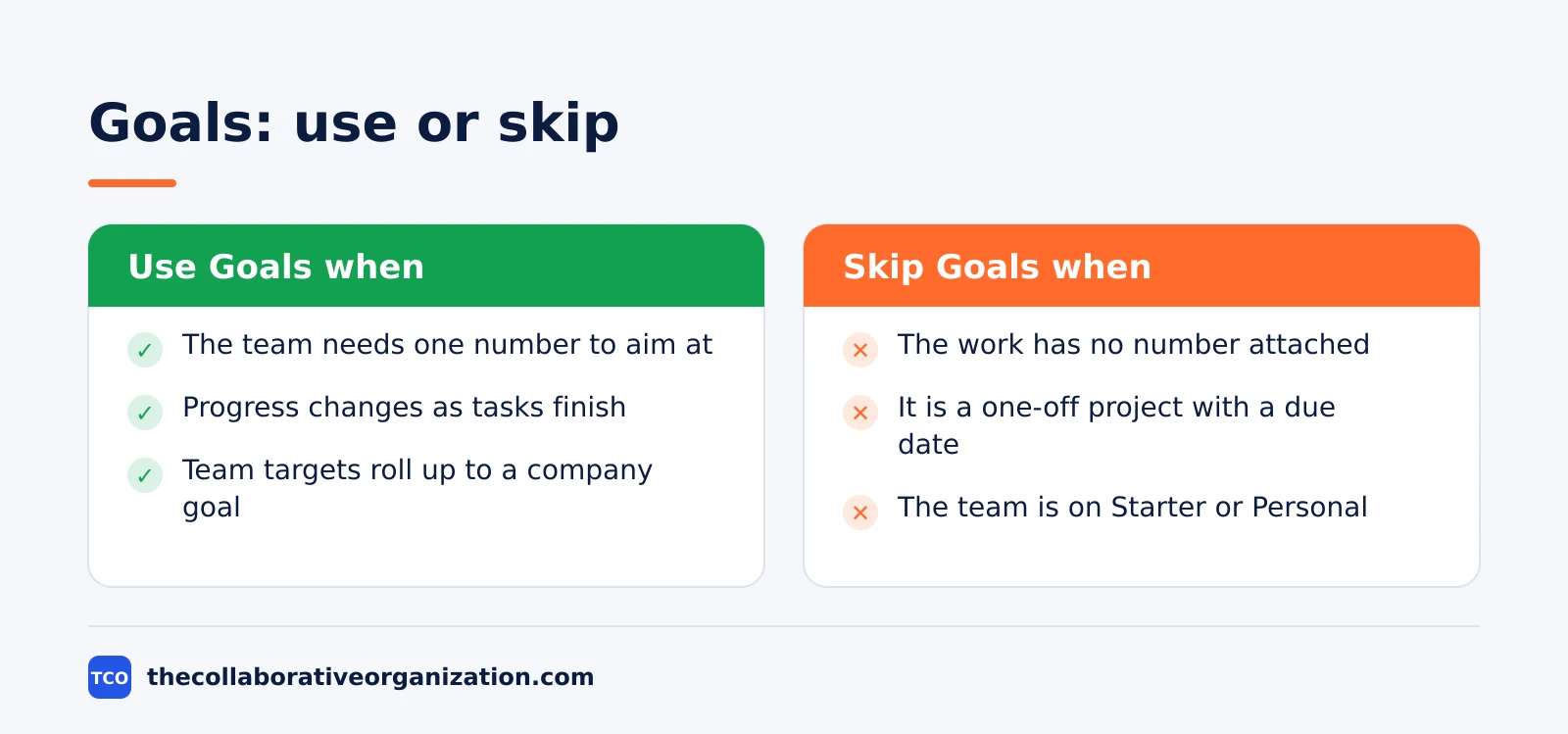
Skip Goals when the work has no number attached to it. A one-off project with a due date needs a timeline, not a goal. A personal to-do list needs My Tasks, not a goal. Goals also need the Advanced plan, so a team on Starter or Personal cannot use them at all.
Goals sit on the Advanced plan, which costs $24.99 per user per month billed annually as of November 2026 ($30.49 billed monthly). Starter at $10.99 does not include Goals, so a team that wants them must move up a plan. Check the Asana pricing page before you commit, since prices change.
Asana Goals vs tasks, projects and portfolios
Goals, tasks, projects, and portfolios answer different questions, and mixing them up is the most common source of confusion. A task is one piece of work with an owner and a due date. A project groups tasks toward one outcome. A portfolio groups projects. A goal is the number the projects are meant to move.
| Item | Answers | Example | Lives in |
|---|---|---|---|
| Task | Who does what, by when | Draft the pricing page | A project |
| Project | What work delivers the outcome | Website relaunch | A portfolio |
| Portfolio | How a set of projects is doing | All Q1 marketing projects | The sidebar |
| Goal | Whether the number is moving | $100,000 new revenue in Q1 | The Goals tab |
The mix-up to avoid is treating a project as a goal. Finishing a project does not mean the goal is met: the website can launch on time while revenue stays flat. Link the project to the goal, and let the goal’s number say whether the work did its job. Asana portfolios track project health, while goals track outcomes.
Common Asana Goals mistakes to avoid
Most goals fail in the same five ways, and all five are easy to spot in a review. Run through the list below each time a goal is created, and fix the weak ones before the quarter starts.
- A goal with no number. “Grow revenue” is a wish, not a goal. Add a measure and a target, such as $100,000 in new revenue by the end of Q1.
- Too many goals. Ten company goals mean no goal is the priority. Pick three at most, and let the rest wait for next quarter.
- No owner. A goal owned by a team is owned by no one. Name one person who updates the number and reports on it.
- Goals with no linked work. A goal that is not linked to sub-goals, projects, or tasks never updates on its own. Link the work when you create the goal.
- Goals that are never reviewed. A goal checked once a quarter is a poster, not a tool. Review it weekly and post a status update with the current number.
Tools with goal tracking
Asana is the natural pick if the team already works there, but other tools track goals too. Compare starting prices as of November 2026, and check the vendor page before you buy, since prices change. Our project management software shortlist compares the full set of tools side by side.
| Tool | Best for | Free plan | Starting price (as of November 2026) | Goal tracking |
|---|---|---|---|---|
| Asana | Teams that link work to company targets | Free for 2 people | $24.99 per user per month (Advanced), billed annually | Goals with sub-goals and automatic progress |
| ClickUp | Teams that want goals on the entry plan | Free Forever plan | $9 per user per month (Core), billed annually | Goals included in Core |
| Trello | Small teams that track simple targets | Free for up to 10 collaborators | $5 per user per month (Standard), billed annually | Track targets as cards |
| Todoist | People who track personal targets | Free Beginner plan | $5 per user per month (Pro), billed annually | Track targets as tasks |
The Asana price comes from the Asana pricing page: Goals sit on Advanced at $24.99 per user per month billed annually.
ClickUp lists Goals in its Core plan at $9 per user per month billed yearly on its pricing page, shown against a $12 regular price, so the $9 rate may be a promotion.
Trello lists Standard at $5 per user per month billed annually on its pricing page, with Premium at $10 for the same billing term.
Todoist lists Pro at $5 per month billed yearly on its pricing page. Most guides checked in November 2026 reported Pro at $4, so confirm the price before you buy.
Sources
- Asana - Asana Goals: set and track measurable objectives (2026)
- Asana - Pricing (2026)
- Asana - How Work About Work Gets in the Way of Real Work (2026)
- Asana - The Way We Work Isn’t Working (2026)
- Mooncamp - Asana Goals: How to use Asana for OKRs (2026)
- ClickUp - Pricing (2026)
- Trello - Pricing (2026)
- Todoist - Pricing (2026)
Frequently asked questions
Are Asana Goals free?
No. Goals are an Advanced feature as of November 2026, so the free Personal plan and Starter do not include them. Advanced costs $24.99 per user per month billed annually, or $30.49 billed monthly. A team on Starter that wants Goals must move up to Advanced, so check the plan list before you build a goal system.
What is the difference between a goal and a project in Asana?
A goal is the number you want to move, such as $100,000 in new revenue, while a project is the work that moves it, such as a website relaunch. A project ends when its tasks are done, but a goal ends when the number hits its target. Link projects to goals so progress on the work feeds the goal number.
How does Asana measure goal progress automatically?
Asana calculates progress from the work linked to the goal, such as sub-goals, projects, or tasks that finish. When a linked task is done or a sub-goal moves, the parent goal updates without anyone typing a number. You can also measure a goal by hand, which suits targets that change slowly or sit outside Asana.
Can I use Asana Goals for OKRs?
Yes. Map each objective to a goal and each key result to a sub-goal under it, then set a percentage, numeric, or currency measure on each one. Progress rolls up from the key results to the objective automatically. One OKR guide notes that sub-goal weights let some key results count more than others toward the parent goal.
How many sub-goals can an Asana goal have?
Asana does not publish a sub-goal limit on its Goals help page, so treat the hierarchy as flexible but shallow. Two or three layers are enough for most teams: one company objective, a few team goals under it, and a few key results under each team goal. A stack five layers deep is hard to read and harder to keep current.
Related articles

project management
How to Choose Project Management Software (2026)
Pick project management software in seven steps: define the work, count seats, price the real cost, and run a two-week pilot before you pay.
November 19, 2026 · 10 min read

project management
What Is a RACI Matrix? Definition, Roles and Examples (2026)
A RACI matrix maps who is Responsible, Accountable, Consulted and Informed for each task. Learn the four roles, how to build one, and see a worked example.
November 19, 2026 · 9 min read

project management
Daily Standup Meeting Format That Works (2026)
A daily standup is a 15-minute meeting where Developers inspect progress toward the Sprint Goal and plan the next day. Use this format to run one that ends on time.
November 19, 2026 · 10 min read