What Is Kanban? Definition, Principles and Examples (2026) | The Collaborative Organization
By The Collaborative Organization Team · November 19, 2026 · Last verified November 19, 2026 · 13 min read
Kanban is a workflow method that makes work visible, limits how much work is in progress at once, and improves how work flows from request to delivery. Teams use a board to show every item, pull the next item only when they have capacity, and fix the bottlenecks the board reveals.
Key takeaways
- Kanban is a method for managing work by visualizing the workflow, limiting work in progress, and managing flow.
- The word kanban is Japanese for sign or signboard, and the method began at Toyota in the late 1940s.
- Kanban has six general practices: visualize, limit work in progress, manage flow, make policies explicit, use feedback loops, and improve collaboratively.
- A WIP limit caps how many items can sit in one workflow stage at a time, and a full column means finish work before starting more.
- Kanban runs as a continuous flow with no sprints and no required roles, which sets it apart from Scrum.
- Cycle time, lead time, and throughput are the three flow measures Kanban teams watch most.
What is Kanban?
Kanban is a method for managing knowledge work by visualizing the workflow, limiting work in progress, and actively managing the flow of work items from start to finish. Work is pulled into a stage only when there is capacity for it, instead of being pushed in by a plan or a manager.
Atlassian defines it in similar terms: Kanban is a visual workflow management method that allows teams to optimize and continuously improve the delivery of work by visualizing tasks, limiting work in progress, and focusing on flow efficiency. The emphasis sits on flow, not on speed for its own sake.
The method has three parts that work together. First, the team makes all work visible on a board. Second, the team caps how much work can be in progress at once. Third, the team reviews the board on a regular basis and changes the process in small steps.
Kanban is not a fixed process to install. The official guide from Kanban University states that the method is not a methodology or a process framework, but an approach applied to the way a team already works. That is why teams can start with their current process and change it from there.
How Kanban works
Kanban works as a pull system: work moves forward only when the next stage has room for it. A card starts in the backlog, moves into the active columns when someone picks it up, and reaches Done when it meets the team’s finish rule.
The flow starts with a board that matches the real workflow. Atlassian lists the basic moves: map the workflow on a board, represent each task as a card, move work through each stage, set WIP limits to keep work flowing, and use the board to spot bottlenecks and improve over time.
Each card carries the facts the team needs: what the work is, who owns it, and where it stands. As cards move left to right, everyone sees the same picture of priorities, progress, and stuck work without asking for a status update.
The pull rule is what turns a board into Kanban. When a column is full, the team helps finish the work in it instead of starting something new. That single rule keeps the queue short and makes delays visible fast.
The six Kanban practices
Kanban has six general practices, and a team that follows all six is running the method, not just using a board. Kanban University lists them as the core practices of the method, and each one answers a different need.
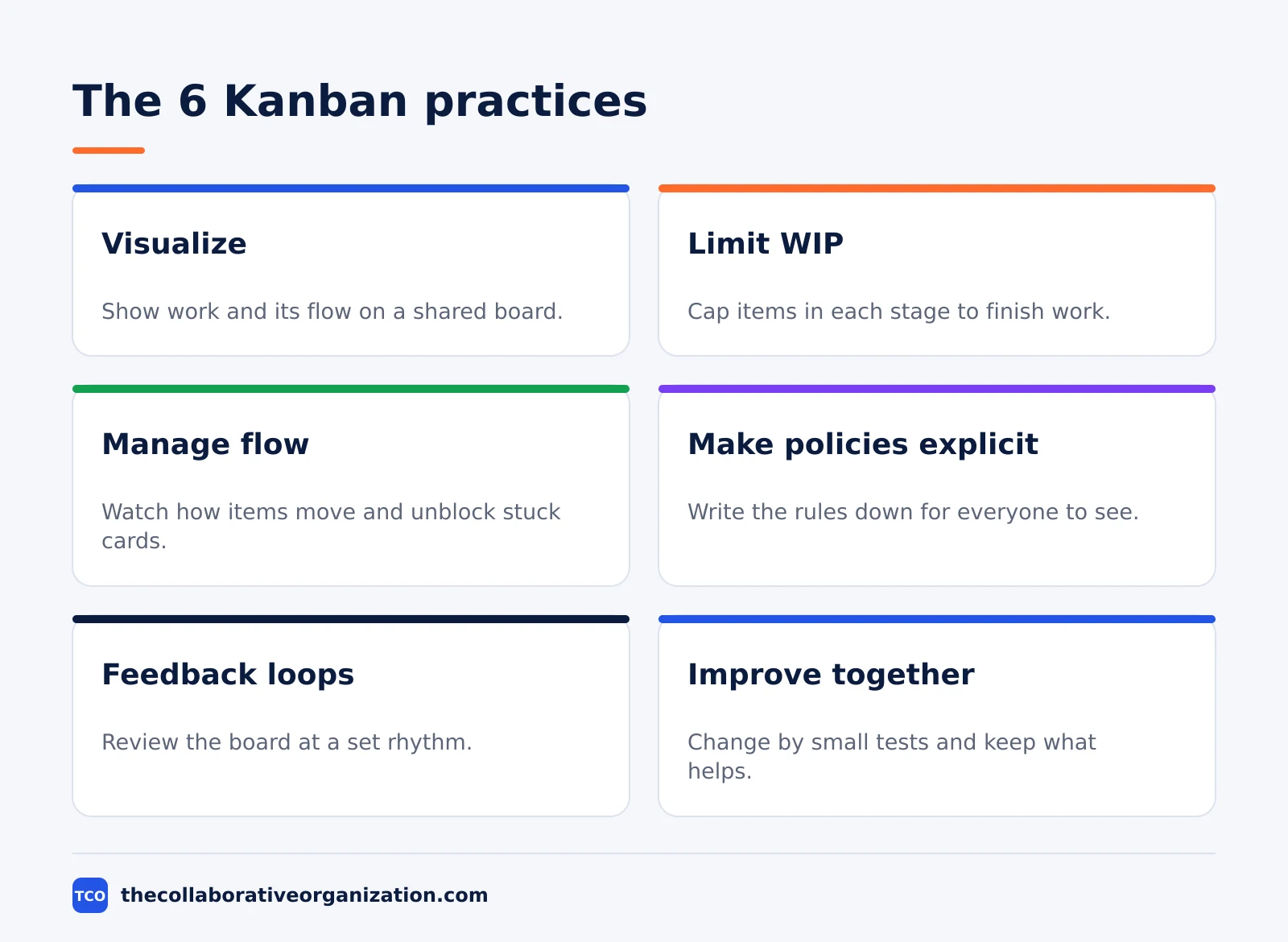
| Practice | What it means | What it looks like on a team |
|---|---|---|
| Visualize | Show work and its flow | Every item is a card on a shared board |
| Limit work in progress | Cap items in each stage | A number above each active column |
| Manage flow | Watch how items move | Unblock stuck cards and cut waiting time |
| Make policies explicit | Write the rules down | A visible “definition of done” for each column |
| Implement feedback loops | Review at a set rhythm | Daily board review and regular delivery review |
| Improve collaboratively | Change by small tests | One change at a time, kept only if flow improves |
The practices come from the official guide to the method, which Kanban University publishes as the reference for the six practices and the principles behind them. The three change principles sit above the practices: start with what you do now, agree to pursue improvement through evolutionary change, and encourage acts of leadership at every level.
Two practices do most of the work. Visualization makes problems visible, and WIP limits force the team to act on what it sees. The other four practices keep those two honest: written policies stop arguments about when work is done, feedback loops create a time to act, and small tests keep change safe.
Where Kanban came from
Kanban began at Toyota in the late 1940s, as a way to make only what the next step had used, only when it was needed. The idea came from American supermarkets, where shelves were restocked based on what customers had actually taken.
Taiichi Ohno, a Toyota engineer, built the supermarket idea into a production system. A later process sent a card back to the earlier process when it needed more parts, and the earlier process made only what the card asked for. The card was the kanban, Japanese for sign or signboard.
The system grew step by step. Toyota put its first supermarket in its main plant machine shop in 1953, and the method reached full use across all Toyota plants in 1963. Ohno wrote the story up in his book on the Toyota Production System, first published in Japan in May 1978.
Kanban reached knowledge work in the 2000s. David J. Anderson applied a pull system to a Microsoft team in 2004, then to Corbis from 2006, and published the method for technology work in his 2010 book.
The history is set out in detail in the Rework history of Kanban, which dates the first shop-floor test to 1953 and full adoption to 1963.
Kanban boards and cards
A kanban board is the visualization of a team’s workflow: columns for stages, cards for work items, and numbers for WIP limits. Cards move left to right as work progresses, and the board shows the whole system at a glance.
Atlassian lists five components that David Anderson set out for a board: visual signals, columns, work-in-progress limits, a commitment point, and a delivery point. The commitment point is the moment the team picks up an idea and starts work on it. The delivery point is the end of the workflow, when the product or service reaches the customer.
Cards are the visual signals. Teams write all work items onto cards, usually one per card, and each card can hold the task, owner, priority, due date, and links. For agile teams, each card often holds one user story, so the board shows real work, not vague themes.
Columns are the workflow stages, from simple sets like To Do, In Progress, and Done to longer chains with Review and Test. Swimlanes can split the board by team, type of work, or priority, so one board can show several streams without hiding any of them.
WIP limits: the rule that makes Kanban work
A WIP limit is the maximum number of work items allowed in a workflow stage at one time, and it is the rule that turns a board into a pull system. When a column hits its limit, nobody pulls new work into it until something moves forward.
Atlassian gives a plain example: a column with a WIP limit of 3 cannot hold more than 3 cards, and when it is full the team swarms on those cards to move them forward. The limit gives an early warning that the team committed to too much work.
Limits improve flow in three ways. They cut context switching, because each person finishes one item before starting the next. They expose bottlenecks, because a full column shows where work piles up. They also create a habit of finishing, because the team cannot hide unfinished work behind new starts.
A good first limit is one or two items per person in the active columns. Atlassian suggests setting limits after watching the average number of items in each stage for a few weeks, then adjusting. A limit that the team keeps raising just to avoid hitting it is not a limit at all.
Kanban metrics: cycle time, lead time, and throughput
Kanban teams measure flow with three numbers: cycle time, lead time, and throughput. Together they show how fast work moves, how long customers wait, and how much the team finishes.
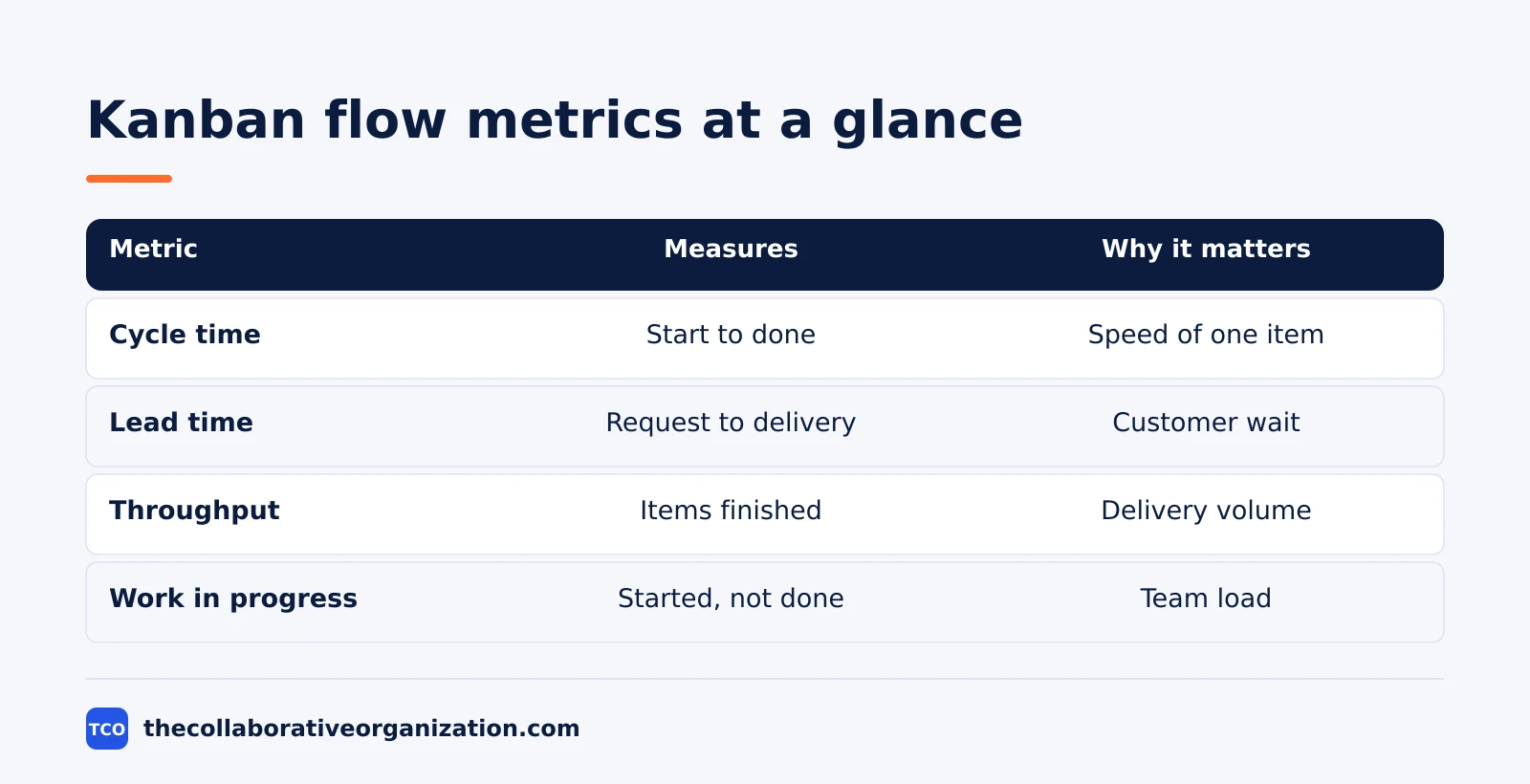
| Metric | What it measures | Why it matters |
|---|---|---|
| Cycle time | Time from work start to work done | Shows how fast one item moves through the system |
| Lead time | Time from commitment point to delivery point | Shows how long a customer waits from request to delivery |
| Throughput | Items finished per week or month | Shows how much the team delivers over time |
| Work in progress | Items started but not finished | Shows how much the team carries at once |
Cycle time is the measure Atlassian highlights most: it is the time work takes to move through the workflow, from the moment work starts to the moment it ships. Improving cycle time helps teams forecast future delivery with more confidence.
Two charts turn these numbers into pictures. A control chart shows the cycle time for each item plus a rolling average, and a cumulative flow diagram shows how many items sit in each workflow state. When one band in the diagram grows wide, work is piling up in that stage.
Kanban example: a support team of four
A support team of four shows how Kanban works on real, arriving work. Imagine a team that handles customer requests for a small software product. Requests arrive all day, some are urgent, and nobody can plan the week in advance.
The team sets up a board with five columns: Backlog, Ready, In Progress, Review, and Done. They set a WIP limit of 4 on In Progress, one item per person, and a limit of 2 on Review. Each request becomes one card with an owner and a short description.
On a normal morning, the board holds 4 cards in progress and 2 in review. When a fifth request arrives, it waits in Ready, because In Progress is full. Instead of starting it, the free team member helps review a stuck card, and the review column clears by lunch.
After two weeks, the team checks its numbers. Cycle time fell from 6 days to 4 days, because fewer items sat half-finished.
The board also showed that Review was the bottleneck, so the team added a second reviewer on busy days. This example is an illustration, not a real team, but the pattern is the one Kanban teams report: fewer items in flight, faster finish times.
When to use Kanban, and when not to
Use Kanban when work arrives continuously and priorities change often, and skip it when the work needs fixed sprints and a shared sprint goal. The fit depends on how predictable the work is.
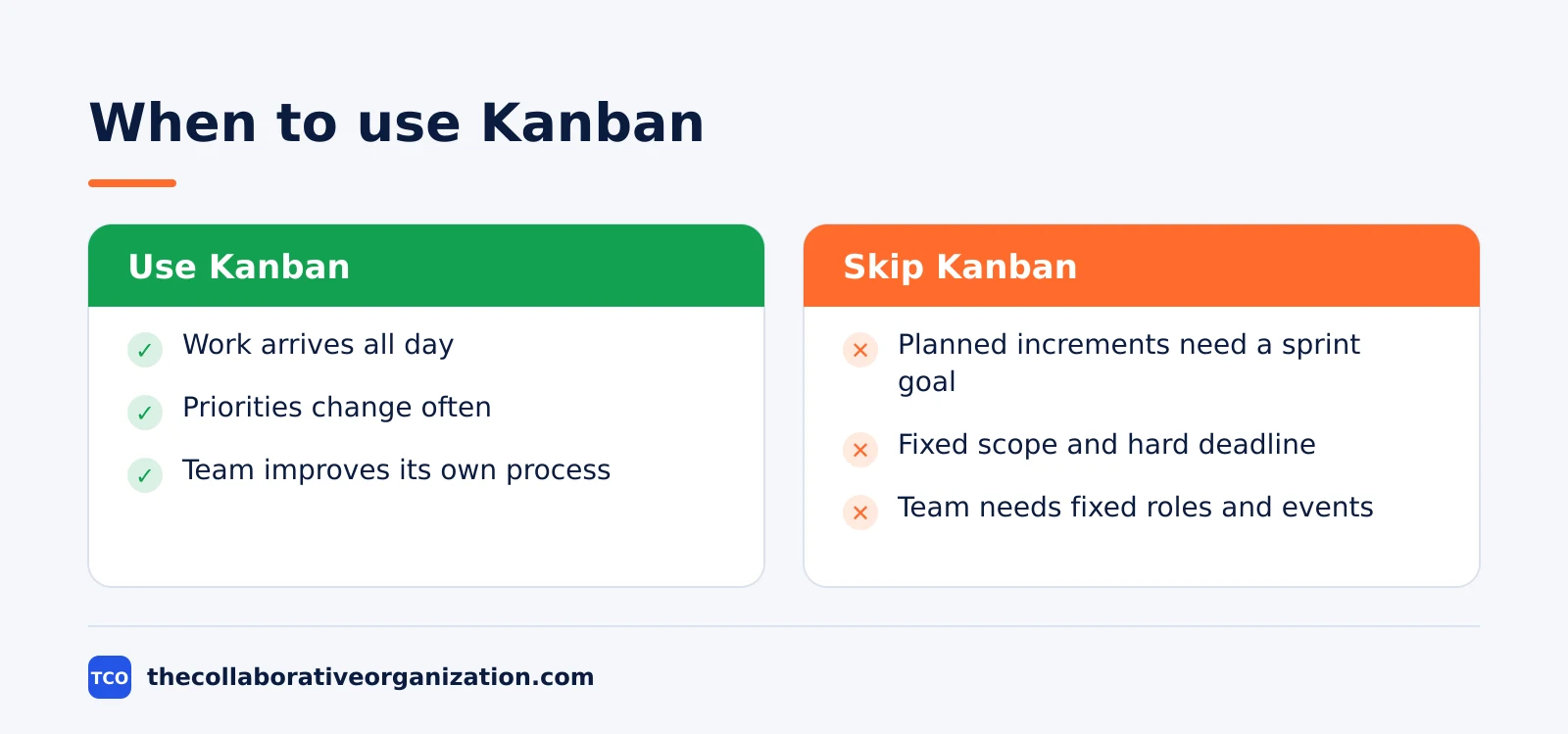
Use Kanban for support queues, operations, maintenance, content production, and any team where requests arrive all day. It also fits teams that want to improve an existing process without a reorganization, because it starts with what the team does now.
Skip Kanban when the team builds a product in planned increments and needs a shared goal every two weeks. That team will get more from Scrum, with its sprint goal, planning event, and review.
Skip it too when the work is a one-off project with a fixed scope and a hard deadline, where a plan and a timeline matter more than flow.
Atlassian makes the same call: Kanban fits teams that handle a steady flow of incoming work and need flexibility to change priorities, while Scrum fits teams that benefit from structured planning cycles and defined roles. Some teams blend both into Scrumban, but a team new to either method should run one of them first.
Kanban vs Scrum, in one paragraph
Kanban runs work as a continuous flow with WIP limits and no required roles, while Scrum runs work in fixed-length sprints with three accountabilities. Both sit under the Agile umbrella, and both aim to deliver value in small steps, but they organize the week in different ways.
Scrum is defined by the 2020 Scrum Guide as a lightweight framework for adaptive solutions to complex problems. Its team has one Scrum Master, one Product Owner, and Developers, usually 10 or fewer people in total. Sprints last one month or less, and no changes are made during a sprint that would endanger the sprint goal.
The practical difference is change. In Kanban, a new urgent item can move into the queue as soon as capacity opens. In Scrum, a change waits for the next sprint unless the Product Owner cancels the sprint because the goal became obsolete. That is why support teams pick Kanban and product teams building planned features often pick Scrum.
Tools that support Kanban
A physical board works for a co-located team, but a digital board is the better pick once the team is remote or the work needs history and reports. Our guide on how to choose project management software covers seat counts and free-plan caps before you compare prices.
Compare the options on our project management software shortlist if you have not picked a tool yet. The table below lists starting prices as of November 2026.
| Tool | Best for | Free plan | Starting price (as of November 2026) | Notable limit |
|---|---|---|---|---|
| Trello | Simple boards with lists and cards | Free for up to 10 collaborators | $5 per user per month (Standard), billed annually | WIP limits need a Power-Up |
| Jira | Software teams that want WIP limits and flow reports | Free for up to 10 users | $9.70 per user per month (Standard), billed monthly for 1-100 users | Free plan covers 10 users |
| Asana | Teams that want boards next to timelines | Free for 2 people | $10.99 per user per month (Starter), billed annually | Free plan covers 2 people |
| ClickUp | Teams that want boards plus sprint views | Free Forever plan | $9 per user per month (Core), billed annually | Yearly billing needed for that price |
The Trello price comes from Trello pricing, where Standard is $5 per user per month billed annually and Premium is $10.
The Jira price comes from TaskRhino, which checked Atlassian’s Jira pricing page on 10 November 2026: Standard is $9.70 per user per month for 1 to 100 users.
The Asana price comes from Asana pricing, where Starter is $10.99 per user per month billed annually.
The ClickUp pricing page lists Core at $9 per user per month billed yearly.
Common Kanban mistakes to avoid
Most Kanban boards fail in the same five ways, and all five come from skipping the rules that make the method work. Check the list below after the first two weeks.
- A board with no WIP limits. Without a limit, the board is a task list, and the team keeps starting work it cannot finish.
- Too many columns. A board with 10 columns hides the real wait, because cards sit in thin slices that nobody watches.
- Cards that are too big. A card that takes three weeks to move blocks the column and breaks the WIP limit for everyone else.
- No written finish rule. Without a “definition of done” for each column, cards move forward on opinion instead of on evidence.
- A board nobody reviews. A board that no one looks at together each day goes stale, and the team stops trusting it within a week.
Sources
- Atlassian - What Is Kanban in Project Management? (2026)
- Atlassian - What Is a Kanban Board? (2026)
- Atlassian - Working with WIP Limits for Kanban (2026)
- Scrum Guide - The Scrum Guide (2020)
- Rework - The History of Kanban (2026)
- Kanban University - The Official Kanban Guide Glossary (2023)
- Trello - Pricing (2026)
- TaskRhino - Jira Review 2026: Pricing, Pros and Cons (2026)
- Asana - Pricing (2026)
- ClickUp - Pricing (2026)
Frequently asked questions
What does the word kanban mean?
Kanban is Japanese for sign or signboard. At Toyota, a kanban was a card that signaled the previous step to make more parts, only when the next step had used some up. In software and service work, the same idea lives on: a card on a board signals that work is ready, in progress, or done.
Is Kanban the same as a kanban board?
No. A kanban board is the visual tool, while Kanban is the method that uses the board plus rules such as WIP limits, explicit policies, and feedback loops. A board without limits is just a task list. The method starts when the team caps work in progress and reviews flow on a regular basis.
Does Kanban use sprints?
No. Kanban runs as a continuous flow with no fixed sprints, so new work can start whenever capacity opens up. Teams still plan and review, but they do it through replenishment and delivery reviews instead of sprint planning. Teams that want fixed sprints should look at Scrum instead.
What is a WIP limit in Kanban?
A WIP limit is the maximum number of work items allowed in a workflow stage at one time. When a column hits its limit, nobody pulls new work into it until something moves forward. The limit forces the team to finish started work, exposes bottlenecks, and keeps multitasking low.
Can a small team use Kanban?
Yes. Kanban suits small teams well, because it starts with the process the team already has and adds only a board and a WIP limit. A team of three can run it on a whiteboard with three columns. The method scales up too, but it does not need a large team or a paid tool to start.
How is Kanban different from Scrum?
Kanban runs work as a continuous flow with WIP limits and no required roles, while Scrum runs work in fixed-length sprints of one month or less with three accountabilities: Product Owner, Scrum Master, and Developers. Kanban accepts priority changes at any time, while Scrum protects the sprint goal during a sprint.
Related articles

project management
What Is a RACI Matrix? Definition, Roles and Examples (2026)
A RACI matrix maps who is Responsible, Accountable, Consulted and Informed for each task. Learn the four roles, how to build one, and see a worked example.
November 19, 2026 · 9 min read

project management
Daily Standup Meeting Format That Works (2026)
A daily standup is a 15-minute meeting where Developers inspect progress toward the Sprint Goal and plan the next day. Use this format to run one that ends on time.
November 19, 2026 · 10 min read
project management
How to Run a Sprint Planning Meeting (2026)
Sprint planning opens every sprint with a goal, a set of backlog items and a plan. Follow these 6 steps to run the meeting in 90 minutes for a two-week sprint.
November 19, 2026 · 9 min read