What Is a Product Backlog? Definition (2026) | The Collaborative Organization
By The Collaborative Organization Team · November 19, 2026 · Last verified November 19, 2026 · 11 min read
A product backlog is an ordered list of everything that might improve a product, and it is the single source of work for the Scrum Team. The Product Owner owns it: the order, the items, and the goal they serve.
Items at the top are small, clear, and ready to build, while items lower down stay as short ideas until they rise.
Key takeaways
- A product backlog is an emergent, ordered list of what is needed to improve the product.
- It is the single source of work for the Scrum Team: if work is not in the backlog, it is not planned.
- The Product Owner is accountable for the backlog, and is one person, not a committee.
- Items are ordered by value, cost, risk, and dependencies, not by who shouted loudest.
- Refinement is ongoing work that breaks big items into small, precise ones the team can finish in one sprint.
What is a product backlog?
A product backlog is an emergent, ordered list of what is needed to improve the product. The Scrum Guide defines it in those words, and adds that it is the single source of work undertaken by the Scrum Team. Emergent means the list changes as the team learns: new items arrive, old ones leave, and the order shifts with each Sprint Review.
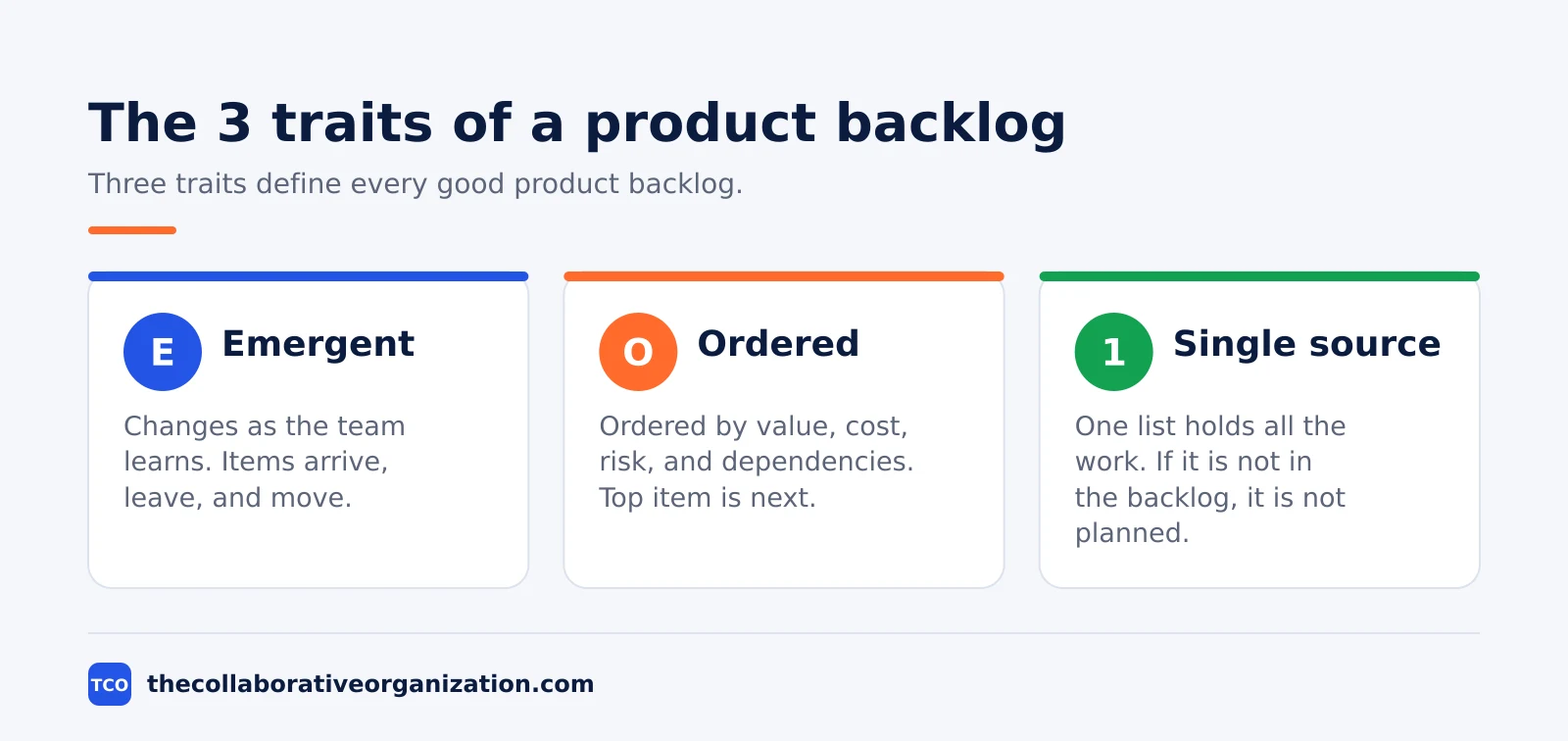
The backlog is not a wish list and not a project plan. A wish list has no order and no owner, while a project plan fixes scope months ahead. A product backlog sits between the two: it has a clear order and a clear owner, but it stays open to change as users give feedback and the market moves.
One product has one backlog. When several Scrum Teams build the same product, the Guide says they share one Product Goal, one Product Backlog, and one Product Owner. Splitting the backlog by team creates two lists that drift apart, and the teams stop building one product.
The backlog also carries a commitment: the “product goal”. The Product Goal describes the future state of the product and gives the team a target to plan against. The team must finish or drop one goal before it takes on the next, which keeps the backlog pointed at one aim.
What goes in a product backlog
A product backlog holds every kind of work that could improve the product: features, fixes, chores, and learning. Lucid lists the usual items as user stories, usability improvements, changes to current features, knowledge acquisition, and technical debt. Each item is one element of work the team can finish within one sprint.
| Item type | Example | Why it belongs |
|---|---|---|
| New feature | Let patients book a visit online | Adds value users asked for |
| Change to a feature | Let patients cancel a booking | Fixes a gap in current value |
| Bug fix | Fix the double-booking error | Protects trust in the product |
| Technical debt | Replace the old booking code | Keeps future work fast and safe |
| Knowledge work | Test a new calendar service | Answers a question before building |
| Usability fix | Make the date picker work on phones | Removes friction users hit daily |
The mix matters. A backlog of only new features excites customers but lets bugs and debt pile up until the product slows down. A backlog of only fixes keeps the product stable but never moves it forward. The Product Owner balances the mix against the Product Goal, so each sprint moves value forward without letting the product rot.
Items lower in the backlog can stay vague. A short idea such as “add reminders” is enough until it rises near the top, when refinement turns it into a clear item with acceptance criteria and a size. Refining low items too early wastes effort on work the team may never do.
Who owns the product backlog
The Product Owner owns the product backlog, and owns the value it delivers. The Guide makes the Product Owner accountable for effective Product Backlog management, which covers four jobs: developing and communicating the “product goal”, creating and explaining backlog items, ordering those items, and keeping the backlog transparent, visible, and understood.
The Product Owner is one person, not a committee. Stakeholders may suggest items and argue for their order, but only the Product Owner sets the order. That single decision point keeps priorities clear when requests compete, and it gives the team one person to ask when the order is unclear.
The Product Owner may hand the daily backlog work to others. A business analyst can write item descriptions, and a Developer can draft acceptance criteria, but the accountability stays with the Product Owner. If the backlog is stale, vague, or wrongly ordered, the Product Owner answers for it.
The rest of the team shares the work around the backlog. The Developers size the items they will build, and the whole Scrum Team refines items together. The Scrum Master helps the Product Owner find techniques for backlog management and helps stakeholders talk with the team.
How ordering works
Ordering means putting the most valuable work at the top, so Sprint Planning always starts from the best next step. The order is not a priority label such as high, medium, or low: it is a sequence, and the item at the top is the next thing the team works on. Lucid advises ordering by value, cost, risk, and dependencies, and weighing all four together.
Value comes first. An item that helps many users or unblocks a sale beats an item that helps few, even when the second item is easier to build. Cost comes next: a cheap item that delivers good value can beat a costly item that delivers slightly more.
Risk and dependencies shape the rest: an item that answers a risky question early, or that other work depends on, rises in the order.
The Product Owner reorders the backlog whenever new facts arrive. A customer call, a Sprint Review, or a bug report can move an item up or down in a day. That change is normal, not a failure: an emergent backlog is meant to move as the team learns.
A clear order also protects the team from pressure. When a stakeholder asks why their item is not in the next sprint, the Product Owner can point to the order and the reasons behind it. Without an order, every request looks equally urgent, and the team builds whatever was asked last.
Product backlog refinement in 4 steps
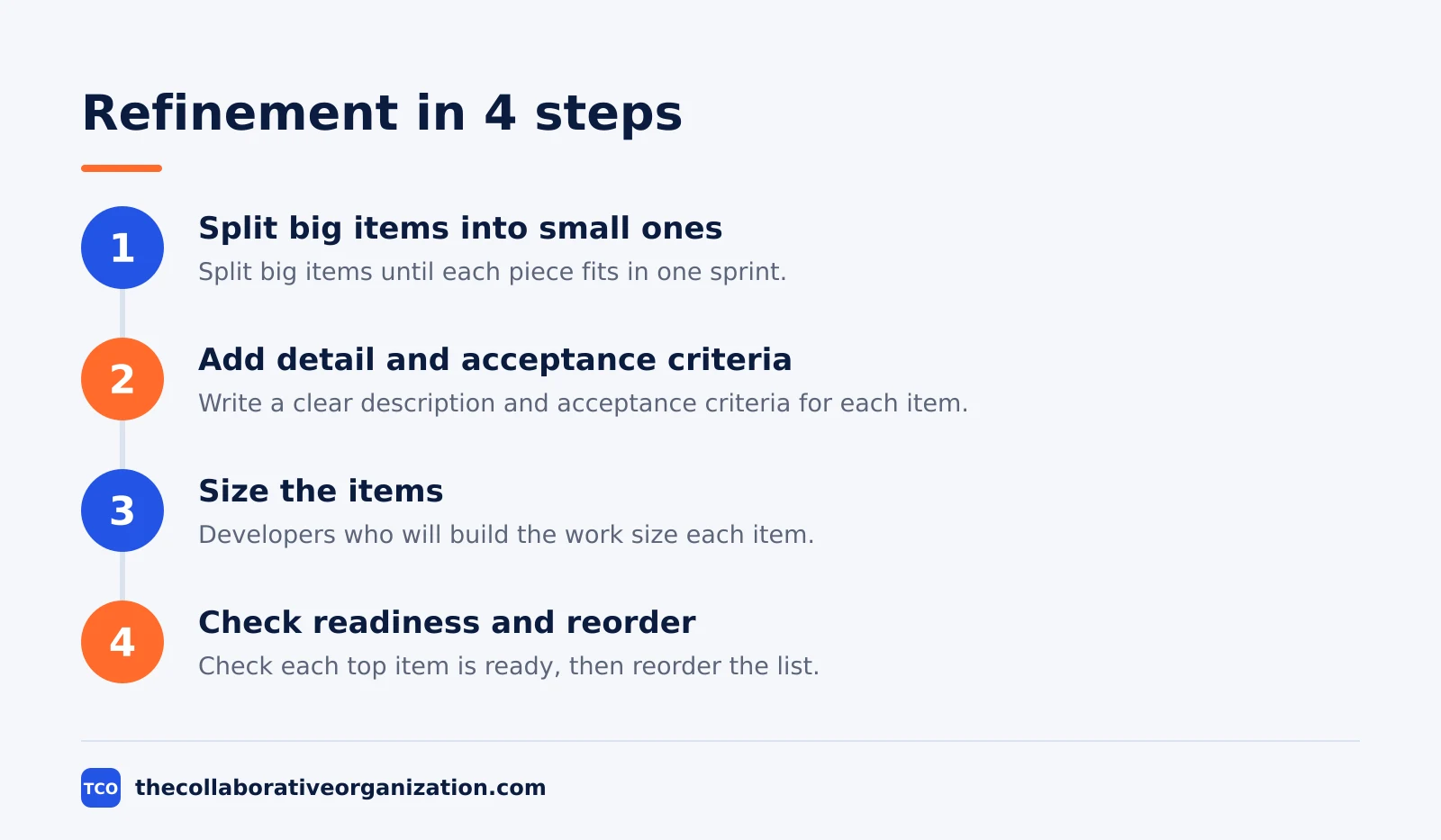
Refinement is the ongoing work of breaking big items into small, precise ones, and it adds description, order, and size to each item. The Guide calls it an ongoing activity, not an event, so it has no timebox and no fixed meeting. The team refines the top items as they approach selection, and leaves lower items vague until they rise.
Step 1: Split big items into small ones
Take the largest item near the top and split it until each piece can be finished in one sprint. A feature such as online booking splits into the form, the confirmation email, and the calendar view. The outcome is items the team can actually pick.
Step 2: Add detail and acceptance criteria
Write a clear description for each split item and state how the team will know it is done. Acceptance criteria such as “a patient can book and gets a confirmation email” remove guesswork. The outcome is an item the Developers can estimate without asking for more facts.
Step 3: Size the items
The Developers who will do the work size each item, in points or hours. The Product Owner may help them understand the item and weigh trade-offs, such as splitting it further or narrowing its scope, but sizing stays with the builders. The outcome is a size the team trusts.
Step 4: Check readiness and reorder
Ask whether each top item is ready for Sprint Planning: small enough, clear enough, and sized. Items that pass stay at the top, and items that fail go back for more work. The outcome is a top of the backlog the team can plan from without delay.
Worked example: a clinic booking backlog
A small clinic team keeps a backlog for its booking app, and the top of the list shows how order and detail work together. Imagine a team of 6 people building a booking app for a small clinic, with the Product Goal of letting patients book a visit without phoning. The example is an illustration, not a real team.
| Order | Item | Size | Status |
|---|---|---|---|
| 1 | Booking form with date picker | 5 points | Ready for the next sprint |
| 2 | Confirmation email after booking | 3 points | Ready for the next sprint |
| 3 | Calendar view of open slots | 5 points | Ready for the next sprint |
| 4 | Cancel link in the confirmation email | 2 points | Needs acceptance criteria |
| 5 | Reminder text the day before | 3 points | Needs splitting |
| 6 | Replace the old booking code | 8 points | Idea, not yet refined |
The top 3 items are ready: small, clear, and sized. Item 4 needs acceptance criteria before the team can size it with trust. Item 5 is too big and must split into two smaller items. Item 6 stays as a short idea until the booking feature ships, because the team cannot afford to refine it yet.
In Sprint Planning, the Developers pick items 1 to 3, which fit the sprint and serve the goal. Items 4 to 6 stay in the backlog, and refinement during the sprint prepares item 4 for the next round. The backlog never stops moving.
Product backlog vs sprint backlog
The Product Backlog holds everything that might improve the product, while the Sprint Backlog holds only what the team picked for this sprint. The Product Backlog is open-ended and changes all the time. The Sprint Backlog is fixed for the sprint and belongs to the Developers.
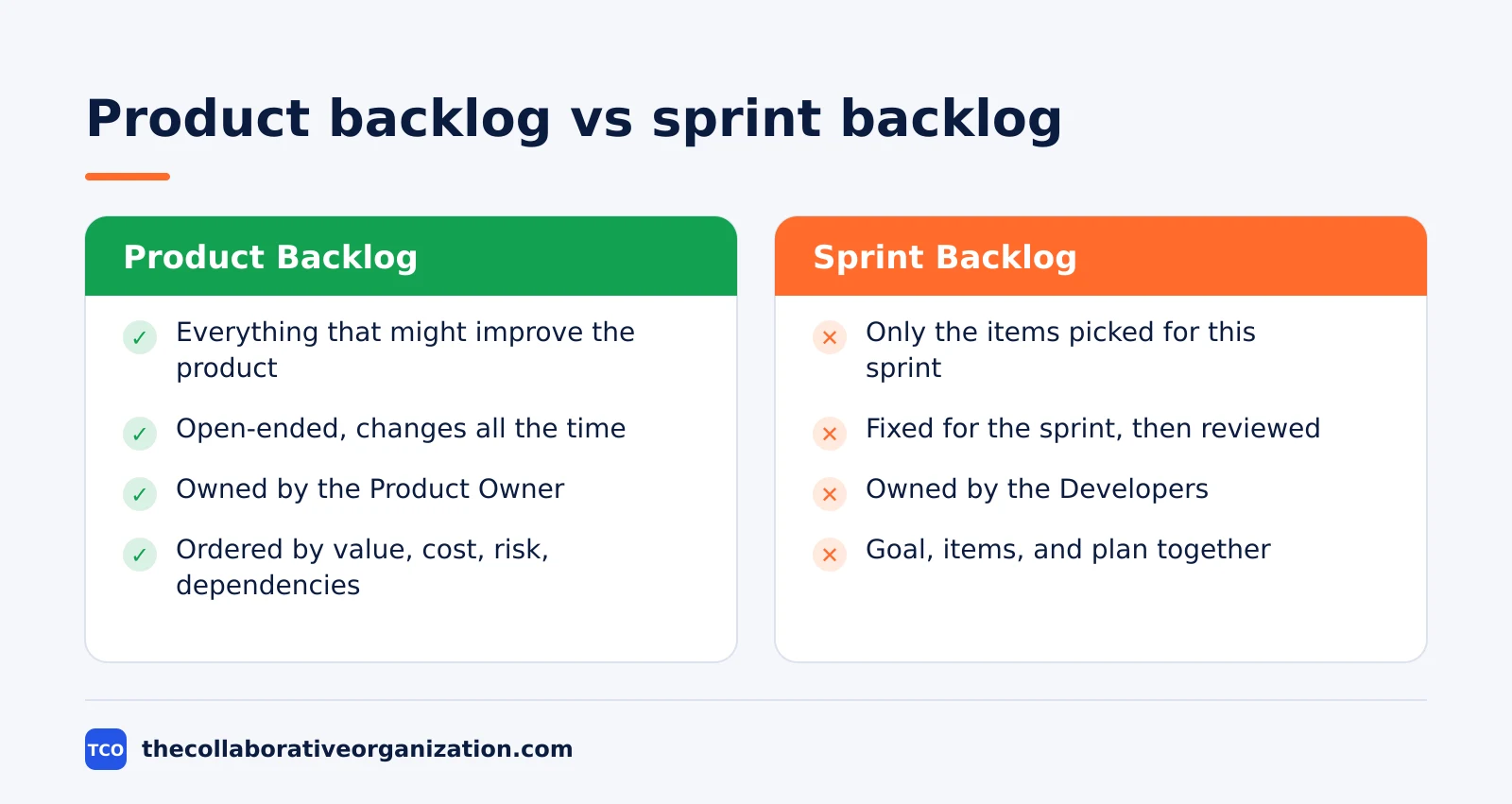
The two lists connect in Sprint Planning. The Developers pull items from the top of the Product Backlog into the Sprint Backlog, and those items leave the Product Backlog’s top but stay linked to it. Unfinished items at the end of the sprint return to the Product Backlog, where the Product Owner reorders them.
Scrum.org describes the Sprint Backlog as a plan by and for the Developers: the Sprint Goal, the selected items, and the plan for delivering them. The Product Backlog has no plan in it, only the ordered list of what might come next.
People also mix up the Product Backlog with a requirements document. A requirements document freezes scope at the start of a project, while a backlog stays open and changes as the team learns. A team that treats its backlog as a frozen spec loses the flexibility that makes Scrum work.
Tools that hold a product backlog
A board that shows the ordered backlog, the Product Goal, and the status of each item keeps the backlog visible to everyone. The Product Owner orders items on the board, the Developers size and refine them there, and stakeholders read the order without asking for a status meeting. Our guide on how to choose project management software covers seat counts and free-plan caps in more detail.
If you have not picked a tool yet, compare the options on our project management software shortlist before you build your first backlog. The right tool is the one the Product Owner opens every day, not the one with the longest feature list.
| Tool | Best for | Free plan | Starting price (as of November 2026) | Notable limit |
|---|---|---|---|---|
| Asana | Product Owners who track goals and items | Free for 2 people | $10.99 per user per month (Starter), billed annually | Free plan covers 2 people |
| monday.com | Teams that want a visual backlog board | Free plan for up to 2 seats | $9 per seat per month (Basic), billed annually | Paid plans need at least 3 seats |
| ClickUp | Teams that want backlog and docs in one place | Free Forever plan | $9 per user per month (Core), billed annually | Yearly billing needed for that price |
The Asana price comes from Asana pricing: the Personal plan is free for 2 users, and Starter is $10.99 per user per month when billed annually. On the monday.com pricing page, Basic is $9 per seat per month billed annually, with a 3-seat minimum. The ClickUp pricing page lists Core at $9 per user per month billed yearly.
Common product backlog mistakes to avoid
Most backlog problems come from a list that is too big, too vague, or owned by no one. Check for these five mistakes each month.
- A backlog with no owner. When no one owns the order, every request looks urgent, and the team builds whatever was asked last.
- Hundreds of stale items. A backlog full of ideas from 2 years ago hides the real priorities and makes ordering a chore.
- Only new features, no fixes or debt. A backlog that ignores bugs and technical debt keeps the product exciting for a month and slow forever after.
- Refining low items too early. Detail on an item the team may never build is wasted effort that could have refined the top of the list.
- Treating the backlog as a frozen spec. A backlog that never changes after planning is a requirements document, and the team loses the learning that Scrum is built on.
Ownership also blurs when the meeting never says who decides what. A RACI chart can help there: our guide on what is a RACI matrix explains the four letters and when a chart fits a team that Scrum alone does not cover.
Sources
- Scrum Guides - The Scrum Guide (2020)
- Lucid - Guide to Managing Your Product Backlog (2026)
- Scrum.org - What is a Sprint Backlog? (2026)
- Atlassian - Agile Scrum Roles (2026)
- Asana - Pricing (2026)
- monday.com - Pricing (2026)
- ClickUp - Pricing (2026)
Frequently asked questions
Who owns the product backlog?
The Product Owner owns it. The Product Owner is accountable for the Product Goal, the items, their order, and the transparency of the backlog. Anyone may suggest an item, but only the Product Owner decides what enters the backlog and where it sits. The Product Owner may hand the daily work to others, but the accountability stays with them.
What is the difference between a product backlog and a sprint backlog?
The Product Backlog holds everything that might ever improve the product, while the Sprint Backlog holds only the items picked for the current sprint plus the plan to build them. The Product Backlog is open-ended and changes all the time, while the Sprint Backlog is fixed for the sprint and belongs to the Developers.
How often should the product backlog be refined?
Refinement is ongoing, not a single meeting. The Scrum Team refines the top items as they approach selection, adding detail, order, and size until each item is small enough to finish in one sprint. Many teams hold a short refinement session in the middle of each sprint, so the next sprint planning starts with ready items.
Can anyone add items to the product backlog?
Yes, anyone can suggest an item: a customer, a stakeholder, a Developer, or the Product Owner. The suggestion is not an order, though. The Product Owner reviews each idea against the Product Goal and decides whether it enters the backlog, where it sits, and when it gets refined. Items that do not serve the goal stay out.
How big should a product backlog be?
Big enough to show the next few sprints of work in detail, and no bigger. The top items need full detail, while lower items can stay as short ideas until they rise. A backlog with hundreds of stale items hides the real priorities, so the Product Owner should remove items that no longer serve the Product Goal.
Related articles

project management
What Is a RACI Matrix? Definition, Roles and Examples (2026)
A RACI matrix maps who is Responsible, Accountable, Consulted and Informed for each task. Learn the four roles, how to build one, and see a worked example.
November 19, 2026 · 9 min read

project management
Daily Standup Meeting Format That Works (2026)
A daily standup is a 15-minute meeting where Developers inspect progress toward the Sprint Goal and plan the next day. Use this format to run one that ends on time.
November 19, 2026 · 10 min read

project management
How to Run a Sprint Planning Meeting (2026)
Sprint planning opens every sprint with a goal, a set of backlog items and a plan. Follow these 6 steps to run the meeting in 90 minutes for a two-week sprint.
November 19, 2026 · 9 min read