What Is a Kanban Board? Columns, Cards and WIP Limits (2026) | The Collaborative Organization
By The Collaborative Organization Team · November 19, 2026 · Last verified November 19, 2026 · 13 min read
A kanban board is a visual tool that shows work as cards moving through columns, with a WIP limit that caps how much work can sit in each column at once. Cards move left to right as work progresses, so anyone can see what is waiting, what is in progress, and what is finished.
Key takeaways
- A kanban board visualizes work, limits work in progress, and shows flow at a glance.
- The board has 5 parts: visual signals, columns, WIP limits, a commitment point, and a delivery point.
- Columns are workflow stages, cards are single work items, and WIP limits cap cards per column.
- A column with a WIP limit of 3 cannot hold more than 3 cards at one time.
- Lead time runs from the commitment point to the delivery point, and teams work to shorten it.
- Boards can be physical or digital, and a Scrum board differs because it resets after each sprint.
What is a kanban board?
A kanban board is an agile project management tool designed to help visualize work, limit work-in-progress, and maximize efficiency, or flow. It helps teams establish order in their daily work, and it works for technology, service, and operations teams alike.
Atlassian describes the board in one line: kanban boards use cards, columns, and continuous improvement to help teams commit to the right amount of work, and get it done. The board is the shared picture of the work, not a report written after the fact.
The simplest board has three columns: To Do, In Progress, and Done. Each card is one piece of work, and anyone can see at a glance what is waiting, what is in progress, and what is finished. Teams add columns only when the work asks for them, such as a Review column when work often waits for a check.
What makes it kanban, rather than just a to-do list, is two rules: the columns match how the work really flows, and the team limits how many cards can sit in the doing columns at once. Without those two rules, the board shows work but does not manage it.
The 5 parts of a kanban board
A kanban board has five parts, and each one does a different job. David Anderson set out the five components, and Atlassian lists them as the standard breakdown of a board.
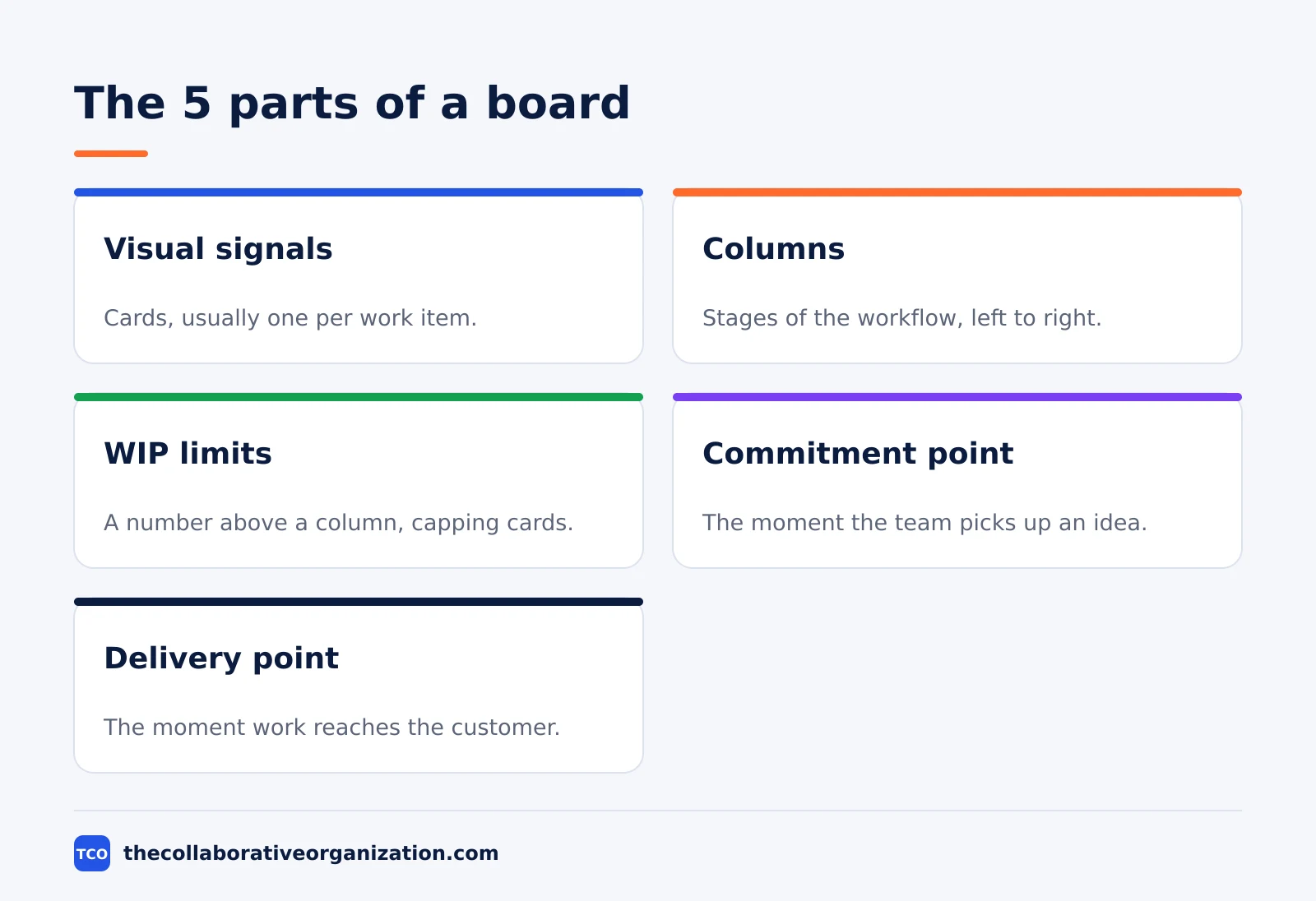
| Part | What it is | What it does |
|---|---|---|
| Visual signals | Cards, usually one per work item | Show what the team is working on |
| Columns | Stages of the workflow | Show where each item stands |
| WIP limits | A number above a column | Cap how many cards can sit in a stage |
| Commitment point | The moment work starts | Marks where lead time begins |
| Delivery point | The moment work reaches the customer | Marks where lead time ends |
Visual signals are the cards themselves. Teams write all work items onto cards, usually one per card, and each card can hold one user story for agile teams. The cards help teammates and stakeholders see the work at a glance.
The commitment point and delivery point frame the whole board. The commitment point is the moment an idea is picked up by the team and work starts on it.
The delivery point is the end of the workflow, when the product or service is in the hands of the customer. The elapsed time between the two is called lead time, and Kanban teams work to shorten it.
Columns: the stages of your workflow
Columns are the stages work passes through, and the right columns are the ones that match how your work really moves. A column is not a job title, and it is not a person: it is a state that work sits in.
Start with three columns: To Do, In Progress, and Done. Run the board like that for two weeks before adding anything. If cards pile up in a place that has no column, that pile is telling you a column is missing.
A common five-column board for a software team is Backlog, Ready, In Progress, Review, and Done. Backlog holds ideas nobody has committed to yet. Ready holds work that is agreed, clear enough to start, and next in line.
In Progress holds work someone is actively doing. Review holds work waiting for a check, feedback, or approval. Done holds finished work.
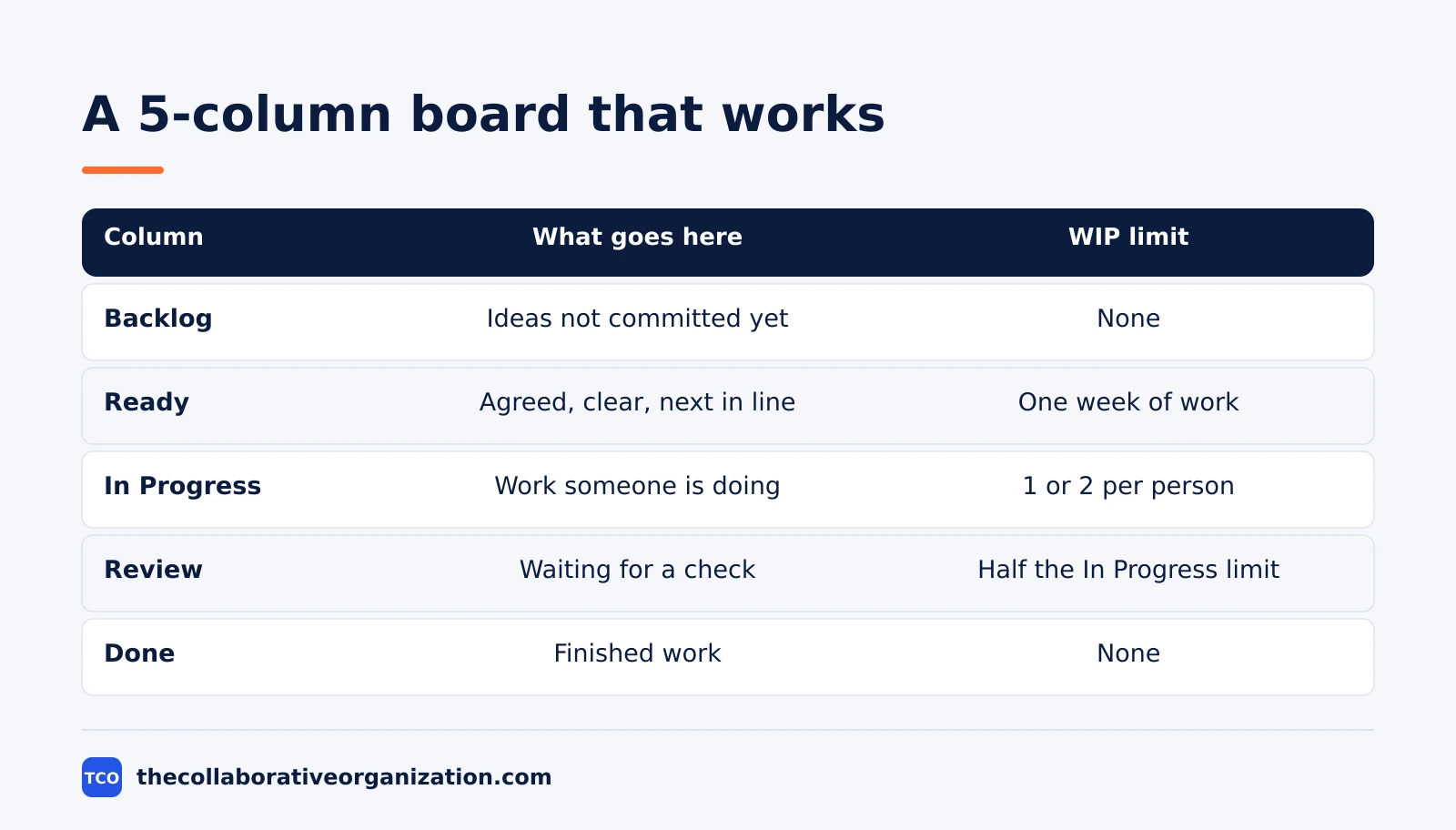
| Column | What goes here | WIP limit |
|---|---|---|
| Backlog | Ideas and requests nobody has committed to yet | None, but review it weekly |
| Ready | Work that is agreed, clear, and next in line | About one week of work |
| In Progress | Work someone is actively doing | 1 or 2 cards per person |
| Review | Work waiting for a check or approval | Roughly half the In Progress limit |
| Done | Finished work, cleared at each review | None |
Add a Waiting column when work often waits on someone else, such as a client or an approval. Add a swimlane when the board mixes streams, such as bugs and features, so one stream cannot hide behind the other. Stop adding columns when the board needs a legend to read.
Cards: one piece of work per card
A card is one piece of work, small enough to finish in days, not weeks. If a card takes three weeks to move, it is too big, and it will block its column for everyone else.
Each card carries the facts the team needs to move it: a clear title, one owner, and the details that matter for that kind of work. Atlassian notes that a card typically shows the task status, owner, priority, and context such as a description, due date, links, or supporting files.
Keep cards uniform in size where you can. Atlassian advises teams to find a time or complexity estimate that is uniform across all cards, and to break up anything too meaty into several cards. A board where every card takes about the same effort is a board the team can read at a glance.
Cards also carry the signals that matter: a red mark for blocked work, a label for priority or type, and a due date only where a real deadline exists. A card with no owner is a card nobody moves, so put one name on every card in an active column.
WIP limits: the number above the column
A WIP limit is the maximum number of cards allowed in a column at one time, and it is the rule that makes a kanban board work. When a column is full, the team finishes what is in it before starting anything new.
Atlassian gives the classic example: a column with a WIP limit of 3 cannot hold more than 3 cards, and when it is full the team swarms on those cards to move them forward. The limit gives an early warning that the team committed to too much work.
Limits do three things at once. They cut context switching, because each person finishes one item before starting the next. They expose bottlenecks, because a full column shows where work piles up. They also build a habit of finishing, because the team cannot hide unfinished work behind new starts.
Start with 1 or 2 cards per person in the active columns. Atlassian suggests setting limits after watching the average number of items in each stage for a few weeks, and it warns against one bad habit: raising a limit just because the team keeps hitting it. A limit that moves up whenever it bites is not a limit.
Physical vs digital kanban boards
Physical boards suit co-located teams that meet in one room, while digital boards suit remote teams and work that needs history and reports. The rules are the same on both, but the trade-offs differ.
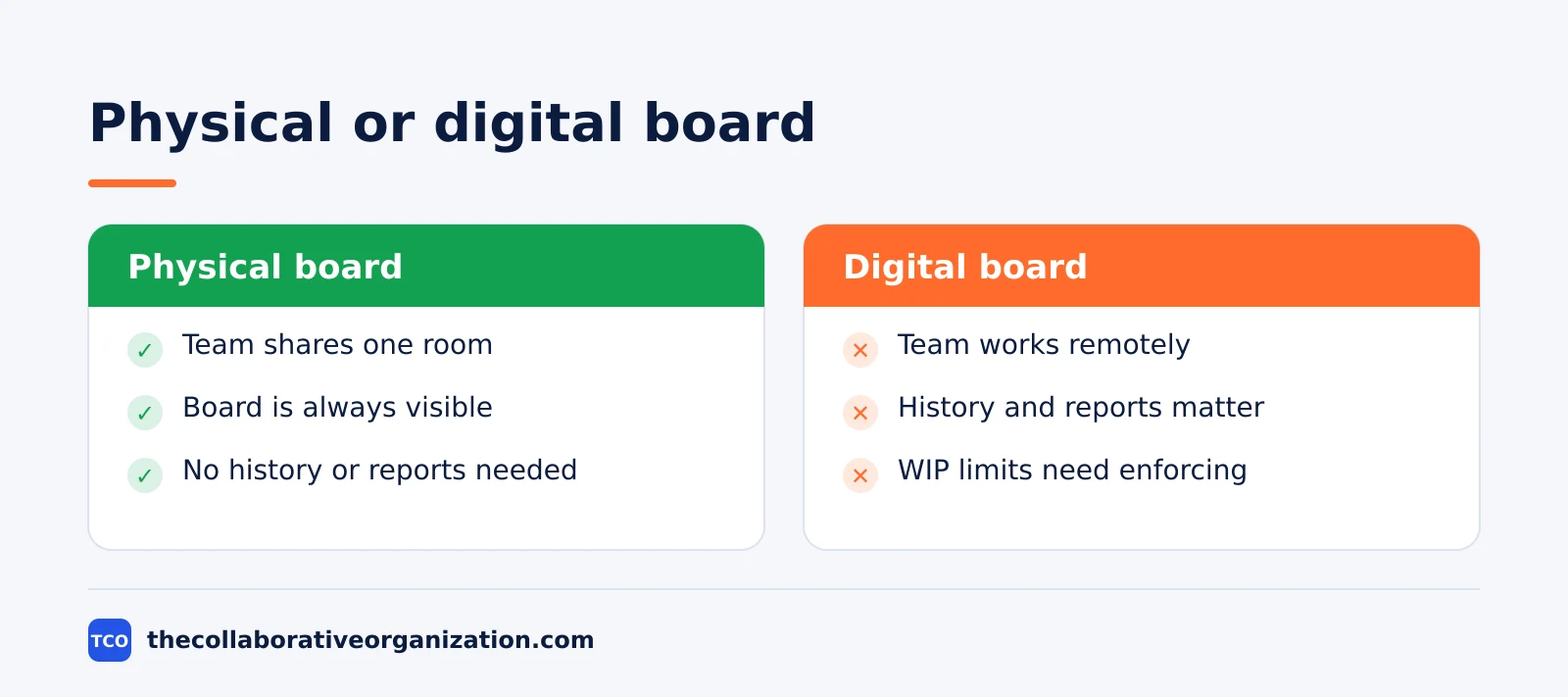
A physical board is a whiteboard or blackboard divided into vertical columns, with sticky notes as cards. Its main strength is that it is always on: nobody needs to open a tab to see it, and the team gathers around it to talk.
Its weakness is distance, because a remote teammate cannot see it, and it keeps no history of how cards moved.
A digital board runs the same columns and cards in a tool, so the team can use it from anywhere and at any time. Atlassian notes that digital boards let teams that do not share an office use kanban remotely and asynchronously, and they track conversations and comments on each card.
Some digital boards enforce WIP limits, and some do not. Trello, for example, needs a List Limits Power-Up to cap cards per list, while Jira lets the team set column limits on the board itself. Check that detail before you pick a tool, if limits matter to your team.
Kanban board vs Scrum board
A kanban board shows a continuous workflow that never resets, while a Scrum board shows only the work selected for the current sprint. The difference is the time box, not the shape of the board.
A Scrum board is designed for teams working in sprints, displaying tasks for a specific sprint cycle. When the sprint ends, the board clears and the next sprint starts with a new set of cards. A kanban board is used through the whole life of the work, and cards keep moving across it without a reset.
Atlassian lists the split in four points: Scrum sprints have start and stop dates, while kanban is an ongoing process. Team roles are clearly defined in Scrum, while kanban has no formal roles. A kanban board is used through the life of a project, while a Scrum board is cleared and recycled after each sprint.
Both teams are self-organized, and by most readings a Scrum team uses a kanban board with Scrum rules on top of it. The pick is not about the board, it is about whether the work fits fixed sprints or continuous flow.
Kanban board example: a marketing team
A marketing team of five shows how a board turns a pile of requests into visible work. Imagine a team that produces blog posts, social posts, and landing pages for a small software company. Requests arrive from sales, product, and support all week.
The team builds a board with five columns: Backlog, Ready, Writing, Review, and Done. They set a WIP limit of 5 on Writing, one card per person, and a limit of 3 on Review. Each card is one asset, with an owner, a due date only when a launch depends on it, and a link to the draft.
On Monday the board holds 5 cards in Writing and 3 in Review. A new request for a landing page arrives, but Writing is full, so the card waits in Ready. Instead of starting it, the free writer helps review a stuck post, and Review clears by Tuesday.
After three weeks the team sees the pattern. Review is the bottleneck, because only two people can approve posts.
The team trains a third approver, and the average time from Writing to Done falls from 8 days to 5 days. This example is an illustration, not a real team, but the move is the one Kanban teams make: fix the bottleneck the board shows.
When to use a kanban board, and when not to
Use a kanban board when work arrives continuously and priorities change, and skip it when the team needs fixed sprints and a shared sprint goal. The board fits the work, not the other way round.
Use a board for support queues, operations, maintenance, content, and any team where requests arrive all day. It also fits a team that wants to improve its current process without a reorganization, because the board starts with the workflow the team already has.
Skip a board when the team builds a product in planned increments and needs a sprint goal every two weeks. That team will get more from a Scrum board, with its planning event and review. Skip it too for a one-off project with a fixed scope and a hard deadline, where a plan and a timeline matter more than flow.
A board also fails when nobody owns it. If no one reviews the board together each day, cards go stale, WIP limits get ignored, and the team stops trusting the picture within a week. The board is a shared tool, not a status report.
Tools that run a kanban board
A whiteboard works for a small co-located team, but a digital tool is the better pick once the team is remote or needs reports. Our guide on how to choose project management software covers seat counts and free-plan caps before you compare prices.
Compare the options on our project management software shortlist if you have not picked a tool yet. The table below lists starting prices as of November 2026.
| Tool | Best for | Free plan | Starting price (as of November 2026) | Notable limit |
|---|---|---|---|---|
| Trello | Simple boards with lists and cards | Free for up to 10 collaborators | $5 per user per month (Standard), billed annually | WIP limits need a Power-Up |
| Jira | Teams that want WIP limits and flow reports | Free for up to 10 users | $9.70 per user per month (Standard), billed monthly for 1-100 users | Free plan covers 10 users |
| Asana | Teams that want boards next to timelines | Free for 2 people | $10.99 per user per month (Starter), billed annually | Free plan covers 2 people |
| ClickUp | Teams that want boards plus sprint views | Free Forever plan | $9 per user per month (Core), billed annually | Yearly billing needed for that price |
The Trello price comes from Trello pricing, where Standard is $5 per user per month billed annually and Premium is $10.
The Jira price comes from TaskRhino, which checked Atlassian’s Jira pricing page on 10 November 2026: Standard is $9.70 per user per month for 1 to 100 users.
The Asana price comes from Asana pricing, where Starter is $10.99 per user per month billed annually.
The ClickUp pricing page lists Core at $9 per user per month billed yearly.
Common kanban board mistakes to avoid
Most kanban boards fail in the same five ways, and all five come from skipping the rules that make the board work. Check the list below after the first two weeks.
- A board with no WIP limits. Without a limit, the board is a task list, and the team keeps starting work it cannot finish.
- Too many columns. A board with 10 columns hides the real wait, because cards sit in thin slices that nobody watches.
- Cards with no owner. A card with no name on it is a card nobody moves, so put one owner on every active card.
- A board nobody reviews together. A board that no one looks at each day goes stale, and the team stops trusting it within a week.
- Raising the limit instead of fixing the bottleneck. When a column keeps hitting its limit, the fix is to clear the block, not to raise the number.
Sources
- Atlassian - What Is a Kanban Board? (2026)
- Atlassian - Working with WIP Limits for Kanban (2026)
- Atlassian - What Is Kanban in Project Management? (2026)
- Atlassian - Kanban vs Scrum: What Is the Difference? (2026)
- Trello - Pricing (2026)
- TaskRhino - Jira Review 2026: Pricing, Pros and Cons (2026)
- Asana - Pricing (2026)
- ClickUp - Pricing (2026)
Frequently asked questions
What is a kanban board in simple terms?
A kanban board is a visual board that shows work as cards moving through columns, from left to right, one column for each stage of the work. Each card is one piece of work, and anyone can see at a glance what is waiting, what is in progress, and what is finished.
How many columns should a kanban board have?
Start with three columns: To Do, In Progress, and Done. Add a column only when work regularly waits in a distinct stage, such as Review or Waiting. Most teams end up with 4 to 6 columns. More than 7 columns usually hides the real wait instead of showing it.
What is a WIP limit on a kanban board?
A WIP limit is the maximum number of cards allowed in a column at one time. When a column hits its limit, nobody pulls new work into it until something moves forward. The limit forces the team to finish started work, exposes bottlenecks, and keeps multitasking low.
What is the difference between a kanban board and a Scrum board?
A kanban board shows a continuous workflow that never resets, with WIP limits controlling flow. A Scrum board shows only the work selected for the current sprint, and it resets after each sprint. Kanban boards suit arriving work, while Scrum boards suit planned sprint work.
Can one person use a kanban board?
Yes. A personal board with three columns and a WIP limit of 2 or 3 in progress works well for one person. The same rules apply: one card per task, a written finish rule, and no new work while the active column is full. Many people run a personal board next to a team board.
Do I need a paid tool to run a kanban board?
No. A whiteboard with sticky notes works for a co-located team, and free digital boards work for remote teams. Paid tools add WIP limit enforcement, swimlanes, reports, and history. Start free, and pay only when the team needs reports or limits the free board cannot enforce.
Related articles

project management
What Is a RACI Matrix? Definition, Roles and Examples (2026)
A RACI matrix maps who is Responsible, Accountable, Consulted and Informed for each task. Learn the four roles, how to build one, and see a worked example.
November 19, 2026 · 9 min read

project management
Daily Standup Meeting Format That Works (2026)
A daily standup is a 15-minute meeting where Developers inspect progress toward the Sprint Goal and plan the next day. Use this format to run one that ends on time.
November 19, 2026 · 10 min read
project management
How to Run a Sprint Planning Meeting (2026)
Sprint planning opens every sprint with a goal, a set of backlog items and a plan. Follow these 6 steps to run the meeting in 90 minutes for a two-week sprint.
November 19, 2026 · 9 min read