Roadmap vs Backlog: Key Differences for Product Teams | The Collaborative Organization
By The Collaborative Organization Team · November 19, 2026 · Last verified November 19, 2026 · 9 min read
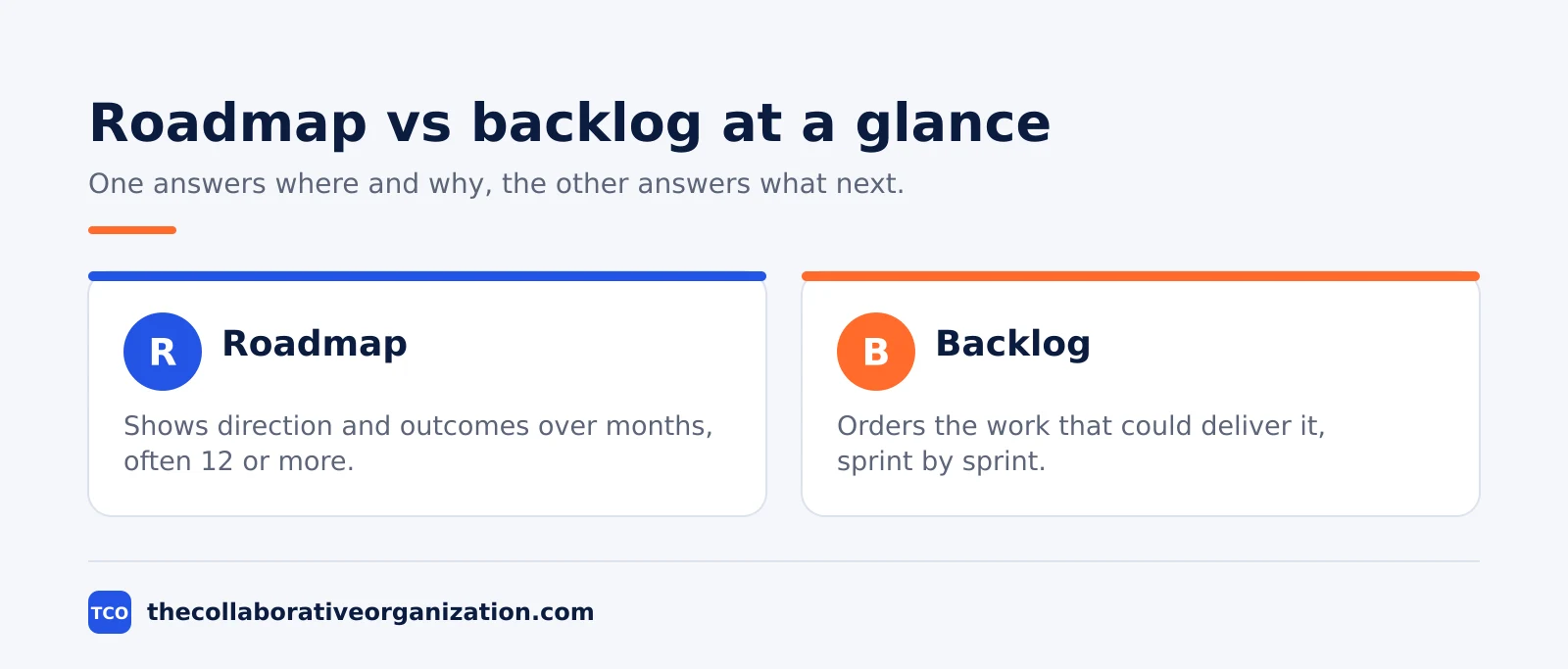
A product roadmap shows where a product is heading, while a product backlog lists the work that could get it there. One answers “where and why”, and the other answers “what next”, and a team that confuses the two ends up planning with the wrong tool.
Key takeaways
- A roadmap communicates direction and outcomes over months, usually 12 or more.
- A backlog is an ordered list of work, and the Scrum Guide calls it the single source of work for the team.
- Roadmaps speak to executives and stakeholders; backlogs speak to the delivery team.
- Roman Pichler advises reviewing a roadmap at least once every three months.
- Every backlog item the team picks up should trace back to a roadmap goal.
The core difference in one sentence
The core difference is the question each one answers: a roadmap says where the product is heading and why, and a backlog says what work the team could do next. One is a communication tool, and the other is a work list.
A roadmap holds goals, themes and broad time horizons. It rarely names a single feature with a fixed date, because its job is to build shared direction, not to promise delivery. A backlog holds features, fixes, research and chores, each with enough detail to plan and build.
ProductPlan draws the line in three parts: the roadmap holds high-level themes while the backlog holds task-level jobs, the roadmap speaks to executives while the backlog stays with the product and development teams, and the roadmap conveys strategy while the backlog conveys the plan to carry it out.
What is a product roadmap?
A product roadmap is a plan that shows how a product is likely to change over time, written around goals and outcomes rather than a list of features. It tells stakeholders what the product should achieve, and roughly when, without promising exact dates for each item.
Roman Pichler’s goal-oriented roadmap, known as the GO roadmap, puts the goal in the center. Each entry has a date or time frame, a name, a goal, a few likely features, and metrics that show whether the goal was met.
A roadmap is a forecast, not a contract. Pichler describes it as a living document that must be updated as the team ships, learns from user data, and sees the strategy shift. His rule of thumb is to review it at least once every three months, and more often for young products in fast-moving markets.
The goal matters most, because it states the benefit the release should bring, such as acquiring customers or lifting engagement.
What is a product backlog?
A product backlog is an ordered list of everything the team might do to improve the product, from features and fixes to research and chores. It is the team’s working list, and it changes every week as items are added, refined, reordered or dropped.
The Scrum Guide defines it in one sentence: “The Product Backlog is an emergent, ordered list of what is needed to improve the product. It is the single source of work undertaken by the Scrum Team.” The word emergent matters, because the list is never finished: it grows as the team and its stakeholders learn more.
The Product Owner is accountable for ordering that list and for communicating the Product Goal, which is the near-term target the team is working toward. Our guide on what is a product backlog explains the Product Goal and refinement in more detail.
Items near the top carry the most detail, because they are the ones the team will plan next. Items lower down stay rough, with a short description and a guess at size, until they rise toward the top and earn more detail.
Roadmap vs backlog: side-by-side table
The table below puts the two side by side, so you can see at a glance which one fits the meeting you are in. Start with the audience row, since that is where teams mix them up most often.
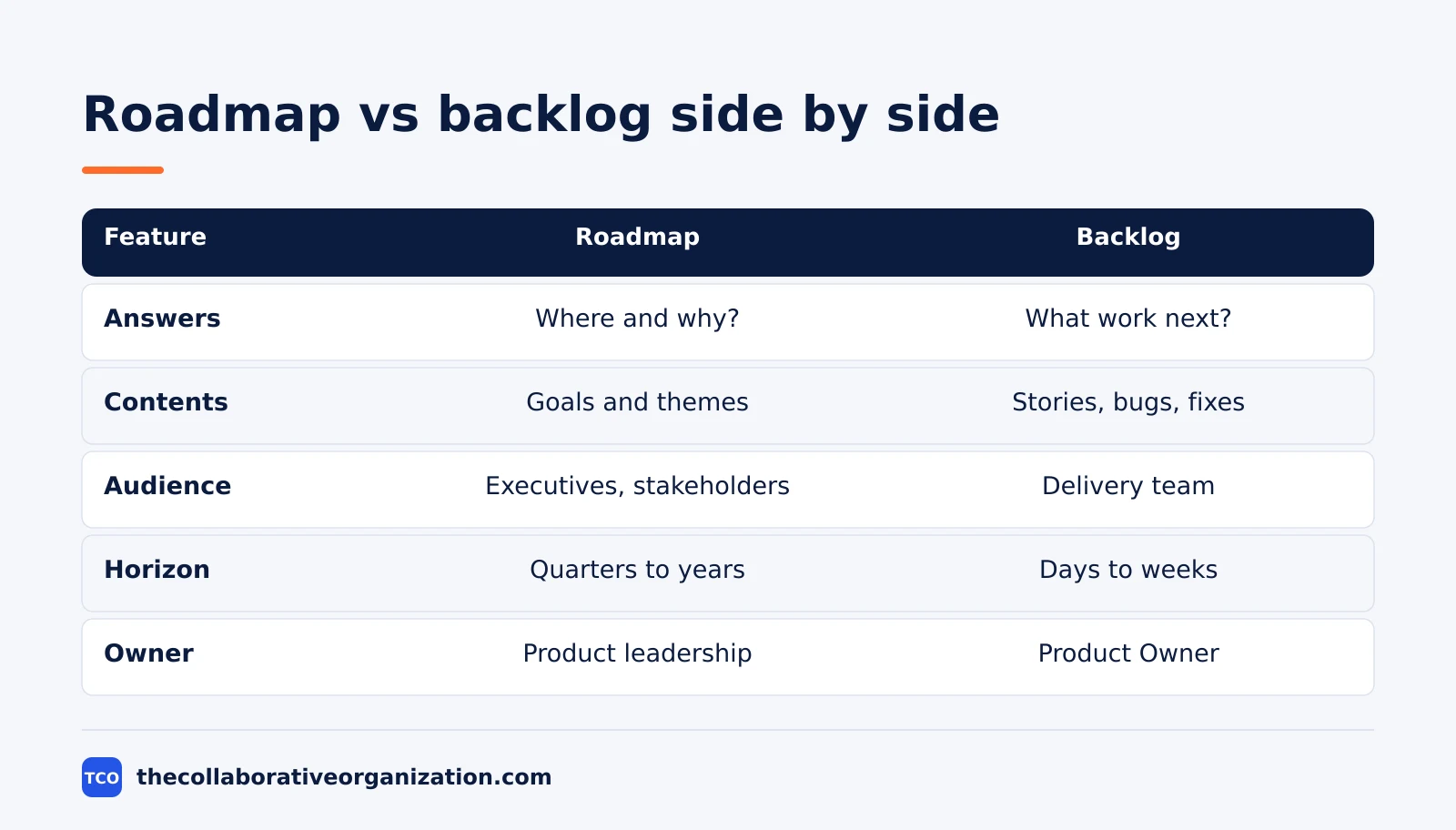
| Feature | Product roadmap | Product backlog |
|---|---|---|
| Answers | Where is the product heading, and why? | What work could the team do next? |
| Contents | Goals, themes, initiatives | Stories, bugs, fixes, research |
| Audience | Executives, sales, stakeholders | Product, design, engineering |
| Detail level | Broad direction and outcomes | Specific items with acceptance tests |
| Horizon | Quarters to years, often 12 months or more | Days to weeks, sprint by sprint |
| Owner | Product leadership | Product Owner |
| Changes when | Strategy or evidence shifts | Items are refined, added or done |
| A date means | A rough target, not a promise | A plan only when capacity is checked |
One row deserves extra care: the date row. A date on a roadmap is a rough target that helps stakeholders plan, while a date on a backlog item means nothing until the team has checked capacity and dependencies. Treating a roadmap date as a delivery promise is the fastest way to break trust with the team.
Worked example: one roadmap goal, one backlog
A six-person team building a scheduling app for clinics shows how the two connect. The example is an illustration, not a case study, and the numbers are made up to show the mechanics.
The roadmap holds one goal for the first half of the year: “Make new clinics stick after their first month.” The metric is week-four active use, rising from 55 to 70 percent. The time frame is two quarters, and the likely features are a shorter setup flow and a first-week check-in call.
The backlog turns that goal into ordered work. Near the top sit “Cut setup from 5 steps to 3”, “Send a check-in email on day 3”, and “Fix the calendar sync bug that blocks 1 in 10 new clinics”. Each item links to the roadmap goal, so anyone can see why it is on the list.
At sprint planning, the team pulls the top items into the sprint. The roadmap does not change that week, because the goal is still the same. The backlog changes every day, as items are finished, reordered, or dropped when the team learns they do not move the metric.
Which one should you use, and when?
Use the roadmap when you need agreement on direction, and the backlog when you need to decide what to build next. Most product teams need both, but they need them in different meetings.
Use a roadmap when you must explain priorities to leadership, partners, or customers. It gives them a shared view of direction without dragging them into task detail. It also helps the team say no, because a request that fits no roadmap goal has no home yet.
Use a backlog when the team is planning the next sprint or the next two weeks. It holds the detail the roadmap skips: acceptance tests, size guesses, and dependencies. Our guide on what is a sprint in Scrum explains the timebox the backlog feeds into.
If you have only a backlog, the team ships work without knowing why it matters. If you have only a roadmap, the team agrees on direction and never ships anything. The two together close that gap.
How the roadmap and backlog work together
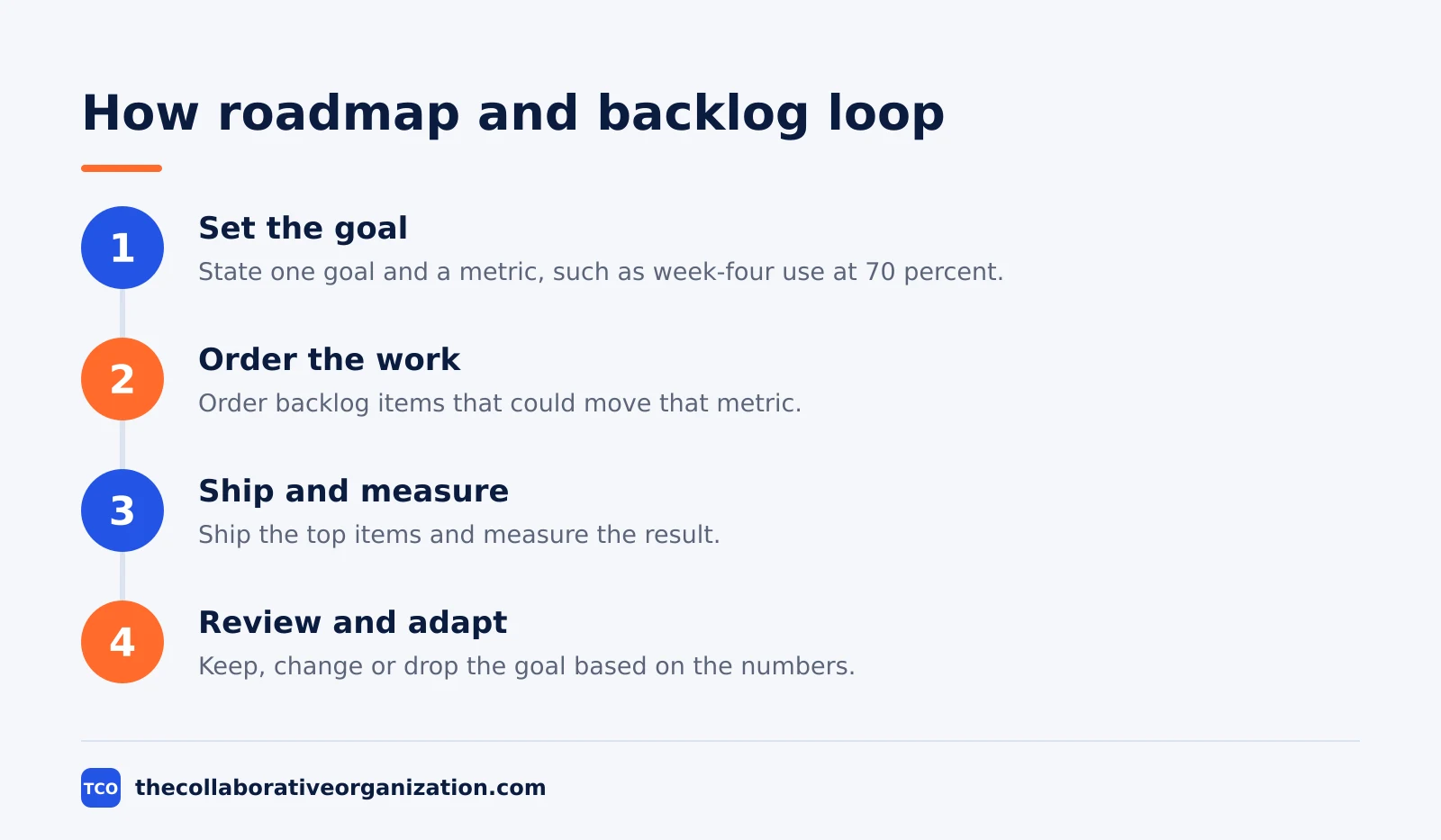
The roadmap and the backlog work as a loop: the roadmap sets the goal, the backlog delivers the work, and what the team learns flows back into the roadmap. Neither one replaces the other, and neither one works alone.
The loop runs in four steps. First, the roadmap states a goal and a metric, such as lifting week-four active use to 70 percent. Second, the Product Owner orders backlog items that could move that metric.
Third, the team ships the top items and measures the result. Fourth, the roadmap is reviewed, and the goal is kept, changed, or dropped based on what the numbers show.
Ones puts the link plainly: a roadmap gives people a shared view of product direction, while a backlog helps the team coordinate the work needed to make progress. The two stay in sync only when someone owns the link between them, which is why each backlog item should name its roadmap goal.
One warning applies here. A roadmap is not a detailed backlog, and a backlog is not a fixed schedule. The moment the roadmap starts listing user stories with dates, it stops being a strategy tool and becomes a promise the team cannot keep.
Tools that hold roadmaps and backlogs
A spreadsheet works for a first roadmap, but a product tool keeps the roadmap, the backlog and the work in one place. The right tool is the one the team opens every day, not the one with the longest feature list.
Jira, Asana and monday.com all hold a backlog and a roadmap view, so the team can trace an item back to its goal. Pick the tool that matches how your team already plans, and keep the roadmap in the same place as the backlog, or the link between them will rot.
| Tool | Best for | Free plan | Starting price (as of November 2026) | Notable limit |
|---|---|---|---|---|
| Jira | Scrum teams that live in sprints | Free plan for up to 10 users | $9.70 per user per month (Standard), billed monthly | Standard and Premium prices are monthly, not annual |
| Asana | Teams that want goals linked to tasks | Free for 2 people | $10.99 per user per month, billed annually | Free plan covers 2 people |
| monday.com | Teams that want a visual roadmap board | Free plan for up to 2 seats | $9 per seat per month (Basic), billed annually | Paid plans need at least 3 seats |
The Jira price comes from Atlassian Jira pricing: Standard is $9.70 per user per month, billed monthly for 1 to 100 users, after Atlassian raised list prices on 13 October 2026. The Asana price comes from Asana pricing, and the monday.com price from monday.com pricing.
If you have not picked a tool yet, compare the options on our project management software shortlist before you build your first roadmap.
Common roadmap and backlog mistakes to avoid
Most roadmap and backlog pairs fail in the same five ways, and all five are easy to spot in a review. Run through the list below each time the plan changes.
- A roadmap that lists features with dates. A feature list with dates is a promise, not a strategy, and it breaks the moment reality shifts.
- A backlog with no order. A pile of unranked items is not a backlog, because the team cannot tell what matters most.
- Backlog items with no roadmap goal. Work that traces to no goal is work nobody can defend when priorities clash.
- A roadmap nobody reviews. A roadmap that sits untouched for a year is a wish list, not a plan, so review it quarterly.
- Treating the backlog as a schedule. A backlog item is a candidate for work, not a commitment, until the team has checked capacity and dependencies.
Sources
- Scrum Guide - The Scrum Guide (2020)
- ProductPlan - Product Roadmap vs. Product Backlog (2026)
- Roman Pichler - OKRs and Product Roadmaps (2026)
- Ones - What Is a Product Backlog and How Is It Different from a Product Roadmap (2026)
- Atlassian - Jira Pricing (2026)
- Asana - Pricing (2026)
- monday.com - Pricing (2026)
Frequently asked questions
Is a product roadmap the same as a product backlog?
No. A roadmap shows the direction and the outcomes a product should reach over months, while a backlog is the ordered list of work that could get it there. The roadmap answers where the product is heading and why, and the backlog answers what the team should work on next. Keep them separate, and link each backlog item to a roadmap goal.
Does Scrum require a product roadmap?
No. The Scrum Guide defines a Product Goal and a Product Backlog, but it has no roadmap concept at all. Many Scrum teams still keep a roadmap, because stakeholders need a view of direction beyond the next sprint. Treat the roadmap as a communication tool you add on top of Scrum, not as a Scrum rule.
How often should a product roadmap change?
Review it at least once every three months, which is Roman Pichler's rule of thumb, and sooner when new evidence arrives. A roadmap is a forecast, so it goes stale as the team learns more. Younger products in fast-moving markets need shorter cycles, sometimes every four weeks, while stable products can wait longer.
Who owns the roadmap and who owns the backlog?
Product leadership owns the roadmap's direction, and the Product Owner owns the backlog's order. In Scrum, the Product Owner is accountable for effective backlog management, including ordering the items and communicating the Product Goal. The two owners must talk often, or the backlog drifts away from the roadmap.
Can one roadmap link to several backlogs?
Yes. A large product can have one roadmap and several backlogs, one per team, with each backlog feeding the same goals. The link matters more than the count: every backlog item the team picks up should trace back to a roadmap goal, so the team can say why the work matters.
Related articles

guides
Free Project Management Templates: 7 to Copy (2026)
Seven free project management templates from monday, Wrike, Teamwork, Smartsheet, ClickUp, Asana and Trello, with what each one is for and what free really costs.
November 20, 2026 · 7 min read

guides
Project Proposal Template: Copy and Win Work (2026)
A project proposal template pitches the work before it is approved: problem, solution, scope, budget, timeline and terms. Copy the template and filled example.
November 20, 2026 · 10 min read

guides
Action Plan Template: Goal to Done in One Page (2026)
An action plan template turns one goal into owned steps with dates, dependencies and a success measure. Copy the table and see it filled for a support team.
November 20, 2026 · 11 min read